How to Cancel Adobe Subscription Without a Fee in 2026
Cancel Adobe Creative Cloud without paying a fee. The 14-day window, plan-switch loophole, customer support tactics, and what to do with annual contracts.
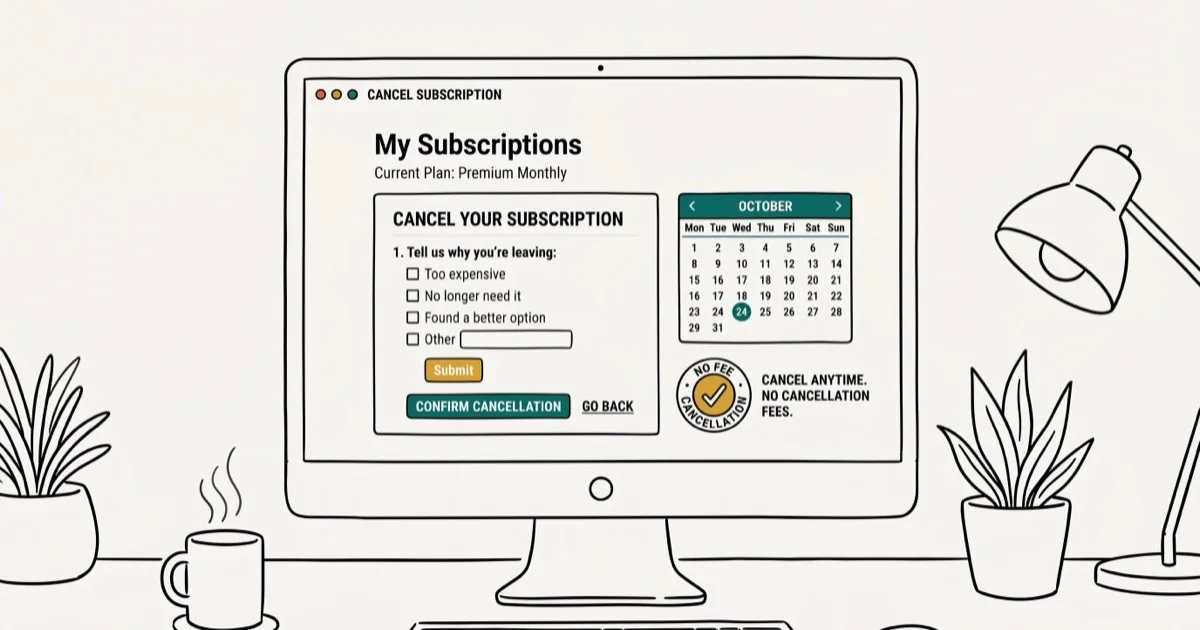
Quick AnswerThe safest way to cancel Adobe without a fee is to do it within the first 14 days of your subscription. After that window, annual plan cancellations trigger a fee equal to 50% of your remaining balance. Monthly subscribers can cancel anytime without penalty.
Adobe makes canceling feel complicated, but there are several legitimate paths to getting out without paying a fee. Three methods reliably work on Creative Cloud plans, and which one fits depends on your timing and plan type.
- Cancel within 14 days for a full refund with zero fee
- Annual cancellations after 14 days cost 50% of your remaining balance
- Monthly plans cancel anytime — no fee, service runs to billing cycle end
- Switching to a cheaper plan resets your 14-day cancellation window
- Support agents can waive fees for hardship situations if you ask directly
#How Does Adobe’s Cancellation Policy Work?
Before you start the cancellation process, it helps to know exactly what Adobe’s rules say. Adobe’s subscription policy states that 3 distinct scenarios determine whether you’ll pay a fee, and the difference between them can cost you several hundred dollars on an annual plan. See Adobe’s official terms for the full details and regional variations.
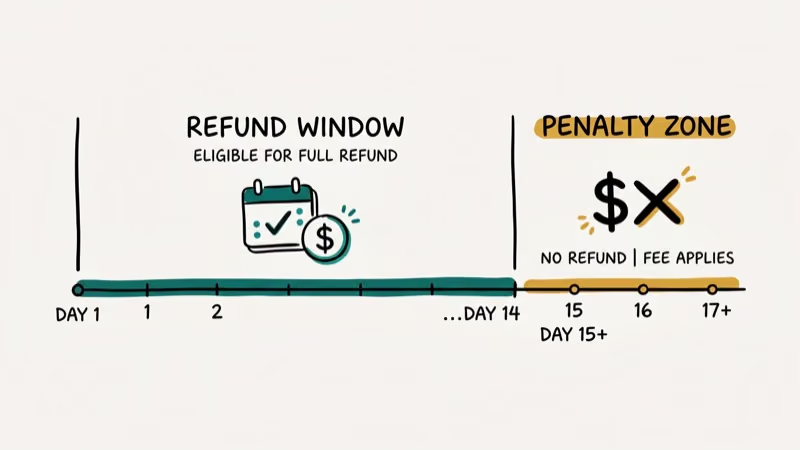
The 14-day window is your best option. Cancel within 14 days of your initial order and Adobe refunds the full amount with no penalty. This window also resets when you change plans.
Post-14-day annual cancellation is the expensive scenario. Adobe charges you 50% of your remaining annual contract balance as an early termination fee. On a $600/year plan, that means up to $300 if you cancel in month 2.
Monthly subscription cancellation has no fee at all. You can cancel a monthly plan any time. Service continues until the end of your current billing period, then stops.
According to Adobe’s support page on cancellation, the fee structure also varies by region. Customers in Brazil, for example, face a 20% fee on the remaining obligation rather than 50%.
#How to Cancel Within the 14-Day Window
This method works for new subscriptions and for plan changes. The 14-day window countdown starts on the day of purchase, not the day you first use the software.
Go to account.adobe.com and click Manage Plan under your subscription. Select Cancel Plan and follow the prompts to confirm.
Adobe will email a confirmation. The refund typically appears on your statement within 5-7 business days. Keep the confirmation email in case the charge doesn’t reverse promptly.
#The Plan-Switch Method to Reset Your Window
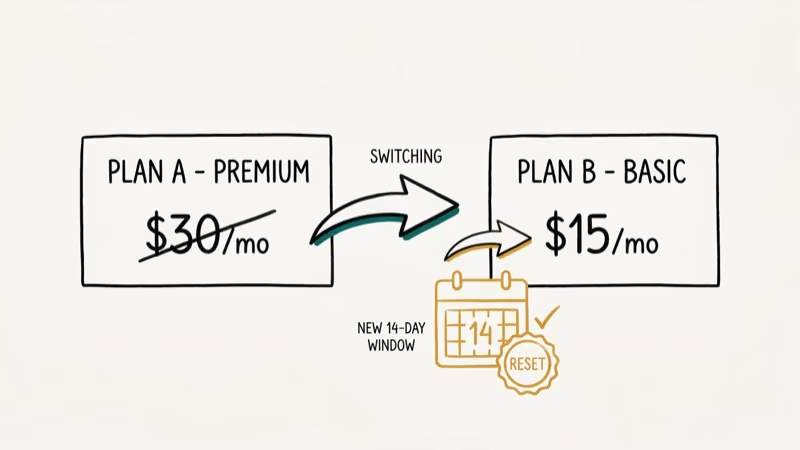
This is the most reliable approach if you’ve missed your original 14-day window. The logic works because plan changes create a new subscription agreement with its own 14-day cancellation period.
How to use this method:
Start the cancellation process for your current plan at account.adobe.com. When Adobe offers alternative plans, select the cheapest available option and accept the downgrade. Then immediately start the cancellation process again under the new plan. Since the new plan is less than 14 days old, you can cancel for free.
When you switch from a Creative Cloud All Apps plan to the Photography plan, the system treats the Photography plan as a new subscription with a fresh 14-day window. A cancellation inside that window incurs no fee.
Important caveat. This method depends on Adobe offering a plan switch during the cancellation flow. Adobe’s interface doesn’t always show this option, and the cheapest available plan changes over time.
#Can Adobe Support Waive Your Cancellation Fee?
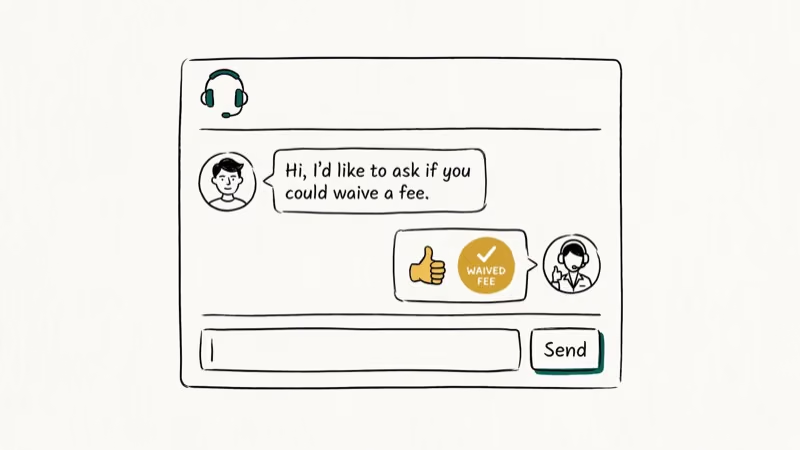
Sometimes a direct call to customer support works when the self-service portal doesn’t give you options. Adobe support agents have some discretion on fee waivers, particularly for financial hardship situations or long-term customers.
According to Adobe’s contact page, you can reach support by chat or phone. Chat agents tend to respond faster, but phone agents generally have more authority to approve fee waivers.
Tips for the support conversation:
- Be specific about your reason (financial hardship, software no longer needed for a project, medical situation)
- Ask directly: “Can you waive the early termination fee as a one-time exception?”
- If the first agent says no, politely ask to escalate to a supervisor
- Keep the conversation civil, as agents are more likely to help polite callers
Asking for an escalation after an initial denial sometimes works. It isn’t guaranteed, but it’s worth the short call.
#Managing Annual Contracts to Minimize Fees
If you’re stuck in an annual contract past the 14-day window and can’t get a waiver, timing your cancellation can reduce the fee you pay.
Adobe’s 50% fee applies to the remaining months of your contract. Cancel with 2 months left and you pay 50% of 2 months. Cancel with 10 months left and you pay 50% of 10 months.
Strategies to minimize the fee:
- Wait until the final 1-2 months of your annual term before canceling, then let it lapse rather than renewing
- Set a calendar reminder 30 days before your renewal date so you don’t accidentally renew
- Consider pausing your subscription if Adobe offers that option on your plan
According to Adobe’s plan management documentation, some plans support a temporary pause, which suspends billing without triggering a cancellation fee. This is useful if you only need to stop paying for a few months.
#Alternatives to Full Cancellation
If the fee is the only reason you’re hesitating, consider these options before canceling outright.
Downgrade to a cheaper plan. The Photography plan ($9.99/month) is Adobe’s lowest-cost Creative Cloud tier. If you only need Lightroom and Photoshop, this is far cheaper than canceling and paying the early termination fee.
Use Adobe alternatives. Free tools like GIMP cover basic image editing, while DaVinci Resolve handles video editing without a subscription fee.
If you’re managing other subscriptions alongside Adobe, the same 14-day logic often applies. See how to cancel BET Plus or cancel CBS All Access for streaming comparisons with very similar refund-window structures.
Premium and entertainment services share the same trap. Our walkthroughs for OnlyFans and Starz cover the same refund-window logic that Adobe relies on.
For gaming-adjacent subscriptions, our Twitch Prime cancellation guide walks through the Amazon-side flow. Early termination fees like Adobe’s are among the most common complaints about subscription software, as PCMag’s guide to subscription traps explains, and Adobe’s fee structure is consistent with this pattern across the industry.
#Bottom Line
Your cheapest path out of an Adobe subscription depends on timing. Act within the first 14 days for a guaranteed fee-free cancellation. After that, try switching to the cheapest available plan to reset the window, then contact support for a waiver if that option isn’t available. Annual contract holders who can’t get a waiver should wait until the last 1-2 months of their term to minimize the 50% penalty.
#Frequently Asked Questions
Can I cancel Adobe Creative Cloud for free after 14 days?
Not automatically. Adobe charges 50% of your remaining annual contract balance as an early termination fee. However, switching to a lower-tier plan during the cancellation flow may reset your 14-day window, letting you cancel for free from the new plan.
Does Adobe offer refunds after cancellation?
Adobe refunds the full amount only if you cancel within 14 days of your initial order or plan change. After that, payments are non-refundable, though service continues until the end of your billing period.
How do I cancel Adobe without being charged?
Cancel within 14 days of your subscription start date through account.adobe.com. If you’ve missed that window, try switching to a cheaper plan during the cancellation flow to get a new 14-day period, then cancel from the new plan.
What happens if I just stop paying Adobe?
Adobe will attempt to charge your payment method. Failed payments can lead to account suspension and potential collections activity. It’s better to formally cancel than to simply stop paying.
Can I pause my Adobe subscription instead of canceling?
Some plans support a temporary pause. Check your plan options at account.adobe.com under Manage Plan. A pause suspends billing without triggering the cancellation fee, which is useful if you only need a break of 1-3 months.
Is Adobe’s cancellation fee negotiable?
Yes, in some cases. Adobe support agents can waive fees for financial hardship or other extenuating circumstances. Ask directly for a one-time exception, and escalate to a supervisor if the first agent says no.
How long does an Adobe refund take?
Adobe processes refunds within 5-7 business days for cancelled subscriptions within the 14-day window. The credit may take an additional 1-2 billing cycles to appear on your statement depending on your bank.

Google Messages Error 3100: Why RCS Is Broken on Galaxy
Google Messages RCS error 3100 hits Galaxy owners after phone or carrier switches. Google told 9to5Google a fix is coming. Here's what actually helps.

Is This Bank App Real? Spot a Fake App on Your Home Screen
A bank app can land on your home screen from a web page with no install warning. Learn the checks that tell a real banking app from a phishing web app.

Apps Crashing After iOS 27 Update? Fix Order (2026)
Apps crashing after the iOS 27 update? Update the app in the App Store first, then offload and reinstall to clear stale cache, then restart. The fix order.

Do AI Translation Earbuds Work Offline? What to Know
Do AI translation earbuds work offline? A few do with downloaded language packs, but most need the cloud. Here's what works offline and what you give up.