Blacklisted iPhone: What It Means and How to Fix It
A blacklisted iPhone may be blocked by its carrier and other participating networks. Learn how to check the IMEI and distinguish this from Activation Lock.
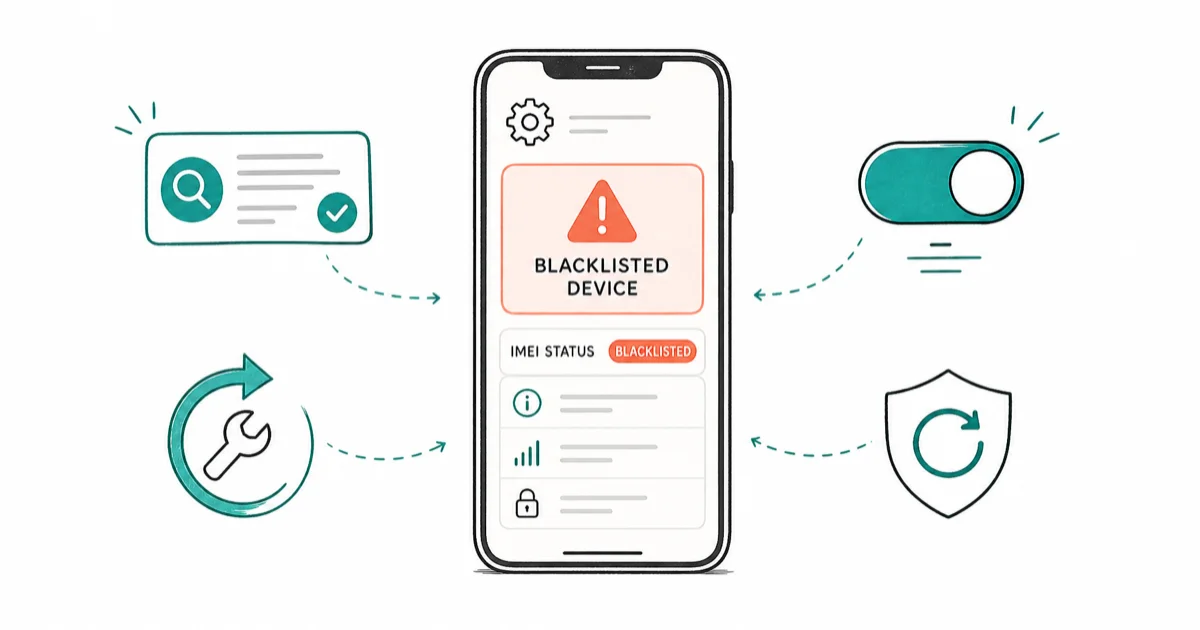
Quick AnswerA carrier can block a lost or stolen iPhone; other participating carriers may too. Check the IMEI with CTIA and contact the reporting carrier about an error; Apple's Activation Lock is a separate Find My protection.
Buying a used iPhone that turns out blocked is frustrating. This guide covers only your own device or one you’re authorized to handle. It explains what CTIA’s IMEI checker reports, where carrier support fits, and why carrier blocks differ from Activation Lock.
- A carrier can block a reported lost or stolen iPhone on its network; other carriers in the CTIA and GSMA Device Check ecosystem may block it too.
- The public CTIA checker reports lost-or-stolen status. Account or financing restrictions require a separate check with the carrier.
- Check a used device’s IMEI with the official CTIA Stolen Phone Checker before paying for it.
- Contact the reporting carrier about an incorrect block. CTIA provides the lookup but does not publish a consumer appeal process.
- A factory restore does not remove blacklist status because the flag is tied to the IMEI number in carrier databases, not the device software.
#What Does It Mean When an iPhone Is Blacklisted?
A carrier or GSMA block is a network-side status. According to CTIA’s Stolen Phone Checker FAQ, the reporting carrier can prevent a lost or stolen device from using its network, and other participating carriers may also block it. Apple’s Activation Lock documentation confirms that Find My links a different protection to the device on Apple’s activation servers. Because these are separate systems, passing one check doesn’t establish that the other is clear.
Network blocking is a security measure carriers use to deter theft and fraud. When a lost or stolen iPhone is added to the GSMA Block List, its IMEI number identifies the device to participating networks.
CTIA states that the data comes from more than 170 contributors in more than 45 countries, primarily mobile operators plus some insurers and large distributors. That is broad participation, not a guarantee that every carrier in every country applies the same block.
#Understanding IMEI Numbers and ESN
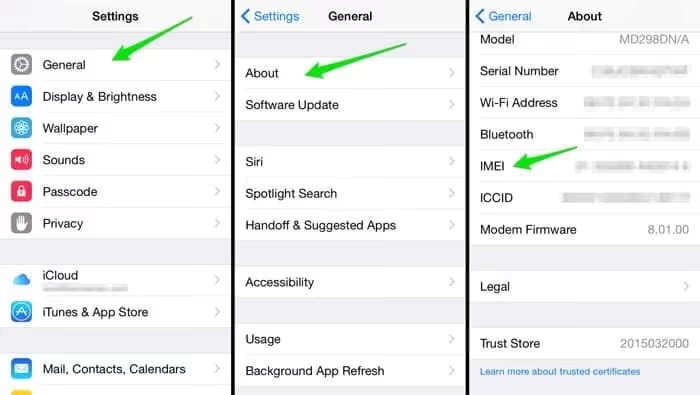
According to CTIA, an IMEI is a 15-digit device identifier. Its checker also accepts MEID and ESN identifiers used by some other or older cellular devices, but a modern iPhone check should start with the IMEI shown in Settings or on the packaging. A software update or factory reset doesn’t change that hardware identifier.
To find your iPhone’s IMEI/ESN:
- Go to
Settings>General>About - Scroll down to find the IMEI or ESN
- You can also dial *#06# to display the IMEI
#How to Check if Your iPhone is Blacklisted
Use the official CTIA Stolen Phone Checker for a public lost-or-stolen lookup. A red result states Reported Lost or Stolen; a green result means the device was not flagged on the GSMA Block List at the time of that query. For account, financing, or activation restrictions outside that public result, contact the carrier separately.
Use our IMEI check overview only to compare report categories. Verify warranty and lock answers with Apple or your carrier. Third-party reports are supplementary.
#Reasons an iPhone May Be Blacklisted
The public CTIA checker covers devices reported lost or stolen. Its FAQ also says a carrier may confirm that a device was stolen through fraud or that the owner no longer possesses it. Carrier-specific account and financing restrictions are separate checks and shouldn’t be inferred from a CTIA result.
- Reported lost or stolen: The account holder tells the carrier the device is no longer in their possession.
- Carrier-confirmed fraud: CTIA includes a carrier-confirmed stolen-through-fraud status in its lost-or-stolen definition.
- Carrier-specific restrictions: Financing, account, or unlock eligibility can affect whether a carrier accepts a device, but the carrier must explain that status directly.
#Implications of Having a Blacklisted iPhone
Owning a blacklisted iPhone comes with several significant drawbacks:
- Network restrictions: The reporting carrier can block the device, and other participating carriers may block it too.
- Limited functionality: Wi-Fi and local apps may still work, while cellular service is unavailable on networks that apply the block.
- Reduced value: Blacklisted iPhones have very little resale value due to their limited usability.
- Potential legal issues: Depending on why the device was blacklisted, there could be legal ramifications for possessing or attempting to sell a blacklisted iPhone.
#Options for Dealing with a Blacklisted iPhone
If you find yourself with a blacklisted iPhone, you have several potential courses of action:
#1. Contact the Reporting Carrier
Ask the carrier which status it sees before discussing a remedy. A lost-or-stolen Block List record, a carrier financing or account restriction, and a SIM lock aren’t interchangeable.
- For a lost-or-stolen result, ask whether the account holder must correct or withdraw the report.
- For a financing or account restriction, ask what the carrier’s current policy requires; paying a balance doesn’t by itself prove a GSMA Block List record was removed.
- For a carrier error, ask for a case number, accepted ownership evidence, and the carrier’s own review estimate.
#2. Avoid “Blacklist Cleaning” Services
Software can’t update a carrier record. Avoid services that conflate carrier blocking with Activation Lock; they’re separate systems.
#3. Return or Exchange the Device
If you recently purchased the iPhone and discovered it’s blacklisted, your best option may be to return it to the seller for a refund or exchange. Many reputable sellers have policies in place to protect buyers from unknowingly purchasing blacklisted devices.
#How Can You Avoid Buying a Blacklisted iPhone?
To protect yourself from unknowingly purchasing a blacklisted iPhone:
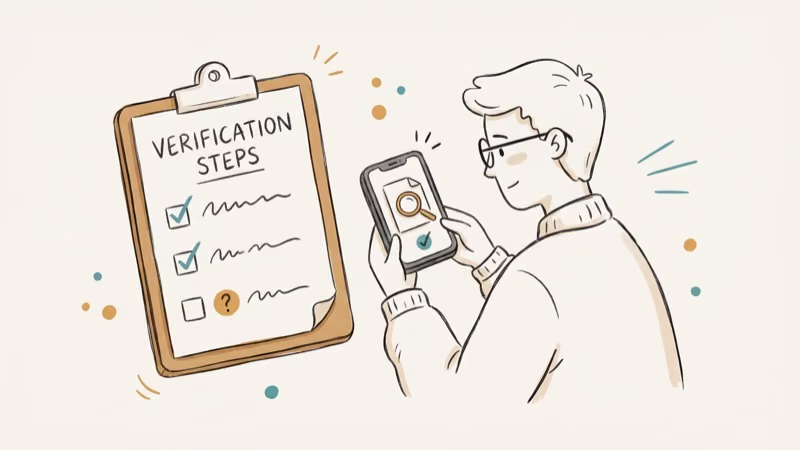
- Always check the IMEI: Use the official CTIA Stolen Phone Checker before finalizing any purchase.
- Buy from reputable sellers: Stick to authorized retailers or well-known marketplaces with buyer protection policies.
- Ask for proof of ownership: Request documentation showing the seller legally owns the device.
- Be wary of deals that seem too good to be true: Extremely low prices may indicate a blacklisted or stolen device.
- Verify the unlock status: Learn how to check if an iPhone is unlocked without a SIM to ensure the device isn’t carrier-locked.
#Legal and Ethical Considerations
Correcting an inaccurate carrier record on your own device isn’t the same act as altering an IMEI or handling stolen property. The legal consequences depend on the conduct and jurisdiction.
- Use the carrier’s documented review process for a status you believe is wrong.
- Don’t alter the IMEI or try to evade a lost-or-stolen report.
- If you know or suspect the device is stolen, contact the carrier or local law enforcement and follow their instructions.
Always consider the ethical implications of your actions and seek legal advice if you’re unsure about your specific situation.
#Bottom Line
Always check the IMEI before buying any used iPhone. Dial *#06# on the device, then run it through the CTIA Stolen Phone Checker before any money changes hands.
If you already own a blocked phone you bought in good faith, contact the reporting carrier and ask what review path and ownership evidence apply. The carrier controls its own record, but requirements, timing, and outcomes vary. For deeper iPhone fixes, see our guides on unlocking a locked iPhone and checking if an iPhone is unlocked.
If your device also shows the lost-and-erased screen, our lost and erased recovery walkthrough covers next steps before you pursue any carrier dispute, since iCloud activation lock will block reuse even after a successful blacklist removal.
#Frequently Asked Questions
Is it illegal to sell a blacklisted iPhone?
Laws and remedies depend on the facts and jurisdiction. Disclose a known block to the buyer and get local legal advice if ownership, theft, financing, or the sale itself is disputed.
Can a blacklisted iPhone work in another country?
Possibly. The reporting carrier can block the phone, and other carriers participating in the CTIA and GSMA Device Check ecosystem may also block it. CTIA reports contributors in more than 45 countries, but that doesn’t mean every foreign network applies every US report, so don’t treat another country as a reliable workaround.
Will a factory reset remove the blacklist?
No. The blacklist is tied to the IMEI number in carrier databases, not to the device software, so no restore or iOS update changes it.
Can I use a blacklisted iPhone on Wi-Fi only?
A network block itself concerns cellular access. Wi-Fi and Bluetooth may still work if the iPhone can complete setup, but Activation Lock, account state, app requirements, or device condition can independently limit what is usable.
How long does an iPhone stay blacklisted?
Until the responsible carrier or reporting organization updates the status. There is no universal public resolution time in the CTIA checker; ask the carrier handling the case for its own timeline and required documents.
How do I verify an IMEI before buying?
CTIA says an IMEI is a 15-digit device identifier. Dial *#06# or check the phone’s settings or packaging, then enter the number in the CTIA Stolen Phone Checker.

Apple Siri Settlement: Who Qualifies and How to Claim
Apple's $250 million Siri settlement covers iPhone 15 Pro and iPhone 16 models bought June 2024 to March 2025. See who qualifies and how claims work.

iOS 26.6.1 Security Update: What Apple Fixed and Who Gets It
Apple released iOS 26.6.1 on August 17 with 29 security fixes, including an IPSec interception bug. See what it patches, who gets it, and how to update.

iPhone Adaptive Power: How It Works and When to Use It
Learn how iPhone Adaptive Power works, which models support it, what it changes, and when Low Power Mode is still the better battery-saving choice.

How to Transfer Data to a New iPhone Without iCloud
Move everything to your new iPhone without iCloud: Quick Start device-to-device transfer, wired migration, and encrypted Finder or iTunes backups.