Best Meme Maker App | Create a Meme With Personal Pics
Filmora is the top meme maker with no watermarks and no sign-up needed. Compare 7 meme creator apps for Android and iOS with pros, cons, and features.
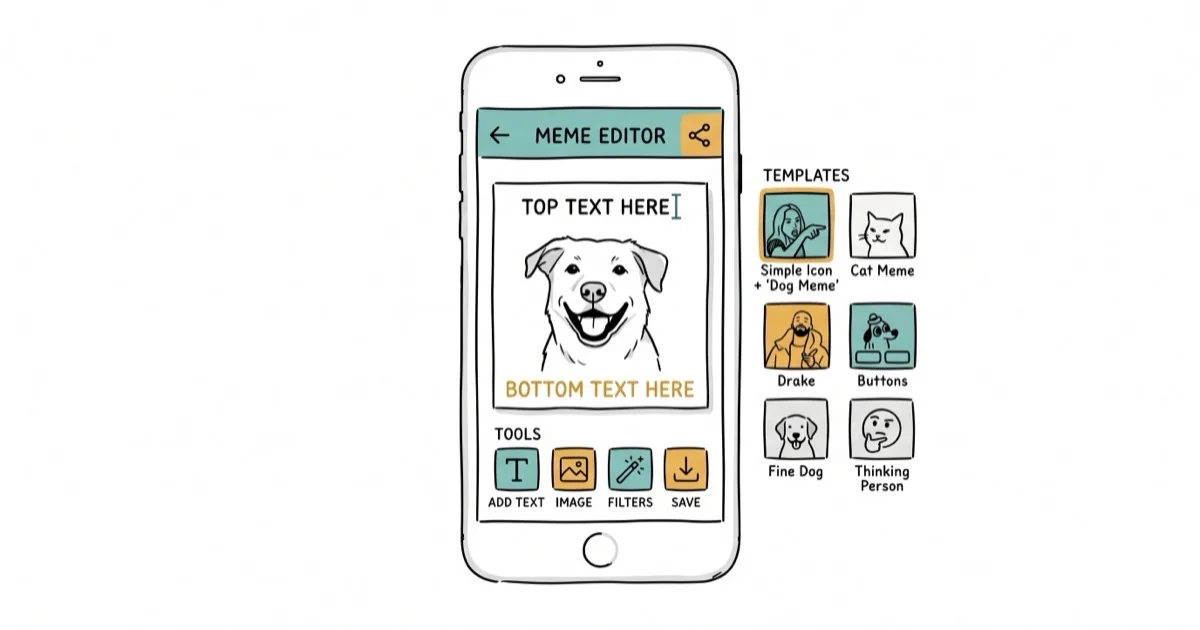
Quick AnswerFilmora Online Meme Maker is the best meme maker app for most people. It creates image, GIF, and video memes without watermarks, requires no account, and works directly in your browser.
Making memes used to require Photoshop skills. Now you can create shareable memes using your phone or browser. This guide compares meme maker apps that work without flooding you with ads or slapping watermarks on your creation.
- Filmora Online Meme Maker creates image, GIF, and video memes with no watermark and no registration
- 9GAG is the best Android meme app with built-in sharing to major social platforms
- Mematic offers the largest template library on iOS with over 1,000 preloaded meme formats
- Meme Generator + Meme Creator lets you add custom watermarks to protect your original work
- All apps on this list let you create memes using your own photos from your camera roll
#What Is the Best Meme Maker App Overall?
Filmora Online Meme Maker stands out as the best option for creating memes. Unlike installed apps, it runs entirely in your browser. No downloads, no account creation, no storage space used on your device.
Some links on this page are affiliate links, which means fone.tips may earn a commission at no extra cost to you.
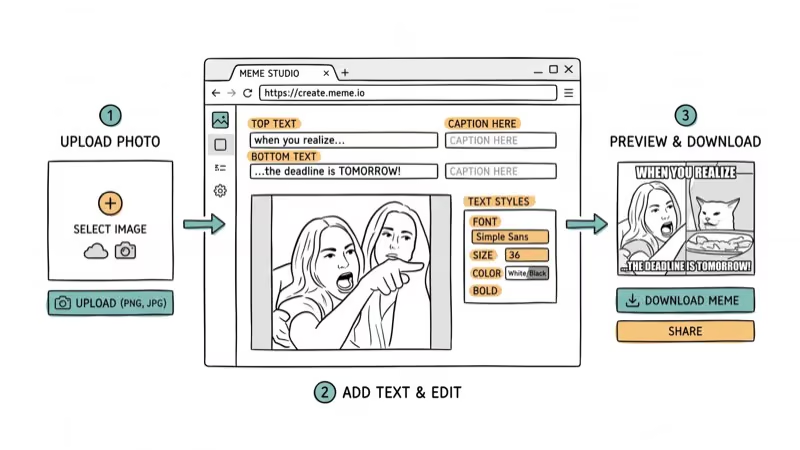
Filmora supports image, GIF, and video memes without adding watermarks. The text editor lets you place captions inside or outside the image, change font size and color, and adjust positioning. The whole process is quick once you know your way around.
According to PCMag’s meme generator roundup, browser-based tools like Filmora avoid the privacy concerns that come with mobile apps requesting camera and storage permissions. That confirms that a browser workflow is useful if you’re cautious about app permissions.
The one downside: you need an internet connection since it’s browser-based. For offline meme creation, grab one of the mobile apps below.
#Best Meme Maker Apps for Android
#9GAG Meme Maker
9GAG doubles as both a meme browser and creator. You can scroll through trending memes for inspiration, then create your own using the built-in editor. The app shares directly to Facebook, Instagram, WhatsApp, and X (Twitter).
Pros: Built-in social sharing, large community for exposure, fast interface. Uploading a personal photo and adding text is straightforward.
Cons: Videos and GIFs load slowly on older phones. Downloading high-resolution images requires patience.
#Memedroid
According to internet meme background, memedroid has been around since 2012, making it one of the oldest meme apps still actively maintained. It includes hundreds of preset meme templates plus the option to upload your own images.
Pros: Supports 8 languages, active community that votes on submissions, video meme support. The preset templates cover common meme formats without needing much setup.
Cons: The app crashes occasionally on budget Android devices. Limited editing features compared to dedicated image editors.
#Making a Meme With Your Own Photo
The process is nearly identical across all meme apps. Here’s how it works:
- Open your meme creator app and tap the + or camera icon
- Grant permission to access your photo library when prompted
- Select a photo from your gallery or take a new one
- Tap the text field to add your caption
- Adjust font size, color, and position
- Save to your device or share directly to social media
Across these apps, the workflow is upload photo, add caption, then export. Browser tools avoid app permissions, while some mobile free tiers add a watermark unless you upgrade.
Pro tip: Crop your photo to a square before uploading. Most meme formats work best at 1
or 4 aspect ratios, and pre-cropping avoids the awkward automatic cropping that some apps apply.#Best Meme Maker Apps for iOS
#Mematic
Mematic is the most popular meme app on iOS with over 1,000 built-in templates.
The interface is clean and beginner-friendly. You pick a template, add text, and share.
Pros: Huge template library, simple drag-and-drop text placement, frequent template updates.
Cons: Many features are locked behind a $2.99/week subscription. The free version can show frequent ads during editing.
#Meme Generator + Meme Creator
This app has 500,000+ downloads and focuses on customization. You can add custom quotes, stickers, and even your own watermark to protect original memes.
Pros: Custom watermark feature, large stock photo library, sticker overlays.
Cons: The payment system confuses some users. Free tier has limited template access.
#Choosing Between Free and Paid Meme Apps
Free tiers handle casual one-off memes. Paid tiers open up the full template library and remove watermarks.
Filmora’s browser tool stays free without account creation, while Mematic and Meme Generator gate the best templates behind subscriptions. If you publish more than five memes a week, a one-time $4.99 upgrade usually beats $2.99 weekly charges over a year. For occasional users, sticking with Filmora and one mobile fallback covers most needs without spending anything.
#Are Meme Maker Apps Safe to Use?
Most reputable meme apps are safe, but you should watch for a few red flags. Some lesser-known meme apps request unnecessary permissions like access to your contacts, microphone, or location data. Location or contact access during onboarding is a red flag because a basic meme tool doesn’t need it.
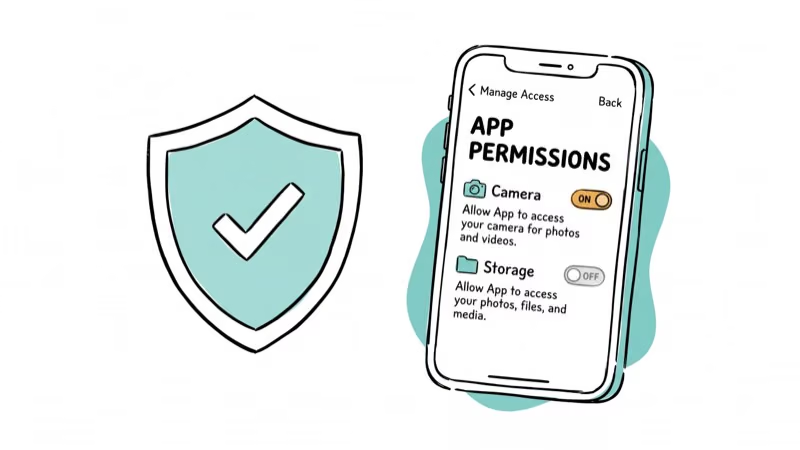
Before installing any meme app, check the permissions it requests. A meme maker only needs access to your camera and photo library. If it asks for anything else, that’s suspicious.
For extra caution, check a meme app’s installer with VirusTotal before downloading. The ad-supported free versions of Mematic and Meme Generator use tracking cookies for targeted advertising.
Safe meme creation checklist:
- Only grant camera and photo library permissions
- Use browser-based tools like Filmora when possible
- Avoid apps with fewer than 10,000 downloads
- Read recent reviews for reports of malware or excessive ads
For related creative tools, check out the guides on photo squarer apps and adding text to photos on Android. These pair well with a meme maker whenever you need to crop a source image to a square or stamp captions on a reaction shot before turning it into a meme for social platforms.
For motion-based memes, the walkthroughs on video-to-GIF software and After Effects alternatives cover the next step up when a static caption is not enough. They help you convert a long phone clip into a short shareable GIF, polish a reaction video before posting, or layer captions and effects on top of a recorded scene so the joke lands with timing instead of just text.
#Bottom Line
Filmora Online Meme Maker is the best choice for most people. It’s free, adds no watermarks, and requires no installation. For dedicated mobile apps, go with 9GAG on Android or Mematic on iOS.
Skip any app that asks for permissions beyond your camera and photos. And remember: the funniest memes don’t need fancy effects. A good joke with white Impact font on a personal photo still outperforms anything over-produced.
#Frequently Asked Questions
Can I use meme maker apps for commercial purposes?
Most apps allow commercial use of memes you create from your own photos. However, using copyrighted template images (like movie stills or celebrity photos) in commercial content can create legal issues. Check each app’s terms of service before you publish anything for a brand or paid campaign, and keep a record of which source image you used in case a takedown request lands later.
Do meme maker apps add watermarks?
Filmora Online Meme Maker and 9GAG don’t add watermarks. Mematic and Meme Generator add watermarks on their free tiers but remove them with paid subscriptions.
What image format works best for memes?
JPEG works for most platforms. PNG is better if your meme has text overlays on solid color backgrounds, since it avoids compression artifacts around the text edges. Most social platforms compress images anyway, so don’t worry about uploading at maximum resolution.
Can I create video memes with these apps?
Yes. Filmora, 9GAG, and Memedroid all support video meme creation. Filmora is a good option for video memes because it processes them in the cloud, so your phone doesn’t slow down during rendering. Video memes are limited to about 30 seconds on most platforms.
Are these apps available on both Android and iOS?
9GAG and Memedroid are available on both platforms. Mematic is iOS-only and has no Android counterpart, so Android users should pair Filmora with 9GAG instead. Meme Generator + Meme Creator works on both platforms, though the Android edition gets template updates a few weeks later than iOS. Filmora is browser-based, so it works on any device with a web browser, including Chromebooks and older tablets.
Do I need an internet connection to make memes?
Installed apps like 9GAG and Mematic work offline for basic meme creation using your own photos. You’ll need internet to access template libraries, download new formats, or share directly to social media. Filmora requires an internet connection since it’s entirely browser-based.
How do I make my memes go viral?
No formula guarantees it. Post during peak hours, use trending formats, and make the joke land in two seconds.
What font do most memes use?
Impact Bold in white with a black outline is the classic meme font. Most meme maker apps default to this style. Newer meme formats sometimes use sans-serif fonts like Helvetica or the iOS system font for a cleaner look.

Google Messages Error 3100: Why RCS Is Broken on Galaxy
Google Messages RCS error 3100 hits Galaxy owners after phone or carrier switches. Google told 9to5Google a fix is coming. Here's what actually helps.

Is This Bank App Real? Spot a Fake App on Your Home Screen
A bank app can land on your home screen from a web page with no install warning. Learn the checks that tell a real banking app from a phishing web app.

Apps Crashing After iOS 27 Update? Fix Order (2026)
Apps crashing after the iOS 27 update? Update the app in the App Store first, then offload and reinstall to clear stale cache, then restart. The fix order.

Do AI Translation Earbuds Work Offline? What to Know
Do AI translation earbuds work offline? A few do with downloaded language packs, but most need the cloud. Here's what works offline and what you give up.