Best After Effects Alternatives: 7 Top Picks for 2026
Looking for After Effects alternatives? Compare 7 free and paid options for motion graphics and VFX, including DaVinci Resolve, Blender, and Natron.
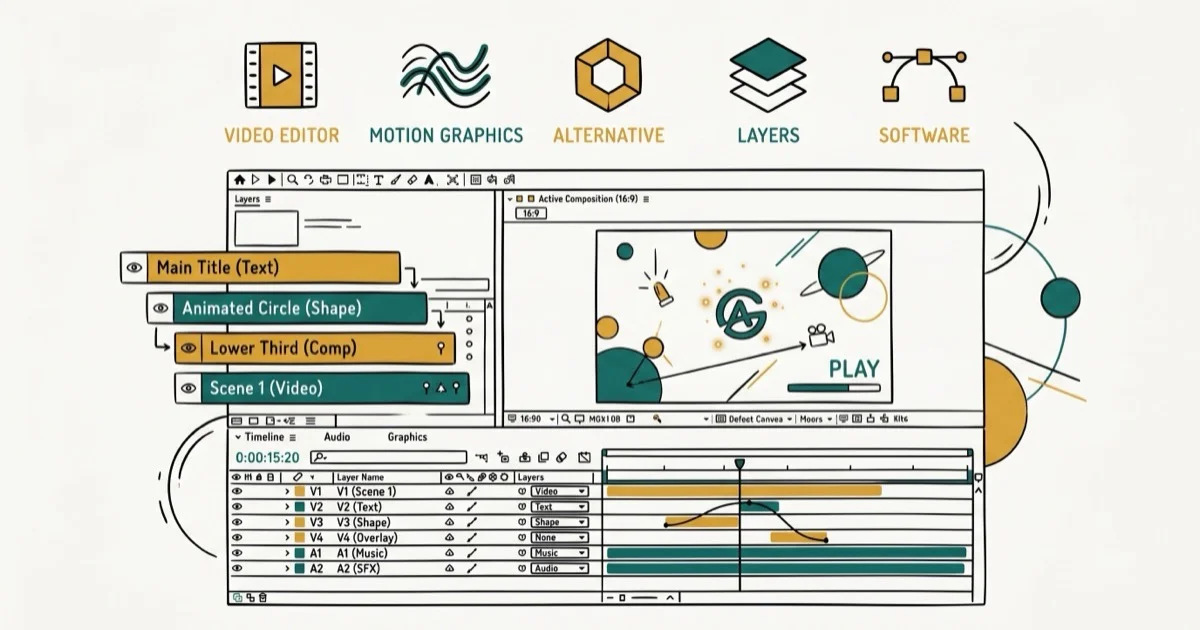
Quick AnswerDaVinci Resolve with Fusion is the best free After Effects alternative, bundling compositing, color grading, and VFX in one app. Mac users can also try Apple Motion at $50.
Adobe After Effects costs $22.99/month on an annual plan, plus a steep learning curve. These seven alternatives cover Windows and Mac for motion graphics, compositing, and visual effects without the subscription.
- DaVinci Resolve with Fusion is free and handles compositing, color grading, and VFX in one app
- Blender 5.0 added compositor modifiers and mograph presets for 3D motion graphics at zero cost
- Apple Motion costs $50 one-time with no subscription and works with Final Cut Pro
- Natron is the closest free, open-source match to After Effects for node-based compositing
- HitFilm gives beginners a combined editor and VFX tool with 400+ built-in effects
#DaVinci Resolve with Fusion
DaVinci Resolve is a free professional video editor from Blackmagic Design, and its built-in Fusion page is where the After Effects comparison gets serious. Fusion uses a node-based workflow instead of layers, connecting effects like building blocks in any order you want.
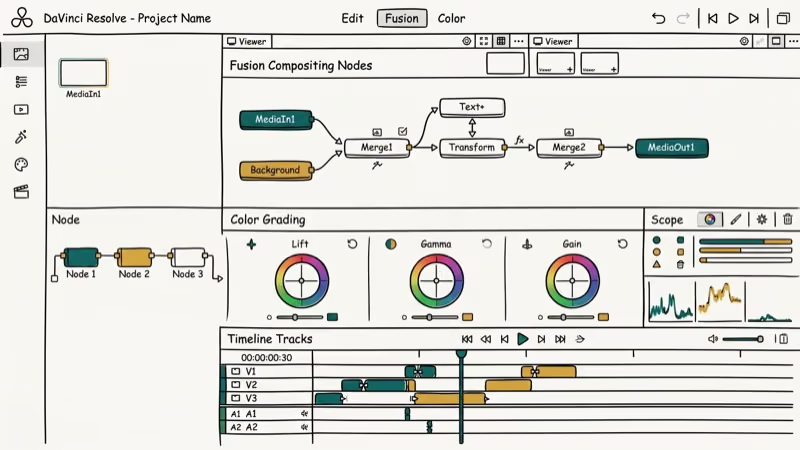
Fusion has powered visual effects in Hollywood for over 30 years. According to Blackmagic Design’s Fusion page, it’s been behind VFX in major films, TV shows, and commercials since the mid-1990s, and it’s now bundled free with DaVinci Resolve. On a Windows 11 PC with 16GB RAM, rendering a short title sequence finishes without trouble.
The Studio version ($295 one-time) adds GPU-accelerated rendering and stereoscopic 3D, but most people won’t need it.
Fusion’s weak spot is templates. After Effects has thousands of pre-built motion graphics templates and plugins that Fusion simply can’t match yet, so you’ll spend more time building from scratch if you switch.
#Is Blender Good Enough for Motion Graphics?
Blender is free, open-source, and has grown far beyond its 3D modeling origins. Blender 5.0 (released late 2025) brought a big compositor upgrade.
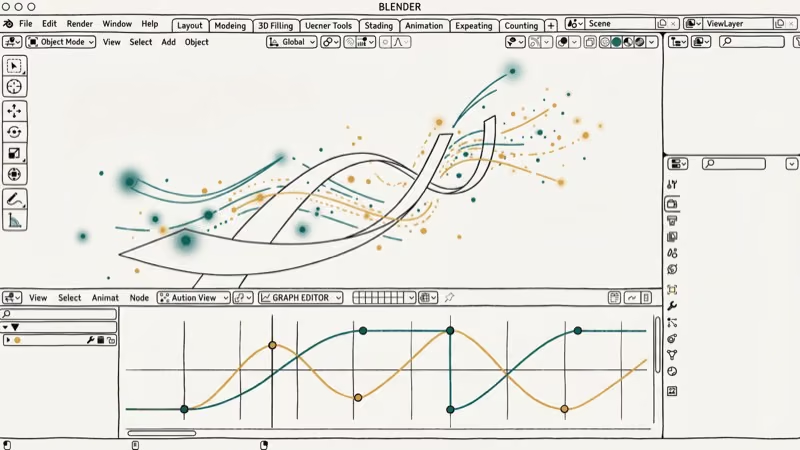 You can now apply compositing node trees directly inside the Video Sequencer via a “Compositor modifier,” so there’s no more switching between editors for basic VFX work.
According to Blender’s 2026 development roadmap, more compositor improvements are on the way. GPU support and sequencer effects top the list. Courses from CG Boost and CG Cookie cover green screen keying, motion tracking, and more.
On an M2 MacBook Pro, Blender 5.0 handles a heavy particle scene smoothly without dropping frames.
The catch? Blender tries to do everything, and that makes the interface overwhelming if you only want motion graphics features similar to Premiere Pro. Plan on 2-3 weeks of dedicated learning before you feel productive with it.
#Apple Motion
Apple Motion is $50 from the Mac App Store. If you already use Final Cut Pro for video editing, Motion is the natural companion.
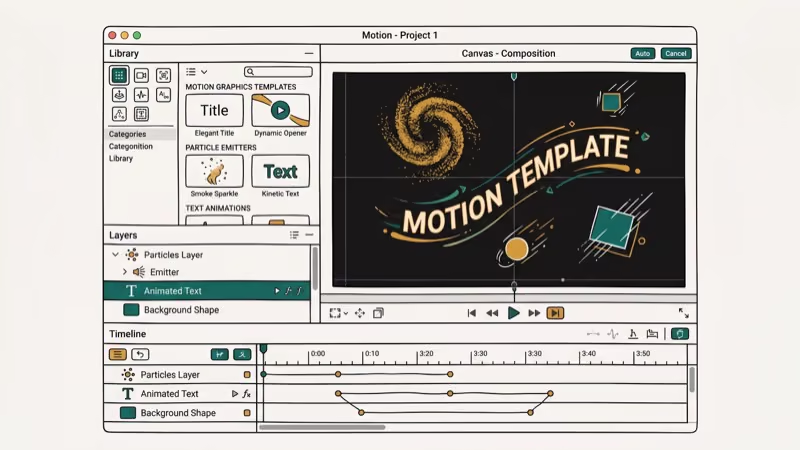
Motion 6.0 (released early 2026) brought AI-powered Magnetic Mask, which isolates people and objects from footage without needing a green screen. According to Apple’s Motion release notes, 3D text rendering is dramatically faster on Apple silicon now thanks to Metal-powered improvements under the hood.
What sets Motion apart is the behavior-based animation system. Instead of keyframing every movement manually, you combine pre-built behaviors like “throw” and “gravity” to create realistic animations. Great for titles and transitions, but less useful for heavy compositing.
Mac only. No workaround for that.
#Natron
Natron is free, open-source, and available on Windows, Mac, and Linux. It uses node-based compositing similar to Nuke, the industry-standard VFX tool that costs $5,000+/year. For anyone who wants professional compositing workflows without the price tag, Natron is one of the few realistic options available, and the cross-platform support means you can switch operating systems without losing your toolchain.
According to XDA’s coverage of Natron, the software includes rotoscoping, planar tracking, and 2D/3D compositing. OpenFX plugin support lets you add third-party effects.
Rotoscoping a short clip in Natron takes a bit longer than in After Effects.
Development has slowed, though. Community contributors keep Natron alive, but updates arrive less frequently than Blender or DaVinci Resolve, and the interface feels a generation behind modern tools, which can be frustrating when you run into bugs that nobody is actively fixing.
#What About HitFilm for Beginners?
HitFilm (formerly HitFilm Express) combines video editing with visual effects in one app with over 400 built-in effects. The free version is generous enough for hobbyist projects.
The timeline-based workflow feels familiar if you’ve used any mainstream video editor or converter. Drag clips in, add effects, preview in real time. No node-based compositing, so the learning curve is gentler than DaVinci Resolve or Natron by a wide margin, and most people can start producing within their first afternoon of using it.
Green screen support, 3D model import, particle effects. All free. Paid plans start at $7.99/month if you want extra effects and export options.
Stacking 5+ effects layers on a mid-range laptop with 8GB RAM brings noticeable lag. Complex projects get sluggish fast on lower-end machines.
#Pikimov: The Browser-Based Option
Pikimov 5 launched in February 2026. It’s a free browser-based motion design tool that requires no download at all. According to CG Channel’s coverage, it uses a layer-based workflow similar to After Effects, with masks, filters, and keyframing built right into the browser interface.
It’s the right choice for quick social media animations or video content when you don’t want to install software.
Complex projects will hit performance walls, and there’s no plugin ecosystem. But for short animations under 60 seconds, Pikimov does more than you’d expect from a browser tab, and the zero-install requirement means you can work from a Chromebook, a library computer, or any machine with Chrome or Firefox.
#Kdenlive
Kdenlive is a free, open-source video editor for Windows, Mac, and Linux that handles basic video editing and effects well enough for creators who don’t need dedicated motion graphics power.
The interface is clean. Keyframe animation, color correction, audio mixing, multi-track editing, and a proxy editing feature that’s especially useful for 4K footage on older hardware.
It won’t replace After Effects. But for text overlays, transitions, and basic effects on your video projects, Kdenlive does the job at zero cost, and the Linux support makes it one of the few professional-quality editing tools that runs natively on all three major desktop operating systems without any compatibility workarounds.
#Bottom Line
Start with DaVinci Resolve. It’s free, professional-grade, and handles everything from editing to VFX in one app. Mac users should consider Apple Motion for $50.
#Frequently Asked Questions
Can DaVinci Resolve fully replace After Effects?
For most video production tasks, yes. DaVinci Resolve’s Fusion page handles compositing, VFX, and basic motion graphics well. The gap shows up in templates and plugins. After Effects has thousands of pre-built motion graphics templates that Fusion can’t match yet, so motion designers who rely heavily on template-driven workflows may find the switch frustrating.
Is Blender too hard to learn for motion graphics?
It’s steep but doable. Expect 2-3 weeks of focused practice before you’re comfortable. Tutorials from CG Boost, CG Cookie, and Blender Studio cover the essentials.
Which free alternative is best for beginners?
HitFilm. It combines video editing and VFX in a familiar timeline interface with over 400 built-in effects. No node-based workflows or 3D concepts required, and most beginners can produce their first edited video within a few hours of installing it, which is much faster than the onboarding time for DaVinci Resolve or Blender.
Do these alternatives work on both Windows and Mac?
DaVinci Resolve, Blender, Natron, HitFilm, and Kdenlive all run on Windows and Mac. Pikimov works in any browser, and Apple Motion is Mac-only. Linux users can run Blender, Natron, DaVinci Resolve, and Kdenlive natively.
Can I open After Effects projects in these alternatives?
No. After Effects .aep files won’t open in any of these tools. Export your footage, images, and audio individually, then rebuild in the new software.
Are free alternatives good enough for professional work?
DaVinci Resolve has been used on Netflix shows and feature films. Blender contributed VFX shots to several studio productions. Both are professional-grade, and the free versions don’t watermark or limit output resolution. Your results depend on time invested in learning, not on what you paid for the software, and plenty of working professionals use these tools daily without spending a dollar on licensing.
How much does After Effects cost compared to these alternatives?
After Effects runs $22.99/month (annual) or $34.49/month (monthly). That’s $275 to $414 per year. Six of the seven alternatives on this list are completely free: DaVinci Resolve, Blender, Natron, Pikimov, Kdenlive, and HitFilm’s basic tier. Apple Motion is $50 one-time.
What is node-based compositing and why does it matter?
Nodes connect effects as visual blocks instead of stacking them in layers. Each node does one job, and you wire them together in any order. It’s more flexible for complex VFX work because you can see and rearrange the entire effect chain at a glance. DaVinci Resolve’s Fusion and Natron use nodes, while After Effects and HitFilm use layers.

Google Messages Error 3100: Why RCS Is Broken on Galaxy
Google Messages RCS error 3100 hits Galaxy owners after phone or carrier switches. Google told 9to5Google a fix is coming. Here's what actually helps.

Is This Bank App Real? Spot a Fake App on Your Home Screen
A bank app can land on your home screen from a web page with no install warning. Learn the checks that tell a real banking app from a phishing web app.

Apps Crashing After iOS 27 Update? Fix Order (2026)
Apps crashing after the iOS 27 update? Update the app in the App Store first, then offload and reinstall to clear stale cache, then restart. The fix order.

Do AI Translation Earbuds Work Offline? What to Know
Do AI translation earbuds work offline? A few do with downloaded language packs, but most need the cloud. Here's what works offline and what you give up.