Best Laptop for College Students 2026: Top Picks by Major
The best laptop for college students in 2026, picked by budget and major. Compare the MacBook Air M5, Surface Laptop 7, and budget Windows options.

Quick AnswerFor most college students in 2026, the MacBook Air M5 is the best all-round pick for its 18-hour rated battery, light fanless design, and quiet performance. STEM majors should pick 16GB of RAM.
The best laptop for college students in 2026 survives four years of backpack abuse, lasts a full day of lectures on one charge, and runs your major’s required software. We sorted the picks by budget and by major. Your degree decides more than your wallet.
- The MacBook Air M5 is the strongest all-round pick: it runs cool and silent with no fan and is rated for up to 18 hours of battery.
- STEM, engineering, and design students should buy 16GB of RAM minimum so virtual machines and multiple apps run without stalling.
- The Surface Laptop 7 with a Snapdragon X chip is the best Windows alternative, with Microsoft rating the 15-inch model at up to 22 hours of video playback.
- Budget shoppers can get a usable full Windows laptop around $300 in 2026, but plan to add storage since 128GB fills fast.
- Many laptops still ship with soldered RAM, so the memory you buy on day one is the memory you keep for four years.
#What College Students Should Look for in a Laptop
Start with weight and battery, not raw speed. Aim for under 3.5 pounds and a battery that clears a full school day.
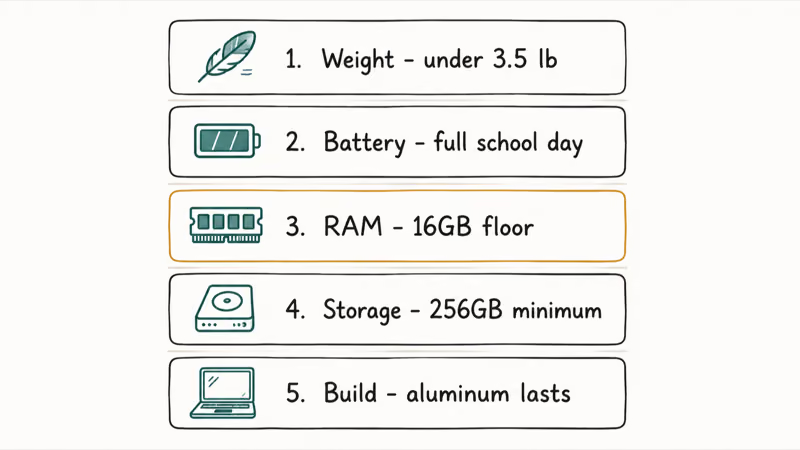
RAM is the spec students underbuy most often. 8GB is fine for writing, browsing, and streaming, but 16GB is the floor for anyone running coding environments, design suites, or several browser-heavy research tabs at once. According to PCWorld’s budget laptop guide, 8GB is the practical minimum for smooth multitasking in 2026. Most laptops solder the RAM in place, so what you buy today is what you keep for four years.
Storage matters more than the sticker suggests. Get 256GB minimum, or 512GB for media-heavy majors. A 128GB drive fills up fast.
Build quality is the quiet differentiator. An aluminum chassis survives four years of backpack abuse that snaps a cheap plastic shell, so if you buy budget, plan to baby it and use a padded sleeve everywhere you go.
#Which Laptop Is Best for Your Major?
Your field of study narrows the choice fast. A nursing student and a film student should not buy the same machine, and pretending otherwise is how people overspend or underbuy.
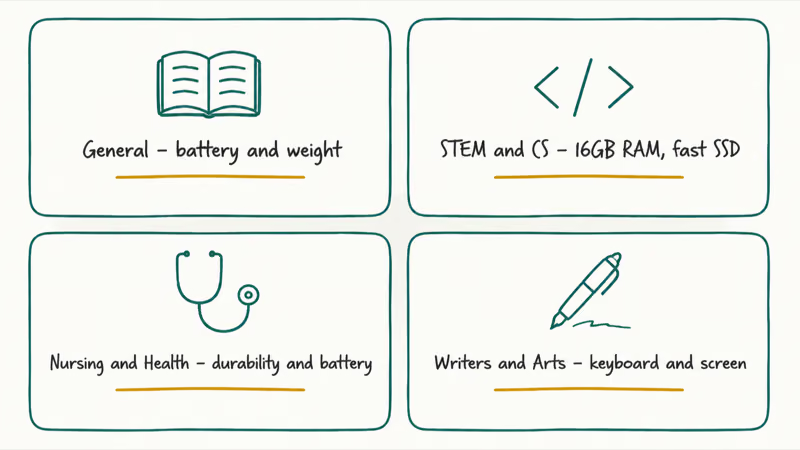
General majors in business, communications, and the humanities can run almost anything. Prioritize battery, weight, and a comfortable keyboard. The MacBook Air M5 or a mid-range Windows laptop both handle essays, lectures, and Zoom without complaint. If you mostly live in a browser and Google Docs, a detachable laptop or Chromebook stretches your dollar further.
STEM and computer science students need the most horsepower. Coding, compiling, and running virtual machines reward 16GB of RAM and a fast SSD. Our best laptops for computer science guide goes deeper: macOS gives you a Unix shell out of the box that mirrors most production servers, while Windows wins on raw software compatibility for engineering tools and CAD suites that never shipped a Mac version.
Nursing and health-science students want durability and battery over speed, since clinicals and charting apps matter more than raw power. Our best laptops for nursing students breakdown weighs the specific charting-app needs.
Writers and arts students should weight the keyboard and screen. You’ll type for hours, so a mushy keyboard grates fast. Our best laptop for writers picks favor comfortable travel and crisp displays.
#The Best All-Round Pick: MacBook Air M5
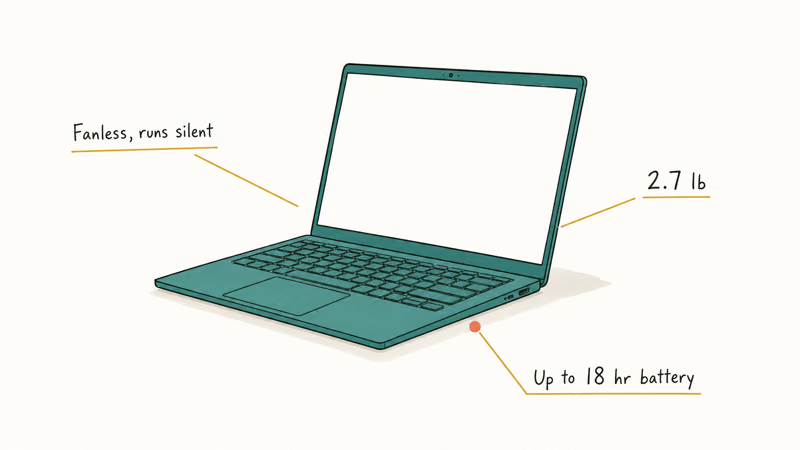
For students who want one laptop that handles everything well, the MacBook Air M5 is hard to beat in 2026. It runs silently because there’s no fan, and Apple rates the battery at up to 18 hours, comfortably a full day of mixed use. The previous M4 model now sits below it as the value option, so budget shoppers can often find that one discounted.
Last updated on Jul 3, 2026
As an Amazon Associate fone.tips earns from qualifying purchases. Prices and availability on Amazon are accurate as of the date above and subject to change.
The M5 Air is well suited to common student multitasking like browser research, music, notes, and writing apps while staying quiet because it has no fan. The base model comes with 16GB of unified memory, which matters because macOS uses that pool for both system and graphics.
Apple rates the M5 model at up to 18 hours, which is enough headroom for a full day of classes for most students. For most majors, 16GB of memory is the sweet spot, and the 512GB drive in this configuration leaves comfortable storage headroom.
The one honest caveat: gaming and Windows-only engineering software don’t run natively on macOS. If your professor hands out a .exe, you’ll be using a workaround or a lab computer. Confirm your program’s software list before committing to a Mac.
#The Best Windows Pick: Surface Laptop 7
If you need Windows or simply prefer it, the Surface Laptop 7 is the closest thing to a MacBook Air experience on the platform. The Snapdragon X version is thin, light, and efficient, and it qualifies as a Copilot+ PC with a 45 TOPS NPU for on-device AI features. The base 13.8-inch model starts around $1,000 with 16GB of RAM.
Battery is the headline. According to Microsoft’s Surface Laptop specs, the 15-inch Snapdragon model is rated for up to 22 hours of video playback, and real-world web browsing lands well short of that but still easily clears a full day. That’s all-day-and-then-some endurance.
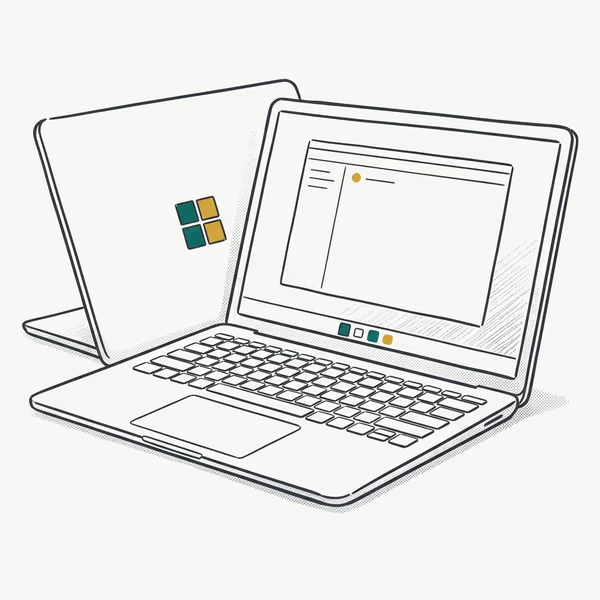
- Snapdragon X Plus with strong battery efficiency
- 120Hz 3:2 PixelSense touchscreen, great for documents
- Copilot+ NPU features and Wi-Fi 7
Last updated on Jul 3, 2026
As an Amazon Associate fone.tips earns from qualifying purchases. Prices and availability on Amazon are accurate as of the date above and subject to change.
The trade-off with the Arm-based Snapdragon chip is app compatibility. Most mainstream apps run great, but a few older or niche Windows programs still need emulation or simply won’t run.
As Microsoft has expanded native Arm support, this gap has shrunk a lot, though it hasn’t closed completely. Check that your major’s required tools are Arm-compatible before you buy.
#Should You Choose macOS or Windows?
This is the question that trips up most students, and the honest answer is that your major decides it more than your taste does. macOS is stable, gets years of updates, and pairs beautifully with an iPhone. Windows runs more software, supports cheaper hardware, and is mandatory in a lot of engineering and lab courses.
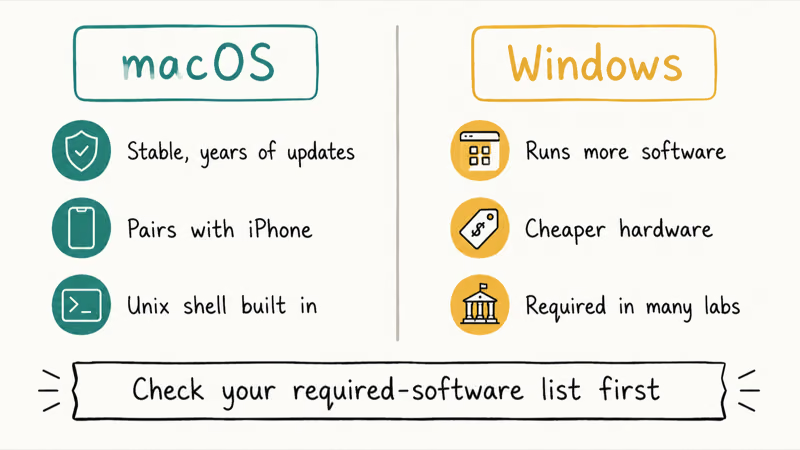
If your department publishes a required-software list, read it before anything else. One Windows-only program can rule out a Mac. When the list is platform-neutral, pick the system you already know.
#Matching Your Budget to Your Major
You don’t need to spend $1,000 to get through college. Set your budget by what your major demands, then buy the most RAM and storage you can inside that number.
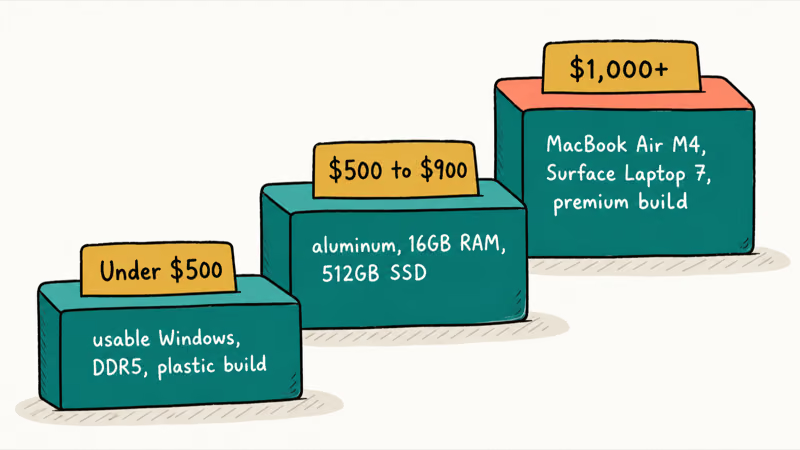
Under $500 gets you a properly usable Windows laptop in 2026. Budget machines now ship with DDR5 memory and real SSDs, though you trade away a metal build, a sharp webcam, and roomy storage. According to Tom’s Guide’s budget laptop testing, the Acer Aspire Go 15 starts around $299 and clears 10 hours of battery. A good note-taking laptop doesn’t need to be expensive.
The $500 to $900 range is the comfortable middle. Here you get aluminum builds, 16GB of RAM, and 512GB SSDs. That’s enough for almost any non-engineering major to thrive for four years.
Above $1,000 is where the MacBook Air M5, Surface Laptop 7, and premium Windows machines live. Spend here only if your major needs the power or you want the battery and build that come with it. If you’re eyeing high-end creative or engineering rigs, our laptops under $2,000 guide covers the step up.
#Bottom Line
Buy the MacBook Air M5 if you want one laptop that does almost everything well for four years and your software runs on macOS. Pick the Surface Laptop 7 instead if you need Windows and want the same thin-and-light, all-day-battery feel. STEM and engineering students should size up to 16GB of RAM on whichever platform their software demands. Budget-capped students who mostly browse and write can confidently spend around $400 without feeling shortchanged.
Match the machine to your major first, your wallet second.
#Frequently Asked Questions
Is a MacBook or a Windows laptop better for college?
It depends on your major, not your preference. macOS is excellent for general students, writers, and iOS developers, and the MacBook Air M5 has standout battery life. Choose Windows if your program requires Windows-only software, which is common in engineering, certain sciences, and analytics tracks where lab machines assume a PC. Check your department’s software list first, since one mandatory program can rule out a whole platform.
How much RAM does a college student need?
Buy 16GB. 8GB scrapes by for writing and browsing, but soldered RAM means you can’t upgrade later.
Are cheap laptops under $500 good enough for college?
Yes, for many students. In 2026 a sub-$500 Windows laptop handles essays, web research, video calls, and streaming without trouble. The compromises are a plastic build, an average webcam, and limited storage that fills up fast. They aren’t built for video editing or heavy 3D work, so STEM and design majors should spend more.
How long should a college laptop last?
Plan for the full four years with reasonable care. RAM and storage bought on day one matter most for longevity.
Do I need a touchscreen or a 2-in-1 laptop for school?
Only if you take handwritten notes or sketch. A touchscreen or 2-in-1 is useful for annotating PDFs and drawing diagrams, but it adds cost and usually weight. Most students are better served by a traditional clamshell with a great keyboard unless their study style is truly pen-first.
Is the MacBook Air M4 still worth buying in 2026?
Yes. Apple positions the M4 as the value option below the newer M5, and the M4 is more than fast enough for nearly every student workload. Because it’s the previous flagship, you can often find it discounted. That makes it one of the best-value premium laptops for students this year.
Should I buy a laptop with a long warranty or accidental damage coverage?
For students, accidental damage coverage is often worth it. Laptops get dropped in dorms, drenched at coffee shops, and crammed into overstuffed bags, and a spilled drink that would total an uncovered machine becomes a cheap repair under a damage plan. Standard warranties only cover manufacturing defects, not the clumsy reality of campus life. Weigh the plan cost against the laptop price before you add it.
Bluetooth Not Working on Snapdragon X? Fixes for 2026
Bluetooth not working on your Snapdragon X Copilot+ PC? Generic audio, mice, and keyboards work, but vendor apps often lack an ARM build. Fixes inside.

Docker Desktop and WSL2 Not Working on Snapdragon X? Fix It
WSL2 runs fine on Snapdragon X, but Docker Desktop ARM is Early Access and throws WSL errors. Use WSL2 plus native ARM64 Ubuntu and Docker Engine.
Does iTunes Work on Snapdragon X? ARM Windows 11 Guide
Yes, iTunes runs on Snapdragon X laptops through Prism emulation, but the Apple Devices app is the smoother route. Here is what to install on ARM.
Does OBS Studio Work on Snapdragon X? ARM64 Build Guide
Yes, OBS Studio has an experimental ARM64 build since version 31.1, but x64 plugins won't load and hardware encoding is missing. Here is what works.