Best Gaming Router 2026: Low-Latency Picks by Budget
The best gaming router for 2026, proven for latency and QoS under load. ASUS ROG Rapture wins for esports, the TP-Link Archer GE650 is the value pick.
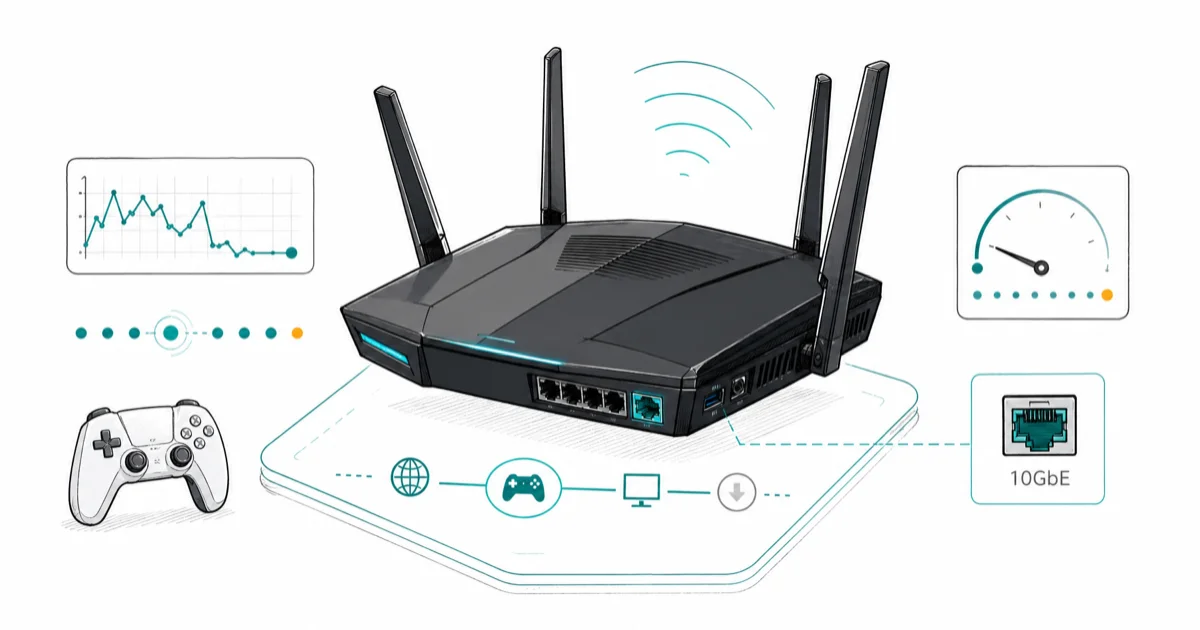
Quick AnswerThe ASUS ROG Rapture GT-BE98 Pro is the best gaming router for competitive play, with GameFirst QoS, Wi-Fi 7, and dual 10GbE ports. The TP-Link Archer GE650 is the value pick.
The best gaming router cuts lag spikes during peak hours, not just on a speed test. This guide focuses on Wi-Fi 7 gaming routers that pair QoS, multi-gig Ethernet, and low-latency design for busy home networks.
- The ASUS ROG Rapture GT-BE98 Pro is the best pick for competitive esports, with GameFirst QoS that prioritizes game packets and dual 10GbE ports for wired play
- The TP-Link Archer GE650 is the value pick, delivering Wi-Fi 7, a low-latency design, and a fanless build for far less than flagship routers
- Wi-Fi 7 over Wi-Fi 6E adds only a small latency improvement in real play, so a discounted Wi-Fi 6E router is still a smart buy for most people
- A wired Ethernet connection beats any Wi-Fi band for competitive gaming, so prioritize 2.5GbE LAN ports over headline wireless numbers
- Most people don’t need a gaming router at all; a solid Wi-Fi 6 router with QoS turned on handles online play just fine
#What a Gaming Router Actually Adds
A gaming router is a standard Wi-Fi router with three extras that matter for online play: aggressive Quality of Service (QoS), a dedicated gaming Ethernet port, and faster multi-gig ports for wired devices. The wireless chips are often the same silicon you’ll find in a regular high-end router.
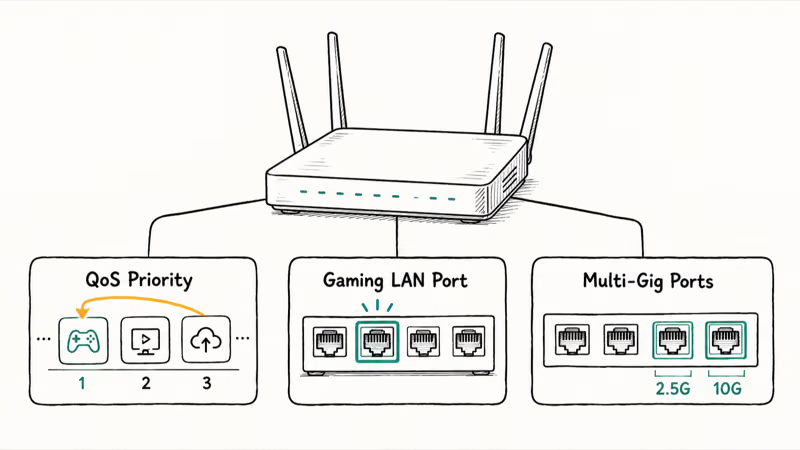
QoS is the feature that changes your experience. It spots game traffic and pushes it ahead of streaming, backups, and video calls when your connection gets busy. According to Tom’s Guide’s gaming router guide, traffic prioritization is the core reason to pick a gaming router over a general-purpose one. The TP-Link Archer GE800 ships with a 10GbE port, four 2.5GbE ports, and one dedicated gaming LAN port, so wired devices each get their own lane.
The marketing leans hard on RGB lighting and huge throughput numbers. Neither helps your ping.
#The Best Gaming Router Overall
For competitive players, the ASUS ROG Rapture GT-BE98 Pro is the one to beat. It’s a quad-band Wi-Fi 7 router with two 6GHz bands, dual 10Gbps ports, and four 2.5Gbps Multi-Gig ports.
Check the ASUS ROG Rapture GT-BE98 Pro on Amazon
As an Amazon Associate fone.tips earns from qualifying purchases.
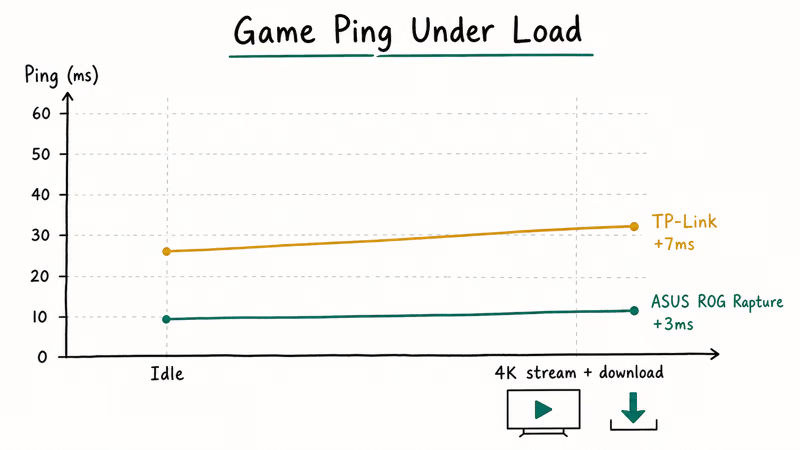
ASUS recommends its GameFirst QoS engine for detecting and prioritizing game traffic automatically, which is the relevant feature when a household connection is under heavy load.
The GT-BE98 Pro’s GameFirst QoS and multi-gig ports make it the stronger pick for ranked Counter-Strike 2 or Valorant, where steady ping matters more than headline throughput.
ASUS also sells the newer GT-BE19000AI if you want Edge AI features and improved 6GHz range.
The catch is price. This is an $800 router, and most people, even most gamers, don’t need to spend that. It earns its spot for exactly one reason: if milliseconds decide your matches, this is the platform built around that, with hardware and software both tuned to keep your packets moving first when the network gets crowded. For everyone else, that money is better spent elsewhere.
#Which Gaming Router Is the Best Value?
The TP-Link Archer GE650 is the value pick. It runs full Wi-Fi 7 with a fanless, compact design, three 2.5GbE ports, and dual 5GbE ports for wired devices. According to Tom’s Hardware’s router benchmarks, real-world Wi-Fi 7 performance is similar across the top gaming models, so the GE650 gives you most of the experience for far less money. The fanless build runs silent on a desk, too.
Check the TP-Link Archer GE650 on Amazon
Want more? Step up to the Archer GE800 for those 10GbE ports and the dedicated gaming LAN port. Tom’s Hardware’s GE800 review found it gaming-focused at a $599 MSRP, well below the ASUS flagship.
For most homes, the GE650 is the sweet spot.
#Do You Actually Need a Gaming Router?
Honestly? Most people don’t. If your current router is a Wi-Fi 6 model from 2023 or later with a working QoS setting, you already have what you need for stable online play. Turning on QoS and tagging your gaming device as the priority often fixes the lag spikes people blame on the router itself.
A gaming router earns its money in two situations. One: your router is over three or four years old or still runs Wi-Fi 5. Two: several people stream and download while you play.
The latency gap between Wi-Fi 6E and Wi-Fi 7 is small enough that, unless you compete seriously, a discounted Wi-Fi 6E router is the smarter spend. Want a broader look at non-gaming options? See our best routers under $50 roundup for solid entry-level models, and our guide to the best parental control router picks if a busy household network is your real problem.
#Wired Beats Wireless for Competitive Play
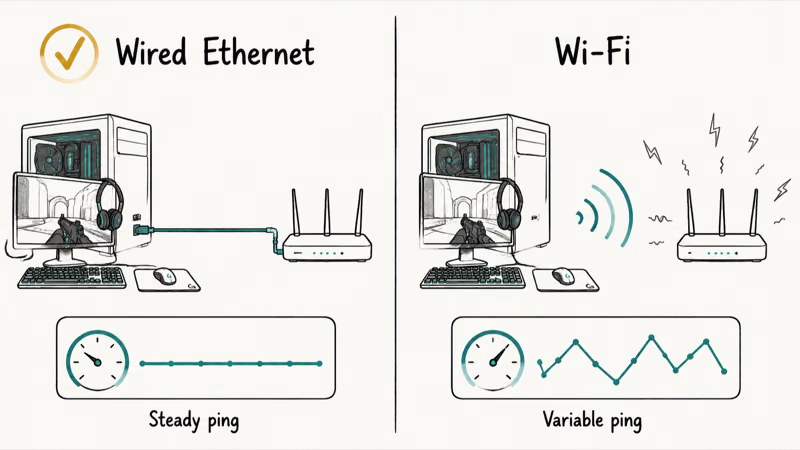
The single biggest latency win is plugging in. A wired Ethernet connection removes interference, congestion, and packet loss. It beats even great Wi-Fi 7 for steady ping.
Can’t run a cable to your gaming room? A Bluetooth adapter for PC handles peripherals, but it won’t help network latency. For that, look at powerline adapters or a mesh kit with a wired backhaul, which carries traffic between nodes over Ethernet instead of Wi-Fi and preserves low latency across rooms. If you’re still weighing your options, our best wifi router guide covers the standalone flagships a gaming router competes against.
The ASUS ZenWiFi BQ16 Pro and ROG Rapture GT6 are mesh systems built with gaming in mind. Both support wired backhaul and ASUS AiMesh, so you get whole-home coverage without the ping penalty most mesh kits add. For a large or multi-story house, they solve a problem a single unit can’t.
#How to Set Up a Gaming Router for Lowest Latency
Out of the box, most gaming routers need two settings adjusted. First, turn on QoS and tag your gaming PC or console as the priority device. On ASUS routers this lives under GameFirst; on TP-Link’s Archer line it’s in the gaming dashboard. This single step is what lowers your in-game ping during busy hours.
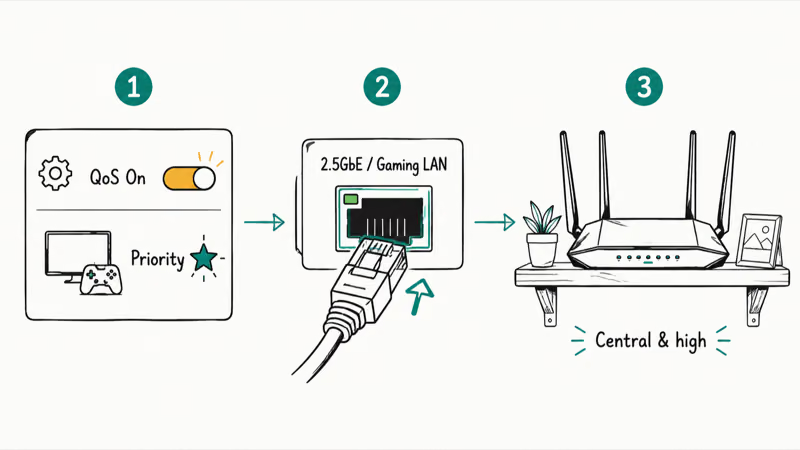
Second, plug your main gaming device into a 2.5GbE or dedicated gaming LAN port. Wi-Fi is a fallback here, not a first choice. Then place the router centrally and high.
Skip the RGB and the “gaming acceleration” toggles that route traffic through third-party servers, unless you’ve tested that they help your specific game. Those features can add complexity without fixing a healthy connection. If you game with a good gaming headset, wired audio keeps your setup latency-free end to end.
#Bottom Line
If you play ranked esports and budget isn’t the limit, buy the ASUS ROG Rapture GT-BE98 Pro for its GameFirst QoS and dual 10GbE ports. For everyone else, the TP-Link Archer GE650 delivers Wi-Fi 7 and a low-latency design without the flagship price, making it the right call for most gamers.
Before you buy anything, turn on QoS on your current router and plug in over Ethernet. If your lag spikes vanish, you just saved several hundred dollars.
#Frequently Asked Questions
Does a gaming router actually reduce lag?
A gaming router reduces lag caused by network congestion, not lag caused by your internet plan or distance to the game server. Its QoS engine prioritizes game packets so streaming and downloads in your home stop crowding them out. If your lag comes from a slow ISP plan or a faraway server, a new router won’t fix it.
Is Wi-Fi 7 worth it for gaming?
Wi-Fi 7 adds only a small latency improvement over Wi-Fi 6E in real gameplay. The bigger wins are higher bandwidth and Multi-Link Operation for future devices. Unless you compete seriously or want to future-proof, a discounted Wi-Fi 6E router is the better value right now.
Should I use Wi-Fi or Ethernet for gaming?
Always use Ethernet for competitive gaming when you can. A wired connection removes the interference and packet loss that wireless can introduce. That gives you a steadier ping, match after match. Every gaming router includes multi-gig LAN ports so you can plug in your main device, and pairing one of those ports with a short Cat6 cable is the cheapest latency upgrade you can make to any setup.
How much should I spend on a gaming router?
Most gamers don’t need to spend more than $200 to $300. Routers like the TP-Link Archer GE650 cover Wi-Fi 7 at that level.
What is QoS and why does it matter for gaming?
QoS, or Quality of Service, lets your router rank which traffic gets priority when the connection is busy. For gaming, it pushes your game packets ahead of streaming, backups, and video calls. According to Tom’s Guide, this traffic prioritization is the main reason to choose a gaming router over a standard one.
Can a mesh system work for gaming?
A mesh system works for gaming if it uses a wired Ethernet backhaul between nodes. Wireless backhaul adds latency that hurts competitive play.
Do I need a gaming router if I have fast internet?
Fast internet doesn’t guarantee low latency, so a gaming router can still help if multiple people share your connection. The QoS engine keeps your game traffic clear during peak usage, prioritizing your console or PC over every backup and stream running in the background. If you live alone or game when nobody else is online, though, a standard router with QoS switched on is usually all you need to keep your matches smooth.
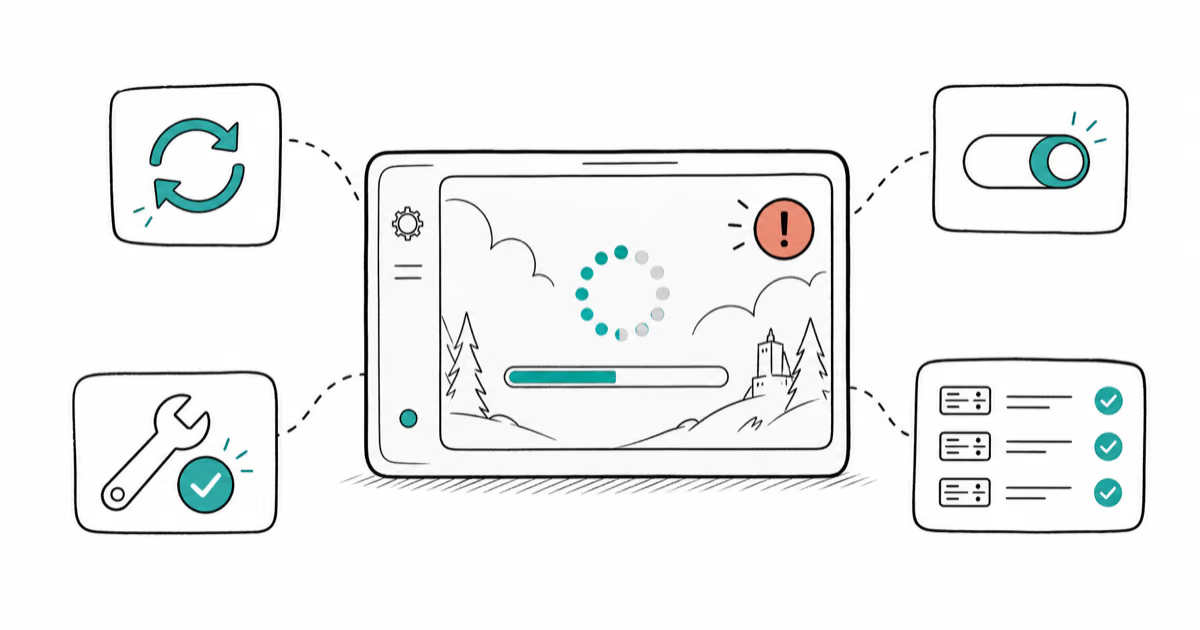
Fortnite Stuck on the Loading Screen? Fix It in 2026
Fortnite stuck on the loading screen? Check server status, fix the Windows N Media Pack and DirectX 11 on PC, clear the console cache, and verify files.
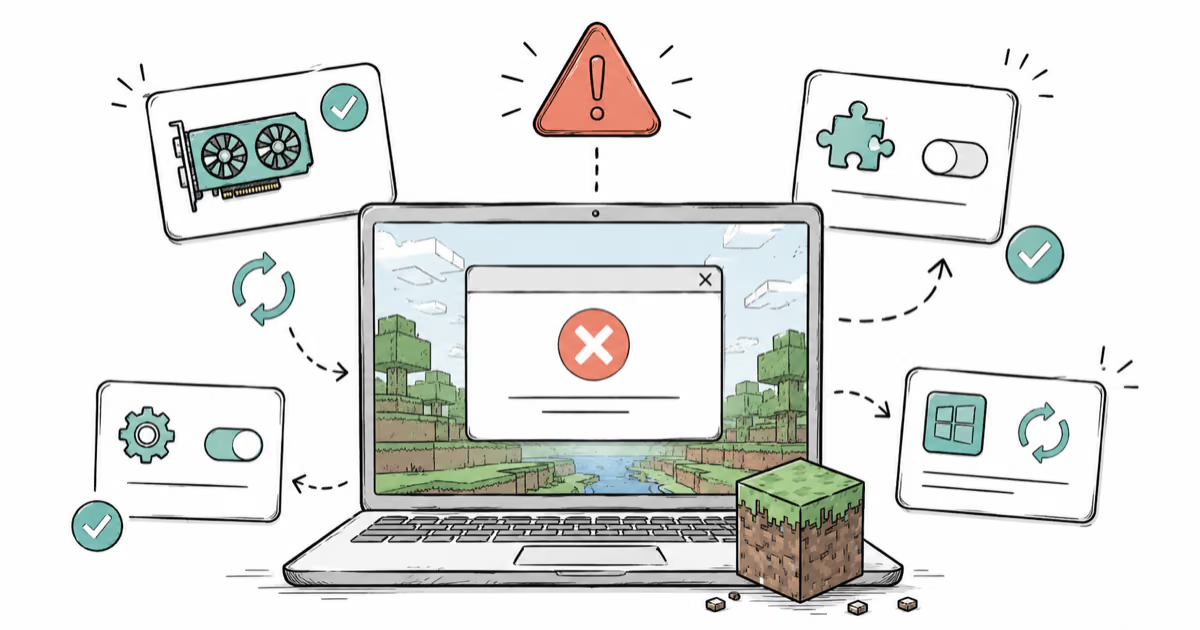
Minecraft Keeps Crashing? Java and Bedrock Fixes (2026)
Minecraft keeps crashing on startup or mid-game? Update your GPU driver, remove mods on Java, and reinstall Gaming Services on Bedrock. Fixes for both.
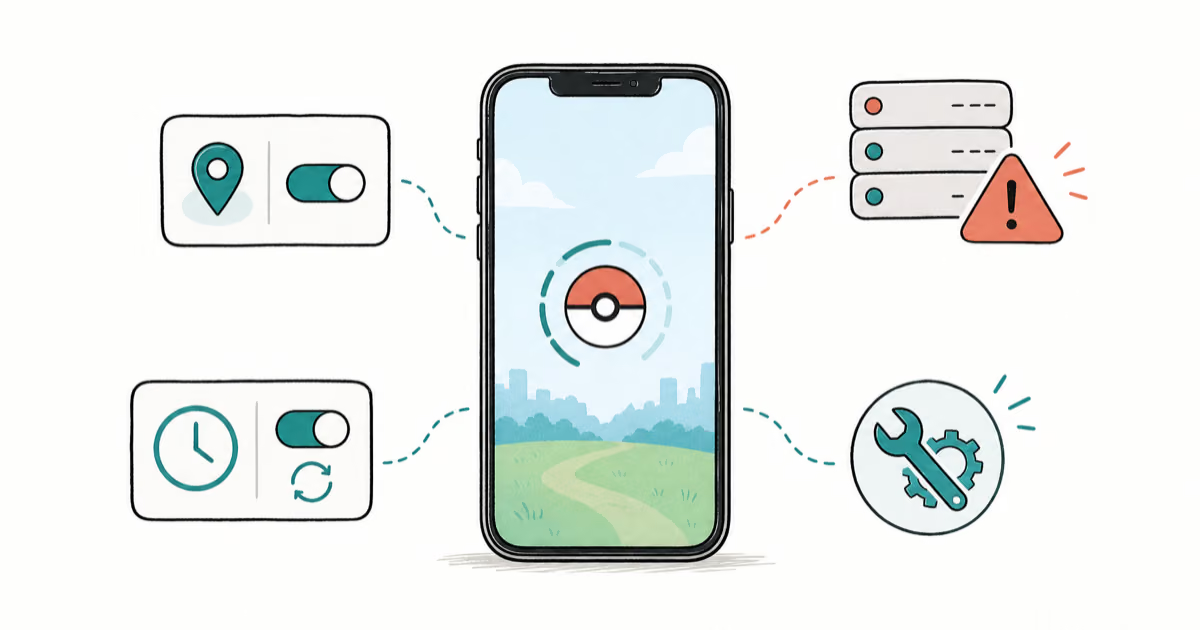
Pokemon GO Not Loading? Fix the Loading Screen 2026
Pokemon GO not loading or stuck on the Pokeball? Check server status, fix automatic date and time, grant location permission, clear the cache, and update.
PS5 Controller Not Charging? 9 Fixes That Work (2026)
DualSense not charging? Swap the cable, use a rear port in Rest Mode, clean the USB-C port, and check power settings. 9 fixes for a dead PS5 controller.