Best Gaming Mouse for Each Grip and Game Genre (2026)
The best gaming mouse for FPS, MMO, and everyday play in 2026. We compare weight, sensor DPI, and wireless latency by grip style and game genre.
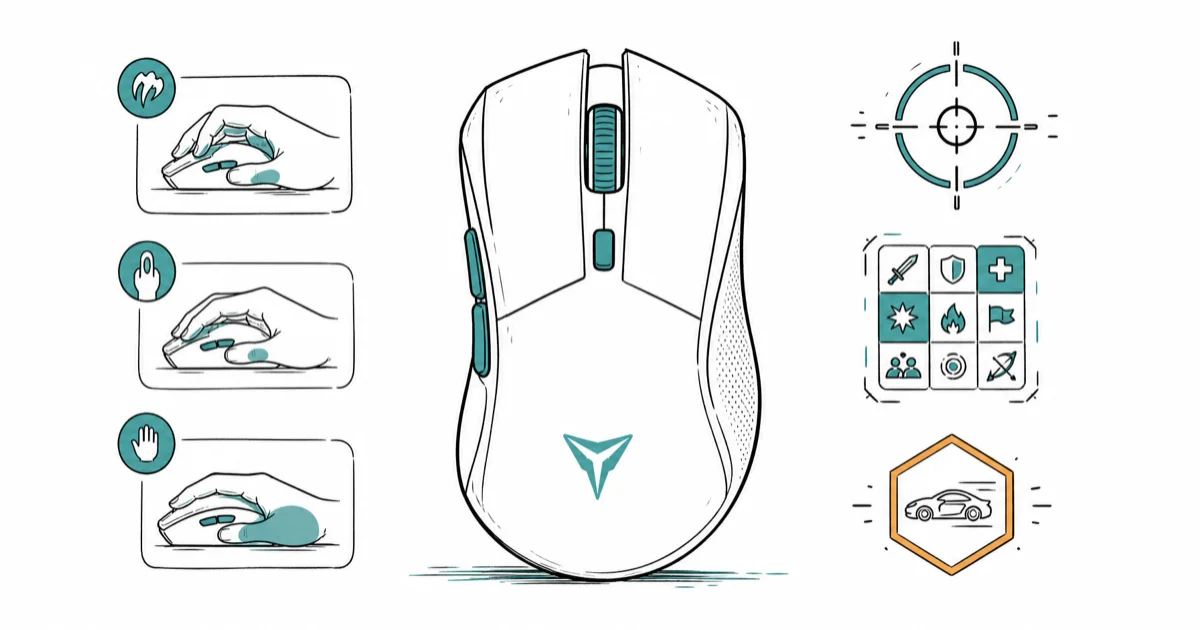
Quick AnswerThe Logitech G Pro X Superlight 2 is the best gaming mouse for most players. It weighs about 60 grams, has low-latency wireless, and suits claw and fingertip grips for fast FPS play.
The best gaming mouse is the one that matches your grip and the games you play. Lightweight FPS mice, button-heavy MMO mice, and all-day hybrids each suit different players across shooters, strategy games, and office work. Weight, sensor accuracy, and wireless latency separate a real gaming mouse from a general office pointer.
- Logitech G Pro X Superlight 2 weighs about 60 grams, ideal for fast flicks in shooters
- A high DPI ceiling matters less than sensor consistency, since most players use 400 to 1600 DPI
- Wireless gaming mice now match wired latency thanks to dedicated 2.4GHz receivers
- MMO mice add 6 to 12 thumb buttons for ability rotations, but feel heavy for FPS
- Claw and fingertip grips favor light, short mice, while palm grips suit larger ergonomic shells
#Best Gaming Mice: Our Top Picks and Where to Buy
Here is the short version on each pick and where to get it before the full guide.
#Logitech G Pro X Superlight 2
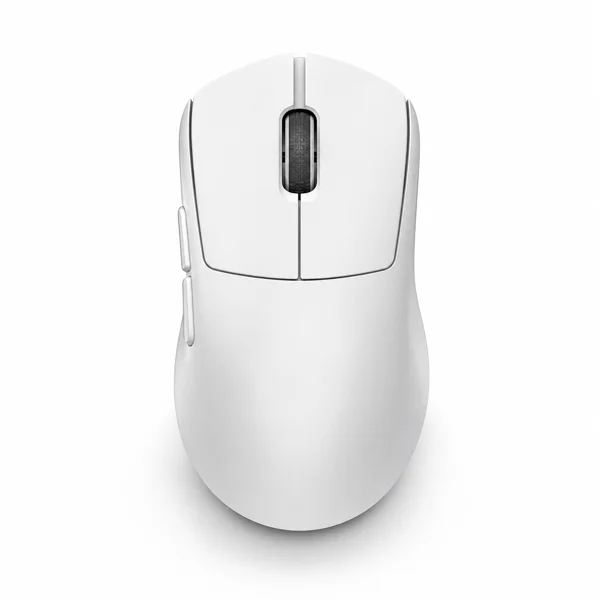
- About 60g for fast, low-fatigue aim
- Flagship HERO 2 sensor with 8kHz polling
- Reliable LIGHTSPEED wireless for competitive play
Last updated on Jun 30, 2026
As an Amazon Associate fone.tips earns from qualifying purchases. Prices and availability on Amazon are accurate as of the date above and subject to change.
#Razer DeathAdder V3 Pro
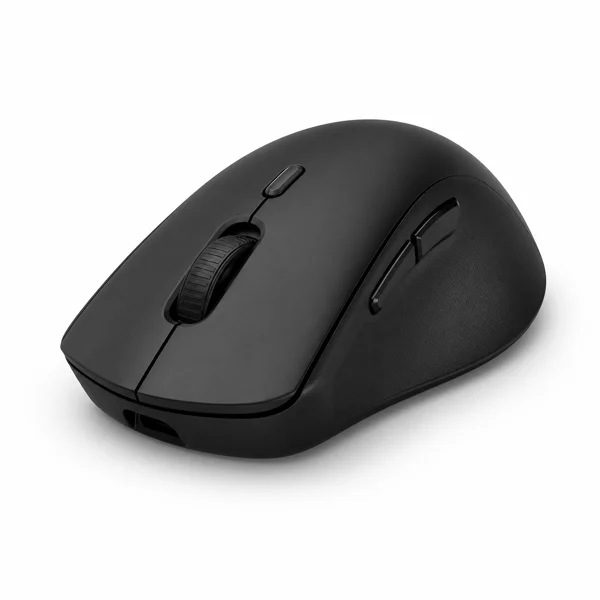
- Taller ergonomic hump suits palm grips
- Up to 90-hour battery on a charge
- Fast Focus Pro 30K sensor and Gen-3 switches
Last updated on Jun 30, 2026
As an Amazon Associate fone.tips earns from qualifying purchases. Prices and availability on Amazon are accurate as of the date above and subject to change.
#Start by Matching the Mouse to Your Grip
Your grip decides shape and size before anything else. Hold your current mouse. Notice whether your palm rests fully on the shell, your fingers arch over it, or only your fingertips touch.
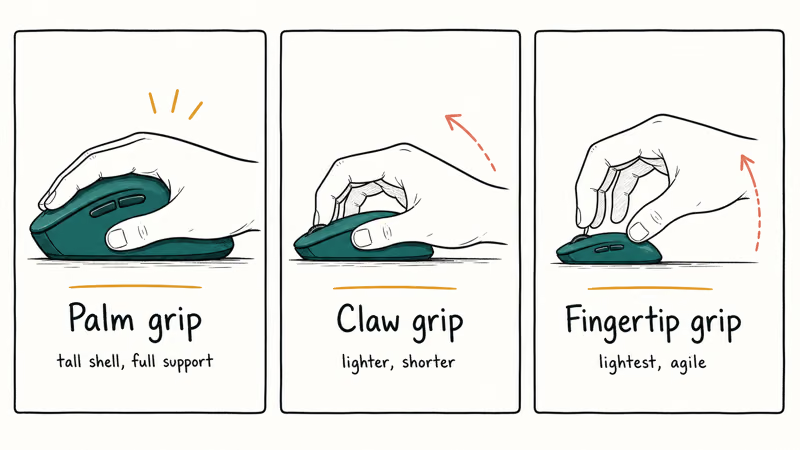
Palm-grip players keep the whole hand on the mouse and want a larger, contoured shell for support. A mouse like the Razer DeathAdder V3 Pro has a tall hump built for this hold. As an Amazon Associate fone.tips earns from qualifying purchases.
Claw-grip and fingertip players lift the back of the hand and steer with quick finger movements, so they want a lighter, shorter mouse with a flatter back. The Logitech G Pro X Superlight 2 is a favorite here because its low weight makes flick aiming feel effortless and forgiving on long sessions.
Get the shape right and everything else improves. A mouse that fights your natural grip causes wrist strain and inconsistent aim no matter how good the sensor is.
Compact palms need a shorter shell; see our gaming mice sized for small hands guide.
#Does Weight Really Matter for a Gaming Mouse?
Weight matters most for fast-aiming games. A lighter mouse is easier to start and stop precisely, which helps with the flick shots and micro-corrections that shooters demand.
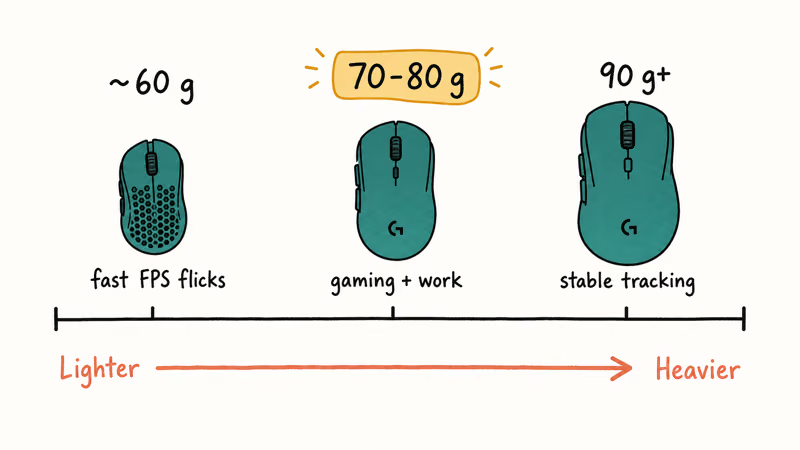
The market has pushed weight down hard. According to Tom’s Guide’s gaming mouse picks, the lightest competitive mice now sit around 60 grams without resorting to honeycomb shells full of holes. A roughly 60-gram mouse like the G Pro X Superlight 2 redirects noticeably faster than a 90-gram office mouse during fast, aim-heavy play.
Lighter isn’t always better, though. A heavier mouse can feel more stable for slow, deliberate tracking in strategy games or for anyone who finds ultralight mice twitchy. Larger hands sometimes prefer extra mass to control momentum.
Split your time between gaming and work? A mid-weight mouse around 70 to 80 grams is the sweet spot. Our best wireless mouse for gaming and work guide ranks the top hybrids that handle both jobs without feeling sluggish in a shooter or cramped during a long spreadsheet session.
#The Truth About Wireless and DPI
Wireless gaming mice have closed the latency gap. A modern 2.4GHz receiver delivers response that feels identical to a cable for nearly everyone, so wireless is the default unless you want to save money.
DPI numbers are mostly marketing. A sensor rated at 30,000 DPI sounds impressive, but few players go above 1600 DPI, and competitive shooter players often sit between 400 and 800. What matters is that the sensor tracks accurately and consistently across the whole speed range, without the smoothing or jitter that ruins fine aim.
Skip Bluetooth for serious play. According to Tom’s Guide’s wireless mouse testing, Bluetooth adds more latency than a dedicated dongle, so save it for travel. Use the 2.4GHz receiver at your desk.
Battery life is the real wireless trade-off. A single charge on the Superlight 2 can last through a week of mixed play, but you still have to remember to top it up, unlike a wired mouse that never dies. A quick habit of docking the mouse or plugging it in overnight keeps it from dying mid-session, and most flagship wireless mice now charge over USB-C, so the same cable tops up your other gear too.
#Pick by Genre: FPS, MMO, or Hybrid
Match the mouse to your main genre. A shooter player and an MMO raider want almost opposite tools, and splitting the difference usually means a worse experience in both.
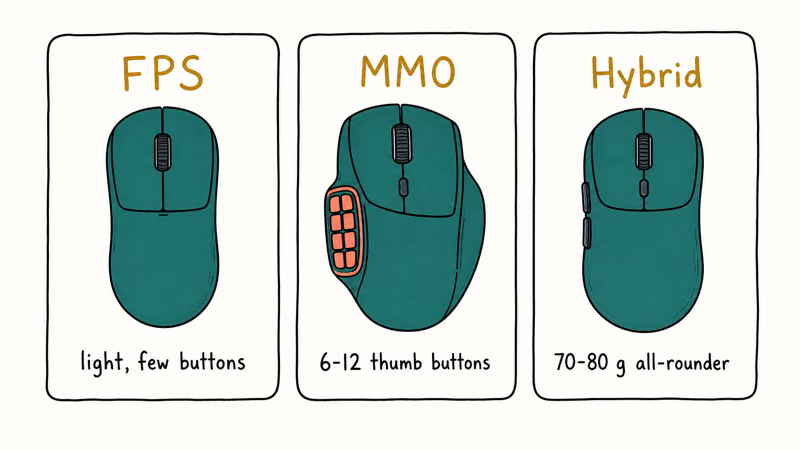
FPS players want light weight and a clean two-button layout. Fewer buttons mean less to misclick in a clutch moment. For competitive shooters, our best mouse for fortnite guide ranks the top flick-friendly options that pair low mass with a fast sensor.
MMO and MOBA players want buttons, and lots of them. A side panel of 6 to 12 thumb buttons puts an entire ability rotation under your thumb. The trade-off is weight and a chunkier shell that feels slow in a shooter, which is exactly why FPS players avoid these models.
Worried about wrist comfort over long days? An ergonomic vertical shape eases strain, and we cover those in the best vertical gaming mouse guide.
#What Separates a Gaming Mouse From an Office Mouse?
A gaming mouse prioritizes speed, sensor precision, and durable switches rated for tens of millions of clicks. An office mouse prioritizes quiet clicks, scroll comfort, and battery life over raw responsiveness.
Polling rate is the clearest divide. Gaming mice poll at 1000Hz or higher, updating the cursor 1000 times a second, while many office mice poll at 125Hz. Higher polling smooths fast motion and trims the tiny delay between moving your hand and the cursor catching up.
Switch quality is the other gap. Gaming mice use optical or high-rated mechanical switches that survive heavy clicking, while budget office mice often develop double-click faults within a year. As Tom’s Guide’s mouse coverage recommends, look for a switch lifespan in the tens of millions on the spec sheet before you buy.
#How to Set Your Gaming Mouse Budget
Spend on the sensor and switches, not the DPI number. A good wireless gaming mouse runs about $60 to $160.
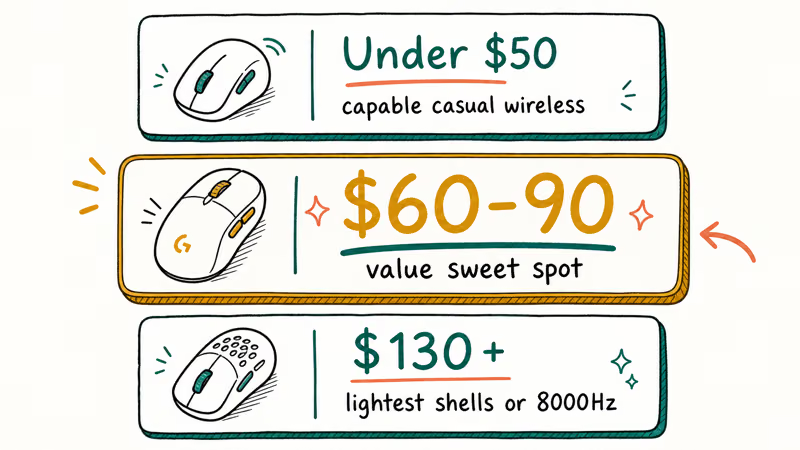
Around $60 to $90 is the value sweet spot. A mid-priced wireless mouse covers nearly every player with a reliable sensor and solid build. Go past $130 only for the lightest competitive shells or an 8000Hz polling rate that most players can’t actually feel.
Budget under $50 still gets you a capable wireless gaming mouse. You trade lighter weight and switch longevity, but the sensor stays accurate enough for casual play.
#Bottom Line
Buy the Logitech G Pro X Superlight 2 if you play shooters and want the safest all-around pick. Its roughly 60-gram weight and reliable wireless make flick aiming feel natural for claw and fingertip grips. Palm-grip players should pick the Razer DeathAdder V3 Pro instead for its taller, supportive shell.
Raid or play MOBAs? Choose an MMO mouse with a thumb button panel and accept the extra weight. Hybrid users who game and work should land on a mid-weight wireless mouse around 70 to 80 grams.
Round out your setup with the best gaming keyboard for analog and rapid-trigger keys. For racing and platformers that play better with a pad, grab the best game controller.
#Frequently Asked Questions
What is the best gaming mouse for most players?
The Logitech G Pro X Superlight 2 is the best all-around pick. It weighs about 60 grams, has low-latency wireless, and fits claw and fingertip grips that suit fast shooters. Palm-grip players are better served by a taller ergonomic shell like the DeathAdder V3 Pro.
Does a higher DPI make you a better gamer?
No. DPI sets cursor speed, not skill, and most players sit between 400 and 1600 DPI no matter how high the sensor goes. Treat huge DPI ratings as marketing.
Is a wireless gaming mouse as fast as a wired one?
For practical purposes, yes, as long as you use the included 2.4GHz dongle rather than Bluetooth. Modern wireless receivers deliver latency that feels identical to a cable. Bluetooth adds noticeable lag, so reserve it for travel.
How much should a good gaming mouse weigh?
It depends on your games. Competitive shooter players favor ultralight mice around 60 grams for faster aiming, while slower genres and larger hands often prefer 70 to 90 grams for stability. There’s no single correct weight, only the one that matches your grip and play style, so try a friend’s mouse or a returnable model before committing to an ultralight build you might find twitchy.
What is the difference between an FPS mouse and an MMO mouse?
An FPS mouse is light with few buttons to keep aiming clean and fast. An MMO mouse adds a side panel of 6 to 12 thumb buttons for ability rotations, which makes it heavier and slower to aim. Pick based on whether you prioritize aim or button access.
Can I use a gaming mouse for everyday work?
Yes, and many people do. A lightweight model can feel twitchy for document scrolling, so a mid-weight wireless mouse handles both jobs best.
How long does a wireless gaming mouse battery last?
It varies by model and lighting, but a premium wireless mouse typically lasts several days to over a week per charge. A single charge can cover about a week of mixed play. Turning off RGB lighting stretches battery life further.
Fortnite Stuck on the Loading Screen? Fix It in 2026
Fortnite stuck on the loading screen? Check server status, fix the Windows N Media Pack and DirectX 11 on PC, clear the console cache, and verify files.

Minecraft Keeps Crashing? Java and Bedrock Fixes (2026)
Minecraft keeps crashing on startup or mid-game? Update your GPU driver, remove mods on Java, and reinstall Gaming Services on Bedrock. Fixes for both.
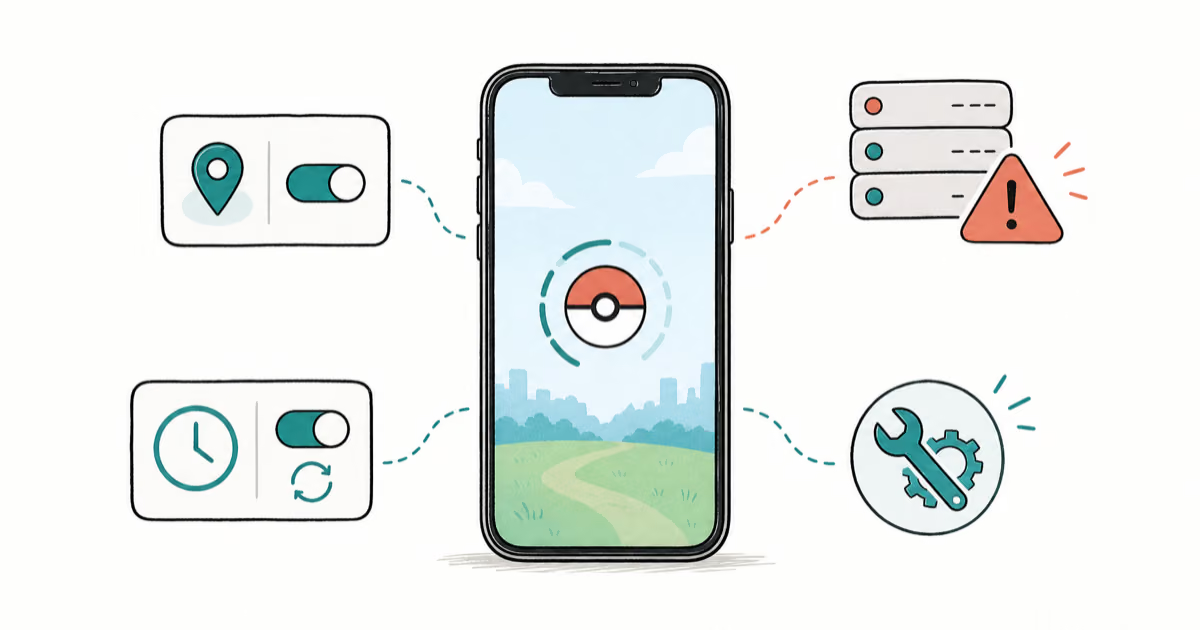
Pokemon GO Not Loading? Fix the Loading Screen 2026
Pokemon GO not loading or stuck on the Pokeball? Check server status, fix automatic date and time, grant location permission, clear the cache, and update.
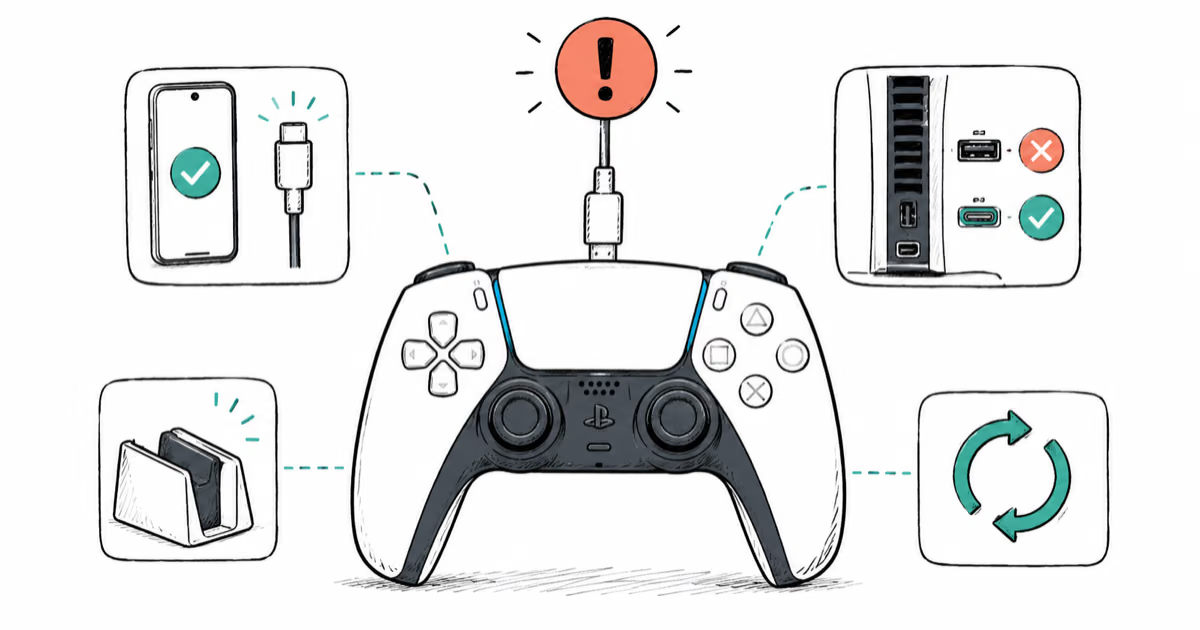
PS5 Controller Not Charging? 9 Fixes That Work (2026)
DualSense not charging? Swap the cable, use a rear port in Rest Mode, clean the USB-C port, and check power settings. 9 fixes for a dead PS5 controller.