Best Wireless Mouse for Gaming and Work 2026: 3 Picks
Best wireless mouse for gaming and work 2026. Compare 3 crossover picks for FPS response, office comfort, battery life, and travel setups today.
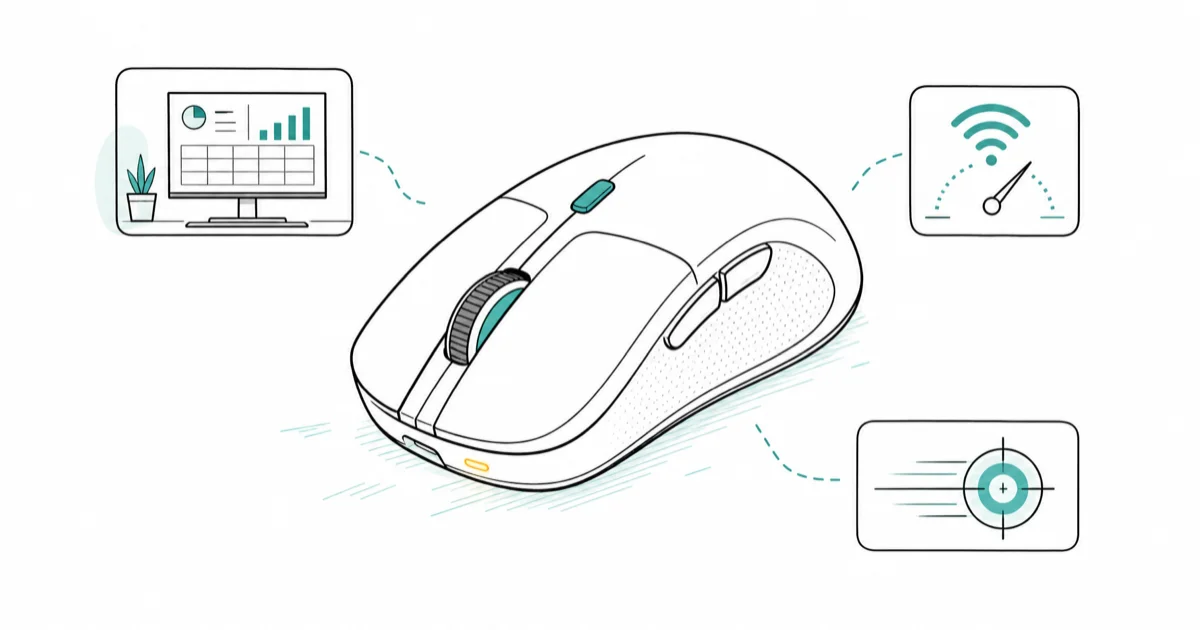
Quick AnswerRazer DeathAdder V4 Pro is the best wireless mouse for gaming and work in 2026. A 56g shell with 8000 Hz polling carries esports sessions, then the same DPI button shifts to a 4-monitor productivity setup without swapping mice.
A gaming mouse on the work desk feels twitchy in spreadsheets. A productivity mouse loses ranked matches at 2 AM. Most desks end up with two mice because the gear assumes the lanes never overlap. The crossover pick needs FPS response, office comfort, USB-C charging, and enough battery life to handle workdays and late-night games.
- A wireless gaming mouse with 8000 Hz polling and a sub-60g shell now matches wired esports response while charging via USB-C, so one mouse handles ranked play and the spreadsheet without compromise
- The productivity-first picks (MX Master 4, MX Anywhere 3S) lose their advantage past 1000 Hz polling, making them weak choices for FPS but ideal for the 70 percent of the day spent in browsers and Slack
- Battery life splits these tools into two camps: gaming-first picks last 150 hours per charge, while productivity mice push 70 days, reflecting the polling rate difference
- DPI shifting on the fly matters more for crossover users than raw maximum DPI, since 800 DPI is competitive in shooters and 3200 DPI suits 4K monitors during work
- Multi-device pairing covers the standard streamer setup of one gaming PC plus one work laptop plus a tablet, letting users switch contexts without unpairing receivers
#What Makes a Wireless Mouse Work for Both Gaming and Productivity?
The crossover problem is real. A 56g gaming shell that lasts 150 hours uses a different polling rate, sensor, and click switch than an 8K DPI productivity mouse with a 70-day battery and haptic scroll. Picking one mouse for both lanes means accepting a small compromise on whichever side gets prioritized. According to Wirecutter’s wireless mouse guide, wireless mouse recommendations should weigh comfort and tracking reliability alongside gaming responsiveness.
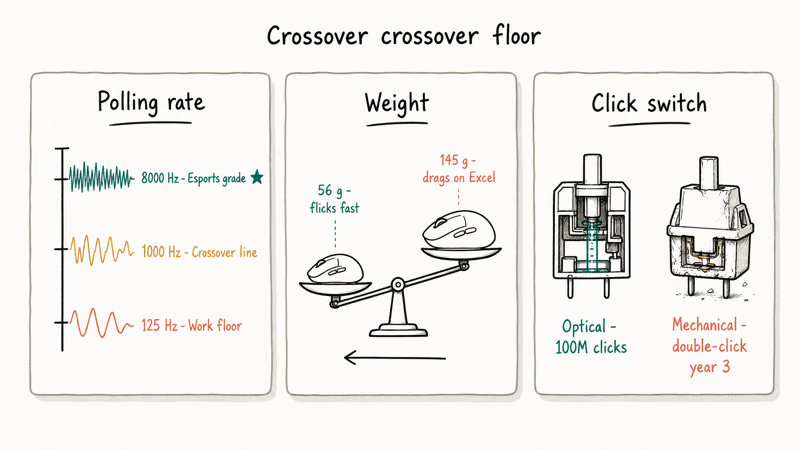
Three specs decide the crossover floor.
- Polling rate: 1000 Hz is the productivity ceiling and the FPS floor. Esports-tier mice now push 8000 Hz wireless.
- Weight: anything under 80 grams flicks fast enough for aim training. Anything over 110 grams drags on long Excel days.
- Click switches: optical switches survive 100 million clicks and stay crisp. Older mechanical switches develop double-click issues by year three.
According to Logitech’s MX Master 4 product page, the MX Master 4 polls at 125 Hz by default. That’s fine for spreadsheets. It’s visible as lag the moment you flick onto a target in Valorant.
#Why Does Polling Rate Matter More Than Maximum DPI for Crossover Users?
DPI is the marketing number. Polling rate is the spec that decides whether a mouse can game. A 25,000 DPI sensor sounds impressive, but every player below pro level runs 800 to 3200 DPI because higher numbers amplify hand tremor.
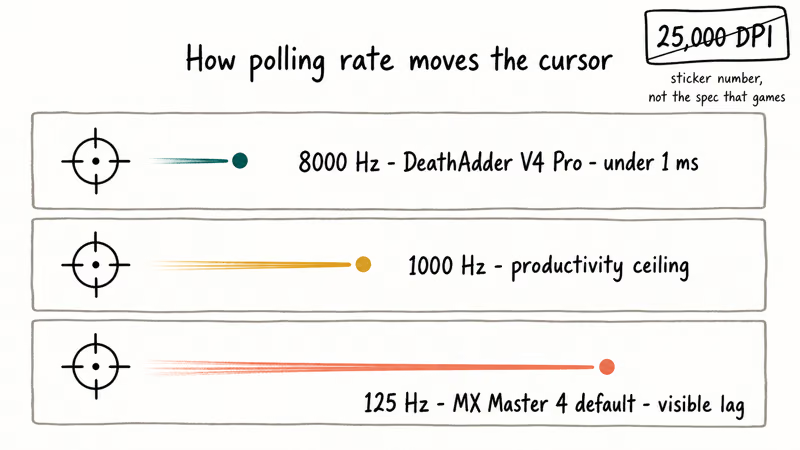
Polling rate sets how often the mouse reports position back to the PC in hertz, and the gap between 125 Hz and 1000 Hz shows up as visible lag the moment a target needs flicking.
Crossover users care about polling because they switch tasks every 20 minutes. Spreadsheet to Discord to ranked queue to email. A 56g esports mouse polling at 8000 Hz feels precise everywhere. A 145g productivity mouse polling at 125 Hz drags in shooters even with the DPI maxed out.
#Best Wireless Mouse for Gaming and Work: Razer DeathAdder V4 Pro
The DeathAdder V4 Pro is the rare gaming mouse that doubles as a productivity tool. The DeathAdder shape has been the iconic ergonomic gaming shell since 2006. The V4 Pro pulls 56 grams out of it without resorting to a honeycomb cutout. Its low weight, 8000 Hz wireless polling, and USB-C charging make it the strongest fit for a desk that switches between shooters and office work.
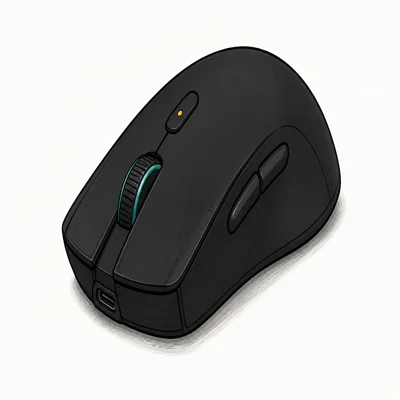
- 56g without the swiss-cheese honeycomb shell
- 150-hour battery dwarfs every productivity mouse in this list
- 8000 Hz polling for esports-tier responsiveness
As an Amazon Associate fone.tips earns from qualifying purchases. Prices and availability on Amazon are accurate as of the date above and subject to change.
Razer’s DeathAdder V4 Pro product page confirms that the 8000 Hz HyperSpeed Wireless Gen-2 connection pushes input latency below 1 millisecond. That spec is overkill for Excel. It’s the reason this mouse can headshot in Valorant without a USB cable trailing across the desk.
The trade-offs are real:
- No haptic scroll wheel. Detents are mechanical only.
- Side buttons are mapped for gaming first. No app-launcher equivalent.
- No Actions Ring like the MX Master. Productivity power users lose customization here.
For anyone who wants ranked play to feel pro-grade, it wins handily.
#Best Value Wireless Mouse for Gaming and Work: Logitech MX Master 4
The MX Master 4 flips the priority. It’s a productivity mouse that gives up some gaming response to dominate the workday. It carries most office workloads with haptic scrolling, multi-device pairing, and the Actions Ring, then loses ground in ranked shooters because of its weight and lower polling rate.
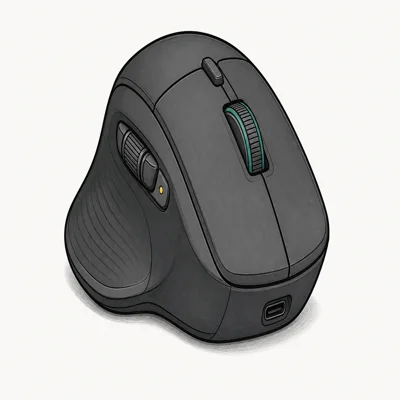
- USB-C dongle in the box, no USB-A adapter dance
- Haptic feedback for scroll detents feels expensive, not gimmicky
- 70-day real-world battery plus 3-hour use from a 1-minute charge
As an Amazon Associate fone.tips earns from qualifying purchases. Prices and availability on Amazon are accurate as of the date above and subject to change.
The MX Master ships with a USB-C Bolt receiver in the box. That fixes the long-running USB-A dongle problem for modern laptops. For most users on a MacBook or thin Windows ultrabook, that single change matters more than any sensor spec. Pair it with Logitech Options+ and the Actions Ring can fire commands like “send screenshot to Slack” without lifting a finger off the mouse.
Shooters expose the limit. 125 Hz polling, 145 grams, no flick recovery.
#Most Portable Crossover Pick: Logitech MX Anywhere 3S
The MX Anywhere 3S is the mouse to grab if the gaming session happens at a coffee shop or hotel. It weighs 99 grams, works on glass tables thanks to the Darkfield sensor, and fits the travel lane better than a full-size productivity mouse.
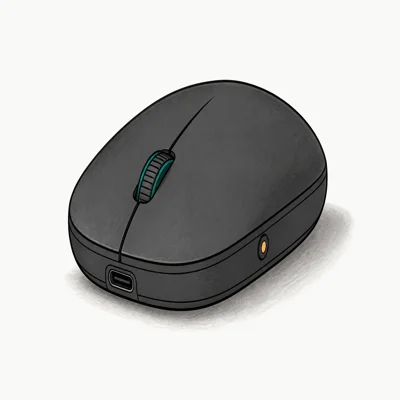
- 99g pocket form factor slips next to a 13-inch MacBook Air
- Darkfield sensor tracks on glass, marble, and lap
- Switches between 3 devices with one button
As an Amazon Associate fone.tips earns from qualifying purchases. Prices and availability on Amazon are accurate as of the date above and subject to change.
For pure travel use, this is the productivity champion that pockets clean and tracks anywhere. The same Bolt receiver covers travel and a MacBook Air. Pair it with the best wireless mouse for MacBook writeup for Mac-specific dongle behavior.
#How to Pick Between Gaming-First and Work-First Crossover Mice
Start with the time split:
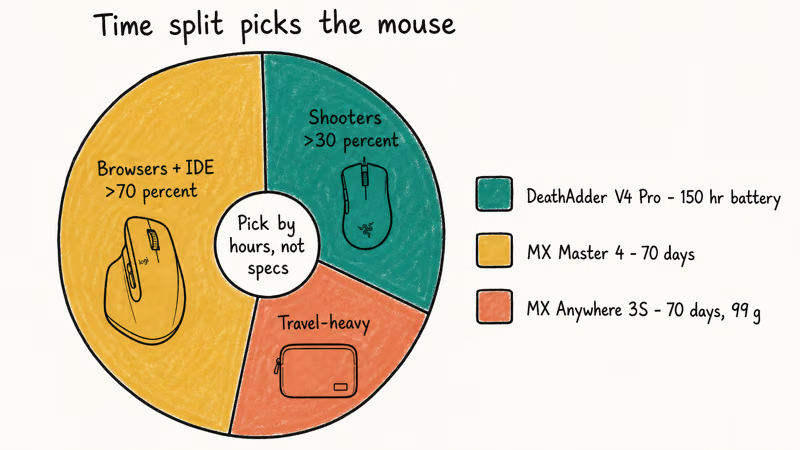
- >30 percent shooters → DeathAdder V4 Pro. 8000 Hz polling is the bright line.
- >70 percent browsers, IDEs, spreadsheets → MX Master 4. Haptic scroll and Actions Ring save more workday minutes.
- Travel-heavy split → MX Anywhere 3S. Only one fits a 13-inch laptop sleeve.
Battery life flips the math. DeathAdder: 150 hours. Both Logitech mice: 70 days. Pair either Logitech pick with our best mouse for programming writeup, or the best vertical gaming mouse if wrist pronation matters.
#Setting Up Surface and DPI for a Crossover Gaming and Work Mouse
Run a soft cloth mousepad sized 900 by 400 millimeters for gaming and a hard plastic surface for work, or use a hybrid pad that supports both. The cloth surface gives flick control in shooters. The hard surface lets the MX Master 4’s Darkfield sensor hit its full 8K DPI without stutter. Switching between the two takes a Velcro mount.
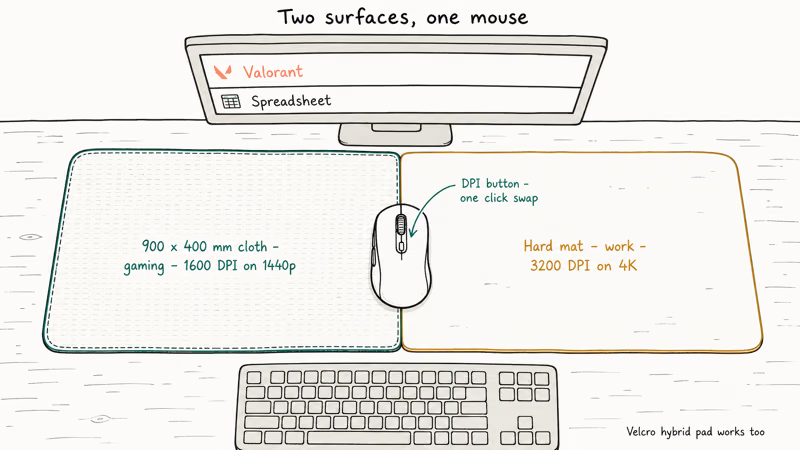
For DPI, set 1600 for gaming on a 1440p monitor (or 800 if you play at 1080p) and 3200 for productivity on a 4K monitor. According to Razer’s mouse DPI guide, most ranked Valorant pros sit between 600 and 1200 DPI with high in-game sensitivity. Productivity setups gain comfort at 3200 to 5000 DPI. The DeathAdder’s on-the-fly DPI button makes the swap a single click.
#Bottom Line
The Razer DeathAdder V4 Pro covers both ranked shooters and a workday. 8000 Hz polling, 56 grams, 150-hour battery.
The MX Master 4 is the better pick when work dominates and gaming is occasional. Haptic scroll and the Actions Ring save real workday minutes that polling rate can’t. The MX Anywhere 3S is the travel option, a productivity mouse pocketable enough to slide into a 13-inch laptop sleeve. For anyone wanting one tool to cover both lanes, the DeathAdder V4 Pro is the cleanest answer in 2026.
#Frequently Asked Questions
Is 8000 Hz polling worth it for non-competitive players?
No, not unless ranked FPS is on the menu. The difference shows up in fast flick aim, where every millisecond of input lag matters. Casual games are fine on 1000 Hz.
Can a productivity mouse like the MX Master 4 handle casual gaming?
Yes, for top-down or slower games. MOBA, RTS, and turn-based titles run fine on 125 Hz polling. The MX Master 4’s 145-gram weight feels sluggish in shooters, though, and the click switches are tuned for office responsiveness rather than rapid-fire gaming. Casual gamers can use it as their main mouse, but ranked FPS players should grab a dedicated gaming mouse.
How does battery life compare across the three picks?
DeathAdder V4 Pro: 150 hours. MX Master 4 and MX Anywhere 3S: 70 days each. The split comes from polling rate, since every poll wakes the radio.
Do any of these work with both PC and Mac?
All three. The DeathAdder V4 Pro, MX Master 4, and MX Anywhere 3S all officially support Windows and Mac, and the Logitech mice add Linux. The MX Master 4 multi-device button switches between 3 paired computers with one press, which is useful for switching between a gaming PC and a work MacBook on the same desk without re-pairing receivers every morning.
Will the Razer DeathAdder V4 Pro work for someone with small hands?
The DeathAdder shape is medium to large, designed around a palm grip. Hands under 17 centimeters in length may find it too long. Razer’s Viper V3 Pro is the symmetrical, smaller alternative for claw-grip players or smaller hands.
Can I use the same wireless dongle for gaming and work without lag?
Yes, on the MX Master 4. The MX Master 4 ships with a USB-C Bolt receiver and pairs over Bluetooth to two more devices. One mouse covers up to 3 computers without re-dongling.
What pairs well with a crossover wireless mouse on a desk?
A wireless mechanical keyboard reduces cable clutter. A keyboard wrist rest cuts the wrist fatigue that creeps up when a session runs past 6 hours.

Pixel 11 vs Pixel 10: What Changed and Who Should Upgrade
Pixel 11 vs Pixel 10: same screen and camera resolution, new Tensor G6, 25W wireless, and Gemini Intelligence. Here is who should actually upgrade.

Best Power Bank for iPad in 2026: Pro, Air, and Mini
Best power bank for iPad in 2026. Compare mAh tiers and USB-C PD wattage for iPad Pro, Air, and mini, plus airline Wh math, cables, and travel tips.

Best Power Bank With Built-In Cable: Top 2026 Picks
Best power bank with built-in cable picks for 2026. Compare single USB-C, multi-connector, and retractable laptop banks, plus airline Wh math.

Best Apple Watch Band for Working Out: Proven Picks
The best Apple Watch band for working out handles sweat and stays put on your wrist. Compare silicone, nylon, and titanium picks for runs and lifts.