Best Budget USB Microphone 2026: Sub-$100 Picks Proven
Best budget USB microphone 2026: FIFINE K669B, Blue Yeti, and Rode NT-USB Mini proven for podcast voice, video calls, and streaming under $100.
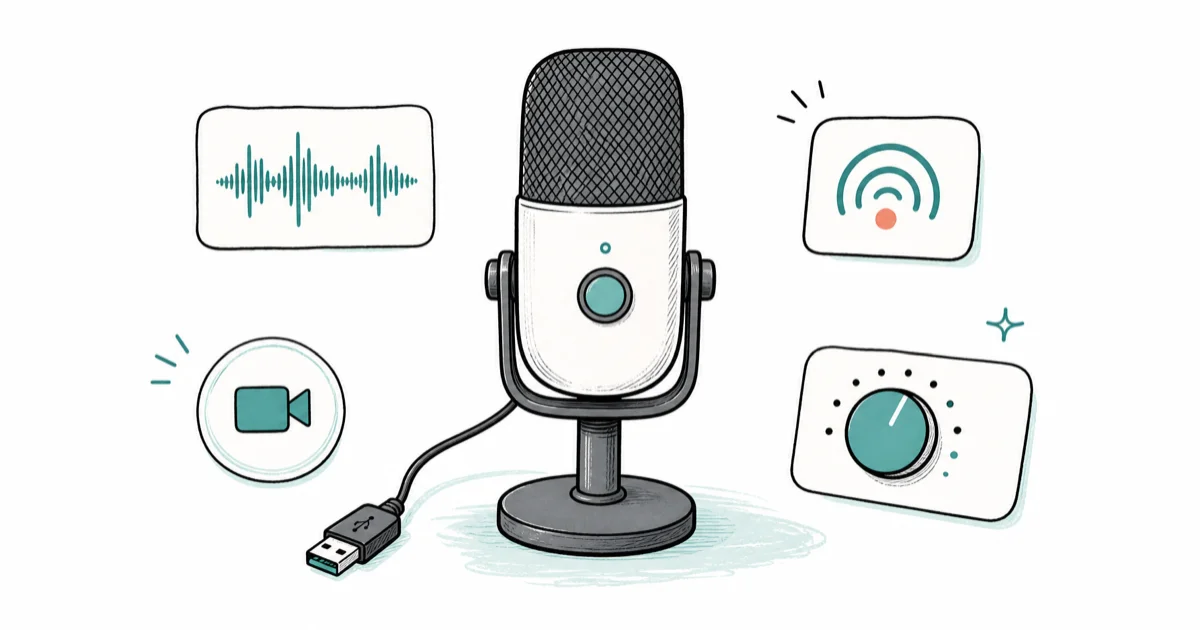
Quick AnswerThe FIFINE K669B is the best budget USB microphone in 2026: sub-$40 cardioid condenser, USB-A plug-and-play, real volume knob, clean voice for podcasts or streaming.
Most $20 USB mics record audio you’d never publish; sub-$100 options are narrower.
This guide compares three mics at three price points: FIFINE K669B at $40, Rode NT-USB Mini at $99, and the Blue Yeti when it dips under $100 on sale.
The comparison focuses on podcast voice, Zoom calls, and casual Twitch streams on Mac and Windows setups, with attention to quiet-room clarity, desk vibration, and boom-arm use.
- The FIFINE K669B is the best sub-$40 mic for spoken voice, with clean cardioid pickup that punches well above its price tag in a quiet room
- The Rode NT-USB Mini is the compact studio-quality option with a magnetic detachable base perfect for travel or shared desks
- The Blue Yeti slides under $100 during regular sales and is the most flexible pick when budget allows for the upgrade tier
- All three mics are plug-and-play on Mac, Windows, and PS5 with no driver installation required for basic recording
- Boom-arm and pop filter upgrades cost $30 combined and improve audio quality more than spending another $50 on a fancier mic body
#What Defines a Good Budget USB Microphone in 2026?
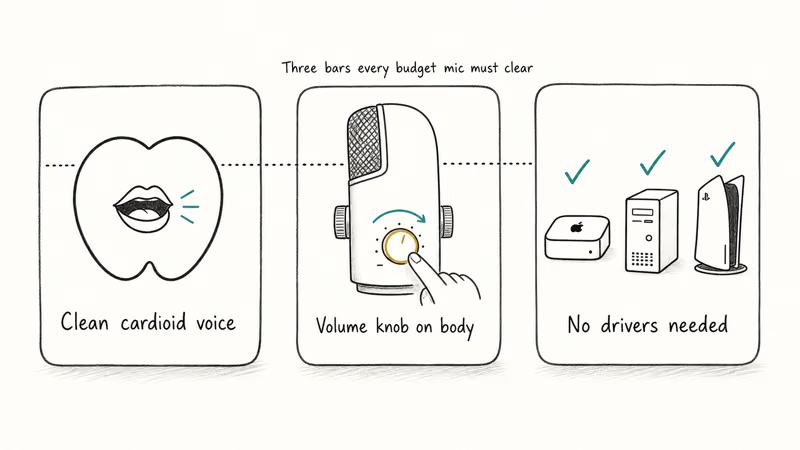
A budget USB microphone has to clear three bars: clean cardioid voice pickup, a real headphone monitor or volume knob, and zero driver installation on Mac and Windows. According to Wikipedia’s microphone overview, microphones convert sound into electrical signals, so capsule behavior and pickup pattern matter before software processing.
Voice pickup is where most cheap mics fail.
A $20 mic on Amazon often ships with a muddy capsule that picks up keyboard clatter as loud as your voice. That makes it useless for podcasts and barely usable for Zoom calls.
According to Wirecutter’s USB microphone guide, the floor for usable cardioid voice in a quiet room sits around the $40 price point. Anything cheaper is gambling on whether the capsule was binned correctly at the factory, and our best USB microphone 2026 roundup found the same $40 floor when ranking the broader market.
The second filter is a real headphone monitor or a volume knob on the body. Cheap mics often dump audio into the OS and force you to control gain through software, which means you can’t hear yourself in real time during recording.
That’s the difference between a take you can use and a take you have to throw out because the gain was wrong for the whole session.
Driver-free operation is the third bar. Modern USB Audio Class 2.0 mics work plug-and-play on Mac, Windows, Linux, and PS5 without downloading anything, which matters for casual streamers and podcasters who shouldn’t have to debug audio drivers at 2am the night before recording. The USB-IF specification confirms that Audio Class 2.0 devices require no host driver on Windows 10 and later, macOS 10.6 and later, and most Linux kernels from 2010 onward.
#Top Pick: FIFINE K669B Is the Best Budget USB Microphone
The FIFINE K669B is the honest sub-$40 pick we recommend first for anyone starting a podcast, recording voiceover demos, or upgrading from a laptop’s built-in mic. Cardioid condenser, USB-A, included tripod, and a real volume knob on the mic body. It’s not the prettiest mic on the desk, but it punches well above its price for spoken voice.
- Excellent voice clarity for under $40
- Volume dial directly on the mic body
- Comes with adjustable tripod desk stand
- Zero driver install on Mac and Windows
Last updated on May 27, 2026
As an Amazon Associate fone.tips earns from qualifying purchases. Prices and availability on Amazon are accurate as of the date above and subject to change.
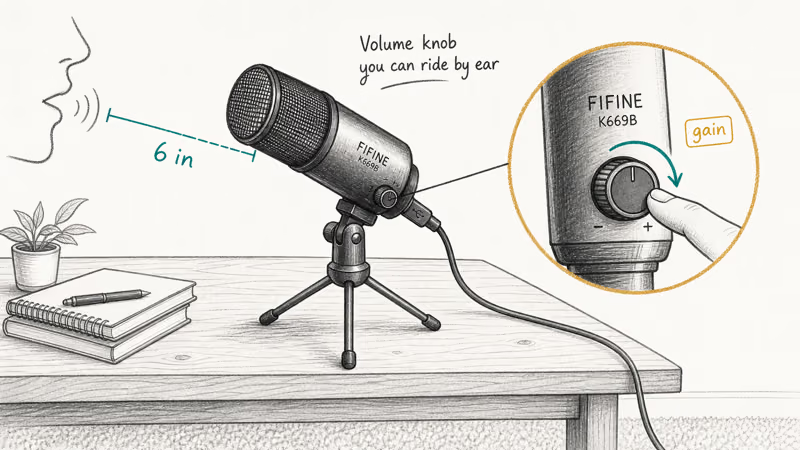
Place the K669B six inches from a calm voice; reflective rooms make cheap condensers harsh fast.
The volume knob on the body is the budget feature that matters most. Most sub-$50 mics force you to control gain in software, which means you can’t hear yourself in real time.
The K669B’s analog dial lets you ride the gain by ear during recording, which is the difference between a take that needs re-recording and a take that’s done in one pass through the script.
One real limitation of the K669B kit is the included tripod stand, which is too short for comfortable seated posture. A boom arm upgrade is worthwhile if you record long sessions, and our audio interfaces for Mac guide covers when an XLR interface is worth the upgrade. The best ASMR microphone roundup compares the K669B against close-miked options for whisper-quality recording use cases.
Build quality is where the K669B loses ground. The plastic body feels its price, the included USB cable is the cheap kind that kinks if you bend it the wrong way, and the tripod stand’s plastic clip-arm is the weak point if you adjust the mic position often. None of that affects the audio recording quality, but it’s a reminder that you’re paying for a working capsule and not a premium chassis.
#Best Value Budget USB Microphone: Blue Yeti
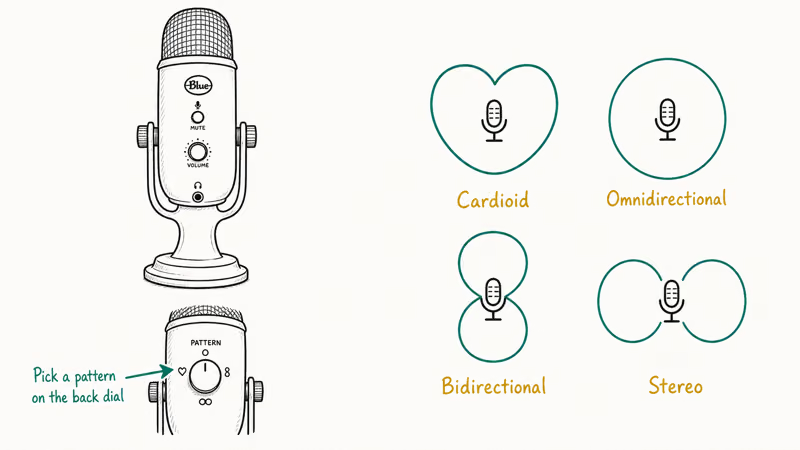
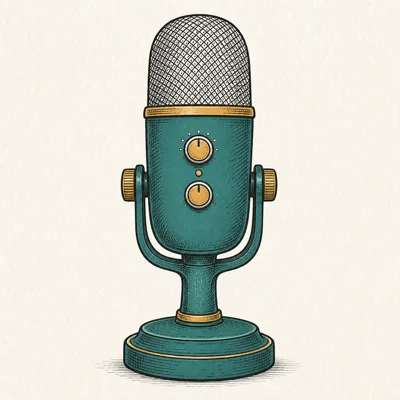
The Blue Yeti is the best-value pick when budget allows for the upgrade tier, because it regularly drops under $100 during Amazon sale events and earns the spend with four polar patterns instead of one. It’s the mic most podcasters end up on after they outgrow the K669B.
- Four polar patterns cover any recording scenario
- Plug-and-play on Mac, Windows, PS4/PS5
- Solid metal build holds up for years
- Massive third-party accessory ecosystem
Last updated on May 27, 2026
As an Amazon Associate fone.tips earns from qualifying purchases. Prices and availability on Amazon are accurate as of the date above and subject to change.
The Yeti’s metal build is the reason it stays on desks long after newer mics get retired to a closet shelf.
Its four-pattern selector on the back is the value proposition. Cardioid for solo voice, omni for room ambience, bidirectional for face-to-face interviews, stereo for music capture.
Most creators stay on cardioid forever, but the optionality means one Yeti can cover a podcast that adds a guest seat without buying a second mic, which is the reason the Yeti has outsold every other USB mic for over a decade.
Room sensitivity is where the Yeti loses ground at the budget tier.
As a condenser, it picks up keyboard clatter and AC hum more than a dynamic mic would.
In a treated room, the Yeti is the best sub-$100 mic on sale, and no rival matches its polar-pattern flexibility.
#Best Compact Budget USB Microphone: Rode NT-USB Mini
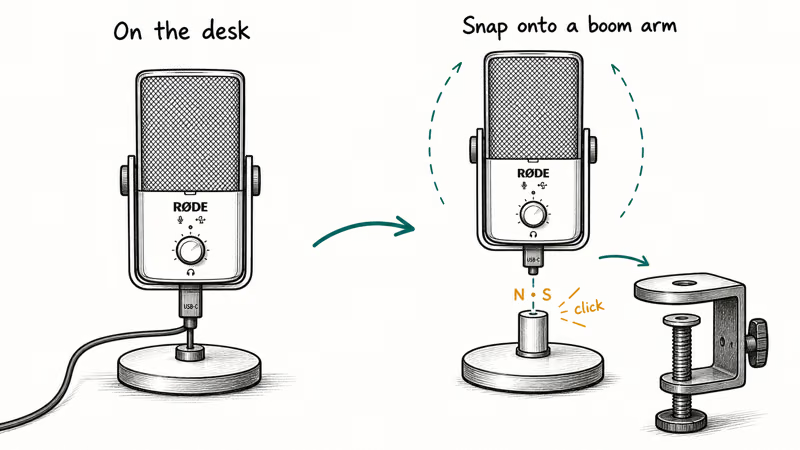
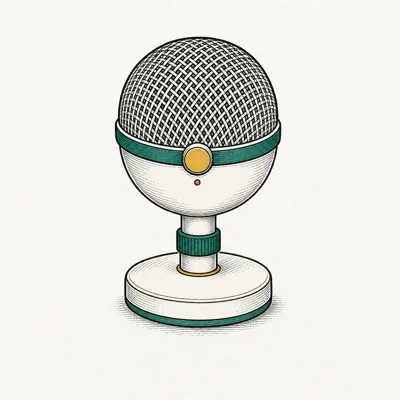
The Rode NT-USB Mini is the compact pick for desks where the Yeti would dominate the workspace or for setups that need to travel. The magnetic detachable base, internal pop filter, and 360-degree swing mount make it the cleanest budget USB mic on a shared or portable workstation.
- Magnetic stand makes it instantly portable
- Studio condenser sound at a desk-friendly size
- Rode Connect lets up to 4 minis record one podcast
- Built-in pop filter — no extra accessories needed
Last updated on May 27, 2026
As an Amazon Associate fone.tips earns from qualifying purchases. Prices and availability on Amazon are accurate as of the date above and subject to change.
The NT-USB Mini records at 24-bit/48kHz, while the K669B and Yeti run at 16-bit/48kHz, and that spec gives Rode more headroom for spoken voice. The built-in pop filter handles plosives without an external accessory.
That matters for travel where extra hardware adds up fast.
The magnetic detachable base is the headline feature.
It clicks off in one motion when you clamp the mic to a boom arm, and clicks back on when you want the desk stand again.
No other USB mic in this price range gets the portability right that cleanly, and it’s what makes the NT-USB Mini the right pick for shared workstations where multiple people swap in and out across the workday.
Rode Connect compatibility is the upgrade path. Up to four NT-USB Minis can record into a single podcast through the Rode Connect software, which makes the mic a serious contender for multi-host budget podcast setups where buying four Yetis would push you well past budget territory.
The trade-off is the smaller capsule, which captures slightly less bass weight than a full-size Yeti or MV7+. For most spoken-voice podcasts and casual streams, that’s an academic difference, but for deeper baritone voices that rely on bass presence the trade-off becomes more audible and a larger mic body may be worth the extra desk footprint, especially when you’re recording a long-form interview that depends on vocal presence to keep listeners engaged through hour-long episodes.
For broader voice-call routing context, our best budget webcam under $100 guide covers the matching camera tier so your audio and video budgets stay balanced.
#How Do You Get the Most From a Budget USB Microphone?
The biggest budget audio upgrade isn’t a more expensive mic. It’s a $30 boom arm and a $10 pop filter.
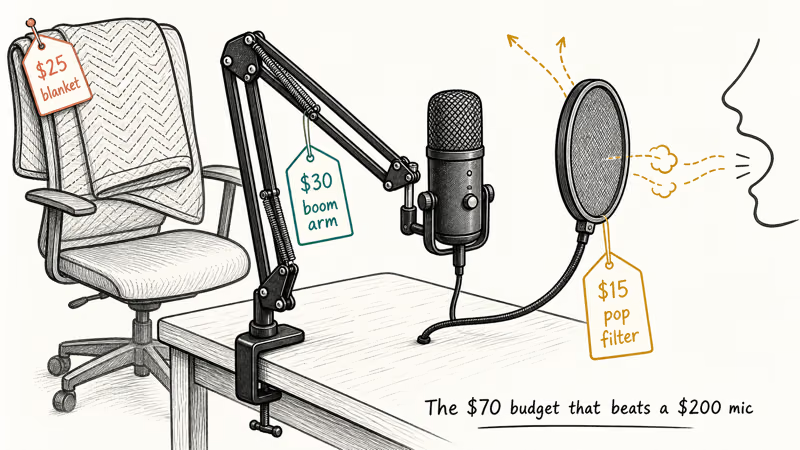
A boom arm lifts the mic off the desk so keyboard typing doesn’t transfer vibration through the wood into the recording. It also lets you sit at the right distance from your mouth (4 to 8 inches) without contorting your posture, and most budget boom arms clamp onto a desk edge in under a minute without tools.
A pop filter handles plosives, which are the hard P and B consonant bursts that hit the mic capsule as a puff of air.
Foam filters work fine for spoken voice, and metal mesh runs slightly cleaner for sustained speaking sessions. Both cost under $15 on Amazon, which is a small spend for a noticeable upgrade in plosive control.
Room treatment is the third lever and the one most budget creators skip. A single moving blanket draped behind your seat absorbs reflections that bounce off bare walls and into the mic, and it costs $25 for a four-pack at Home Depot. That single change improves recording quality more than spending another $80 on a fancier mic in a hard-floor room ever will.
#Pairing a Budget USB Microphone With a Streaming Setup
A budget USB mic works fine as a standalone podcast tool, but the moment you add OBS, multi-source audio routing, or a second camera, the rest of the chain starts to matter more than the mic itself. Our best streaming PC guide covers when a dedicated capture-and-encode rig is the right next purchase, and the best USB microphone for streaming roundup compares mics in the streaming-specific feature lens (tap-to-mute, RGB, OBS integration).
Webcam upgrades often buy more perceived quality than mic upgrades for small streams.
For small-channel streams, viewers usually tolerate cheap mic audio longer than they tolerate a soft 720p webcam. The spend order is usually boom arm first, webcam second, mic third, and the best 4K webcam for streaming guide breaks down the webcam tier ladder for the same sub-$200 bracket.
#Bottom Line
For most new podcasters, streamers, and remote workers, the FIFINE K669B is the right starting point at $40.
Clean cardioid voice in a quiet room, a real volume knob, and zero driver install make it the mic we recommend first for anyone testing whether they’re going to keep recording past the first month. The plastic build is honest at the price, and the audio quality is good enough for podcasts published to Spotify and Apple Podcasts.
When the Blue Yeti drops under $100 during a sale, it’s the smarter long-term spend.
Four polar patterns, metal build, and the deepest accessory ecosystem in the category mean you’ll keep using it for years. Most podcasters end up on a Yeti eventually, so catching one on sale shortcuts the upgrade curve.
The Rode NT-USB Mini is the right pick for travelers, shared desks, and multi-host budget podcast setups where compactness and Rode Connect compatibility outweigh the slightly smaller capsule. Pair any of these with a $30 boom arm and your recording quality will jump more than buying a $200 mic in a treated room would deliver.
#Frequently Asked Questions
Is a $40 USB microphone really good enough for a podcast?
Yes in a quiet room.
The FIFINE K669B records clean cardioid voice that’s publishable to Spotify and Apple Podcasts without obvious quality compromises, provided you record in a carpeted room without too much reflection from hard walls or bare floors. The trade-off compared to a $150 mic shows up in the build quality and the included accessories, not in the audio itself.
Should I buy a USB-A or USB-C budget microphone?
USB-C is the better long-term choice.
USB-A still works fine for desktop PCs, but modern laptops and tablets increasingly drop USB-A ports entirely, so a USB-C mic future-proofs your setup without needing adapters. The Rode NT-USB Mini is USB-C; the K669B and Yeti are still USB-A in their current configurations.
What’s the best budget USB microphone for Zoom calls?
Any of the three in this roundup work well for Zoom. The FIFINE K669B is the cheapest path to noticeably better call audio than your laptop’s built-in mic. The Rode NT-USB Mini packs better for the office because of the magnetic stand. The Blue Yeti is overkill for Zoom unless you also podcast.
Do budget USB mics work on PS5 for party chat?
Yes, all three are USB Audio Class 2.0 compliant and plug-and-play on PS5. The console detects them in seconds and routes them through the party chat system.
Can I use a budget USB microphone for music recording?
For vocals and acoustic instruments, yes.
The Rode NT-USB Mini’s 24-bit/48kHz capture handles home-studio vocal takes cleanly, and the K669B works for acoustic guitar at the casual hobby level. For full-band recording, drums, or anything that needs multiple simultaneous mics, an XLR interface is the right upgrade and the budget USB tier won’t get you there.
How much do I need to spend on accessories?
Budget $30 for a boom arm and $15 for a pop filter, total around $45 in accessories. That single accessory bundle improves audio quality more than spending an extra $80 on a nicer mic body, which is the budget audio truth most beginner gear guides skip.
Are FIFINE microphones reliable for long-term use?
The capsule is reliable, but the plastic build and included accessories aren’t.
Expect to replace the included USB cable within a year if you adjust the mic position daily. Treat the tripod stand as a temporary part of the setup until you upgrade to a boom arm for serious recording sessions, and the capsule itself will keep recording cleanly long after the chassis starts to feel its age.

Pixel 11 vs Pixel 10: What Changed and Who Should Upgrade
Pixel 11 vs Pixel 10: same screen and camera resolution, new Tensor G6, 25W wireless, and Gemini Intelligence. Here is who should actually upgrade.

Best Power Bank for iPad in 2026: Pro, Air, and Mini
Best power bank for iPad in 2026. Compare mAh tiers and USB-C PD wattage for iPad Pro, Air, and mini, plus airline Wh math, cables, and travel tips.

Best Power Bank With Built-In Cable: Top 2026 Picks
Best power bank with built-in cable picks for 2026. Compare single USB-C, multi-connector, and retractable laptop banks, plus airline Wh math.

Best Apple Watch Band for Working Out: Proven Picks
The best Apple Watch band for working out handles sweat and stays put on your wrist. Compare silicone, nylon, and titanium picks for runs and lifts.