Best CPU for 1440p Gaming: 2026 Picks by Budget Tier
Best CPU for 1440p gaming in 2026. Pick Ryzen 7 9800X3D for top frames, or save with Ryzen 5 when the GPU sets the real limit in most games.
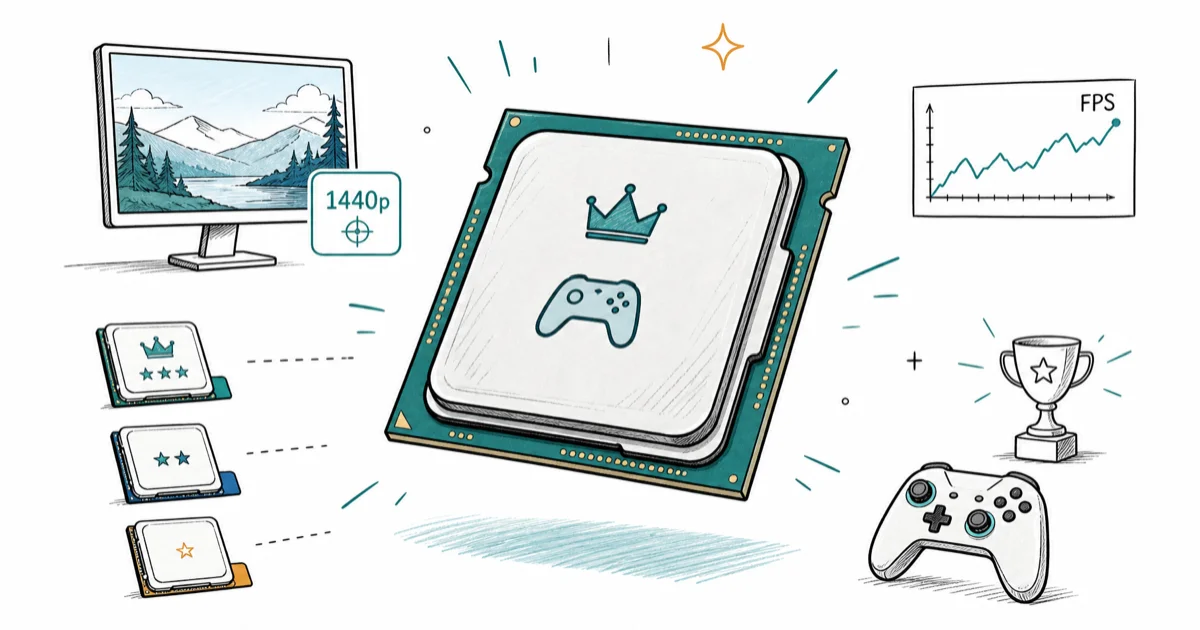
Quick AnswerThe best CPU for 1440p gaming is the Ryzen 7 9800X3D. Budget builders should buy a Ryzen 5 7600 or 9600X instead.
The best CPU for 1440p gaming is usually an AMD X3D chip, though a broader shortlist makes more sense if you also stream or work. The right shortlist depends on GPU tier, refresh target, memory needs, and upgrade path.
Start with the GPU.
- Ryzen 7 9800X3D is the top gaming pick for high-refresh 1440p rigs that can afford it
- Ryzen 5 7600 and Ryzen 5 9600X make more sense when the GPU is the real frame limit
- AM5 is the safest new-build socket because AMD says support runs through 2027 and beyond
- Eight cores are enough for gaming, but streaming and heavy creator work can justify more threads
- AM4 owners should consider a 5700X3D upgrade before replacing the whole platform
#Our 1440p CPU Picks for 2026
For a new 1440p gaming PC, buy the Ryzen 7 9800X3D if you want the cleanest high-refresh result. It gives you excellent frame pacing, low gaming power, and a socket that still has life left.
If your workload runs wider than gaming, start from our best CPU hub instead.
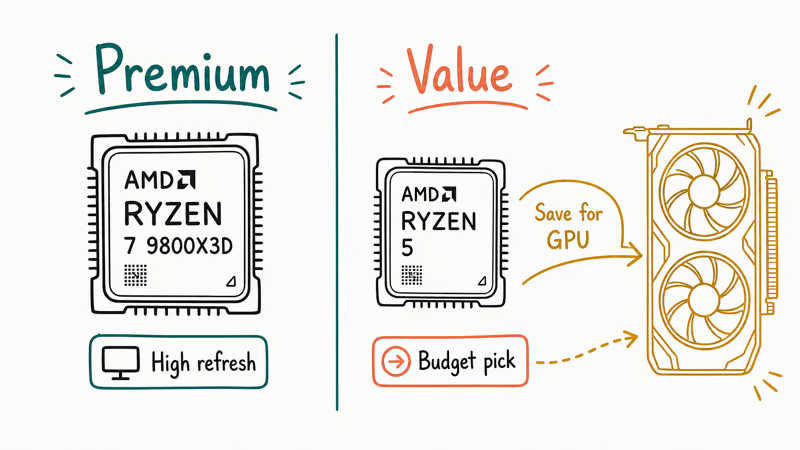
That is the premium path.
Budget builders should spend less on the CPU and more on the graphics card. A Ryzen 5 7600 or Ryzen 5 9600X keeps a strong 1440p GPU fed while leaving more money for the card in our best GPU for 1440p gaming guide.
Gaming-first systems don’t need 12-core and 16-core chips unless you also stream, encode, or run heavy creative apps. Six-core and eight-core parts are the practical shortlist for most 1440p builds.
Keep the budget on frames.
#Does 1440p Gaming Need an X3D CPU?
1440p gaming doesn’t always need an X3D CPU. The higher resolution shifts more work to the GPU, so a mid-range processor can feel almost identical in GPU-bound games.
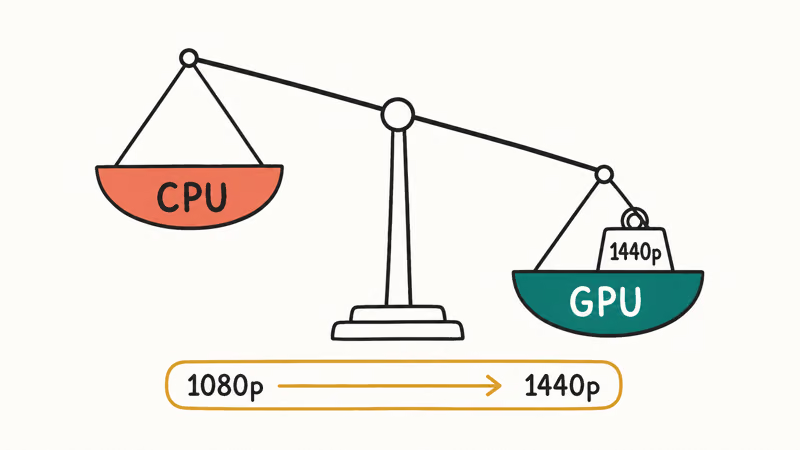
The X3D chip earns its price when you chase high refresh rates, play CPU-heavy sims, or want stronger 1% lows. It matters less when your GPU is already maxed out at ultra settings. A CPU belongs on the shortlist only when the build makes sense as a whole, not just because it tops a 1080p chart.
Resolution changes the math.
If you’re pairing a mainstream NVIDIA card, read our best CPU for RTX 5070 guide before overspending. A CPU that looks dominant at 1080p can be wasted money beside a GPU-bound 1440p setup.
#Best Overall: AMD Ryzen 7 9800X3D
The Ryzen 7 9800X3D is the best CPU for 1440p gaming when budget allows. It has the 3D V-Cache advantage gamers actually feel, especially in CPU-limited engines and high-refresh play.
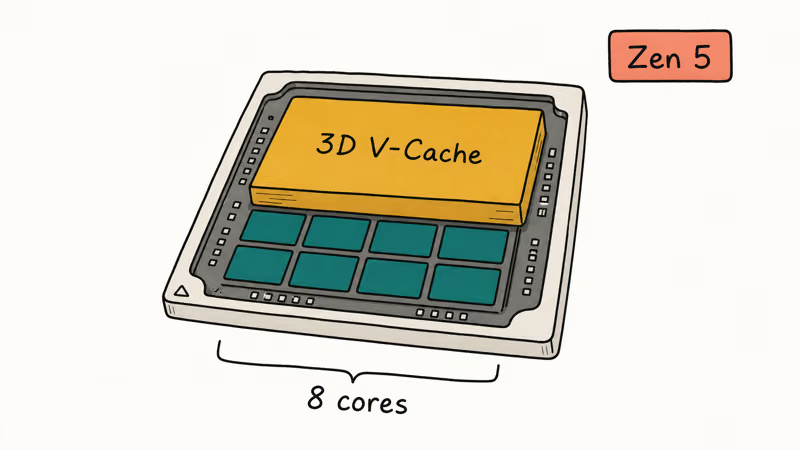
Cache is the reason.
AMD’s Ryzen 7 9800X3D product page confirms that the chip uses Zen 5 architecture and has 8 CPU cores. That is the right core count for a gaming-first build, and you aren’t paying for extra cores that sit idle in most games.
Tom’s Hardware’s 2026 CPU testing ranks the Ryzen 7 9800X3D well ahead of Intel’s Core i9-14900K for gaming, which is why the X3D chip tops most 2026 gaming-CPU lists.
That margin is the point.
#Best Value: AMD Ryzen 5 7600 or 9600X?
The Ryzen 5 7600 is the value pick when every dollar matters. It’s cheaper, cool enough for modest air cooling, and fast enough for most 1440p builds with mid-range GPUs.
The Ryzen 5 9600X is the better buy when the price gap is small. It gives you newer Zen 5 cores and a little more headroom for high-refresh games. Pick the 7600 for tight budgets, the 9600X for a cleaner new AM5 build.
Spend where frames scale.
Don’t overcorrect. A Ryzen 7 9800X3D is faster, but moving money from GPU to CPU can lower your actual 1440p frame rate. If the choice is a better graphics card or a better CPU, buy the GPU first.
#Best Budget AM4 Upgrade
The Ryzen 7 5700X3D is the smart move for many older AM4 owners. It lets you keep your motherboard and DDR4 memory while adding the cache behavior that helps games.
Upgrade before replacing.
This is the upgrade to check before you rebuild. A fresh AM5 platform needs a new motherboard and DDR5, and that money may be better spent on a stronger GPU or a sharper best gaming monitor 2026 pick.
AM4 isn’t the best socket for a brand-new build in 2026. It’s still useful when you already own the board and want one more good gaming upgrade.
Reuse has value.
#Best Intel Option for Streaming
Intel still makes sense if your gaming PC also streams, encodes, or runs productivity apps while you play. A Core i5 or Core i7 with performance and efficiency cores can handle background tasks cleanly.
For pure 1440p gaming, AMD’s X3D chips usually make more sense. For mixed workloads, Intel can be the practical call because those extra threads don’t sit unused.
PC Gamer’s 2026 CPU guide recommends the Ryzen 7 9800X3D as its best gaming CPU, but it also lists Intel’s Core Ultra 5 250K Plus as the best mid-range chip. That split matches the practical buyer logic: choose AMD for gaming-first builds, Intel when the PC does more than games.
Workload decides the brand.
#Pairing Your CPU With GPU and Monitor
The CPU only makes sense next to the rest of the build. A 240Hz esports monitor needs more CPU headroom than a 1440p 165Hz display running max settings in single-player games.
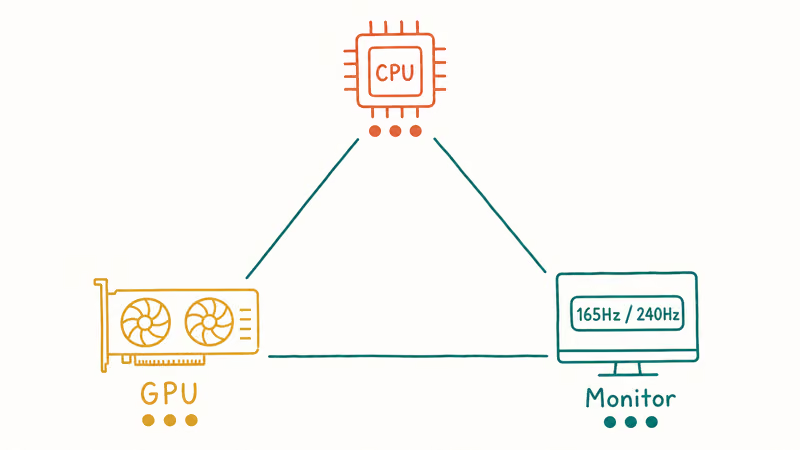
Start with the GPU and refresh target. A high-end graphics card deserves the 9800X3D. A mid-range card usually pairs better with a Ryzen 5 and a better monitor, case, or SSD. Our best budget gaming PC build 2026 guide shows how those trade-offs look when the whole parts list has a cap.
Tom’s Guide’s graphics-card testing guide confirms that its GPU test bench uses a Ryzen 7 9800X3D, 32GB of DDR5 RAM, and a 2TB PCIe Gen 5 SSD. That is the kind of CPU headroom you use to test GPUs, not the minimum every 1440p build needs.
AMD’s Zen 5 announcement states that Socket AM5 support runs through 2027 and beyond. That makes AM5 the safer new-build platform if you want a drop-in CPU upgrade later.
#Bottom Line
Buy the Ryzen 7 9800X3D if you want the best 1440p gaming CPU and can afford it without weakening the GPU. Buy the Ryzen 5 7600 or 9600X if you want the better value path. Upgrade to a Ryzen 7 5700X3D if you already own AM4 and want to delay a full rebuild. At 1440p, the smartest CPU is the one that supports the graphics card instead of stealing its budget.
#Frequently Asked Questions
What CPU is best for 1440p gaming?
The Ryzen 7 9800X3D is the best CPU for most high-end 1440p gaming PCs. It has excellent gaming frame pacing and enough cores for modern titles. If your budget is tighter, a Ryzen 5 7600 or Ryzen 5 9600X is the better value.
Match the GPU first.
Is Ryzen 7 9800X3D overkill for 1440p?
It can be overkill with a mid-range GPU. The 9800X3D makes the most sense when you use a fast graphics card, play CPU-heavy games, or chase high refresh rates. If a better CPU forces you to buy a weaker GPU, step down.
Is Ryzen 5 enough for 1440p gaming?
Yes, Ryzen 5 is enough for many 1440p gaming builds. The GPU usually sets the limit at this resolution, so a current six-core Ryzen can feel very close to pricier chips in GPU-bound games. Spend the savings on the graphics card first.
That is the value play.
Should I choose AMD or Intel for 1440p gaming?
Choose AMD for a gaming-first build, especially if you can afford an X3D chip. Choose Intel if you stream, encode, or run heavy background work while gaming. Both can work, but AMD has the cleaner value story for pure games.
How many CPU cores do I need for 1440p?
Six cores are enough for budget and mid-range 1440p gaming. Eight cores are the better target for high-end builds and longer ownership. More than eight cores helps mainly with streaming, rendering, or multitasking outside the game.
Eight is the ceiling for most.
Should AM4 owners upgrade or rebuild?
AM4 owners should check the Ryzen 7 5700X3D before rebuilding. It can extend an older system without a motherboard and memory swap. Rebuild on AM5 only when you also need DDR5, PCIe 5.0, or a stronger long-term upgrade path.
Does DDR5 speed matter at 1440p?
DDR5 speed matters, but not as much as the GPU. For AM5, a 32GB DDR5-6000 kit is the practical target because it balances latency, price, and stability. Faster memory can help edge cases, but it shouldn’t steal budget from the graphics card.

Best Laptop for Running LLMs in 2026: Memory Comes First
The best laptop for running LLMs is a memory purchase first. Compare MacBook unified memory against NVIDIA laptop VRAM, and see what each tier really runs.

Pixel 11 vs Pixel 10: What Changed and Who Should Upgrade
Pixel 11 vs Pixel 10: same screen and camera resolution, new Tensor G6, 25W wireless, and Gemini Intelligence. Here is who should actually upgrade.

Best Power Bank for iPad in 2026: Pro, Air, and Mini
Best power bank for iPad in 2026. Compare mAh tiers and USB-C PD wattage for iPad Pro, Air, and mini, plus airline Wh math, cables, and travel tips.

Best Power Bank With Built-In Cable: Top 2026 Picks
Best power bank with built-in cable picks for 2026. Compare single USB-C, multi-connector, and retractable laptop banks, plus airline Wh math.