Best Budget Webcam Under $100 for 2026: 3 Top Picks
Best budget webcam under $100 for 2026. Compare 3 sub-$100 picks against laptop built-in cameras: Anker PowerConf C200, Logitech Brio 500, and the C920x.
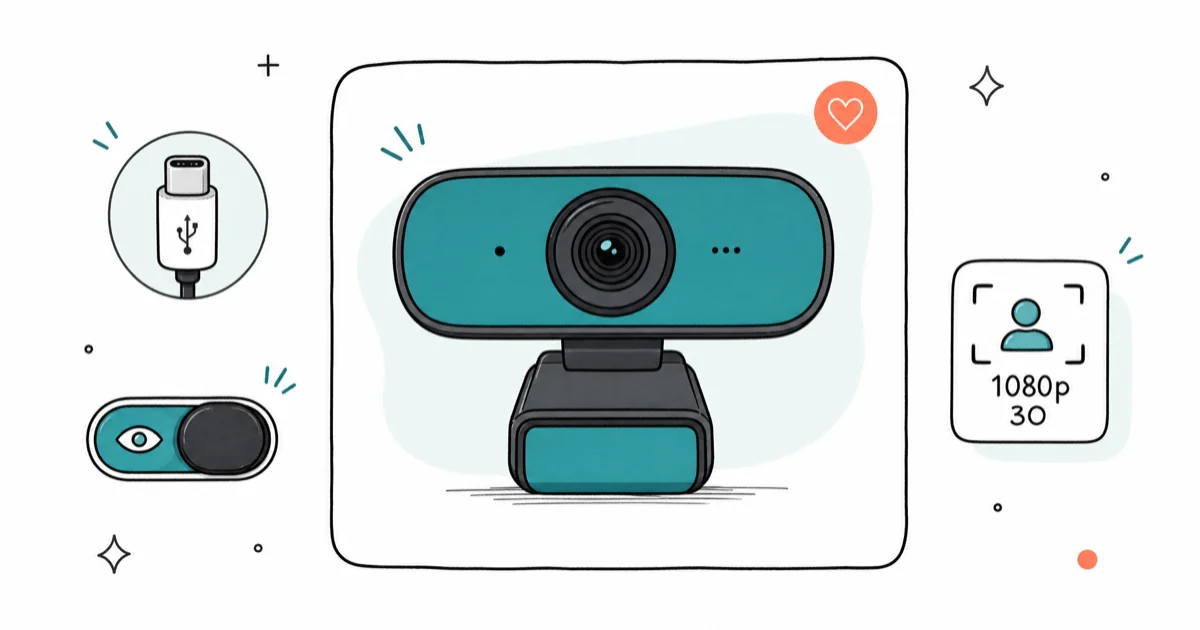
Quick AnswerFor most buyers under $100, the Anker PowerConf C200 is the best budget webcam: 2K sensor beats every $60-$80 1080p competitor, USB-C native, and the privacy slider is a real sliding cover, not a sticker.
Most sub-$100 webcams are an upgrade from your laptop’s built-in camera, not from a real desk camera. The right one fixes the two things laptop cameras get wrong: a sensor too small to handle a backlit window, and a fixed FOV that crops your video-call partner halfway out of frame whenever you lean back. The category jump is larger than the spec sheet suggests.
- A 2K sensor at $60-$80 outperforms every native 1080p competitor in the same price bracket because of cleaner downsample to the 1080p that Zoom and Meet actually transmit
- USB-C is now the dividing line under $100, not a premium feature, and skipping it for $5-$10 savings creates an adapter mess on a modern laptop without USB-A
- A real sliding privacy cover beats a paper sticker because the sticker leaves residue and falls off the first time the lid heats up under a 90-minute video call
- Three FOV presets matter more than peak resolution for video calls, because most awkward framing comes from too-wide FOV showing your whole room, not from low pixel count
- Plug-and-play USB UVC cameras work on any platform that supports webcams (Windows, macOS, ChromeOS, Linux, and consoles), so software lock-in is rare in this price tier
#Why Pay for a Webcam at All?
Laptop webcams cheat with the same trick TV streamers caught: a tiny sensor, a fixed lens, and no exposure headroom for a window behind you. Tom’s Guide’s best webcams roundup confirms that $60 standalone USB cameras routinely outperform $1,500 laptops, because the standalone packs roughly 3-4x the sensor area and a real glass lens instead of a 2mm pinhole behind a screen bezel.
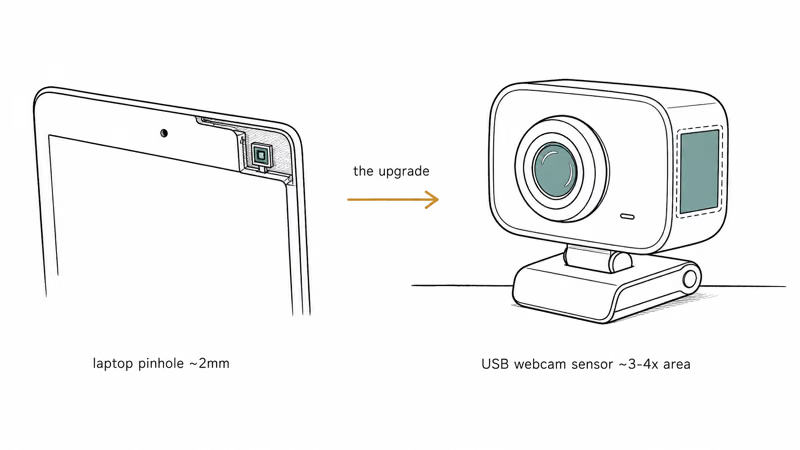
The fix is cheap.
A sub-$100 USB-C webcam pushes a sharper image, holds skin tones against a backlit window, and lets you adjust FOV so your call partners see your face and not your bookshelf. Even the smallest sub-$70 options can beat a laptop’s built-in 1080p sensor on the metrics that matter for video calls.
The bigger savings: most people don’t need 4K.
Zoom caps video at 720p for free users and 1080p for paid plans, Microsoft Teams transmits at up to 1080p30, and Google Meet caps at 720p for most participants. A 4K source camera is wasted bandwidth on a video call. Your $60-$100 budget is better spent on a USB-C plug-and-play camera with a real sensor than on resolution numbers you’ll never transmit.
#Best Budget Webcam: Anker PowerConf C200
The Anker PowerConf C200 is the under-$100 pick.
It’s a 2K USB-C webcam with three FOV presets, a real sliding privacy cover, and 9,000+ Amazon reviews documenting any failure mode you might hit. The 2K sensor downsamples to a cleaner 1080p stream than any native 1080p competitor in the same price bracket, which is what shows up on Zoom and Teams.
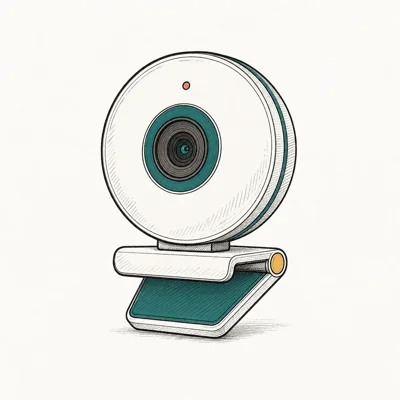
- 2K resolution at the price of competitor 1080p cams
- Three FOV presets without opening sketchy software
- Real sliding privacy cover, not a sticker
Last updated on May 27, 2026
As an Amazon Associate fone.tips earns from qualifying purchases. Prices and availability on Amazon are accurate as of the date above and subject to change.
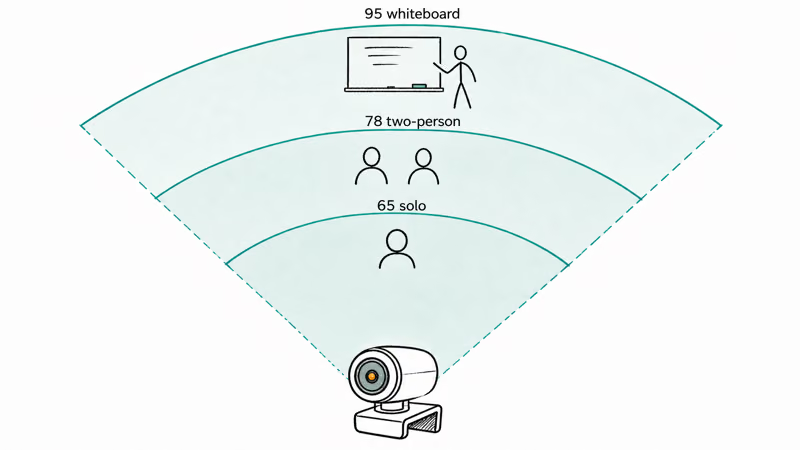
The C200’s 2K30 capture can downscale to a cleaner 1080p Zoom stream than native-1080p competitors in the same price bracket. The three FOV presets at 65, 78, and 95 degrees handle every common framing problem: 65 for solo headshot, 78 for two-person guest, 95 for showing a whiteboard or wider scene.
USB-C cabling skips the adapter dance.
A USB-A camera with a 6-foot pigtail and a USB-C adapter is a tripping hazard on a modern laptop, and the adapter is the first thing to fail. The C200 plugs into a USB-C laptop port directly with a built-in 5-foot cable.
The catch is build quality. Plastic body, no AI tracking beyond face exposure correction, no gimbal mount. For a starter webcam under $80, that’s an honest trade. If you need mechanical tracking or 4K capture, the picks at the $200+ tier are a different conversation.
#Best 1080p Step Up: Logitech Brio 500
The Logitech Brio 500 is the value step up.
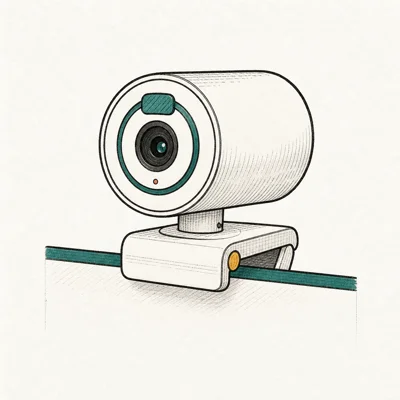
It’s a true 1080p USB-C webcam with three FOV presets, RightLight 4 auto-exposure, and the same Show Mode desk-view tilt you see in $200+ Logitech cameras. It costs more than the C200 but adds Logitech’s longer support track record and tighter app integration with their G-Hub and LogiTune software.
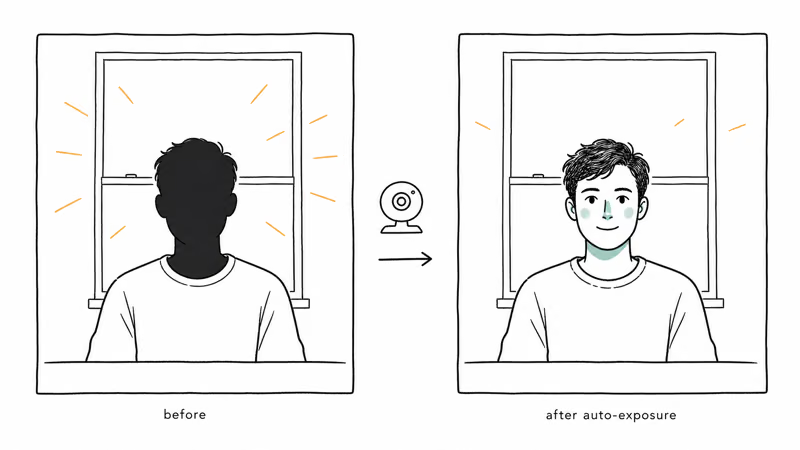
- RightLight 4 nails exposure in a backlit window without tweaking
- USB-C plus a real privacy shutter at $130
- Three FOV presets cover headshot through whiteboard
Last updated on May 27, 2026
As an Amazon Associate fone.tips earns from qualifying purchases. Prices and availability on Amazon are accurate as of the date above and subject to change.
PCMag’s webcam reviews coverage states that Logitech’s auto-exposure platform has shipped since 2012, more than 13 years of refinement, and that history is the reason RightLight 4 is the Brio 500’s standout feature for backlit rooms.
The same magnetic clip swaps between a laptop lid and a tripod in seconds.
Three FOV presets at 65, 78, and 90 degrees match the C200’s spread.
The dual noise-reducing mics are usable for a one-off call, though most buyers in this tier still want a dedicated mic.
Show Mode tilts the camera to point at the desk surface.
It’s not a full mechanical gimbal, but it lets you show hardware, books, or printed cards during a call without unmounting the camera. For tutorial or interview formats, this saves a second camera purchase.
The Brio 500 sits at the top of the under-$100 tier, occasionally crossing the threshold during a sale. If your video calls run through a Mac, our best webcam for MacBook guide compares this against macOS-specific picks and the Continuity Camera workflow.
#The $60 Reliability Pick: Logitech C920x
The C920x is a decade-old design that still ships because it works on everything.
USB-A plug-and-play, Zoom-certified, Teams-certified, Meet-certified, and it boots on a Steam Deck, a Raspberry Pi, or a 2014 ThinkPad without driver fuss. Wirecutter’s best webcam guide states that the C920 family has been the entry-level standard for more than 13 years because the platform certifications outlasted every cheaper imitator.
Stock has been intermittent on Amazon at verification time, so the C920x is positioned here as a backup option, not the recommendation for most buyers.
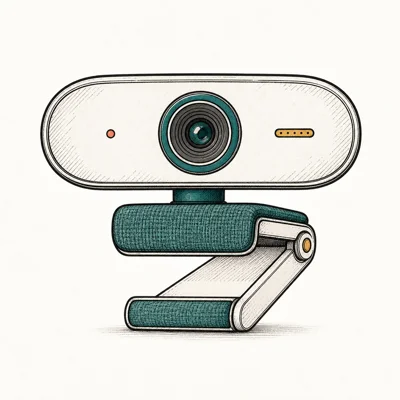
- Sub-$70 entry point with proven Zoom/Teams compatibility
- Dual mics surprisingly usable for a budget cam
- Plug-and-play on macOS / Windows / ChromeOS
Last updated on May 27, 2026
As an Amazon Associate fone.tips earns from qualifying purchases. Prices and availability on Amazon are accurate as of the date above and subject to change.
The C920x is a standard UVC webcam, so it can negotiate 720p30 on USB 2.0 and start in Zoom without a driver download or Logitech account.
Weak spots are real.
The 78-degree FOV is fixed, so framing depends on camera distance, not software. There’s no privacy shutter (just a fixed lens). The body is plastic with a flimsy desk clip that wobbles when you lean on the desk. For a chair-bound talker on a daily Zoom routine, those compromises don’t matter; for anything with motion or shelf-stable build expectations, they do.
If Zoom keeps crashing on the host machine, the camera usually isn’t at fault. Our computer crashes during Zoom guide covers the GPU and memory pressure fixes that cause most of these freezes.
#Picking the Right Spec Mix Under $100
For 90 percent of video-call use, a $60 webcam with a 2K or clean 1080p sensor is enough. Zoom and Teams downscale before transmit, so 4K spec sheets don’t reach your viewer.
Three questions decide it: do you sit in a backlit room, stand up during calls, or switch between solo and two-person framing?
Yes to any means paying $30 more for auto-exposure correction, three FOV presets, and a privacy cover. No to all three means the C920x at $60 still does the job.
The cheap trap is buying based on resolution alone. A native 4K sensor at $60 is a small sensor cropped from a smartphone-grade chip, and the image looks worse than a true 1080p camera with a real lens. Stick to brands with multi-year support track records (Logitech, Anker, Insta360, Razer) and skim the Amazon review count: anything under 500 reviews at the same price point usually means the listing is new and untested.
#Does USB-C Matter Under $100?
For a modern laptop, yes, USB-C matters.
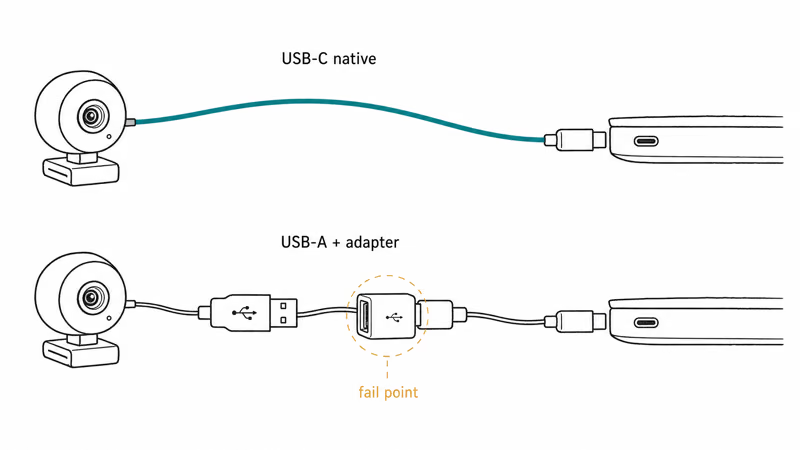
MacBooks, most XPS lines, and recent ThinkPads have dropped USB-A or made it scarce. A USB-A webcam needs an adapter or a hub, and adapters fail more often than the camera does. The C200 and Brio 500 both ship with USB-C; the C920x is USB-A and requires the adapter dance on a USB-C-only laptop.
For a desktop tower with USB-A 3.0 on the back panel, the picture changes.
USB-A 3.0 carries the same bandwidth as USB-C for webcam streams, the C920x plugs in directly, and the connector ecosystem has been stable for over a decade. If your machine is a desktop and not a laptop, USB-A is fine. If you’re piping the webcam into OBS for streaming, our best streaming PC guide covers the USB controller layout that matters for capture-card-plus-webcam setups.
If a corporate Teams account refuses to recognize the camera, this is usually a permissions issue, not a hardware fault. Our Teams camera not working walkthrough covers the macOS and Windows permission resets that fix most enumeration failures.
#Bottom Line
Most buyers under $100 want the Anker PowerConf C200.
A 2K sensor at the price of competitor 1080p cameras, USB-C cabling without adapters, three FOV presets that handle every common call-framing problem, and a real sliding privacy cover instead of a sticker. The 9,067 Amazon reviews mean any failure mode is searchable.
Buyers with a slightly higher budget should pick the Logitech Brio 500, which adds RightLight 4 auto-exposure, Show Mode desk-view tilt, and Logitech’s longer support track record. It’s the under-$100 ceiling that occasionally crosses the threshold during sales.
The Logitech C920x stays in this roundup as the reliability backstop: cheapest plug-and-play option for an obscure machine or a legacy USB-A-only setup. Stock has been intermittent on Amazon at verification time. If Amazon lists it as out of stock, fall back to the C200, which beats it on resolution at the same price point. For comparison with picks aimed at active streamers and 4K capture workflows, see our best 4K webcam for streaming breakdown.
#Frequently Asked Questions
Is a $60 webcam really better than my laptop’s built-in camera?
Yes, in nearly every case. The bigger sensor and real glass lens deliver a sharper image and better low-light performance than any sub-$2000 laptop’s built-in camera.
Should I buy a 4K webcam under $100?
No. Sub-$100 4K cameras use small sensors that crop a smartphone-grade chip into a 4K frame, which looks worse than a true 1080p camera with a real lens and proper exposure system at the same price.
Does USB-C matter for a budget webcam?
For laptops, yes; for desktop towers, no. MacBooks and most modern Windows ultrabooks have dropped USB-A, so a USB-A camera needs an adapter that adds a failure point. Desktop towers retain USB-A 3.0 on the back panel and the bandwidth is identical to USB-C for webcam use, so the C920x plugs in fine on a desktop but needs an adapter on a recent laptop.
Can a sub-$100 webcam handle Zoom and Teams calls reliably?
Yes. Zoom transmits at up to 1080p for paid plans, Microsoft Teams up to 1080p30, and Google Meet at 720p for most participants. A $60-$100 webcam exceeds those transmission limits, so the bottleneck is network upload speed, not the camera.
Will any USB webcam work on a Mac?
Yes. The C200, Brio 500, and C920x all run as plug-and-play UVC devices on macOS, no driver install needed.
Is the Logitech C920x discontinued?
Not officially, but Amazon stock has been intermittent since early 2026. Logitech still lists it on their product page, and replacement stock cycles through Amazon roughly monthly. If it’s listed as out of stock when you check, the Anker PowerConf C200 is the cleaner buy at the same price.
Do I need a separate microphone with a budget webcam?
Depends on your audio standard. The C200, Brio 500, and C920x all ship with dual mics that handle one-off calls fine. For daily podcast recording or stream commentary work, a dedicated USB mic is still worth the $80-$100, because the built-in webcam mics sit close to keyboard noise and pick up room echo.

Pixel 11 vs Pixel 10: What Changed and Who Should Upgrade
Pixel 11 vs Pixel 10: same screen and camera resolution, new Tensor G6, 25W wireless, and Gemini Intelligence. Here is who should actually upgrade.

Best Power Bank for iPad in 2026: Pro, Air, and Mini
Best power bank for iPad in 2026. Compare mAh tiers and USB-C PD wattage for iPad Pro, Air, and mini, plus airline Wh math, cables, and travel tips.

Best Power Bank With Built-In Cable: Top 2026 Picks
Best power bank with built-in cable picks for 2026. Compare single USB-C, multi-connector, and retractable laptop banks, plus airline Wh math.

Best Apple Watch Band for Working Out: Proven Picks
The best Apple Watch band for working out handles sweat and stays put on your wrist. Compare silicone, nylon, and titanium picks for runs and lifts.