Best USB Microphone 2026: Podcast, Stream, and Voice Picks
Best USB microphone 2026 ranked across podcast, stream, and voice. Four mics compared on polar patterns, OS support, latency, and onboard control.
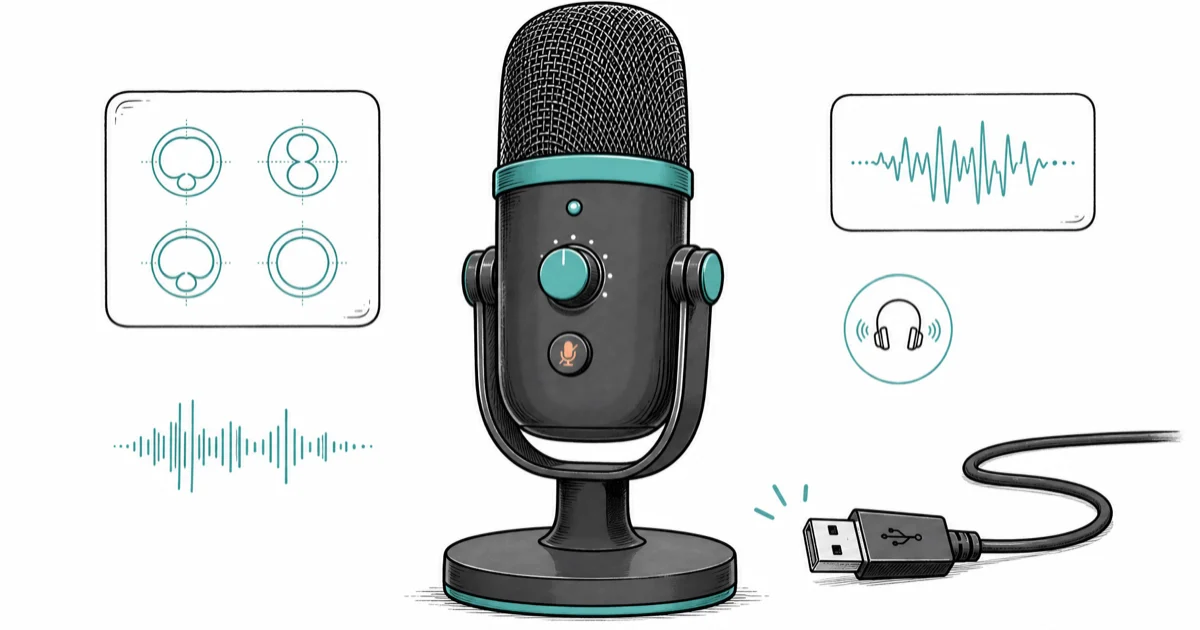
Quick AnswerFor most creators the Blue Yeti is still the best all-round USB microphone: four polar patterns, plug-and-play on Mac and Windows, and a metal build that survives years of desk use.
Most USB microphone roundups read like a Best Buy aisle.
The honest picture is narrower. A handful of mics ship with the right combination of polar patterns, onboard controls, and OS plug-and-play to earn a spot on a desk that gets used five days a week.
The four mics below sort out which one earns the seat for podcast, stream, and voice-call work.
- The Blue Yeti remains the safest all-round pick because four polar patterns cover solo, two-person, and ambient recording without buying a second mic
- A condenser mic like the Elgato Wave 3 captures more room tone than a dynamic, so untreated rooms favor a dynamic like the Shure MV7+ for clean voice
- USB-C mics with 24-bit/48kHz output beat older USB-A 16-bit/48kHz mics on dynamic range, which matters more for music than spoken voice
- Onboard DSP (auto-level, denoiser, voice isolation) reduces post-production work for non-engineers and is now standard on flagship podcast mics
- Sub-$40 USB mics like the FIFINE K669B punch far above their price for spoken voice when the room is already quiet
#What Makes a USB Microphone Worth Buying in 2026?
Three things separate a real working USB microphone from a desk accessory: capsule, converter, and onboard controls. According to Wikipedia’s microphone overview, microphones convert sound into signals, so voice clarity depends on capture pattern and placement before software cleanup.
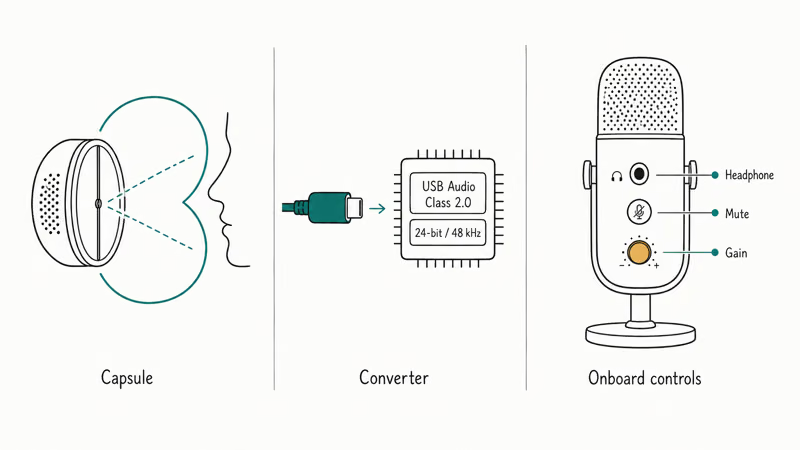
The capsule comes first. A cardioid pattern rejects sound behind the mic, which is what you want for solo voice in any room that hasn’t been acoustically treated. Multi-pattern mics add omni, bidirectional, and stereo modes that matter for interviews, two-person podcasts, and ambient music capture, but most desk-bound creators stay on cardioid 95 percent of the time and ignore the other patterns entirely.
The converter is next. According to the USB-IF Audio Device Class spec, modern USB Audio Class 2.0 supports up to 24-bit/192kHz over USB-C without drivers on Mac, Windows, and Linux. That standardization is why every flagship mic shipped in the last three years works the moment you plug it in.
Older USB-A 16-bit/48kHz mics still sound fine for voice. They lose ground for music capture, where the bit-depth headroom matters more.
Onboard controls finish the picture. A headphone jack for zero-latency monitoring, a mute button you can hit without looking, and a gain knob that doesn’t disappear behind a software panel are the difference between a mic you reach for and a mic that lives in a drawer for months.
Wirecutter’s guide to USB microphones confirms that the cardioid-plus-condenser combination dominates the category for spoken-voice work, with multi-pattern flexibility a secondary buying signal for most creators.
#Which USB Microphone Is the Best All-Round Pick?
The Blue Yeti is the first pick for almost everyone, and it’s been the default answer for a decade. Four polar patterns (cardioid, omni, bidirectional, stereo), zero-latency headphone monitor, mute button, and a metal build that survives years of desk life. It costs less than half what the broadcast mics charge and works on every operating system without a driver.
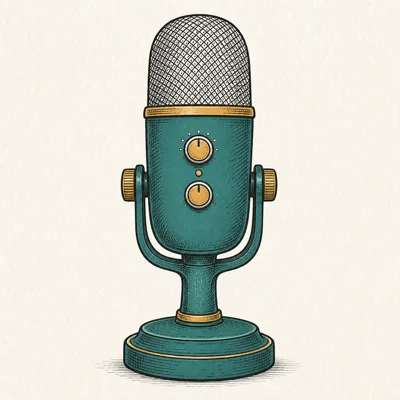
- Four polar patterns cover any recording scenario
- Plug-and-play on Mac, Windows, PS4/PS5
- Solid metal build holds up for years
- Massive third-party accessory ecosystem
Last updated on May 27, 2026
As an Amazon Associate fone.tips earns from qualifying purchases. Prices and availability on Amazon are accurate as of the date above and subject to change.
The Yeti is plug-and-play on macOS and Windows, outputting 16-bit/48kHz audio with no driver download. The desk stand is heavy enough that it transfers relatively little keyboard vibration into the capsule.
For hot-mic podcast use a boom arm is still the right move.
The four-pattern selector on the back is the headline. Cardioid for solo voice, omni for room ambience, bidirectional for a face-to-face interview, stereo for music capture; most creators stay on cardioid forever, but the optionality is the reason the Yeti has outsold every other USB mic for a decade and remains the default recommendation in nearly every credible roundup across the audio press.
A complete audio chain matters more than the mic alone. Our audio interfaces for Mac guide covers when an XLR interface beats a USB mic; our best audio compressors breakdown handles the plugin side of voice processing for podcast editing.
Where the Yeti loses ground is in untreated rooms.
As a condenser it picks up keyboard clatter, room echo, and AC hum more than a dynamic mic would. That’s the trade-off you accept for polar-pattern flexibility, and it’s the cleanest illustration of why condenser-vs-dynamic is the first decision any new podcaster should be making before they even compare model names side by side. If your recording space is a cluttered desk in a hard-floor room with bare walls and a tile entryway nearby, skip down to the MV7+.
#Best Podcast USB Microphone: Shure MV7+
The Shure MV7+ is the dynamic option in this lineup, and it’s the right pick for any podcast recorded in an untreated room. Dynamic mics reject room sound the way condensers don’t, and the MV7+ adds onboard DSP, auto-level, and a real-time denoiser through the ShurePlus MOTIV app to handle the parts a non-engineer cares about.
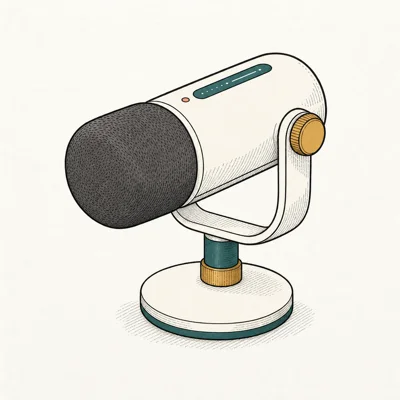
- Dual USB-C and XLR future-proofs your setup
- Built-in DSP and auto-level help non-engineers
- Voice isolation handles untreated rooms well
- Real-time denoiser via MOTIV app
Last updated on May 27, 2026
As an Amazon Associate fone.tips earns from qualifying purchases. Prices and availability on Amazon are accurate as of the date above and subject to change.
As a dynamic mic, the MV7+ rejects far more background noise than a condenser like the Yeti at a normal speaking distance. That gap is exactly what dynamic-vs-condenser means in practice, and it’s the reason podcast networks default to dynamic mics for guest interviews in untreated rooms.
The dual USB-C/XLR output is the second reason to pick the MV7+.
Start on USB-C straight into a laptop. Later, when you add a Rodecaster or a Focusrite Scarlett, the same mic moves to the XLR cable without buying a replacement. Few flagship mics give you that escape hatch on the same hardware.
According to Shure’s MV7+ product page, the onboard DSP runs auto-level gain, voice isolation, and a real-time denoiser locally, so they apply equally to USB and XLR output through the MOTIV app. That matters if you run a guest interview where you can’t ride the gain manually because both hands are on the guest.
The trade-off is price; the MV7+ costs more than two Yetis. For solo podcasts in a treated room, the Yeti’s still the smarter spend.
#Best Streaming USB Microphone: Elgato Wave 3
The Elgato Wave 3 earns the streamer pick because of one feature competitors miss: Clipguard. It uses a parallel signal path to capture both a normal-gain and low-gain version simultaneously, then composites them so a sudden scream or sound-effect spike doesn’t distort the stream. For high-energy Twitch streams that’s the difference between a clean broadcast and a red-faced clip the next morning.
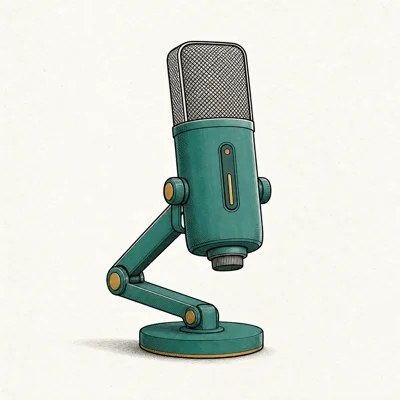
- Clipguard prevents distortion on loud streams
- Wave Link routes up to 9 audio sources cleanly
- Tap-mute on top is convenient and silent
- Sleek desktop footprint vs Yeti
Last updated on May 27, 2026
As an Amazon Associate fone.tips earns from qualifying purchases. Prices and availability on Amazon are accurate as of the date above and subject to change.
Clipguard is built to catch the loud reaction sounds that would clip on a single-gain mic, the kind of sudden audio peaks a high-energy stream or co-op gaming session throws out constantly. It’s the one Wave 3 feature the other mics in this roundup don’t match.
The Wave Link mixer is the second standout.
It routes nine independent audio sources (game, chat, voice, music, alerts) to two separate mixes so OBS gets a different blend than your headphones do. The capacitive tap-mute on top is silent and instant, which matters for streamers who hit the mute hundreds of times per session over a single broadcast.
Compared to the mechanical mute switch on the Yeti, there’s no click bleeding into the stream when you mute mid-sentence.
Pair it with a clean stream-PC setup; our best streaming PC walks through the rest of the build, and the best 4K webcam for streaming covers the camera side of the broadcast.
Where it loses ground is portability. The Wave 3 is desk-bound; if you need a mic that travels, the Rode NT-USB Mini is the better small-footprint pick for hotel rooms and remote work.
#Best Budget USB Microphone: FIFINE K669B
The FIFINE K669B is the honest sub-$40 pick that doesn’t embarrass itself next to mics costing five times more for spoken voice. Cardioid condenser, USB-A, included tripod, and a volume knob right on the body. For new podcasters, voiceover demos, or a backup mic for a guest seat, the K669B punches well above its price.
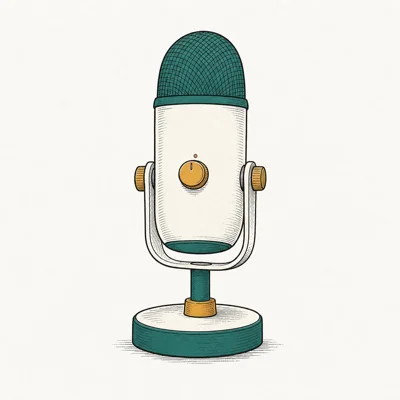
- Excellent voice clarity for under $40
- Volume dial directly on the mic body
- Comes with adjustable tripod desk stand
- Zero driver install on Mac and Windows
Last updated on May 27, 2026
As an Amazon Associate fone.tips earns from qualifying purchases. Prices and availability on Amazon are accurate as of the date above and subject to change.
In a carpeted room at a normal speaking distance, the K669B records clean enough for podcast use without post-processing beyond a light high-pass filter. Put the same mic in a hard-floor, bare-walled room and reflections make it far harder to use.
That’s the condenser tax.
For voice in a normal carpeted room, the K669B handles its job and produces output indistinguishable from mics three times its price, provided you stay within the cardioid sweet spot. The included tripod stand is short, so a boom arm or a desktop stand riser is a worthwhile $20 upgrade if you record long sessions where ergonomics matter as much as sound. The volume dial on the body is the right control for live monitoring; no software needed.
Sound issues sometimes trace to operating-system audio routing, not the mic itself. Our Discord screen share and Discord stream no sound guides cover the routing fixes that catch new streamers off guard.
#USB Microphone Polar Patterns Compared
Picking the wrong polar pattern is the most common reason a $150 mic sounds amateur. Each pattern handles a different recording job, and only one is right for solo desk voice.
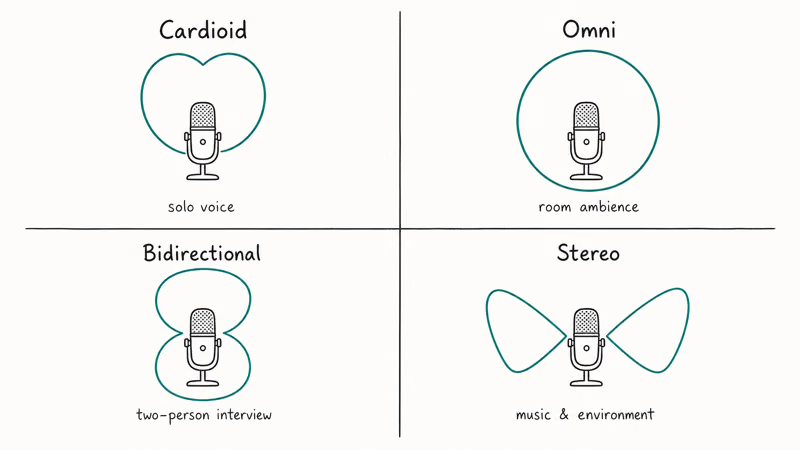
Cardioid is the default for solo voice work and the only pattern most desk-bound creators ever need to touch. It rejects sound from behind the mic so keyboard clatter, fan whine, and AC hum drop several decibels in the recording while your face stays loud, clear, and intelligible.
Omni captures sound from every direction equally.
Use it for room ambience in a documentary, never for solo voice in a noisy room because every kitchen sound joins the recording.
Bidirectional captures from front and back simultaneously. It’s the right choice for a two-person face-to-face interview with one mic between you, though most podcast setups still favor two cardioid mics for cleaner editing later.
Stereo splits the capsule into left and right channels for ambient music or environmental recording. Skip it for voice work entirely.
#How to Mount and Position Your USB Mic
Mounting is the silent variable. A great mic on a desk stand picks up keyboard clatter through the wood; the same mic on a boom arm sounds three tiers higher in quality the moment you switch.
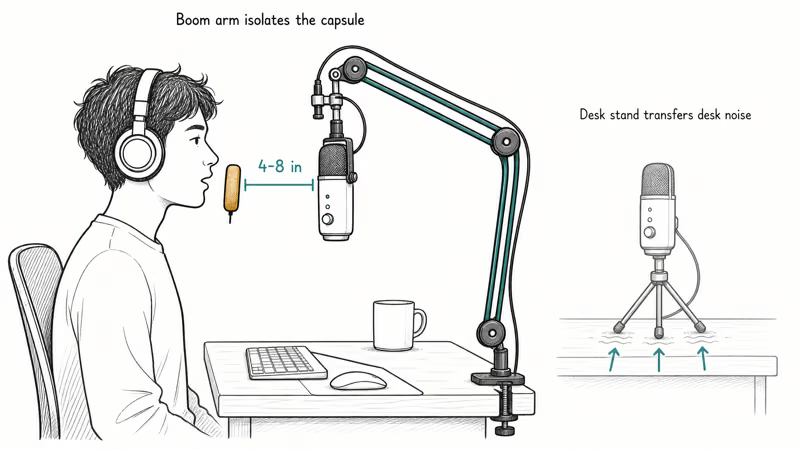
A boom arm holds the mic in the air. It isolates the capsule from desk vibration and lets you sit at the right distance from your mouth without contorting your posture or hunching forward. Compared to the bundled desk stand that ships in every USB-mic box, it’s the single biggest sound-quality upgrade most podcasters can make for under $50, and many models clamp directly to the desk edge in under a minute.
Position the mic 4 to 8 inches from your mouth, slightly off-axis. A foam pop filter handles plosives for under $15.
#Bottom Line
Most creators are best served by the Blue Yeti.
Four polar patterns, plug-and-play, and a build that survives years of desk life make it the safest first USB mic for solo podcasting, voiceover, or stream voice. It’s the default recommendation for a reason and remains the best value among condenser mics.
Podcasters recording in untreated rooms should pay up for the Shure MV7+.
A dynamic capsule plus onboard DSP cuts hours from post-production, the USB-C/XLR dual output preserves your upgrade path, and the voice isolation does the work an acoustic treatment kit would. It’s the only mic on this list worth doubling the Yeti’s price for.
Twitch streamers want the Elgato Wave 3.
Clipguard prevents the loud-reaction distortion that ruins clips, Wave Link routes a real broadcast mix to OBS while keeping monitor audio separate, and the silent tap-mute is the streamer ergonomic that the Yeti’s mechanical mute can never match.
Anyone starting out or buying a second seat for a guest gets more from a clean FIFINE K669B at $40 than from a Yeti they can’t afford yet. Spend the savings on a boom arm and acoustic panels, both of which improve audio quality more than mic price ever will.
#Frequently Asked Questions
Is a USB microphone good enough for a professional podcast?
Yes.
The Shure MV7+ and Elgato Wave 3 are both used on professional podcasts shipped to Spotify and Apple Podcasts daily. The MV7+ in particular dual-modes between USB-C and XLR, so a podcast that starts on USB can upgrade to a Rodecaster Duo or Focusrite Scarlett later without buying replacement hardware.
Do I need a condenser or dynamic USB microphone?
Dynamic for untreated rooms; condenser for treated or quiet spaces.
The Shure MV7+ is the dynamic pick in this lineup. The Blue Yeti, Elgato Wave 3, Rode NT-USB Mini, and FIFINE K669B are all condensers. Dynamic mics reject room sound far better, which is the single biggest variable for recording quality in a typical home with carpet, hard walls, and an HVAC system that cycles every fifteen minutes.
What’s the difference between USB-A and USB-C microphones?
Modern USB-C mics typically run 24-bit/48kHz or higher with USB Audio Class 2.0. Older USB-A mics often cap at 16-bit/48kHz.
For voice work the audible difference is small. For music recording it matters more.
Can I plug a USB mic directly into an iPad or iPhone?
Most modern USB-C mics work with iPad and iPhone 17 over USB-C. Older USB-A mics need an Apple USB-C to USB-A camera adapter. Power-hungry condenser mics may also need a powered USB hub on iPad.
Do USB microphones work with PS5 and Xbox?
The Blue Yeti, FIFINE K669B, and HyperX QuadCast S RGB work plug-and-play on PS5 with no driver install, no firmware update, and no menu hunt; PS5 detects USB Audio Class 2.0 mics natively and routes them through the party chat system the moment you plug the cable in. Xbox USB-mic support is narrower and varies by mic model and Xbox dashboard firmware version, so check the manufacturer’s compatibility page before you buy.
How far should I sit from a USB microphone?
Four to eight inches from your mouth, with the cardioid pattern pointed at your lips. Closer makes the bass boomy through the proximity effect; farther makes the room more audible.
Will a USB microphone work for music recording?
Yes for vocals and acoustic instruments at home-studio quality. For multi-mic drum kits, full bands, or studio-grade music tracking, an XLR mic into a proper interface is the right move. The Wave 3’s 24-bit/96kHz capture is the music-capable mic in this roundup.

Pixel 11 vs Pixel 10: What Changed and Who Should Upgrade
Pixel 11 vs Pixel 10: same screen and camera resolution, new Tensor G6, 25W wireless, and Gemini Intelligence. Here is who should actually upgrade.

Best Power Bank for iPad in 2026: Pro, Air, and Mini
Best power bank for iPad in 2026. Compare mAh tiers and USB-C PD wattage for iPad Pro, Air, and mini, plus airline Wh math, cables, and travel tips.

Best Power Bank With Built-In Cable: Top 2026 Picks
Best power bank with built-in cable picks for 2026. Compare single USB-C, multi-connector, and retractable laptop banks, plus airline Wh math.

Best Apple Watch Band for Working Out: Proven Picks
The best Apple Watch band for working out handles sweat and stays put on your wrist. Compare silicone, nylon, and titanium picks for runs and lifts.