AirTag vs Tile 2026: Which Tracker Should You Buy?
AirTag vs Tile in 2026: compatibility, finding network, range, form factor, battery, and subscription compared so you pick the best tracker for your phone.
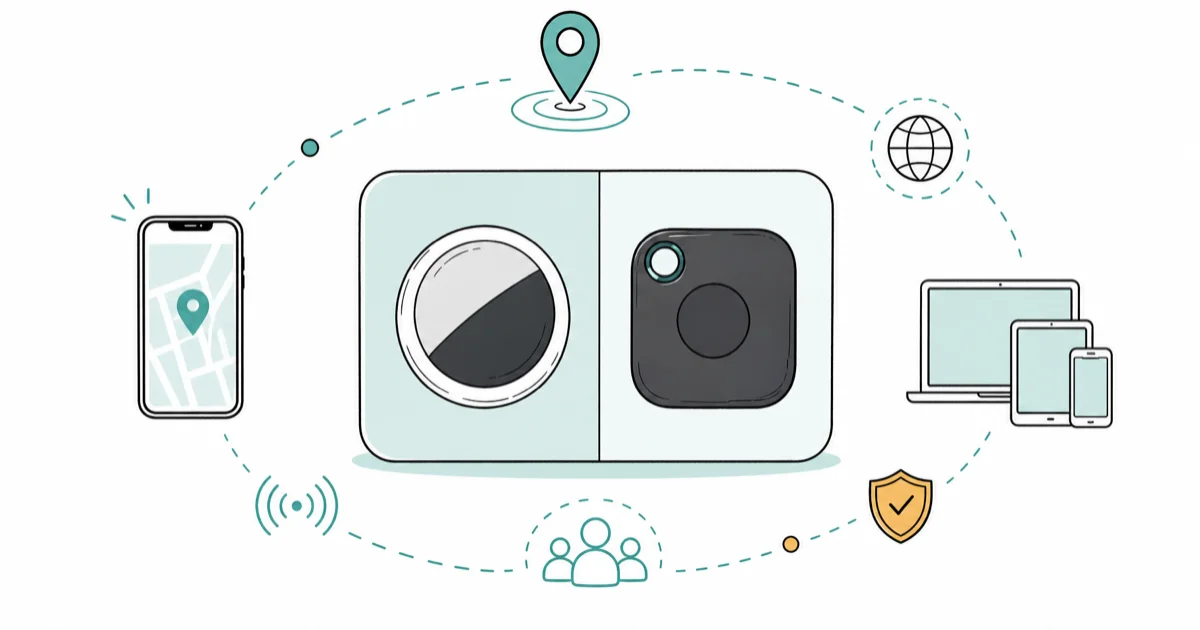
Quick AnswerAirTag is the better tracker for iPhone households thanks to Precision Finding and the huge Find My network. Tile wins for Android or mixed households with cross-platform support and varied shapes. Choose by your phone.
The AirTag vs Tile choice comes down to one question before any spec: what phone do you and your household carry? AirTag is built for iPhone, while Tile works on both iPhone and Android, and that single fact decides the winner for most people. For real-world loss recovery, the deciding factor is rarely raw Bluetooth range. It’s which finding network is most likely to spot a lost item.
- AirTag’s expanded Precision Finding requires iPhone Air or iPhone 15 and later, excluding iPhone 16e and 17e, so compatible all-iPhone homes get the strongest experience.
- Tile runs on both iPhone and Android, making it the default pick for mixed-platform households.
- AirTag taps the Find My network of more than a billion Apple devices, far larger than Tile’s own community network.
- Tile offers wallet-thin and stick-on shapes that AirTag’s single coin design can’t match.
- Neither tracker needs a subscription to ring or locate; Tile Premium only adds extras like smart alerts.
#AirTag vs Tile: Our Picks and Where to Buy
Here is the short version on each pick and where to get it before the full comparison.
#Apple AirTag
- Find My taps more than a billion Apple devices worldwide
- Second-generation UWB with expanded Precision Finding on eligible newer iPhones
- One-tap setup near any iPhone, no separate account
Last updated on Aug 16, 2026
As an Amazon Associate fone.tips earns from qualifying purchases. Prices and availability on Amazon are accurate as of the date above and subject to change.
#Tile Pro (by Life360)
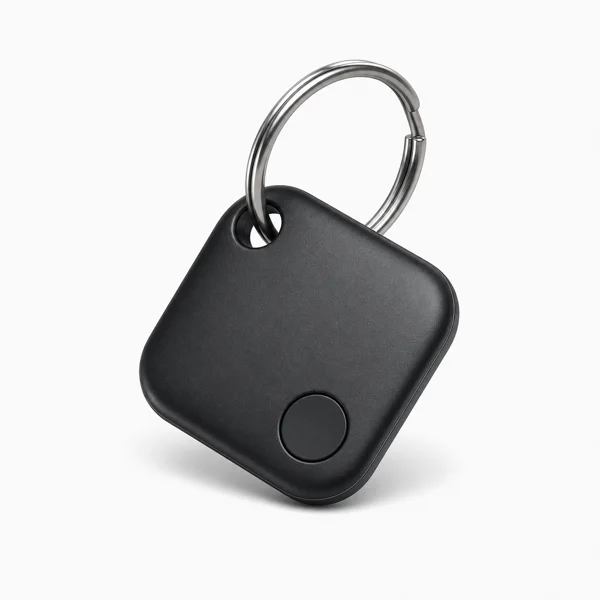
- Works fully on both iPhone and Android
- Long range and a loud ring to find nearby items
- Replaceable battery lasts about a year
Last updated on Aug 16, 2026
As an Amazon Associate fone.tips earns from qualifying purchases. Prices and availability on Amazon are accurate as of the date above and subject to change.
#AirTag vs Tile: The Quick Verdict
Both AirTag and Tile solve the same problem: you attach a small Bluetooth tag to your keys, wallet, or bag, and your phone helps you find it. They differ in how far that help reaches and which phones they support. That difference is the whole decision.
AirTag leans on Apple’s ecosystem. Tile leans on cross-platform flexibility and a range of physical shapes. There’s no universal winner here, only a winner for your situation.
The short version: if everyone in your home uses an iPhone, buy AirTag. If anyone uses Android, or you want a wallet-shaped tracker, buy Tile. That rule holds in everyday use, and the rest of this guide explains why.
#Which One Works With Your Phone?
This is the first filter, and it eliminates one option for many readers immediately. Compatibility, not range, is what makes a tracker useful or useless to you.
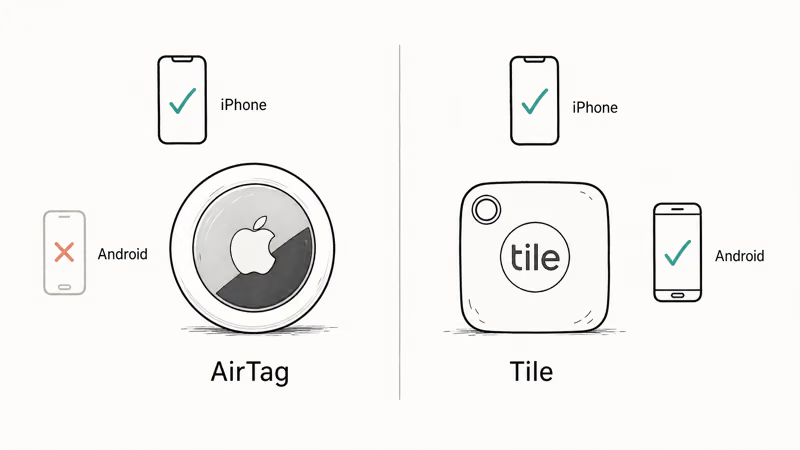
AirTag is an Apple product. According to Apple’s second-generation AirTag specifications, it adds second-generation Ultra Wideband and expanded Precision Finding. That feature requires iPhone Air or iPhone 15 and later, excluding iPhone 16e and iPhone 17e, and availability varies by region. You can ring an AirTag and see it on a map only through Apple’s Find My system, so an Android-only user gets almost nothing from one.
Tile is the opposite. As Tile’s own how-it-works page describes, it runs a free companion app on both iOS and Android, so a household with a mix of phones can all use the same trackers. That cross-platform reach is Tile’s headline advantage and the reason it remains the practical answer for Android users and mixed families.
AirTag vs Tile phone compatibility at a glance
| Tracker | iPhone | Android | Standout feature |
|---|---|---|---|
| AirTag | Full support | Very limited | Expanded Precision Finding on a compatible iPhone |
| Tile | Full support | Full support | Same app on both platforms |
If your home is split between iOS and Android, Tile is the safe choice. Our Best Bluetooth Tracker for Android roundup goes deeper on the Android side, and for a Samsung angle see SmartTag 2 vs AirTag.
#Finding Networks and Range Compared
When a tracker is out of your phone’s Bluetooth range, the finding network takes over. This is where AirTag pulls ahead, and it’s the gap that matters most for items that travel.
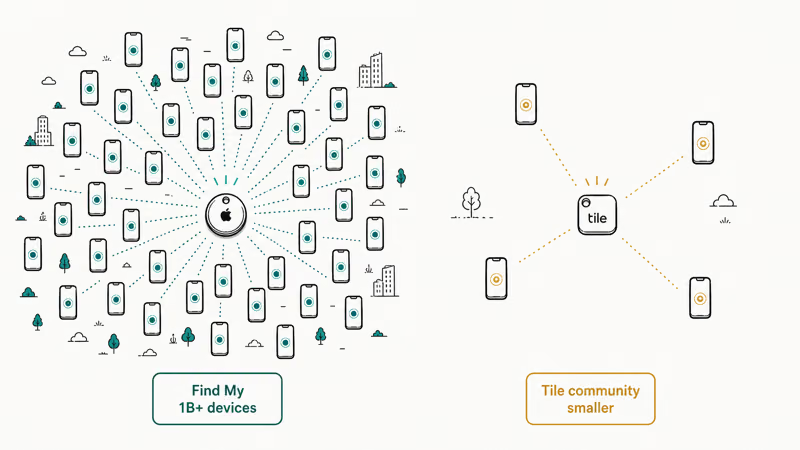
Apple’s AirTag page states that the Find My network spans more than a billion iPhone, iPad, and Mac devices, which detect a lost AirTag and report its location back anonymously and encrypted. That density means a lost AirTag is likely to be spotted by a passing Apple device almost anywhere.
Tile uses its own community network of phones running the Tile or Life360 app. It works, but the pool is far smaller than Apple’s, so in rural or low-traffic areas a lost Tile is less likely to be seen. Both ring loudly for nearby items and connect over Bluetooth at similar everyday distances.
The takeaway on range: raw Bluetooth distance rarely decides real-world recoveries. What recovers a bag left in a taxi is the size of the crowdsourced network, and AirTag’s is the larger one by a wide margin.
#Form Factor and Battery Differences
Physical shape is where Tile fights back. AirTag comes in one form, a smooth white coin you attach with a separate keyring holder. That’s fine for keys, but it’s bulky in a wallet.
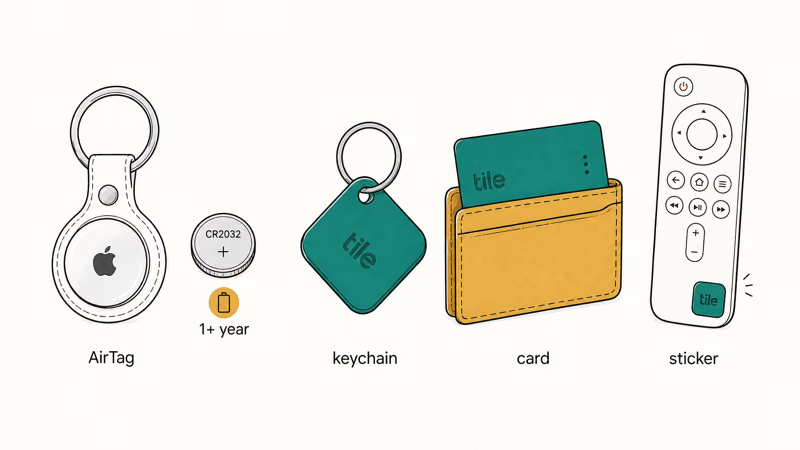
Tile sells several shapes for different items. There’s a keychain-style tracker for keys, a thin card-shaped tracker that slides into a wallet, and a small stick-on tracker for remotes or a laptop. If you want to track a wallet specifically, Tile’s slim card is the natural fit and AirTag has no equivalent.
Battery life is comparable but handled differently. According to Apple, an AirTag runs more than 1 year on a standard, user-replaceable CR2032 coin battery, and your iPhone alerts you when it’s low. Tile’s trackers are rated for multi-year life, with some sealed and others using a replaceable cell, so check the model before buying.
If your goal is tracking small Apple gear, our Find an AirTag Tracking You safety guide covers how unwanted-tracking alerts work on your own devices. A thin card tracker is the one shape AirTag simply can’t match.
#Do You Need a Tile Subscription?
This trips up a lot of buyers, so here’s the clear answer. Neither tracker requires a subscription for its core job. Out of the box, both let you ring the tag, see its last location on a map, and use the tag to make your phone ring back.
Tile sells an optional Premium plan that layers on extras: smart alerts that warn you when you leave an item behind, longer location history, and item reimbursement if a tagged thing is lost. Those are conveniences, not the basic find feature. If you own several Tiles and rely on the leave-behind alerts, the subscription earns its keep. If you just want to find your keys, the free tier is enough.
AirTag has no subscription at all. Its features come bundled with the Apple devices you already own, which simplifies the math for iPhone users. For the network side of Android tracking, our Google Find My Device guide explains the platform-native option that competes with both.
#Match the Tracker to How You Lose Things
Beyond the phone question, think about your loss pattern. If you mostly misplace keys around the house, either tracker rings loudly enough to find them in a minute. The networks barely matter at close range.
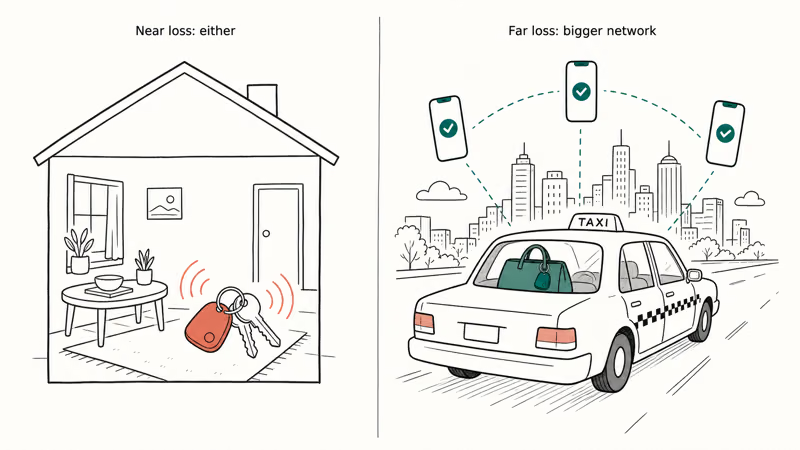
If you lose things out in the world, like a bag in a rideshare or luggage in transit, the finding network is everything. Here AirTag’s billion-device pool gives Apple users the best odds of a stranger’s phone spotting the item. A Tile in the same situation depends on a smaller crowd happening to pass by.
So pair the choice with both factors: your phone first, then whether your losses are near or far. Near losses favor either tracker; far losses favor the bigger network.
If luggage is your main worry, our Best Bluetooth Tracker for Luggage guide ranks travel options. For a wider field beyond these two brands, start with our best Bluetooth tracker picks.
#Bottom Line
Buy AirTag if your household is all iPhone and you mostly lose things nearby or around town, because Precision Finding plus the billion-device Find My network recovers items fastest. Choose Tile if you use Android or a mix of phones, want a wallet-thin or stick-on shape, or prefer one app that works everywhere. The deciding factor is your phone ecosystem, not raw specs, and for single-platform Android homes the answer is almost always Tile.
#Frequently Asked Questions
Is AirTag or Tile better in 2026?
It depends on your phone. AirTag wins for all-iPhone homes. Tile wins for Android or mixed homes.
Does AirTag work with Android?
Not in any meaningful way. AirTag’s ringing, mapping, and Precision Finding all run through Apple’s Find My system, which needs an iPhone. An Android phone can detect an unknown AirTag for safety purposes but can’t use one as your own tracker.
Which has longer Bluetooth range, AirTag or Tile?
Everyday Bluetooth range is similar for nearby finding, and some Tile models advertise longer line-of-sight range on paper. But raw range rarely decides real recoveries, because once an item leaves Bluetooth distance only the crowdsourced network can find it. The size of that network matters far more than a few extra feet of direct connection, and Apple’s pool of devices is much larger than Tile’s by every public account.
Does Tile require a subscription?
No. Tile’s core features, ringing the tag and seeing its last location, are free. The optional Tile Premium plan adds smart leave-behind alerts, longer location history, and item reimbursement. Those extras are worth it mainly if you own several Tiles.
How long do AirTag and Tile batteries last?
Apple says an AirTag lasts more than a year on a replaceable CR2032 coin battery. Tile trackers are rated for multi-year life, but whether the cell is replaceable depends on the model.
Which is better for tracking luggage?
For luggage that travels far, AirTag’s larger Find My network gives it a real edge at being spotted in busy airports and cities, as long as you and the people around you live in the Apple ecosystem. Tile is the better luggage pick if you or your travel companions use Android, since AirTag does little for them.

Best Laptop for Running LLMs in 2026: Memory Comes First
The best laptop for running LLMs is a memory purchase first. Compare MacBook unified memory against NVIDIA laptop VRAM, and see what each tier really runs.

Pixel 11 vs Pixel 10: What Changed and Who Should Upgrade
Pixel 11 vs Pixel 10: same screen and camera resolution, new Tensor G6, 25W wireless, and Gemini Intelligence. Here is who should actually upgrade.

Best Power Bank for iPad in 2026: Pro, Air, and Mini
Best power bank for iPad in 2026. Compare mAh tiers and USB-C PD wattage for iPad Pro, Air, and mini, plus airline Wh math, cables, and travel tips.

Best Power Bank With Built-In Cable: Top 2026 Picks
Best power bank with built-in cable picks for 2026. Compare single USB-C, multi-connector, and retractable laptop banks, plus airline Wh math.