The Best Arcade Sticks: Ultimate Guide for Fighting Game
Find the best arcade sticks for fighting games in 2026. Top picks include Nacon Daija, Victrix Pro FS, and budget options for every platform.
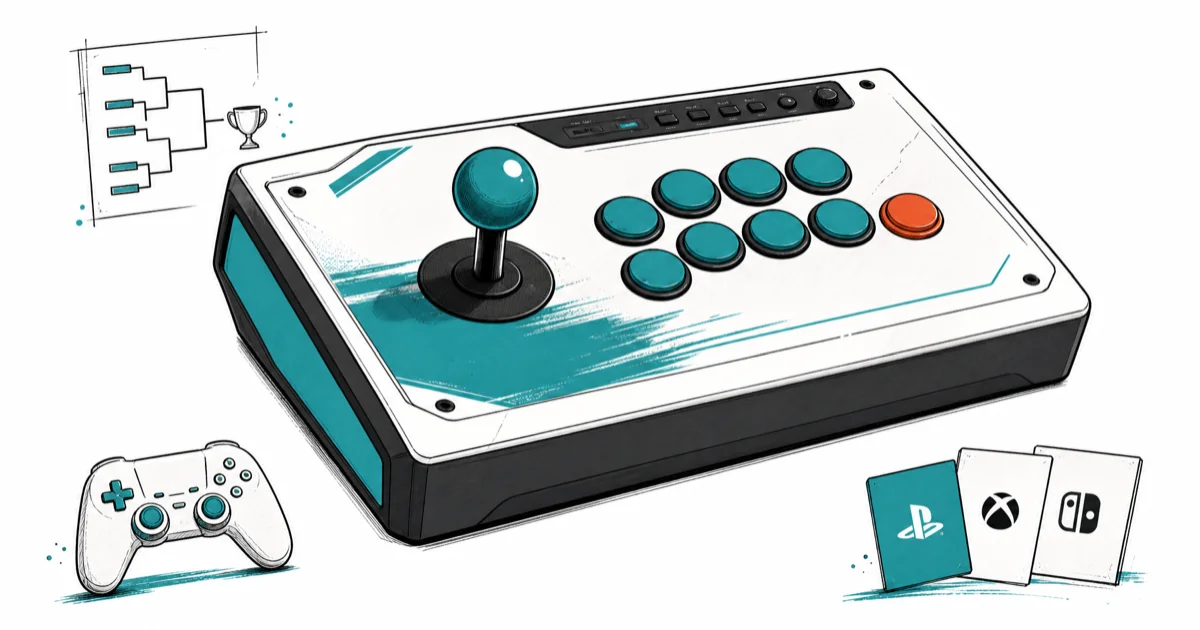
Quick AnswerThe Nacon Daija is the best overall arcade stick, featuring premium Sanwa components, a customizable layout, and tournament-grade build quality co-developed with a pro player.
Arcade sticks aren’t just nostalgia. They’re the preferred input method for many competitive fighting game players because mechanical microswitches can register inputs faster than analog sticks on standard controllers. The best picks here focus on platform support, parts quality, mod access, and tournament-friendly layouts.
- The Nacon Daija is the best overall arcade stick in 2026, featuring premium Sanwa components and co-developed with professional player Kayane
- Budget players should consider the Mayflash F300 Elite, which includes genuine Sanwa Denshi parts at a fraction of premium prices
- Premium options like the Victrix Pro FS use aircraft-grade aluminum chassis designed to survive years of tournament-level use
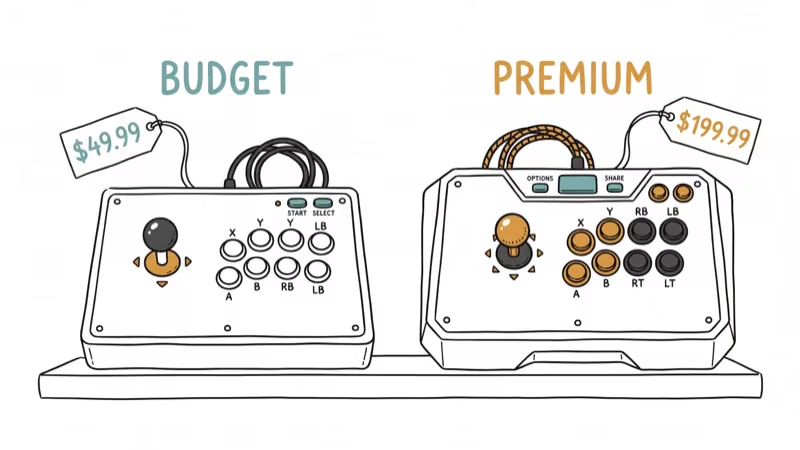
- Arcade sticks range from around $50 for entry-level models to over $300 for pro-grade units with full customization support
- Always verify platform compatibility before buying since most sticks target either PlayStation/PC or Xbox/PC but not both
#Why Do Pro Players Use Arcade Sticks?
The main advantage is input precision for complex motions. Quarter-circle, half-circle, and dragon punch inputs are physically easier on a joystick than a D-pad. According to Capcom’s Street Fighter 6 controller guide, top tournament players overwhelmingly prefer arcade sticks or leverless controllers for this reason.
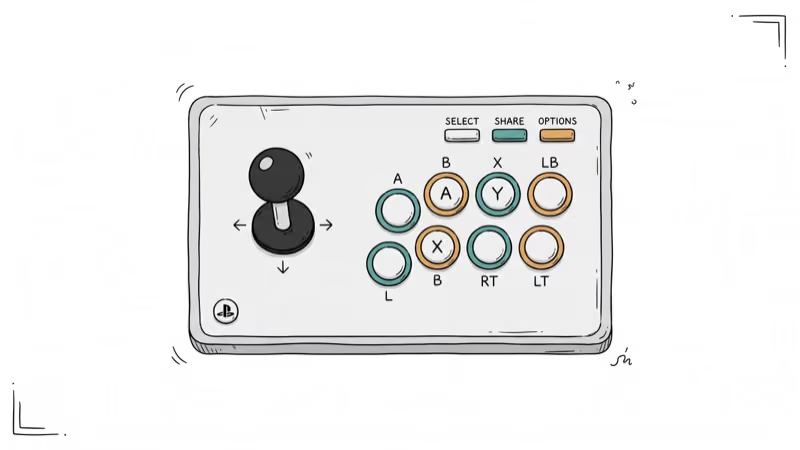
There’s also the fatigue factor. Fight sticks spread inputs across multiple fingers instead of concentrating everything on your thumbs, which is why some fighting game players find them more comfortable for long sessions.
For those who prefer traditional controllers, our best GameCube controllers for PC guide covers that side. But for fighting games specifically, sticks have a clear edge in precision.
#Best Overall Arcade Sticks
#1. Nacon Daija
The Nacon Daija is co-developed with Marie-Laure ‘Kayane’ Norindr, one of the most accomplished fighting game players in history. It’s the strongest overall pick for players who want premium parts, broad PlayStation support, and easy customization.
- Sanwa JLF joystick and OBSF-30 buttons for authentic arcade feel
- Two joystick head options (ball-top and bat-top) included
- Easy-access bottom panel for swapping parts
- Compatible with PlayStation 4/5 and PC
The case weight, about 5.5 lbs, helps keep it planted on your desk during intense sessions, while the Sanwa stick and buttons are standard choices for arcade-style precision.
As an Amazon Associate, fone.tips earns from qualifying purchases. Some links on this page are affiliate links.
#2. Victrix Pro FS
The Victrix Pro FS targets players who want the absolute best regardless of cost. The aircraft-grade aluminum chassis gives it a premium feel that no plastic case can match.
- Sanwa Denshi components throughout
- Customizable LED lighting
- Tournament lock switch prevents accidental pauses
- Compatible with PlayStation and PC
At over $300, it’s the most expensive option here. According to the Amazon listing, current availability can vary by platform version, so confirm the exact model before buying.
#3. Hori Fighting Stick Alpha
The best option for Xbox and PC players. Hori’s Hayabusa stick and KURO buttons feel different from Sanwa parts but are equally precise.
- Programmable buttons for custom setups
- Compact design that’s easy to transport
- Built-in headset terminal for game chat
#Best Budget Arcade Sticks
#1. Hori Fighting Stick Mini
At under $50, this is the cheapest way to find out if you like playing on a stick. The buttons and joystick aren’t premium quality, but they’re adequate for learning basic techniques.
- Compact and lightweight
- Compatible with PlayStation and PC
- Good for beginners testing the waters
#2. Mayflash F300 Elite
The F300 Elite punches way above its price. Genuine Sanwa Denshi buttons and joystick at a budget price point, plus universal compatibility with PlayStation, Xbox, Switch, and PC.
According to Mayflash’s product page, the F300 Elite supports turbo functionality and customizable button layouts. Its universal compatibility is the main reason to choose it if you jump between consoles.
#3. Qanba Drone
Another solid entry-level option with a tournament mode lock switch that you usually only find on premium sticks.
- Compatible with PlayStation and PC
- Compact enough for travel
- Customizable buttons and joystick
#PC-Specific Arcade Stick Options
PC gamers have the widest compatibility since most sticks work on PC regardless of their primary console target. The 8BitDo Arcade Stick stands out for PC with wireless and wired connectivity, Steam integration, and a retro Nintendo-inspired design.
For those who prefer mice for other genres, our guide on the lightest gaming mice covers that territory. For fighting game controllers specifically, also check our best fighting game controllers roundup that includes leverless options like the Hitbox.
If you prefer the SCUF-style modular approach for other games, our SCUF alternative controllers guide has options for FPS and other genres.
#How Do You Choose the Right Stick?
Focus on these factors in order of importance:
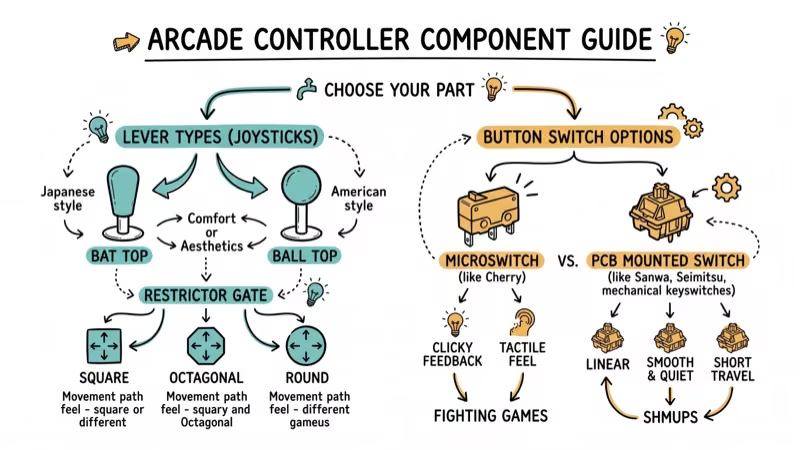
- Platform compatibility - make sure it works with your console. Most sticks are either PlayStation/PC or Xbox/PC.
- Component quality - Sanwa Denshi and Seimitsu are the gold standard. Budget sticks use generic parts that feel mushier.
- Build weight - heavier sticks (4+ lbs) stay put during play. Lightweight sticks slide around on your lap.
- Modding access - if you’ll eventually swap parts, look for easy-open bottom panels
- Button layout - Vewlix (curved) and Noir (straight rows) are the two main layouts. Try both if you can.
#Bottom Line
The Nacon Daija is the best arcade stick for most players thanks to its Sanwa parts, solid build, and reasonable price for what you get. Budget buyers should grab the Mayflash F300 Elite since it includes genuine Sanwa components at a fraction of the cost.
The Victrix Pro FS is only worth it if tournament durability is your top priority. For arcade sports games and casual play, even the Hori Fighting Stick Mini will do the job while you decide if sticks are for you.
#Frequently Asked Questions
Are arcade sticks worth it for beginners?
Yes, but expect a learning curve of 2-4 weeks. Your execution will get worse before it gets better. Start with a budget stick like the Hori Mini to test your commitment before investing in premium hardware.
Can I use an arcade stick for games besides fighting games?
Some players use them for shoot-em-ups (shmups), retro games, and certain rhythm games. They aren’t practical for FPS, RPG, or most other genres.
How long do arcade sticks last?
Sanwa buttons are rated for about 2 million presses. With daily use, that’s roughly 3-5 years before you’ll want to replace buttons. The joystick typically lasts even longer.
Do I need to mod my arcade stick?
Not out of the box. Premium sticks come with tournament-quality parts. Budget sticks benefit from a Sanwa button swap ($20-30 for a full set), which is a straightforward upgrade most people can do in 15 minutes.
Which is better for Street Fighter 6: stick or pad?
Both are viable at the highest level. Sticks excel at complex motion inputs. Pads are better for charge characters and simpler inputs. Most new players find sticks more intuitive for quarter-circle motions specifically.
Can one arcade stick work on multiple platforms?
The Mayflash F300 Elite supports PlayStation, Xbox, Switch, and PC out of the box. Most other sticks are locked to one console family plus PC. Brook adapters can add cross-platform support to any stick for about $40.

Fortnite Stuck on the Loading Screen? Fix It in 2026
Fortnite stuck on the loading screen? Check server status, fix the Windows N Media Pack and DirectX 11 on PC, clear the console cache, and verify files.

Minecraft Keeps Crashing? Java and Bedrock Fixes (2026)
Minecraft keeps crashing on startup or mid-game? Update your GPU driver, remove mods on Java, and reinstall Gaming Services on Bedrock. Fixes for both.

Pokemon GO Not Loading? Fix the Loading Screen 2026
Pokemon GO not loading or stuck on the Pokeball? Check server status, fix automatic date and time, grant location permission, clear the cache, and update.

PS5 Controller Not Charging? 9 Fixes That Work (2026)
DualSense not charging? Swap the cable, use a rear port in Rest Mode, clean the USB-C port, and check power settings. 9 fixes for a dead PS5 controller.