Best 2 in 1 Laptop 2026: 6 Top Convertibles Compared
The best 2 in 1 laptop in 2026, proven and ranked. Surface Pro 11 leads for pen and tablet work, with convertible picks for notes, drawing, and media.
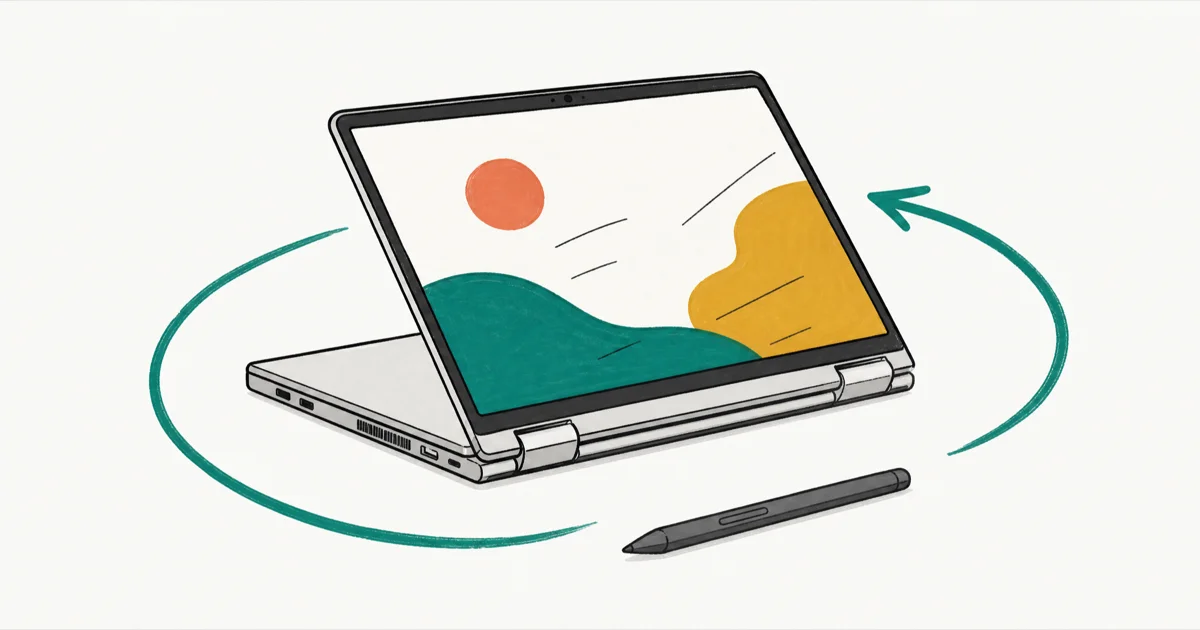
Quick AnswerThe Microsoft Surface Pro 11 is the best 2-in-1 laptop for most people in 2026. It is light, fast on its Snapdragon X chip, and pairs with the Slim Pen 2 for drawing and notes.
The best 2-in-1 laptop in 2026 is the Microsoft Surface Pro 11. This guide compares six convertibles and detachables by form factor, pen support, tablet weight, hinge design, and how well each one works as a real laptop. Your pick comes down to whether you want a tablet-first detachable or a clamshell that folds back.
- Surface Pro 11 is the best detachable: under 2 pounds, Snapdragon X speed, Slim Pen 2 with back charging
- Lenovo Yoga 9i is the best convertible, with a 2.8K OLED panel on a 360-degree hinge
- Detachables go tablet-first; convertibles keep the keyboard attached and fold flat
- Pen and keyboard are sold separately on most detachables, adding $150 to $300
- Surface devices use the Slim Pen 2, while convertibles bundle a Lenovo or Wacom-style pen
#Six 2-in-1 Laptops Compared
Form factor drives the decision more than any single spec. Here is how the six machines compare:
| Laptop | Type | Best For | Starting Price |
|---|---|---|---|
| Microsoft Surface Pro 11 | Detachable | Pen, tablet-first work | ~$999 |
| Lenovo Yoga 9i 2-in-1 | Convertible | OLED media, premium build | ~$1,549 |
| Microsoft Surface Laptop 7 | Touch clamshell | Laptop-first hybrid use | ~$999 |
| ASUS Zenbook Duo | Dual-screen | Multitasking, creators | ~$1,499 |
| HP Spectre x360 14 | Convertible | Drawing, balanced pick | ~$1,299 |
| Lenovo IdeaPad Duet | Detachable | Budget, students | ~$399 |
#Microsoft Surface Pro 11
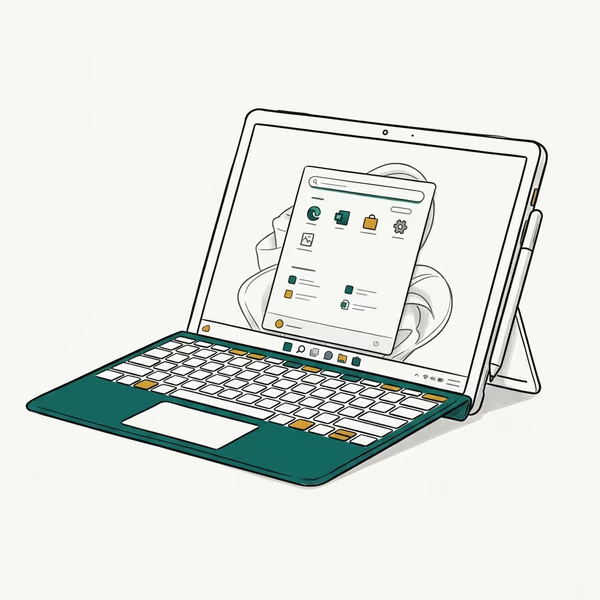
The Surface Pro 11 is the most complete detachable in this group. The Snapdragon X model runs Windows 11 and suits OneNote handwriting, light sketching, document work, and keyboard-folio editing.
As an Amazon Associate fone.tips earns from qualifying purchases. Prices and availability on Amazon are accurate as of the date above and subject to change.
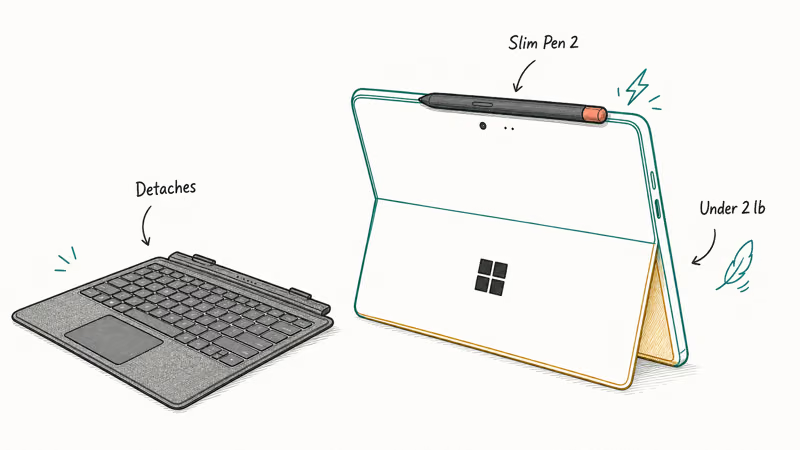
Pen work is where it shines. According to Microsoft’s Surface Pro specifications, the 13-inch model has a 2880x1920 PixelSense Flow display and a 165-degree friction kickstand, and the Slim Pen 2 stores and charges magnetically on the back. That detail matters in daily use, because the pen is always charged and never lost in a bag.
At under 2 pounds for the tablet alone, it’s comfortable to hold for reading or drawing. Native Windows apps run fast on the Snapdragon X chip, though older x86 software can lag under emulation. According to Tom’s Guide’s 2-in-1 rankings, the Surface Pro 11 is their best-value pick for that mix of speed and portability.
Budget for the extras, though. The keyboard and Slim Pen 2 are sold separately, which pushes the real cost well past the $999 sticker.
Read our best detachable laptop guide if a tablet-first design is your priority.
Best for: Anyone who wants a tablet-first device with excellent pen support.
#Lenovo Yoga 9i 2-in-1
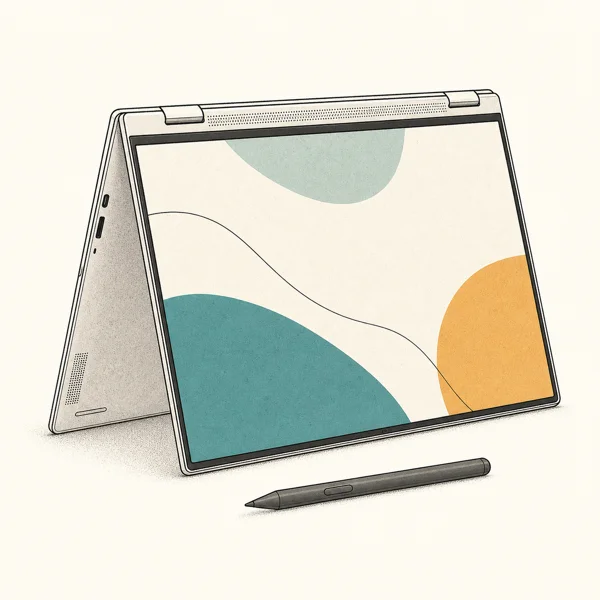
This is the convertible to beat: the keyboard stays attached and the screen folds back 360 degrees into tablet, tent, or stand mode for streaming, browsing, design work, and occasional pen markup on the touchscreen.
As an Amazon Associate fone.tips earns from qualifying purchases. Prices and availability on Amazon are accurate as of the date above and subject to change.
The OLED panel is the headline. According to Laptop Mag’s Yoga 9i 2-in-1 review, the 14-inch panel is a 2880x1800 120Hz OLED touchscreen, and the soundbar built into the hinge gives it better speakers than most convertibles. That OLED setup is strongest for movies, photos, and light photo edits, while the glossy finish can be harder to read outdoors in direct sunlight.
It weighs about 2.9 pounds, heavier in the hand than a true detachable. The Intel Core Ultra chip handles everyday work well, but it trails the fastest competitors on heavy multitasking, and the glossy panel can be hard to read outdoors in bright sun.
Pricing is steep at around $1,549, which is MacBook Pro money.
Best for: People who want a laptop-first convertible with a gorgeous OLED screen.
#Microsoft Surface Laptop 7
Not every “2-in-1” detaches or folds. The Surface Laptop 7 is a touch clamshell, so it’s the pick if you mostly type but want a touchscreen and occasional pen input on the display.
The 13.8-inch Snapdragon X model runs Windows 11, and its 3
touch panel suits writing and meetings.The tradeoff is obvious: it never becomes a tablet. You get touch and pen on a screen that stays in clamshell mode, which suits note-takers who jot in the margins rather than draw full-page sketches. Older x86 apps run through emulation like the Surface Pro.
Check the Surface Laptop 7 on Amazon if a touch laptop suits you better than a true convertible. Students leaning this way should also read our best laptops for teachers guide.
Best for: Laptop-first users who want a touchscreen and light pen input.
#ASUS Zenbook Duo
The Zenbook Duo takes a different swing: two full screens instead of one folding panel. The keyboard detaches, leaving you with two stacked displays for multitasking, writing across both screens, and light photo work.

As an Amazon Associate fone.tips earns from qualifying purchases. Prices and availability on Amazon are accurate as of the date above and subject to change.
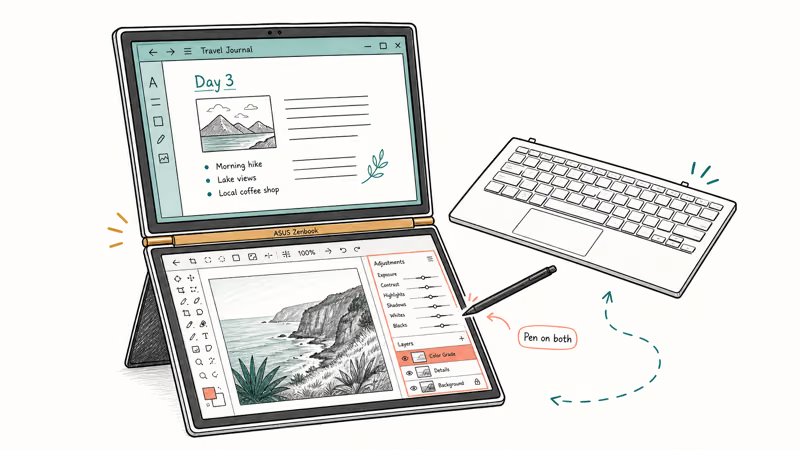
It’s the most productive layout here for anyone who lives in multiple windows. Pen input works on both panels, which is rare.
The downside is bulk and battery. Two OLED screens drain faster than one, and the dual-screen setup is heavier to carry than a single-panel convertible. The learning curve is real for the first few days.
Writers weighing screen real estate should see our best laptop for writers guide too.
Best for: Multitaskers and creators who want two screens in one device.
#HP Spectre x360 14
A well-balanced convertible that does a bit of everything. The 360-degree hinge folds into tablet mode, the bundled pen works well for drawing, and the build feels premium enough for mixed note-taking and sketching.
The bundled pen is the main draw, and the gem-cut chassis is one of the nicer designs in this group.
It does not top any single category, which is exactly the point. If you want one device that draws decently, types well, and looks sharp without leaning hard into any one use, this is the safe middle pick.
Find the HP Spectre x360 14 on Amazon for a do-everything convertible.
Best for: Buyers who want a balanced convertible for drawing and daily work.
#Lenovo IdeaPad Duet
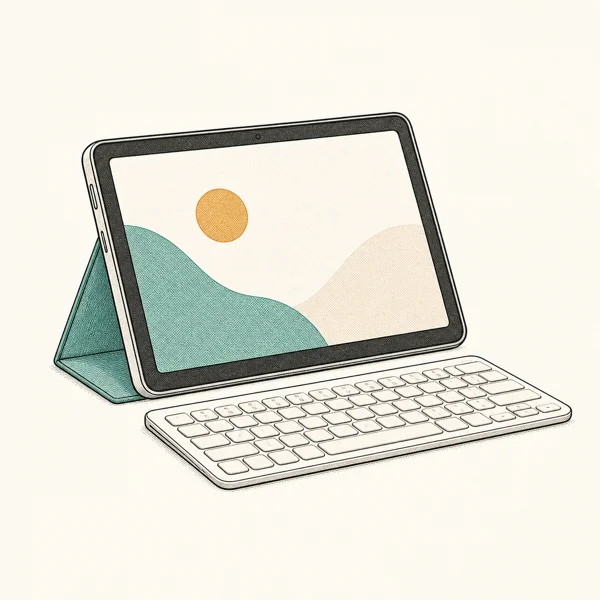
The budget pick. It’s a small detachable that runs Chrome OS rather than Windows, so it costs a fraction of the others and skips Windows desktop apps entirely. It’s best for web apps, reading, and note-taking with the included pen.
As an Amazon Associate fone.tips earns from qualifying purchases. Prices and availability on Amazon are accurate as of the date above and subject to change.
At around $399 it’s the cheapest device here, and the kickstand cover often ships in the box.
Performance is modest and the screen is small for sustained typing, so treat it as a tablet that occasionally does laptop duty. For students who live in Google Workspace, that is plenty.
Best for: Students and budget buyers who live in web apps.
#Detachable or Convertible: Which Should You Pick?
Start with how often you use tablet mode. A detachable like the Surface Pro 11 splits into a true tablet, which is best if you read, draw, or take handwritten notes for long stretches. A convertible like the Yoga 9i keeps the keyboard attached and folds back, so it’s steadier on your lap but heavier to hold.
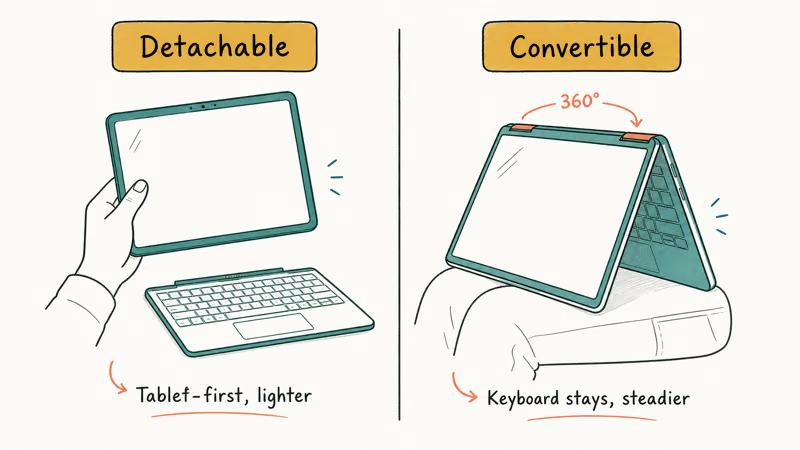
Detachables win on portability and pen-first work. Convertibles win as everyday laptops, since the attached keyboard makes them better for sustained typing and they usually have stronger cooling and battery.
Pen support is the other deciding factor. Surface devices use the Slim Pen 2, which charges on the back of the tablet, while convertibles bundle their own pen that you store in a loop or slot. If drawing or handwriting is your main reason to buy a 2-in-1, prioritize tilt support and low latency over raw chip speed. Our laptop for note taking guide goes deeper on pen and handwriting features.
#How Much Do the Accessories Add to a 2-in-1?
More than buyers expect. On most detachables the keyboard and pen are sold separately, and together they add $150 to $300 on top of the laptop price.
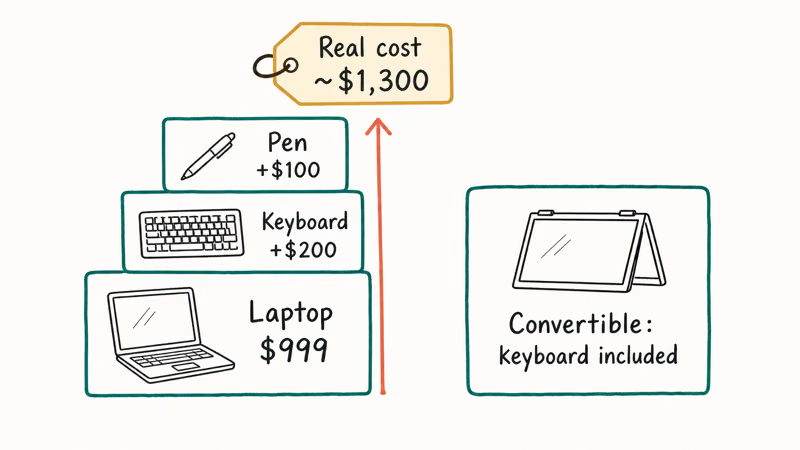
The Surface Pro 11 is the clearest example. Its $999 sticker becomes closer to $1,300 once you add the keyboard folio and Slim Pen 2, so always calculate the full cost before comparing it to a convertible that bundles its keyboard.
Convertibles usually include the keyboard, since it never detaches, and many bundle a pen. That makes a convertible look pricier up front but often cheaper once the detachable’s add-ons are counted. If your work needs more raw power than any of these offer, our best laptops for computer science guide covers stronger clamshells across price tiers.
#Bottom Line
For most people, the Microsoft Surface Pro 11 is the best 2-in-1 laptop in 2026. It’s light, fast on its Snapdragon chip, and the Slim Pen 2 makes it the strongest choice for note-taking and drawing in tablet mode.
If you want a laptop-first convertible instead of a tablet, the Lenovo Yoga 9i wins on its OLED screen and 360-degree hinge. Budget buyers should look at the Lenovo IdeaPad Duet for cloud work. Whatever you choose, add the cost of the keyboard and pen before comparing prices, since they almost never ship together on a detachable.
#Frequently Asked Questions
What is the best 2-in-1 laptop in 2026?
The Microsoft Surface Pro 11 is the best 2-in-1 for most people. It’s light, fast on its Snapdragon X chip, and the Slim Pen 2 makes it great for notes and drawing. The catch is that the keyboard and pen cost extra.
What is the difference between a detachable and a convertible 2-in-1?
A detachable removes the keyboard completely so the screen becomes a standalone tablet, the way the Surface Pro 11 does. A convertible keeps the keyboard attached and folds the screen back 360 degrees into tablet, tent, or stand mode, like the Lenovo Yoga 9i. Detachables are lighter in tablet mode and better for pen-first work, while convertibles are steadier on your lap and make better everyday laptops.
Do 2-in-1 laptops come with a pen?
It depends on the model. Many convertibles bundle a pen, while most detachables, including the Surface Pro 11, sell it separately.
Is the Surface Pro 11 good for drawing?
Yes. The Slim Pen 2 supports tilt and pressure with low latency, and the 13-inch PixelSense display gives you a large, sharp canvas. It’s not a dedicated drawing tablet like an iPad Pro with an Apple Pencil, but for note-taking, sketching, and markup inside Windows apps it works very well.
Are 2-in-1 laptops worth it?
For the right user, yes. A 2-in-1 saves you from carrying two devices if you split time between typing and tablet tasks. If you only ever use it as a laptop, a standard clamshell costs less.
Can a 2-in-1 replace a tablet and a laptop?
Often, yes. A detachable like the Surface Pro 11 covers both roles well because it becomes a real tablet and runs full Windows with a keyboard attached. A convertible covers laptop duty fully but is heavier to use as a handheld tablet, so it replaces a tablet less comfortably than a true detachable does.
Which 2-in-1 is best for students?
The Lenovo IdeaPad Duet is the strongest budget pick at around $399, since it runs Chrome OS and often includes the keyboard cover. If a student needs full Windows for desktop software, the Surface Pro 11 is the better long-term choice despite the extra cost of its keyboard and pen.
Bluetooth Not Working on Snapdragon X? Fixes for 2026
Bluetooth not working on your Snapdragon X Copilot+ PC? Generic audio, mice, and keyboards work, but vendor apps often lack an ARM build. Fixes inside.

Docker Desktop and WSL2 Not Working on Snapdragon X? Fix It
WSL2 runs fine on Snapdragon X, but Docker Desktop ARM is Early Access and throws WSL errors. Use WSL2 plus native ARM64 Ubuntu and Docker Engine.
Does iTunes Work on Snapdragon X? ARM Windows 11 Guide
Yes, iTunes runs on Snapdragon X laptops through Prism emulation, but the Apple Devices app is the smoother route. Here is what to install on ARM.
Does OBS Studio Work on Snapdragon X? ARM64 Build Guide
Yes, OBS Studio has an experimental ARM64 build since version 31.1, but x64 plugins won't load and hardware encoding is missing. Here is what works.