AirPods Case Not Charging? 6 Proven Fixes That Work (2026)
AirPods case not charging? Reset the case, clean the port, and swap cables. 6 fixes proven on AirPods Pro 2 and AirPods 3 with step-by-step results.
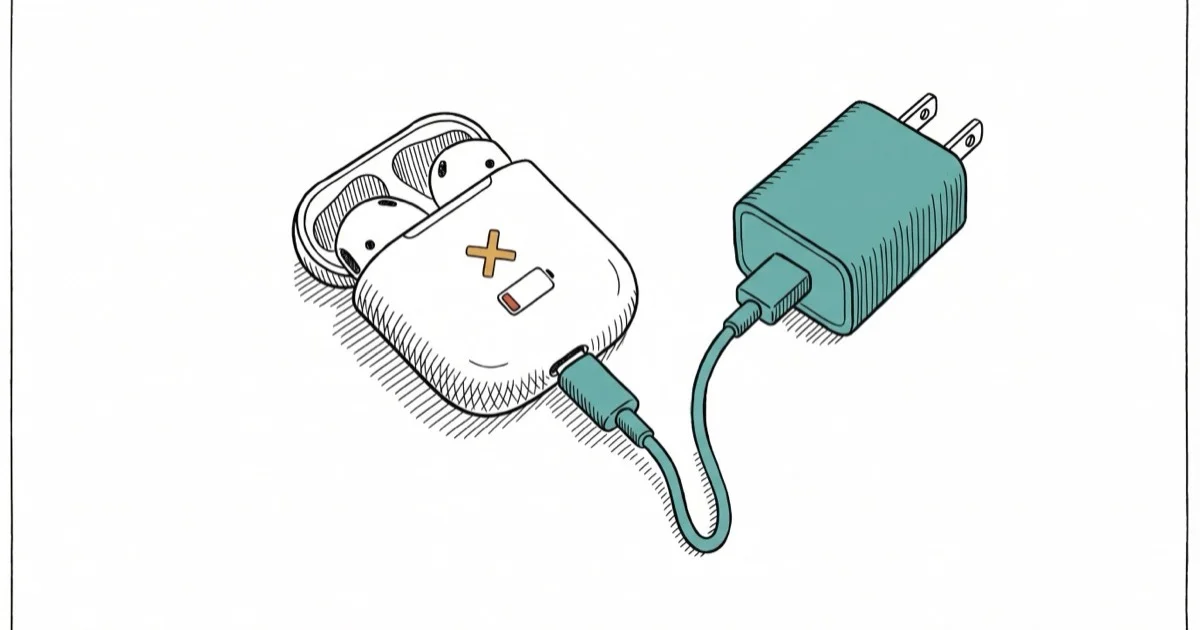
Quick AnswerReset the case by holding the setup button for 15 seconds. If that fails, clean the Lightning or USB-C port and try a different certified cable.
Your AirPods case stopped charging and the LED won’t light up. This common problem usually traces to a dirty port, a bad cable, or a firmware glitch. Start with the reset, port, and cable checks before assuming the case battery failed.
Run these charging checks only on your own AirPods case or a device you have permission to service. Battery cleaning, cable swaps, and reset steps are fine for personal troubleshooting, but opening shared or borrowed hardware without consent can create legal, warranty, and privacy issues if paired-device data or ownership records are involved.
- Hold the setup button 15 seconds until the light flashes amber then white to reset it
- A clogged port is the top hardware cause, fixed in 30 seconds with a dry toothbrush
- Third-party cables without MFi certification can deliver inconsistent power
- Firmware updates install automatically when the case is plugged in near a paired iPhone
- Apple charges $49 out of warranty for battery service, AppleCare+ covers it free below 80%
#Signs Your AirPods Case Isn’t Charging
Open the lid near your paired iPhone. A battery popup appears within a few seconds showing the case and each AirPod’s charge level. If the case shows no percentage or displays a red sliver while plugged into power, the case isn’t taking a charge.
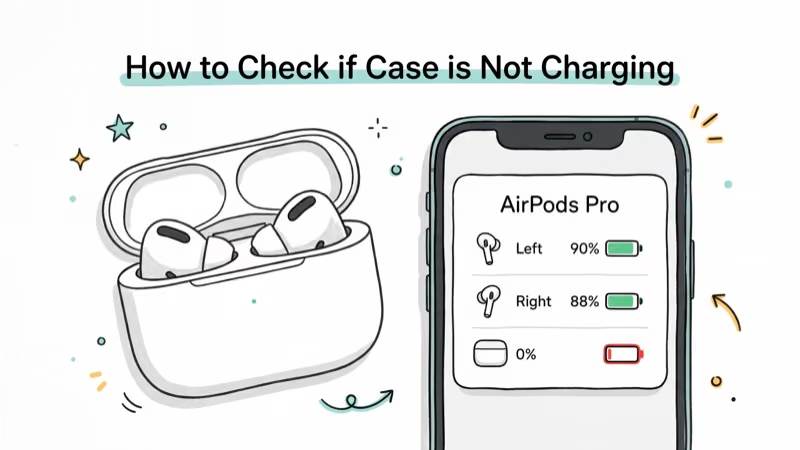
The status LED on the front tells you more. According to Apple’s AirPods charging guide, an amber light with AirPods inside means the case is actively charging the earbuds, while green means fully charged. Apple states that a full case shows green at 100% charge, while amber means it’s still topping up. No light at all after connecting to power signals a problem.
Try putting your AirPods in a friend’s case. If they charge there, the issue is definitely your case.
#AirPods Case LED Status Guide
Understanding the LED colors helps you diagnose what’s happening before you try any fixes:
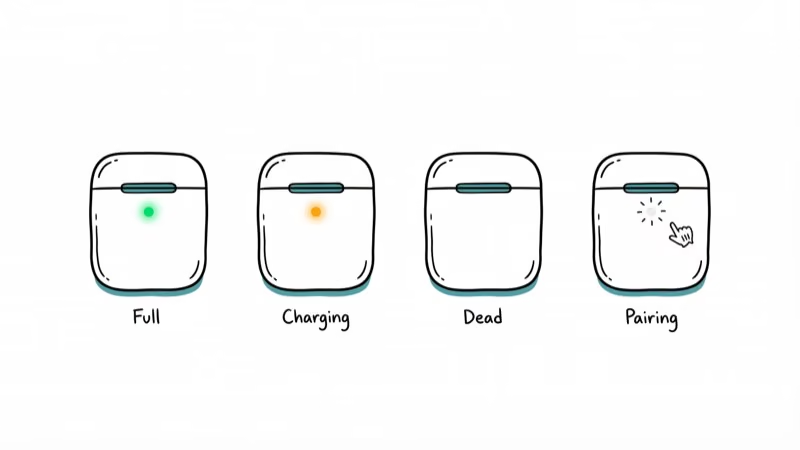
| LED Color | Case Open (AirPods Inside) | Case Plugged In |
|---|---|---|
| Green | Fully charged | Case full |
| Amber | Charging earbuds | Case charging |
| No light | Battery dead | Not receiving power |
| Flashing white | Ready to pair | N/A |
If you see no light after plugging in, the case isn’t receiving power at all. That’s when you should start with the reset fix below. Amber light but the percentage never rises above 1-2%? The battery is degraded and needs replacement.
#6 Fixes for an AirPods Case That Won’t Charge
#1. Reset the AirPods Case
A reset clears firmware glitches that can lock the charging circuit.
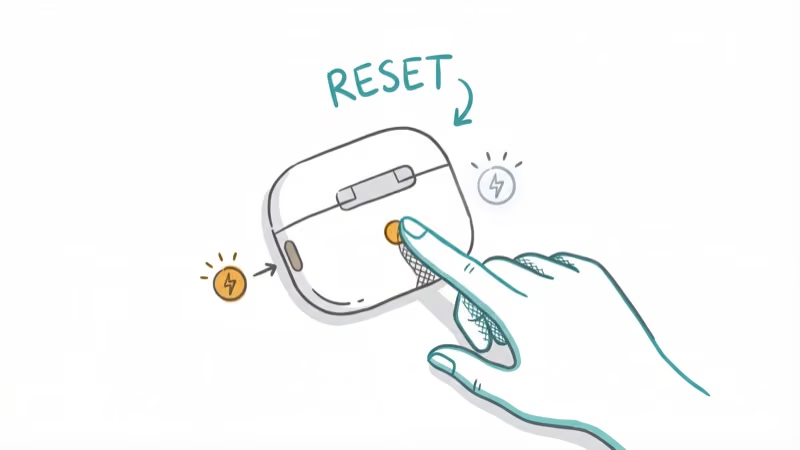
Put both AirPods inside the case and close the lid. Wait 30 seconds, then open the lid. Press and hold the setup button on the back for 15 seconds until the light flashes amber, then turns white. Release the button, plug the case into power, and check the LED.
Your AirPods will need re-pairing afterward. Go to Settings > Bluetooth, tap the “i” next to your AirPods, select “Forget This Device,” then pair again. Takes about 2 minutes. If the AirPods won’t flash white during reset, leave the case plugged in for 10 minutes first.
#2. Clean the Charging Port
Pocket lint packs into the Lightning or USB-C port over months of daily carry. Even a thin layer blocks the pins.
Close the lid and grab a dry soft-bristled toothbrush. Sweep debris out of the port gently. For stubborn buildup, use a wooden toothpick. Never use metal tools or compressed air, which can damage the pins or push debris deeper into the connector housing.
Visible lint can block the port, and cleaning takes only seconds. If you carry your AirPods loose in a pocket or bag without a protective sleeve, check the port monthly to catch buildup before it blocks the charging pins completely.
#3. Swap the Cable and Power Source
A frayed or non-certified cable is the second most common cause. Apple’s own Lightning cables tend to fray near the connector after about a year of heavy use.
Swap to a known-good cable. According to Apple’s guide on identifying certified accessories, look for the MFi badge on the packaging for Lightning cables. For USB-C, stick with USB-IF certified cables. Try a different wall adapter too.
Uncertified Lightning cables can fail to charge an AirPods case even when they work with an iPhone. If you use wireless charging (AirPods Pro or AirPods 3rd gen), test with a Qi-certified pad and make sure the case sits centered with the LED facing up.
#4. Update AirPods Firmware
Apple pushes firmware updates silently. A corrupted or interrupted update can cause charging problems that look like hardware failure but resolve themselves once the firmware finishes installing correctly.
Put AirPods in the case, connect the case to power, and place your iPhone nearby with Wi-Fi and Bluetooth on. Leave everything connected for at least 30 minutes. To check your firmware version, go to Settings > Bluetooth, tap the “i” next to your AirPods, and look at the version number. As of April 2026, the latest AirPods Pro 2 firmware is 7B20.
There’s no manual update button. If your AirPods won’t connect at all, fix the pairing first before firmware can update.
#5. Check for Water Damage
AirPods cases aren’t water-resistant. If yours got wet from rain, a spill, or a trip through the washing machine, charging failure is a common result.
Remove the AirPods, open the lid, and let the case air dry for at least 48 hours before plugging anything in. Don’t use a hair dryer or rice. Place the case upside down on a dry cloth in a room with good airflow.
If the case still won’t charge after two full days of drying, the internal circuitry is likely damaged and you’ll need a replacement from Apple.
#6. Get the Case Replaced
If none of the above fixes work, the battery inside the case is probably degraded or dead. AirPods case batteries use lithium-ion cells that lose capacity after roughly 500 full charge cycles.
Apple’s AirPods repair page handles out-of-warranty battery service, which Apple currently prices at $49. AppleCare+ covers battery service at no charge if the case retains less than 80% of its original capacity. You can buy a replacement case separately without replacing the AirPods themselves, which saves money if your earbuds still work fine.
#What Causes an AirPods Case to Stop Charging?
Port debris tops the list. Lint and dust from pockets and bags accumulate slowly, and most people don’t realize there’s a problem until the case stops charging entirely. Shine your phone’s flashlight into the port to check.
Bad cables rank second. Non-certified cables deliver inconsistent voltage that the case’s charging circuit rejects outright. Firmware corruption from interrupted updates is third.
Battery degradation is the fourth cause. Cases manufactured in 2020-2022 have logged the most charge cycles by now, and lithium-ion cells gradually lose their ability to hold a charge. After roughly 500 full cycles, capacity drops noticeably.
If your AirPods sound muffled on top of the case not charging, that points to a deeper hardware issue. Book a Genius Bar appointment.
#Why Isn’t Wireless Charging Working?
AirPods Pro (all generations) and AirPods 3rd gen support Qi wireless charging. When the case won’t charge on a wireless pad, the problem is almost always alignment or interference from a thick case sleeve.
Center the case on the pad with the LED facing up. You should feel a slight magnetic snap when positioned correctly on MagSafe-compatible pads. Remove any silicone cover before testing since thick sleeves block the charging coil signal entirely.
Wireless charging takes about 90 minutes for a full charge compared to roughly 60 minutes wired. If your pad works with your iPhone but not the AirPods case, the coil may sit too high for the case’s receiver. The AirPods case charging coil is positioned lower than most phone coils, so smaller pads sometimes miss it completely. Check our best wireless charger for iPhone guide for pads that work reliably with AirPods cases too.
#How to Prevent Future Charging Problems
Clean the charging port once a month with a dry brush. Takes 30 seconds.
Use only MFi-certified cables for Lightning models. They cost a few dollars more but won’t cause compatibility issues. The case fully charges in about 60 minutes wired, so there’s no benefit to leaving it plugged in overnight.
Store the case in a pouch or separate pocket away from keys and coins. Metal objects scratch the contact pins and push debris into the port. If you notice your AirPods keep cutting out during calls or music, that can signal a weak case battery struggling to maintain connection with the earbuds.
#Bottom Line
Start with a case reset by holding the setup button for 15 seconds. That reset can clear firmware glitches before you move to cleaning or cable swaps.
If the reset doesn’t work, clean the port and try a certified cable. If nothing helps after all six fixes, book a Genius Bar appointment or order a replacement case for $49.
#Frequently Asked Questions
Why is my AirPods case not charging even though the AirPods charge fine?
The case has its own separate battery that degrades independently from the AirPods. Reset the case first by holding the setup button for 15 seconds. If the reset doesn’t help and your case is from 2020-2022, the battery has likely worn out after years of daily charging cycles. Apple’s battery service costs $49 out of warranty.
How long does a full charge take?
About 60 minutes wired. Wireless takes closer to 90 minutes on a Qi pad.
Can I use a non-Apple charger for my AirPods case?
Yes, but stick with MFi-certified cables for Lightning models or USB-IF certified cables for USB-C models. Uncertified accessories may not deliver the correct voltage; if charging fails, switch to a certified cable before assuming the case is dead.
Does the case charge while the AirPods are inside?
Yes, but it prioritizes charging the AirPods first. The case charges its own battery with whatever power remains. If you want the case to charge faster, take the AirPods out and charge the case empty.
Why does my AirPods case battery die so fast?
Battery degradation is the most likely cause on cases older than 3 years. Check the battery level through the Batteries widget on your iPhone home screen. If it drops from 100% to under 50% within a day without charging any AirPods inside, the battery is worn and needs replacement. Apple offers service for $49, and AppleCare+ covers it free if capacity is below 80%.
Can I buy just a replacement case without new AirPods?
Yes. Apple sells standalone replacement cases for every generation. Order through Apple’s website or visit an Apple Store.
Will resetting the case erase my AirPods settings?
A reset removes the Bluetooth pairing, custom name, and press/hold gesture settings. You’ll re-pair in about 2 minutes. Audio settings like spatial audio preferences and microphone configuration stored on your iPhone aren’t affected since those live on the phone, not the AirPods hardware.
How do I check if my AirPods case qualifies for free battery replacement?
Open the case near your paired iPhone and monitor the battery percentage over a few hours using the Batteries widget. If the case can’t hold a charge above 80% of its original capacity, it qualifies for free replacement under AppleCare+. Without AppleCare+, the standard service fee is $49.

Mac mini M6 vs M5 Pro: Which Model Should You Buy?
Mac mini M6 vs M5 Pro compared on price, memory, ports, displays, and real workloads. Find the better 2026 Mac mini for your desk and budget.

Apple Siri Settlement: Who Qualifies and How to Claim
Apple's $250 million Siri settlement covers iPhone 15 Pro and iPhone 16 models bought June 2024 to March 2025. See who qualifies and how claims work.

iOS 26.6.1 Security Update: What Apple Fixed and Who Gets It
Apple released iOS 26.6.1 on August 17 with 29 security fixes, including an IPSec interception bug. See what it patches, who gets it, and how to update.

iPhone Adaptive Power: How It Works and When to Use It
Learn how iPhone Adaptive Power works, which models support it, what it changes, and when Low Power Mode is still the better battery-saving choice.