AirPods Sound Muffled? 6 Easy Fixes That Actually Work
Fix muffled AirPods sound. Covers cleaning tips, ear tip fit, Bluetooth resets, noise cancellation settings, firmware updates, and hardware signs.
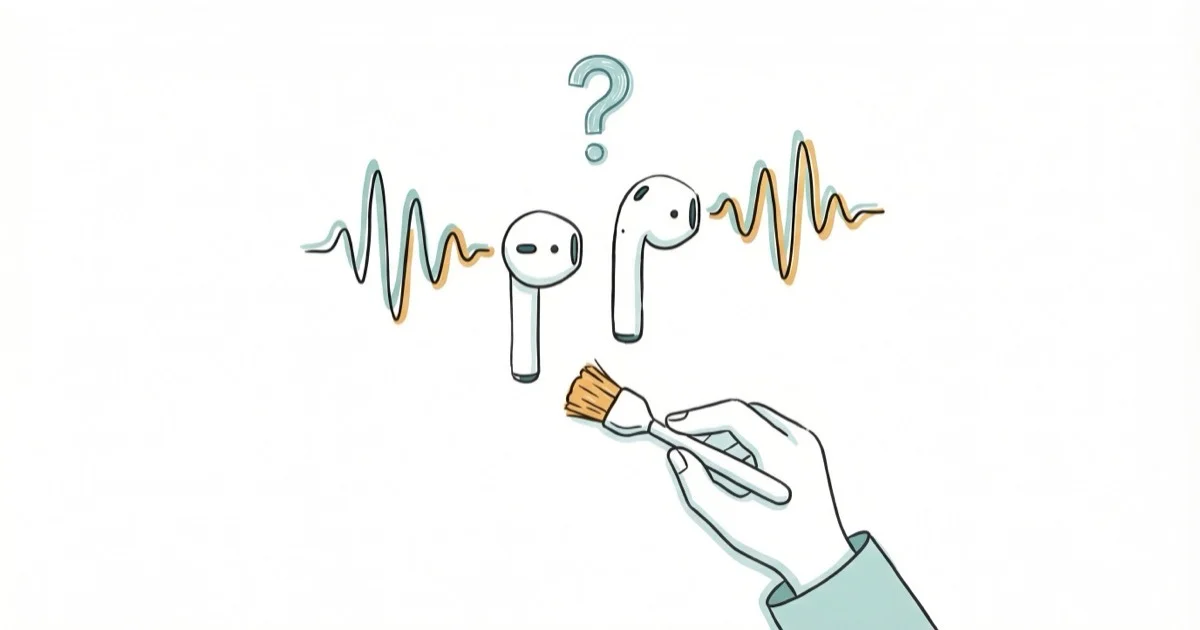
Quick AnswerClean the speaker grilles and ear tips, check the ear tip fit, and compare listening modes. If the sound is still muffled, update the firmware and use the reset steps for your AirPods model.
Muffled AirPods sound makes music flat, podcasts hard to follow, and phone calls nearly impossible. Debris on the speaker mesh and a poor ear tip seal are two checks you can make before moving on to software or service.
- Earwax and debris can block the speaker grilles and muffle AirPods audio
- Using the wrong ear tip size creates gaps that let bass escape and make audio sound thin
- Reset steps differ for AirPods 4 and AirPods Pro 3, which use taps on the front of the case
- Comparing listening modes helps isolate whether the muffling is tied to a setting
- AirPods firmware updates automatically while the earbuds charge near a paired, Wi-Fi-connected Apple device
#What Causes Muffled Sound in AirPods?
The speaker grilles on AirPods have tiny mesh openings that can trap wax and debris over time. Buildup can reduce audio clarity and volume.
A poor ear tip seal is another factor for AirPods Pro users. Tips that are too small can let sound leak out, while tips that are too large can feel uncomfortable. According to Apple’s ear-tip guide, the right seal improves bass and noise cancellation.
Bluetooth connectivity problems also cause muffled or distorted audio. Interference from other wireless devices, a weak signal, or a corrupted pairing can all degrade sound quality. If your AirPods are connected but sound plays from your phone, the Bluetooth link isn’t fully established.
Drops or water exposure can also damage internal components. If one AirPod is louder than the other, compare the charge level, balance setting, and speaker mesh on both sides.
#Clean the Speaker Grilles and Ear Tips
Start by checking for debris. Grab a soft-bristled brush like a clean toothbrush.
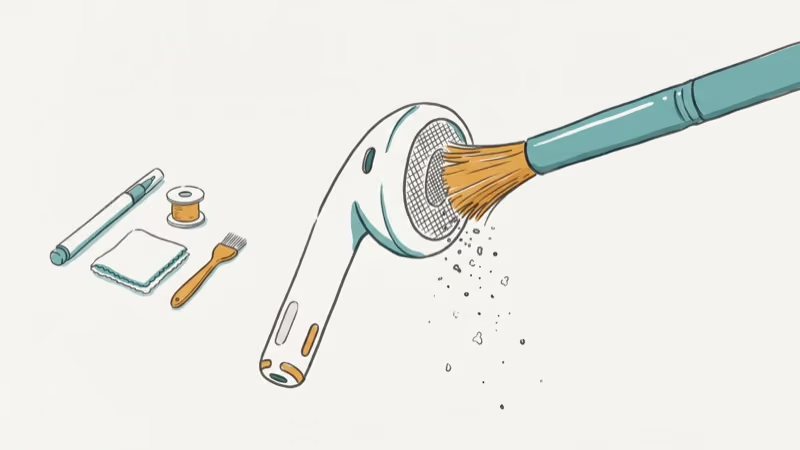
Hold each AirPod speaker-down and gently brush the mesh in short strokes.
For AirPods Pro ear tips, grip each tip near its base and pull it straight off with steady pressure. Rinse the detached tips with water without soap, and let them dry completely before reattaching.
Don’t use compressed air. It can force debris into openings or damage the mesh. Sharp objects can puncture it.
Removing mesh buildup can restore clarity when blockage is the cause.
#How Do You Find the Right Ear Tip Size?
The wrong ear tip size can weaken the seal and make audio sound thin. AirPods Pro include three to five sizes depending on the model.
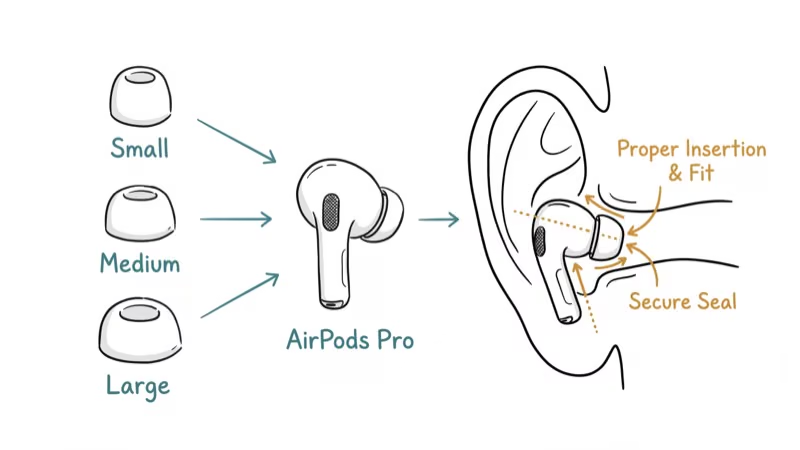
Apple built seal tests into iOS. Go to Settings > Bluetooth and tap the info button next to your AirPods. AirPods Pro 1 and 2 use Ear Tip Fit Test; AirPods Pro 3 uses Acoustic Seal Test on iOS 26 or later. Apple’s ear-tip guide explains both paths.
A good seal means bass sounds full, you feel gentle suction during insertion, and external noise drops noticeably with Active Noise Cancellation on.
Use only ear tips designed for your exact AirPods Pro model.
Make sure you’re also wearing your AirPods Pro correctly. Adjust each AirPod until the tip feels comfortable and secure, then use the seal test for your model rather than expecting a physical click.
#Reset Your AirPods
Resetting removes the pairing and restores custom AirPods settings to their defaults.
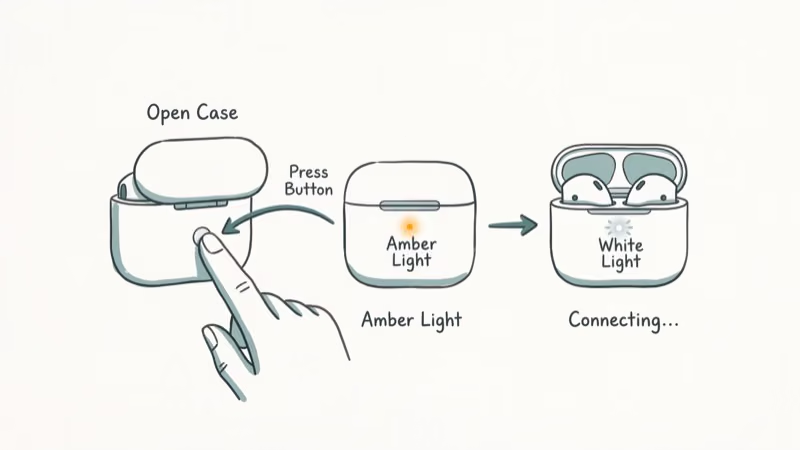
Put both AirPods in the charging case, close the lid, and wait 30 seconds. Then forget the AirPods in Settings > Bluetooth if they still appear there and open the lid.
- For AirPods 1, 2, or 3 and AirPods Pro 1 or 2, hold the setup button on the back for about 15 seconds, until the light flashes amber and then white.
- For AirPods 4 and AirPods Pro 3, double-tap the front while the light is on, double-tap again when it flashes white, and double-tap a third time when it flashes faster. The reset completes when the light flashes amber and then white.
Apple’s current model-specific reset guide confirms that the procedures differ by generation.
Place the open case near your iPhone and follow the on-screen pairing instructions. If your AirPods won’t flash white during the reset, charge them for at least 15 minutes first since a dead battery prevents the reset from completing.
Test audio with a familiar song after re-pairing.
#Check Noise Cancellation and Audio Settings
Listening modes can change how the same audio sounds, so compare them before assuming the speaker is damaged.
On models that support Noise Cancellation and Transparency, use the control assigned to switch listening modes; the available modes and controls vary by model. If the muffled quality disappears outside Noise Cancellation, focus on the listening-mode settings rather than cleaning the speaker again.
Also check your EQ settings. Go to Settings > Music > EQ and set it to Off or Flat. Some presets cut high frequencies.
Go to Settings > Accessibility > Audio/Visual and verify the Left-Right balance slider is centered. If the problem is limited to one side, check whether one AirPod dies faster and confirm that both earbuds are charging.
#Update AirPods Firmware
According to Apple’s current firmware guide, AirPods firmware installs automatically while the earbuds are charging and within Bluetooth range of a paired iPhone, iPad, or Mac that is connected to Wi-Fi.
To check your firmware version, go to Settings > Bluetooth, tap the info button next to your AirPods, and scroll to Firmware Version.
To give an update the conditions it needs, connect the paired Apple device to Wi-Fi, connect the case to power, put the AirPods inside, close the lid, and keep the case within Bluetooth range. Apple says to wait at least 30 minutes, then reconnect and check the version again on the same firmware page.
If your AirPods case isn’t charging, clean the charging port with a dry brush and try a different cable.
#When to Contact Apple Support
If cleaning, resetting, and updating don’t fix it, the AirPods may need inspection. Drops and water exposure can damage internal components.
Signs of hardware failure include muffled sound persisting after thorough cleaning, one AirPod sounding noticeably worse despite both being clean, crackling or static mixed with the muffled audio, and the issue starting right after the AirPods got wet or were dropped.
Apple offers repair and replacement services. Coverage and fees depend on the device, the issue, and the inspection result. Book an appointment or start a service request through Apple’s AirPods repair page.
If your AirPod mic isn’t working alongside the muffled sound, hardware damage is even more likely.
#Bottom Line
Muffled AirPods sound is often caused by debris on the speaker grilles or a poor ear tip fit. The five at-home checks in this guide cover cleaning, fit, reset, listening modes, and firmware. If the problem persists, the sixth path is Apple Support for inspection rather than another promised home fix.
#Frequently Asked Questions
How often should I clean my AirPods?
Inspect them regularly and clean them when you see debris or notice a sound change. After workouts or water exposure, wipe supported water-resistant models dry before returning them to the case.
Can earwax permanently damage AirPods speakers?
Wax on the mesh can block sound. The larger risk comes from forcing debris through the openings or puncturing the mesh with a sharp object, so brush gently with the speaker facing down and follow Apple’s cleaning guidance for the model.
Do third-party ear tips affect sound quality?
They can change the fit and sound, but results vary. Apple designs its ear tips for specific AirPods Pro generations, so any replacement tip must match the exact model and should still produce a comfortable seal.
Why do my AirPods sound muffled only during phone calls?
Call audio can differ from music depending on the device, app, microphone mode, and connection. Compare calls in another app and play familiar music; if only one calling app sounds muffled, troubleshoot that app before servicing the AirPods.
Will resetting my AirPods delete anything?
It doesn’t erase data from your iPhone, but it removes the pairing and resets custom AirPods settings. Re-pair the AirPods and reconfigure any settings you changed.
Can water damage cause muffled AirPods sound?
Yes. Resistance varies by model and can decrease with wear; AirPods Pro aren’t waterproof. Apple’s water-resistance guidance states that they aren’t designed for swimming or showering and should be dry before returning to the case.
Is it worth replacing one AirPod instead of buying a new pair?
If only one AirPod sounds muffled after cleaning and resetting, Apple offers individual replacement and service options. Use Apple’s repair page for a personalized estimate and check your coverage before deciding.
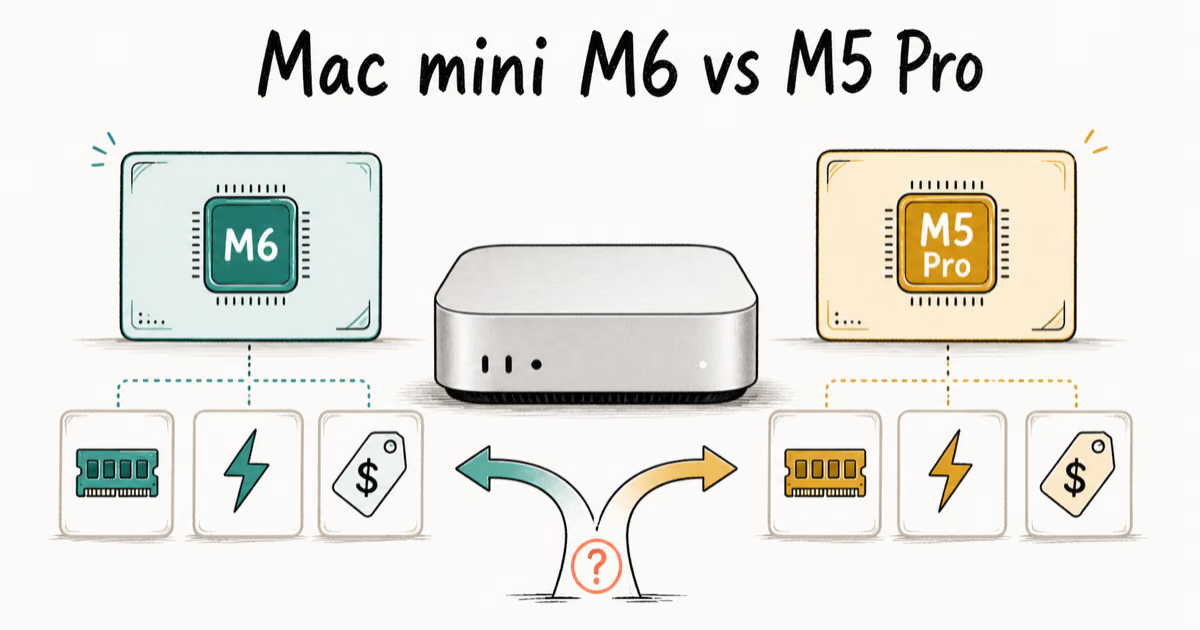
Mac mini M6 vs M5 Pro: Which Model Should You Buy?
Mac mini M6 vs M5 Pro compared on price, memory, ports, displays, and real workloads. Find the better 2026 Mac mini for your desk and budget.
Apple Siri Settlement: Who Qualifies and How to Claim
Apple's $250 million Siri settlement covers iPhone 15 Pro and iPhone 16 models bought June 2024 to March 2025. See who qualifies and how claims work.
iOS 26.6.1 Security Update: What Apple Fixed and Who Gets It
Apple released iOS 26.6.1 on August 17 with 29 security fixes, including an IPSec interception bug. See what it patches, who gets it, and how to update.
iPhone Adaptive Power: How It Works and When to Use It
Learn how iPhone Adaptive Power works, which models support it, what it changes, and when Low Power Mode is still the better battery-saving choice.