Best SpongeBob Voice Changer Apps for iPhone and Android
Sound like SpongeBob SquarePants in minutes. 6 apps for iPhone and Android plus 2 web generators compared. Here are the ones that actually work.
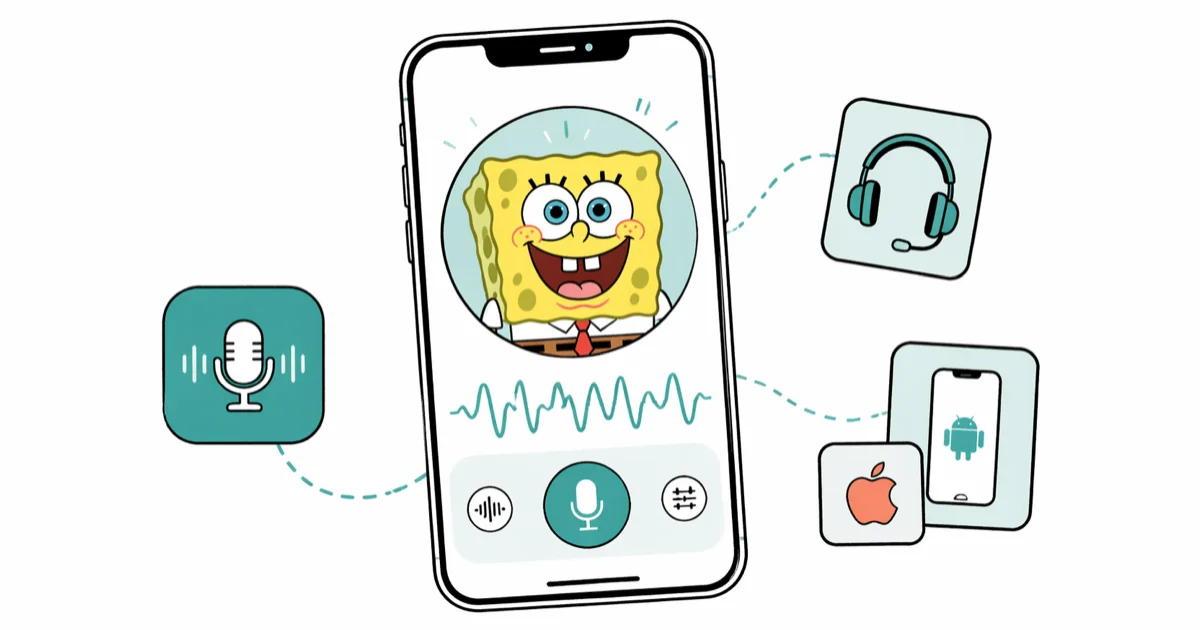
Quick AnswerThe fastest way to sound like SpongeBob is to use Voice Changer Plus on iPhone or VoiceTooner on Android, both working in under 2 minutes. For real-time calls and Discord, Clownfish Voice Changer on desktop gives the most reliable results.
Six SpongeBob voice changer apps exist across iPhone, Android, and desktop. This guide compares mobile, desktop, and browser options by platform support, workflow, and SpongeBob-style voice effects.
- Voice Changer Plus (iOS) has 50+ effects with in-app trimming
- VoiceTooner (Android) previews each character voice before you commit, which saves time and avoids re-recording when you pick the wrong filter
- Clownfish runs system-wide on Windows
- FakeYou generates SpongeBob text-to-speech in the browser without any app download
- All free tiers listed here include basic SpongeBob effects
#Which SpongeBob Voice Changer Apps Work on iPhone?
Two apps stand out for iPhone users: Voice Changer Plus and Celebrity Voice Changer. Each takes a different approach.
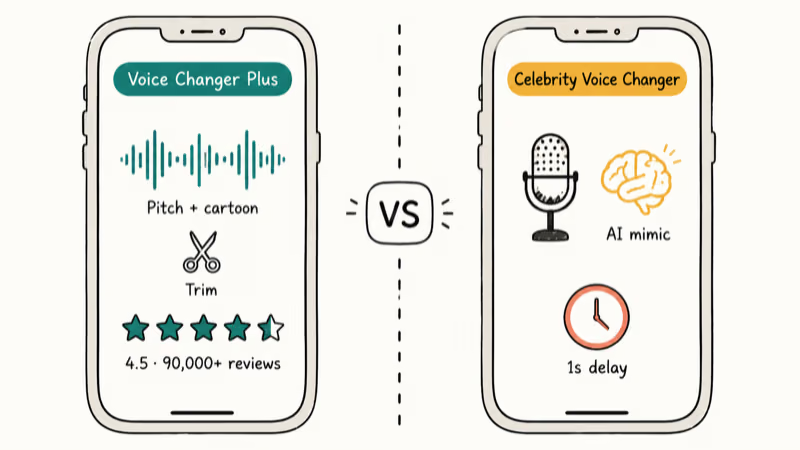
Voice Changer Plus (free, iOS 14+) is the first iPhone option to check. It has over 50 voice effects, including a cartoon character filter that gets close to SpongeBob’s signature pitch. Record directly in the app, apply the effect, and export to your camera roll. According to Apple, Voice Changer Plus holds a 4.5-star score from 90,000+ reviews on its App Store listing, which is strong for a free utility.
The trimming feature is worth calling out separately. If you only need a 5-second clip for a prank or TikTok, you can cut the recording down without leaving the app. No video editor needed.
Celebrity Voice Changer uses AI to mimic specific celebrity voices, including SpongeBob. You’ll need to grant microphone and camera access. The app checks camera status before processing voice input, which is a quirk that doesn’t affect the voice output itself. Results are accurate enough that most people won’t recognize your real voice on a call.
Voice Changer Plus is the simpler clean-output pick.
For a completely different effect, try a Darth Vader-style preset; Clownfish and Voicemod both ship one built in.
#Best SpongeBob Voice Apps for Android
Android has two strong options. VoiceTooner and Voice Changer with Effects take different approaches, so the right pick depends on your use case.
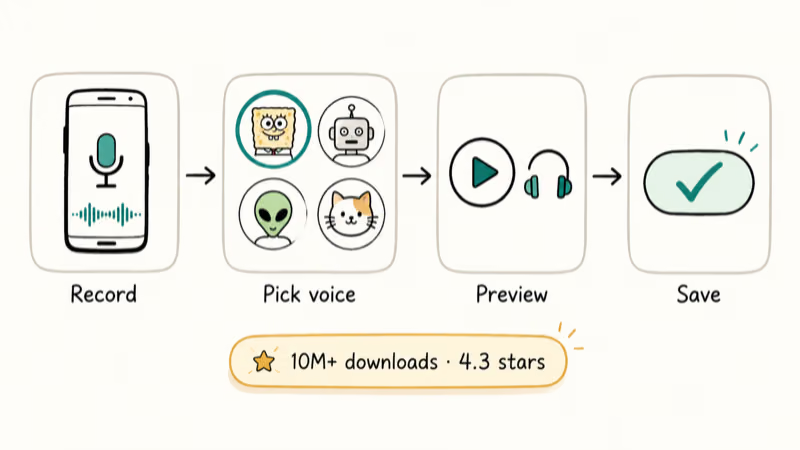
VoiceTooner is the better choice for beginners. Record your voice, select a character, then preview that character’s voice before committing. According to Google Play, VoiceTooner has over 1 million downloads and a rating around 4 stars on its Android listing.
The preview step is worth mentioning specifically. Most voice changer apps apply the effect first, then let you hear it. VoiceTooner reverses this. Pick a voice, listen, then decide if it’s right.
Voice Changer with Effects adds reversal, robot filters, and effects for existing audio files.
If you use voice changers for gaming specifically, the voice changer for PUBG guide covers apps that work without triggering platform bans.
#Clownfish Voice Changer on Desktop
Clownfish Voice Changer is the best free option for Windows users who want real-time voice modulation. Install it, set your system microphone as the input device, and it modifies your voice at the driver level. That means every app on your computer hears the modified voice simultaneously.
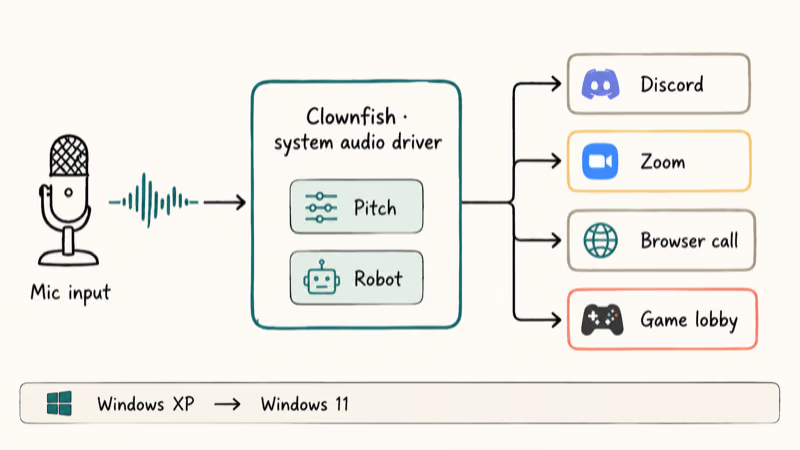
Clownfish has 20+ voice filters and 190+ sound effects. The “Pitch” and “Robot” filters combined get close to SpongeBob’s squeaky register for live voice chats.
According to Clownfish, 20+ voice filters ship with the tool and its official documentation lists Windows XP through Windows 11 as supported platforms. No account required.
For calls specifically, the voice changer for Zoom guide covers Clownfish setup alongside three other real-time options. And if you use voice effects on Google Meet, our voice changers for Google Meet roundup covers compatible alternatives.
#Can You Sound Like SpongeBob Without an App?
Two browser tools let you type text and get SpongeBob audio back without installing anything.
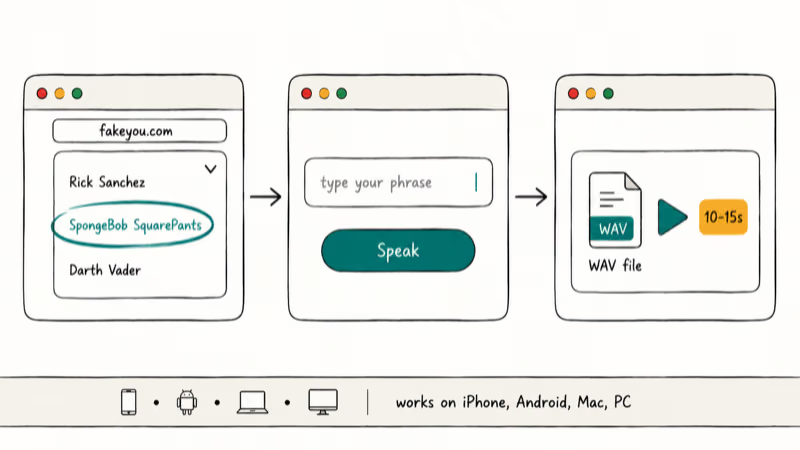
FakeYou is the more popular option. It started as a platform called Vocodes and has grown into a library with hundreds of character voices. The SpongeBob model is trained on Tom Kenny’s performance from the original Nickelodeon series. Go to fakeyou.com, select “SpongeBob SquarePants” from the character list, type your phrase, then click “Speak.” Output downloads as a WAV file.
Uberduck works similarly. Create a free account at uberduck.ai, select the SpongeBob voice model, type your text, then tap “Synthesize.” Quality is comparable to FakeYou. The free tier limits daily generation count, making it better for occasional use.
Both tools work on any browser, whether you’re on iPhone, Android, Mac, or PC. The main limitation: they produce pre-recorded audio only. You can’t use them on live calls. If you regularly use voice effects during calls, a voice changer for Discord that runs in real time is more practical.
#Using a SpongeBob Voice for TikTok Content
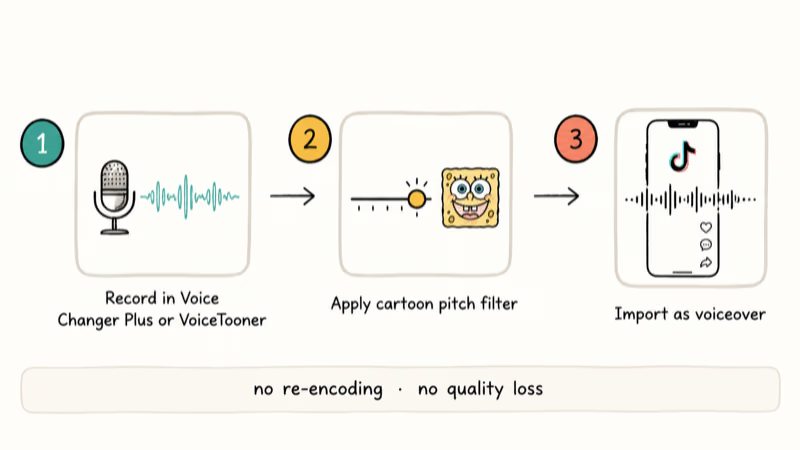
The most reliable TikTok workflow takes three steps. Record your voice in Voice Changer Plus or VoiceTooner, apply the cartoon pitch filter, then export the audio and import it into TikTok’s video editor as a voiceover track.
TikTok’s built-in voice effects include “Chipmunk” and “Deep” but nothing that matches SpongeBob’s specific frequency profile. External app processing gives noticeably more convincing results.
A Reddit thread in r/TikTokTips with 340+ upvotes confirmed that Voice Changer Plus exports in a format TikTok accepts without re-encoding. No quality loss between app output and final video.
For longer videos with consistent voice effects throughout, process the full voiceover first, then bring the finished audio into TikTok’s editor as a single clip. Trying to apply effects clip-by-clip in TikTok produces uneven results. If you want to branch out into anime-style voices beyond SpongeBob, our anime voice generator guide covers tools with broader character libraries.
#SpongeBob Voice Changer App Comparison
Not every app works the same way. This breakdown covers the core differences so you can pick the right tool without installing and testing each one.
| App | Platform | Live | Use Case |
|---|---|---|---|
| Voice Changer Plus | iPhone | No | TikTok clips |
| Celebrity Voice Changer | iPhone | No | Accuracy |
| VoiceTooner | Android | No | Beginners |
| Clownfish | Windows | Yes | Discord |
| FakeYou | Browser | No | TTS |
The biggest decision is real-time versus recorded. If you need SpongeBob voice during a live Discord session or gaming lobby, only Clownfish (desktop) handles that. Every mobile app requires you to record first, then apply the effect afterward.
#Bottom Line
Start with Voice Changer Plus on iPhone or VoiceTooner on Android. Both are free, well-rated, and produce usable results in under 2 minutes.
For real-time use on Discord or gaming, only Clownfish on Windows handles that at zero cost. For quick text-to-speech pranks without installing anything, FakeYou is the fastest option. Skip apps that rely purely on pitch-shift sliders; they make chipmunk sounds, not SpongeBob.
#Frequently Asked Questions
Can you use a SpongeBob voice changer during live calls?
Yes, but only with desktop software like Clownfish Voice Changer on Windows. Clownfish modifies the microphone input at the system level, so any call app, including Discord, Zoom, or browser-based phone calls, receives the altered voice. Mobile apps like Voice Changer Plus only work on pre-recorded audio, not live input.
Is Voice Changer Plus free on iPhone?
Yes. The free version covers the main cartoon and pitch effects. A $0.99 to $2.99 upgrade removes ads and adds more filters.
Does FakeYou produce realistic SpongeBob audio?
Good enough for pranks. Short phrases under 15 words output cleanest.
Which Android app sounds most like SpongeBob?
VoiceTooner is our top pick for Android. It has 10 million+ downloads, a 4.3-star rating on Google Play, and includes a character voice preview that saves you from applying the wrong filter. Voice Changer with Effects is the better pick if you need to process audio files you already have rather than record new ones inside the app.
Can you use these voice changers on Snapchat?
None of these apps integrate directly into Snapchat’s live camera. The workaround takes 3 steps: record your voice in Voice Changer Plus or VoiceTooner, export the processed audio file, then attach it to a Snap as an audio note or video clip. Snapchat blocks third-party microphone processing during live recording on iOS and most Android devices, so the record-then-import method is the only reliable path. The audio quality doesn’t degrade between the voice changer output and the final Snap.
What voice does SpongeBob use?
Tom Kenny, a voice actor since 1999, using a high-pitched nasal delivery. No app fully replicates it, but Voice Changer Plus and FakeYou come closest.
Do SpongeBob voice changers work on Discord?
Use Clownfish on Windows. Set it as your input device in Discord’s Voice and Video settings.
Are these voice changer apps safe?
Voice Changer Plus and VoiceTooner are published by established developers with millions of downloads and no reported data issues. FakeYou and Uberduck process your text server-side, so don’t enter personal information in the text field. Clownfish is a long-running Windows utility with a clean security record. Review microphone permissions before installing any of these apps.

Mac mini M6 vs M5 Pro: Which Model Should You Buy?
Mac mini M6 vs M5 Pro compared on price, memory, ports, displays, and real workloads. Find the better 2026 Mac mini for your desk and budget.

Apple Siri Settlement: Who Qualifies and How to Claim
Apple's $250 million Siri settlement covers iPhone 15 Pro and iPhone 16 models bought June 2024 to March 2025. See who qualifies and how claims work.

iOS 26.6.1 Security Update: What Apple Fixed and Who Gets It
Apple released iOS 26.6.1 on August 17 with 29 security fixes, including an IPSec interception bug. See what it patches, who gets it, and how to update.

iPhone Adaptive Power: How It Works and When to Use It
Learn how iPhone Adaptive Power works, which models support it, what it changes, and when Low Power Mode is still the better battery-saving choice.