Phone Cloning Explained: Detection and Protection Guide
Phone cloning copies your SIM identity so attackers receive your calls and 2FA codes. Learn the detection signs and lock down your number today.
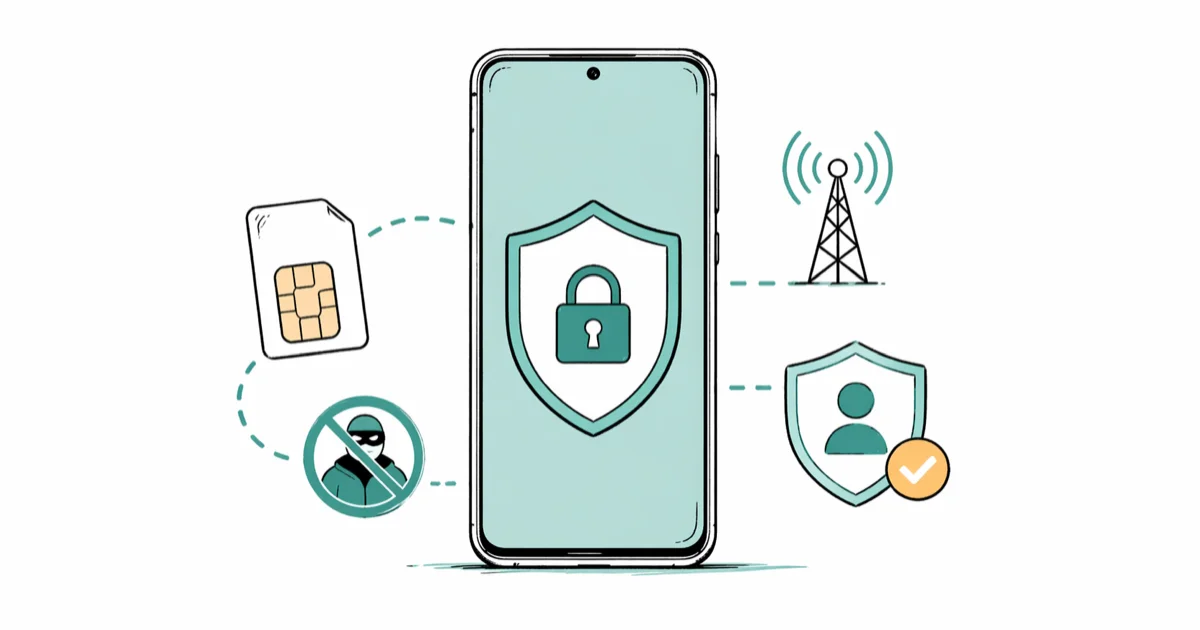
Quick AnswerCall your carrier and turn on SIM swap protection (AT&T Extra Security, Verizon Number Lock, T-Mobile SIM Protection or Account Takeover Protection). Add a SIM PIN, then move every important account off SMS two-factor and onto an authenticator app or hardware key.
Phone cloning copies your SIM identity onto a second device so an attacker can receive your calls, your texts, and every SMS two-factor code tied to your number. This guide is purely defensive: detection signs, carrier protections, and a recovery checklist for your own account. Every prevention step here applies to a phone you own, on both Android and iPhone, and nothing here applies to anyone else’s device.
- SIM swap fraud is the dominant modern cloning threat and needs only a phone call to your carrier, not hardware
- Carrier SIM-protection features (AT&T Extra Security, Verizon Number Lock, T-Mobile SIM Protection) block most swaps in under 5 minutes of setup
- A 4-to-8 digit SIM PIN locks your physical SIM if anyone removes it and slots it into another phone
- Switching from SMS two-factor to an authenticator app or hardware key removes the main payoff of cloning your number
- If your phone shows full bars but no calls and texts arrive, treat it as a cloning incident and call your carrier from a different phone within the hour
#How Does Phone Cloning Actually Work?
There are two attack patterns that matter today, and the modern one barely touches your phone. Both end with someone else holding your number, but the defenses are different, so the distinction matters.
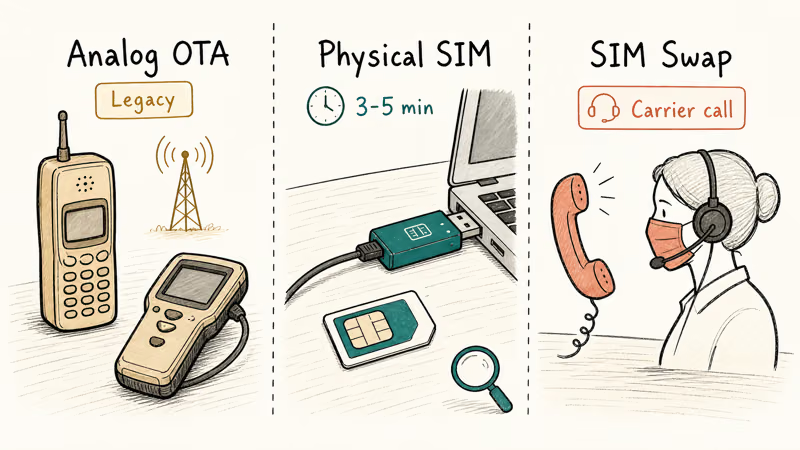
The original method targeted analog and early CDMA networks. Phones broadcast a Mobile Identification Number and an Electronic Serial Number that anyone with a scanner could capture, and a duplicate handset programmed with those values would inherit your service. GSM and modern LTE/5G stacks moved that authentication key inside the SIM card, so legacy over-the-air cloning isn’t practical on any US carrier.
Physical SIM cloning is the second pattern. An attacker who briefly handles your SIM can read its IMSI and Ki values with a USB SIM reader and write them to a programmable SIM. The window is small but real: roughly 3 to 5 minutes of unattended access at a repair counter, hotel room, or pickpocket grab is enough.
SIM swapping is the third and now dominant pattern. The attacker never touches your hardware at all.
They harvest your name, address, and date of birth from data breaches, call your carrier’s support line, impersonate you, and convince a representative to port your number to a SIM in their possession. The FBI’s Internet Crime Complaint Center reported that SIM swap losses reached roughly 48.8 million dollars across 1,075 US complaints in 2023, as documented in their 2023 Internet Crime Report.
#What Happens the Moment Your Number Is Cloned
Two devices can’t hold the same identity on a cellular network at once. The carrier routes incoming calls and texts to whichever SIM authenticated last, which is almost always the attacker’s. Your handset shows signal bars and stays silent.
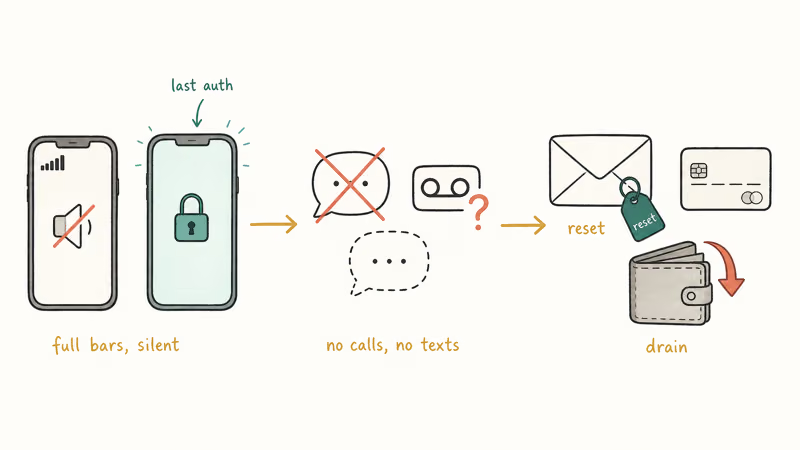
Texts stop arriving. Friends say they sent you something, you see nothing, and voicemail starts rejecting your password.
Then the resets begin. The attacker requests a password reset on your primary email, the SMS code goes to them, and the account flips. From that email they pivot to banking, brokerage, and crypto in whatever order has the most cash on it. Many victims first notice when a fraud alert from their bank reaches a backup email address hours later.
SIM control is the key. Account takeover is the goal. The window from successful swap to drained Coinbase wallet is often under an hour.
#How to Tell If Your Phone Has Been Cloned
The fastest signal is the easiest to miss: your phone shows full bars in a place where your service usually works, but nothing comes in.
- Calls and texts you expect never arrive, even though signal looks normal
- SMS two-factor codes appear for accounts you didn’t just try to sign into
- Your carrier emails or texts about a SIM change, port-out request, or new device activation that you didn’t initiate
- Bank, email, or social accounts lock you out citing an unrecognized device
- Voicemail asks for a new PIN, or returning your own number from another phone reaches a stranger’s voicemail greeting
- International calls or premium-rate texts you didn’t place show up on your monthly bill
Open Google’s Find My Device dashboard on Android or Find My on iOS. A pin in a city you haven’t visited is a strong indicator. Call your carrier from a different phone, ask whether your line had a SIM change in the last 48 hours, and request the timestamp.
With carrier protection enabled, an in-app SIM change request is blocked automatically. T-Mobile’s SIM Protection returns a notice that an in-store ID check is required, and AT&T’s Extra Security and Verizon’s Number Lock behave similarly. None of the three let a swap through to a new device while the protection is on.
#How to Protect Your Own Number From Cloning
Every step here applies to your own line and carrier account, never anyone else’s phone.
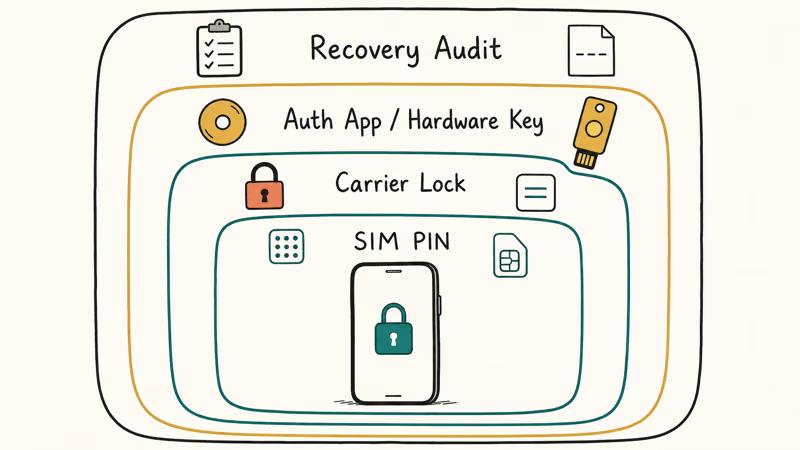
#Set a SIM Card PIN
A SIM PIN is a 4-to-8 digit code stored on the SIM itself.
Remove the SIM and slot it into another phone, and the new device asks for the PIN before it can register. Get it wrong three times and the SIM locks until you enter the PUK from your carrier, so write that PUK on paper before you start, store it somewhere other than your wallet or your phone, and confirm you can read your own handwriting under stress.
To enable on Android: open Settings > Security & privacy > More security and privacy > SIM card lock, toggle Lock SIM card, enter the carrier default (often 1111 or 0000, depending on the carrier), then change it to a code only you know.
On iPhone: open Settings > Cellular > SIM PIN, toggle it on, enter the carrier default, then change it.
eSIM lines don’t expose this UI on most carriers because the eSIM credential is bound to the device’s secure element rather than a removable card. eSIM swap protection lives on the carrier side instead, which is the next step.
#Turn On Carrier SIM Swap Protection
This single setting blocks the modern cloning vector. Five minutes of work per carrier. It’s the highest-leverage thing on the page.
- AT&T Extra Security requires a unique passcode on every account change, even in-store. Enable in the myAT&T app >
Account>Sign-In Info>Manageextra security. - Verizon Number Lock blocks number ports until you disable it. Verizon’s account security FAQ confirms that Number Lock prevents port-outs without an account PIN. Enable in
My Verizon>Account>Profile andsettings > Number Lock. - T-Mobile SIM Protection and the newer Account Takeover Protection block SIM swaps and port-outs until you remove the lock from a trusted device. According to T-Mobile’s SIM Protection page, the lock requires in-store ID verification to bypass.
- Google Fi offers a number-lock toggle inside the Fi app under
Account>Security. - Mint Mobile, US Mobile, and most MVNOs require an account PIN for any SIM or port change; set it in the account dashboard if you haven’t already.
In the EU, GSMA SAS-SM guidance updated in 2024 states that operators should require biometric in-app verification for eSIM swaps, which removes the carrier-call impersonation path on most modern operators. UK and Australian carriers require similar in-app or in-store identity steps for SIM and number changes.
#Move Off SMS Two-Factor
SMS two-factor is the entire reason cloning your number is profitable. Make those codes worthless and the attacker walks away with nothing.
Switch banking, email, brokerage, password manager, and primary social accounts to an authenticator app or a hardware key. Google Authenticator, Microsoft Authenticator, Authy, and 1Password all generate the same TOTP codes that a SIM-bound code does, except the secret never leaves your device. YubiKey and Google Titan Key raise the bar further by requiring a physical USB or NFC tap.
Google’s security research blog found that on-device security keys blocked 100 percent of targeted phishing attempts in their study, while SMS-based codes blocked only 76 percent. The number gap is the reason every account that supports a hardware key should have one.
If your bank only offers SMS, ask the support line whether app-based or hardware-key two-factor is on the roadmap. Many US banks added these options between 2022 and 2025.
#Harden Account Recovery
Two-factor only matters if recovery doesn’t bypass it. Audit each important account’s recovery path:
- Replace SMS recovery numbers on email, banking, and crypto with an authenticator app and printed backup codes
- Where supported, enroll a passkey or WebAuthn credential as the primary factor on email and password manager accounts
- Print recovery codes once, store them in a safe or fireproof bag, and never photograph them
- Remove old recovery email addresses you no longer control
Recovery is where most account takeovers actually finish. A locked-down login with a wide-open recovery email is still a wide-open account.
#Keep Your IMEI and Account Number Private
Your IMEI is on the phone’s box, in Settings > About Phone, and revealed by dialing *#06#. The carrier account number is on every monthly statement. Either one paired with your name, address, and date of birth is enough for a convincing carrier-call impersonation, and an attacker who already knows your name from breach data only needs one more identifier to clear most carrier verification scripts.
Don’t photograph your IMEI for forum posts. Don’t share account numbers in repair chats unless the platform is verified. Our guide on tracking a phone using IMEI for free explains what an IMEI exposes and what it doesn’t.
#Avoid Letting Your SIM Out of Sight
Physical SIM cloning needs unattended access. A repair counter, hotel safe, or coat-pocket grab during a club coat-check are all enough. Eject the SIM with the included tool before any repair handoff. No legitimate repair requires the SIM to stay installed.
#What to Do If You’ve Already Been Cloned
Move within the first hour. Damage scales with delay.
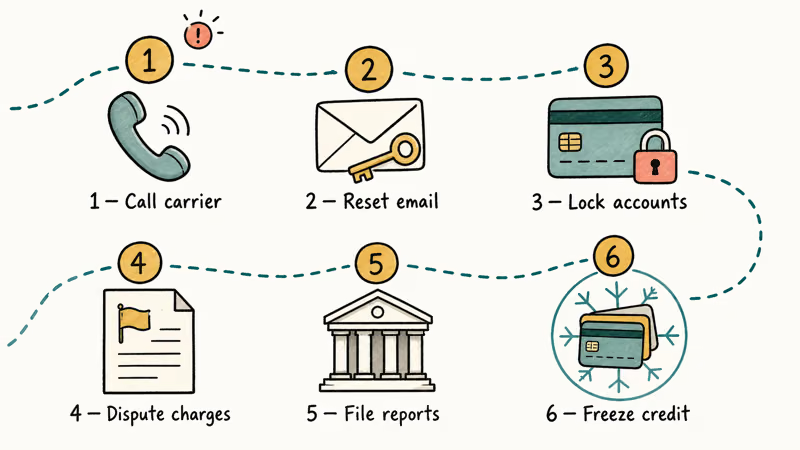
Step 1: Call your carrier from a different phone. Tell the rep you suspect SIM fraud. Ask for the active SIM to be suspended and a new SIM with a fresh ICCID issued. Most carriers handle this same-day. Set an account PIN before you hang up.
Step 2: Reset your primary email password first. Email is the master key for everything else attached to your identity, so the second the carrier confirms your number is yours again, change the email password from a clean device, enable an authenticator app, and remove the SMS recovery number. Then move to banking, brokerage, and crypto in that order.
Step 3: Lock financial accounts. Call card issuers and request fraud alerts.
Brokerages and exchanges have dedicated SIM-swap lines that will freeze trading and withdrawals. Document every call with a timestamp and rep name.
Step 4: Dispute fraudulent charges. Carriers reverse charges for unauthorized calls and premium-rate texts when reported within 60 days under FCC consumer rules. Submit a written dispute through the carrier app to create a paper trail.
Step 5: File official reports. Submit a complaint at the FBI IC3 portal and an identity-theft report at IdentityTheft.gov. Both create legal documentation that banks and insurers later require.
Step 6: Freeze your credit at all three bureaus. Cloning frequently precedes synthetic-identity fraud. Each freeze through Experian, Equifax, and TransUnion is free, takes about 10 minutes, and stops new credit lines from opening. If you also need to recover the physical handset, our guide on how to track a lost phone covers the location tools that still work without your original SIM.
#Is Phone Cloning Illegal?
Yes. In the United States, phone cloning and SIM-swap fraud are federal crimes under the Wireless Telephone Protection Act of 1998, prosecuted as identity theft and wire fraud, with penalties up to 15 years in prison and 250000 dollars in fines. The FCC also enforces 2024 rules requiring carriers to notify customers of SIM changes and port-out requests.
The UK prosecutes the same conduct under the Fraud Act 2006 and Computer Misuse Act 1990. EU member states prosecute under their national implementations of the GDPR and identity-fraud statutes.
Every method on this page is defensive and applies only to your own line. Using any of it on someone else’s number is a crime regardless of your relationship to them.
#Bottom Line
Call your carrier today and turn on SIM swap protection. Extra Security at AT&T, Number Lock at Verizon, SIM Protection at T-Mobile, the Fi number-lock toggle at Google Fi. Add a SIM PIN, then move email and banking off SMS two-factor onto an authenticator app or YubiKey. If you ever see full bars and silence together, treat it as an active incident and call your carrier from a different phone within the hour.
#Frequently Asked Questions
Can iPhones be cloned?
Yes, the SIM identity is copied even though the iPhone hardware itself stays untouched. Enable a SIM PIN under Settings > Cellular > SIM PIN and turn on your carrier’s swap protection.
Is SIM cloning the same as SIM swapping?
No. Physical SIM cloning needs hands-on access to your SIM card and a USB reader, while SIM swapping needs only a phone call to your carrier and some personal data. Both attacks end the same way, with someone else holding your number, but a SIM PIN stops physical cloning while carrier swap protection stops the social-engineering path.
Can my carrier detect phone cloning?
Sometimes, but never reliably enough to depend on. Fraud systems flag simultaneous registrations from two devices, location jumps that defy physics, and bulk SIM-change patterns. The alert often sits in a queue until a human reviews it the next morning. Check your bill monthly, watch for SIM-change emails, and report anything off within the same day rather than waiting on the carrier to call you first.
How long does cloning take?
Physical SIM cloning takes about 3 to 5 minutes with the SIM in hand. Swapping takes 10 minutes to a few hours.
Will a factory reset fix phone cloning?
No. The clone lives on the attacker’s device, not yours, so resetting your phone changes nothing about the cloned line. Get a new SIM with a fresh ICCID from your carrier to deactivate the old one. Our guide on what restoring an iPhone means explains what a reset clears and what it doesn’t.
How do I quickly check whether my number is still mine?
Ask a friend to call you and a second friend to text you while you watch the phone.
If both arrive within a few seconds, your line is fine. If neither arrives but your handset still shows signal bars, call your carrier from a different phone immediately, and while you wait on hold, dial *#06# to confirm the IMEI on the box matches Settings > About Phone.
What account should I change first if I’ve been cloned?
Email first, because attackers reset every other account through email password recovery. Then banking, brokerage, and any login still using SMS codes. Our overview of mobile tracker and monitoring apps covers what cloners typically reach for once they hold your number.
Does Verizon have a setting that blocks cloning?
Yes. Verizon’s Number Lock blocks number ports and SIM changes without a 6-digit PIN you set in the My Verizon app under Account > Profile and settings > Number Lock. Pair it with a SIM PIN on the device and you cover both vectors. If your Verizon SIM is also misbehaving on the network side, our guide on SIM card errors on Verizon walks through the configuration steps.

Is This Bank App Real? Spot a Fake App on Your Home Screen
A bank app can land on your home screen from a web page with no install warning. Learn the checks that tell a real banking app from a phishing web app.
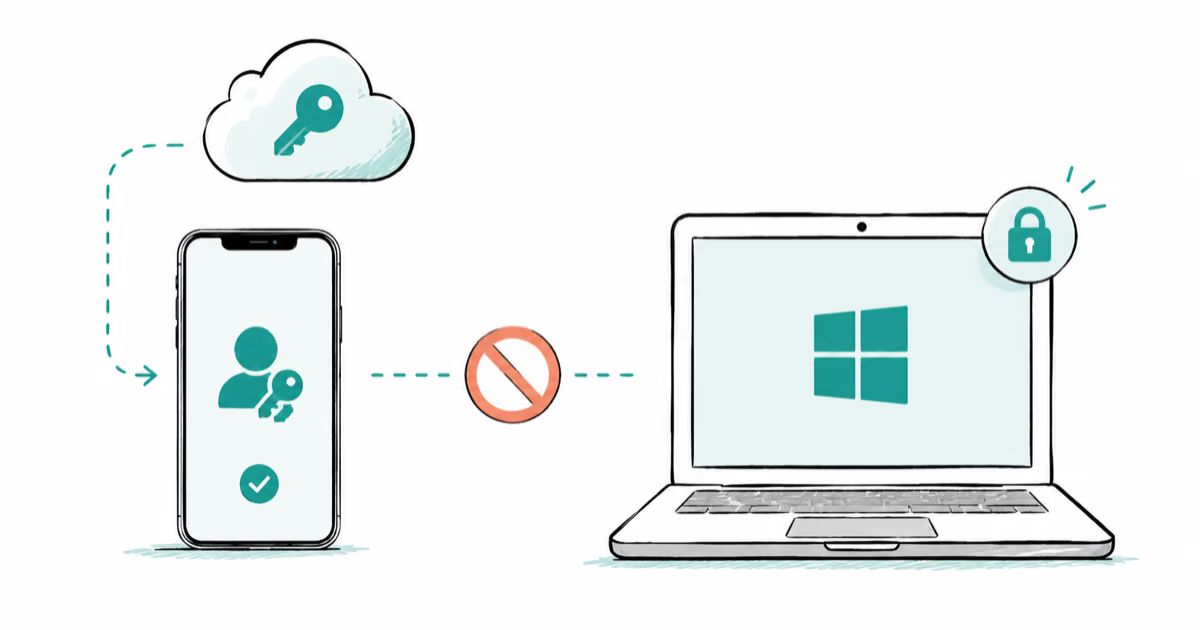
Passkeys Not Syncing Between iPhone and Windows? Read This
Passkeys not syncing between iPhone and Windows is by design, not a bug. Here is why iCloud passkeys skip Windows Hello and the three ways to fix it.
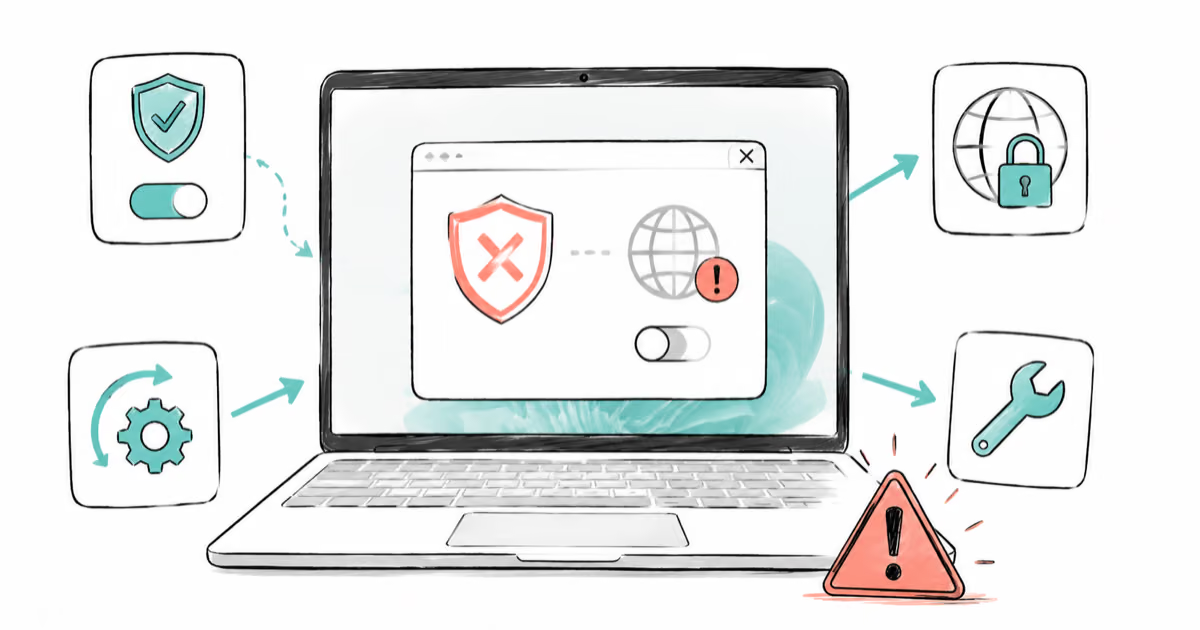
VPN Not Working on Snapdragon X? Why It Fails, How to Fix
Your VPN won't install or connect on a Snapdragon X Copilot Plus PC because Windows on ARM can't emulate the network driver. Here are the fixes that work.
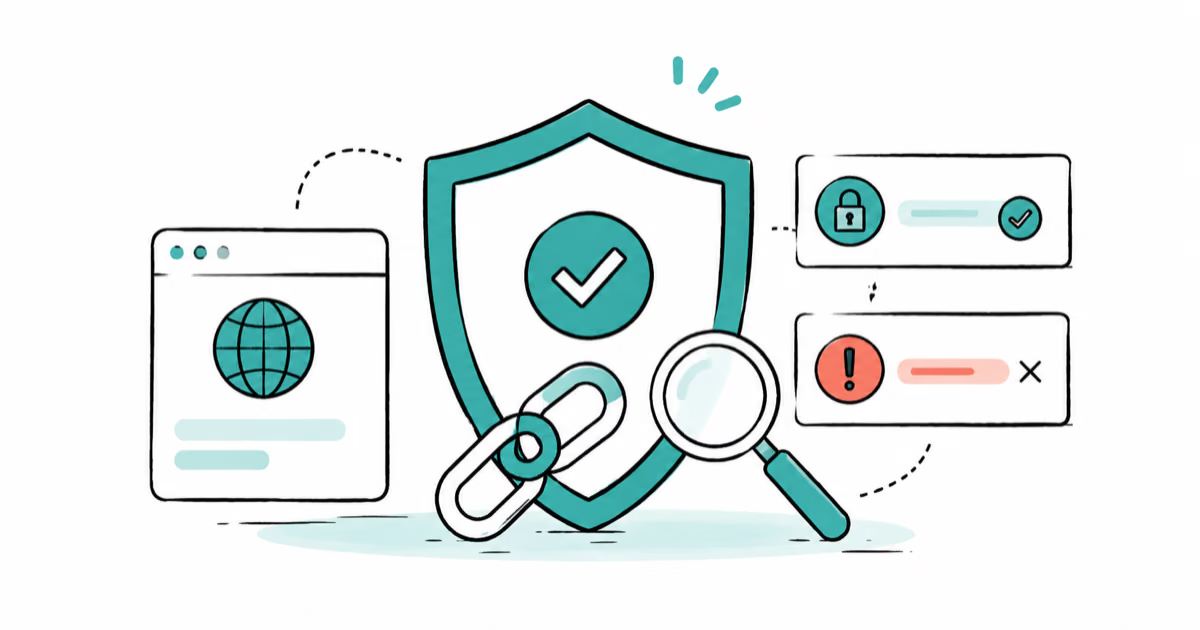
How to Check If a Link Is Safe Before You Click It
Learn how to check if a link is safe with official-first steps: read the real domain, use the app instead, and treat scanners as a second opinion only.