Mobile Tracker Free Review: Lawful Use and Safer Picks
Mobile Tracker Free reviewed for own-device, family, and work use. See the legal limits, what it actually tracks, and 5 official alternatives.
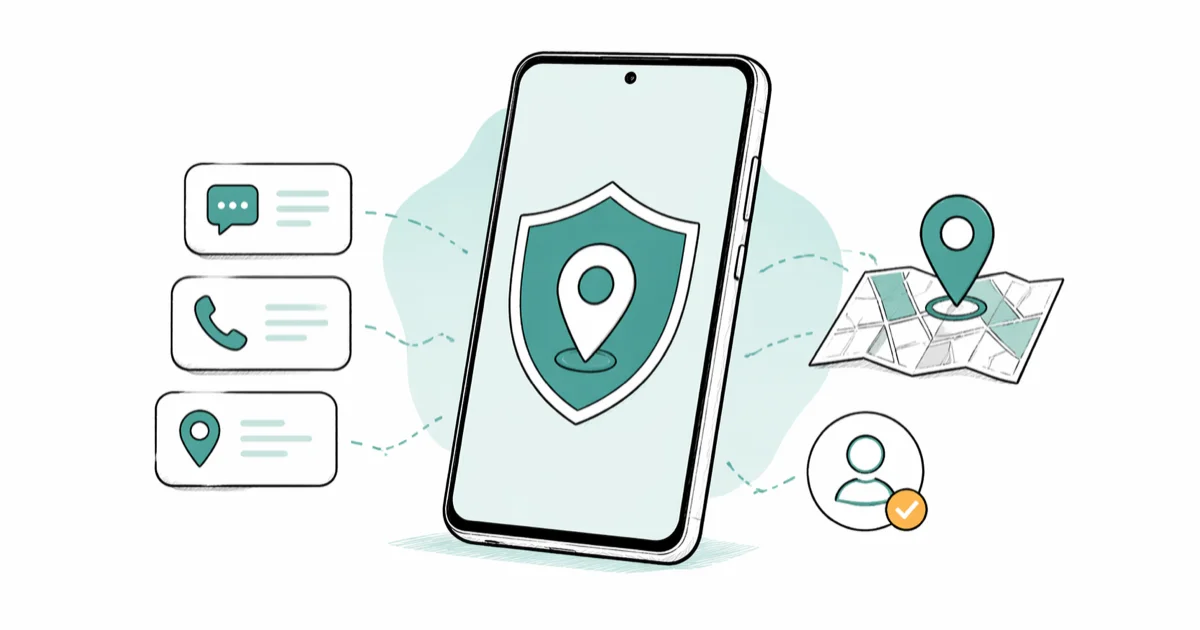
Quick AnswerMobile Tracker Free is a free Android monitoring app for devices you own, a minor child you supervise, or a company-owned phone with employee disclosure. Installing it on another adult without their knowledge is illegal stalking in most jurisdictions, so use Find Hub, Find My iPhone, Google Family Link, Life360, or Microsoft Intune for most cases.
Mobile Tracker Free is an Android monitoring app that logs SMS, calls, and GPS for a phone you own, a minor child’s device you supervise, or a company-issued handset where the employee has been told in writing. The sections below cover how far the free tier goes and where the official tools beat it.
Before any tracking app goes near a phone, the consent question matters more than the feature list. Installing Mobile Tracker Free on another adult’s device without their knowledge is illegal stalking under federal wiretap law and most state codes, with civil and criminal penalties on top. Legitimate use is narrow.
- Mobile Tracker Free works on Android only, with no iOS version and no jailbreak workaround
- Free tier covers SMS, call logs, and GPS pings every 15 minutes; Premium at 15 EUR per month adds WhatsApp, Messenger, and real-time location
- The app requires physical access plus the device owner’s consent, per its own Terms of Service
- Federal wiretap law treats covert tracking of an unconsenting adult as a felony with fines up to $250,000
- Find Hub, Find My iPhone, Google Family Link, Life360, and Microsoft Intune cover almost every legitimate scenario for free or cheaper
#Who Can Lawfully Use Mobile Tracker Free
The app sits in a category that’s often called stalkerware when used outside its intended scope, so the answer matters. Three groups can install it lawfully in the United States.
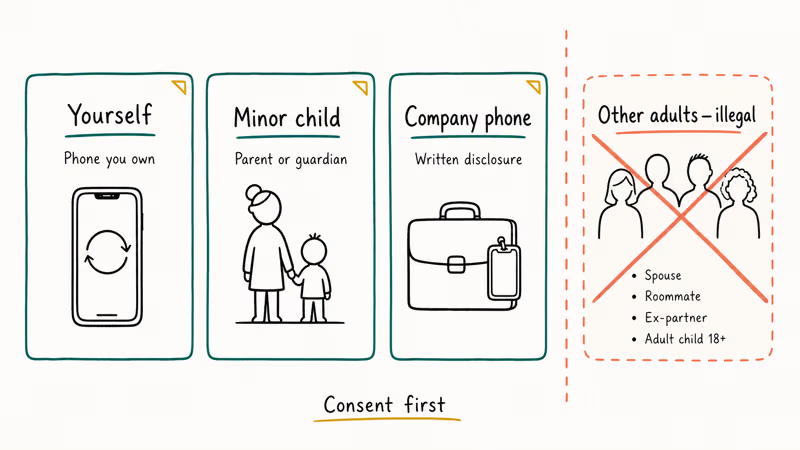
First is yourself, on your own phone, for lost-device tracking or activity logging on a handset you bought outright. Second is a parent or legal guardian, on a minor child’s device, where parents have a recognized right to monitor digital activity in most jurisdictions. Third is an employer, only on company-owned hardware, and only after the employee has been notified in writing and acknowledged the policy in their handbook or signed offer letter.
Spouses, roommates, ex-partners, adult children over 18, and any other adult relatives sit outside legitimate use, no matter how the situation is framed by the person asking us about the app.
According to the DOJ’s overview of the Electronic Communications Privacy Act, intercepting another person’s communications without consent is a federal crime that carries substantial fines plus prison time, and a number of states require all-party consent for any electronic surveillance. The Mobile Tracker Free Terms of Service state that installation requires the device owner’s explicit permission and that the user accepts full responsibility for legal compliance.
If your situation involves an adult who hasn’t agreed, stop and use one of the consent-first alternatives below.
We won’t walk through covert installation, hiding the icon from the device owner, or any other method that bypasses the consent step. Those are exactly the steps that turn a monitoring tool into stalkerware, and writing them up here would be no different from publishing a how-to for breaking into someone’s car. The end of the article covers the official tools that handle every legitimate scenario without that risk, including options that cost nothing and ship with the phone.
#What Does Mobile Tracker Free Actually Track?
Mobile Tracker Free is a web dashboard paired with an Android APK. You install the app on the device, log into the panel from any browser, and pull the collected logs from there. Apple sandboxes background activity, so no iOS version exists.
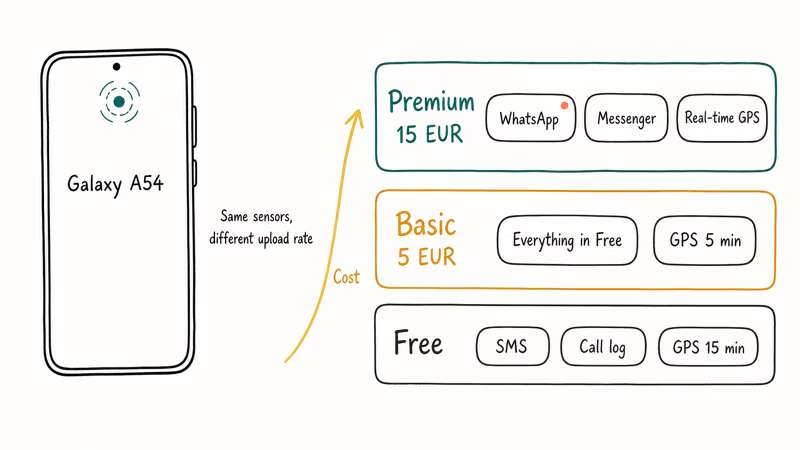
The free tier captures SMS and MMS (sent and received), call logs with contact names and durations, and GPS coordinates roughly every 15 minutes. Outdoors with Wi-Fi triangulation active, Android GPS accuracy typically lands within 10 to 50 meters.
The free plan confirms the device’s general whereabouts but won’t pinpoint a specific room.
Indoors with a weaker satellite signal, accuracy usually drops to roughly 50 to 100 meters and the app falls back on cell tower triangulation, the same fallback Find Hub uses. Outdoors with both Wi-Fi and GPS enabled, the app reaches the rough accuracy of Google’s own service, which is expected from any Android tracker reading the same sensor stack and posting the result to a server.
| Feature | Free tier | Basic (5 EUR/mo) | Premium (15 EUR/mo) |
|---|---|---|---|
| SMS and call logs | Yes | Yes | Yes |
| GPS update interval | Every 15 minutes | Every 5 minutes | Near real-time |
| WhatsApp and Messenger logging | No | No | Yes |
| Ambient sound and remote photos | No | Limited | Yes |
| Web dashboard access | Yes | Yes | Yes |
Premium leans on Android’s accessibility services to read WhatsApp and Facebook Messenger notifications. Google’s Play Protect documentation covers the app-scanning layer that can warn about or block risky installs, so expect social-monitoring features to be fragile after Android security updates.
#Is Mobile Tracker Free Safe to Install?
The bigger question is data exposure, not malware. Whatever the app collects leaves the device and lands on Mobile Tracker Free’s servers, and there is no published independent security audit.
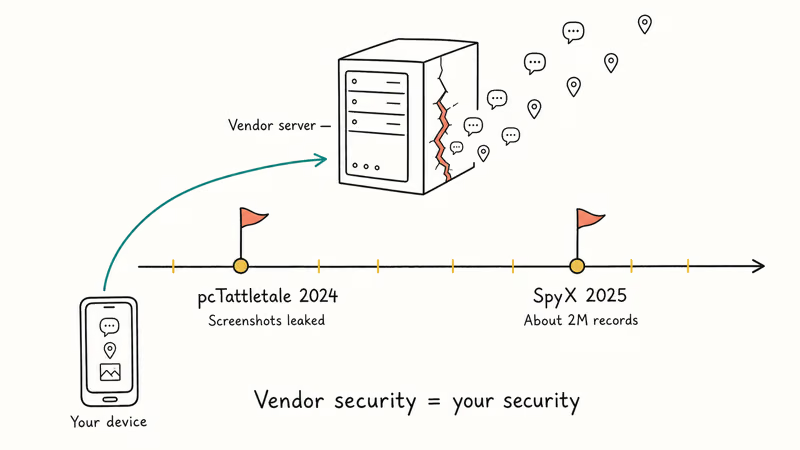
Breaches at monitoring app vendors are a recurring story. That track record matters because once your child’s location history, screenshots, or messages live on a third-party server, the vendor’s security posture is now your security posture.
The app icon also hides itself from the Android launcher after first run. That property is helpful for parental monitoring of a minor, but it’s the same property that makes the app dangerous in non-consensual hands. If you’re worried someone installed it on your phone without permission, our hidden app finder guide walks through how to surface concealed apps and revoke device admin rights.
#Mobile Tracker Free vs. Official Tracking Tools
Most readers don’t actually need a third-party monitoring app. The five categories below cover almost every legitimate scenario, and four of them are free.
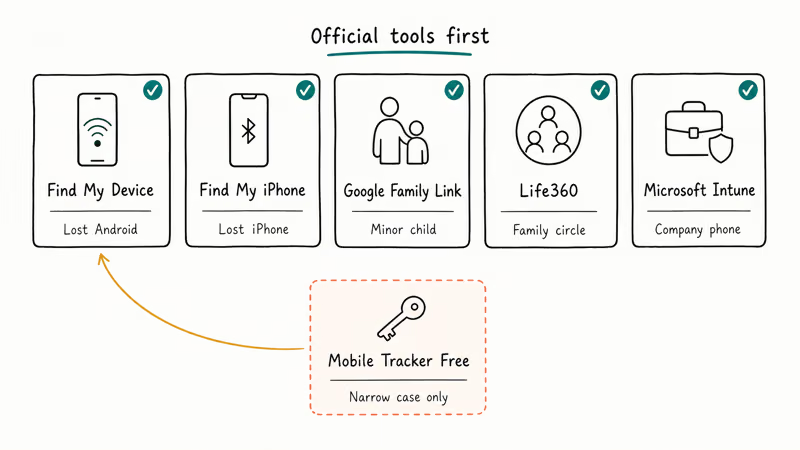
#Find Hub (Android)
Google confirms that Find Hub can locate, lock, and erase any Android phone signed into a Google account, including powered-off Pixel and Samsung devices using offline finding. It’s preinstalled and turned on by default. For “I lost my own phone” or “I want to remotely wipe a stolen handset,” this is the only tool you need.
#Find My iPhone (Apple)
Apple states that Find My can locate a powered-off iPhone for up to 24 hours using its Bluetooth ultra-wideband mesh. Even after an iPhone runs flat, the device still shows up on iCloud.com with its last known location intact. Apple’s privacy posture also keeps the location reports end-to-end encrypted to the owner’s iCloud account rather than landing on a vendor’s dashboard.
#Google Family Link
Google Family Link is the right tool for a parent supervising a minor child’s Android, Chromebook, or app activity. It enforces screen time limits, blocks app installs, and reports location. The child sees the supervision indicator at all times, which keeps the relationship transparent and lawful.
#Life360
Life360 is a family-circle app where every member opts in and sees everyone else’s location. Pricing starts free for two members.
#Microsoft Intune
Intune is the right call for a company-owned phone. IT publishes a written acknowledgment, the user signs it, and Intune enforces the policy with full audit trails. According to Microsoft’s Intune documentation, administrators can enforce passcodes, wipe corporate data, and locate lost devices without exposing the personal partition on bring-your-own-device handsets.
| Use case | Best tool | Cost |
|---|---|---|
| Find my own lost Android | Find Hub | Free |
| Find my own lost iPhone | Find My iPhone | Free |
| Supervise a minor child | Google Family Link | Free |
| Family or couples location | Life360 | Free / $14.99 |
| Company-issued phone, enrolled | Microsoft Intune | Per seat |
| Detailed SMS log on own device | Mobile Tracker Free | Free / 15 EUR |
If your phone went missing before you set anything up, our guide to locating a lost cell phone that’s turned off and the broader lost phone tracking walkthrough cover account-level steps that work even if no app was installed.
#When to Skip Mobile Tracker Free Entirely
Some scenarios aren’t gray areas. They’re bright-line stops, no matter how the situation gets framed by the person asking us. Three of them come up over and over.
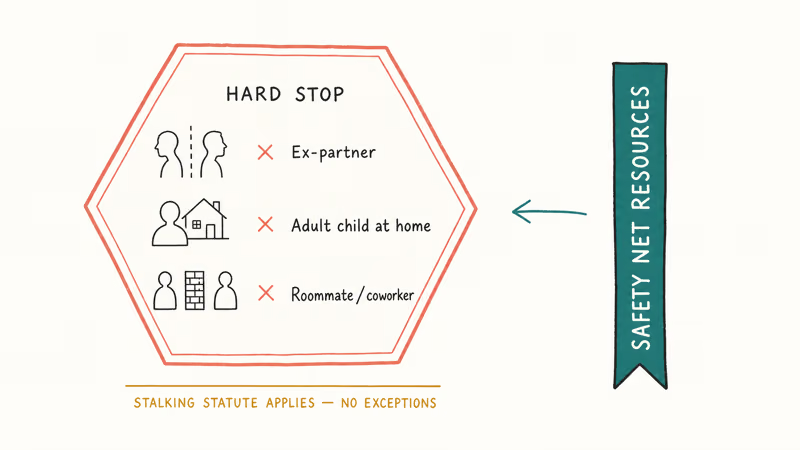
The first is an ex-partner or estranged spouse. Whatever the relationship history, that person counts as another adult under the wiretap statutes, full stop, and a divorce decree or restraining order makes the legal exposure worse, not better. People have walked into a stalking charge believing they were “checking up” on someone after the relationship ended; the law does not see it that way and prosecutors don’t either.
Our recording a spouse for infidelity evidence guide covers the parallel audio-recording rules, which are tighter than location tracking in most states.
Next is an adult child who lives with you. They’re still an adult the moment they turn 18, even if the phone is on your family plan and you pay every bill.
Last is a roommate, neighbor, or coworker. None qualify, even with a “good reason.”
If a domestic-violence concern is driving the question, the National Network to End Domestic Violence maintains a Safety Net program with vetted resources. Their guidance is clear that monitoring software in non-consensual hands is itself a form of abuse, and they recommend the Coalition Against Stalkerware as a starting point for help.
Some people try to use monitoring apps to “catch” a behavior they suspect, then realize they’ve created legal exposure for themselves. Pick the official tool that matches the actual need: shared family location through Life360, child supervision through Family Link, or Find Hub for a phone you own.
#How Mobile Tracker Free Is Set Up on Android
Mobile Tracker Free installs on an Android phone, and the dashboard is then viewed from any separate browser.
The full sequence runs like this. You create an account at the Mobile Tracker Free website and note the registration code. On the Android phone, open Settings > Apps > Special access > Install unknown apps, allow Chrome to install APKs, and download the installer from the same site.
Permissions for location, SMS, phone, and storage are granted during first launch. You enter the registration code, the app confirms pairing, and it disappears from the launcher within a minute. The first GPS ping usually reaches the dashboard a few minutes later.
The whole process works without root access on Android 14. If you’re auditing your own Android for tracking apps, our guide to spotting tracking and spy software walks through the full Device admin audit and the removal steps for cleanup.
#Bottom Line
Skip Mobile Tracker Free for almost every purpose. Pick the free official tool that matches your scenario: Find Hub for a lost Android, Find My iPhone for an Apple device, Google Family Link for a minor child, Life360 for a family circle, or Microsoft Intune for a company handset.
Mobile Tracker Free earns a spot only for one narrow case: a free SMS and call log on an Android device you personally own.
If anyone tells you to install it on an adult’s phone without their knowledge, that’s a stalking request. We won’t help with that.
#Frequently Asked Questions
Is it legal to install Mobile Tracker Free on someone else’s phone?
Only if they’ve consented and the law permits it. That covers a minor child you have legal authority over, a company-owned phone where the employee has been notified in writing, or another adult who has explicitly agreed. Installing it on an unconsenting adult is a federal crime under the Electronic Communications Privacy Act, carrying substantial fines and possible prison time.
Does Mobile Tracker Free really work for free?
Yes. The free tier captures SMS, call logs, and GPS coordinates updated every 15 minutes. Paid tiers at 5 EUR and 15 EUR per month add faster GPS, WhatsApp, Facebook Messenger, ambient recording, and remote photo capture.
Can Mobile Tracker Free run on iPhone?
No. There is no iOS build. Apple’s app sandbox blocks background SMS and call interception unless the device is jailbroken, and we don’t recommend jailbreaking. For a lost Apple device, use Find My iPhone instead.
How do I tell if Mobile Tracker Free is on my phone?
Open Settings > Apps, tap the three-dot menu, and pick Show system apps. Look for entries with names like “System Service” or “Update Service” that you don’t recognize. Also check Settings > Security > Device admin apps and revoke anything unfamiliar. If you suspect a commercial stalkerware product, our guide to stopping mSpy and similar tools covers removal step by step.
What’s a safer parental control option than Mobile Tracker Free?
Google Family Link for Android and Apple Screen Time for iOS both run as official supervised modes, with the child aware of the supervision. They handle screen time, app approvals, and location without sending the data to a third-party vendor. For network-level filtering across every device on the home Wi-Fi, our best parental control router roundup walks through hardware that blocks content before it reaches any phone.
Can my employer track my company phone with Mobile Tracker Free?
Lawfully, no. Employers should use a managed enrollment platform like Microsoft Intune or Apple Business Manager, with a written acceptable-use policy. Mobile Tracker Free has no enterprise admin layer.
How accurate is the GPS tracking?
Android GPS accuracy typically ranges from 10 to 50 meters outdoors. Indoors the accuracy usually drops to 50 to 100 meters, with Wi-Fi triangulation as the fallback.
How do I uninstall Mobile Tracker Free?
Go to Settings > Apps, tap Show system apps, find the app (it may use a generic name), and uninstall. If the uninstall option is greyed out, open Settings > Security > Device admin apps first and revoke admin rights. Reboot the phone, change your Google account password, and review your phone’s security settings to confirm no other monitoring apps remain.

Best Apple Watch Band for Working Out: Tested Picks
The best Apple Watch band for working out handles sweat and stays put on your wrist. Compare silicone, nylon, and titanium picks for runs and lifts.
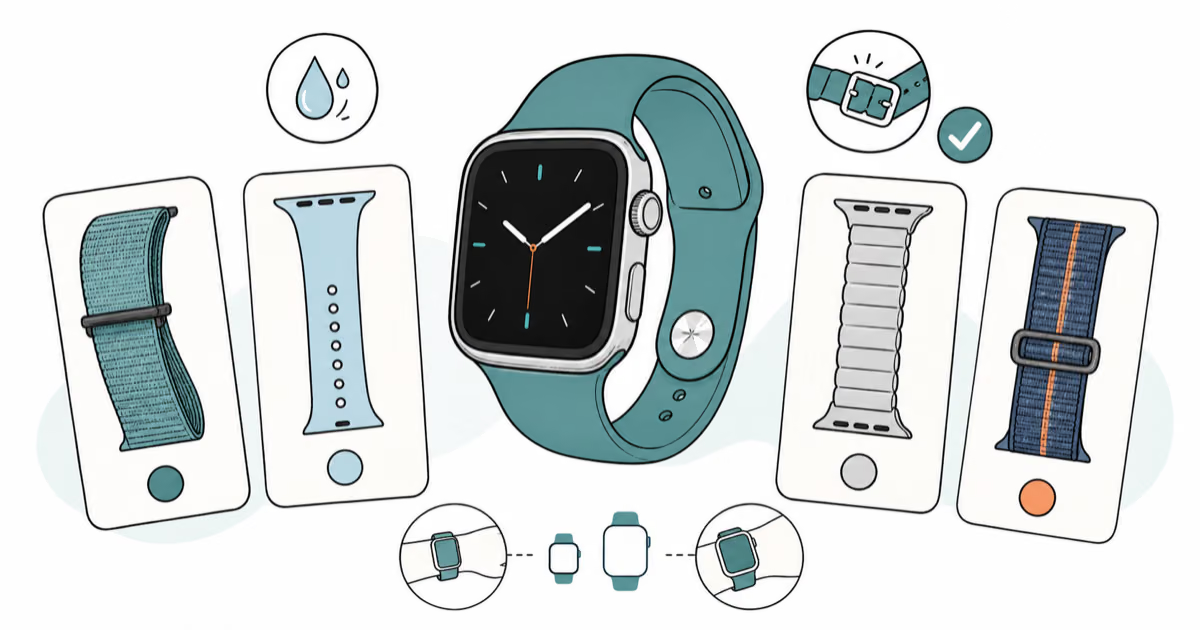
Best Apple Watch Bands: Tested Picks by Size and Style
The best Apple Watch bands depend on your case size group first, then your use. Compare silicone, nylon, stretchy, and steel picks for the right fit.
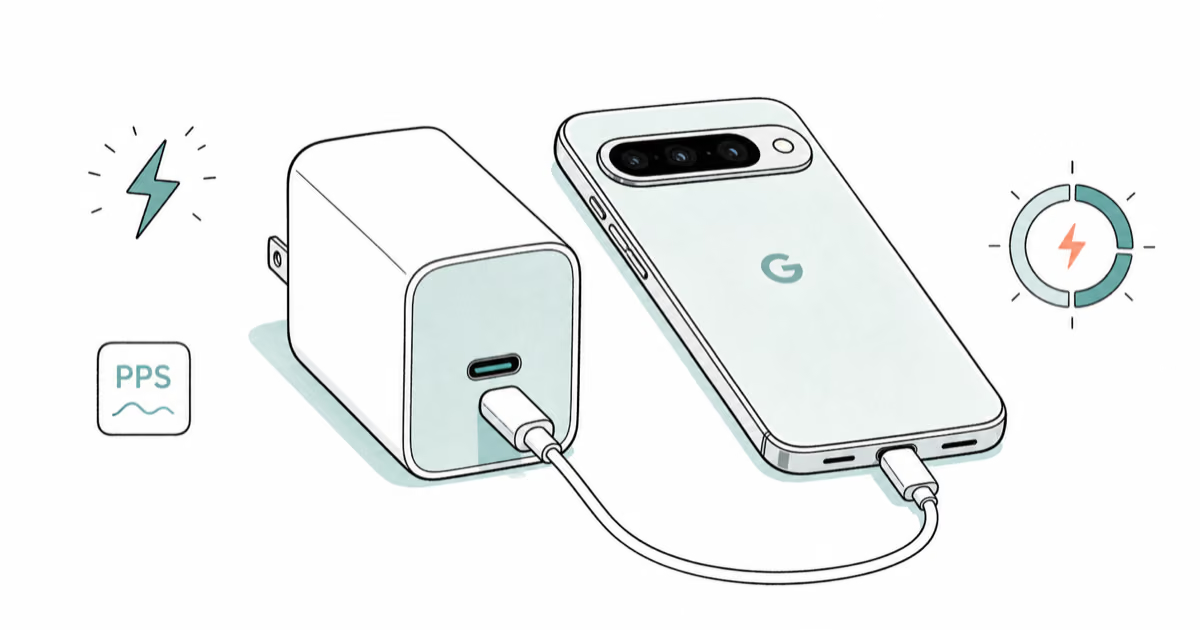
Best Charger for Google Pixel 10 Pro: PPS Picks 2026
The best charger for Google Pixel 10 Pro needs PPS. A 30W brick covers the 10 and 10 Pro; the Pro XL wants 45W. Four PPS picks compared here.
Best Charger for Samsung Galaxy S25 Ultra: 45W PPS Picks
The best charger for Samsung Galaxy S25 Ultra needs PPS to hit a full 45W. Compare four PPS picks and learn why most 45W chargers fall short here.