Instagram Tracker: Track Your Own Account Growth (2026)
Track your own Instagram account growth with Instagram Insights, Meta Business Suite, and Family Center. No third-party spy apps, no surveillance.
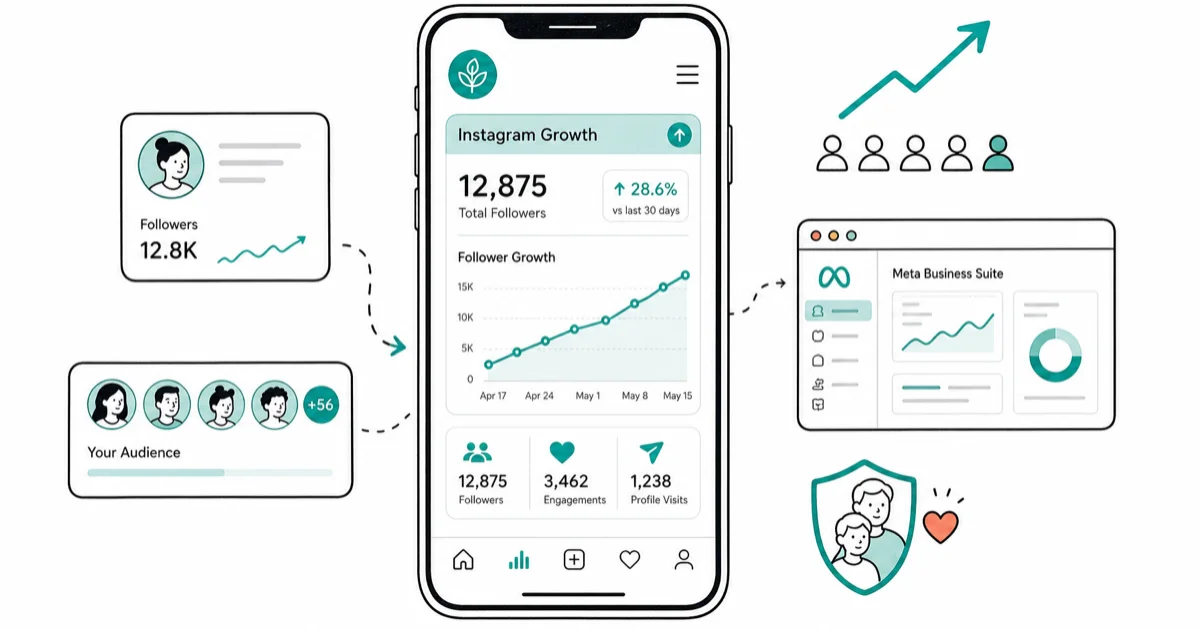
Quick AnswerUse Instagram Insights inside the app for your personal or business profile, Meta Business Suite on desktop for deeper post and audience data, and Family Center if you're supervising a teen. Third-party Instagram trackers that promise profile visitors or someone else's followers are inaccurate at best and a TOS violation at worst.
An Instagram tracker, used the right way, is a tool that shows what’s happening on your own Instagram account: which Reels earned reach, which followers stuck around, which posting times converted. The legitimate options all live inside Meta’s own tools, the Instagram app and the desktop Meta Business Suite, and this guide walks through what each one actually shows.
- Instagram Insights, free inside the app, exposes reach, profile visits, and follower demographics for any creator or business account
- Meta Business Suite on desktop ties Instagram and Facebook analytics together and adds a 90-day historical view that the mobile app doesn’t show
- Family Center is the only legitimate way to supervise a minor’s Instagram account, and it needs the teen to send the invitation
- Public, aggregated tools like Brand24 or Sprout Social monitor brand mentions and hashtags without scraping private data
- Apps that claim to show “who viewed your profile” or expose another person’s hidden activity are blocked by Instagram’s API and violate Meta’s Terms of Use
#What an Instagram Tracker Actually Means in 2026
We use the term “Instagram tracker” for tools that read your own account metrics or the public engagement signals around your brand. Anything that promises a window into someone else’s private account isn’t a tracker, it’s an attempt to bypass Instagram’s privacy controls.
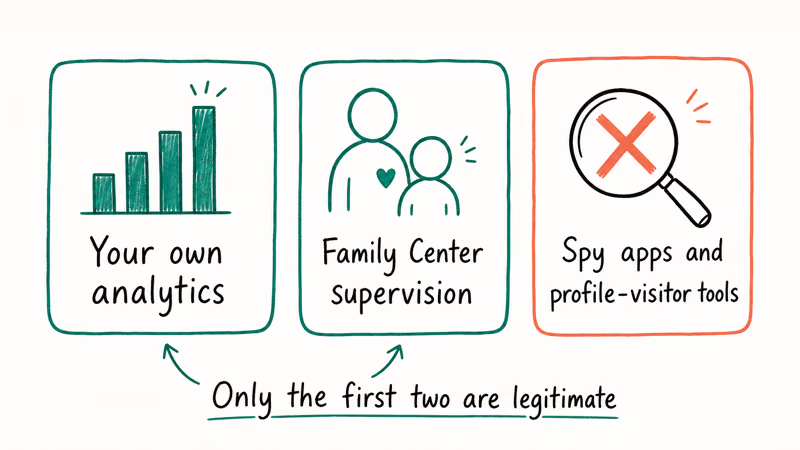
Scope note before going further. Everything in this guide is for accounts you own or have explicit authorization to manage: your personal creator profile, your business profile, your brand’s competitor research using public data, or a minor child’s account through Meta’s Family Center.
The guide is not for tracking a partner, a former partner, a coworker, or any other adult without their consent. Those use cases cross both Instagram’s Terms of Use and, in many countries, local computer-misuse and stalking statutes.
Legitimate trackers fall into 3 buckets:
- First-party analytics for your own account: Instagram Insights, Meta Business Suite, Creator Studio (legacy).
- Public engagement monitoring for your brand or hashtags: Sprout Social, Brand24, Hootsuite.
- Parental supervision for a teen on your family plan: Meta’s Family Center.
Fake trackers usually pitch one of 3 things: “see who viewed your profile,” “find any private account’s posts,” or “monitor a phone in stealth mode.” None of those work the way the marketing copy claims.
#How Do You Track Your Own Instagram Growth Inside the App?
Instagram’s built-in Insights is the fastest path to useful data, and it’s free. According to Meta’s Instagram Insights help article, the dashboard reports 5 core metric categories: reach, accounts engaged, content interactions, follows, and total followers, broken out by content type. Instagram itself, as the Wikipedia entry on Instagram confirms, launched in October 2010 and added its in-app analytics dashboard for business profiles in 2016.
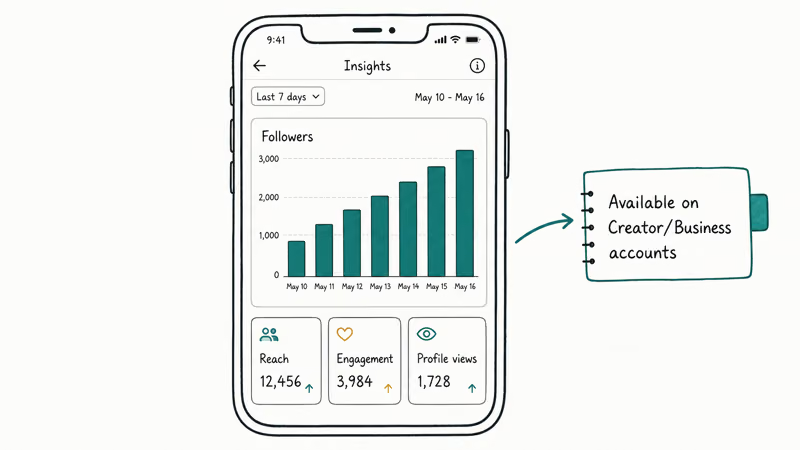
To unlock Insights, switch to a Creator or Business account at Settings and activity > Account type and tools. The migration is instant and leaves your posts untouched.
Once you’re on a Creator or Business account, tap your profile, then the Professional dashboard. The top card shows reach and accounts engaged for the last 7, 14, 30, or 90 days. Tap any number to drill into the contributing posts, Reels, or Stories.
For a newly published Reel, the dashboard refreshes regularly through the first several hours, and the follower-source breakdown (followers vs non-followers) appears once the Reel gains enough views. Want more engagement to actually feed into those numbers? Our guide to earning more Instagram likes organically covers the content tactics that pair with this analytics workflow.
A few specific metrics worth checking weekly:
- Profile visits, which signal whether your content is making people curious enough to click through
- Website taps, which measure whether your link-in-bio is actually working
- Audience active hours, which let you shift your posting window to match when your followers are online and usually lift first-hour reach as a result
- Top posts and Reels, which surface the formats your audience prefers
#Meta Business Suite on Desktop: Deeper Historical Views
Meta Business Suite, accessible at business.facebook.com, is the desktop counterpart for Creator and Business accounts. It pulls Instagram and Facebook data into one view, and it extends the historical window from 90 days in the mobile app to longer ranges by month.
Business Suite runs in any modern desktop browser. The interface is denser than the mobile dashboard, with side-by-side comparisons for current vs previous period and exportable CSV reports for posts, Stories, and Reels.
Three Business Suite features the mobile app doesn’t match:
- Scheduled posts and planner view, useful for editorial calendars across both platforms
- Audience overlap reports between your Instagram followers and Facebook page fans
- Ads insights integrated alongside organic, so paid and earned reach sit on the same screen
As Meta’s Business Suite analytics guide confirms, the desktop tool also exposes content performance benchmarks against accounts of similar size. Treat that benchmark cohort as a target to aim at, not a guarantee of results.
#Public Brand and Competitor Monitoring with Social Listening Tools
Tracking your brand mentions or a public competitor’s hashtag activity is a different job. Dedicated social listening tools handle it without touching anything private. Sprout Social, Brand24, and Hootsuite all read public posts and hashtags through Instagram’s official API and aggregate them into a dashboard.
Brand24 offers a 14-day trial that’s enough to monitor a handful of brand and competitor hashtags. It surfaces public mentions with sentiment scores and reach estimates for an active hashtag set.
The mentions a tool like this returns line up closely with what you’d find browsing the Instagram Explore tab by hand, because both draw on the same public API results. To run the manual check yourself, our guide to searching multiple Instagram hashtags walks through both the in-app workflow and a paid monitoring approach.
A few rules that keep this kind of monitoring legitimate:
- Only public posts and public hashtags qualify; private accounts aren’t exposed through the API and should stay that way
- Aggregated competitor data (follower counts, post frequency, top-performing posts) is fair game because it’s already public on the competitor’s profile
- Sending automated DMs to people who post on a tracked hashtag crosses into Meta’s automation prohibitions and gets accounts flagged or banned
Sprout Social and Hootsuite cost meaningfully more than Brand24. The value they add is in team collaboration features: assignments, response templates, approval workflows. For a one-person creator brand, Brand24 or a free tier of a smaller tool is enough.
#Parental Supervision Through Meta’s Family Center
The only sanctioned way to oversee a minor’s Instagram activity is Meta’s Family Center. It requires the teen to send the invitation; there’s no covert install path. Our Instagram Parental Controls guide has the full flow:
- Have your teen go to Settings and privacy > Supervision and send you the invitation
- Accept the invitation on your own Instagram account
- Use the Family Center dashboard to view follower lists, set daily time limits, and review their privacy settings together
Family Center won’t give you message contents, exact location, or hidden activity. Meta’s Family Center help page confirms that 4 supervised metrics are exposed to parents: time spent, accounts followed and following, time limits, and break schedules. Pair it with device-level controls (Screen Time on iPhone, Family Link on Android) for stronger limits, because device-level rules are harder for a tech-curious teen to bypass.
If your teen is old enough to refuse the invitation, the right move is a conversation about boundaries, not a third-party spy tool. Covert monitoring of even a minor can violate state privacy laws in the US and is explicitly disallowed by Meta’s terms.
#Why Don’t “Profile Visitor” and Spy Apps Work?
Every few months a new app pops up promising to show who viewed your Instagram profile or to reveal a private account’s posts. The pattern never changes.
According to the Instagram Help Center, Instagram’s official API doesn’t expose profile-visitor data, so any app that claims to surface that data is guessing from your follower list, your interaction history, or your story viewers.
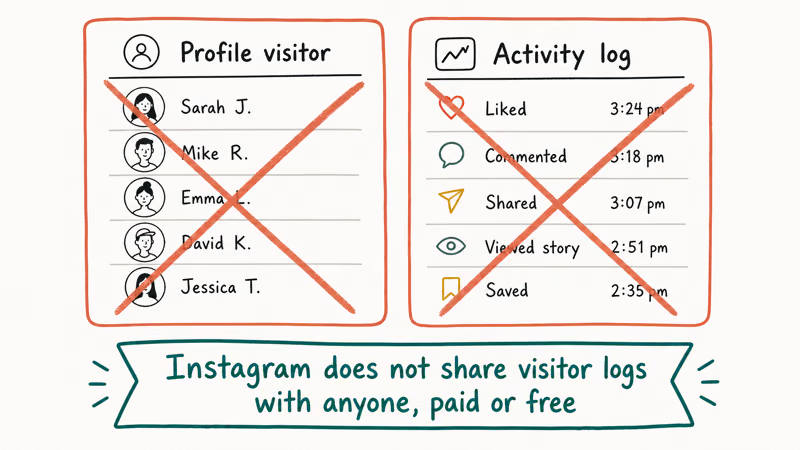
Worse, apps in this category typically ask for your Instagram username and password directly, rather than the OAuth flow that legitimate analytics tools use. Handing your password to an unknown developer is a one-way ticket to a hijacked account, a “Challenge Required” lockout (we covered the fix in our Challenge Required Instagram guide), or a credential leak.
If you’ve already used one and your account is acting strange, reset your password from a clean browser session. Our forgot Instagram password walkthrough covers the official recovery path.
The “find any private account’s posts” pitch is the same story with a more aggressive promise. Private accounts are private because Instagram’s API doesn’t serve their content to non-followers. Apps that claim otherwise either lie about what they show, scrape cached search results that misrepresent age, or trick you into installing adware. None of them deliver on the pitch.
“Stealth phone monitoring” tools that claim to read another adult’s Instagram messages are the most dangerous category. Installing surveillance software on an adult’s phone without consent is a crime in most US states and across the EU and UK. Legitimate use cases for similar software exist, narrowly: corporate device management with disclosure, parental supervision of minors with consent. They don’t match the “secret spy on your partner” marketing those apps push.
#Bottom Line
For your own account, start with Instagram Insights on mobile and add Meta Business Suite on desktop once you want 90-day historical views or cross-platform audience overlap. Both are free and built by Meta.
Brand or competitor monitoring lives outside Insights. Brand24 on its 14-day trial is enough to see whether social listening pays back for your niche before you commit to a paid plan; Sprout Social or Hootsuite are worth the jump only if a team needs assignments and approvals.
Supervising a teen on your family plan? Family Center with their participation, paired with device-level Screen Time or Family Link, is the only path that respects both the teen and Meta’s rules. Anything that pitches profile-visitor lists, private-account peeks, or stealth phone monitoring of another adult belongs in the trash.
Instagram Tips & Tricks
#Frequently Asked Questions
Can I see who viewed my Instagram profile?
No. Instagram’s official API doesn’t expose profile-visitor identities, and any third-party app that promises this feature is guessing from your existing follower and interaction data. Stories are the only place Instagram tells you who viewed something, and that list only stays for 24 hours.
Are third-party Instagram tracker apps safe to use?
Most aren’t. Apps that ask for your Instagram password directly bypass the OAuth security model Meta requires for legitimate tools, and the resulting account hijacks and credential leaks are common. Stick to tools that authenticate through Meta’s official login flow or use only public hashtag and mention data.
What’s the best free Instagram analytics tool for creators?
Instagram Insights inside the app is the strongest free option for creators. It’s built by Meta, updates roughly hourly, and covers reach, engagement, follower demographics, and audience active hours. Meta Business Suite on desktop adds 90-day historical comparisons and CSV exports at no cost.
Can I track a competitor’s Instagram followers without breaking the rules?
You can track publicly visible data such as follower counts, post frequency, hashtag use, and top public posts. Social listening tools like Brand24 and Sprout Social pull this through Instagram’s public API. Anything that requires access to a competitor’s private DMs, deleted posts, or login is off limits and violates Meta’s Terms of Use.
How can a parent monitor a teen’s Instagram safely?
Use Meta’s Family Center, which requires the teen to send an invitation from their account. Once linked, you see followers and following, daily time spent, time limits, and break schedules. Pair it with device-level Screen Time on iPhone or Google Family Link on Android for harder limits a tech-curious teen can’t work around inside the app.
What happens if I use a banned third-party tracker?
Instagram detects automated logins and unauthorized API use through behavioral signals. The account usually gets hit with the Challenge Required prompt first, then a temporary lock or full disable if the behavior continues. Recovering a disabled account takes days at best and is sometimes impossible if the tool already triggered a permanent ban.
Does Instagram tell me when I lose followers?
The Instagram app doesn’t push a notification when you lose individual followers, but Insights surfaces net follower changes over 7, 14, 30, and 90-day windows. Meta Business Suite on desktop shows the same data with a comparison-period overlay, so you can see whether a recent post or campaign moved the needle.
Is it legal to use spy apps to monitor someone else’s Instagram?
In most US states and across the EU and UK, installing surveillance software on an adult’s device without their consent is illegal under computer-misuse and stalking laws. Meta’s Terms of Use prohibit it outright. The narrow legal exceptions (managed corporate devices with disclosure, parental supervision of minors) require either explicit consent or a documented legal basis, and they don’t extend to monitoring a partner, ex, or coworker.
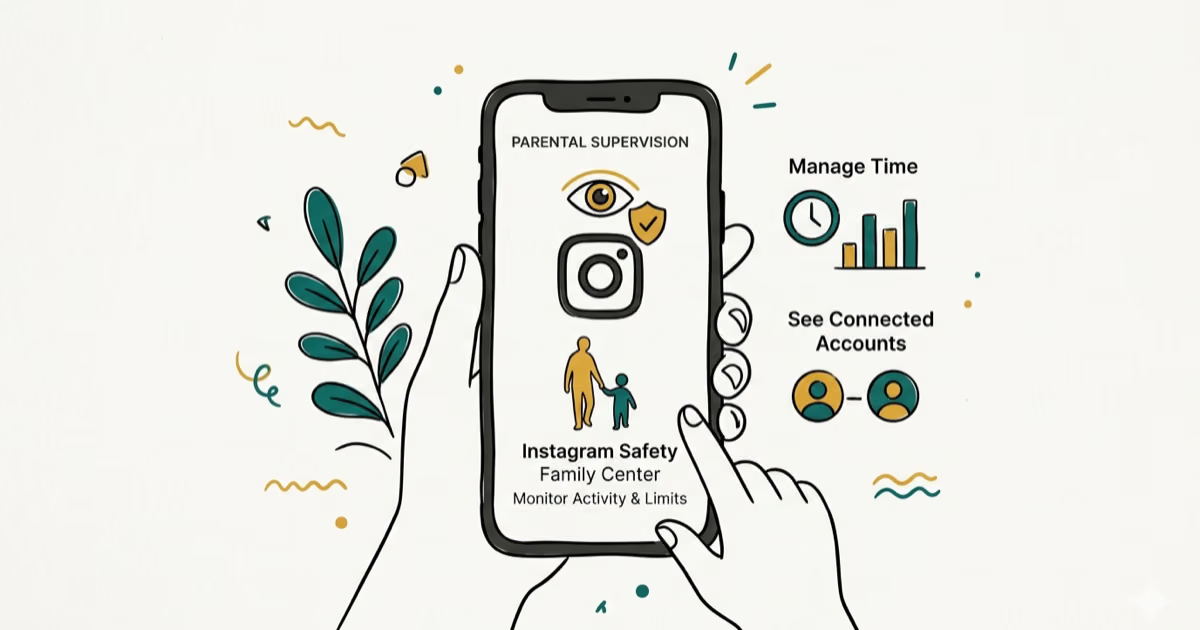
Instagram Parental Controls: Family Center Setup (2026)
Set up Instagram Family Center, privacy settings, Hidden Words, content filters, and time limits with your teen's consent on iPhone or Android.
Instagram Notifications Not Working? Quick Fixes (2026)
Instagram notifications not working? Fix push alerts, DMs, likes, and Stories on iPhone and Android in under 5 minutes with proven 2026 steps.
Instagram "We Limit How Often" Error: How to Fix It 2026
Instagram says "we limit how often you can do certain things"? Wait 24-48 hours, slow down likes and follows, then appeal through Help Center.
Instagram Name Checker: Find Available Usernames Fast
Check Instagram username availability instantly with free tools like Namechk and KnowEm. Find perfect handles and avoid the frustration of taken names.