How to Find Out if Someone Has an OnlyFans Account (2026)
Check if someone has an OnlyFans account using direct URL search, OnlyFinder, social media bios, and Reddit. Includes privacy and legal considerations.

Quick AnswerVisit onlyfans.com/username if you know their username, or use OnlyFans search tools like OnlyFinder to search by name or location. Only search for accounts with the person's knowledge and consent.
OnlyFans doesn’t have a built-in user search feature, which makes finding accounts harder than on most social platforms. There are a few workarounds, but you should only use them with the person’s knowledge or for your own account management.
- OnlyFans has no native search bar, so you need third-party tools or direct URLs
- The direct URL method (onlyfans.com/username) is the quickest way if you know the person’s handle
- OnlyFinder searches by name, location, and keywords across a database of over 50,000 creators
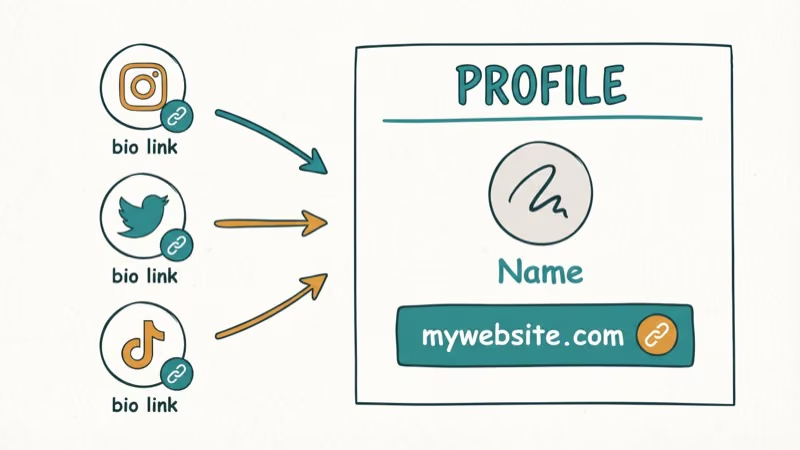
- Many creators link their OnlyFans in social media bios on Instagram, Twitter, and TikTok
- Always respect privacy and only search for accounts with the person’s consent or for your own purposes
#A Note on Privacy and Consent
Before searching for anyone’s account, consider the ethics involved. Someone’s presence on OnlyFans is their personal business. Searching for a partner’s account behind their back can damage trust and relationships, regardless of what you find.
Privacy and copyright stakes are real. The U.S. Copyright Office’s DMCA overview explains that the DMCA created a notice-and-takedown system for infringing online material, and the FTC’s people-search guidance states that people-search sites compile social profiles, public records, and other personal information into reports.
The methods below should only be used for your own account, with the person’s permission, or to verify publicly available information. We don’t endorse searching for someone’s account without their knowledge.
#How Do You Search for Someone on OnlyFans Directly?
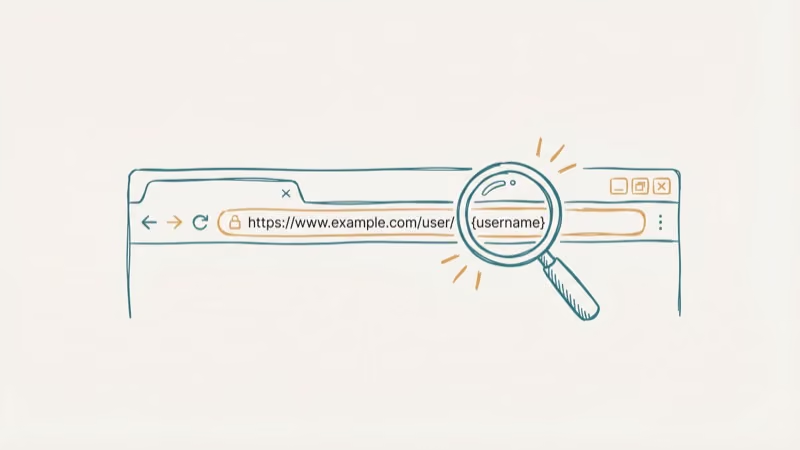
The simplest method is the direct URL. Type onlyfans.com/username in your browser. If the person uses their real name or a recognizable handle, you might find them on the first try.
For example, if someone’s username is “janesmith,” visit onlyfans.com/janesmith. If the page loads with a profile, the account exists. A 404 error means that specific username isn’t taken.
The problem is obvious. Most creators use handles instead of real names, so guessing rarely works. Plugging in common first names usually returns 404 pages rather than active accounts.
#Using OnlyFinder to Search by Name or Location
OnlyFinder is a free third-party search engine built specifically for discovering OnlyFans accounts. Treat it as a discovery tool for public creator profiles, not as proof that a real-world person owns a specific account.
You can search by:
- Name or username: Type the person’s name and browse results.
- Location: Use the syntax
Location: Los Angeles, 15kmto find creators near a specific city. - Keywords: Search terms related to the creator’s niche or content description.
Name searches tend to return relevant results quickly, but only for creators who use recognizable names on their profiles. Creators using pseudonyms or stage names won’t show up in a real-name search.
One limitation: OnlyFinder only indexes profiles that have location data or keywords in their bio. If a creator stripped their location from settings (under Settings > Profile > Location), they won’t appear in location-based searches.
#Checking Social Media Bios for OnlyFans Links
Many creators promote their OnlyFans on other platforms. Check their bios on:
-
Twitter/X: The most common platform for OnlyFans promotion. Creators often pin a tweet with their link.
-
Instagram: Check the bio link or Linktree page for redirects.
-
TikTok: Look in the bio for a Linktree or similar link.
-
Reddit: Search their username across OnlyFans-related subreddits.
Influencer Marketing Hub found that around 2.1 million content creators have OnlyFans accounts. Many of those actively cross-promote on social media, making bio checks one of the most reliable discovery methods.
If you’re also interested in finding accounts on other platforms, our guide on username search across dating sites covers similar techniques.
#Can You Find OnlyFans Creators on Reddit?
Reddit hosts dozens of subreddits where OnlyFans creators share their profiles to attract subscribers. This works best for discovering smaller or niche creators.
Search “OnlyFans” on Reddit and sort by Communities & Users. Browse relevant subreddits and filter by New to see recent posts. Creators typically include their OnlyFans link, content description, and sometimes verification photos.
Reddit is most useful for finding creators who are actively promoting themselves. It’s less helpful for finding someone specific because Reddit usernames rarely match real names. If you’re new to Reddit itself, our guide on how to find someone on Reddit covers the basics.
For managing your own account, check our guide on how to delete an OnlyFans account or cancel an OnlyFans subscription.
Want more detailed search techniques? Read our guide on finding someone on OnlyFans without a username.
#Reverse Image Search Tools and Privacy Concerns
Some people suggest using reverse image search tools to find OnlyFans accounts. Services like Google Images or TinEye can match photos across the web, potentially connecting a person’s public photos to their OnlyFans profile if they used the same images.
This method has serious ethical and legal issues. Using someone’s photos without their consent to track down private accounts violates their privacy. We don’t recommend this approach.
According to the Electronic Frontier Foundation, using reverse image search to identify individuals without consent raises significant privacy concerns. The Wikipedia article on people search sites describes them as specialized search engines that search public records, data brokers, and other sources to compile reports about individual people, which is why identity lookup deserves extra caution.
#Bottom Line
The direct URL check is the fastest method if you know a username. OnlyFinder works for broader searches. Social media bios are reliable for creators who promote openly. Respect privacy boundaries and only search with the person’s consent.
#Frequently Asked Questions
Can OnlyFans creators see who searches for them?
No. OnlyFans doesn’t notify creators when someone visits their profile page or searches for their username. Creators can only see who subscribes to their content, not who views their public page.
Is it legal to search for someone’s OnlyFans account?
Searching public platforms and websites is generally legal. Accessing or distributing private content without permission isn’t. Copyright law protects creators’ content, and sharing it without consent can result in DMCA takedowns and potential lawsuits.
Can you find a deleted OnlyFans account?
No. Once an account is deleted, the profile page returns a 404 error. Cached versions may exist briefly in search engines, but OnlyFans removes all content and profile data upon deletion. Third-party tools can’t recover deleted accounts.
Does OnlyFans have a built-in search feature?
Not a traditional one. OnlyFans shows suggested creators on the home page, but there’s no search bar to look up users by name. The platform relies on external links and direct URLs for account discovery.
Can someone create an anonymous OnlyFans account?
Yes. Creators can use any display name, and OnlyFans doesn’t publicly show real names or email addresses. The only identifying information visible to subscribers is whatever the creator chooses to share on their profile page.
How do I know if an OnlyFans link is legitimate?
Real OnlyFans links always start with onlyfans.com/. Be cautious of links with misspellings like “onIyfans” (with a capital I instead of lowercase L) or links that redirect through unfamiliar domains. Bookmark the official site to avoid phishing pages.
What happens if I find a fake OnlyFans account using my photos?
Report it directly to OnlyFans through their support page. The U.S. Copyright Office describes DMCA notice-and-takedown as the formal route for asking online services to remove infringing material, and you can also report the copied photos to the platform where you originally posted them.
Are OnlyFans accounts visible to people who don’t have an account?
Public profile pages are visible to everyone, including the bio and profile picture. Actual content behind the paywall requires a subscription. Some creators set their profiles to private, which hides everything from non-subscribers.

Google Messages Error 3100: Why RCS Is Broken on Galaxy
Google Messages RCS error 3100 hits Galaxy owners after phone or carrier switches. Google told 9to5Google a fix is coming. Here's what actually helps.

Is This Bank App Real? Spot a Fake App on Your Home Screen
A bank app can land on your home screen from a web page with no install warning. Learn the checks that tell a real banking app from a phishing web app.

Apps Crashing After iOS 27 Update? Fix Order (2026)
Apps crashing after the iOS 27 update? Update the app in the App Store first, then offload and reinstall to clear stale cache, then restart. The fix order.

Do AI Translation Earbuds Work Offline? What to Know
Do AI translation earbuds work offline? A few do with downloaded language packs, but most need the cloud. Here's what works offline and what you give up.