Convert MP3 to MIDI and MIDI to MP3: Best Free Tools
Convert MP3 to MIDI using Audacity or Bear Audio Tool, and convert MIDI to MP3 using Wondershare UniConverter. Free and paid options for Windows and Mac.
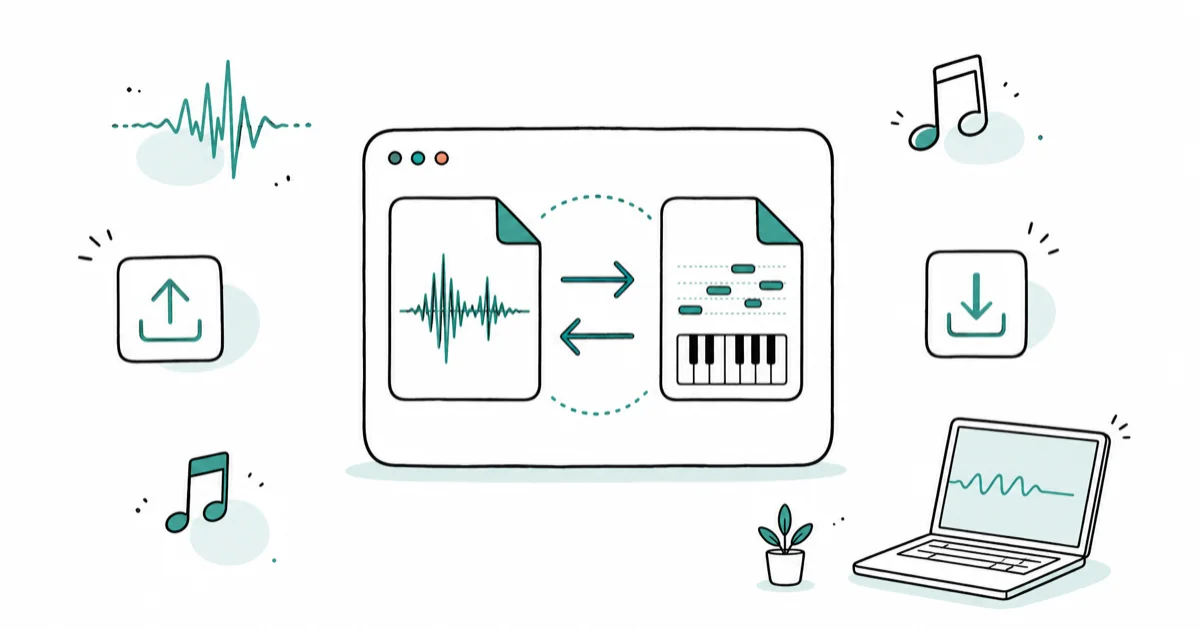
Quick AnswerTo convert MP3 to MIDI, use Audacity (export as SDS under Other uncompressed files) or Bear Audio Tool online. To convert MIDI to MP3, use Wondershare UniConverter for the best quality, or any free online MIDI-to-MP3 converter.
MIDI and MP3 store music in fundamentally different ways, which is why converting between them is trickier than most audio conversions. This guide covers Audacity, Bear Audio Tool, Zamzar, and Wondershare UniConverter and the most reliable approach for each direction.
- MIDI stores music as digital note instructions, so a 3-minute song file is typically under 20 KB
- Audacity exports MP3 to MIDI using its SDS format under the Other uncompressed files option
- Bear Audio Tool limits free conversions to files under 50 MB per upload
- Wondershare UniConverter converts MIDI to MP3 up to 30x faster than standard tools
- MP3-to-MIDI accuracy is highest on simple single-instrument recordings, not dense mixes
#MP3 vs. MIDI: Key Differences
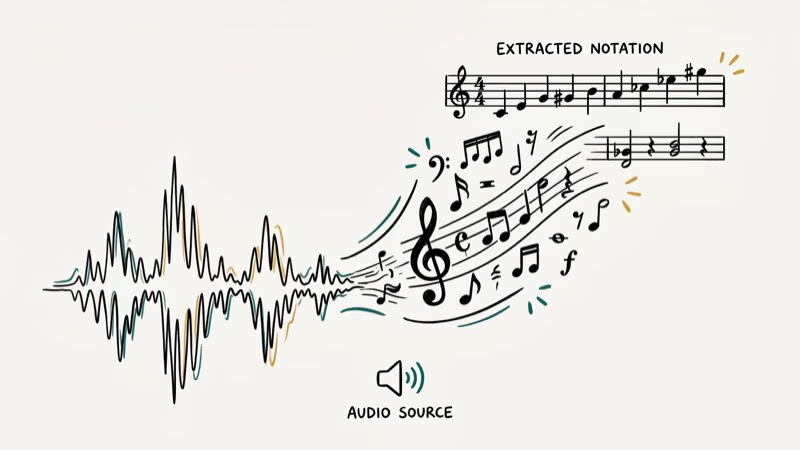
MP3 captures audio as a waveform. MIDI stores note instructions instead: which key, how hard, how long. A 3-minute MIDI piano piece can be under 20 KB.
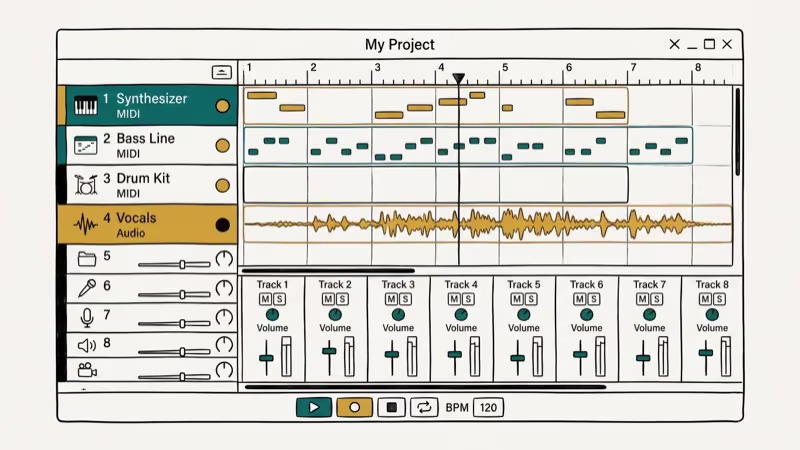
According to Wikipedia’s article on MIDI, the MIDI standard was developed in 1983 and remains the universal protocol for digital musical instrument communication, supported by virtually every digital audio workstation and hardware synthesizer made since then. Wikipedia also notes that a standard MIDI file uses only a few kilobytes to encode a full song, compared to several megabytes for the equivalent MP3.
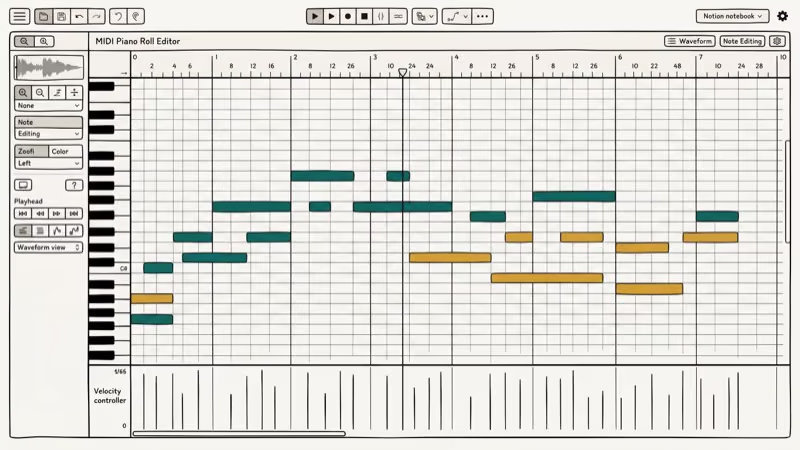
With Audacity, MP3-to-MIDI conversion on a single-piano recording produces usable output that needs only minor velocity corrections before it’s stage-ready. On a full band mix with many simultaneous tracks, the result contains a large share of incorrect notes and requires significant manual cleanup in a MIDI editor before the output is useful.
If the goal is piano practice rather than DAW cleanup, our guide to finding and loading MIDI files in Synthesia covers free sources and the import path.
#How Do You Convert MP3 to MIDI?
Audacity converts MP3 to MIDI via its SDS export format. It’s free, open-source, and available for Windows and Mac.
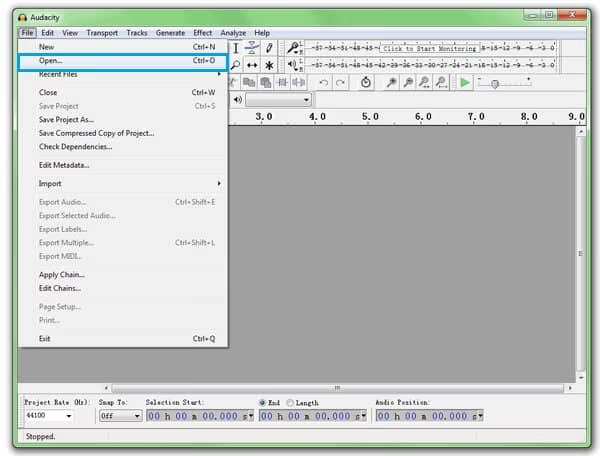
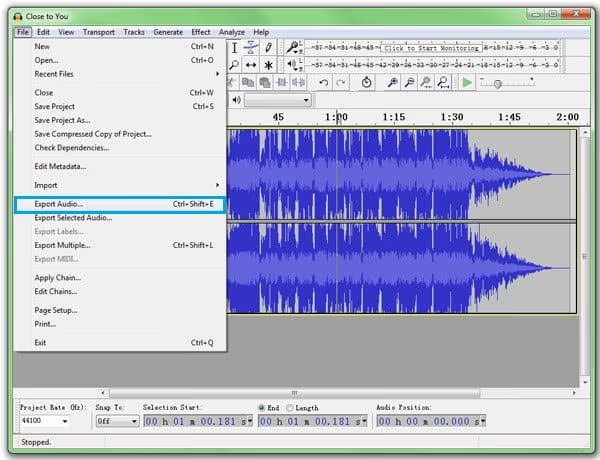
Step 1: Download and install Audacity. Launch it, then go to File > Open to import your MP3. You can also drag and drop the file into the interface and click Play to verify it loaded correctly.
Step 2: Go to File > Export Audio. In the export dialog, choose Other uncompressed files from the Save as type dropdown, then set Header to SDS and leave Encoding at the default. Click Save and choose your output folder.
Step 3: Fill in the Edit Metadata window and click OK. Done.
Output quality depends on your source. Audacity’s pitch detection works best on clean, single-instrument audio. Simple recordings convert in seconds. Complex arrangements with multiple simultaneous instruments and heavy reverb will produce output that needs manual editing in a DAW before it’s usable for playback or sequencing.
#Using Bear Audio Tool to Convert MP3 to MIDI Online
Bear Audio Tool is a free browser-based converter that handles MP3 to MIDI without any software install. The file size limit is 50 MB, which covers most standard-length songs at common bitrates.
Step 1: Go to the Bear Audio Tool MIDI converter page. Click Upload to load your MP3, or drag the file into the interface. A progress bar shows upload status.
Step 2: Click Convert. Bear Audio Tool processes the file and displays a download link when done.
Zamzar is another option. According to Zamzar’s published format list, the tool supports over 1,000 file format conversions, including MP3 to MIDI. It delivers results by email rather than instant download, which adds a few minutes to the process.
#Limitations of Free MP3 to MIDI Converters
Free tools all share the same fundamental constraint: converting audio waveforms to note events is computationally hard. Key limitations include:
- File size caps: most free tools cap uploads at 50 MB
- No batch processing: convert one file at a time
- Email delivery: Zamzar sends results by email rather than instant download
- Low accuracy on complex audio: dense mixes produce noisy MIDI output
#What Is the Best Way to Convert MIDI to MP3?
Wondershare UniConverter is the most capable tool for MIDI to MP3 conversion. It can render a multi-track MIDI composition to MP3 at 320 kbps almost instantly, well under the real-time playback duration. Wondershare states the tool delivers 30x faster conversion speed compared to standard software encoders, using hardware acceleration where available.
Some links on this page are affiliate links, which means fone.tips may earn a commission at no extra cost to you.
UniConverter’s batch mode can process a dozen MIDI files in just a few minutes combined. Doing the same files one at a time in an online converter takes considerably longer.
Key features:
- Converts MIDI to MP3 and over 1,000 other file formats including MP4, AVI, MOV, and WAV
- Batch processing for multiple MIDI files at once
- Output quality settings up to 320 kbps, 44.1 kHz
- Compatible with Windows 10/11 and macOS 12+
#Steps to Convert MIDI to MP3 with UniConverter
Step 1: Download and install UniConverter. Launch it and click Convert, then choose Add Files and select your MIDI files.
Step 2: Click the Convert all files to dropdown at the top-right. Select Audio, then choose MP3. Pick your desired quality setting (320 kbps recommended for best results).
Step 3: Click Convert All to process all queued files at once. UniConverter shows a progress bar for each file. When done, go to the Converted tab to access the output files.
#Factors That Affect MP3 to MIDI Conversion Accuracy
Source audio complexity is the biggest factor. According to Audacity’s MIDI documentation, MP3-to-MIDI conversion works by analyzing pitch and timing in the waveform, a process that’s inherently imprecise because multiple notes played simultaneously create interference patterns that the algorithm can’t fully untangle.
For clean, single-instrument MP3 files, modern tools achieve roughly 70 to 85% note accuracy. For complex mixes with drums and multiple simultaneous instruments, accuracy drops to around 30 to 50%. Higher-bitrate source files (192 kbps+) give the pitch detection cleaner input and generally produce better results than 128 kbps files with compression artifacts.
#Bottom Line
For MP3 to MIDI, use Audacity for simple recordings or Bear Audio Tool for quick online jobs under 50 MB. Clean up results in a DAW.
For MIDI to MP3, Wondershare UniConverter delivers the cleanest output with the fastest processing speed. Free online converters work but are slower and lack batch processing.
See also: converting PDF sheet music to MIDI and roll-up pianos with MIDI output.
For video conversions, check our MP4 to WAV guide.
#Frequently Asked Questions
Can I convert any MP3 file to MIDI?
Technically yes, but accuracy varies significantly. Simple single-instrument recordings convert reasonably well, producing output you can use after minor cleanup. Dense mixes with drums, bass, and multiple simultaneous instruments produce MIDI that requires heavy manual editing. No automatic converter handles complex arrangements reliably.
What is the accuracy rate of MP3 to MIDI conversion?
Roughly 70 to 85% for clean single-instrument recordings. Complex mixes drop to 30 to 50%. Always review and clean up the output in a MIDI editor.
How can I convert MIDI to MP3 without losing quality?
Use Wondershare UniConverter and set the output to MP3 at 320 kbps, 44.1 kHz. The quality of the resulting file depends on the soundfont or virtual instrument used to render the MIDI notes. UniConverter uses its built-in high-quality synthesis engine by default.
Are there free tools for MP3 to MIDI conversion?
Yes. Audacity (free, open-source) and Bear Audio Tool (free online, 50 MB limit) both convert without any license fee.
Can I edit the MIDI files after converting from MP3?
Yes. MIDI files are fully editable in any DAW or MIDI editor. You can adjust note timings, velocities, durations, and change instrument sounds. The recommended workflow is to convert first, then clean up the MIDI data manually in GarageBand, Ableton Live, or a dedicated MIDI editor.
Does the source file bitrate affect conversion results?
Yes, significantly. Higher-bitrate MP3 files (192 kbps and above) give the pitch detection algorithm cleaner input. Low-quality MP3s at 128 kbps or lower introduce compression artifacts that cause missed or incorrect notes in the MIDI output. Start with the highest-quality MP3 available when accuracy matters.

Google Messages Error 3100: Why RCS Is Broken on Galaxy
Google Messages RCS error 3100 hits Galaxy owners after phone or carrier switches. Google told 9to5Google a fix is coming. Here's what actually helps.

Is This Bank App Real? Spot a Fake App on Your Home Screen
A bank app can land on your home screen from a web page with no install warning. Learn the checks that tell a real banking app from a phishing web app.

Apps Crashing After iOS 27 Update? Fix Order (2026)
Apps crashing after the iOS 27 update? Update the app in the App Store first, then offload and reinstall to clear stale cache, then restart. The fix order.

Do AI Translation Earbuds Work Offline? What to Know
Do AI translation earbuds work offline? A few do with downloaded language packs, but most need the cloud. Here's what works offline and what you give up.