Bumble Location Wrong: 6 Fixes for iOS and Android
Fix the Bumble location wrong issue on iPhone and Android with 6 proven methods. Covers GPS refresh, app updates, reinstallation, and account fixes.
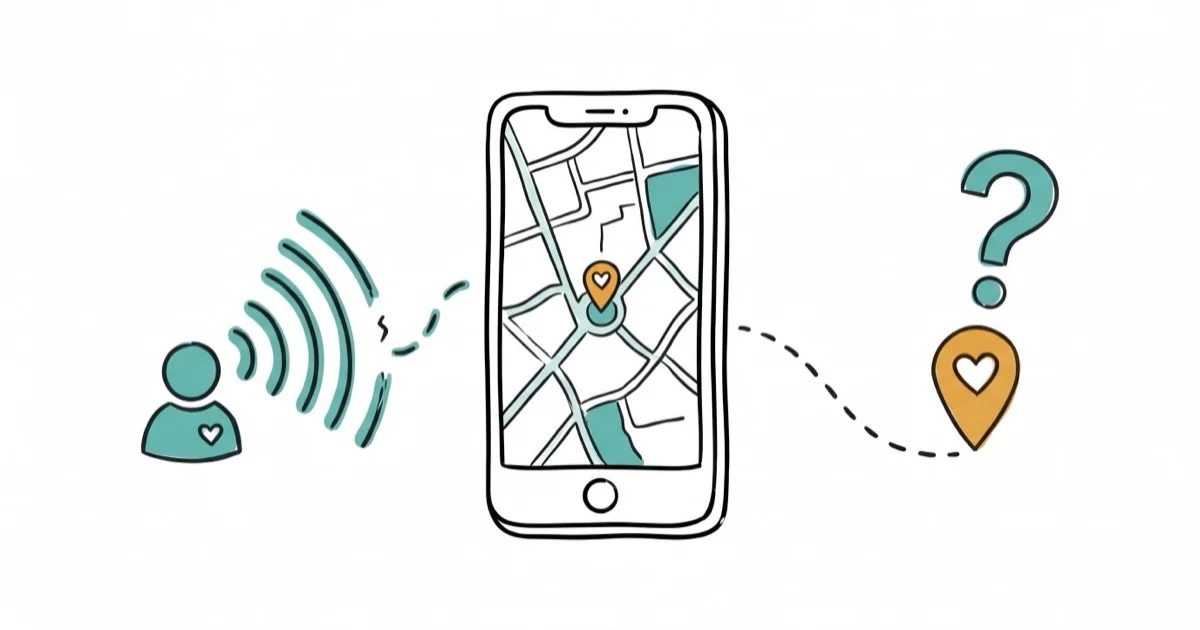
Quick AnswerToggle your phone location services off and back on, then reopen Bumble. This forces the app to refresh your GPS coordinates and usually fixes the wrong location issue within seconds.
Bumble shows you matches based on your GPS location. When it gets your location wrong, you’ll see people hundreds of miles away instead of nearby. The fixes below cover the common iPhone and Android causes. This guide is only for your own device or account.
- Toggling location services off and on forces Bumble to grab a fresh GPS reading
- Logging out and back into your Bumble account refreshes cached location data on their servers
- Updating Bumble to the latest version fixes location bugs that older versions may have
- VPNs and location-spoofing apps interfere with Bumble’s location detection and should be disabled
- Reinstalling the app clears all cached data and typically resolves persistent location errors
#Common Causes of Wrong Location on Bumble
Bumble uses your phone’s GPS to determine where you are. When the location is wrong, one of these things is usually happening:
GPS signal issues. If you’re indoors, underground, or in an area with poor satellite visibility, your phone’s GPS may report an inaccurate position. According to Apple’s location services support page, GPS accuracy can degrade to 100+ meters in buildings with thick walls or metal roofing.
Cached location data. Bumble saves your last position to spare battery, so it shows your old city after travel.
VPN or location spoofer active. VPN apps can make your IP address appear in a different region, and location-spoofing tools override your GPS. Bumble detects some of these and may lock your location to the spoofed position.
Outdated app version. Older Bumble versions had GPS bugs that were patched in later updates. An outdated app can cause location drift, especially if GPS fixes were patched in later releases.
For related Bumble troubleshooting, our guide on how to delete Bumble account covers account management, and Bumble notification sound fixes audio alert issues.
Our Bumble location guide explains how the app’s GPS system works. For broader location tracking options, check our best family locator app roundup.
#How Do You Fix Bumble’s Wrong Location?
#Fix 1: Toggle Location Services Off and On
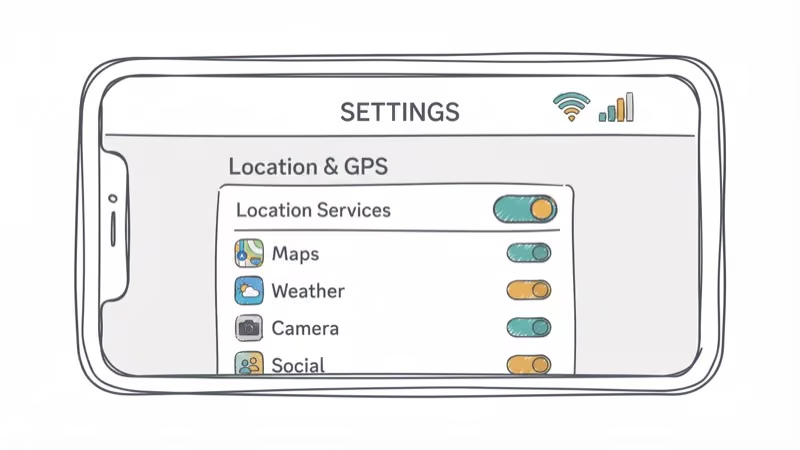
This is the fastest fix and works most often.
On iPhone: Go to Settings > Privacy & Security > Location Services. Turn off the toggle, wait 10 seconds, turn it back on, and open Bumble.
On Android: Pull down the notification shade and tap the Location quick toggle off. Wait 10 seconds, tap it on again, and open Bumble.
Bumble should request a fresh location after you reopen the app.
#Fix 2: Log Out and Log Back In
Bumble caches your location on their servers. Logging out forces a refresh.
Open Bumble, tap your profile icon, scroll to the bottom, and tap Sign Out. Wait 30 seconds, then log back in with your credentials.
This method is especially effective if you’ve recently traveled. The fresh login triggers Bumble to request a new GPS reading from your phone.
#Fix 3: Force-Close and Reopen Bumble
A simple app restart can flush stuck location data.
On iPhone: Swipe up from the bottom and swipe Bumble off the screen. Wait 5 seconds, then tap the Bumble icon to reopen.
On Android: Go to Settings > Apps > Bumble > Force Stop. Then reopen the app.
Don’t just minimize Bumble. You need to fully close it so the app reinitializes its GPS connection on the next launch.
#Fix 4: Restart Your Phone
A full device restart clears system-level GPS glitches that individual app restarts can’t fix.
On iPhone: Hold the side button and volume button, slide to power off, wait 30 seconds, then power on.
On Android: Hold the power button, tap Restart.
A restart forces the phone to drop its cached location fix and acquire a fresh one, which can clear persistent location errors that the location toggle alone doesn’t fix. For stubborn cases, Samsung’s GPS troubleshooting page recommends turning on Wi-Fi scanning and Bluetooth scanning and enabling Google’s Improve Location Accuracy setting, since Android leans on nearby networks to sharpen the satellite fix.
#Fix 5: Update Bumble to the Latest Version
Bug fixes in newer versions often resolve location-related issues.
On iPhone: Open the App Store, tap your profile icon, scroll to find Bumble, and tap Update.
On Android: Open the Google Play Store, go to Manage Apps, find Bumble, and tap Update.
After updating, reopen Bumble and check whether your location refreshed.
#Fix 6: Reinstall Bumble
If nothing else works, a clean reinstall removes all cached data including potentially corrupted location files.
Delete Bumble from your phone by long-pressing the icon and selecting Remove or Uninstall. Restart your phone, download Bumble again from the App Store or Google Play, and log in. Grant location permissions when prompted.
Your matches and conversations sync from Bumble’s servers, so you won’t lose anything by reinstalling. PCMag’s dating app troubleshooting guide recommends a clean reinstall as a reliable fix for persistent app-level bugs across dating platforms. The fresh install starts with a clean GPS state.
#Does Bumble Work Better With GPS or Wi-Fi Location?
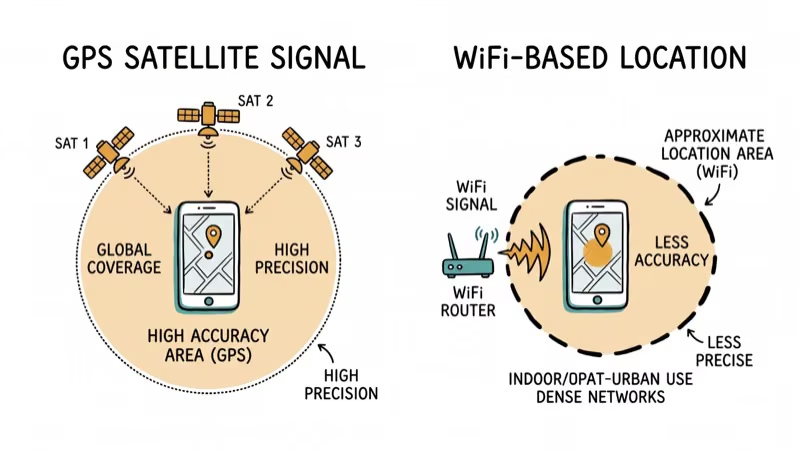
Both work. GPS wins outdoors, Wi-Fi wins indoors, and Bumble uses whichever is stronger, so keep both on.
#Preventing Bumble Location Issues
Once your location is fixed, keep it accurate:
- Keep Bumble updated. Enable auto-updates in your app store settings.
- Disable VPNs when using Bumble. VPNs can cause IP-based location conflicts that confuse the app.
- Set location permission to “While Using.” Both iOS and Android let you choose between “Always,” “While Using,” and “Never.” The “While Using” option gives Bumble accurate GPS data when you open it without draining battery in the background.
- Don’t use location spoofing apps. Bumble can detect some spoofing tools and may flag or ban your account for violating their terms of service.
#Bumble Location Permissions Explained
When you install Bumble, it asks for location access. The three options are:
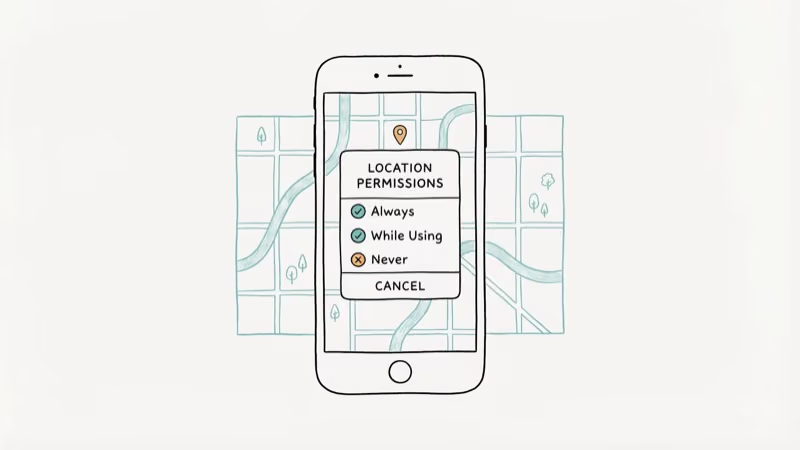
- Always: Bumble can read your GPS even when the app is closed. Uses more battery but keeps your location fresh.
- While Using the App: The best balance. Bumble reads GPS only when you have the app open. This is what we recommend.
- Never: Bumble can’t access your location at all. The app won’t work properly without location access.
To check or change your permission, go to Settings > Privacy > Location Services > Bumble on iPhone, or Settings > Apps > Bumble > Permissions on Android.
#Bumble Travel Mode vs Manual Location Fix
Bumble offers Travel Mode (Premium feature) that lets you set a custom location to match in different cities. This is different from a wrong location bug: Travel Mode is intentional and doesn’t affect your actual GPS.
Travel Mode won’t fix a technical location bug, though; use the troubleshooting steps above instead.
If you’re comparing dating apps, our Bumble vs Tinder comparison breaks down the key differences.
#Bottom Line
Toggle location services off and on first, since that’s the 5-second fix. If Bumble still shows the wrong location, log out and back in to force a server-side refresh. Updating or reinstalling the app handles the remaining edge cases. Avoid VPNs and location spoofers while using Bumble.
#Frequently Asked Questions
Does Bumble update your location automatically?
Bumble refreshes your location when you open the app and periodically while it’s active. It doesn’t track your location in the background unless you set location permissions to “Always.” Most users should set it to “While Using” for a balance of accuracy and battery life.
Can you manually change your location on Bumble?
Free users can’t. Bumble Premium and Bumble Premium+ include a Travel Mode feature that lets you set your location to any city. This is the only approved way to match with people in a different area.
Will using a VPN get me banned from Bumble?
Bumble’s terms of service prohibit location manipulation. While casual VPN use for privacy probably won’t trigger a ban, actively spoofing your location to access matches in different regions could result in a warning or account suspension.
Why does Bumble show my old location after I moved?
Bumble caches your location and doesn’t update it in real-time. Open the app, let it sit for 30 seconds to acquire a GPS fix, then swipe to trigger a location refresh. If it still shows the old city, log out and back in.
Does Bumble show your exact location to matches?
No. Bumble only shows an approximate distance (e.g., “5 miles away”) to other users. Your exact GPS coordinates are never visible to matches or other Bumble users.
How accurate is Bumble’s distance measurement?
Bumble’s distance is accurate to within 1-2 miles under normal GPS conditions. Indoors or in dense urban areas with tall buildings, the accuracy can drop to within 5 miles. The distance shown is calculated from your last known GPS position, not your real-time location.

Google Messages Error 3100: Why RCS Is Broken on Galaxy
Google Messages RCS error 3100 hits Galaxy owners after phone or carrier switches. Google told 9to5Google a fix is coming. Here's what actually helps.

Is This Bank App Real? Spot a Fake App on Your Home Screen
A bank app can land on your home screen from a web page with no install warning. Learn the checks that tell a real banking app from a phishing web app.

Apps Crashing After iOS 27 Update? Fix Order (2026)
Apps crashing after the iOS 27 update? Update the app in the App Store first, then offload and reinstall to clear stale cache, then restart. The fix order.

Do AI Translation Earbuds Work Offline? What to Know
Do AI translation earbuds work offline? A few do with downloaded language packs, but most need the cloud. Here's what works offline and what you give up.