Best Wi-Fi Extender for Garage Coverage and Cameras
Fix garage Wi-Fi with the right extender. Compare attached vs detached garages, Wi-Fi 6 extenders, outdoor mesh nodes, Ethernet, and camera needs.
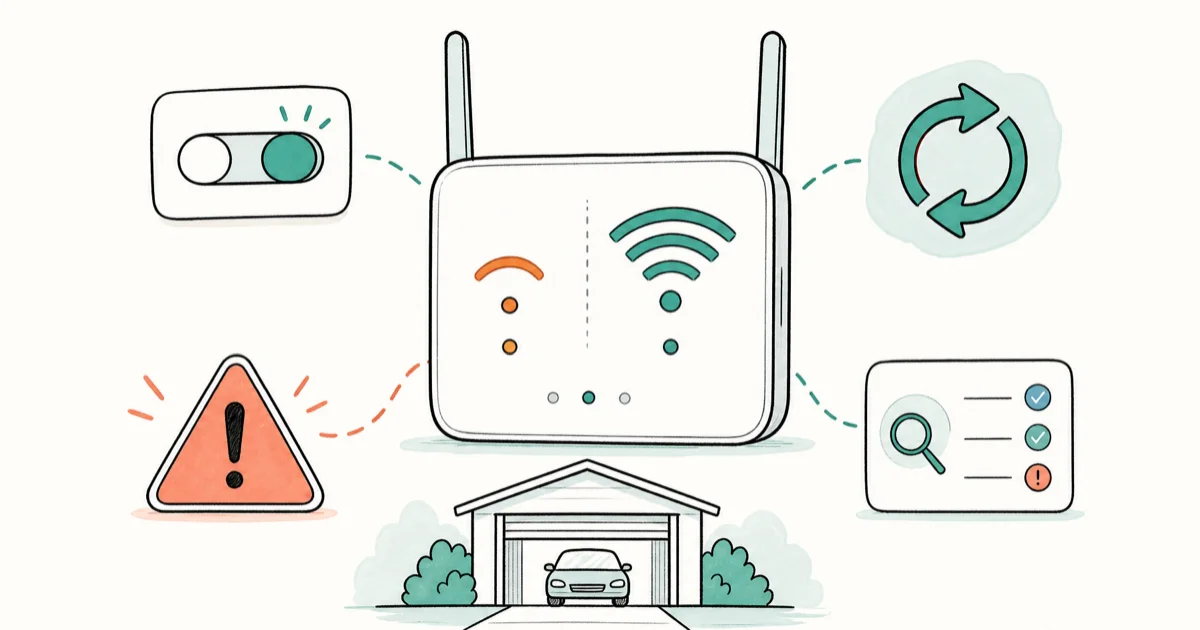
Quick AnswerThe TP-Link RE715X is the best Wi-Fi extender for an attached garage, while detached garages are better served by an outdoor mesh node or PoE access point.
The best Wi-Fi extender for a garage depends on one detail: attached or detached. Attached garages can use a plug-in extender when the house signal still reaches the nearby wall; detached garages usually need outdoor mesh or wired gear.
- TP-Link RE715X is the best plug-in extender for an attached garage with weak but usable signal nearby
- A detached garage usually needs an outdoor-rated mesh node or PoE access point
- Put the extender inside good signal range, not in the dead garage corner
- Ethernet backhaul beats wireless repeating if you can run cable safely
- Garage cameras need stability more than peak speed, so placement matters more than AX labels
#Is a Wi-Fi Extender the Right Garage Fix?
A Wi-Fi extender is the right fix when the garage is attached and your router signal still reaches the inside wall or hallway near it. It’s the wrong fix when the garage is detached and the signal disappears before it reaches the building.
Our broader best Wi-Fi extender picks cover whole-home options beyond garage-specific placement.
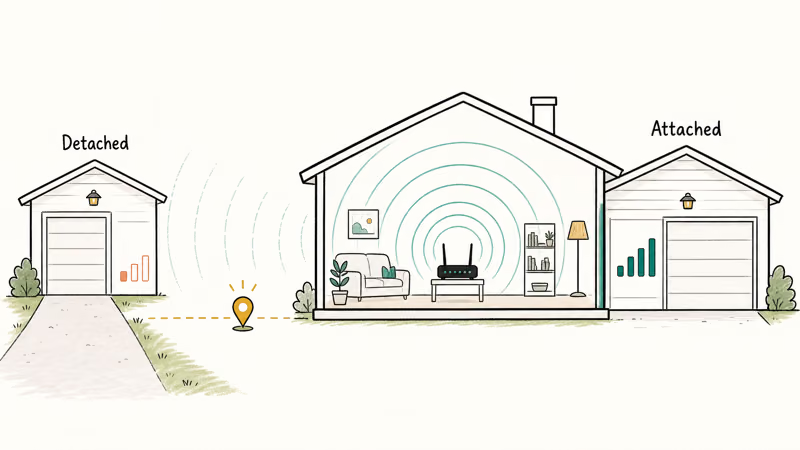
Signal first.
The extender must hear a good signal before it can repeat one. Placing the extender inside the weak garage usually repeats a weak connection. A midpoint between the router and garage is often steadier for cameras, even when a phone speed test looks less impressive.
If the whole house has weak Wi-Fi, don’t patch it one room at a time. A best gaming router or mesh system may be the better starting point.
#Best Attached-Garage Pick: TP-Link RE715X
The TP-Link RE715X is the plug-in extender we would try first for an attached garage. TP-Link’s RE715X specs state that it’s an AX3000 Wi-Fi 6 extender with 2402 Mbps on 5GHz, 574 Mbps on 2.4GHz, one Gigabit Ethernet port, Range Extender mode, Access Point mode, and EasyMesh compatibility.
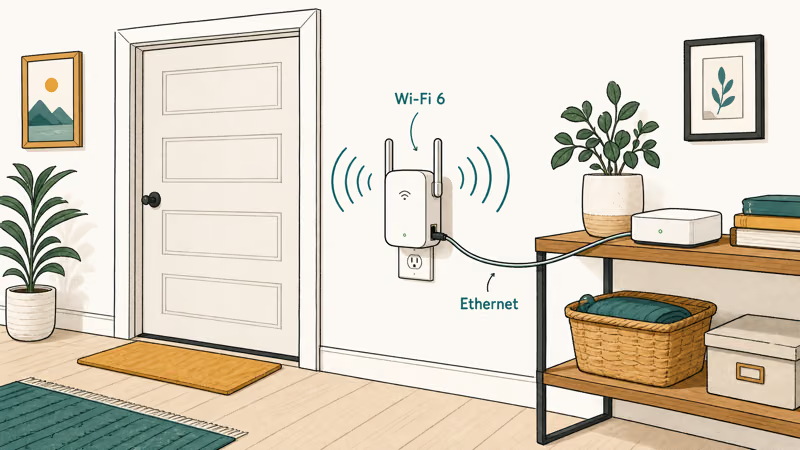
That mix matters in a garage. The 2.4GHz band helps with range, while Ethernet lets you wire one camera hub, desktop, or smart-home bridge if the extender lands near a shelf.
For this class of plug-in extender, wall placement matters more than the garage door position. The best outlet is often not the one in the garage; it’s the hallway outlet just before the garage wall.
Outlet choice matters.
#Best Wired-Device Pick: NETGEAR EAX20
The NETGEAR EAX20 makes sense if the garage has several wired devices. NETGEAR’s EAX20 data sheet states that it’s an AX1800 4-stream Wi-Fi mesh extender with up to 1.8Gbps speed and four Gigabit Ethernet LAN ports.
Four Ethernet ports are useful for a garage workbench. You can wire a camera NVR, desktop, printer, or smart-home bridge without adding a second switch.
The trade-off is placement. A desktop-style extender needs a shelf and power where the signal is still good. If your only good signal is high on a wall near the house interior, a smaller plug-in unit may be easier.
#Best Detached-Garage Pick: TP-Link Deco X50-Outdoor
A detached garage should usually use outdoor-rated mesh gear instead of an indoor extender. TP-Link’s Deco X50-Outdoor specs state that it’s an AX3000 Wi-Fi 6 outdoor/indoor mesh unit with 574 Mbps on 2.4GHz and 2402 Mbps on 5GHz, IP65 dust and water resistance, PoE or AC power, two Gigabit WAN/LAN Ethernet ports, and compatibility with every other Deco model.
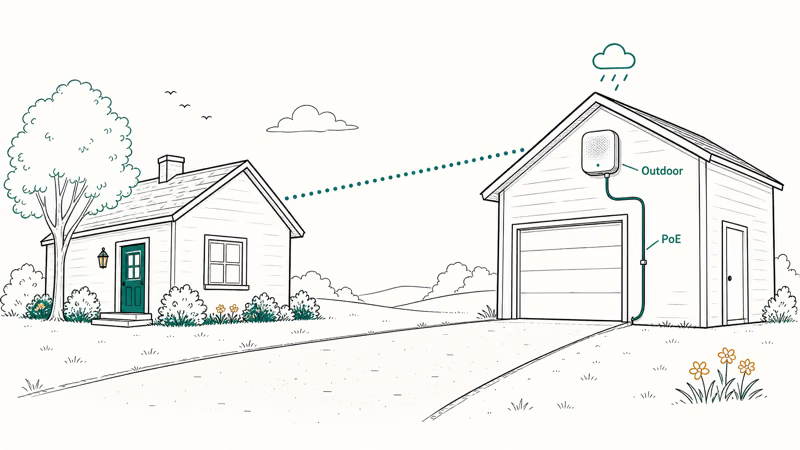
That is the right feature set for a garage across a driveway or yard. Weather resistance matters, and PoE lets you place the node where coverage works instead of where an indoor outlet happens to be.
We would pick this route when a camera, garage-door opener, or workshop laptop needs daily reliability. For one occasional phone connection, try router placement first.
Detached means different.
#Best eero Setup: eero Outdoor 7
The eero Outdoor 7 is the garage pick if your home already runs eero. eero’s Outdoor 7 support page states that it’s built for outdoor environments, supports Wi-Fi 7, has one 2.5 gigabit Ethernet port with PoE+, supports wireless speeds up to 2.1 Gbps, and carries an IP66 rating.
Don’t buy this as a random standalone extender. Buy it because you are already in the eero system and want the garage, driveway, or outdoor camera zone folded into the same network.
The installation bar is higher because PoE+ is part of the power plan. If that sounds like too much, a plug-in extender for an attached garage is the lower-effort path.
Plan the power first.
#Where Should You Place a Garage Extender?
Place the extender where the signal is still stable, not where the device is struggling. The best spot is often the room, hallway, or outlet just inside the wall closest to the garage.
Tom’s Guide’s mesh router guide recommends mesh systems when you need broader whole-home coverage instead of patching one weak area. That is the line to keep in mind: one garage dead zone can be an extender job; multiple weak rooms call for mesh.
One dead zone is different.
Use a phone to test before mounting anything. Walk from the router to the garage while watching the Wi-Fi bars and a live camera feed. The spot where the signal is still steady is where the extender belongs.
#Garage Cameras and Smart Openers
Garage cameras and smart openers need stability more than raw speed. A low-bitrate camera stream can work on modest Wi-Fi, but it fails when the connection drops during uploads or at night when the garage door motor runs.
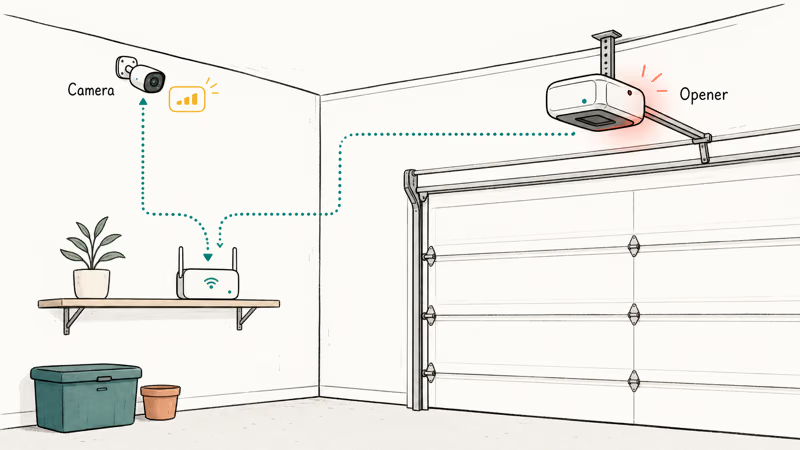
Cameras expose dropouts.
If the camera matters for security, wire what you can. Ethernet backhaul to an access point or mesh node beats wireless repeating. If wiring is not possible, place the extender toward the house and use 2.4GHz for the camera.
For phone-specific Wi-Fi issues, our slow phone Wi-Fi connection guide covers free checks before you buy hardware.
If the router itself is aging, compare replacements in our best Wi-Fi router guide. Cable issues are rarer for extenders, but our best USB-C cable guide helps with wired camera hubs and charging gear.
#Bottom Line
Buy the TP-Link RE715X for an attached garage where the house signal almost reaches. It’s the best low-effort plug-in route, especially if one Ethernet port is enough.
Choose the NETGEAR EAX20 if you need several wired garage devices. For detached garages, skip indoor extenders and use outdoor mesh gear like Deco X50-Outdoor or eero Outdoor 7. Placement decides the outcome more than the speed number on the box.
Placement wins.
#Frequently Asked Questions
Will a Wi-Fi extender work in a detached garage?
Sometimes, but it’s rarely the best fix. If the detached garage barely receives your router signal, an indoor extender will repeat a weak connection.
Where should I plug in a garage Wi-Fi extender?
Plug it where the router signal is still stable, usually inside the house near the garage wall. Don’t put it in the dead zone. The extender needs a good signal to repeat.
Is 2.4GHz or 5GHz better for garage Wi-Fi?
2.4GHz usually reaches farther through walls, while 5GHz is faster at shorter range. Cameras and garage-door openers often work better on stable 2.4GHz.
Range wins there.
Do garage cameras need a fast extender?
They need a stable extender more than a fast one. A camera stream can run on modest bandwidth, but dropouts ruin recordings and alerts. Placement and backhaul matter most.
Can I use Ethernet with a Wi-Fi extender?
Yes, if the extender has Ethernet ports. Access Point mode is better than wireless repeating.
Should I use mesh instead of a garage extender?
Use mesh if you have several weak areas or a detached garage. Use an extender if you have one attached-garage dead zone and the rest of the house is fine.
Are outdoor Wi-Fi extenders waterproof?
Only outdoor-rated models are built for weather. Look for IP65, IP66, or similar ratings and follow the mounting instructions.

Pixel 11 vs Pixel 10: What Changed and Who Should Upgrade
Pixel 11 vs Pixel 10: same screen and camera resolution, new Tensor G6, 25W wireless, and Gemini Intelligence. Here is who should actually upgrade.

Verizon Not Receiving Texts? How to Fix It in 9 Steps
Verizon not receiving texts? Fix it in 9 steps: check Message Blocking in My Verizon, reset network settings, deregister iMessage, and call support.
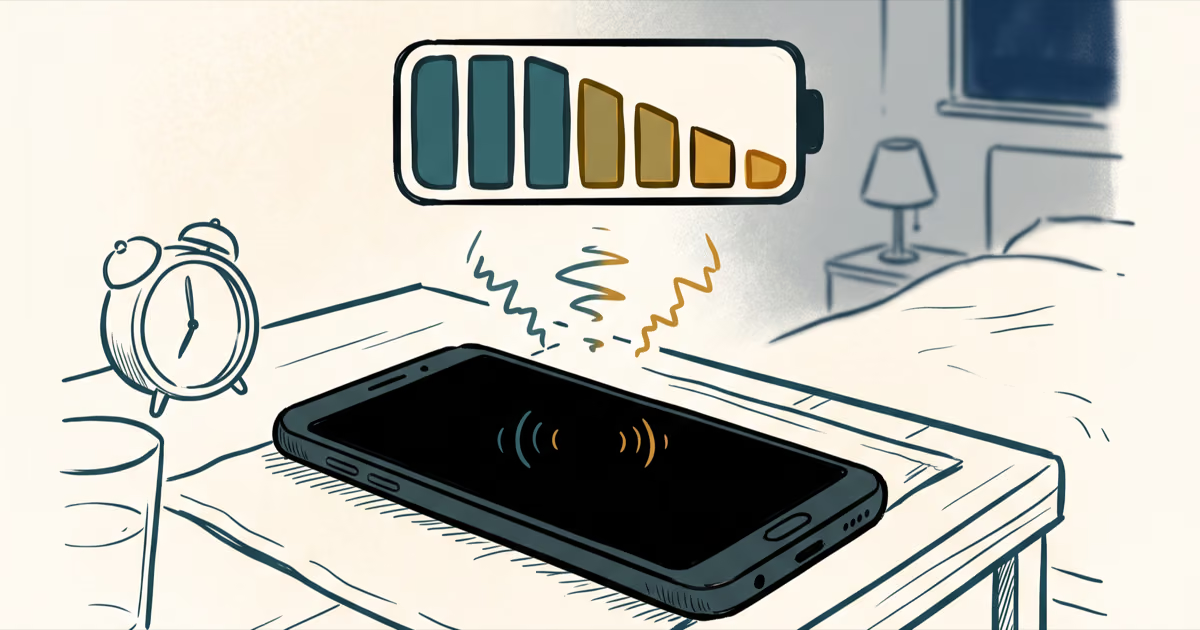
Pixel Battery Drain: What Google's July Fix Really Covers
Google marked the Pixel idle battery drain bug fixed in July, but only some phones got the patch. Here is who is covered, who is not, and what to try.
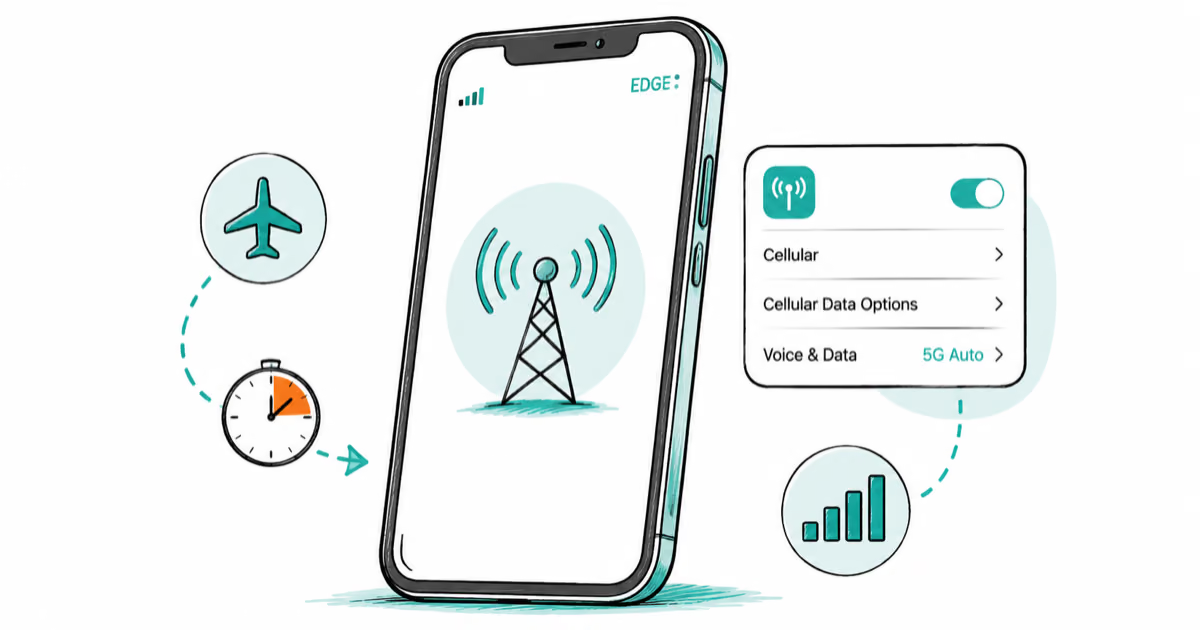
iPhone Stuck on EDGE? How to Get 5G or LTE Back (2026)
iPhone stuck on EDGE with crawling data? Here's why the E icon appears, which settings force 5G or LTE back, and when the problem is your carrier.