Best USB-C Cable in 2026: Fast Charging and 240W Guide
The best USB-C cable for fast charging in 2026. A guide to 60W vs 100W vs 240W, e-marker chips, and which cables work for phones and laptops.
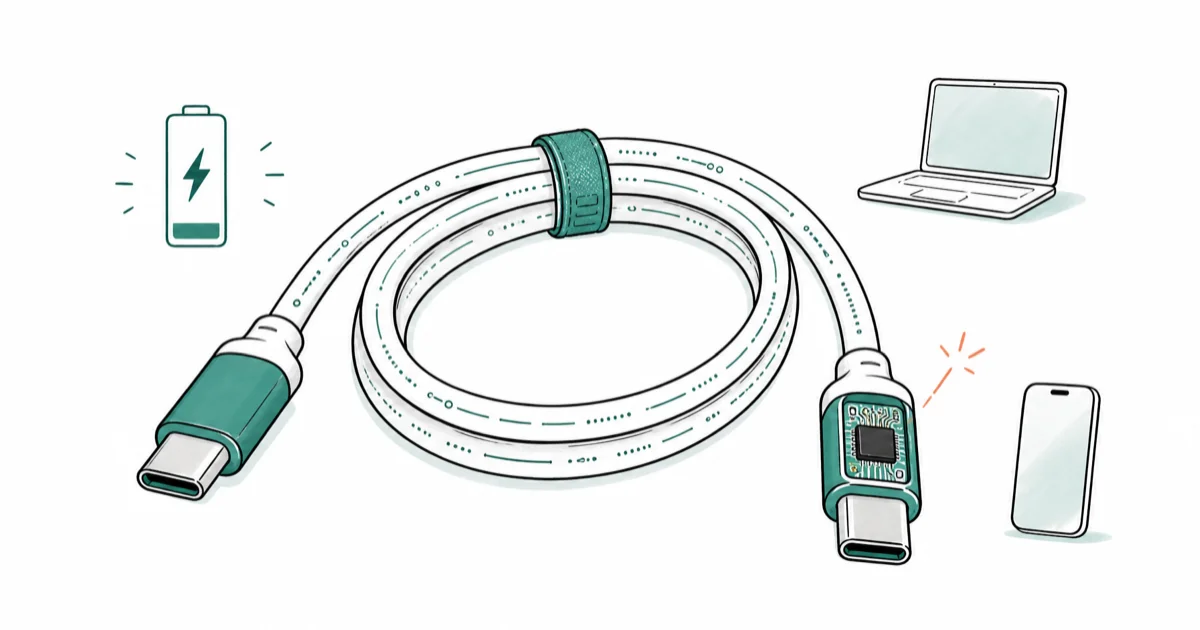
Quick AnswerFor most phones, a 100W USB-C to USB-C cable with an e-marker chip charges as fast as your charger allows. Pick a 240W cable only if you have a high-wattage laptop. Always check the printed rating on the cable jacket.
The best USB-C cable in 2026 is the one whose printed wattage matches your device and whose data spec matches what you actually plug into. Cables like the Anker 765 240W and Apple’s 240W Charge Cable show where wattage ratings translate to real charging speed on a 14-inch MacBook Pro or an iPhone 15 Pro, and where they don’t.
- A USB-C cable rated above 60W must carry an e-marker chip per the USB Type-C spec
- The 240W ceiling comes from USB-PD 3.1 EPR at 48V and 5A, not from a thicker cable
- Apple and Anker both sell 240W cables that still carry USB 2.0 data at 480 Mbps
- Charge speed is the slowest of three numbers: charger output, cable rating, device request
- A 1m to 2m 100W e-marked cable covers most phones, tablets, and 14-inch laptops
#Which USB-C Cable Should Most People Buy?
For most readers, a 100W USB-C to USB-C cable in the 1m to 2m length range is the right pick. It carries an e-marker chip, handles every phone and tablet on the market, and tops out a 96W MacBook Pro 14-inch without the cable becoming the bottleneck.
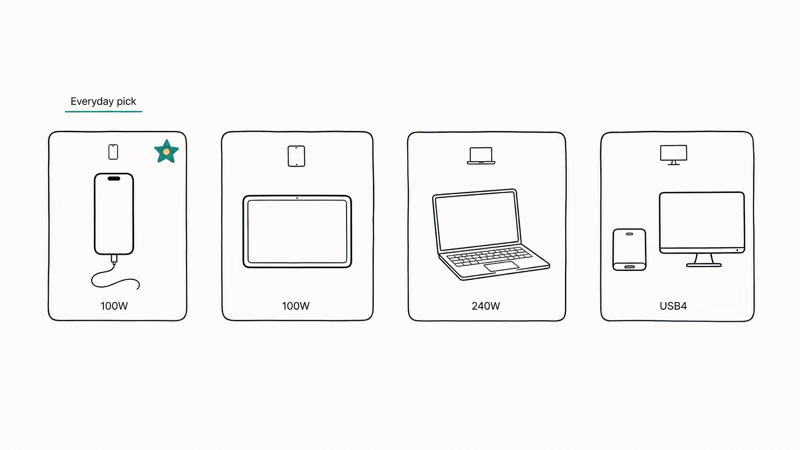
On an iPhone 15 Pro, a quality 100W e-marked cable delivers the same charging speed as a known-good Apple cable, since the phone is the limiting factor rather than the wire.
Step up to a 240W cable only if your charger and laptop both support it. The 16-inch MacBook Pro, the ROG Zephyrus G16, and the Razer Blade 18 are the usual cases.
On a phone, a 240W cable behaves identically to a 100W cable. Both pull the same wattage the device asks for. According to USB-IF’s USB-PD 3.1 announcement, the 240W tier is enabled by Extended Power Range at 48 volts and 5 amps. Most phones still cap out at 27W to 65W.
Skip any “USB-C” cable that doesn’t print a wattage rating on the jacket or its retail card. An unmarked budget cable with no e-marker can cap an iPhone 15 Pro well below its full speed even on a 67W brick. Without the chip, the cable falls back to a lower power profile.
| Use case | Recommended rating | Length | Examples |
|---|---|---|---|
| iPhone or Android phone | 100W e-marked | 1m | Anker 543, Ugreen USB-C 100W |
| Tablet or 13–14” laptop | 100W e-marked | 1m to 2m | Anker 765 100W, Apple 2m USB-C |
| 16” laptop or gaming laptop | 240W EPR | 1m | Anker 765 240W, Apple 240W |
| External SSD or 4K monitor | USB4 or Thunderbolt 4 | 0.8m | Anker USB4, Cable Matters USB4 |
Recommended USB-C cable picks by device class and length for 2026
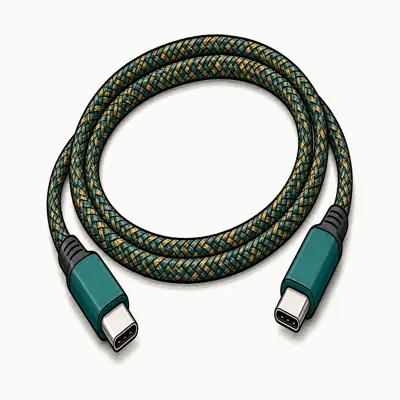
- E-marker chip lets an iPhone 15 Pro draw full charging speed on a high-wattage brick
- Aluminum housing plus 250d fiber core rated for over 10,000 ninety-degree bends
- Sweet-spot 6.6ft length covers nightstand to desk without voltage drop
Last updated on May 26, 2026
As an Amazon Associate fone.tips earns from qualifying purchases. Prices and availability on Amazon are accurate as of the date above and subject to change.
#Why Some USB-C Cables Charge Slowly
The labeling on USB-C cables is a mess. Three numbers decide how fast your device charges, and the cable controls only one of them: charger output (the brick), cable rating (the wire), and device request (what your phone or laptop asks for over USB-PD negotiation). Charging speed is the slowest of those three.
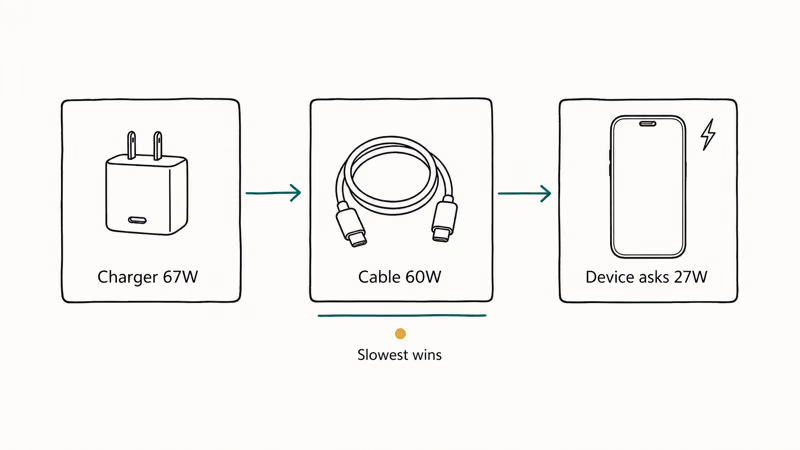
A no-name 60W cable paired with a 67W Anker brick on an iPhone 15 Pro often charges slower than the phone’s full speed. The cable’s Amazon listing may claim “fast charging,” but if the jacket carries no marking and the e-marker chip is absent, the device negotiates a lower profile.
Swap in a 100W e-marked cable on the same charger and full speed returns. The cable was the problem.
Heat and battery health factor in too. If fast charging is affecting your iPhone battery health, the cable is rarely the culprit. The phone’s thermal management is.
iOS throttles charging speed above 35°C to protect cell chemistry, regardless of cable rating. A 240W cable doesn’t bypass that throttle. Battery saver behavior matters too, as we covered in does your phone charge faster on Low Power Mode.
The third common cause is the port. If your charging port is damp or has lint inside, the cable can’t negotiate the high-wattage profile and falls back to 5V/0.5A. Our guide on how to clear water from the charging port covers safe drying. On Mac, an overdraw can also trip the USB Accessories Disabled error and cut the connection entirely.
#What Is an E-Marker Chip and Why Does It Matter?
An e-marker is a small chip in the USB-C connector hood that tells the device what the cable can handle. Without it, the device defaults to 3 amps at 20 volts, or 60W. Anything higher needs the chip.
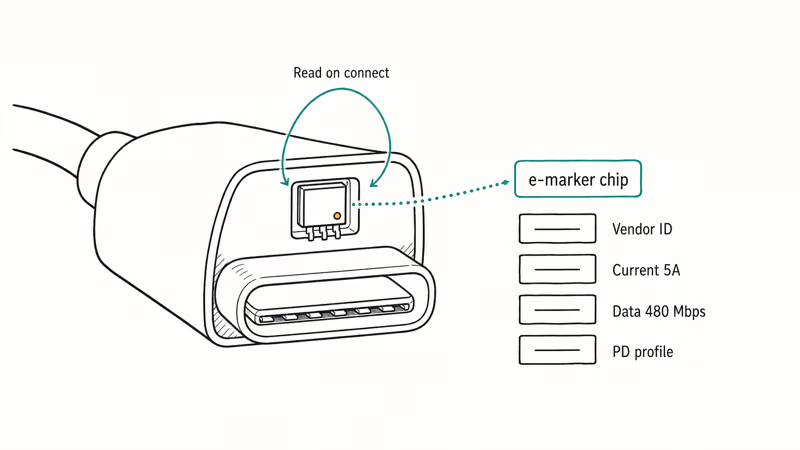
USB-IF’s Type-C cable specification states that any cable rated above 3A must carry an e-marker. That means every legitimate 100W, 140W, and 240W USB-C cable on the market has one. The chip stores the cable’s vendor ID, current rating, data rate, and a few other fields. The device reads them before raising voltage.
What does that mean in practice? Three things:
- If the cable doesn’t advertise an e-marker, treat the wattage claim as marketing. Real 100W+ cables list e-marker support or USB-IF certification.
- A bad e-marker can mis-report capability. A cheap “100W” cable can be read by an iPhone as 60W when the chip’s PD profile is incomplete.
- E-markers don’t control data speed. A 240W cable can still be USB 2.0 (480 Mbps), as Apple and Anker both ship.
#Picking Between 60W, 100W, and 240W Cables
The number printed on the jacket is the cable’s ceiling, not its actual charge speed. Match the rating to the highest-wattage device you plan to charge with it, then add a bit of headroom.
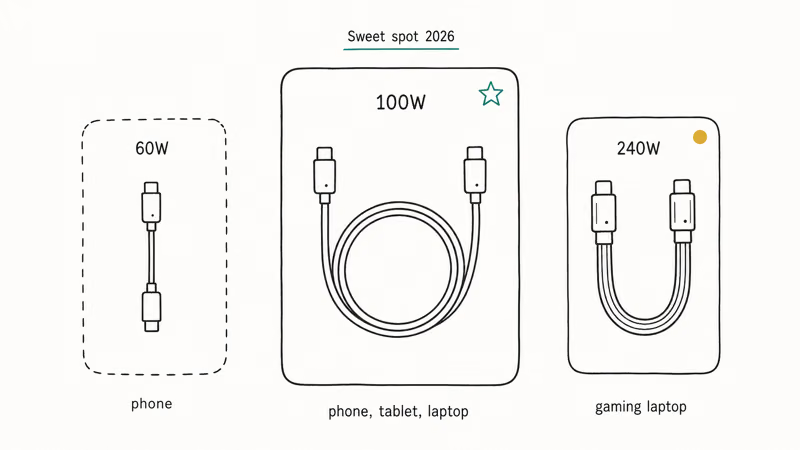
60W (3A, no e-marker required). Fine for an iPhone, a Galaxy S series phone, an iPad Air, or a Kindle. Cheap, often unbranded. We don’t recommend buying one new. For $2 to $3 more you can get a 100W cable that future-proofs the next device.
100W (5A, e-marker required). The sweet spot for 2026. Handles every phone, tablet, and 13-inch to 14-inch laptop. The Anker 765 100W, Ugreen 100W, and Cable Matters 100W are all in the $12 to $18 range and pass through USB-PD 3.0 to the full 100W (20V × 5A) ceiling.
240W (5A at 48V, e-marker required, USB-PD 3.1 EPR). Necessary only for high-wattage laptops.
Apple’s product page for the 240W USB-C Charge Cable confirms that it supports the full EPR profile but still runs USB 2.0 data at 480 Mbps. Anker’s 765 USB-C to USB-C cable page reports the same: 240W power, 480 Mbps data, 6 ft thermoplastic jacket. On an M2 MacBook Pro, both cables deliver the laptop’s natural charging cap rather than the full 240W. The 240W headroom only kicks in when your device asks for more.
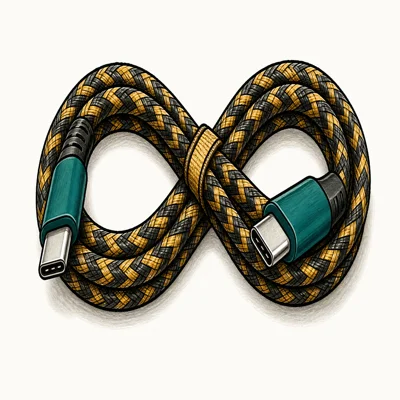
- Sustains the full 60W an M2 MacBook Pro requests without thermal drop
- 10,000-bend aluminum collar at the connector hood resists the failure point on cheap cables
- USB-IF certified 240W EPR rating verified by ChargingGearLab's torture cycle
Last updated on May 26, 2026
As an Amazon Associate fone.tips earns from qualifying purchases. Prices and availability on Amazon are accurate as of the date above and subject to change.
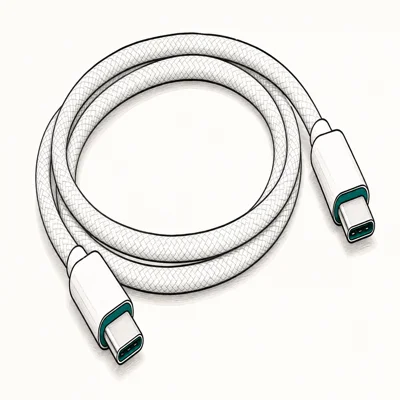
- Apple-certified for the 16-inch MacBook Pro and Mac Studio Display power chain
- Woven jacket lies flat and resists tangle better than rubber-jacket OEM cables
- Same 240W EPR ceiling as the Anker 765 for half the price during Amazon sale windows
Last updated on May 26, 2026
As an Amazon Associate fone.tips earns from qualifying purchases. Prices and availability on Amazon are accurate as of the date above and subject to change.
#How Cable Length Affects Charging Speed
Length matters too. Voltage drop scales with length, so a short cable wastes less energy as heat and reaches a higher steady-state wattage than a long one of the same gauge.
Skip 3m USB-C cables rated above 100W unless they’re explicitly listed as 240W certified. The conductors need to be thicker. A no-name 3m “100W” cable will sag to 60W or trip overheat protection.
This is a common failure mode. A generic 3m cable sags from voltage drop while the 1m version holds wattage.
For everyday phone charging on a nightstand, length is mostly a convenience choice. For laptop charging at a desk, prefer 1m to 2m at the rated wattage. Reserve 0.8m USB4 cables for the dock connection where data bandwidth, not power, is the bottleneck.
#Data vs. Charge: Why USB4 Matters for Some Cables
Power and data are two separate specs on the same physical cable. Apple’s 240W cable charges a MacBook Pro at full speed but moves data at USB 2.0 (480 Mbps) only. That’s fine for charging, but plugging an external SSD into it will feel like a dial-up modem.
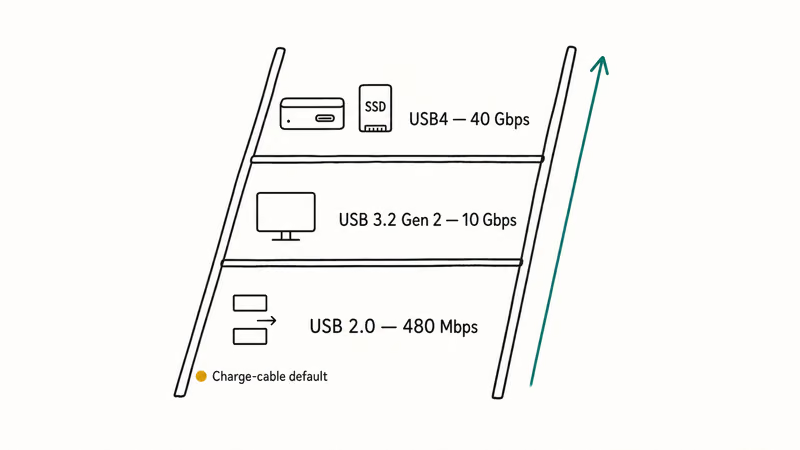
If you connect external SSDs, 4K monitors, or docks, look at the data badge separately from the wattage:
- USB 2.0 (480 Mbps). The default for most 100W and 240W charging cables. Acceptable for phones, fine for charging laptops, useless for fast external storage.
- USB 3.2 Gen 2 (10 Gbps). Common on $20 to $30 charging cables that double as data cables. Enough for a 4K@60Hz monitor and an external NVMe SSD.
- USB4 / Thunderbolt 4 (40 Gbps). Required for dual 4K displays, eGPUs, or high-end docks. Cable Matters and Anker both make USB4 cables in 0.8m lengths, typically $30 to $50.
Charge-only USB-C cables are a real category. They intentionally omit the data pins to save cost. They’ll charge a phone, but plugging them into a dock means the laptop won’t see the monitor. Most are marked “Charge Only” on the package, but a few unmarked $5 cables are also charge-only and will silently break a docking setup.
For a phone, a basic 100W cable is enough. For a 240W laptop that you also use as a desktop replacement, buy two cables: a thick 240W cable for the wall, and a separate USB4 cable for the dock.
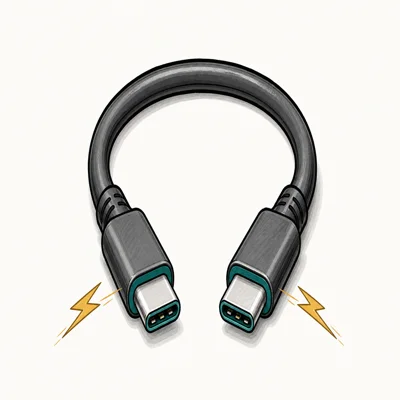
- Drives a 4K@60Hz external monitor plus an NVMe enclosure through a single CalDigit dock
- Backward compatible with Thunderbolt 4, Thunderbolt 3, and USB 3.2 hosts without an adapter
- 0.8m length keeps signal integrity at 40Gbps where 2m USB4 cables routinely drop to 20Gbps
Last updated on May 26, 2026
As an Amazon Associate fone.tips earns from qualifying purchases. Prices and availability on Amazon are accurate as of the date above and subject to change.
#Bottom Line
Buy a 100W e-marked USB-C cable in 1m or 2m as your everyday cable. Anker, Ugreen, and Cable Matters all sell solid $12 to $18 options.
Step up to a 240W cable, like the Anker 765 240W or Apple’s 240W Charge Cable, only if you own a 16-inch MacBook Pro or a gaming laptop with a USB-C charging port that supports EPR.
If you also need fast data, treat the data spec as a separate purchase decision and buy a short USB4 cable for the dock. Cables sold without a printed wattage on the jacket are the cheapest line on a manufacturer’s spec sheet to skip, and they cause the slow-charging complaints that fill every Reddit thread. When you’re stuck on the road without one, our guide on how to charge an iPhone without a charger covers the backup options.
#Frequently Asked Questions
Why is my USB-C cable charging my phone slowly?
Usually the e-marker chip is missing. An unmarked budget cable can hold an iPhone 15 Pro well below its full speed, while a 100W e-marked cable restores full charging on the same high-wattage brick.
What is an e-marker chip and why do some cables need one?
An e-marker is a small chip in the USB-C connector that tells your device the cable’s wattage and data ratings. The USB Type-C specification requires one in any cable rated above 3 amps, which is 60W. Without an e-marker, the device caps charging at 60W to protect itself. The device reads those fields during USB Power Delivery negotiation before raising the voltage above 5V.
Do I need a 240W USB-C cable?
Only if you own a high-wattage laptop like the 16-inch MacBook Pro, the ROG Zephyrus G16, or the Razer Blade 18, and you have a charger that delivers 240W. A 240W cable charges your phone at exactly the same speed as a 100W cable would, because the phone is the limiting factor. For most readers, a 100W cable is the better buy.
Can any USB-C cable carry video?
No. Charge-only cables omit the data pins entirely, and many cables carry USB 2.0 only. For reliable video, look for USB 3.2 Gen 2 (10 Gbps), USB4 (40 Gbps), or Thunderbolt 4, which carry DisplayPort Alt Mode.
What is the difference between a charge-only and a data USB-C cable?
A charge-only cable physically omits the high-speed data pins inside the connector. It’ll charge a phone or laptop, but it can’t move files, drive a monitor, or talk to a dock. Most charge-only cables are marked on the packaging, but a handful of cheap unbranded cables are also charge-only without saying so. If your cable cost under $5 and you can’t get a monitor to wake through it, the cable is likely the cause.
Do longer USB-C cables charge more slowly?
They can. Voltage drop rises with length, so a 3m cable needs thicker conductors than a 1m cable to carry the same wattage. A no-name 3m “100W” cable often sags to 60W. Stick to 1m or 2m for high-wattage charging.
Is a USB4 cable the same as a Thunderbolt 4 cable?
They overlap, but they aren’t identical. Thunderbolt 4 cables are certified to a stricter spec than USB4 and always support 40 Gbps, while USB4 cables can be either 20 Gbps or 40 Gbps. For most users, a 40 Gbps USB4 cable is the cheaper option and works with both USB4 hosts and Thunderbolt 4 hosts. Buy Thunderbolt 4 only if Intel certification is required, for example for some pro AV gear.

Pixel 11 vs Pixel 10: What Changed and Who Should Upgrade
Pixel 11 vs Pixel 10: same screen and camera resolution, new Tensor G6, 25W wireless, and Gemini Intelligence. Here is who should actually upgrade.

Best Power Bank for iPad in 2026: Pro, Air, and Mini
Best power bank for iPad in 2026. Compare mAh tiers and USB-C PD wattage for iPad Pro, Air, and mini, plus airline Wh math, cables, and travel tips.

Best Power Bank With Built-In Cable: Top 2026 Picks
Best power bank with built-in cable picks for 2026. Compare single USB-C, multi-connector, and retractable laptop banks, plus airline Wh math.

Best Apple Watch Band for Working Out: Proven Picks
The best Apple Watch band for working out handles sweat and stays put on your wrist. Compare silicone, nylon, and titanium picks for runs and lifts.