Best Webcam for MacBook in 2026: 4 Proven Picks for macOS
Best webcam for MacBook in 2026. Compare 4 USB-C cameras for macOS compatibility, Center Stage alternatives, Zoom sharpness, and desk framing.
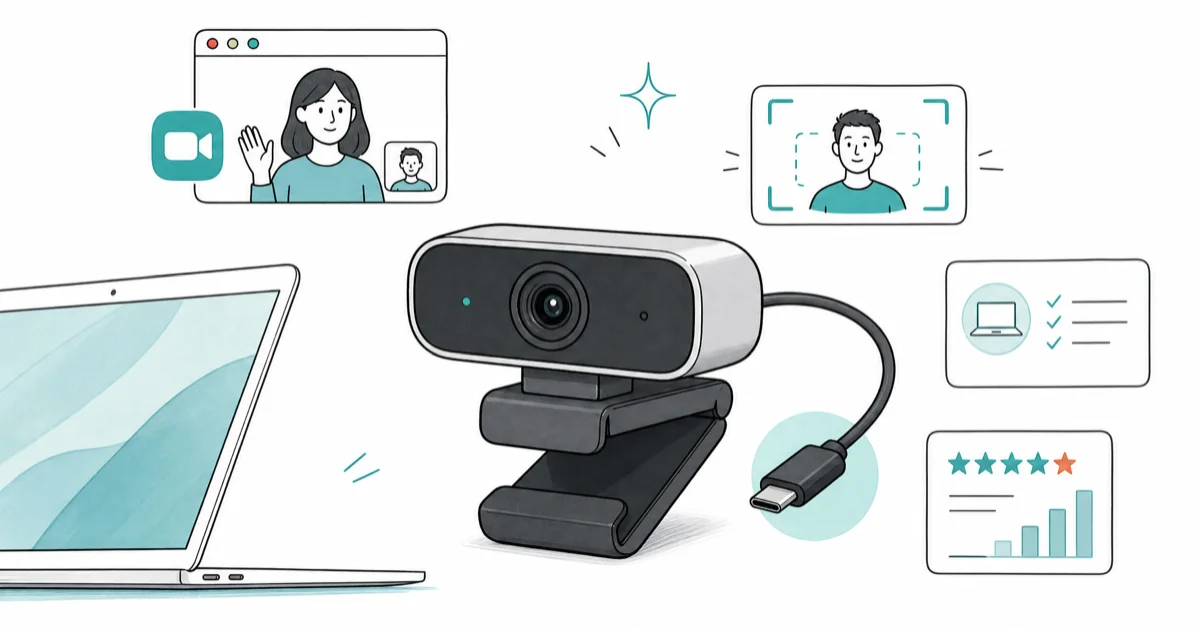
Quick AnswerFor most MacBook users, the Logitech MX Brio 4K is the best webcam pick: USB-C connection, aluminum build, and Show Mode pair naturally with macOS at the desk.
MacBook FaceTime cameras top out at 1080p with a fixed lens that blows out window light. A real USB-C webcam fixes framing, color, and depth of field for calls that no longer feel like a hostage video.
- All four picks below are USB-C native or include a USB-C-to-USB-A cable that works plug-and-play on every Apple silicon MacBook
- macOS Continuity Camera turns a recent iPhone into a wireless 4K webcam, but a dedicated camera wins on desk ergonomics and second-monitor use
- Logitech MX Brio 4K delivers true 4K capture; most video apps still send 1080p, so the headroom shows up in crop, zoom, and pan rather than raw stream resolution
- Privacy shutter and on-device exposure controls matter more than peak resolution for daily work calls
- Built-in MacBook cameras max out at 1080p with no optical zoom, so any 2K or 4K external camera gives you real headshot framing without the laptop tilt
#Why a MacBook Needs an External Webcam
Apple silicon MacBooks ship with a 1080p FaceTime HD camera built into the display bezel. It’s a competent built-in part, with the M-series Neural Engine helping exposure and noise. But the position is locked above the screen, the lens is fixed, and the sensor is small enough that backlit window scenes routinely collapse your face into a silhouette during the first two seconds of a call.
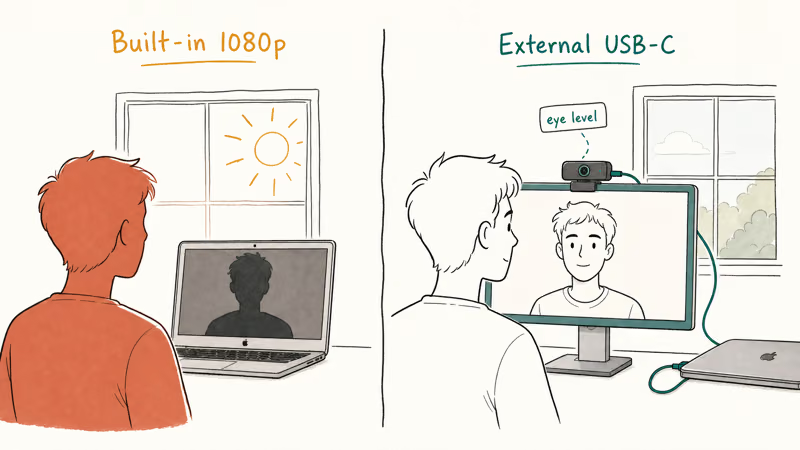
A dedicated USB-C webcam fixes three things at once: framing height, lens choice, and color rendition. Mounting the camera on top of an external monitor puts you at eye level. A real lens lets you crop tight or open up for a guest. A 1/2-inch or larger sensor handles backlit window scenes without crushing your face into shadow.
If your built-in camera has stopped working, our Mac camera not working guide covers macOS permissions and driver troubleshooting first. An external webcam sidesteps most of those failure modes since macOS treats it as a fresh UVC device every connect.
#Best Webcam for MacBook: Logitech MX Brio 4K
Top pick for a permanent MacBook desk setup. The MX Brio 4K connects over a single USB-C cable, ships with macOS-tuned exposure profiles in Logi Tune, and pairs visually with the aluminum chassis of any MacBook Pro on the desk.
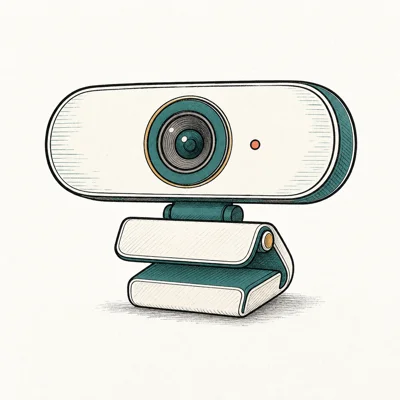
- Aluminum build feels at home next to a MacBook
- Show Mode tilts to a desk view without a second camera
- 8.5MP sensor outclasses Brio 500's older silicon
Last updated on May 27, 2026
As an Amazon Associate fone.tips earns from qualifying purchases. Prices and availability on Amazon are accurate as of the date above and subject to change.
The MX Brio uses standard USB video class behavior on macOS, so it doesn’t need a driver install or kernel extension. According to Logitech’s MX Brio product page, the 8.5MP Sony Starvis sensor and on-camera AI processor handle white balance and exposure before the frame ever leaves the cable, which keeps Zoom and Teams from second-guessing the picture during a backlit call.
Show Mode is the under-discussed feature here.
A small tilt of the camera body switches to a desk-view crop, useful for sketches, hardware, or a printed page during a call. The headroom matters at edit time: most video apps cap upload at 1080p, but recording locally in OBS or QuickTime at full 4K gives crop and pan latitude that 1080p source can’t match.
#Best Value MacBook Webcam: Logitech Brio 500
For a clean 1080p step up, the Brio 500 is the value pick.
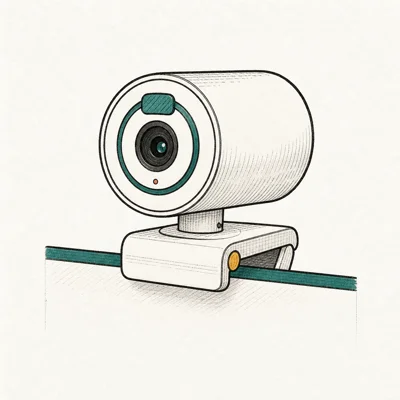
- RightLight 4 nails exposure in a backlit window without tweaking
- USB-C plus a real privacy shutter at $130
- Three FOV presets cover headshot through whiteboard
Last updated on May 27, 2026
As an Amazon Associate fone.tips earns from qualifying purchases. Prices and availability on Amazon are accurate as of the date above and subject to change.
The Brio 500’s upgrade over a built-in FaceTime camera is less about peak resolution (both stream at 1080p) and more about exposure latitude. RightLight 4 is designed to handle a face against a bright window before the white-balance fight begins.
Three FOV presets at 65, 78, and 90 degrees cover the realistic range from solo headshot to two-people-in-frame for a podcast guest.
The privacy shutter is the unsung win.
A physical slide on the front of the lens is a feature the MacBook’s built-in camera doesn’t have at all. The green LED only confirms the camera is active, not that nothing is recorded; the shutter is a tactile guarantee. USB-C plus a real privacy shutter at $130 is the headline most $130 webcams still ship a USB-A cable.
#Best 2K Budget Pick: Anker PowerConf C200
PowerConf C200 is the honest sub-$80 pick: 2K resolution beats 1080p at the same price, with USB-C native cabling that skips the adapter.
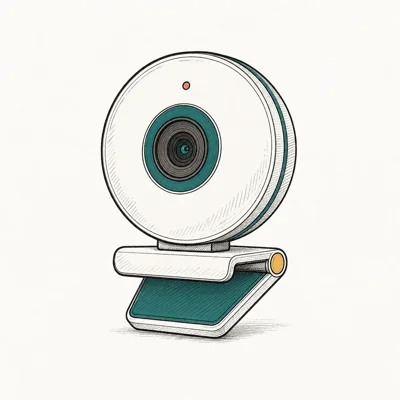
- 2K resolution at the price of competitor 1080p cams
- Three FOV presets without opening sketchy software
- Real sliding privacy cover, not a sticker
Last updated on May 27, 2026
As an Amazon Associate fone.tips earns from qualifying purchases. Prices and availability on Amazon are accurate as of the date above and subject to change.
PowerConf C200 sits between the built-in MacBook camera and the Brio 500 on price. According to Anker’s PowerConf C200 product page, the camera supports 2K capture for software that asks for it, and falls back to 1080p for apps that don’t (Zoom and Teams both still cap at 1080p for participants regardless of source resolution available).
The C200’s 2K source can be downscaled to 1080p by meeting apps, which gives it more capture headroom than a native-1080p camera at the same price. The three FOV presets switch with a button on the unit itself, no software dance required.
Build is the trade-off: plastic body, no AI exposure pipeline, and a simpler slide-over privacy cover.
#Reliable Backup: Logitech C920x HD Pro
C920x is the decade-proven 1080p workhorse that still ships in 2026 because plug-and-play compatibility on every Mac, Windows, and ChromeOS device matters more than any spec sheet. It uses USB-A rather than USB-C, so plan for a hub or dongle on a USB-C-only MacBook.
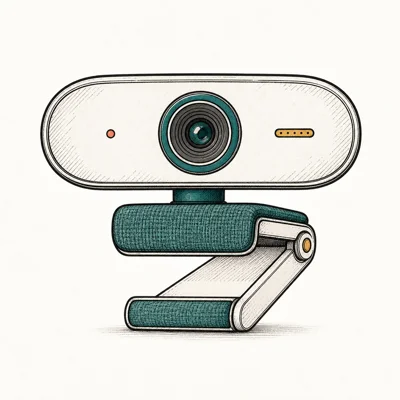
- Sub-$70 entry point with proven Zoom/Teams compatibility
- Dual mics surprisingly usable for a budget cam
- Plug-and-play on macOS / Windows / ChromeOS
Last updated on May 27, 2026
As an Amazon Associate fone.tips earns from qualifying purchases. Prices and availability on Amazon are accurate as of the date above and subject to change.
Most Zoom support docs assume you have the C920x when troubleshooting a feed. Stock often runs thin in 2026 since the product is over a decade old, so verify the listing before counting on it. If a USB-A dongle on your MacBook is already a no-go, jump straight to the Brio 500 or PowerConf C200 instead and skip the adapter math.
USB-A is the limit, not the optics.
The MacBook side needs a hub. Our best USB-C hub for MacBook Air M4 guide covers the desk-side adapter options that give you a USB-A port back without dongles dangling off the laptop edge.
#Does macOS Continuity Camera Replace a Dedicated Webcam?
Continuity Camera lets a recent iPhone act as a wireless 4K webcam for any Mac running macOS Ventura or later. For many MacBook users at home it eliminates the need for a separate purchase entirely.
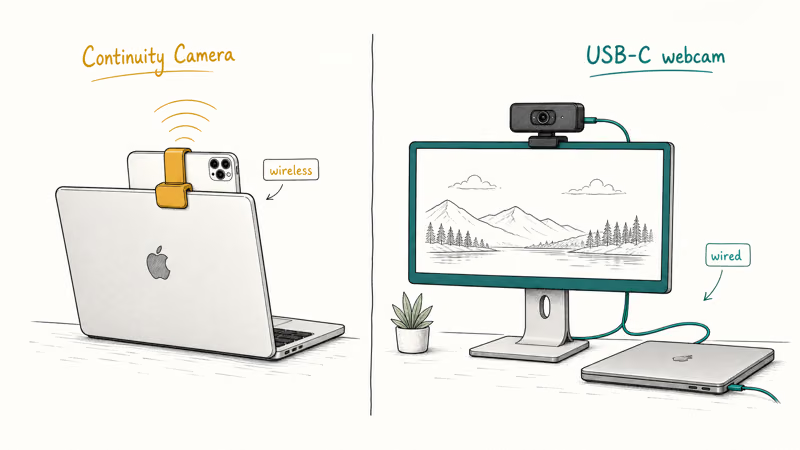
According to Apple’s Continuity Camera support documentation, the feature supports Center Stage, Portrait, Studio Light, and Desk View on supported iPhone models over a wireless link with no cables. The downside is mounting. You need a magnetic clip on the back of the laptop or a desktop stand, and the iPhone can’t take calls during use without breaking the camera feed.
For a permanent desk setup with an external monitor, a dedicated USB-C webcam still wins on three fronts. The camera always lives where the monitor lives, there’s no daily battery drain on the phone, and there’s no quality drop when the iPhone temperature gets warm.
The split is cleaner than it sounds.
If your screen moves around (travel laptop, couch calls), Continuity Camera plus an iPhone clip beats buying anything. If your screen stays put on a desk, the USB-C webcam wins every time.
#How Do You Pick the Right Resolution for Zoom and Teams?
The temptation with webcams is to buy the highest resolution the budget allows. Most video apps cap participant streams at 1080p regardless of source camera.
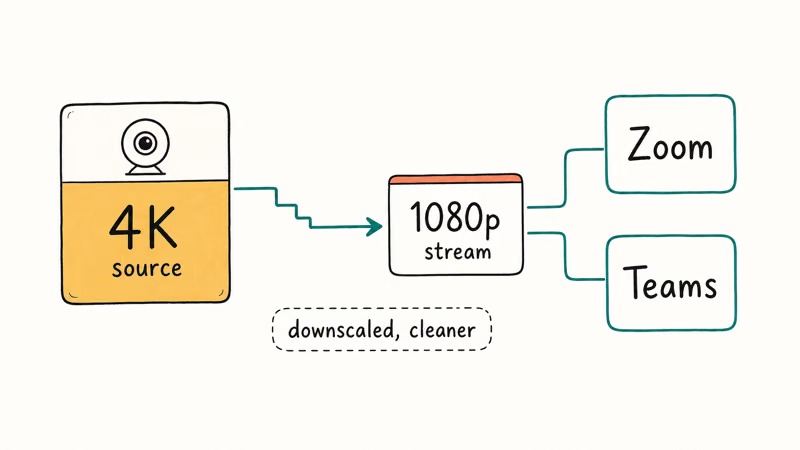
Zoom and Microsoft Teams both cap participant feeds at 1080p for the foreseeable future. According to Zoom’s system requirements documentation, HD 1080p sending requires a paid plan and is the ceiling for live participant video. A 4K webcam still helps because the camera oversamples and downscales, producing a cleaner 1080p than any native-1080p sensor at the same price.
Where 4K capture pays off is local recording. If you record interview footage in QuickTime, OBS, or Final Cut for later editing, recording the source at 4K gives crop and pan room in post that 1080p source can’t match. For pure live calls, 1080p is the sweet spot; for hybrid record-plus-stream workflows, 4K wins.
If your camera works fine but Zoom keeps freezing or crashing during calls, our computer crashes during Zoom guide covers the macOS-side fixes that aren’t about the camera at all.
#Bottom Line
Most MacBook owners want the Logitech MX Brio 4K.
USB-C connection, aluminum build, and Show Mode make it the cleanest fit on a MacBook desk in 2026. The 4K sensor gives crop and recording headroom that the built-in FaceTime camera will never match, and Logi Tune respects macOS power management instead of fighting it.
Value-conscious MacBook buyers should pick the Logitech Brio 500, which delivers RightLight 4 exposure and USB-C at roughly $130, well below the MX Brio. Three FOV presets cover headshot to whiteboard for podcast and interview work.
Budget buyers can step up to the Anker PowerConf C200 for $60, which lands a 2K sensor and USB-C native cable at the price most competitors charge for 1080p USB-A. For a permanent desk pairing with an external monitor, our best portable monitor for MacBook Pro roundup covers the screen side, and our best GaN charger for MacBook Pro guide handles the power.
#Frequently Asked Questions
Does Continuity Camera work with non-iPhone webcams?
No. Continuity Camera is Apple-only and requires an iPhone XR or later running iOS 16 or newer paired to a Mac on macOS Ventura or later. Any USB webcam plugs in as a standard UVC device alongside it without conflict.
If you’d rather skip buying hardware and use a phone you already own, our walkthrough on using Continuity Camera to turn an iPhone into a webcam covers Mac and Windows setup.
Will a 4K webcam look better in Zoom than a 1080p one?
Sometimes. Zoom caps participant streams at 1080p, so a 4K source gets downscaled. The downscaled feed usually looks cleaner than a native 1080p camera at the same price because the sensor is larger and the optics are better, but the resolution number on the stream is identical to what the cheaper camera sends.
Do MacBook webcams need a driver install?
No. macOS recognizes all four picks above as standard UVC class devices the second they’re plugged in.
Can I use a USB-A webcam on a MacBook with only USB-C ports?
Yes, with a USB-A to USB-C adapter or a USB-C hub that has USB-A ports. The webcam is a low-power device and works fine through any compliant adapter. The catch is desk cable clutter; a native USB-C camera like the MX Brio or PowerConf C200 skips the dongle entirely and keeps the desk cleaner.
What’s the difference between a 1/2-inch and a 1/4-inch sensor?
A 1/2-inch sensor has roughly four times the surface area. More surface area captures more light per pixel, which means cleaner low-light footage and better dynamic range against window backlight. The MX Brio’s 1/2-inch sensor is the main reason it handles backlit window setups better than the FaceTime camera in the MacBook lid does.
Are external webcams worth it on a new MacBook Pro 16?
A MacBook Pro 16’s 1080p camera is competent thanks to Neural Engine exposure. An external camera wins on framing (eye-level mount) and lens choice, not raw sensor quality.
Will macOS prefer the built-in camera over an external one?
By default, macOS lists the most-recently-connected camera first in app source pickers. Most apps remember your last manual selection. In Zoom, Teams, and FaceTime, the camera picker is in the app’s preferences; pick the external camera once and the choice sticks until you unplug it.

Pixel 11 vs Pixel 10: What Changed and Who Should Upgrade
Pixel 11 vs Pixel 10: same screen and camera resolution, new Tensor G6, 25W wireless, and Gemini Intelligence. Here is who should actually upgrade.

Best Power Bank for iPad in 2026: Pro, Air, and Mini
Best power bank for iPad in 2026. Compare mAh tiers and USB-C PD wattage for iPad Pro, Air, and mini, plus airline Wh math, cables, and travel tips.

Best Power Bank With Built-In Cable: Top 2026 Picks
Best power bank with built-in cable picks for 2026. Compare single USB-C, multi-connector, and retractable laptop banks, plus airline Wh math.

Best Apple Watch Band for Working Out: Proven Picks
The best Apple Watch band for working out handles sweat and stays put on your wrist. Compare silicone, nylon, and titanium picks for runs and lifts.