Best GaN Charger for MacBook Pro 2026: 14 and 16 Inch Picks
Compare 100W and 140W GaN bricks for the M3 Pro 14 and M3 Max 16 MacBook Pro, plus travel picks that still fast-charge your iPhone and iPad.
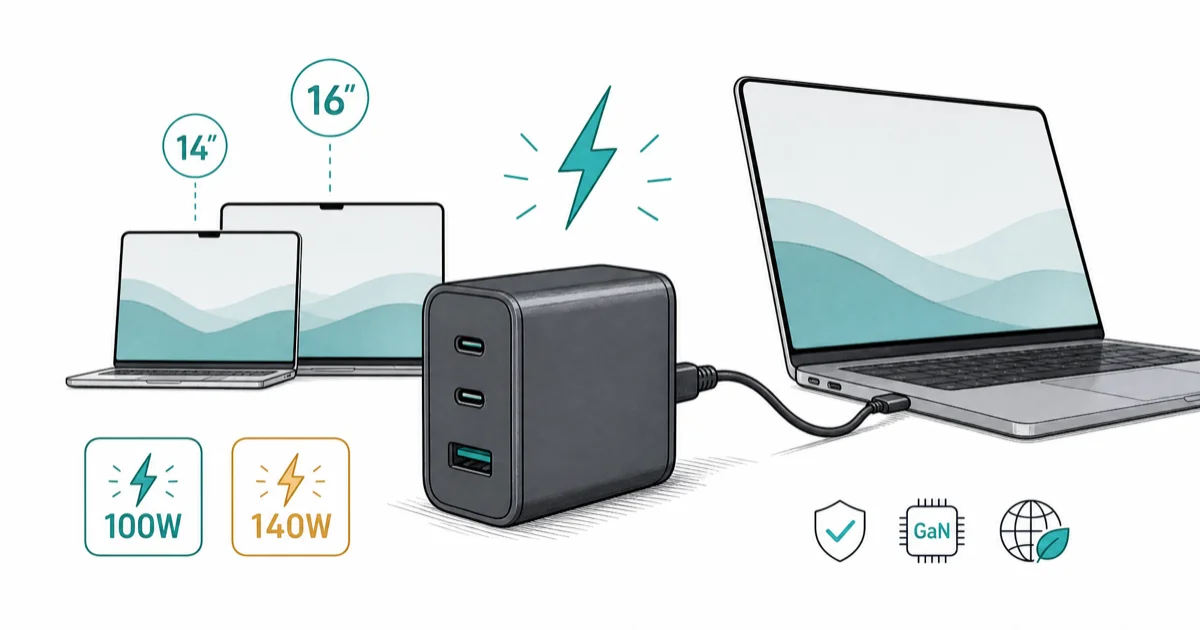
Quick AnswerA 14-inch MacBook Pro hits full speed on a 100W three-port GaN charger like the Anker Prime A2343. The 16-inch model needs a 140W brick to match Apple's bundled adapter.
The best GaN charger for a MacBook Pro matches the laptop’s actual peak draw, not the biggest number on the box. This guide separates 14-inch and 16-inch MacBook Pro charging because the right wattage changes by size.
- The 14-inch MacBook Pro with M3 Pro charges at full speed on a 96W or 100W USB-C PD source, so a 100W GaN brick replaces the Apple adapter cleanly
- The 16-inch MacBook Pro needs 140W for full-speed charging because Apple’s own bundled adapter is 140W with USB-PD 3.1 EPR
- Any 100W charger will still trickle a 16-inch model, just slower under heavy CPU load
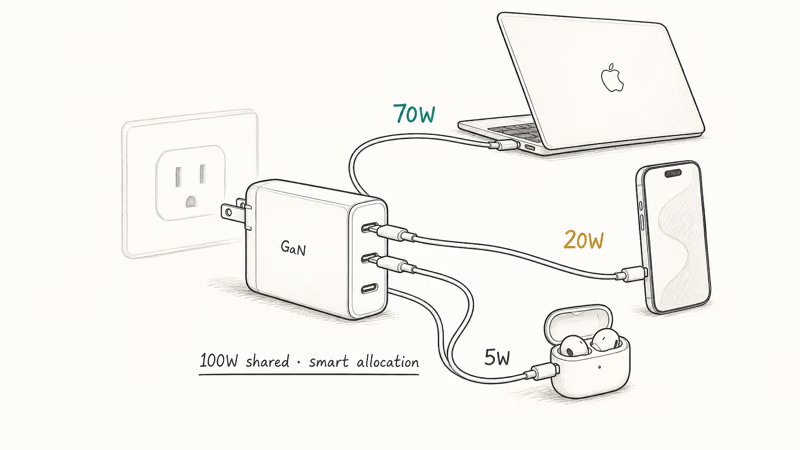
- A single 100W three-port GaN charger covers a MacBook Pro, an iPhone, and earbuds from one outlet on the road
- Cable choice matters: a 100W brick paired with a 60W cable caps you at 60W regardless of the charger rating
#How Much Wattage Does Your MacBook Pro Actually Need?
The honest answer depends on which model sits on your desk, and it’s the single decision that drives every other charger pick.
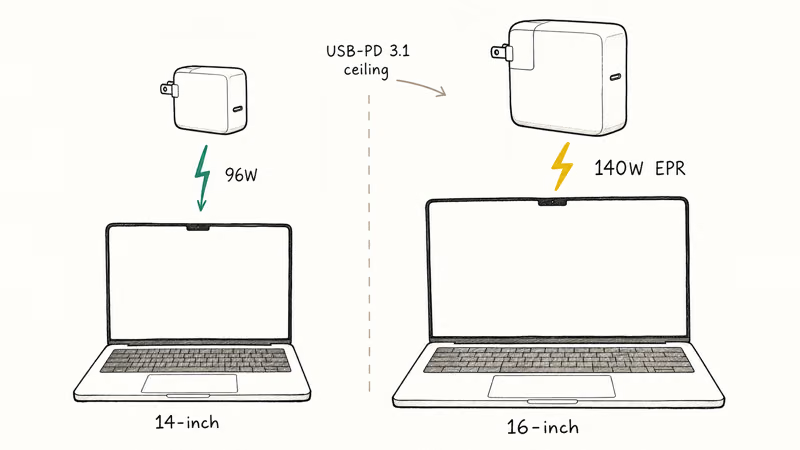
Apple’s MacBook Pro power adapter guide states that the 14-inch M3 ships with a 70W adapter, the 14-inch M3 Pro and M3 Max ship with 96W, and every 16-inch MacBook Pro ships with a 140W USB-C Power Adapter. The 140W brick uses USB-PD 3.1 Extended Power Range to push past the old 100W ceiling.
The 16-inch only hits fast-charge speeds on a source that supports EPR.
A 100W USB-C PD charger is the practical target for 14-inch models, while a 16-inch MacBook Pro needs a 140W EPR source to match Apple’s full-speed charging.
So the rule’s simple. A 14-inch MacBook Pro is a 100W problem. A 16-inch is a 140W problem. Everything else is a tradeoff against that baseline, and the right brick depends on whether you can live with trickle charging when the CPU pegs.
#Best 100W GaN Charger for the 14-Inch MacBook Pro
For the 14-inch M3, M3 Pro, and M3 Max, the Anker Prime 100W is the cleanest one-cable replacement for the Apple adapter.
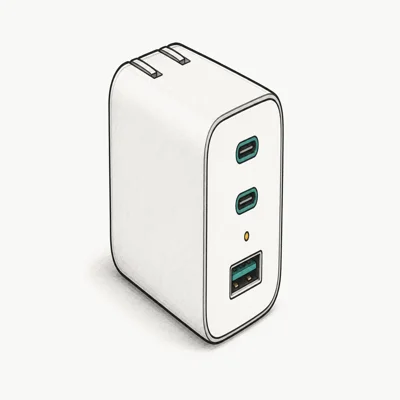
- 100W output suits 14-inch MacBook Pro models that ship with a 96W adapter
- Smart-allocation chip drops laptop wattage automatically when a second device plugs in
- Folding prongs and a slim foot-shaped body fit a laptop sleeve pocket
Last updated on May 26, 2026
As an Amazon Associate fone.tips earns from qualifying purchases. Prices and availability on Amazon are accurate as of the date above and subject to change.
The Prime is the one we recommend for travel because it scales down predictably when you add a phone or watch, instead of dropping the laptop port to a 30W trickle the way some cheaper multiport bricks do. Our broader best GaN charger roundup covers single-port and 140W options if you only ever charge the laptop.
If you want the same wattage with five ports and a slightly lower price, the UGREEN Nexode Pro is the value pick. The extra ports help when a desk has a hub, headphones, and a phone all wanting power at once.
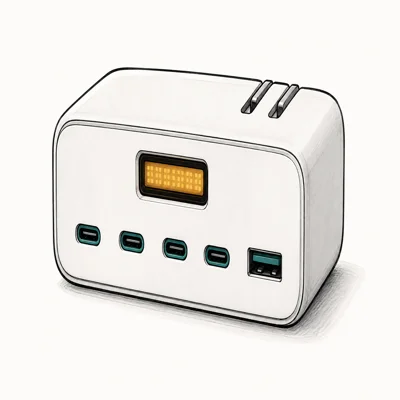
- Pushes full 100W to laptop port when only the MacBook is plugged in
- Three USB-C plus two USB-A covers older accessories and a Lightning cable
- Cheaper per watt than the Anker Prime at a desk that never moves
Last updated on May 26, 2026
As an Amazon Associate fone.tips earns from qualifying purchases. Prices and availability on Amazon are accurate as of the date above and subject to change.
The honest tradeoff with five-port bricks: plug a fast-charging iPhone in alongside the laptop and the MacBook port drops to roughly 65W. That’s fine for trickle, slow if you’re exporting video.
Anker’s smart-allocation chip rebalances better here, which is why we pick the Prime for users who plug everything in at once. Our Anker vs UGREEN charger comparison breaks down the warranty and recall histories on both brands so you can spot the better long-term bet.
#The 140W Case for the 16-Inch MacBook Pro
Apple’s 140W USB-C Power Adapter is the only first-party way to fast-charge the 16-inch MacBook Pro to 50% in 30 minutes. That figure comes straight from Apple’s spec sheet, not third-party benchmarks.
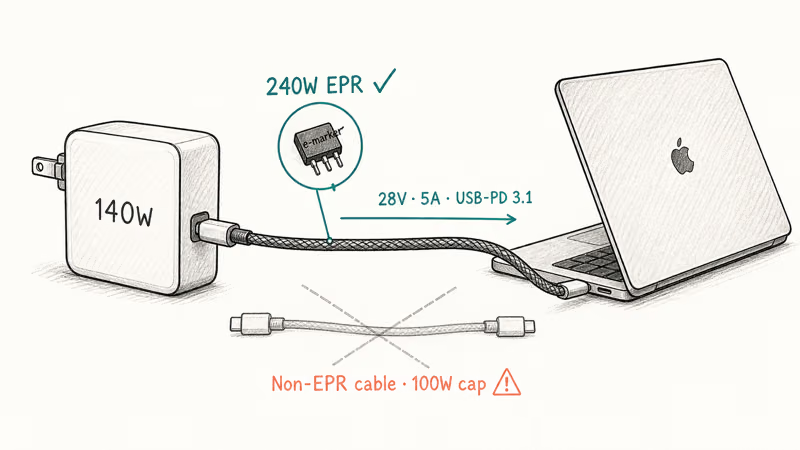
Third-party 140W GaN chargers exist, but the population is small and the EPR cable matters more than the brick. A 140W charger paired with a non-EPR USB-C cable will negotiate down to 100W and you lose the speed advantage you paid for. Apple’s own USB-C cable guidance recommends the 240W woven cable for full EPR negotiation on the 16-inch model.
The decision is straightforward: the Apple 140W brick is the safest desk choice, and a 100W GaN brick like the Anker Prime is a fine travel adapter for both 14-inch and 16-inch users.
#Budget Pick for Single-Port Travel
For one device in an overnight bag, the Anker Nano II 65W is the cleanest budget option. It won’t full-speed a 14-inch MacBook Pro M3 Pro under heavy load, but it tops up the laptop overnight and powers an iPhone or iPad through the day. Pair it with a known-good USB-C cable and it’s the smallest brick you’d ever want to carry on a long-weekend trip.
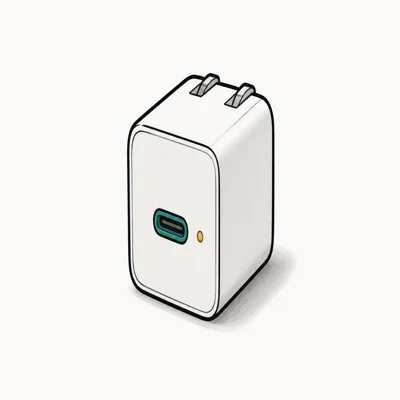
- Smallest GaN brick that still delivers full iPhone fast-charge wattage
- Folding prongs and matchbox footprint slot into a pocket
- Trickle charges a 14-inch MacBook Pro overnight at 65W
Last updated on May 26, 2026
As an Amazon Associate fone.tips earns from qualifying purchases. Prices and availability on Amazon are accurate as of the date above and subject to change.
A 65W charger on a 14-inch MacBook Pro is roughly the speed of the older Intel 61W brick. It’ll keep up with light work, browsing, and video calls, but expect to lose 5% to 10% per hour under sustained Xcode builds or video exports. Treat it as a top-up brick.
#Cable Choice: The Hidden Wattage Cap
A 100W GaN charger is only as fast as the slowest link in the chain. That link is almost always the cable.
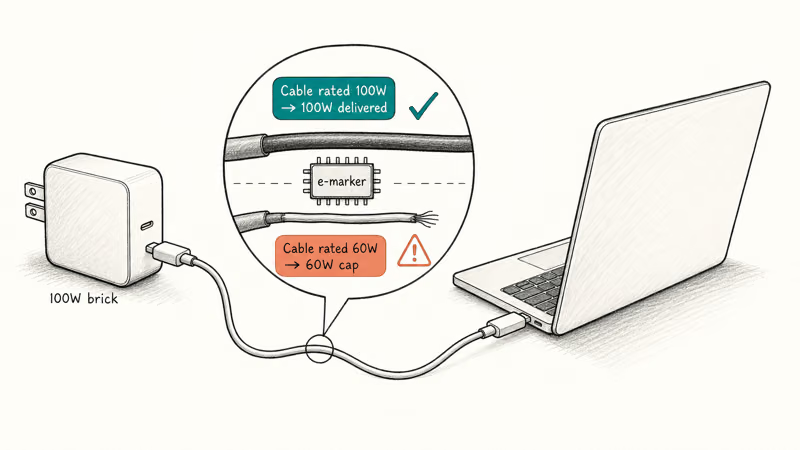
Cables negotiate their own max wattage with the laptop using e-marker chips, and the spec drops to whatever the cable supports. The USB-IF USB-C Power Delivery specification confirms that PD chargers and cables negotiate per-port wattage at connection, and a cable rated for 60W will cap a 100W charger at 60W. Apple’s bundled MacBook cable is rated for the laptop it shipped with.
A 60W-rated USB-C cable can cap a 100W charger at 60W, so buy a known 100W-rated cable with the brick.
If you’re buying a fresh GaN charger, budget for a known 100W-rated USB-C-to-USB-C cable in the same order. The same cable-rating principle applies on phones too, which our iPhone fast charging guide covers in more depth. For the 16-inch MacBook Pro, only a 240W EPR-rated cable will unlock full fast charging.
#Travel vs Desk: Which Setup Works for You?
How you use your MacBook Pro should decide your charger, not the laptop’s size on paper.
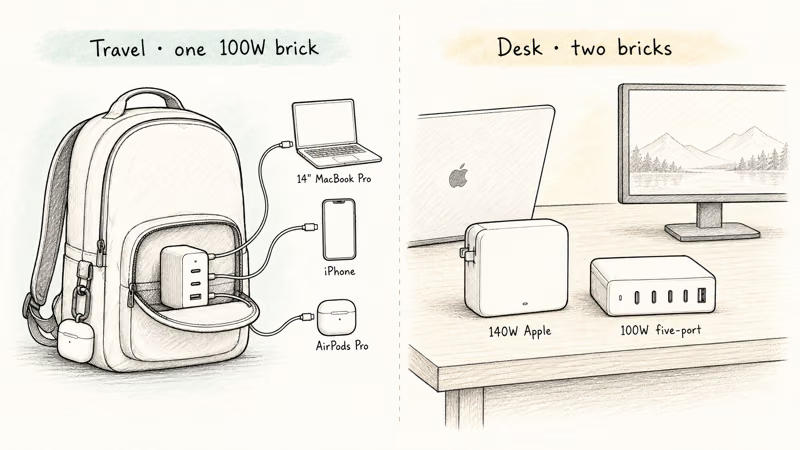
A frequent traveler with a 14-inch M3 Pro is best served by a 100W three-port GaN charger like the Anker Prime. It handles the laptop, the phone, and earbuds from one outlet. The same user with an M3 Max 16-inch can carry the same 100W brick if trickle charging is acceptable, or step up to a 140W travel brick if rendering on the road is part of the job.
A desk-bound user with a 16-inch model is best served by two bricks: the Apple 140W at home for full-speed recharging, and a 100W five-port like the UGREEN Nexode Pro in the office bag for trickle.
If your laptop refuses to charge at any speed even with the right brick, our walkthrough on why a MacBook Pro stops charging covers SMC resets that often clear the problem. A persistent issue paired with a service battery warning on macOS usually points to the cell itself, not the charger.
#Bottom Line
For the 14-inch MacBook Pro, the Anker Prime 100W (A2343) is our top pick. It matches the bundled 96W Apple adapter on speed and adds two ports for travel.
For the 16-inch MacBook Pro, the included 140W Apple adapter is the only way to hit Apple’s quoted 50% in 30 minutes. A 100W GaN brick like the Anker Prime is the right second adapter when trickle charging is acceptable on the road. Match the wattage to the laptop, pair it with a 100W or 240W-rated cable, and you’ve replaced the brick in your bag without losing speed where it matters most.
#Frequently Asked Questions
Will a 65W GaN charger damage a 14-inch MacBook Pro?
No. USB-C Power Delivery negotiates a safe wattage between the charger and the laptop at connect time, so a 65W brick won’t push voltage the laptop can’t handle. It’ll just charge slower than the bundled 96W adapter. That negotiation is why the laptop charges more slowly rather than accepting unsafe voltage.
Can I use the 16-inch MacBook Pro’s 140W brick with a 14-inch model?
Yes. The 14-inch won’t draw past its 96W maximum even from a 140W source.
What is the difference between USB-PD and USB-PD 3.1 EPR?
Standard USB-PD tops out at 100W, while USB-PD 3.1 Extended Power Range adds 28V, 36V, and 48V profiles to support 140W, 180W, and 240W charging. The 16-inch MacBook Pro needs an EPR charger and cable to negotiate full 140W. A regular 100W PD charger will work but caps at 100W. The cable matters as much as the brick here, because a non-EPR cable will quietly drop the negotiation back to 100W even on a 140W source.
Do GaN chargers actually run cooler than older bricks?
Yes, noticeably. GaN chargers usually run cooler than older silicon bricks at comparable output because GaN components switch more efficiently.
Is a multi-port GaN charger worth the extra cost?
For travel, yes. A 100W three-port brick replaces the laptop adapter plus a phone wall charger plus a watch charger, saving outlet space and weight in the bag. For a single-location desk, a single-port 96W brick is cheaper and won’t split power across ports unexpectedly when you plug in a second device. Decision rule: more than one outlet on the road equals multi-port; permanent desk install equals single-port.
Why does my MacBook Pro say “not charging” even on a 100W GaN brick?
A cable that isn’t 100W-rated. Swap it for a known good 100W or 240W USB-C cable and the warning usually clears.
Can I leave a GaN charger plugged in all the time?
Yes. GaN chargers idle at well under 1W when nothing’s connected, and their internal protections handle surge events safely. For long-term desk use, pick a reputable charger with thermal and surge protections instead of the cheapest no-name brick.

Pixel 11 vs Pixel 10: What Changed and Who Should Upgrade
Pixel 11 vs Pixel 10: same screen and camera resolution, new Tensor G6, 25W wireless, and Gemini Intelligence. Here is who should actually upgrade.

Best Power Bank for iPad in 2026: Pro, Air, and Mini
Best power bank for iPad in 2026. Compare mAh tiers and USB-C PD wattage for iPad Pro, Air, and mini, plus airline Wh math, cables, and travel tips.

Best Power Bank With Built-In Cable: Top 2026 Picks
Best power bank with built-in cable picks for 2026. Compare single USB-C, multi-connector, and retractable laptop banks, plus airline Wh math.

Best Apple Watch Band for Working Out: Proven Picks
The best Apple Watch band for working out handles sweat and stays put on your wrist. Compare silicone, nylon, and titanium picks for runs and lifts.