Best Webcam 2026: Top Picks for Work and Streaming
Compare the best 4K, 1080p, and budget webcams for work and streaming, judged on resolution, low-light, autofocus, built-in mics, and field of view.
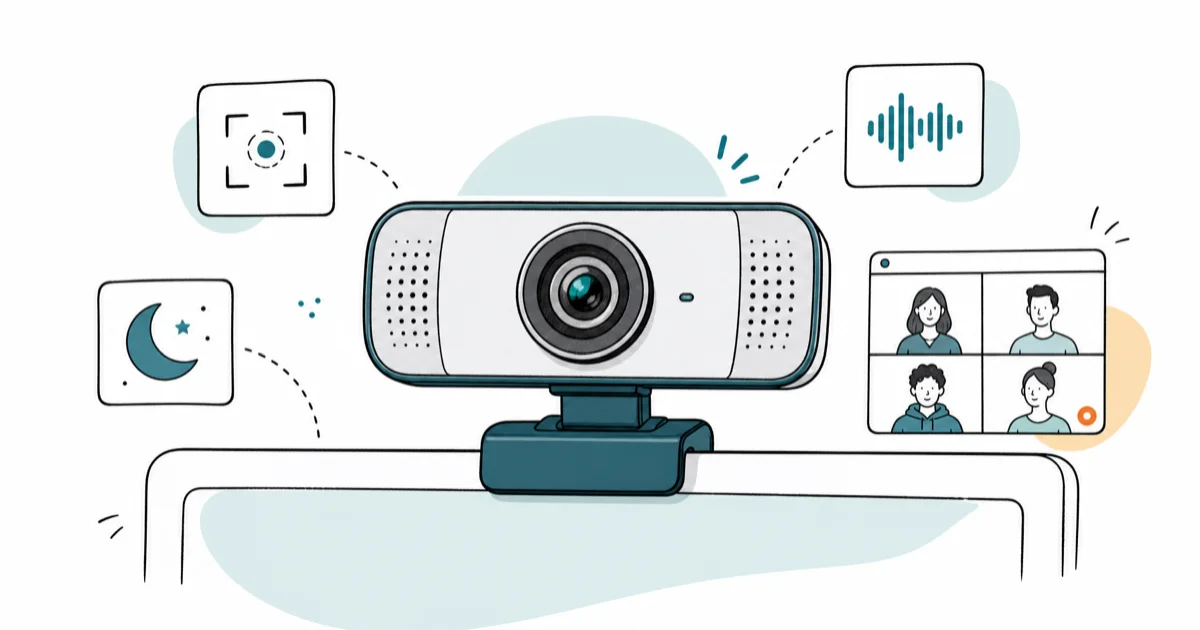
Quick AnswerFor most people the Logitech MX Brio 4K is the best webcam in 2026: a true 4K sensor, strong low-light handling, and autofocus that holds your face in meetings and streams alike.
The best webcam in 2026 is the one that matches how hard you push it.
A camera that looks great in a sunny home office can fall apart in a backlit conference room or a six-hour stream. These webcams span price tiers and work on both Windows and Mac. The picks below are judged on resolution, low-light handling, autofocus speed, built-in mic quality, and field of view, then grouped by who each one serves.
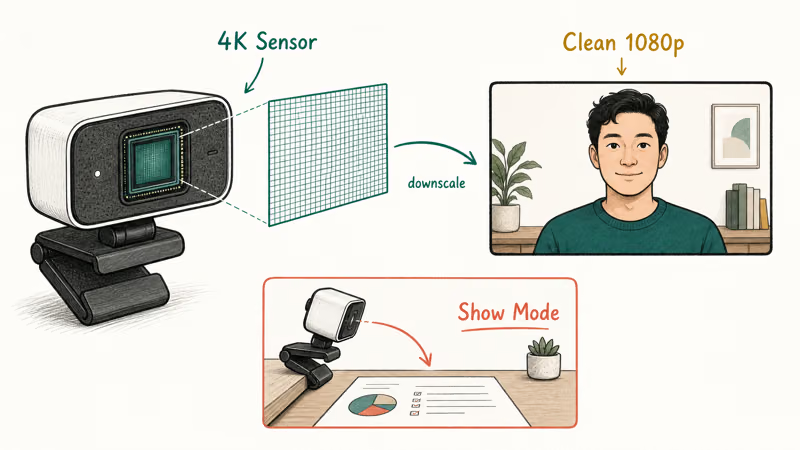
- A 4K sensor downscaled to 1080p looks cleaner than a native 1080p sensor, so 4K pays off even when your meeting app caps you at 1080p
- Low-light correction matters more than raw resolution for most home offices, where a side window or overhead light fights with the camera
- Autofocus speed separates a premium webcam from a budget one; cheaper cameras hunt for focus when you lean in or hold up an object
- A built-in mic is a backup, not a primary; even the best webcam mic loses to a $30 standalone microphone for voice clarity
- Field of view between 78 and 90 degrees frames one person cleanly; wider angles invite background clutter into the shot
#Best Webcams: Our Top Picks and Where to Buy
Here is the short version on each pick and where to get it before the full guide.
#Logitech MX Brio 4K
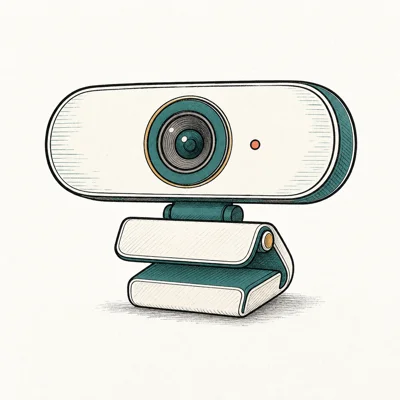
- Aluminum build feels at home next to a MacBook
- Show Mode tilts to a desk view without a second camera
- 8.5MP sensor outclasses Brio 500's older silicon
Last updated on Jun 30, 2026
As an Amazon Associate fone.tips earns from qualifying purchases. Prices and availability on Amazon are accurate as of the date above and subject to change.
#Logitech Brio 500
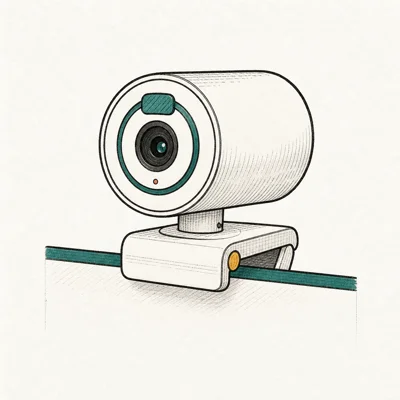
- RightLight 4 nails exposure in a backlit window without tweaking
- USB-C plus a real privacy shutter at $130
- Three FOV presets cover headshot through whiteboard
Last updated on Jun 30, 2026
As an Amazon Associate fone.tips earns from qualifying purchases. Prices and availability on Amazon are accurate as of the date above and subject to change.
#Anker PowerConf C200
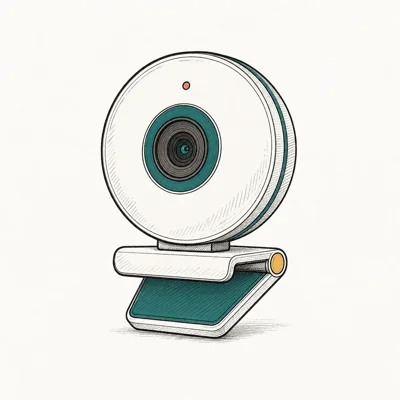
- 2K resolution at the price of competitor 1080p cams
- Three FOV presets without opening sketchy software
- Real sliding privacy cover, not a sticker
Last updated on Jun 30, 2026
As an Amazon Associate fone.tips earns from qualifying purchases. Prices and availability on Amazon are accurate as of the date above and subject to change.
#What Makes a Webcam Good in 2026?
Five things decide whether a webcam is worth buying, and resolution is only one of them. According to Wirecutter’s webcam guide, webcam buying should consider image quality, autofocus, and setup behavior rather than headline resolution alone.
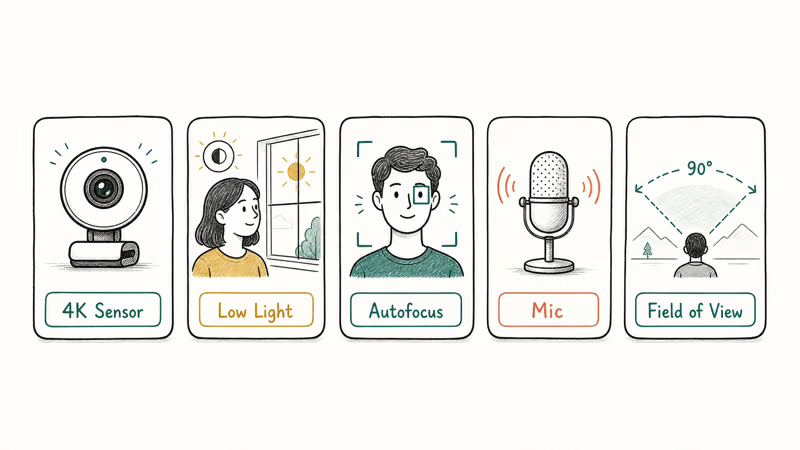
Resolution sets the ceiling, not the floor. A true 4K sensor captures more detail than a 1080p one, and when your meeting or stream software downscales that feed, the result is a sharper 1080p image with less noise. According to Logitech’s MX Brio product page, the camera pairs an 8.5MP sensor with onboard image processing so the downscaled feed keeps detail that a smaller sensor loses.
Low-light handling is where most webcams quietly fail. A backlit window or a dim corner forces the camera to choose between a blown-out background and a dark face. Cameras with auto-exposure systems read the scene and protect skin tones before the image shifts.
Autofocus speed is the tell. Premium cameras lock focus the moment you lean in to read something; budget cameras hunt, blur, then settle a second later. That lag reads as cheap on a stream and distracting in a meeting.
The built-in mic is a convenience, not a centerpiece. It saves you from sounding hollow on a quick call. But it picks up room echo and keyboard clatter that a dedicated microphone rejects, which is why we treat every webcam mic here as a backup and recommend pairing a serious setup with a cheap standalone microphone instead.
#Best Overall Webcam: Logitech MX Brio 4K
For people who want one camera that handles work calls, recorded video, and the occasional stream, the Logitech MX Brio 4K is the pick. It pairs a large 8.5MP Sony Starvis sensor with AI image processing and a Show Mode tilt that points the camera at your desk without a second device.
As an Amazon Associate, fone.tips earns from qualifying purchases.
With a side window behind the monitor, the MX Brio’s exposure handling holds a face that many 1080p webcams lose to backlight in the same seat. The aluminum body feels at home next to a MacBook, and the USB-C connection trains at USB 3.2 without an adapter dance.
Show Mode swings the camera body down to capture the desk surface, useful for showing a document, a sketch, or hardware during a call. It’s not as smooth as a motorized gimbal, but it covers the show-and-tell job most people actually have.
The trade-off is price. If you never push past 1080p meetings, the next two picks make more sense.
#Best Value Webcam: Logitech Brio 500
Most people don’t need 4K. They need a clean, predictable 1080p feed that survives long sessions and looks good in mixed lighting. The Logitech Brio 500 is that camera: USB-C, RightLight 4 auto-exposure, three field-of-view presets, and a real privacy shutter.
Exposure is where the Brio 500 earns its spot. RightLight 4 reads the scene before exposure shifts kick in, so a bright window behind you doesn’t turn your face into a silhouette. At 1080p, the Brio 500 and MX Brio can look close because both feeds are downscaled before reaching the meeting app. The MX Brio pulls ahead only when you record or stream at full 4K.
Three FOV presets at 65, 78, and 90 degrees let you switch from a tight headshot to a two-person frame without swapping cameras. The privacy shutter is a physical slider, not a sticker, which matters for anyone who leaves a camera mounted on a work monitor all day.
What you give up is the 4K sensor and Show Mode’s tilt. For a chair-bound worker who lives in video calls, neither loss registers day to day.
#Best Budget Webcam: Anker PowerConf C200
For a first upgrade from a laptop’s built-in camera, the Anker PowerConf C200 is the honest entry. Its 2K resolution beats 1080p competitors at the same price, the USB-C cable skips the adapter dance, and a large Amazon review count means failure modes are well documented before you buy.
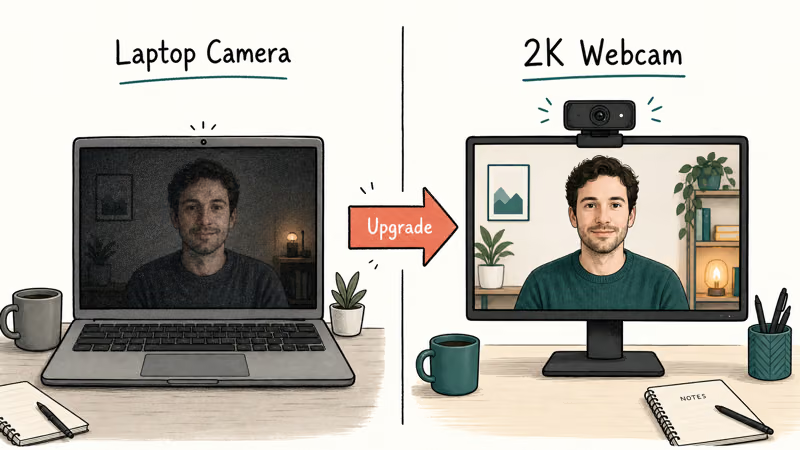
The C200’s 2K sensor can downscale to cleaner 1080p than a laptop’s built-in camera, especially in dim rooms where low-light correction matters. Its dual mics with AI noise reduction are fine for a quiet home office, though a nearby fan can still expose their limits.
If a new webcam coincides with calls locking up, that’s a system load issue rather than the camera. Our computer crashes during Zoom guide walks through the fixes.
Three adjustable FOV presets at 65, 78, and 95 degrees cover headshot through small-group framing without installing sketchy companion software. A sliding privacy cover comes standard.
The catch is build and tracking. The plastic body feels its price, there’s no AI framing, and autofocus is slower than the Logitech pair. For a sub-$80 upgrade that just needs to look better than a laptop lens, those are fair trades.
#Is a Classic Webcam Like the C920x Still Worth Buying?
Yes, if you want a proven workhorse and don’t care about USB-C or the latest sensor. The Logitech C920x has been the default 1080p webcam for years, and it still does the basic job well.
The C920x captures clean 1080p at 30fps with autofocus and stereo mics. It connects over USB-A, which is a plus on older desktops and a minus on a modern laptop with only USB-C ports. Its autofocus is reliable rather than fast, and its fixed 78-degree field of view frames one person without dragging the whole room into the shot.
Where the C920x shows its age is low light and connector choice. It needs decent room lighting to look its best, and there’s no privacy shutter in the box. According to Logitech’s C920 support documentation, the camera relies on the software exposure controls in Logi Tune rather than the newer RightLight processing.
Buy the C920x when you want a budget-friendly 1080p camera with a long track record. Skip it if your machine is USB-C only or you frequently sit against a bright window.
#Picking the Right Field of View
Match the angle to how many people sit in front of the camera, not to how impressive the number sounds.
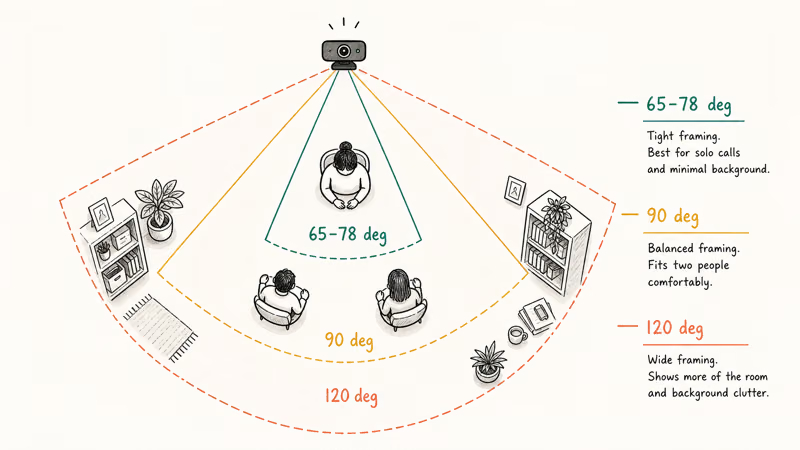
A 65 to 78 degree field of view frames one person cleanly and keeps the background tight. That’s the right range for a solo worker, a streamer at a desk, or anyone who’d rather not show the whole room. A 90 degree angle starts to pull in side walls and clutter, which is why the wider presets on these cameras are best saved for two-person scenes.
Wider is not better by default. A 120 degree action-camera angle distorts faces at desk distance and invites every messy shelf into frame. The cameras here top out around 90 to 95 degrees for that reason, and most ship with a tighter preset as the default.
If you share a webcam between solo calls and group calls, pick a camera with switchable presets like the Brio 500 or PowerConf C200 rather than a single fixed angle.
#Bottom Line
Buyers who want one camera to do everything should get the Logitech MX Brio 4K. Its 4K sensor, strong low-light handling, and Show Mode tilt cover work calls, recorded video, and light streaming without a second device, and the downscaled 1080p feed beats any native-1080p camera here.
Value-minded workers get more from the Logitech Brio 500 than from a 4K camera they’ll never push past 1080p. RightLight 4 exposure, three FOV presets, and a real privacy shutter handle the daily fundamentals at a friendlier price.
First-time upgraders should grab the Anker PowerConf C200. At the budget tier, bank the savings for a standalone mic, which moves voice quality further than any webcam’s built-in array, and you’ll still get 2K capture that walks all over a laptop’s built-in lens in a dim room. The classic Logitech C920x stays a safe USB-A pick for older desktops.
Have a narrower need? Two of our roundups go deeper on capture: the best 4K webcam for streaming covers OBS and Twitch picks, and the best budget webcam under $100 ranks the cheapest cameras worth owning.
For platform-specific advice, check the best webcam for Zoom meetings on call-focused framing and the best webcam for MacBook for macOS-native options like Continuity Camera.
#Frequently Asked Questions
Is a 4K webcam worth it if my meetings are only 1080p?
Often yes. Most meeting apps downscale a 4K source to 1080p, and that oversampled 1080p looks cleaner with less noise than a native 1080p sensor, partly because the larger sensor gathers more light and partly because the camera bins extra pixels into each output pixel. You also keep a full-resolution master if you ever record a clip. That said, if you never record and your lighting is good, a quality 1080p camera handles meetings just fine and saves you money.
Does a webcam’s built-in mic replace a real microphone?
No. A built-in mic is a backup, not a centerpiece. It picks up room echo and keyboard noise that a dedicated microphone rejects, so for anything you care about, a $30 standalone mic beats the best webcam array.
Why does my webcam look dark when I sit near a window?
The camera is exposing for the bright window, not your face, so you turn into a silhouette. Cameras with auto-exposure systems like RightLight 4 read the scene and protect skin tones first. Moving a light to your front or closing a blind also helps.
What field of view should I choose for solo video calls?
Stick to 65 to 78 degrees. That range frames one person cleanly and keeps your background tight, while wider angles drag side walls and clutter into the shot.
Do these webcams work on both Windows and Mac?
Yes. Every camera in this roundup is USB plug-and-play on Windows and macOS. The Logitech models add optional Logi Tune software for fine-tuning, and the Anker has its own companion app, but none require software to capture a feed.
How important is autofocus on a webcam?
It depends on how much you move. Premium cameras lock focus instantly when you lean in or hold up an object, while budget models hunt and blur for a moment before settling, which reads as cheap on a stream. For a perfectly still talking-head who never holds anything to the lens, a slower autofocus is barely noticeable and not worth paying extra to upgrade.
Should I get USB-C or USB-A?
It depends on your computer’s ports. USB-C is the modern connector and avoids adapters on recent laptops, while USB-A still works fine on older desktops. What matters more is that the port is USB 3.0 or faster, since USB 2.0 can throttle a 4K camera down to 1080p.

Pixel 11 vs Pixel 10: What Changed and Who Should Upgrade
Pixel 11 vs Pixel 10: same screen and camera resolution, new Tensor G6, 25W wireless, and Gemini Intelligence. Here is who should actually upgrade.

Best Power Bank for iPad in 2026: Pro, Air, and Mini
Best power bank for iPad in 2026. Compare mAh tiers and USB-C PD wattage for iPad Pro, Air, and mini, plus airline Wh math, cables, and travel tips.

Best Power Bank With Built-In Cable: Top 2026 Picks
Best power bank with built-in cable picks for 2026. Compare single USB-C, multi-connector, and retractable laptop banks, plus airline Wh math.
Best Apple Watch Band for Working Out: Proven Picks
The best Apple Watch band for working out handles sweat and stays put on your wrist. Compare silicone, nylon, and titanium picks for runs and lifts.