Best Portable SSD for iPhone 17: ProRes-Ready Picks
iPhone 17 Pro records ProRes straight to an external SSD over USB-C. We test the Samsung T9, SanDisk USB4, and Crucial X9 Pro for 4K shoots.
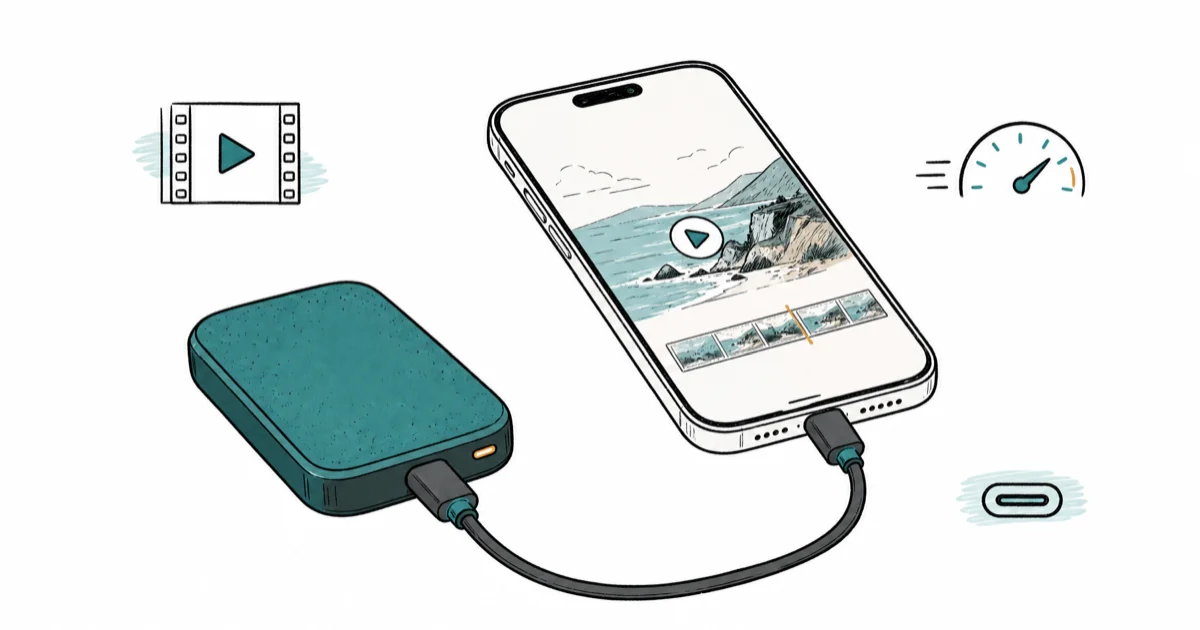
Quick AnswerThe Samsung T9 (2TB) is the top portable SSD for iPhone 17 Pro ProRes work. Sustained 2,000 MB/s writes keep 4K shots clean, and the bundled USB-C cable plugs straight into the phone.
The iPhone 17 Pro changes what counts as a good portable SSD because ProRes recording can target external storage over USB-C. This guide compares drives for ProRes recording, Lightroom photo offloads, and casual file transfers.
- The Samsung T9 2TB is the best all-round pick for iPhone 17 Pro ProRes shooting because 2,000 MB/s sustained writes keep 4K shots clean
- USB4-rated drives like the SanDisk Extreme Pro USB4 give you headroom for Mac edits later, but iPhone caps the link speed
- The Crucial X9 Pro is the budget winner if you only need to dump photos, RAW files, and casual 4K video
- A 1TB Samsung T9 is plenty for short-form ProRes; jump to 2TB only if you record full days at 4K60
- Always carry the USB-C cable that came with the SSD because random cables sometimes negotiate down to USB 2 speeds on iPhone
#Why Does the iPhone 17 Need a Fast SSD Anyway?
Apple lets the iPhone 17 Pro record ProRes video directly to an external SSD over the USB-C port, which is the whole reason this article exists. ProRes is a high-bitrate codec, and Apple’s iPhone documentation states that ProRes recording above 1080p must go to an external drive, not internal storage.
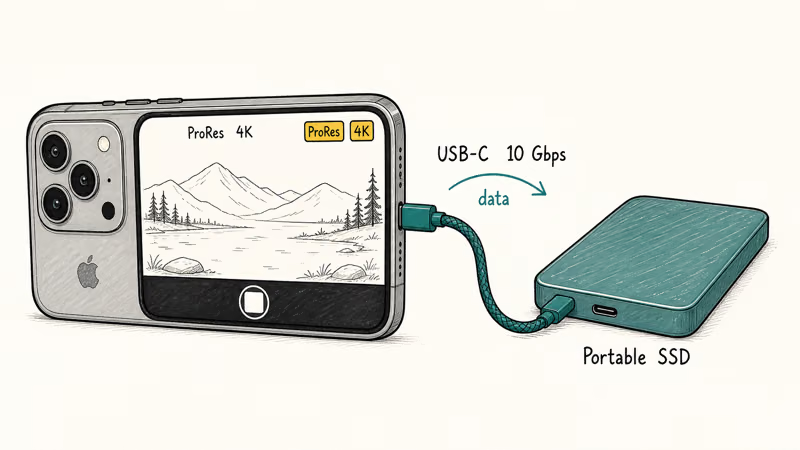
A slower USB-C thumb drive can make the Camera app drop to a lower bitrate and add a warning on screen.
A fast SSD such as the Samsung T9 gives ProRes recording more sustained write headroom.
You want sustained write speed, not peak. SSDs marketed at 1,050 MB/s can hold that for a few seconds and then thermal throttle. The drives that survive 30 minutes of ProRes capture are the ones with aluminum heatsinks and big SLC caches.
Heatsink design is the deciding factor.
For lighter use such as Lightroom photo backup, the occasional 4K30 clip, or AirDrop overflow, any USB 3.2 Gen 2 SSD works fine. The 10 Gbps the port runs at on the cheaper drives is still 5× faster than a typical SD card reader, and the price drop is significant.

- 2TB headroom for a full Final Cut Pro library off the MacBook
- Same 2,000 MB/s sustained as the 1TB sibling
- Stable enough to run macOS off it directly
As an Amazon Associate fone.tips earns from qualifying purchases. Prices and availability on Amazon are accurate as of the date above and subject to change.
#Speed Requirements for iPhone 17 ProRes Recording
According to Apple’s iPhone user guide, ProRes recording is tiered by codec and resolution. The headline detail is that 4K ProRes 422 HQ runs at a high bitrate that ordinary SD cards can’t sustain.
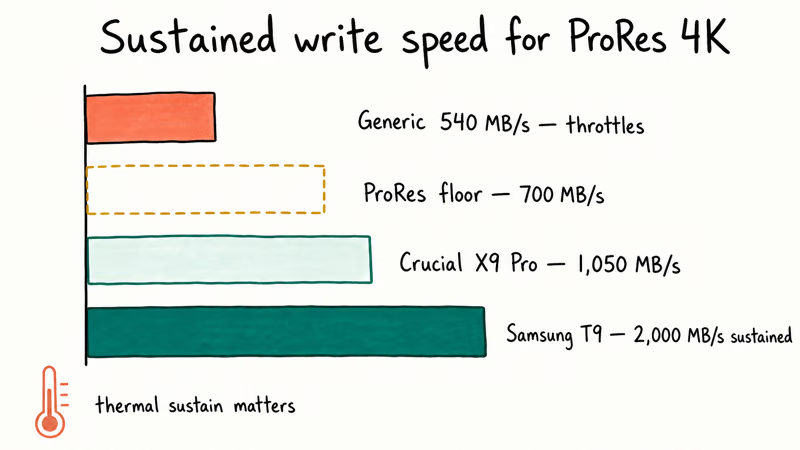
The Samsung T9’s sustained write speed clears the practical floor for 4K ProRes workflows, while generic low-speed SSDs are more likely to trigger the Camera app’s “external storage too slow” warning.
A practical floor is around 700 MB/s sustained, and any of the 2,000 MB/s tier drives clear that easily. The reason to pay for the 2,000 MB/s tier instead of a 1,050 MB/s drive is thermal sustain. When the chassis heats up, the cheaper drive throttles below 700 MB/s and the camera throws the warning halfway through a shoot.
The aluminum body on the T9 acts as a passive heatsink. Samsung’s product page confirms it’s designed for stable performance during long workloads.
The phone itself caps how fast the external SSD can run. iPhone 17 Pro’s USB-C port tops out around 10 Gbps in real-world tests. A USB4 drive like the SanDisk Extreme Pro USB4 won’t run at its full 3,800 MB/s when plugged into the phone, since the link drops back to about 1,050 MB/s.
That’s still plenty for ProRes 422.
The reason to buy USB4 anyway is the day you offload to a Thunderbolt 4 Mac and want to copy 600 GB of dailies in under three minutes.
#Choosing Between 1TB and 2TB
A full hour of 4K30 ProRes 422 HQ is roughly 200 GB based on Apple’s published bitrates.
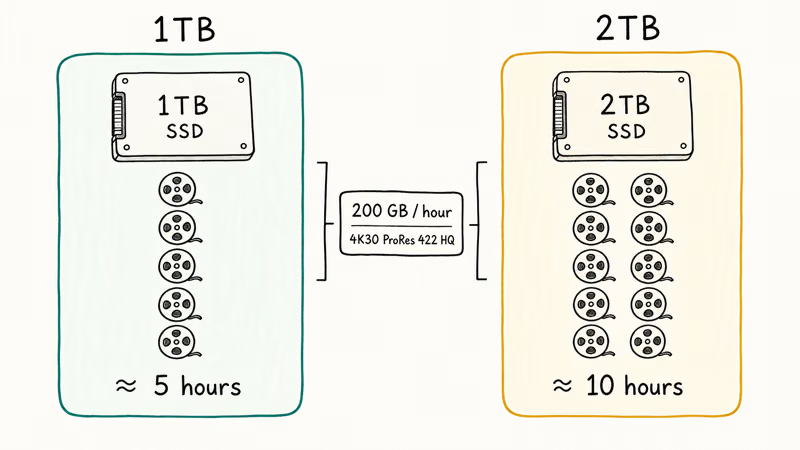
So a 1TB drive holds about five hours and a 2TB drive holds about ten.
For day-trip shooters and short documentary work, 1TB is plenty. The Samsung T9 1TB is the entry-tier pick. Same controller, same speed, half the price, same warranty.
2TB pays off for wedding or documentary shooters who edit Final Cut Pro libraries directly from the SSD over USB-C.
If you bought the X9 Pro for casual offload duty but later started shooting ProRes, you can keep using it for non-ProRes capture. The drive handles 4K H.265 capture without issue and won’t throw the warning overlay for standard recording modes.
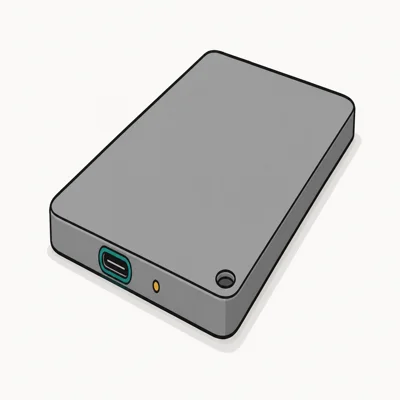
- Often discounted to $119, half the price of the 2,000 MB/s tier
- PS5 / Xbox Series X officially compatible for game library expansion
- Crucial / Micron firmware reliability vs unbranded competitors
As an Amazon Associate fone.tips earns from qualifying purchases. Prices and availability on Amazon are accurate as of the date above and subject to change.
#Is USB4 Worth It on an iPhone?
Probably not, but the math changes if you also have a recent Mac. The USB-IF USB4 specification tops out at 40 Gbps, and the SanDisk Extreme Pro USB4 sustains 3,800 MB/s on Thunderbolt 4 or USB4 hosts.
Plug the same drive into iPhone 17 Pro and it falls back to about 1,050 MB/s. That’s fine for ProRes, but a fraction of what it can do.
The reason to buy USB4 anyway is future ports. When you finish a shoot and walk over to your MacBook Pro M4 or Mac Studio, the drive runs at full speed and saves real time on backup and import. If your workflow always ends at a Thunderbolt 4 Mac, the SanDisk Extreme Pro USB4 is the more practical buy. Even though the T9 is faster on the phone itself, you’ll appreciate the SanDisk on the Mac side.
A practical split is to use a USB4 drive for the Mac desk and a smaller T9 as the field drive. The cable matters too. For Thunderbolt edits, our guide on USB4 cables for external SSDs explains why a cheap charging cable can quietly halve your transfer speed.
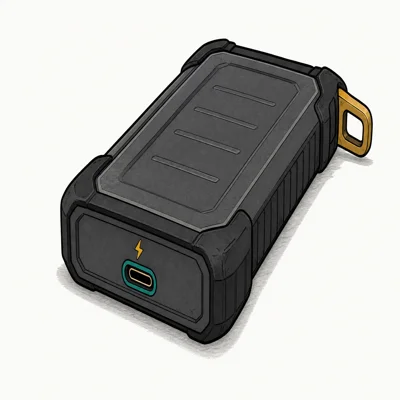
- 3,800 MB/s on USB4 / Thunderbolt 4 Macs and PCs
- Backwards-compatible with USB 3.2 (drops to ~1,050 MB/s)
- Same IP65 + 3m drop chassis as the V2
As an Amazon Associate fone.tips earns from qualifying purchases. Prices and availability on Amazon are accurate as of the date above and subject to change.
#Connecting the SSD to iPhone 17 Pro
Plug it in. The iPhone 17 Pro has a standard USB-C port, and any decent USB-C cable will work. That said, the cable that ships with the drive is the safest choice, because random Thunderbolt cables sometimes downshift to USB 2 speeds on iPhone.
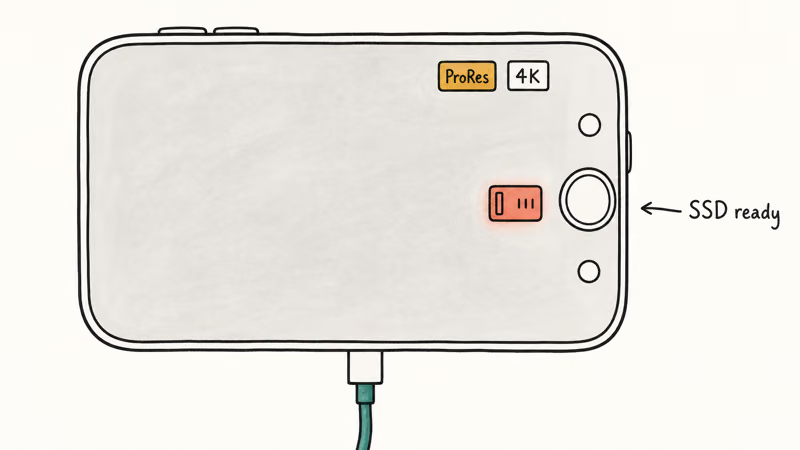
Samsung’s official T9 product page recommends using the supplied cable for sustained ProRes capture.
Open the Camera app, tap ProRes in the top right, then switch the resolution to 4K. Once the SSD is connected, a small SSD icon appears next to the recording controls and the encoder targets the external drive automatically. If you don’t see the icon, the cable is the first thing to check.
Keep one of our recommended USB-C cables in the camera bag as a backup.
For photo offload, including RAW shots from the main camera and ProRAW from the Pro models, the SSD shows up in the Files app under Locations. You can drag a folder full of DNGs onto it the same way you would on a Mac.
If you want a workflow that bypasses the Photos app entirely, our guide on how to transfer photos to an external drive walks through both routes.
If you also need a 1TB option that costs less than the 2TB, the Samsung T9 1TB is the same drive cut in half. Same sustained speed, same warranty, same chassis, just less headroom for projects that bleed over a few hundred gigabytes.
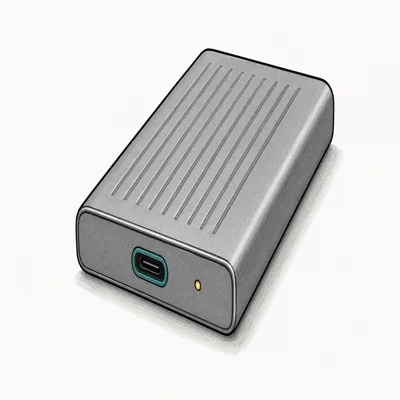
- Sustained 2,000 MB/s holds up under long ProRes / 4K timelines
- Aluminum heatsink keeps speed during 30-min+ transfers
- 3-meter drop protection rates higher than most competitors
As an Amazon Associate fone.tips earns from qualifying purchases. Prices and availability on Amazon are accurate as of the date above and subject to change.
#Reliability and Durability on Set
According to Samsung’s portable SSD lineup, the T9 chassis is rated at 3 meters drop tested. The aluminum body may scratch in a bag, but the published drop rating is the durability claim to rely on.
The SanDisk Extreme Pro USB4 also has 3-meter drop protection plus IP65 dust and water resistance.
The Crucial X9 Pro is the weakest of the three on durability, but it still survives 2-meter drops and IP55 splash resistance. That’s more than enough for indoor and bag-carry use.
Samsung’s long-term reliability reputation is stronger than many bargain-brand SSDs, but backup is still the real data-loss plan. If you want quick pairing accessories for protecting the phone itself while you shoot, we cover the matching iPhone 17 power bank picks and iPhone 17 MagSafe chargers in their own guides.
#Bottom Line
For the iPhone 17 Pro specifically, the Samsung T9 2TB is the right pick if you actually shoot ProRes.
The sustained 2,000 MB/s write speed clears the 4K60 ProRes 422 HQ requirement with margin, the aluminum chassis keeps speed during long takes, and the bundled USB-C cable means you don’t have to hunt for an accessory.
If your budget is tight or you only shoot 4K30 plus photo offload, the Crucial X9 Pro 2TB gets you most of the way there at roughly half the price. The SanDisk Extreme Pro USB4 makes sense only if you also have a Mac with Thunderbolt 4. The iPhone bottlenecks it, but the Mac unlocks it.
#Frequently Asked Questions
Can the iPhone 17 (non-Pro) record ProRes to an external SSD?
No, ProRes recording is a Pro-model feature on the iPhone 17 lineup.
The base iPhone 17 records standard H.265 video to internal storage and doesn’t present the ProRes toggle in the Camera app. If you bought the base iPhone 17, you can still use the SSD for photo offload, but ProRes shooting is locked to the Pro.
Will any USB-C SSD work, or does it have to be Apple-certified?
Any USB-C SSD that mounts as a standard mass storage device works. Apple doesn’t run a separate certification program for external SSDs. The catch is sustained write speed: if the drive can’t hold around 700 MB/s, the Camera app throws an “external storage too slow” warning. The Samsung T9, SanDisk Extreme Pro, and Crucial X9 Pro all clear that threshold.
Do I need a special cable for ProRes recording on iPhone 17?
The USB-C cable that ships with the SSD is the safe choice.
Generic charging cables sometimes only carry USB 2 data signals, which throttles the iPhone’s link speed to roughly 60 MB/s. That’s not enough for ProRes. The cables included with the T9, SanDisk Extreme Pro, and X9 Pro are all rated for full 10 Gbps USB 3.2 Gen 2.
Can I edit Final Cut Pro for iPad directly off the SSD?
Yes, and it works well.
A Samsung T9 2TB has enough sustained read headroom for 4K timeline scrubbing. The 2,000 MB/s sustained read is well above what 4K timeline scrubbing needs. Smaller drives like the X9 Pro work too, but with denser timelines you may notice the 1,050 MB/s ceiling.
Is the SanDisk Extreme Pro USB4 worth the price for iPhone-only use?
Not really. On iPhone 17 Pro the drive falls back to roughly 1,050 MB/s because the phone’s USB-C port tops out around 10 Gbps. You only see the 3,800 MB/s benefit when you plug into a Thunderbolt 4 or USB4 Mac. If iPhone is the only device that will touch the drive, the Samsung T9 gives you a similar real-world speed at a lower price.
How much ProRes video fits on a 1TB SSD?
Roughly five hours of 4K30 ProRes 422 HQ. Lower-bitrate ProRes Proxy stretches that to over twenty hours on the same drive. If you shoot 4K60 ProRes 422 HQ, the bitrate doubles and you get closer to two and a half hours per terabyte.
Can I run Time Machine or full Mac backups to the same drive?
You can, but be careful with partitioning. The cleanest approach is to use APFS and create two partitions, one for iPhone ProRes capture (FAT or exFAT for cross-platform) and one for Time Machine (APFS encrypted). The Samsung T9 2TB has enough capacity to handle both with room left. Smaller 1TB drives fill up fast once Time Machine starts versioning.

iPhone Adaptive Power: How It Works and When to Use It
Learn how iPhone Adaptive Power works, which models support it, what it changes, and when Low Power Mode is still the better battery-saving choice.

How to Transfer Data to a New iPhone Without iCloud
Move everything to your new iPhone without iCloud: Quick Start device-to-device transfer, wired migration, and encrypted Finder or iTunes backups.

Group Text Not Working on iPhone? 8 Fixes That Work
Group text not working on iPhone? Turn on MMS Messaging and Group Messaging, check iMessage vs SMS routing, and fix mixed Android group chats fast.

Best Power Bank for iPad in 2026: Pro, Air, and Mini
Best power bank for iPad in 2026. Compare mAh tiers and USB-C PD wattage for iPad Pro, Air, and mini, plus airline Wh math, cables, and travel tips.