Best Portable SSD 2026: Top External Drives Compared
The best portable SSD 2026 by use case. Top external SSDs ranked for speed, durability, and value across creative work, console, and travel use.
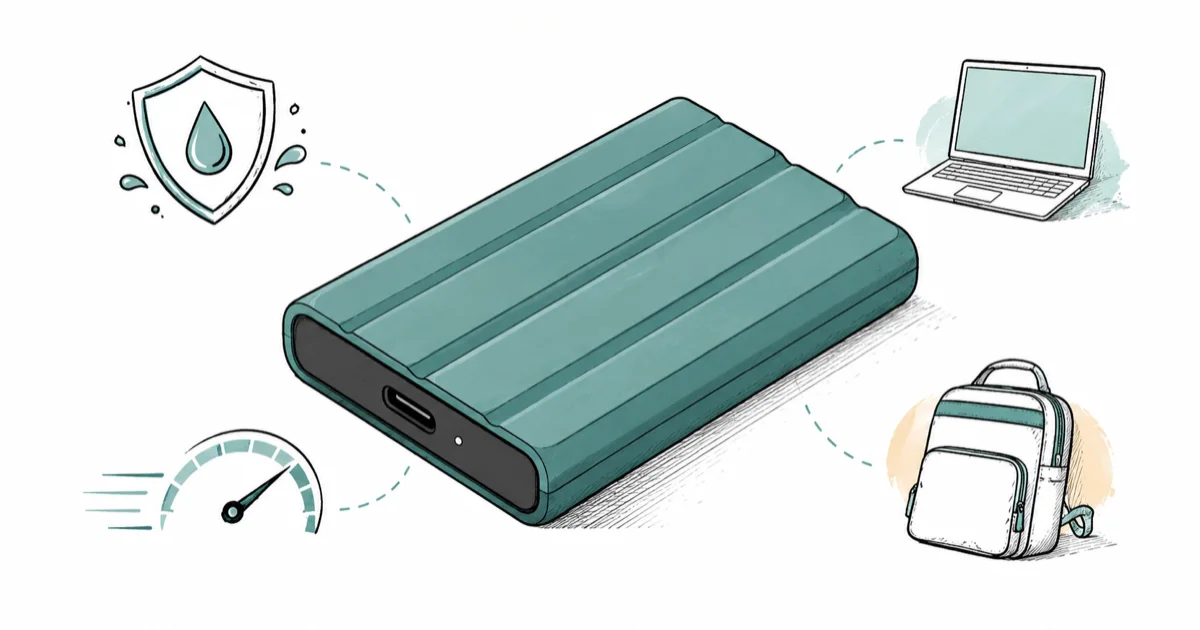
Quick AnswerThe Samsung T7 Shield is the best portable SSD for most people in 2026. It balances fast USB 3.2 speeds, IP65 durability, and fair pricing.
The best portable SSD in 2026 depends on what you plug it into. This guide sorts eight current external SSDs across laptops, consoles, and phones to separate the real upgrades from the marketing. A fast drive paired with the wrong port wastes most of its speed.
- The Samsung T7 Shield is our overall pick, with IP65 dust and water resistance and reliable USB 3.2 Gen 2 speeds.
- USB4 and Thunderbolt drives like the Crucial X10 Pro only hit top speeds on laptops with a matching port, so check yours first.
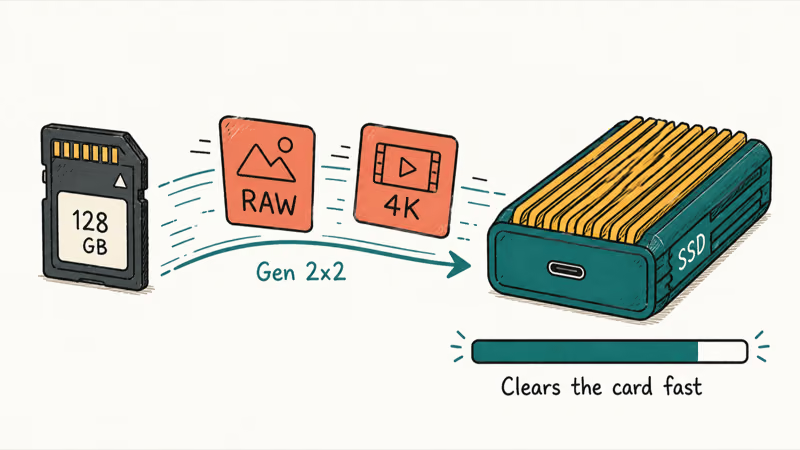
- For creative work with large RAW and video files, a USB 3.2 Gen 2x2 drive clears a camera card far faster than a basic Gen 2 model.
- Sony recommends 5,500 MB/s read speeds for internal PS5 drives, but a plain USB external SSD still beats the stock console storage experience.
- Hardware AES 256-bit encryption, built into Samsung and SanDisk drives, protects your files if the drive is lost without slowing transfers.
#Best Portable SSDs: Our Top Picks and Where to Buy
Here is the short version on each pick and where to get it before the full guide.
#Samsung T7 Shield
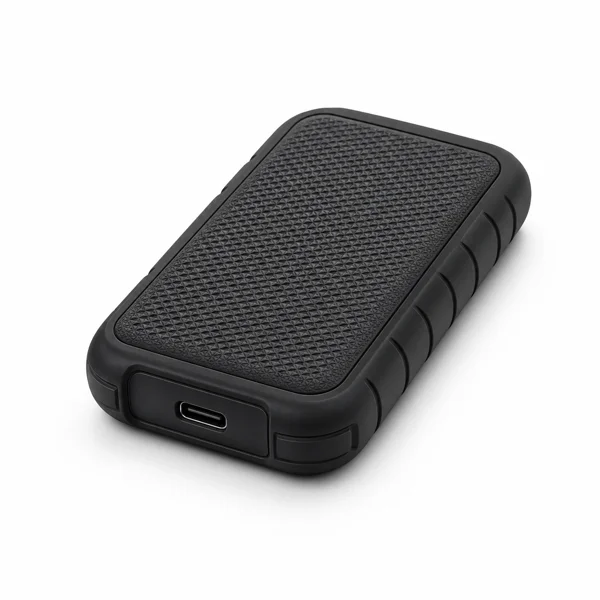
- IP65 rugged shell shrugs off travel and drops
- Steady 1,050 MB/s without big thermal slowdowns
- Works across PC, Mac, Android, PS5, and Xbox
Last updated on Jun 30, 2026
As an Amazon Associate fone.tips earns from qualifying purchases. Prices and availability on Amazon are accurate as of the date above and subject to change.
#Crucial X10 Pro
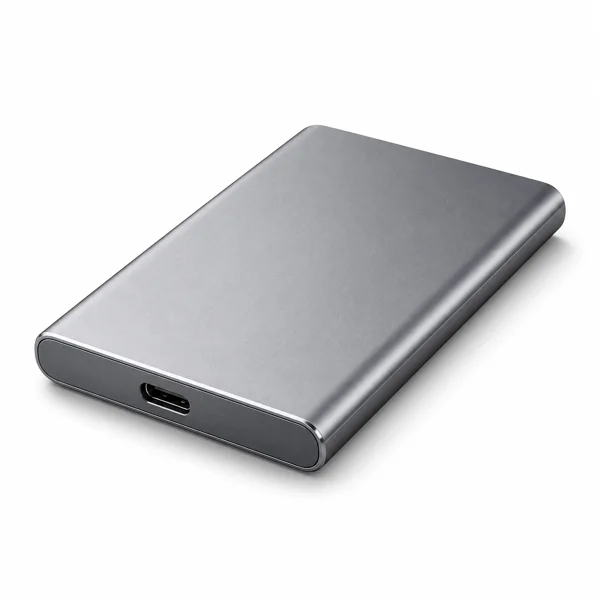
- Up to 2,100 MB/s for fast 4K video workflows
- Sustains speed without steep cache cliffs
- IP55 rugged and pocketable aluminum body
Last updated on Jun 30, 2026
As an Amazon Associate fone.tips earns from qualifying purchases. Prices and availability on Amazon are accurate as of the date above and subject to change.
#SanDisk Extreme Pro Portable SSD V2 (2TB)
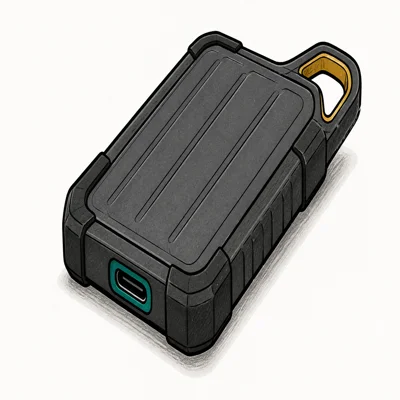
- IP65 dust + water resistance unique at this speed tier
- Forged aluminum doubles as a passive heatsink
- 16,000+ reviews validate long-term durability
Last updated on Jun 30, 2026
As an Amazon Associate fone.tips earns from qualifying purchases. Prices and availability on Amazon are accurate as of the date above and subject to change.
#What Makes a Portable SSD Worth Buying?
A portable SSD is flash storage in a rugged shell, and its real-world speed comes down to the interface. Most drives sold today use USB 3.2 Gen 2, which tops out around 1,000 MB/s. Faster Gen 2x2 drives roughly double that, and USB4 or Thunderbolt models climb higher still.
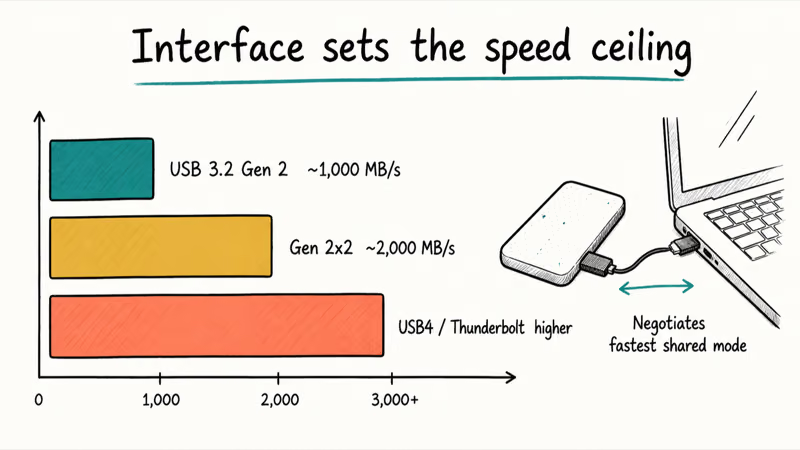
Here’s the catch. The fast drive only runs fast if your port agrees.
Plug a USB4 SSD into an older USB 3.2 Gen 2 laptop port, and it simply drops to the slower speed. According to Intel’s current Thunderbolt 4 guide, Thunderbolt 4 ports use standard USB-C connectors and are compatible with USB devices.
Durability comes next. Drives rated IP65 or higher shrug off dust and brief splashes, which matters the moment yours rides loose in a backpack on a wet commute.
Encryption is the third factor. Samsung and SanDisk build AES 256-bit hardware encryption into their software, so a lost drive stays locked. Turn it on the day you set the drive up, not after something goes missing.
#Best Overall Portable SSD
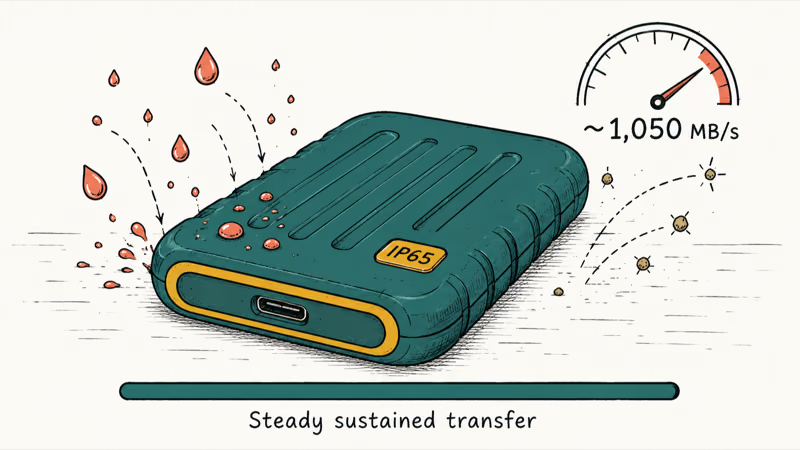
For most people, the Samsung T7 Shield hits the right balance. It’s a USB 3.2 Gen 2 drive with an IP65-rated rubberized body. The rubberized shell helps it sustain long folder transfers without the thermal throttling that slows thinner metal drives partway through.
As an Amazon Associate fone.tips earns from qualifying purchases.
The shell survives drops onto hard floors, and Samsung Magician handles encryption setup in a couple of clicks. According to PCMag’s Samsung T7 Shield review, the drive’s sequential read and write speeds hold steady at the rated speed where rivals dip.
Want more headroom? The Samsung T9 steps up to USB 3.2 Gen 2x2, so it roughly doubles the throughput ceiling. You only see that gain on a Gen 2x2 port, though, so it’s worth the premium only if your machine has one.
Check your ports first. Then buy.
#Best Portable SSD for Creative Work
Photographers and video editors move enormous files, and that is exactly where a USB 3.2 Gen 2x2 drive earns its price. The Crucial X10 Pro is our pick here, clearing a full camera card faster than any plain Gen 2 drive on a matching port.
The SanDisk Extreme Pro Portable SSD V2 is the alternative, with an aluminum core that doubles as a heatsink and a carabiner loop for a camera bag. StorageReview’s Crucial X10 Pro testing confirms it sustains high speeds without the steep slowdowns cheaper drives hit once their cache fills.
For editing directly off the drive, step up to Thunderbolt.
It costs more, but scrubbing 4K timelines off the drive feels native rather than laggy, and that saved time compounds across a long project. Match the drive to your editing rig, not to the spec sheet on the box.
#Portable SSD Pricing Explained
Prices keep falling. In 2026 a name-brand 1TB drive sits in budget territory, while 2TB and 4TB models carry the better cost per terabyte, so size up if your library will grow.
Two traps catch people.
The first is paying for USB4 or Thunderbolt speed you can’t use, since a drive that outruns your port wastes that money. The second is the no-name bargain drive, which can hide slow flash that crawls once its cache fills, exactly what happens during long copies on cheaper units.
Sales matter more with storage than almost any accessory. A mid-tier drive on sale often beats a flagship at list price, so wait for a deal.
#Best Portable SSD for Console and Travel
Consoles and trips ask for different things. For a PS5 or Xbox, a portable USB SSD stores and launches games far better than the console’s stock options, and you can swap it between systems. Our full breakdown lives in the best portable SSD for PS5 and Xbox guide.
Travel flips the priority to ruggedness.
A drive that survives a backpack toss and a coffee-shop spill beats one that’s a second faster but fragile. The best rugged portable SSD for travel roundup covers the toughest options, where IP ratings and drop resistance decide the winners.
A fast drive with a slow cable runs slow, so check our best USB4 cable for external SSD guide.
#How Do You Match an SSD to Your Device?
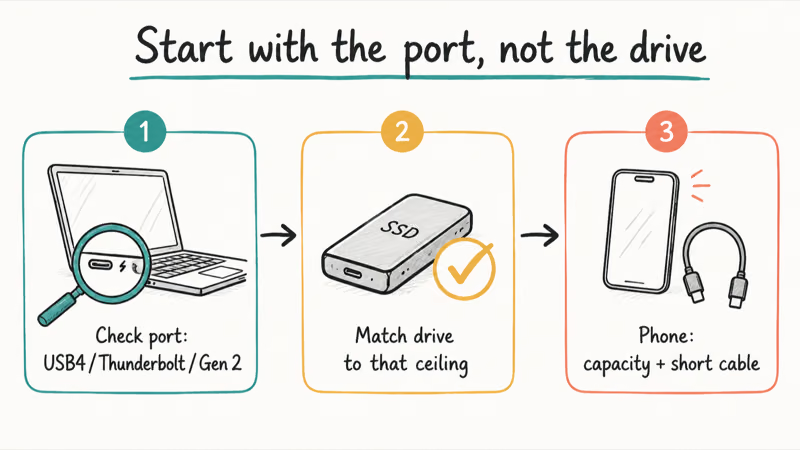
Start with the port, not the drive. Check whether your laptop has USB4, Thunderbolt, or only USB 3.2 Gen 2, since that ceiling caps every drive you connect. Mac users have a dedicated path in our best portable SSD for MacBook Pro guide.
Phones change the math again.
An iPhone or Android phone reads from a USB-C SSD, but mobile ports rarely hit desktop speeds, so capacity and a short cable matter more than peak throughput. The best portable SSD for iPhone 17 guide breaks down phone-specific picks.
One rule covers the rest: buy for two years from now, not just today.
#Bottom Line
Buy the Samsung T7 Shield if you want one drive that handles backups, transfers, and rough handling without fuss. Choose the Crucial X10 Pro only when your laptop has a USB 3.2 Gen 2x2 or USB4 port and you move huge creative files. Skip the fastest USB4 drives until you’ve confirmed your machine can actually use them.
#Frequently Asked Questions
What is the difference between USB 3.2 Gen 2 and Gen 2x2?
USB 3.2 Gen 2 tops out around 1,000 MB/s, while Gen 2x2 roughly doubles that with two data lanes. The catch is that Gen 2x2 needs a matching port, which is less common than the plain Gen 2 ports on most laptops. If your device only has Gen 2, a Gen 2x2 drive just runs at the slower speed.
Do I need a USB4 or Thunderbolt portable SSD?
Only if your laptop has the port and you move large files often. For everyday backup, a USB 3.2 Gen 2 drive feels instant and costs less.
Are portable SSDs durable enough to carry every day?
Yes, especially models rated IP65 or higher like the Samsung T7 Shield. Those drives resist dust and water splashes and survive short drops onto hard surfaces. A drive without a rugged rating still works fine in a padded sleeve, but a rated shell gives you more margin for travel.
How much storage do I actually need?
For documents and photos, 1TB is plenty. For 4K video, large game libraries, or a working creative archive, 2TB or 4TB makes more sense, since running an SSD near full can slow it down.
Can I use a portable SSD with my phone?
Most recent iPhone and Android phones read and write to a USB-C portable SSD. Speeds run lower than on a laptop because phone ports are more limited, so pick capacity and a short cable over peak throughput. It’s a fast way to offload videos and free up phone storage when you travel.
Does a portable SSD speed up gaming on PS5?
A USB portable SSD stores and launches games faster than the console’s stock setup, and you can move it between systems. For games that must run at full PS5 speed, Sony recommends an internal M.2 drive instead. Sony’s PS5 SSD support page states that internal drives should read at 5,500 MB/s or faster.
Is hardware encryption on a portable SSD worth using?
Yes, if you carry sensitive files. Hardware AES 256-bit encryption scrambles your data without slowing transfers. If the drive is lost, the contents stay locked behind your password rather than readable on any computer that finds it.

Pixel 11 vs Pixel 10: What Changed and Who Should Upgrade
Pixel 11 vs Pixel 10: same screen and camera resolution, new Tensor G6, 25W wireless, and Gemini Intelligence. Here is who should actually upgrade.

Best Power Bank for iPad in 2026: Pro, Air, and Mini
Best power bank for iPad in 2026. Compare mAh tiers and USB-C PD wattage for iPad Pro, Air, and mini, plus airline Wh math, cables, and travel tips.

Best Power Bank With Built-In Cable: Top 2026 Picks
Best power bank with built-in cable picks for 2026. Compare single USB-C, multi-connector, and retractable laptop banks, plus airline Wh math.
Best Apple Watch Band for Working Out: Proven Picks
The best Apple Watch band for working out handles sweat and stays put on your wrist. Compare silicone, nylon, and titanium picks for runs and lifts.