Best Portable Monitor for Laptop: 6 Picks by Use Case (2026)
Best portable monitor for laptop in 2026, picked by use case. USB-C, OLED, and budget options proven for travel, dual-screen, and creative work.
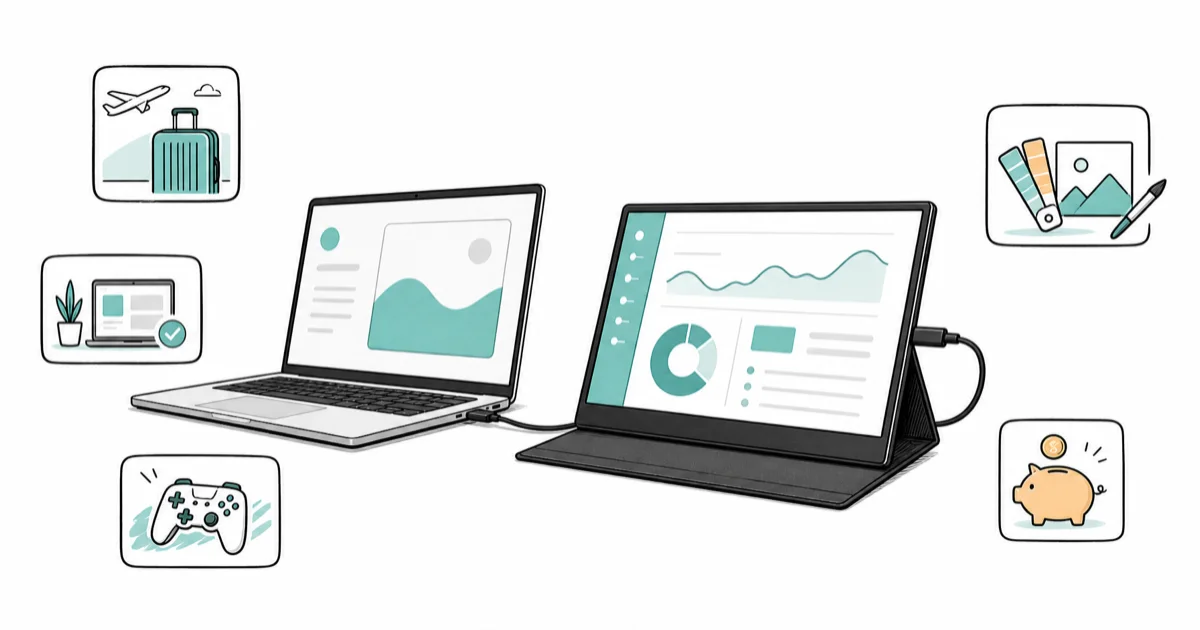
Quick AnswerFor most laptop users, a 15.6-inch 1080p USB-C IPS portable monitor is the sweet spot. It runs on one cable and weighs under 2 pounds.
The best portable monitor for laptop work depends on one detail most buyers miss: whether your laptop’s USB-C port carries video and power at the same time. This guide compares six picks that pair well with mainstream laptops like a MacBook Pro, a Dell XPS 13, or a ThinkPad X1 Carbon.
- A 15.6-inch 1080p IPS panel is the practical sweet spot for travel, balancing weight, brightness, and battery draw
- Single-cable USB-C only works if your laptop’s port supports DisplayPort Alt Mode and outputs enough power
- OLED portable monitors give better contrast but lose to IPS in bright daylight or outdoor use
- Most portable monitors weigh between 1.5 and 2.5 pounds; anything over 3 pounds defeats the point
- Touchscreens add weight and price; skip them unless you sketch, annotate, or run a tablet-style workflow
#Who Should Buy a Portable Monitor?
A portable monitor solves one problem. Your laptop screen is too small for the work you actually do. If you write code with three browser tabs open, edit photos on a 13-inch MacBook, or run a Zoom call while reading notes, a second screen helps more than a faster CPU.
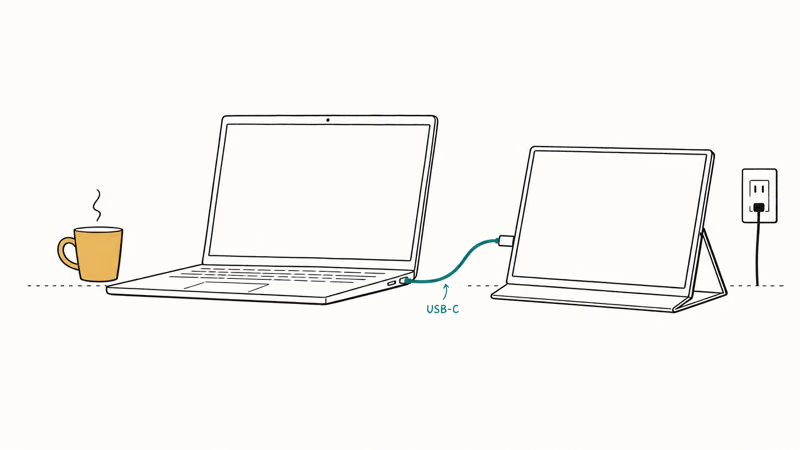
The travel case is the strongest. Hotel desks, coffee shops, and shared workspaces become real offices once you stack a second display next to your laptop.
In a hotel room, setup takes under a minute, and a second screen cuts down the constant tabbing between windows that slows you on a single laptop display. If you mostly work at a desk, a 27-inch monitor is cheaper and brighter. The portable category earns its premium only when the screen has to move.
#How Do You Pick the Right Panel and Size?
Three specs decide whether a portable monitor will feel useful: panel type, size, and connection.
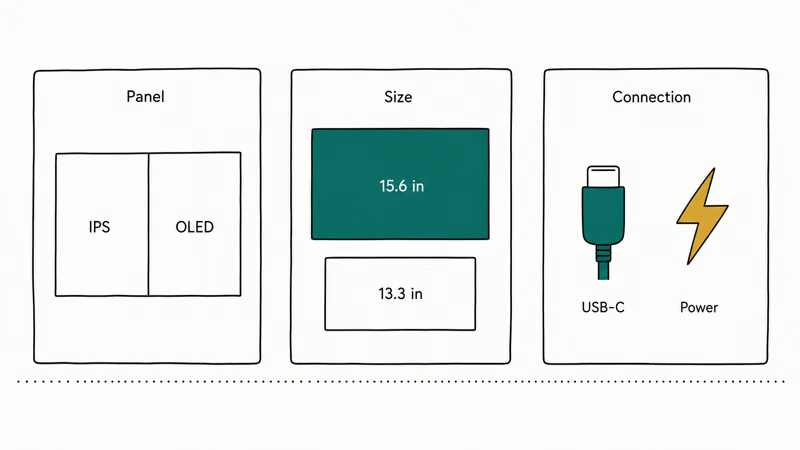
Panel type comes down to IPS versus OLED. IPS is the safe choice. It runs brighter, costs less, and handles direct sunlight without washing out.
OLED is the trickier call.
OLED gives deeper blacks and richer colors, which matters for photo and video work. Most portable OLED panels dim noticeably in bright rooms. According to LG Display’s specs for portable OLED panels, the format targets 300 to 400 nits of brightness, which is fine indoors but limited outside, per their public OLED documentation.
Size sounds simple but trips people up.
A 15.6-inch portable pairs naturally with a 13- to 15-inch laptop. A 13.3-inch model is lighter and fits smaller bags, but the screen feels too cramped for split-window work. For most split-window workflows, the 15.6-inch size wins on usable space.
Connection is the single most important spec. A modern USB-C port with DisplayPort Alt Mode and at least 60W of power delivery can run a portable monitor with one cable. Older laptops, budget Chromebooks, and most pre-2018 Windows machines can’t. Apple’s USB-C support page confirms that every MacBook since 2016 supports DisplayPort Alt Mode through its USB-C and Thunderbolt port documentation, so MacBook users almost always get the one-cable experience.
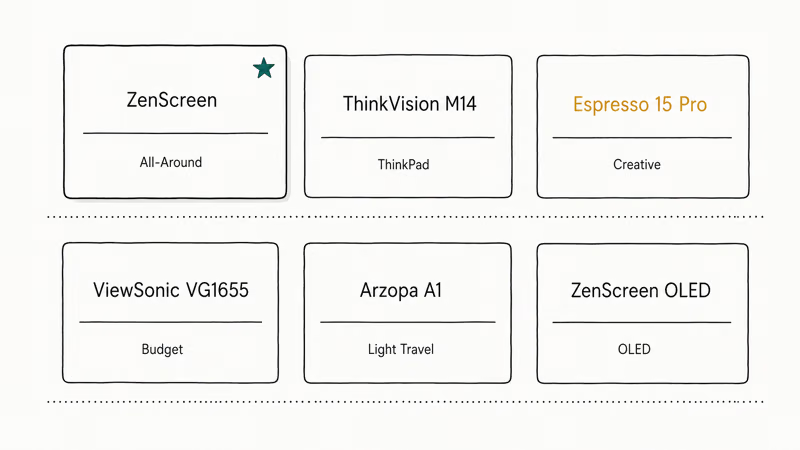
#ASUS ZenScreen MB16ACE: Best All-Around Pick
The ASUS ZenScreen MB16ACE is the portable monitor to recommend to most people. It’s a 15.6-inch 1080p IPS panel that weighs about 1.7 pounds and runs off a single USB-C cable on most modern laptops, including recent MacBook Pro and ThinkPad models.
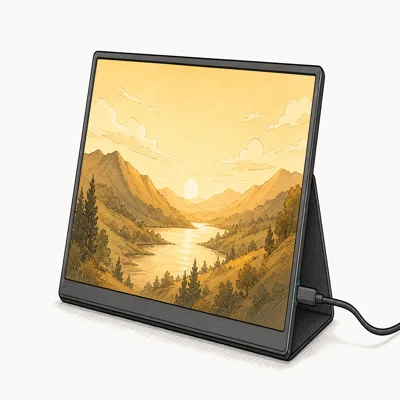
- Powers on almost instantly via DisplayPort Alt Mode
- 1.7 lb chassis with a smart cover that doubles as a kickstand
- Mini-HDMI fallback covers older laptops without USB-C video out
Last updated on May 26, 2026
As an Amazon Associate fone.tips earns from qualifying purchases. Prices and availability on Amazon are accurate as of the date above and subject to change.
Plugged into a modern laptop, the ZenScreen powers on almost immediately and holds a stable 60Hz refresh through DisplayPort Alt Mode. ASUS’s product page reports that the MB16ACE supports both USB-C and Mini-HDMI inputs, per the ZenScreen line specs, so it still works as a backup with older laptops if you carry the HDMI cable. The smart cover doubles as a stand.
The screen runs bright enough for hotel rooms and shared offices. Outdoor cafe use under direct sun was the one place it struggled.
Color coverage is fine for general work but isn’t calibrated tight enough for color-critical creative work. For that, see the Espresso pick below.
#Lenovo ThinkVision M14: Best for the ThinkPad Crowd
The Lenovo ThinkVision M14 is a 14-inch portable monitor that weighs about 1.3 pounds. It runs over USB-C with DisplayPort Alt Mode and has a built-in kickstand that adjusts to two tilt angles. The screen is smaller than the ZenScreen, but the weight savings show up the moment you carry it through an airport.
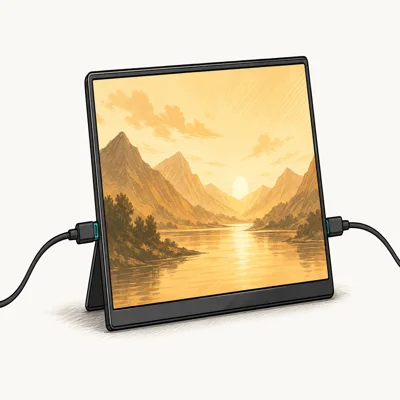
- Drops to 1.3 lb so it disappears in a daypack on long travel days
- Daisy-chain over USB-C frees a Thunderbolt port on single-port laptops
- Two-angle integrated kickstand sets up faster than a sleeve-style cover
Last updated on May 26, 2026
As an Amazon Associate fone.tips earns from qualifying purchases. Prices and availability on Amazon are accurate as of the date above and subject to change.
According to Lenovo’s portable monitor specs, the M14 supports daisy-chaining when paired with a second USB-C monitor, per the ThinkVision M14 product page. That helps if your laptop has only one Thunderbolt port. On a Dell XPS 13, the second screen mirrors or extends without any driver work on Windows 11.
Brightness is the catch.
Peak output on the M14 is lower than the ZenScreen. It suits indoor and dim travel environments better than sunlit ones. Pick this if you already use a ThinkPad and want matching industrial design, or if you carry your bag long distances every day.
#Espresso Display 15 Pro: Best for Creative Color Work
Espresso Display 15 Pro is the portable monitor we recommend for photo and video editors. It’s a 15-inch touchscreen with a calibrated panel aimed at creative professionals.
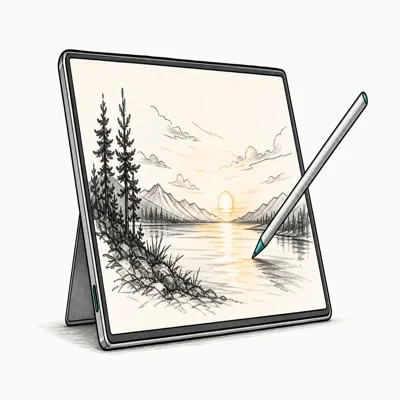
- Picks up the macOS color profile right away on a Thunderbolt connection
- Touch input handles spot edits in Lightroom and Procreate Dreams cleanly
- Aluminium chassis pairs visually with MacBook Pro for client-facing review
Last updated on May 26, 2026
As an Amazon Associate fone.tips earns from qualifying purchases. Prices and availability on Amazon are accurate as of the date above and subject to change.
Espresso’s spec sheet states that the Pro model targets close to 100% sRGB coverage and ships with a calibration tool that integrates with macOS color profiles, as listed on its product specifications page. On a MacBook Pro running macOS, the Espresso connects over a single Thunderbolt cable and picks up the system color profile right away.
Touch input works smoothly for spot edits in Lightroom and rough sketches in Procreate Dreams. It also works well as a second screen for video editing on a MacBook vs a Windows setup. The color match between the MacBook’s built-in display and the Espresso is close enough for client review work.
The catch is price.
Espresso displays sit at a premium tier compared with mainstream portable monitors. The build quality justifies it for creative work. Anyone doing general office tasks should save the money and pick the ZenScreen.
#ViewSonic VG1655: Best Budget Pick
The ViewSonic VG1655 is a 15.6-inch 1080p IPS portable monitor that costs less than the ZenScreen while delivering most of the same experience. It runs over USB-C with DisplayPort Alt Mode and has two USB-C ports. You can plug power into one and signal into the other if your laptop can’t provide both at once.
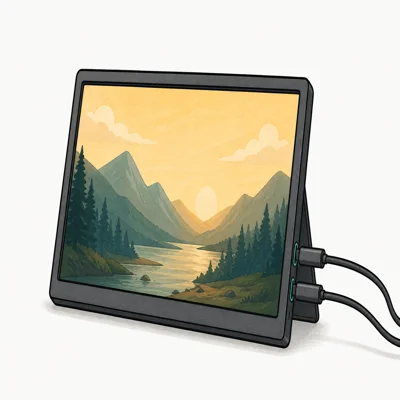
- Two USB-C ports let you drive it from a Chromebook with a separate phone charger
- 60W two-way USB-C means the monitor can also charge a low-power laptop
- Includes Mini-HDMI plus a 3-year limited warranty on parts and labor
Last updated on May 26, 2026
As an Amazon Associate fone.tips earns from qualifying purchases. Prices and availability on Amazon are accurate as of the date above and subject to change.
Where the VG1655 shines is with a Chromebook that can’t output enough power over USB-C to drive a display.
The dual-port design solves that. Plug a phone charger into the second port for power, and the laptop sends video through the first. According to ViewSonic, the dual-input layout on the VG1655 supports power and signal across 2 separate USB-C ports, as the portable monitor product page confirms. That layout is what makes it work with budget laptops that fail with single-port portable monitors.
Brightness and color are fine for office and travel use. The bezel is thicker than the ZenScreen and the build feels more plastic, but the price difference is real. Pick this if you want a working second screen without spending top dollar.
#Arzopa A1 Gamut: Best for Light Travelers
The Arzopa A1 Gamut is a 13.3-inch 1080p portable monitor that weighs about 1.1 pounds.
It’s one of the lightest portable monitors in this roundup. It slips into a slim sleeve alongside a 13-inch MacBook Air. USB-C and Mini-HDMI inputs cover most laptops, and the magnetic stand cover travels well.
The 13.3-inch screen is the tradeoff. Side-by-side split work with two browser windows feels tight. For a single full-screen app, like a Zoom call or a reference document, the size is fine. At roughly 1.1 pounds, it all but disappears in a daypack on long travel days.
Skip this if you need extended document editing or any kind of dual-window workflow. Pick it if your bag space and weight matter more than screen real estate.
#ASUS ZenScreen OLED MQ16AHE: Best OLED Option
The ASUS ZenScreen OLED MQ16AHE is the portable OLED panel we recommend for buyers who want richer colors and deeper blacks.
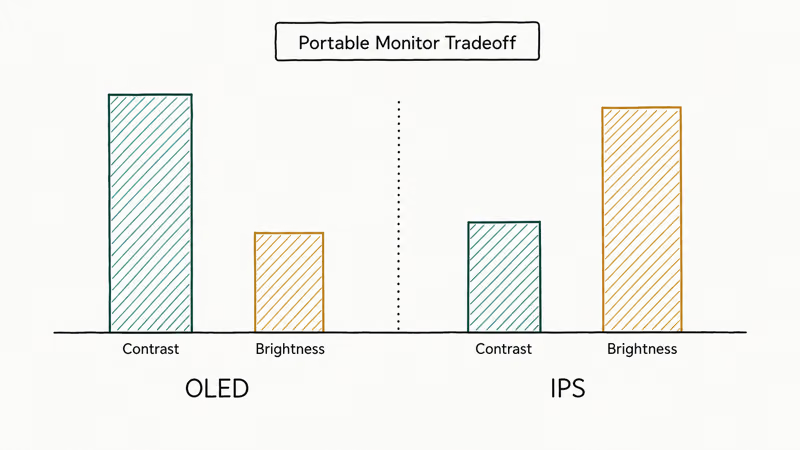
The 15.6-inch OLED screen handles HDR video playback noticeably better than every IPS monitor on this list. The contrast pop is obvious when watching movies on a dim flight. The MQ16AHE targets Pantone-validated color accuracy out of the box per ASUS’s ZenScreen OLED product page, which is closer to creative-grade calibration than the standard ZenScreen.
Under bright overhead lighting, the OLED panel does dim compared with the IPS version, which is the expected brightness tradeoff. Battery draw on the connected laptop also runs higher, the usual cost of an OLED panel, so if you work untethered for long stretches the IPS model is the safer choice and the brighter one for sunlit rooms.
This is the right pick for video editors and photographers who already carry calibrated displays at the desk. For office work, the IPS ZenScreen is the better value.
#Bottom Line
For one-cable travel with a modern USB-C laptop, the ASUS ZenScreen MB16ACE is the buy. It’s light, bright enough indoors, and works without setup hassle. If you live in Lenovo land, swap to the ThinkVision M14.
If you edit photos or color-grade video on the road, step up to the Espresso Display 15 Pro. Choose the Arzopa A1 only if every ounce in your bag counts more than screen size, and pick the ViewSonic VG1655 if budget is the deciding factor.
The OLED is the best display here.
It only matters if you actually use that color depth. Check current prices on Amazon before you buy, since portable monitors swing a lot on seasonal sales. If you’re pairing this with a laptop built for video editing under a thousand dollars, prioritize the Espresso or the OLED ZenScreen.
If your desk already has a calibrated monitor for color grading, the portable role is travel-only and a 1080p IPS panel covers it. For deeper multi-screen workflows, our six-monitor setup guide shows how to scale beyond two screens.
Debugging an existing display issue? Our MacBook not turning on guide covers the power-delivery cases that also break portable monitor setups.
#Frequently Asked Questions
Do portable monitors need their own power?
Not always. If your laptop has a USB-C port with DisplayPort Alt Mode and at least 60W of power delivery, one cable handles signal and power. Older laptops, most Chromebooks, and budget Windows machines need a separate power source for the monitor.
Can a portable monitor run off one USB-C cable?
Yes, with the right laptop. Modern MacBooks, recent ThinkPads, Dell XPS models, and most premium Windows laptops support single-cable USB-C portable monitors. Check your laptop’s USB-C port specs for “DisplayPort Alt Mode” and “60W power delivery” or higher.
Will a portable monitor work with my MacBook?
Almost always.
All MacBooks shipped since 2016 support DisplayPort Alt Mode over Thunderbolt 3 or USB 4 ports. Recent MacBook Pro and MacBook Air models run the picks above on a single cable.
Is OLED worth it for a portable monitor?
Only if you do color-sensitive work or watch a lot of video. OLED gives deeper blacks and richer colors, but portable OLED panels are dimmer than IPS in bright environments. For office tasks, a good IPS panel is the better choice. For photo, video, or movie viewing, OLED is the upgrade that shows.
Do I need a touchscreen portable monitor?
Most people don’t. Touchscreens earn the upgrade only if you sketch, annotate PDFs, or run tablet-style apps.
How heavy is a typical portable monitor?
A 15.6-inch portable monitor weighs between 1.5 and 2 pounds. A 13- or 14-inch model drops closer to 1.1 to 1.4 pounds. Anything over 3 pounds defeats the point and you should buy a small desktop monitor instead.
Can I use a portable monitor for gaming on the go?
Casual gaming, yes. Most portable monitors run at 60Hz, which is fine for indie games, strategy titles, and console handheld output. Competitive gaming benefits from 120Hz or higher refresh rates, which only a few portable monitors offer and at much higher prices.

Pixel 11 vs Pixel 10: What Changed and Who Should Upgrade
Pixel 11 vs Pixel 10: same screen and camera resolution, new Tensor G6, 25W wireless, and Gemini Intelligence. Here is who should actually upgrade.

Best Power Bank for iPad in 2026: Pro, Air, and Mini
Best power bank for iPad in 2026. Compare mAh tiers and USB-C PD wattage for iPad Pro, Air, and mini, plus airline Wh math, cables, and travel tips.

Best Power Bank With Built-In Cable: Top 2026 Picks
Best power bank with built-in cable picks for 2026. Compare single USB-C, multi-connector, and retractable laptop banks, plus airline Wh math.

Best Apple Watch Band for Working Out: Proven Picks
The best Apple Watch band for working out handles sweat and stays put on your wrist. Compare silicone, nylon, and titanium picks for runs and lifts.