Best Photo Viewer for Windows 10: 8 Picks + 2 to Avoid
Compare eight current photo viewers for Windows 10, plus two outdated apps to avoid. See format support, batch tools, editing features, and limits.

Quick AnswerIrfanView and FastStone Image Viewer are the best free photo viewers for Windows 10, offering format support, batch conversion, and built-in editing without slowing down your PC.
Capturing life’s best moments with a camera is a career for some people and a hobby for others. But to get those moments to appear in the best way they can, a photo editing program is necessary.
Editing can make a photo look cleaner, sharper, and easier to share.
Taking a quick search through Windows 10’s built-in utilities will bring you to the generic photo viewer app. It has a few useful features, including the basic photo editor. However, most people will agree that this photo viewer simply isn’t enough.
It lacks many abilities that photographers, aspiring or professional, often need for their work, especially broader format support, batch tools, and deeper organization features. Here are eight current picks, plus two outdated programs to avoid.
- IrfanView supports a broad range of formats and includes batch conversion tools
- FastStone offers RAW support, lossless JPEG rotation, and a three-panel browsing layout
- Apowersoft opens HEIC files natively, while Microsoft Photos may require an extension
- XnView and digiKam excel at organizing large collections with metadata search and tagging
- Microsoft Photos is built in and handles common photo formats without another download
##1 – Apowersoft Photo Viewer
Starting off our list is Apowersoft Photo Viewer. It’s one of the most popular photo viewers available, and rightfully so.
Users can open pretty much any photo in this viewer. It supports a lot of formats, from the common JPG and PNG to newer formats like HEIC.
Whenever you use Apowersoft Photo Viewer, it runs smoothly. Your CPU usage will be low while your photos continue to load quickly. This software can also open your PDF files without compatibility issues, doubling as a PDF viewer. If you also need a solid video player for Windows, Apowersoft makes one of those too.
#Pros
-
Includes a built-in screenshotting feature
-
Share photos on social media from the program
-
Convert multiple photos to different formats in batch
-
Upload your photos to the free cloud storage space
-
Free to use
#Cons
- After installing, it automatically becomes your default photo viewer
##2 – Imagine Picture Viewer (Avoid)
Imagine Picture Viewer isn’t a current Windows 10 recommendation. Its SourceForge project page lists the last update as May 20, 2013 and states that the program doesn’t work on 64-bit operating systems.
Its cropping, resizing, contrast, and filter tools don’t offset the lack of current maintenance. Skip it and choose one of the supported viewers below.
#Why We Don’t Recommend It
-
The project hasn’t been updated since 2013
-
It doesn’t run on 64-bit Windows
-
Its old sharing integrations include retired services
##3 – Why Is IrfanView Still a Top Choice?
IrfanView is as simple as a photo viewer gets. Navigating the interface to access different features is really easy, and something stands out about this software. It’s a photo viewer, image editor, and photo converter all wrapped up into one neat package.
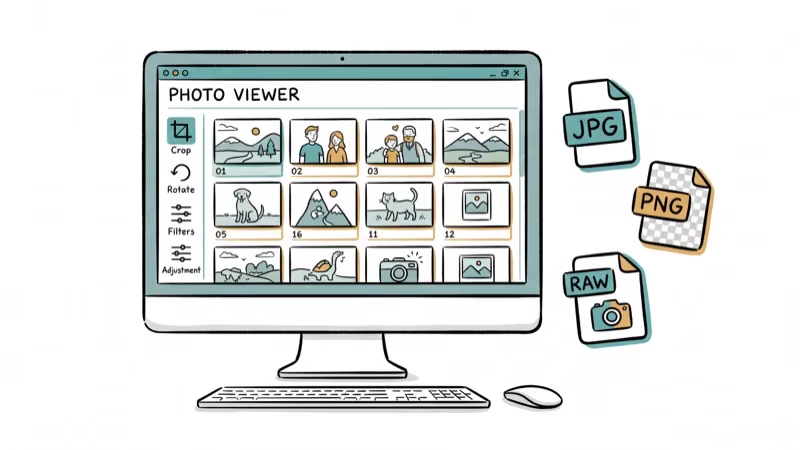
IrfanView’s official format list covers common files, camera RAW formats, HEIC, and many specialist formats; some require plug-ins. Its editing tools handle simple tasks such as cropping and red-eye removal.
#Pros
-
Converts photos to different formats either individually or in batch
-
IrfanView can convert photos into various formats
-
Users can edit their photos after opening them in this viewer
-
Compatible with Windows 10 and older versions too (8, 7, Vista, etc.)
#Cons
-
Although this is a free photo viewer, commercial usage requires a license
-
Outdated interface design
-
Doesn’t offer support for image cache decoding
##4 – HoneyView
HoneyView runs on Windows 10 in both 32-bit and 64-bit versions, according to Bandisoft’s official page.
Not only does HoneyView let you view your photos, but the feature that puts it on our list of the best photo viewer for Windows 10 is archive compatibility.
If you store your photos in archives for efficient storage, HoneyView lets you view archive photos without decompressing.
#Pros
-
Adjusting photo resolutions or converting file formats can be done in bulk
-
Displays additional image information including EXIF and GPS
-
Compatible with various photos formats as well as archive formats
-
Runs on both 32-bit and 64-bit Windows 10 systems
#Cons
-
Includes only little image editing features
-
Old and unappealing user interface
-
No longer receives updates; Bandisoft recommends BandiView for future improvements
##5 – FastStone Image Viewer
First impressions of FastStone Image Viewer can be deceiving. The interface is rather bleak, but it’s simple and presents the features in a way that makes them easy to find. FastStone is especially useful for browsing large folders and camera RAW files without leaving the viewer.
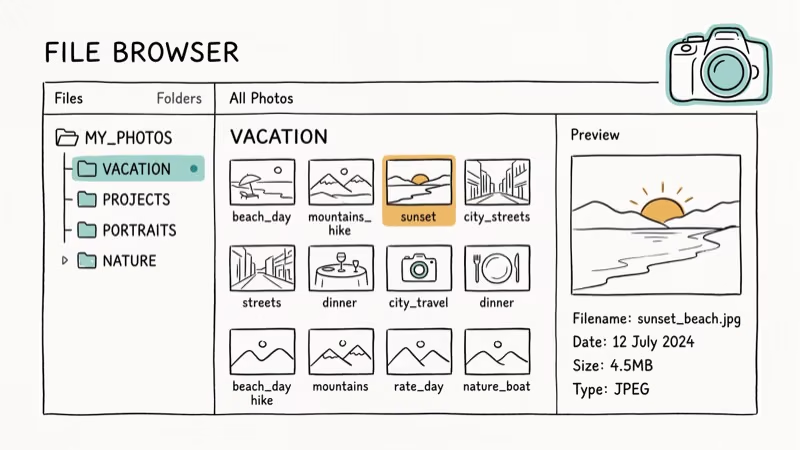
After opening the program, you’ll see that the window is split into three components. You have a directory menu for browsing at the top-left, the bottom-left shows image previews, and the right displays folders’ contents.
Presenting these features in this way makes this a much easier image viewer to use.
#Pros
-
Unique interface layout improves user experience
-
Supports all common image formats
-
Creates lossless JPEG transitions
-
Compatible with RAW images from most digital cameras
-
Free for all users
-
Continues to receive updates
#Cons
- Outdated interface design can be unappealing
##6 – digiKam
Next up is digiKam, a more advanced photo management program that offers so much more than the standard photo viewer does.
As well as a photo viewer, digiKam is also a photo editor and is open-source too.
#Pros
-
Capable of displaying RAW camera photo files too
-
Search photos based on various criteria (name, tags, metadata, etc.)
-
Professional interface design
-
Also available on Mac and Linux computers
-
Free for use
#Cons
-
Doesn’t always work properly
-
Windows’ built-in security doesn’t authorize digiKam since it doesn’t have a signed certificate
##7 – Nomacs
Nomacs is a name that comes up anytime there’s talk of the best photo viewer for Windows 10, and it’s more than capable as a photo viewer.
It has a photo editing studio for resizing and rotating images, plus viewer synchronization.
#Pros
-
Provides image editing and viewer synchronization features
-
Users can see EXIF data from photos
-
Compatible with RAW photo formats
-
It can be downloaded on Windows, Mac, and Linux computers
#Cons
-
Somewhat slower performance than other photo viewers
-
Infrequent updates
##8 – XnView
XnView has a similar design to FastStone Image Viewer. As you browse through your folders full of photos, all photos are shown to the right, and a preview appears below.
Next to the preview, you’ll see data, including the last time the photo was edited, the file size and format, and more details.
XnView is also available on Mac, Linux, and iOS devices. Features include resizing, converting, and numerous other tools that can benefit photographers and editors alike. If you need to save GIFs from Twitter, XnView can handle animated GIF playback too.
#Pros
-
Great for general photo viewing and editing
-
Free for use on all platforms
-
Available on Mac and Linux as well
#Cons
- Using XnView commercially requires a license
##9 – Picasa Photo Viewer (Avoid)
Picasa is no longer a Windows 10 recommendation. Google’s Picasa help page confirms that the program is retired, receives no updates, works only offline, and is no longer available for download.
Don’t download Picasa from a third-party software archive. An unsupported installer from an unofficial source isn’t worth the security risk when current viewers are available.
#Why We Don’t Recommend It
-
Google no longer maintains or distributes it
-
It receives no security updates and works only offline
-
Any new download would come from an unofficial third-party source
Also read: Google Photos not backing up? Here’s the best solution.
##10 – Is Microsoft Photos Good Enough?
Microsoft Photos works as a basic built-in fallback.
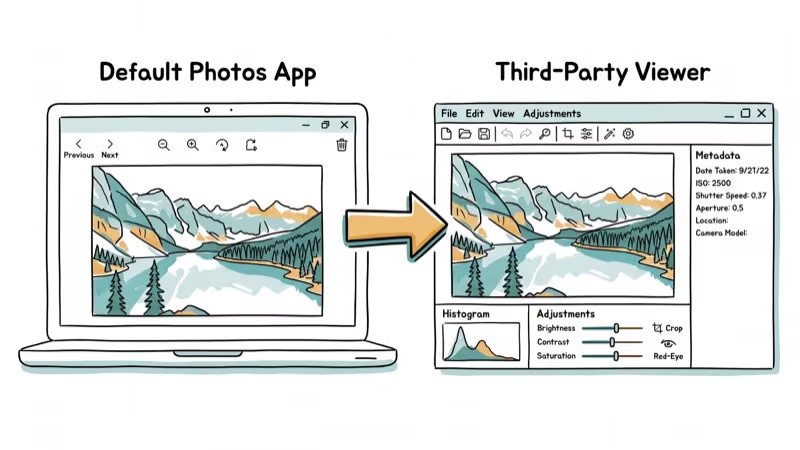
Microsoft’s Photos support page lists JPEG, PNG, GIF, BMP, and TIFF support. On Windows 10, Microsoft says HEIF files may require its HEIF and HEVC extensions.
You don’t need to download and install anything, and if you don’t have another image-viewing app on your computer, this is the default selection. Having trouble with other Windows 10 features? Check our guide on fixing Windows 10 keyboard not working issues.
Newer versions of this app include some editing features, but there’s nothing impressive about them.
#Pros
-
Includes all of the basic features a photo viewer needs
-
It’s on your computer by default, part of the Windows operating system
-
Absolutely no risk of viruses or malware as it’s an official Windows tool
-
Easy to use, simple, and nothing complex about it
#Cons
-
Explicitly supports photos (no PDF viewing)
-
Sometimes the app doesn’t display thumbnails properly
-
Only available on Windows computers
Our guide to viewing HEIC photos on your MacBook recommends keeping format support in mind when you move photos between Apple devices and Windows PCs.
#Bottom Line
IrfanView and FastStone Image Viewer are the strongest free options for most Windows 10 users. IrfanView wins on format support and batch processing speed, while FastStone has the better interface for browsing RAW files. Try both before committing to one.
#Frequently Asked Questions
Are these photo viewers free to use?
Yes, most of the photo viewers on this list are free for personal use. IrfanView and HoneyView require a paid license for commercial use, but home users can download and use them at no cost.
Can I edit photos with these viewers?
Most of the photo viewers listed here include basic editing tools like cropping, resizing, and brightness adjustment. IrfanView and digiKam go further with batch editing and red-eye removal.
Do these photo viewers work on macOS or Linux?
Several options work across operating systems. XnView, digiKam, and Nomacs are all available on Windows, macOS, and Linux. IrfanView is Windows-only but runs on macOS through Wine.
Can I manage mobile photos with these desktop viewers?
Some viewers like XnView have companion mobile apps. For most, you’d transfer photos to your PC first via USB or cloud sync and then open them in the desktop viewer.
Which photo viewer handles RAW camera files the best?
FastStone Image Viewer and digiKam both handle RAW files well. FastStone is a better lightweight viewer for camera RAW browsing, while digiKam offers stronger metadata management for large RAW libraries.
What happened to Google Picasa?
Google retired Picasa in 2016 and no longer provides a download. Existing installations may still work offline, but the app receives no updates; use a supported viewer instead of a third-party installer.

Best Laptop for Running LLMs in 2026: Memory Comes First
The best laptop for running LLMs is a memory purchase first. Compare MacBook unified memory against NVIDIA laptop VRAM, and see what each tier really runs.

How to Run a Local LLM on Windows: A 2026 Setup Guide
Run a local LLM on Windows with LM Studio or Ollama. Pick a model that fits your GPU memory, keep every prompt offline, and skip the monthly bill.

Bluetooth Not Working on Snapdragon X? Fixes for 2026
Bluetooth not working on your Snapdragon X Copilot+ PC? Generic audio, mice, and keyboards work, but vendor apps often lack an ARM build. Fixes inside.

Docker Desktop and WSL2 Not Working on Snapdragon X? Fix It
WSL2 runs fine on Snapdragon X, but Docker Desktop ARM is Early Access and throws WSL errors. Use WSL2 plus native ARM64 Ubuntu and Docker Engine.