Best 4K Monitor 2026: Top Picks for Work and Gaming
Best 4K monitor in 2026 by use case. We pick top QD-OLED, mini-LED, and IPS displays for work, creative editing, and gaming, with port advice.
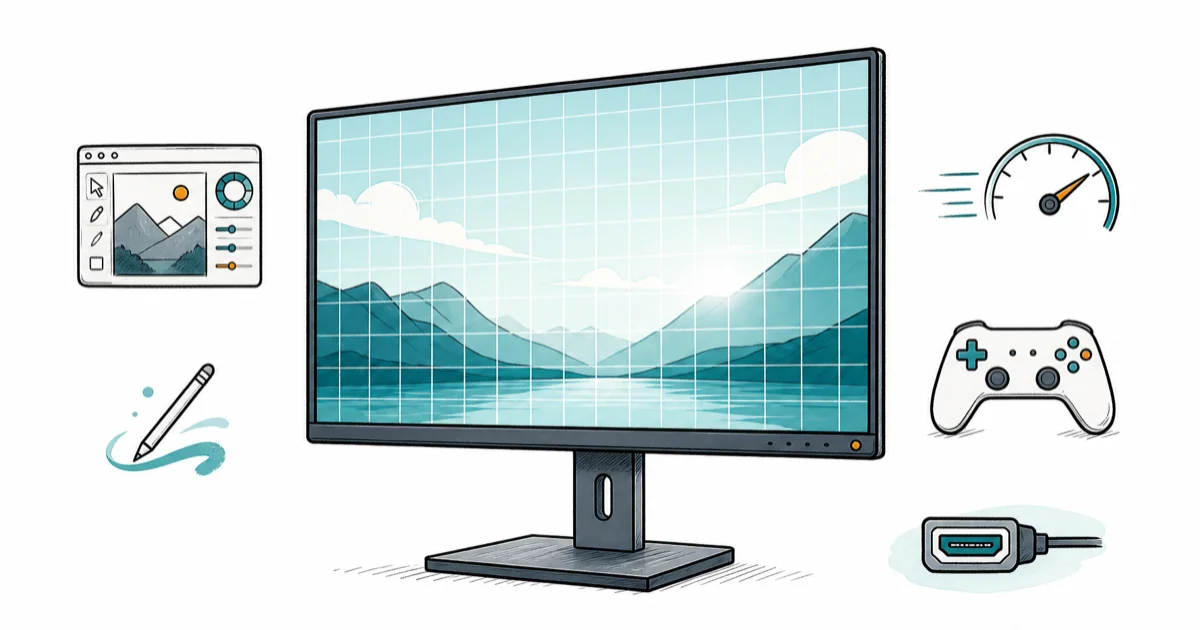
Quick AnswerThe best 4K monitor for most people in 2026 is the MSI MPG 321URX, a 32-inch QD-OLED that handles work, editing, and 240Hz gaming under $1000.
The best 4K monitor in 2026 is the one that matches how you actually use a screen, and for most people that’s the 32-inch MSI MPG 321URX QD-OLED. It’s sharp enough for editing, fast enough for 240Hz gaming, and lands under a grand. Below we sort the current 4K lineup by job, because a colorist, a spreadsheet jockey, and a competitive gamer all want different glass.
- The MSI MPG 321URX is the best all-rounder: a 32-inch 4K QD-OLED at 240Hz with USB-C power delivery and a KVM switch, usually under $1000.
- For long work days with static apps, a mini-LED like the ASUS ROG Swift PG32UQX avoids OLED burn-in risk while still delivering punchy HDR.
- 32 inches is the 4K sweet spot. At that size the pixel density gives crisp text without the cramped UI of a 27-inch 4K panel.
- A 27-inch 4K mini-LED such as the AOC U27G4XM gives true local-dimming HDR for $400 to $500, the value entry point.
- For pure productivity, the Dell U2725QE IPS Black panel pairs Thunderbolt 4 with deep contrast and no burn-in worries at all.
#The Best 4K Monitors: Our Top Picks and Where to Buy
Here is the short version on each pick and where to buy it before the full breakdown below.
#MSI MPG 321URX (Best Overall)
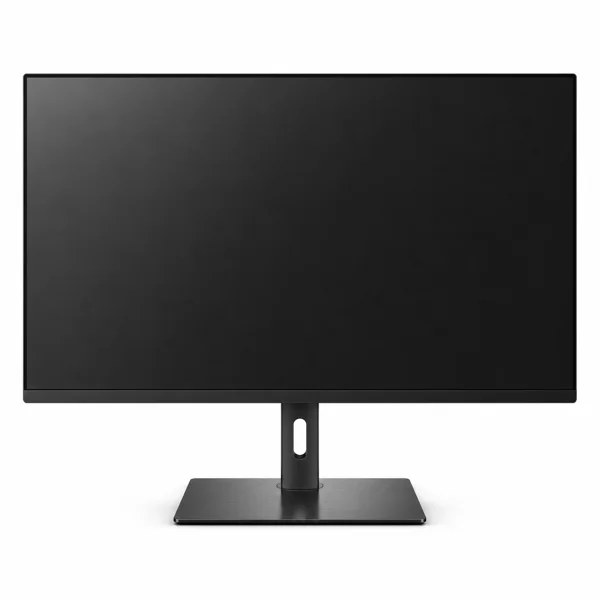
- 32-inch QD-OLED nails editing and 240Hz gaming
- KVM switch runs two PCs from one keyboard
- USB-C power delivery charges a laptop over one cable
Last updated on Jun 30, 2026
As an Amazon Associate fone.tips earns from qualifying purchases. Prices and availability on Amazon are accurate as of the date above and subject to change.
#MSI MPG 272URX (Best for Creators)
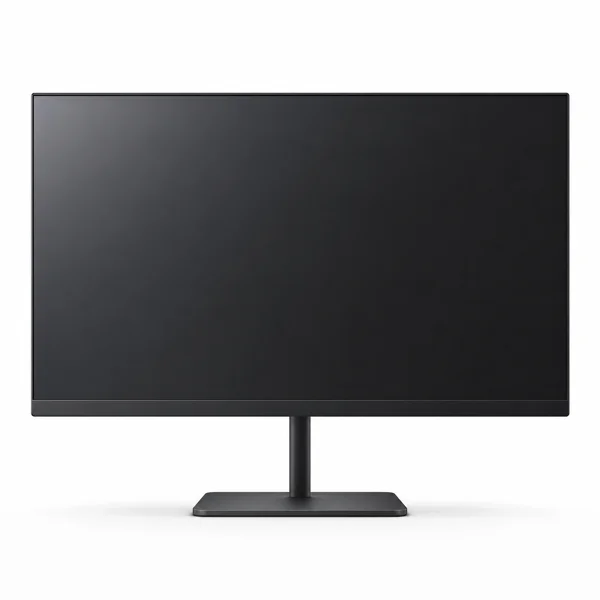
- Tighter pixel density than a 32-inch 4K panel
- 98W USB-C drives and charges a MacBook
- Strong out-of-box color for photo and video
Last updated on Jun 30, 2026
As an Amazon Associate fone.tips earns from qualifying purchases. Prices and availability on Amazon are accurate as of the date above and subject to change.
#ASUS ROG Swift PG32UQX (Best for Gaming)
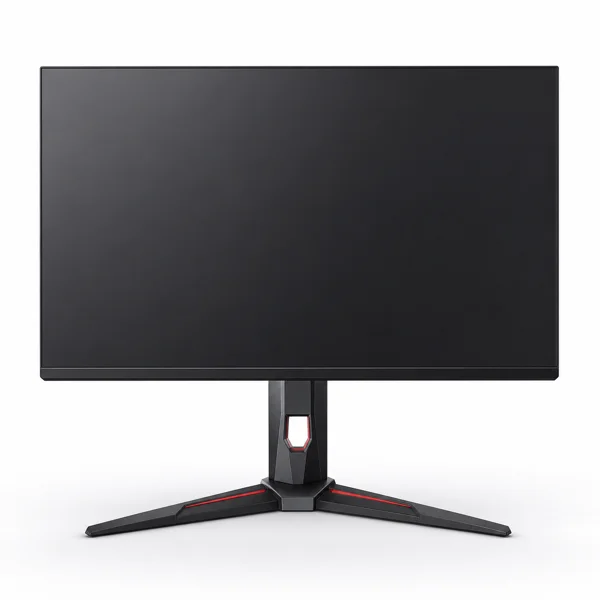
- DisplayHDR 1400 makes HDR highlights searing
- Mini-LED avoids OLED burn-in for static apps
- Factory-calibrated for photo and video work
Last updated on Jun 30, 2026
As an Amazon Associate fone.tips earns from qualifying purchases. Prices and availability on Amazon are accurate as of the date above and subject to change.
#Dell U2725QE (Best for Work)
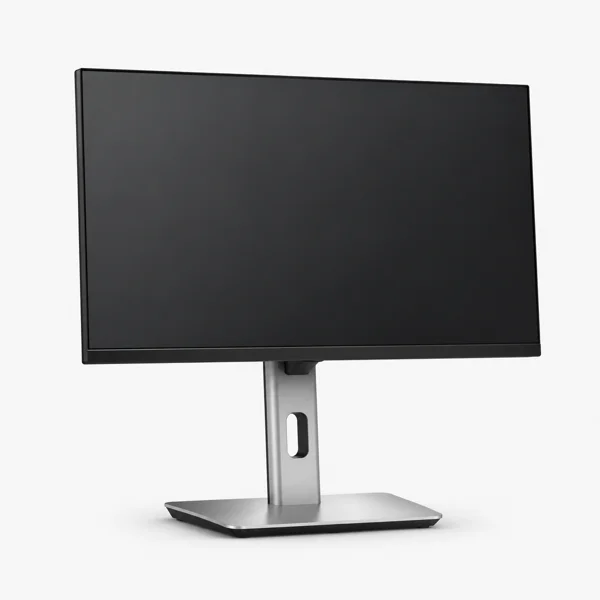
- Thunderbolt 4 turns one cable into a full dock
- IPS Black doubles contrast with zero burn-in risk
- Factory-calibrated 99% DCI-P3 for accurate work
Last updated on Jun 30, 2026
As an Amazon Associate fone.tips earns from qualifying purchases. Prices and availability on Amazon are accurate as of the date above and subject to change.
#What Makes a 4K Monitor Worth Buying in 2026?
Three things separate a great 4K monitor from a merely sharp one: panel technology, HDR done properly, and the ports that connect it to your machine.
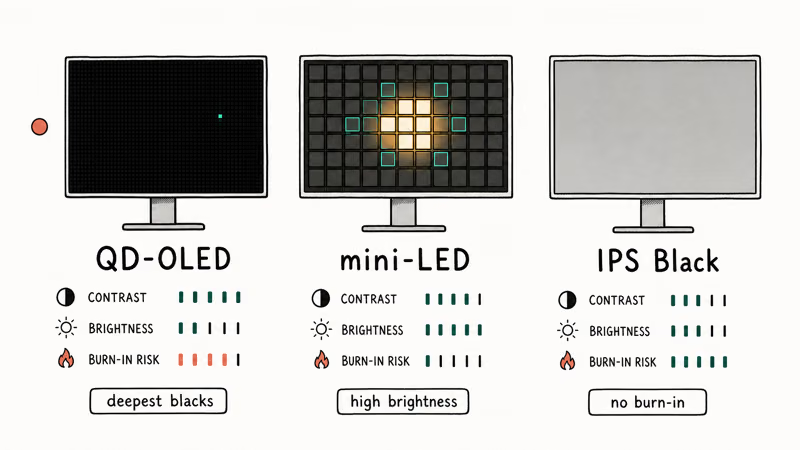
Panel choice is the big fork. QD-OLED gives you per-pixel control, near-instant response, and the deepest blacks, which is why it dominates the high end. Mini-LED splits a backlight into hundreds or thousands of dimming zones for very high brightness and no burn-in risk, while plain IPS stays cheaper and reliable but can’t match either for contrast.
HDR is the spec most often faked. The displays that earn a real HDR rating are the ones with high zone counts, not the cheap edge-lit panels that slap a sticker on the box. Treat DisplayHDR 400 on a basic LCD as a marketing line.
Ports matter too. For 4K at high refresh you want HDMI 2.1 or DisplayPort 2.1. Creators on a laptop should add USB-C with power delivery.
#Best 4K Monitor Overall: MSI MPG 321URX
Want one screen that does everything? This is it. The MSI MPG 321URX is a 32-inch 4K QD-OLED running at 240Hz, and it’s been the default pick across reviewers since launch.
As an Amazon Associate, fone.tips earns from qualifying purchases.
What earns it the top spot is balance. According to Tom’s Guide’s MSI MPG 321URX review, the panel pairs a 240Hz refresh with a 0.03ms response time, and the reviewer called it one of the best monitors they have tested. The build adds a USB hub, 90W USB-C power delivery, and a KVM switch for hot-desking between a laptop and a tower.
Price is the catch. Tom’s Guide lists it around $1,099 at launch, but it now sells below $1,000 and dips toward $899 on sale.
The other honest caveat is burn-in. OLED protection has improved enormously, with pixel shifting and automatic refresh cycles built right into the firmware, but if you stare at the same toolbars eight hours a day for years on end, a mini-LED stays the calmer long-term choice.
#Best 4K Monitor for Creative Work: MSI MPG 272URX
Colorists and photo editors care about pixel density and color accuracy more than raw size. A 27-inch 4K panel packs the same pixel count into a smaller area than a 32-inch one, so menus, fine type, and subtle gradients all look razor sharp, which is exactly what close editing work demands.
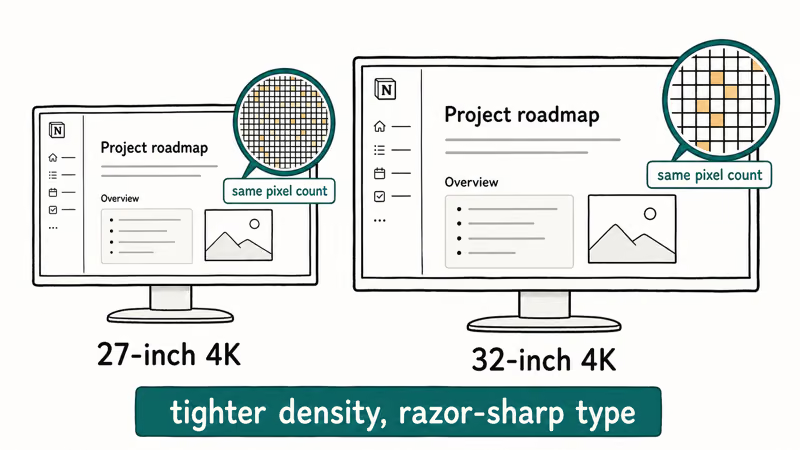
The MSI MPG 272URX is the pick here.
Tom’s Guide’s MSI MPG 272URX review found that it works as a beast for both gaming and productivity, with strong out-of-box color and connectivity that includes HDMI 2.1, DisplayPort 2.1, and USB-C with roughly 98 watts of power delivery. A MacBook or creative laptop can drive the display and charge over one cable. That out-of-box accuracy means a colorist can trust the panel without a day-one calibration pass.
QD-OLED’s wide gamut suits creative work, but there’s a trade-off. In a brightly lit room, QD-OLED blacks can drift toward grey under direct light because the panel lacks a polarizing layer. Got windows behind your desk? Control the lighting or pick a matte-coated panel.
If your work is truly color-critical, a dedicated reference display still wins. For most editors, though, the 272URX is sharp, accurate, and fast enough to double as a gaming screen after hours. For grading specifically, see our deeper guide to the best monitor for color grading.
#Best 4K Monitor for Gaming: ASUS ROG Swift PG32UQX
Maximum brightness, real HDR impact, and zero burn-in anxiety from a screen you game on for hours? Go mini-LED.
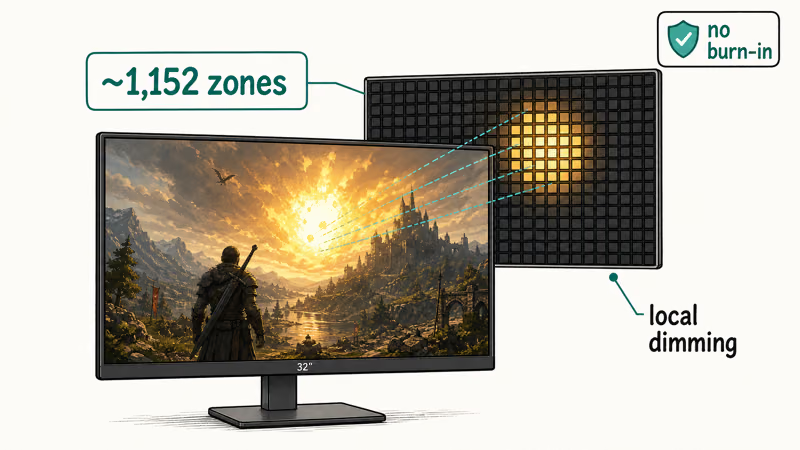
The ASUS ROG Swift PG32UQX is the premium 4K mini-LED flagship. It’s a 32-inch panel with VESA DisplayHDR 1400 certification, G-Sync, and a factory-calibrated screen with wide DCI-P3 coverage, so it does double duty for photo and video work alongside games. Mini-LED can’t match OLED’s infinite contrast, but it pushes far higher peak luminance, which makes HDR highlights searing.
For a budget true-HDR route, the 27-inch mini-LED value trio is excellent. The AOC U27G4XM, the MSI MPG 274URDFW, and the KTC M27P6 share the same 4K 160Hz panel with a roughly 1,152-zone mini-LED backlight, and most sell between $400 and $500. Because they share the same 4K mini-LED panel, image quality is effectively identical, so buy whichever is cheapest the day you order.
Driving 4K at high frame rates is demanding. Check your card first: our guide to the best GPU for 1440p gaming covers the cards that also stretch to 4K with upscaling, and our best GPU for 1080p 144Hz breakdown shows where the cheaper cards top out.
#Do You Really Need HDMI 2.1 for a 4K Monitor?
It depends on what feeds the monitor. For 4K at 120Hz or higher, yes. The connection has to carry the bandwidth, and HDMI 2.1 is the spec that matters for consoles in particular.
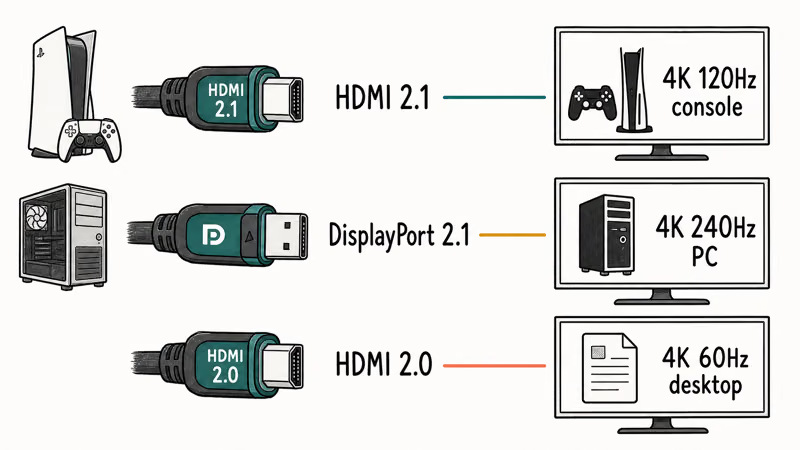
A PlayStation 5 or Xbox Series X outputs 4K up to 120Hz over HDMI 2.1, so if you plan to plug a console into your monitor, that port isn’t optional. We cover the panels built for this in our roundup of the best HDMI 2.1 monitor. On the PC side, DisplayPort 2.1 carries even more bandwidth and is the better choice for 4K 240Hz from a modern card.
Run 4K at 60Hz only, for desktop work? Then older HDMI 2.0 or DisplayPort 1.4 is fine and you save money. Match the port to the refresh rate you’ll actually use, not the highest number on the box. If your screen ever flashes an error, our fix for input not supported on monitor walks through the cable and refresh mismatches that cause it.
#Best 4K Monitor for Productivity: Dell U2725QE
Not everyone wants OLED or HDR theatrics. Spend all day in documents, code, and browser tabs? The priorities flip to text clarity, eye comfort, and connectivity.
The Dell U2725QE is a 27-inch 4K (3840x2160) display built on an IPS Black panel that roughly doubles the contrast of a standard IPS screen while carrying zero burn-in risk. Its connectivity is the real draw for laptop users. Thunderbolt 4 with up to 140W power delivery, DisplayPort in and out, HDMI, a multi-port USB hub, and a built-in KVM are all on board, so the monitor doubles as a full docking station.
It won’t beat an OLED or mini-LED for HDR movies or gaming, and that’s the point. The lack of burn-in worry and the dock-grade ports matter more for a screen you stare at all day.
A reviewer in Tom’s Guide’s monitor recommendations recommends matching the panel to the task rather than chasing the brightest spec. That is exactly why the IPS Black Dell wins for desk work, and why our 6-monitor setup guide covers the GPU outputs and mounting that scale this kind of panel beyond a single screen for heavy multitaskers.
#Bottom Line
Buy the MSI MPG 321URX. It’s the rare 4K QD-OLED that satisfies editors and gamers at once while staying under $1000.
For static apps that must last a decade, the mini-LED ASUS ROG Swift PG32UQX or the IPS Black Dell U2725QE remove burn-in entirely, while density-focused creators take the 27-inch MSI MPG 272URX and budget HDR buyers grab the AOC U27G4XM.
#Frequently Asked Questions
Is a 27-inch or 32-inch 4K monitor better?
For most desks, 32 inches is the better 4K size. The larger panel spreads the same pixel count over more area, so text and UI stay comfortable without display scaling. A 27-inch 4K screen packs pixels so tightly that menus often look cramped until you scale them, which is why it suits editors chasing the absolute tightest pixel density and few others. Pick 32 inches unless density is your top priority.
Is 4K worth it over 1440p in 2026?
For desktop work, editing, and watching content, yes. The extra sharpness is obvious at 27 inches and up. Competitive gaming is the one place where 1440p often wins, because 4K demands a far stronger card.
Should I get OLED or mini-LED for a 4K monitor?
Pick OLED for the deepest blacks and fastest motion. Pick mini-LED for high brightness and zero burn-in.
What graphics card do I need for 4K gaming?
You want a current upper mid-range or flagship card, usually with upscaling enabled to keep frame rates smooth. Cards in the RTX 5070 Ti or RX 9070 XT class handle 4K in many titles. Heavier ray-traced games push you toward the very top tier, so budget the GPU before the monitor.
Do 4K monitors have burn-in problems?
Only the OLED ones, and the risk is now small. Modern OLED panels run pixel shifting, logo dimming, and automatic refresh cycles, and most ship with multi-year burn-in warranties. Mini-LED and IPS panels carry no burn-in risk at all. That is the single biggest reason to choose one for a screen that displays the same toolbars and taskbars all day, every day, for years on end.
Can I connect a console to a 4K monitor?
Yes. A PS5 or Xbox Series X outputs 4K up to 120Hz over HDMI 2.1, so the monitor needs that port to unlock high-refresh console play. With only HDMI 2.0 you are capped at 4K 60Hz.
Is QD-OLED better than WOLED for a 4K monitor?
It depends on the use. QD-OLED offers a wider color gamut and higher brightness, which creators and HDR fans prefer, while WOLED holds color more consistently and renders small text a touch more cleanly for heavy desktop work. For most 4K buyers in 2026, QD-OLED is the stronger all-round choice.

Pixel 11 vs Pixel 10: What Changed and Who Should Upgrade
Pixel 11 vs Pixel 10: same screen and camera resolution, new Tensor G6, 25W wireless, and Gemini Intelligence. Here is who should actually upgrade.

Best Power Bank for iPad in 2026: Pro, Air, and Mini
Best power bank for iPad in 2026. Compare mAh tiers and USB-C PD wattage for iPad Pro, Air, and mini, plus airline Wh math, cables, and travel tips.

Best Power Bank With Built-In Cable: Top 2026 Picks
Best power bank with built-in cable picks for 2026. Compare single USB-C, multi-connector, and retractable laptop banks, plus airline Wh math.

Best Apple Watch Band for Working Out: Proven Picks
The best Apple Watch band for working out handles sweat and stays put on your wrist. Compare silicone, nylon, and titanium picks for runs and lifts.