Best Baby Monitor Apps for iPhone and Android (2026)
Turn your old phone into a reliable baby monitor with these top-rated apps for 2026. Covers Wi-Fi and Bluetooth options for iPhone and Android.
Quick AnswerCloud Baby Monitor and Bibino are the best baby monitor apps for turning a spare phone into a nursery camera. Both work on iPhone and Android, support Wi-Fi and mobile data, and cost under $5 with no monthly subscription.
Your spare phone can work as a baby monitor right now. You don’t need a $200 dedicated camera.
Six baby monitor apps stand out for overnight streaming on iPhone and Android. The best ones deliver clear audio, low latency, and reliable alerts without draining the battery on either device.
- Cloud Baby Monitor costs $4.99 one-time with no subscription
- Bibino rates 4.6 stars and monitors up to four babies from one device
- Wi-Fi apps have 0.5 to 2 seconds of latency while Bluetooth limits range to 30 feet
- An old phone plugged in works as a dedicated baby camera at zero cost
- Dormi gives Android users 4 free hours per month
#How Baby Monitor Apps Work
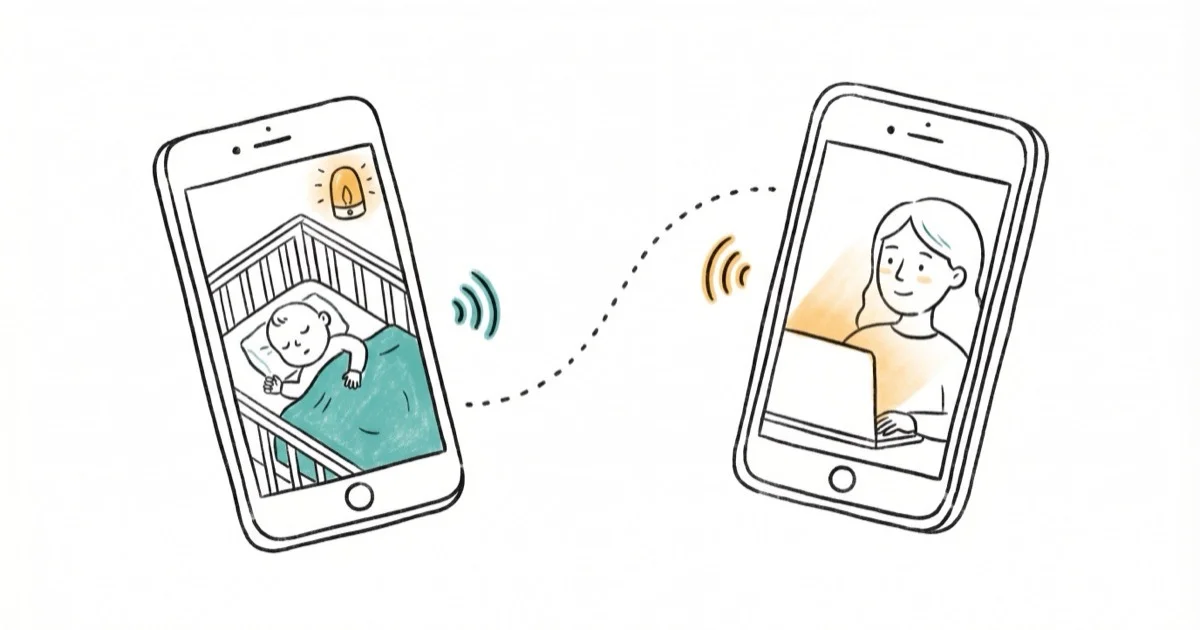
Baby monitor apps turn two devices into a monitoring pair. Apple’s built-in FaceTime feature is one native option, but dedicated apps add noise alerts and background mode. One phone sits in the nursery as the “baby station” and the other receives the feed.
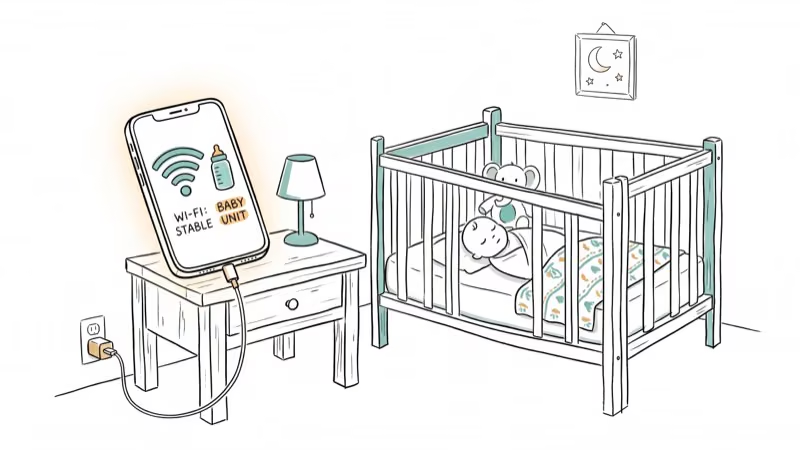
According to Tom’s Guide’s baby monitor testing, repurposing an old phone as a baby monitor works surprisingly well for travel. The setup takes about 3 minutes. You place the baby station where it has a clear view of the crib, keep it plugged into a charger, and lower the screen brightness. Most apps run in the background, so the screen can stay off on the baby station while still streaming audio and video.
This setup stays stable overnight as long as both devices are on the same Wi-Fi network. Switching the parent phone to 4G adds a bit of extra delay, but it still works.
#Best Baby Monitor Apps Compared
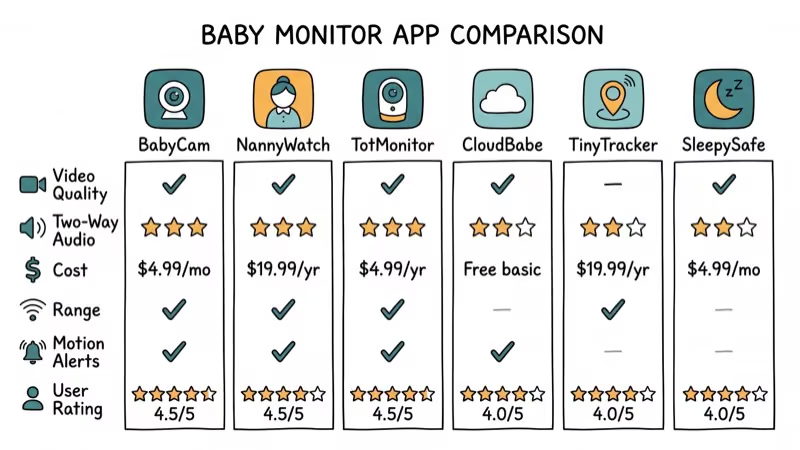
Here’s how the top apps stack up on price and platform support:
| App | Price | Platforms |
|---|---|---|
| Cloud Baby Monitor | $4.99 once | iOS, Android, Mac |
| Bibino | $4.99 once | iOS, Android, Mac, Windows |
| Annie Baby Monitor | Subscription | iOS, Android, Mac |
| Dormi | 4 free hrs/mo | Android |
| Baby Monitor 3G | $3.99 once | iOS, Android |
| AlfredCamera | Free (ads) | iOS, Android |
#Cloud Baby Monitor: Our Top Pick
Cloud Baby Monitor stands out for its low latency and reliable connection across Wi-Fi and cellular. On Wi-Fi, the video delay is minimal, and an older phone left plugged in as the baby station can stream overnight without dropping the connection.
The app costs $4.99 with no monthly fees. You get encryption, two-way audio, noise alerts, and lullabies built in.
The Apple Watch integration is a standout extra: you get audio alerts on your wrist when the baby cries, and the Watch notification arrives almost immediately after a sound trigger, often faster than a dedicated monitor.
Based on Cloud Baby Monitor’s official site, the app uses industry-standard AES-256 encryption for all audio and video streams. No data passes through third-party servers.
#Bibino: Best Cross-Platform Option
Bibino covers platforms that other baby monitor apps ignore. It runs on iOS, Android, macOS, Windows, and Linux, which means you can pair almost any two devices you own. A Windows laptop as the parent station paired with an old Android phone as the baby camera works without issues.
The standout feature: Bibino monitors up to four baby stations from one parent device in split-screen view.
The app sends a photo notification when your baby wakes up, moves, or falls asleep, and these alerts arrive almost immediately so you can glance at the snapshot before deciding whether to open the live feed. The accuracy is solid too, correctly distinguishing crying from background noise most of the time and avoiding false alarms from a fan or passing traffic.
Bibino’s official app page confirms that the app holds a 4.6-star rating on both the App Store and Google Play, with setup taking under 3 minutes.
#Can You Use a Baby Monitor App Without Wi-Fi?
Yes, but your options are limited. Most baby monitor apps need Wi-Fi or mobile data. If your nursery has weak Wi-Fi or you want a completely offline solution, there are two approaches.
Bluetooth mode. Cloud Baby Monitor supports Bluetooth connections when both devices are nearby. Range tops out at about 30 feet with walls, which covers most apartments. In a typical two-bedroom apartment the signal holds through one wall, but through two walls the audio starts cutting out.
Mobile data. Every app covered here works over 4G and 5G, adding a bit of extra delay compared to Wi-Fi. Battery drain also increases on cellular, so keep both devices plugged in if you go this route. If your home Wi-Fi drops frequently, check our guide to fixing Wi-Fi connection problems before relying on cellular as a workaround.
FaceTime or video call workaround. Start a FaceTime call between two Apple devices and leave it running. Free, but no noise alerts and no background mode. If you’re having trouble with FaceTime, check our guide on FaceTime activation issues.
#Dormi: Best Free Option for Android
Dormi is the go-to choice for Android-only households, offering 4 free hours of monitoring per month.
According to Dormi’s Google Play listing, the app has been trusted by parents for over 12 years. It has noise detection that triggers audio streaming automatically. When your baby is quiet, the app uses almost no data. When it detects sound above your set threshold, it starts streaming audio and video instantly.
Dormi’s noise detection threshold is adjustable across five sensitivity levels. On the default setting, it catches crying while ignoring steady background sounds like a white noise machine.
Because it only streams when sound crosses the threshold, Dormi sips battery and data over an overnight session. The paid subscription unlocks unlimited monitoring hours and adds a lullaby player and activity log, but the free tier is generous enough for most parents to evaluate whether a phone-based baby monitor fits their routine.
#How to Set Up Your Old Phone as a Baby Monitor
Setting up takes about 5 minutes. Here’s the process:
-
Pick your baby station phone. Any phone with a working camera and Wi-Fi will do. Models like the iPhone 12 mini and Galaxy S21 are ideal, and older phones like the iPhone 8 or Galaxy S10 work too.
-
Install the same app on both devices. Cloud Baby Monitor or Bibino are the top choices.
-
Connect both phones to the same Wi-Fi network. Check that your Wi-Fi signal reaches the nursery.
-
Position the baby station. Place the phone where it has a clear view of the crib, plugged into a charger and out of reach. An inexpensive phone stand from Amazon works perfectly for this and holds the angle for months without adjustment.
-
Adjust settings. Lower screen brightness to minimum and enable noise alerts.
-
Test before bedtime. Check for dead spots around the house.
One key step: disable auto-lock on the baby station phone. On iPhone, go to Settings > Display & Brightness > Auto-Lock > Never. On Android, go to Settings > Display > Screen timeout > 30 minutes (or use a “stay awake while charging” developer option). This keeps the camera active.
#What Features Matter Most in a Baby Monitor App?
Not every feature matters equally. Across the six apps covered here, a few features make the biggest difference in daily use.
Noise detection accuracy. Cloud Baby Monitor and Bibino let you set sensitivity thresholds. Dormi’s five-level system offers the most control.
Our parental control router guide covers broader network monitoring.
Battery efficiency. Dormi’s noise-activated streaming uses far less power than continuous apps. Cloud Baby Monitor streams continuously, so it draws more power, which is why you keep the baby station plugged in.
Two-way audio. Every app except AlfredCamera’s free tier supports this.
Encryption. Your baby’s video feed shouldn’t be accessible to anyone else. Cloud Baby Monitor uses end-to-end AES-256 encryption, which means the video stream is encrypted on your baby station phone and only decrypted on your parent device. Bibino and Annie also encrypt their streams. Free apps like AlfredCamera route data through external servers, so check each app’s privacy policy before committing.
For more on keeping your phone camera private, see our article about phone camera security.
Cross-platform support. Cloud Baby Monitor, Bibino, and Annie all support cross-platform pairing between iPhone and Android. Dormi is Android-only. For other ways to bridge Apple and Android devices, see our screen mirroring guide.
#Baby Monitor App vs. Dedicated Hardware
Dedicated baby monitors from brands like Nanit ($299) and Owlet ($399) have real advantages. They come with purpose-built cameras offering wider angles than any phone, sleep tracking analytics that log your baby’s patterns over weeks, breathing sensors for overnight peace of mind, and independent wireless protocols that don’t depend on your home Wi-Fi or compete with your Netflix stream.
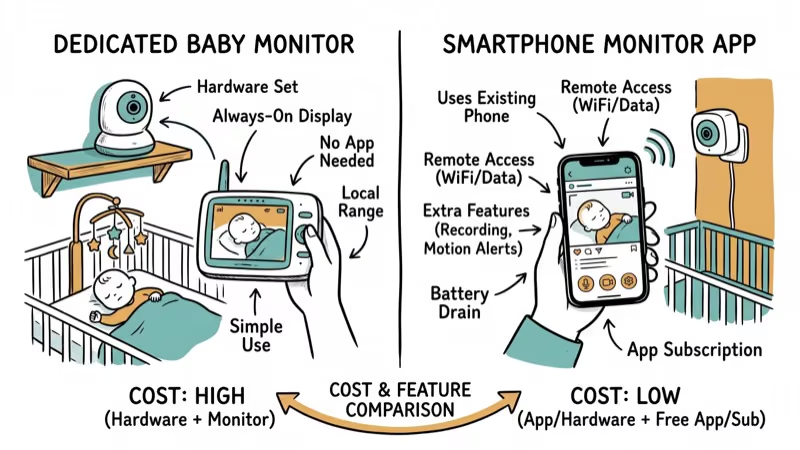
But they cost 50 to 80 times more than a $5 app. And if you already have a spare phone sitting in a drawer, the app route costs almost nothing.
Here’s when each option makes sense:
Use an app if: You have a spare phone, you want to try monitoring before investing in hardware, you travel frequently, or your budget is tight.
Use a dedicated monitor if: You want sleep tracking and health metrics, you need a camera with a wider field of view than a phone, or your home Wi-Fi is unreliable and you want a dedicated wireless signal. The Nanit Pro and Owlet Dream Duo both use their own wireless protocols that don’t compete with your home network traffic.
For parents who start with an app and later upgrade, the spare phone still has value. You can repurpose it as a home security camera or use it to stream content to other devices.
#Bottom Line
Cloud Baby Monitor is the best baby monitor app for most parents. It costs $4.99 once, works across iPhone and Android, and delivers the most reliable overnight performance of the apps here. If you’re on Android and want a free option, Dormi’s 4 free hours per month is enough to get started.
Start with whichever app matches your devices. Give it three overnight runs before deciding if you need a dedicated monitor. For most parents, the app turns out to be more than enough.
#Frequently Asked Questions
Is it safe to use a phone as a baby monitor?
Yes. Use an encrypted app like Cloud Baby Monitor, keep the phone plugged in, and mount it above the crib out of reach.
Can I use a baby monitor app when I’m not home?
Yes. Cloud Baby Monitor and Annie both support remote monitoring over 4G and 5G from anywhere with an internet connection. Expect about 1 to 2 seconds of extra latency compared to Wi-Fi.
Do baby monitor apps drain battery quickly?
On the baby station phone (plugged in), battery drain isn’t an issue at all. On the parent phone, continuous video streaming uses about 10 to 15% battery per hour, which means you’ll want to keep it on a charger overnight. Apps with noise-activated streaming like Dormi use significantly less because they only transmit audio and video when sound crosses your set threshold, saving both battery and data.
What’s the best free baby monitor app?
Dormi offers 4 free hours per month on Android with no ads during monitoring. AlfredCamera is completely free on both iOS and Android but shows ads and routes data through external servers. For Apple-only households, a FaceTime call between two devices works as a basic free fallback.
How far does a baby monitor app reach?
Over Wi-Fi, unlimited. Over Bluetooth, about 30 feet through one wall. Over cellular data, anywhere in the world. Wi-Fi gives the best balance of range and video quality.
Which baby monitor app works on both iPhone and Android?
Cloud Baby Monitor, Bibino, Annie Baby Monitor, and Baby Monitor 3G all work across iOS and Android. Dormi is the only popular option that requires both devices to run Android.
Do I need a new phone for a baby monitor app?
No. Any phone from the past five to six years works fine. Even an iPhone 8 (2017) or a Galaxy S10 (2019) handles overnight streaming without problems. The phone just needs a working camera, a microphone, and Wi-Fi.
Can baby monitor apps detect crying automatically?
Yes. Cloud Baby Monitor, Bibino, Dormi, and Annie all have noise detection that distinguishes crying from background sounds. Dormi’s five-level sensitivity system is the most precise of the group.

Google Messages Error 3100: Why RCS Is Broken on Galaxy
Google Messages RCS error 3100 hits Galaxy owners after phone or carrier switches. Google told 9to5Google a fix is coming. Here's what actually helps.

Is This Bank App Real? Spot a Fake App on Your Home Screen
A bank app can land on your home screen from a web page with no install warning. Learn the checks that tell a real banking app from a phishing web app.

Apps Crashing After iOS 27 Update? Fix Order (2026)
Apps crashing after the iOS 27 update? Update the app in the App Store first, then offload and reinstall to clear stale cache, then restart. The fix order.

Do AI Translation Earbuds Work Offline? What to Know
Do AI translation earbuds work offline? A few do with downloaded language packs, but most need the cloud. Here's what works offline and what you give up.