Anything2MP3: Best Alternatives and Legal Options (2026)
Anything2MP3 is defunct. Learn 5 legal ways to convert audio to MP3 in 2026, including free tools like VLC and Audacity. Works on Windows, Mac, and mobile.
Quick AnswerAnything2MP3 is no longer functional. The original site has been down since at least mid-2024, returning a 521 server error. For legal audio conversion, use YouTube Audio Library for royalty-free downloads, VLC or Audacity for converting your own files, or YouTube Premium for offline listening.
Anything2MP3 used to be one of the most popular YouTube-to-MP3 converters online. It’s gone now. The site returns a 521 server error, and the copycat domain anything2mp3.cc has a near-zero trust score from security auditors.
If you need to convert audio to MP3, you still have options. But the legal situation has tightened since 2019, so the method you pick matters. Stick to tools and sources that match your rights to the file.
- Anything2MP3 has been offline since mid-2024 with no official shutdown announcement
- YouTube Audio Library offers 1,000+ royalty-free tracks as free MP3 downloads
- VLC and Audacity convert local audio and video files to MP3 without relying on risky converter websites
- Converting copyrighted YouTube videos to MP3 violates copyright law and YouTube’s ToS
- YouTube Premium ($13.99/month) is the only legal way to save YouTube audio offline
#What Happened to Anything2MP3?
Anything2MP3 launched around 2013 as a free web-based converter for YouTube and SoundCloud audio. Paste a URL, hit convert, get an MP3 file. The site supported dozens of platforms including Dailymotion, Vimeo, and Facebook.
It stopped working in 2024. According to WHOIS records, the domain is still registered but the server returns a 521 error.
A copycat site at anything2mp3.cc still exists. Don’t use it. ScamAdviser rates it with a very low trust score, flagging it as a likely scam. These clone sites often bundle malware with downloads or redirect you through ad chains.
This pattern isn’t unique to Anything2MP3. YouTube has aggressively targeted converter sites through legal action since 2020, shutting down major players like youtube-mp3.org (which had over 60 million monthly users before its takedown). Most popular converters from that era are either gone or operating under shady new domains.
#The Legal Side of YouTube-to-MP3 Conversion
It depends entirely on what you’re converting. The short answer: if you don’t own the content and don’t have permission, it’s not legal.
YouTube’s Terms of Service explicitly prohibit downloading content unless a download button is provided. That covers every third-party converter tool, regardless of whether the content itself is copyrighted.
Copyright law adds another layer. Downloading someone else’s copyrighted music as MP3 is infringement in most countries. The “personal use” defense doesn’t hold up in the U.S., EU, or most other jurisdictions when it comes to ripping copyrighted audio from streaming platforms.
There are three scenarios where MP3 conversion is clearly legal:
- Your own content you uploaded to YouTube and own the rights to
- Creative Commons audio found by filtering YouTube search under
Features>Creative Commons - Royalty-free tracks from YouTube Audio Library, Free Music Archive, or Incompetech
#Copyright Warning
Converting copyrighted content to MP3 without authorization is illegal. Penalties include DMCA takedowns, account termination, and statutory damages up to $150,000 per work in the U.S.
#Free Desktop Converters vs. Online Tools
Online converters like Anything2MP3 were convenient but came with real problems. A 2025 safety guide from The Run Time warns that many popular converter sites serve malicious ads or attempt to install unwanted software.
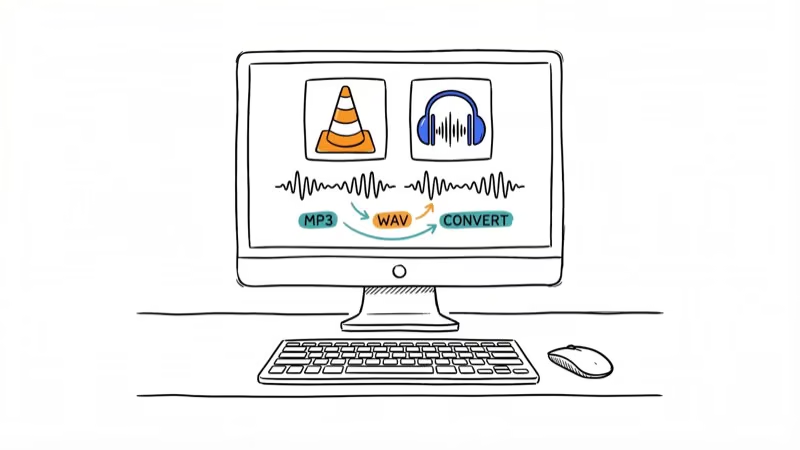
Desktop tools eliminate that risk entirely. Here’s how the two main free options stack up:
| Feature | VLC | Audacity |
|---|---|---|
| Price | Free | Free |
| Platform | Windows, Mac, Linux | Windows, Mac, Linux |
| Input formats | 100+ video/audio | 30+ audio formats |
| MP3 quality | Up to 320 kbps | Up to 320 kbps VBR |
| Batch convert | Command line only | Yes, via macros |
| Learning curve | Low | Medium |
VLC handles the job in 3 clicks for single files. Audacity gives you more control over bitrate, sample rate, and trimming. Both are open-source and trusted by millions of users.
#5 Legal Ways to Get MP3 Files in 2026
#YouTube Audio Library
YouTube’s Audio Library has over 1,000 royalty-free tracks and sound effects you can download as MP3. Find it in YouTube Studio under the left menu.
Filter by “Attribution Not Required” to avoid crediting artists. New tracks drop twice a month.
#VLC Media Player
VLC converts local video and audio files to MP3 without installing extra codecs.
Here’s how:
- Open VLC and go to
Media>Convert/Save - Click Add, then select your file from your computer
- Click Convert/Save, choose “Audio - MP3” from the Profile dropdown, pick a destination, and click Start
That’s it. MP3 output is widely supported by music apps, phones, cars, and media players.
#Audacity
Audacity is the go-to free audio editor when you need more control over your MP3 output. According to Audacity’s official MP3 export documentation, the software uses the LAME encoder, which is widely considered the best MP3 encoding library available.
Go to File > Export Audio > MP3. The default 170-210 kbps variable bitrate sounds great for music. For podcasts, use constant bitrate (CBR) at 128 kbps instead.
#YouTube Premium
At $13.99/month, YouTube Premium lets you download videos and music for offline playback within the YouTube and YouTube Music apps. You can’t export the files as MP3s, but you get ad-free offline listening on your phone. That covers what most people actually need.
#Creative Commons and Free Music Archives
Beyond YouTube’s library, several platforms offer free music downloads:
- Free Music Archive hosts thousands of tracks under various Creative Commons licenses
- Incompetech (Kevin MacLeod’s library) provides royalty-free music with attribution
- ccMixter is a community of musicians sharing CC-licensed tracks
- Pixabay Music offers free downloads without requiring attribution
Always check the specific license before downloading. Some require attribution, others prohibit commercial use.
#How to Convert Your Own YouTube Videos to MP3?
If you created and uploaded a video, you have every right to download and convert it. Here’s the standard method:
- Sign in to YouTube Studio and click Content in the left sidebar
- Hover over your video, click the three-dot menu, and select Download
- Open the downloaded file in VLC or Audacity and export as MP3
VLC or Audacity can then export the downloaded file as MP3, with bitrate settings controlled inside the export dialog.
#SoundCloud to MP3 Conversion
Anything2MP3 originally supported SoundCloud alongside YouTube, and SoundCloud downloading is actually easier to handle legally because the platform gives artists direct control over whether their tracks can be downloaded. Look for the “Free Download” or “Download” button directly on the track page. If the artist enabled it, you can grab the file without installing anything or using a third-party converter tool. About 15-20% of SoundCloud tracks have downloads enabled.
For tracks without a download button, the same copyright rules apply. You’d need permission from the artist or a Creative Commons license on the track to legally download it.
SoundCloud Go+ subscribers at $9.99/month can save tracks for offline listening within the app, similar to YouTube Premium.
#Bottom Line
Anything2MP3 is dead, and the copycat sites aren’t worth the security risk. For converting your own files, VLC and Audacity are safer than browser-based converter clones. For royalty-free music, YouTube Audio Library is the best free source available. And if you want offline access to copyrighted content, YouTube Premium and Spotify Premium are the only legitimate paths.
Start with VLC if you just need a quick video-to-audio conversion. It works on every major platform, costs nothing, and doesn’t require an internet connection.
#Frequently Asked Questions
Is Anything2MP3 still working in 2026?
No. The original anything2mp3.com returns a 521 server error and has been offline since mid-2024. A copycat at anything2mp3.cc exists but security auditors flag it as a scam.
Can I legally convert YouTube videos to MP3?
Only in specific cases. You can convert your own uploaded content, videos published under Creative Commons licenses, and tracks from YouTube Audio Library. Converting copyrighted content without permission violates both copyright law and YouTube’s Terms of Service.
What is the best free YouTube to MP3 converter?
VLC Media Player is the safest free option for converting local video files to MP3. It handles over 100 input formats, runs on Windows, Mac, and Linux, and doesn’t need an internet connection. For royalty-free YouTube audio specifically, skip the converter entirely and download directly from YouTube Audio Library.
Are YouTube to MP3 converter websites safe?
Most are not. Security researchers have repeatedly found that many popular converter sites serve malicious ads or attempt to install unwanted software. Stick to trusted desktop apps like VLC or Audacity rather than web-based converters.
How do I download music from YouTube legally?
YouTube Premium ($13.99/month) gives you offline playback in the app. For free options, use YouTube Audio Library for royalty-free MP3 downloads, or grab your own uploaded videos from YouTube Studio.
What happened to online MP3 converter sites?
YouTube has pursued aggressive legal action against converter sites since 2020. The music industry won a landmark case against youtube-mp3.org in 2017, and the crackdown accelerated from there. Sites like convert2mp3 and Anything2MP3 followed. The few converter sites still operating in 2026 tend to have poor security, intrusive ads, and bundled malware.
Can I convert SoundCloud tracks to MP3?
Yes, if the artist enabled downloads. Look for the “Free Download” button on the track page. No button means you need the artist’s permission. SoundCloud Go+ ($9.99/month) offers offline listening as an alternative.
Does VLC convert video to MP3 for free?
Yes. Open VLC, go to Media > Convert/Save, add your file, choose the MP3 profile, and click Start. VLC is free, open-source, and works on Windows, Mac, and Linux.

Google Messages Error 3100: Why RCS Is Broken on Galaxy
Google Messages RCS error 3100 hits Galaxy owners after phone or carrier switches. Google told 9to5Google a fix is coming. Here's what actually helps.

Is This Bank App Real? Spot a Fake App on Your Home Screen
A bank app can land on your home screen from a web page with no install warning. Learn the checks that tell a real banking app from a phishing web app.

Apps Crashing After iOS 27 Update? Fix Order (2026)
Apps crashing after the iOS 27 update? Update the app in the App Store first, then offload and reinstall to clear stale cache, then restart. The fix order.

Do AI Translation Earbuds Work Offline? What to Know
Do AI translation earbuds work offline? A few do with downloaded language packs, but most need the cloud. Here's what works offline and what you give up.