What Is RCS Messaging? iPhone vs Android, Explained
RCS is the modern upgrade to SMS that brings read receipts, high-res media, and better group chats to iPhone and Android texting. Here's how it works.
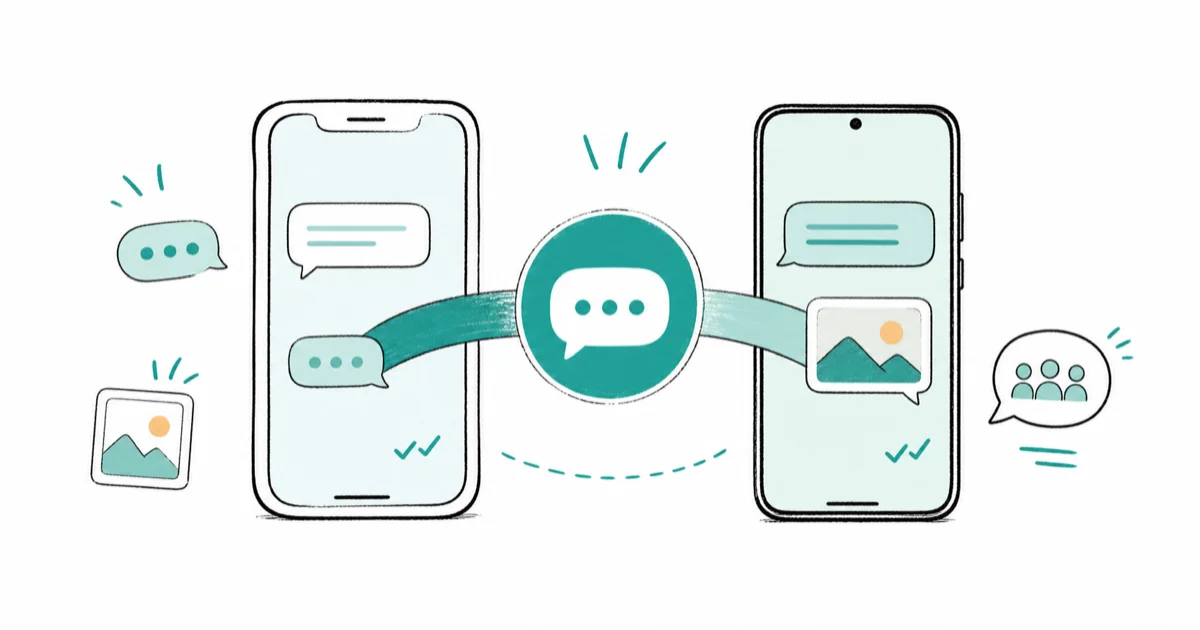
Quick AnswerRCS, or Rich Communication Services, is a successor to SMS built into your phone's default messaging app. It adds read receipts, typing indicators, high-resolution photos, and better group chats, and it now works between iPhone and Android when both sides support it.
If you’ve noticed a “Text Message - RCS” label pop up in your messages, you’ve met the quiet upgrade that finally fixed iPhone-to-Android texting. RCS replaces the ancient SMS standard with read receipts, sharp photos, and group chats that actually work across platforms. The practical difference is that RCS can carry richer chat features where SMS falls back to basic text and compressed MMS.
- RCS stands for Rich Communication Services and is the modern successor to SMS
- It runs inside your phone’s default messaging app, with no separate download needed
- Apple added RCS to iPhone in iOS 18, so cross-platform texting finally got read receipts and high-res media
- RCS bubbles stay green between iPhone and Android, since blue is reserved for iMessage
- End-to-end encryption for RCS is newer and depends on both people’s carriers supporting it
#What Is RCS and How Is It Different From SMS?
RCS is the replacement for SMS, the text format that’s barely changed since the 1990s. It runs in the same default messaging app you already use, so there’s nothing extra to install.
The difference is night and day. SMS sends plain text and crushes every photo into a blurry mess.
According to Apple’s guide on iMessage, RCS, and SMS, RCS “supports delivery and read receipts and typing indicators,” the exact features SMS never had, and it carries full-resolution images and proper group chats too. When a connection drops, your phone quietly falls back to SMS so the message still gets through, which keeps texting reliable even on a flaky network where the richer features can’t load.
#Why RCS Changed iPhone-to-Android Texting
For years, an iPhone texting an Android phone meant tiny, grainy photos and no read receipts. That whole experience came from SMS being the only shared language between the two platforms.
Apple changed that in iOS 18 by adding RCS support to the iPhone. Now a message between an iPhone and an Android phone can carry the rich features both sides expected, instead of dropping to the lowest common denominator. It doesn’t replace iMessage, though, so if blue-bubble features break, that’s a separate issue covered in iMessage not working.
The practical upgrade is obvious the first time you send a video. It arrives clear instead of pixelated, you see when it’s read, and group chats stop fragmenting. If you’re moving between the two ecosystems, the fixing RCS on iPhone guide covers the snags that can still come up.
#The Features You Get With RCS
The feature list is everything SMS should have been. You get read receipts, typing indicators, and high-resolution photo and video sharing without the brutal compression.
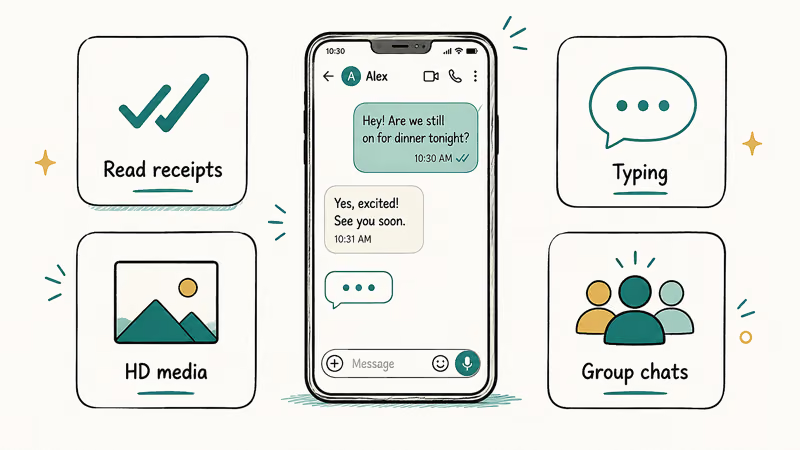
Group chats are the biggest win. RCS threads support reactions, naming, and clean member management, where SMS groups were a mess.
You also get larger file sharing and longer messages. The catch: everyone in a thread needs RCS, so one person on plain SMS drags the whole chat down. When that happens, how to turn off RCS is occasionally handy for testing.
#Is RCS Encrypted and Secure?
This part is evolving fast, so precision matters. RCS has long been encrypted in transit, which is weaker than the end-to-end encryption iMessage uses, and the two are easy to confuse if you only hear “encrypted” without the details that decide how private a chat actually is.
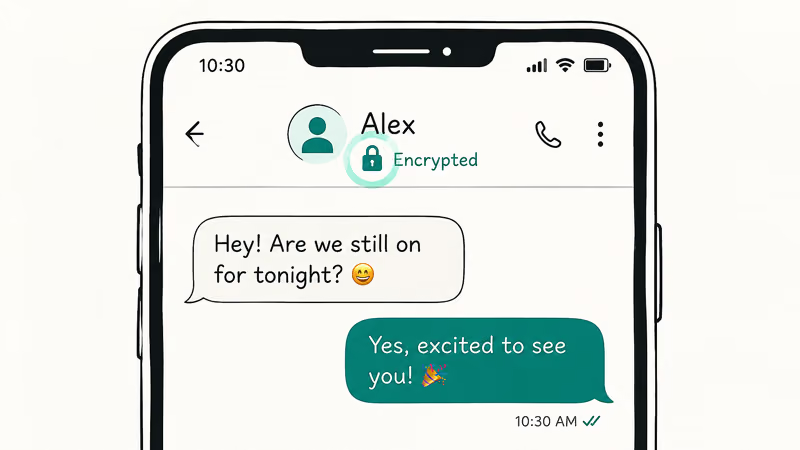
End-to-end encryption for RCS is rolling out now, but it’s carrier-dependent on both sides. Apple states that end-to-end encrypted RCS requires iOS 26.5 and that “the encryption of each RCS conversation depends on whether your contact’s carrier also supports it.” So even if your own carrier is ready, the chat only locks down once the person you’re texting is on a carrier that supports it too, which makes coverage uneven during the rollout.
There’s a clear visual cue when it works. Apple confirms that an encrypted RCS conversation shows “Encrypted” with a lock icon at the top, and without that indicator, your messages aren’t protected. Treat a green RCS chat as more capable than SMS, but not as private as iMessage yet. If you’d rather keep certain people on blue bubbles, the switching a text to iMessage guide explains when that’s possible and why it sometimes refuses to switch over at all.
#When RCS Falls Back to SMS
RCS isn’t guaranteed on every message, and the fallback is automatic. If the recipient or their carrier doesn’t support RCS, or if you’re in a mixed group chat, your phone reverts to SMS or MMS.
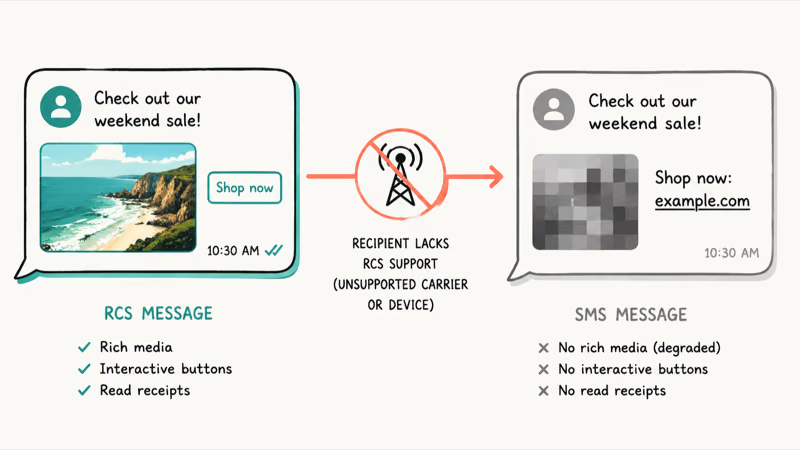
You’ll notice the drop because the rich features vanish all at once. Read receipts disappear, photos compress into a blur, and reactions may show up as clumsy plain text, the same way a delivered receipt can go missing on iMessage when something breaks. That sudden loss of polish is your clearest sign the thread quietly shifted back to the older SMS standard.
A weak or missing data connection also triggers the fallback, since RCS rides on data rather than the carrier’s text channel. So a dead Wi-Fi spot with no cellular data can quietly push you back to SMS until you reconnect.
#Turning RCS On and Off
RCS is usually on by default, but it’s worth confirming. On an iPhone, the toggle lives in Settings, Apps, Messages, then RCS Messaging, and it needs iOS 18 plus a carrier that supports it.
On Android, open Google Messages, tap your profile, then Messages settings, and look for RCS chats. Google’s Messages help confirms that RCS chats are tied to your number and carrier. Activation depends on both your device and carrier support, so check this screen if RCS doesn’t appear after you turn it on.
The whole system runs on an industry standard maintained by the GSMA, the group that coordinates mobile carriers worldwide, which is why RCS behaves consistently across so many different phones and networks.
#Bottom Line
If you text across iPhone and Android, RCS is a clear upgrade worth leaving on. It restores read receipts, sharp photos, and working group chats that SMS could never deliver.
Just keep two facts in mind. The bubble stays green between platforms, so RCS does not turn your texts blue, and end-to-end encryption is still rolling out and depends on both carriers. Don’t assume a cross-platform RCS chat is as private as iMessage yet.
#Frequently Asked Questions
What does RCS stand for?
RCS stands for Rich Communication Services. It’s the modern standard that replaces SMS with read receipts, typing indicators, and high-res media.
Do I need a special app to use RCS?
No, it’s built right into your default messaging app. As long as both people have RCS enabled, it just works.
Does RCS work between iPhone and Android?
Yes, since Apple added RCS support in iOS 18. An iPhone and an Android phone can now exchange messages with read receipts, typing indicators, and full-resolution photos instead of the old SMS experience, as long as both phones have RCS turned on and carriers that support it, which is the case for most major networks today.
Are RCS messages end-to-end encrypted?
Not always. Transit encryption has been around a while, but full end-to-end encryption is newer and needs both carriers to support it. Look for the “Encrypted” lock label to confirm.
Why does my message still show as a green bubble with RCS?
Because blue bubbles are reserved exclusively for iMessage between Apple devices. RCS messages between an iPhone and an Android phone stay green even though they carry all the rich features. The green color just means it isn’t iMessage, not that the message is plain SMS.
What happens when one person doesn’t have RCS?
The conversation falls back to SMS or MMS for everyone in that thread. You’ll lose read receipts, photos will compress, and reactions may turn into plain text. This is common in group chats where a single member lacks RCS support.

Pixel 11 vs Pixel 10: What Changed and Who Should Upgrade
Pixel 11 vs Pixel 10: same screen and camera resolution, new Tensor G6, 25W wireless, and Gemini Intelligence. Here is who should actually upgrade.

Verizon Not Receiving Texts? How to Fix It in 9 Steps
Verizon not receiving texts? Fix it in 9 steps: check Message Blocking in My Verizon, reset network settings, deregister iMessage, and call support.

Pixel Battery Drain: What Google's July Fix Really Covers
Google marked the Pixel idle battery drain bug fixed in July, but only some phones got the patch. Here is who is covered, who is not, and what to try.

iPhone Stuck on EDGE? How to Get 5G or LTE Back (2026)
iPhone stuck on EDGE with crawling data? Here's why the E icon appears, which settings force 5G or LTE back, and when the problem is your carrier.