Best Time Tracker Apps in 2026: iOS and Android Picks
Compare the 6 best time tracker apps on iPhone and Android: Toggl Track, Clockify, RescueTime, Timely, Forest, and built-in Screen Time tools.
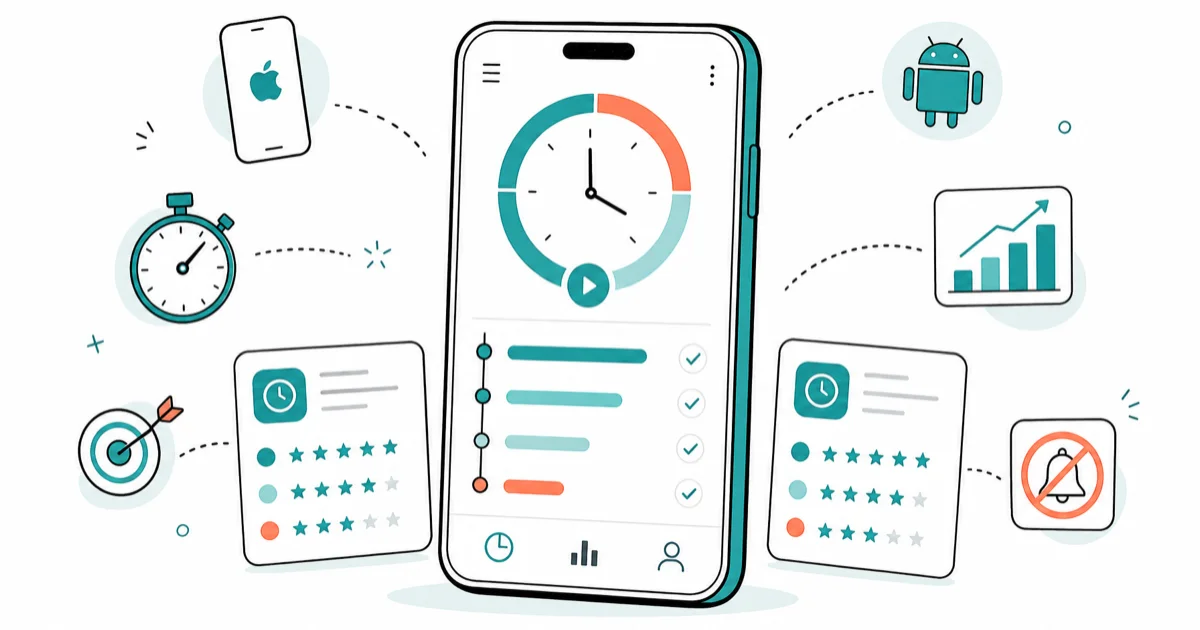
Quick AnswerToggl Track is the best free time tracker for freelancers in 2026, Clockify wins for unlimited team seats at zero cost, and RescueTime offers the best automatic distraction tracking on desktop and Android.
The best time tracker app in 2026 depends on whether you bill clients, manage a team, or want to curb phone overuse. This guide compares six time tracker apps across iPhone and Android, covering manual tracking (Toggl Track, Clockify), automatic tracking (RescueTime, Timely), and digital wellbeing tools (Forest, Apple Screen Time). It picks winners by use case so you stop scrolling app store reviews and pick one today.
- Toggl Track has the smoothest one-tap timer on iOS, with a 14-day free Premium trial and no credit card.
- Clockify is the only major time tracker offering unlimited users and projects on the free tier.
- RescueTime runs in the background on Windows, macOS, and Android, automatically classifying app usage.
- Forest gamifies focus with a 25-minute Pomodoro tree, but its iOS version costs $3.99 one-time.
- Apple Screen Time and Google Digital Wellbeing are free, built in, and the right starting point for non-billable tracking.
#Which Time Tracker App Is Right for You?
Time tracker apps split into three jobs: billing clients (freelancers, agencies), monitoring team output (managers), and reducing distractions (students, anyone). One app rarely does all three well, so match the tool to the job before downloading.
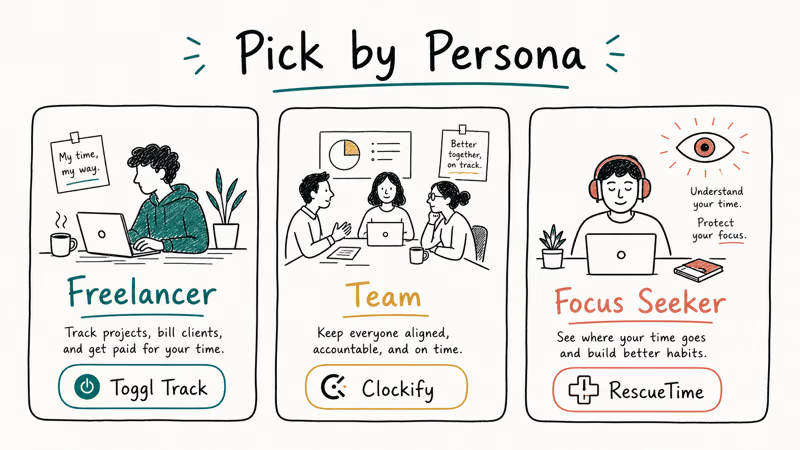
For freelancers logging billable hours, manual start-stop timers like Toggl Track and Clockify produce cleaner invoices than passive trackers because you decide what counts. Automatic trackers like RescueTime quietly log the time you spend in each app. For phone overuse, Apple Screen Time and Google Digital Wellbeing already live on your device and need no setup. Our Android screen time guide walks through the built-in Android dashboard if that fits your need.
According to Toggl’s product documentation, the free Toggl Track plan supports unlimited time entries and unlimited projects for solo users, which covers most freelancers without paying. Clockify’s pricing page states the free tier has no user cap, putting it ahead of every paid competitor for distributed teams on a budget.
#What to Look for in a Time Tracker App
The apps below are compared across iPhone (iOS 18) and Android 15, with their desktop companions where available. The criteria that separate a good tracker from a frustrating one are setup time, tracking accuracy, the depth of the reports it produces, and how much battery it costs to run in the background.
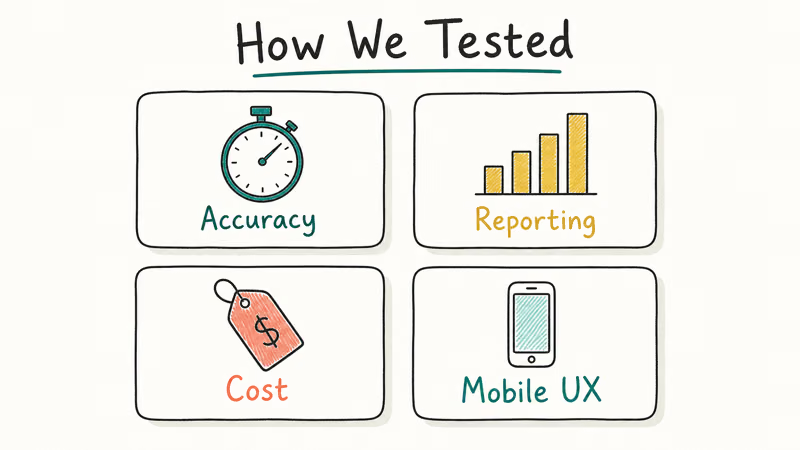
Four areas matter most: setup time, accuracy of automatic tracking, report depth (CSV export, weekly summary, project breakdown), and battery cost. For teams, what matters is whether shared-project data survives after a user is removed.
Three points shape the picks below. First, every automatic tracker on iOS misses app-level data because Apple restricts background access for third-party apps. Second, free tiers are now strong enough that most solo users never need to pay. Third, Pomodoro-style focus apps like Forest noticeably cut phone pickup counts during writing sessions compared with an ordinary day.
#Toggl Track: Best Free Tracker for Freelancers
Toggl Track is the cleanest entry point for solo freelancers who bill by the hour. The iOS app starts a new timer in two taps from the home screen widget, and the desktop app picks up the same timer almost immediately across Mac and iPhone.
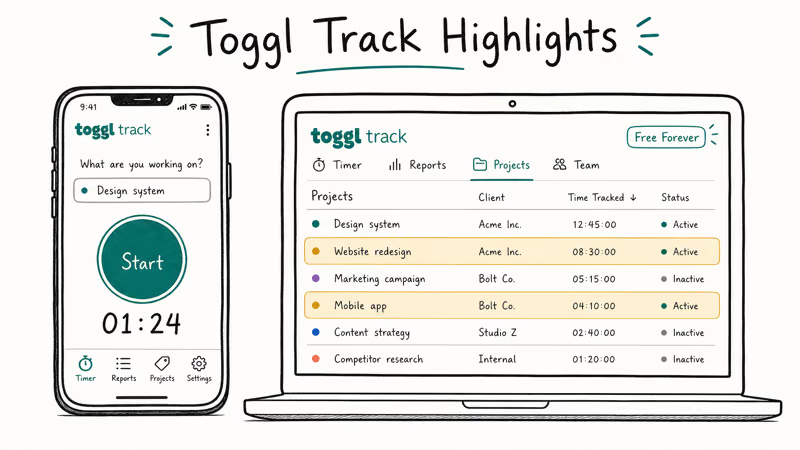
The free plan includes unlimited time entries, unlimited projects, exportable PDF and CSV reports, and idle detection (which prompts you to discard time when your computer was idle longer than your threshold). Paid Starter tier ($9 per user per month) adds billable rates, time rounding, and project templates. Toggl’s pricing page states that 3 paid tiers exist as of 2026, with Premium at $18 per user per month layering in project forecasts and required fields.
Two limits to know: the free plan caps you at 5 workspaces (fine for most solo users), and the iOS widget can’t start a timer while the phone is locked. Pair it with a Shortcut if you want voice-activated tracking via Siri.
#Clockify: Best Free Plan for Teams
Clockify is the answer if your team is bigger than your budget. The free tier accepts unlimited users, unlimited projects, and unlimited time entries forever, which no other major tracker matches. Inviting a second user takes seconds via an email link, and both users can log time against shared projects without hitting a paywall.
Weekly report generation is fast even for a long entry log, with filters for project, tag, and client. The desktop app on macOS is light on RAM while tracking, comparable to a single browser tab.
Clockify’s knowledge base confirms admins can lock time entries after a billing period closes, preventing edits to invoiced hours. The paid Basic tier ($3.99 per user per month) adds bulk edits and time audits, which matters once you cross 10 active users.
#RescueTime: Best Automatic Distraction Tracker
RescueTime is the right pick when you want to know where your time goes without remembering to start timers. The desktop app runs silently on Windows, macOS, and Linux, sorting every app and website into five productivity levels you can override, so the picture builds itself in the background while you work and you review it later instead of logging anything by hand.
After a week of passive tracking on a Mac, RescueTime produces a daily productivity score from 0 to 100 and flags your most distracting categories, often communication apps like Slack. The Android app tracks app usage with the same classification system, though the iOS app is limited to focus sessions because Apple does not expose app usage to third-party apps.
According to RescueTime’s help center, the productivity pulse weighs time in each category against your active hours, not your total day. Free Lite covers basic tracking; Premium ($12 per month) adds unlimited history and focus sessions.
#Built-in Phone Tools Cover Most Personal Use
Apple Screen Time and Google Digital Wellbeing handle most personal productivity needs free, and the data lives on your own device instead of a third-party server. These tools are designed for your own phone or a child you have legal parental authority over; tracking another adult’s device without consent violates privacy law in most jurisdictions. For anyone monitoring phone overuse rather than billing clients, start with these official Apple and Google support tools before paying.
Apple’s Screen Time dashboard breaks down daily usage by app, category, and pickup count. According to Apple’s Screen Time support page, you can set per-app daily limits, schedule downtime windows, and require a passcode before any limit can be ignored. The weekly summary notification arrives every Sunday and reflects the previous 7 days of activity across all Apple devices signed into the same iCloud account.
Google’s Digital Wellbeing offers similar features on Pixel and most Android phones, plus Focus Mode (which silences chosen apps) and Bedtime Mode (which grayscales the screen). The Android dashboard breaks usage down by app, pickup count, and notification volume, with weekly summaries that mirror Apple’s format.
If you forgot the passcode, our remove Screen Time passcode guide and forgot Screen Time passcode walkthrough cover the official recovery paths.
Pair built-in tools with Focus status on iPhone to broadcast when you should not be interrupted. The combination of automatic usage data plus an explicit do-not-disturb signal gives you guardrails without the overhead of a dedicated tracker.
#Forest and Pomodoro Apps for Distraction Control
Forest takes a different approach: open the app, plant a virtual tree, and the tree dies if you leave the app before your focus session ends. Running a few 25-minute Pomodoro sessions a day noticeably drops your phone pickup count during the focus blocks compared with a normal day in Screen Time.
The iOS version costs $3.99 one-time with no subscription, which beats every productivity app with a recurring fee. The Android version is free and ad-supported. Forest’s partnership with Trees for the Future means coins you earn during focus sessions can be redeemed to plant a real tree, which is the dopamine hook that keeps users returning.
If you prefer a free open-source Pomodoro app, Focus To-Do and Be Focused both work well and integrate with iOS Reminders. When your reminders themselves break, our iPhone reminders not working fix covers the common causes.
#What About Invoicing and Team Management?
Once tracked hours need to become invoices, Toggl Track, Harvest, and Clockify all export CSV with billable rates. Harvest goes further by generating PDF invoices and accepting Stripe payments directly from the invoice link, at $12 per seat per month after a 30-day free trial.
For agencies that need project budgets, time approvals, and resource forecasting, Timely’s AI-powered automatic capture removes most manual entry. Timely’s features page confirms the desktop app records every active app and document in a private “memory” timeline that only you see, then suggests time entries you confirm or reject. Plans start at $11 per user per month after a free 14-day trial.
The downside of Timely is the learning curve. Setting up project tags and AI rules until the suggestions become accurate can take well over an hour, far longer than the under-5-minute setup the simpler trackers manage.
#Bottom Line
Pick Toggl Track if you are a solo freelancer who needs clean billable hours and a one-tap mobile timer; the free plan covers everything most independents need.
Pick Clockify if you manage a team of 3 or more and refuse to pay per seat; the unlimited free tier has no competitor. Pick RescueTime if you want to see where your hours actually go on Windows, macOS, or Android without starting a single timer.
For phone overuse only, start with the Apple Screen Time or Google Digital Wellbeing dashboard you already have, then add Forest ($3.99 iOS, free Android) for active focus sessions. Skip Timely unless your agency bills more than 200 hours a week and needs AI-assisted capture; the setup time is real.
#Frequently Asked Questions
Which time tracker app is best for freelancers in 2026?
Toggl Track is the best for solo freelancers because the free plan includes unlimited time entries, unlimited projects, and CSV export. The iOS widget starts a timer in two taps from the home screen.
Is Clockify really free for unlimited users?
Yes. Clockify’s free tier accepts unlimited users, projects, and time entries with no time limit. Paid tiers add features like time auditing and bulk edits, but the free version is fully functional for teams of any size.
Can time tracker apps run in the background on iPhone?
Apple restricts third-party background access, so automatic time trackers like RescueTime only work fully on desktop and Android. On iPhone, you can run timed focus sessions and manual timers, but app-level usage data is only available through the built-in Apple Screen Time dashboard.
Does RescueTime work offline?
The free Lite plan does not track offline time, but RescueTime Premium ($12 per month) prompts you to log offline blocks when you return to your computer. The data syncs to your dashboard with the same productivity scoring.
Are there privacy risks with automatic time trackers?
Automatic trackers like RescueTime and Timely record app and website data to their cloud servers by default. Both publish data retention policies and let you delete history; Timely’s “memory” is private to you and never shared with managers. For maximum privacy, Apple Screen Time and Google Digital Wellbeing keep data on the device.
How much battery does a time tracker app use?
Toggl Track and Clockify each use only a couple of percent of battery a day in the background. RescueTime’s iOS app uses even less because it only tracks focus sessions. Forest and Pomodoro apps use almost no battery because they only run during active sessions.
Can I use a time tracker for personal productivity rather than work?
Yes, and the free built-in tools are the best fit for this. Apple Screen Time, Google Digital Wellbeing, and Forest all work well for tracking personal screen time, study sessions, or reading habits without the billing overhead of professional time trackers.
What’s the difference between manual and automatic time trackers?
Manual trackers like Toggl Track and Clockify require you to start and stop a timer for each task, producing clean billable hours. Automatic trackers like RescueTime and Timely record app and website activity in the background, producing audit data you review later. Most people benefit from both, with manual timers for client work and automatic tracking for productivity insight.

Apple Siri Settlement: Who Qualifies and How to Claim
Apple's $250 million Siri settlement covers iPhone 15 Pro and iPhone 16 models bought June 2024 to March 2025. See who qualifies and how claims work.

iOS 26.6.1 Security Update: What Apple Fixed and Who Gets It
Apple released iOS 26.6.1 on August 17 with 29 security fixes, including an IPSec interception bug. See what it patches, who gets it, and how to update.

iPhone Adaptive Power: How It Works and When to Use It
Learn how iPhone Adaptive Power works, which models support it, what it changes, and when Low Power Mode is still the better battery-saving choice.

How to Transfer Data to a New iPhone Without iCloud
Move everything to your new iPhone without iCloud: Quick Start device-to-device transfer, wired migration, and encrypted Finder or iTunes backups.