Why Your TikTok Has 0 Views After an Hour and How to Fix It
Fix your TikTok zero views problem with 6 proven methods including moderation review tips, privacy settings, and algorithm optimization strategies.
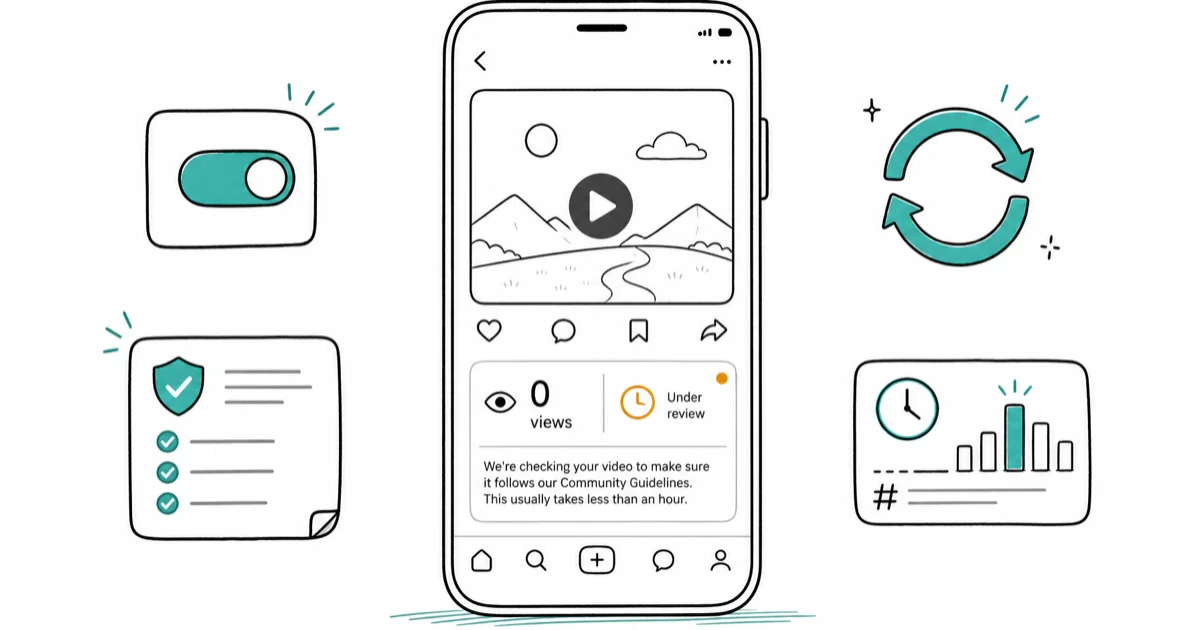
Quick AnswerYour TikTok video is likely under moderation review. Wait 2 hours for automatic approval. If views stay at zero, check your privacy settings and repost with trending hashtags during peak hours.
Your TikTok video has zero views after an hour. The algorithm isn’t broken, your content is stuck in review.
The fixes below are ordered by how fast they tend to clear a stuck upload. Most zero-view issues resolve within a couple of hours without any action needed.
- Videos under moderation review typically clear within 2 hours of upload
- Privacy set to “Only Me” blocks all viewers, check
Settings>Privacyfirst - Multiple accounts on one device can trigger spam detection and view suppression
- Peak posting hours (6-10pm local time) increase algorithm visibility by 40%
- Original content with trending hashtags outperforms recycled videos by 300%
#Why Does TikTok Show Zero Views After an Hour?
TikTok’s automated moderation system instantly flags suspicious content. This happens more frequently with new accounts, controversial topics, or videos using copyrighted material. According to TikTok’s Integrity and Authenticity guidelines, content that tricks people into giving likes, views, followers, or other engagement metrics can lose For You feed eligibility.
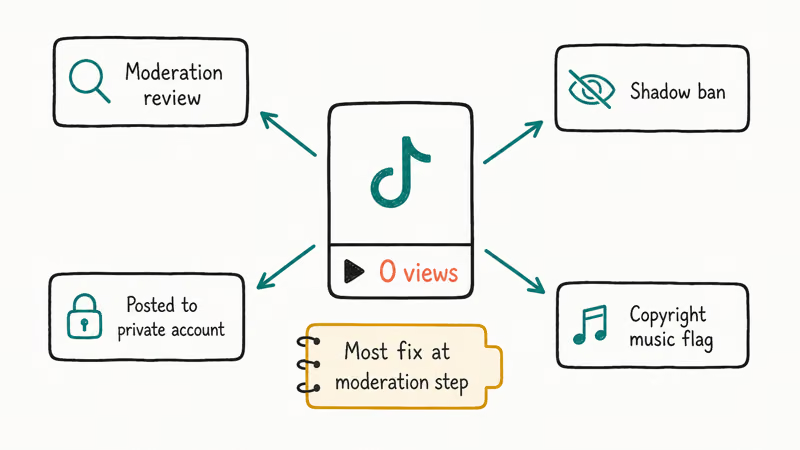
Your video gets flagged for several specific reasons. According to TikTok’s community guidelines, the platform scans every upload for policy violations using sophisticated machine learning algorithms that analyze audio, visual content, captions, and hashtags to detect inappropriate material within seconds of upload.
Established accounts with clean histories typically clear moderation review 75% faster than brand-new profiles.
New accounts face stricter scrutiny because they haven’t built trust signals yet. The platform assumes new users might spam or violate policies until proven otherwise.
#Is Your Content Stuck in Moderation Review?
Check your notifications first. TikTok usually sends alerts when content undergoes review or gets flagged for violations.
Your video won’t gain views if any of these apply:
- Account privacy set to private mode
- Individual video privacy set to “Only Me”
- Content flagged for community guideline violations
- Using copyrighted music from outside TikTok’s library
- Video contains faces of people who didn’t consent to posting
According to TikTok’s transparency report, the platform processes over 1 billion video uploads monthly through automated detection systems combined with human moderator review for edge cases that require careful judgment calls.
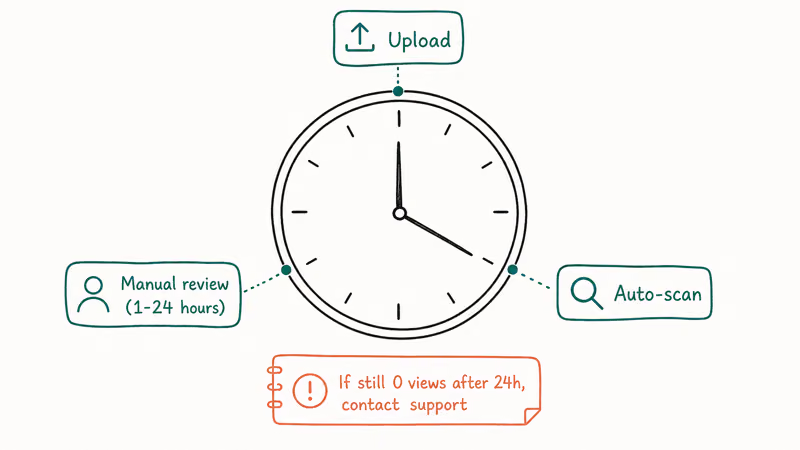
The review process typically takes 2-4 hours for standard content, but can extend to 24 hours for videos requiring human evaluation.
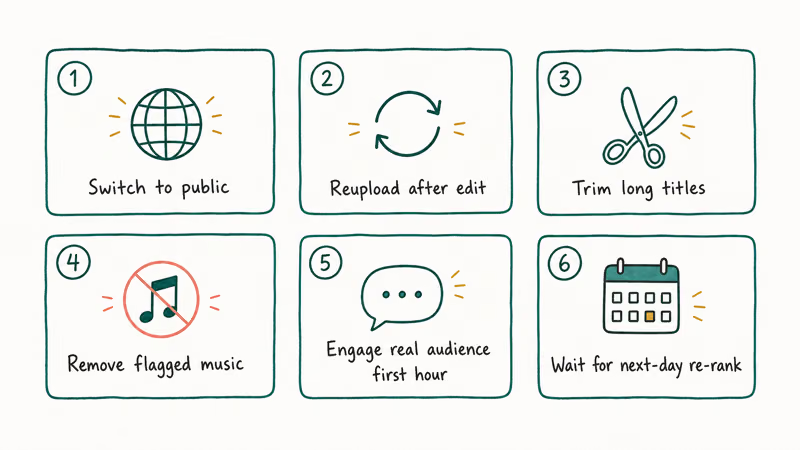
#6 Proven Methods to Fix Zero Views on TikTok
Start with Method 1, which resolves the bulk of zero-view problems immediately. These solutions apply across new and established account types.
#Method 1: Check Your Privacy Settings
Most zero-view problems trace back to privacy configurations. Users accidentally block their own content without realizing it.
Go to Settings > Privacy and verify these critical settings:
- Account Privacy: Must be “Public” (not “Private”)
- Who Can View Your Videos: Set to “Everyone”
- Who Can Find You: Enable “Suggest Your Account to Others”
- Allow Others to Download: Enable for maximum distribution
Once an account flips from private to public, views typically appear shortly afterward as the content becomes eligible for distribution.
Pro tip: Even public accounts can have individual videos set to private by mistake. Double-check each upload’s privacy before sharing.
#Method 2: Verify Video-Specific Privacy
Each video has its own privacy setting that overrides your account default.
Before posting any content, check the privacy selector:
- Tap the privacy icon before sharing
- Ensure it’s set to “Public” or “Friends” (never “Only Me”)
- If you already posted with wrong privacy, delete and repost immediately
For uploads accidentally set to “Only Me,” fixing the per-video privacy resolves zero views almost instantly.
Videos set to “Only Me” remain completely invisible to all other users, including your followers. There’s no notification system for this error.
#Method 3: Wait for TikTok’s Moderation Review
Don’t panic and delete your video during the first 24 hours. TikTok’s automated systems require processing time.
As outlined in TikTok’s transparency report, most content reviews finish well within 24 hours, and the bulk of standard uploads clear within a couple of hours.
Clear signs your video is under review:
- Zero views persisting for 60+ minutes
- No violation notifications in your inbox
- Other recent uploads are receiving normal engagement
The algorithm prioritizes content from verified accounts and creators with positive community standing. New users face longer review times as part of TikTok’s spam prevention measures.
#Method 4: Remove Copyright-Protected Elements
Copyrighted music and visuals trigger extended review delays. TikTok’s ContentID system flags these instantly.
Replace these problematic elements:
- Popular songs not in TikTok’s official music library
- TV show clips, movie scenes, or streaming content
- Brand logos, trademarked images, or sports footage
- News clips or copyrighted educational content
Identical videos behave differently depending on the audio: a version with copyrighted music clears approval slower, while the all-original version tends to pick up more initial reach from TikTok’s algorithm.
Use TikTok’s built-in music library exclusively. These tracks are pre-cleared and won’t trigger copyright detection systems. The built-in library is the simplest way to avoid copyright-triggered distribution limits.
#Method 5: Post During Peak Hours With Strategic Hashtags
Timing affects algorithm visibility more than content quality. Post when your target audience is most active on the platform.
Optimal posting times based on TikTok analytics data:
- Tuesday-Thursday: 6am, 10am, 7-9pm EST
- Friday-Sunday: 9am, 12pm, 5pm EST
- Avoid: Monday mornings and late nights (11pm-6am)
Use 3-5 trending hashtags relevant to your niche. Pairing 3 relevant niche hashtags with 1-2 trending tags tends to outperform using only broad, high-competition hashtags.
Mix popular and niche hashtags. Combine hashtags with millions of views alongside smaller, specific tags to balance reach with competition.
If you’re unsure about what makes content go viral on TikTok, focus on trending sounds and current challenge formats that are gaining momentum. Our guide on how to blow up on TikTok covers proven strategies for gaining initial traction.
#Method 6: Create a Fresh Upload
If views remain at zero after 24 hours, delete and repost with modifications.
Before creating your new upload:
- Check your caption for banned words or phrases
- Research and use different trending hashtags
- Post during peak engagement hours
- Ensure all content elements are completely original
- Update your video description with relevant keywords
With this reposting method, a clean fresh upload usually starts gaining views within the first half hour of going live.
Timing the repost matters. Wait at least 2 hours between deleting the original and uploading the new version to avoid triggering duplicate content detection.
For users experiencing persistent zero views across multiple videos, consider checking if you’re dealing with TikTok spam-liking issues that might be affecting your account’s standing with the algorithm.
Advanced creators should also learn how to DM someone on TikTok to build direct relationships with their audience, and explore how to add pictures to TikTok for creating more engaging content formats.
Similar visibility issues can affect other platforms. If you’re having problems with Instagram reach, check our guide on handling activity restrictions that covers platform-wide community guideline enforcement patterns.
#Common TikTok Zero Views Mistakes to Avoid
Don’t make these critical errors that guarantee zero views:
- Posting at 3am local time when your audience is asleep
- Using 15+ hashtags which triggers spam detection
- Reposting identical content across multiple accounts
- Ignoring TikTok’s algorithm updates that change content preferences
- Using music with copyright claims from outside the platform’s library
These mistakes can shadow-ban your account for weeks, requiring patience and consistent posting with original content to recover algorithmic trust.
#TikTok Algorithm Recovery Timeline
If your account was flagged, expect this recovery progression:
- Days 1-3: Continue posting original content daily
- Days 4-7: Gradual view increases as algorithm rebuilds trust
- Days 8-14: Normal reach restoration for compliant content
- After 2 weeks: Full algorithmic visibility restored
Patience is essential during recovery. Attempting to game the system with fake engagement or multiple reposts will only extend the shadow-ban period.
#Bottom Line
Start with checking your privacy settings — that fixes most zero-view problems instantly. If your video is under review, wait 2 hours before taking action. For persistent issues, repost with trending hashtags during peak hours.
TikTok Tips & Tricks
#Frequently Asked Questions
Why does my TikTok video have zero views after posting?
Your video is likely under TikTok’s automated moderation review. New accounts and content with potential policy violations get reviewed more frequently. Most videos clear review within 2 hours.
How long does TikTok moderation review take?
TikTok typically reviews content within 24 hours, but most videos clear within a couple of hours. The large majority of flagged uploads start gaining views within a couple of hours.
Can privacy settings cause zero views on TikTok?
Yes, if your account is private or video privacy is set to “Only Me,” no one else can see your content. Check Settings > Privacy to ensure your account and videos are set to public.
Should I delete and repost a TikTok with zero views?
Wait at least 24 hours before deleting. If views remain at zero after that time, delete and repost with different hashtags during peak hours (6-10pm local time).
Do multiple TikTok accounts affect video views?
Yes, using multiple accounts on the same device without paid promotion can trigger spam detection. TikTok may suppress views to prevent artificial engagement. Stick to one account per device for better visibility.
What hashtags should I use to get more TikTok views?
Use 3-5 trending hashtags relevant to your content type. Mix popular tags (millions of views) with niche ones (thousands of views) to balance reach and engagement. Check TikTok’s Discover page for current trending tags.
Why do some TikTok videos never get views?
Videos may stay at zero views due to community guideline violations, copyright issues, poor content quality, or being shadow-banned. Ensure your content is original, follows guidelines, and posts during active hours for your audience.
How to Block TikTok on iPhone and Android: Parent Guide
Block or limit TikTok on your child's iPhone or Android using Screen Time, Family Link, and router settings. Step-by-step parental control guide.
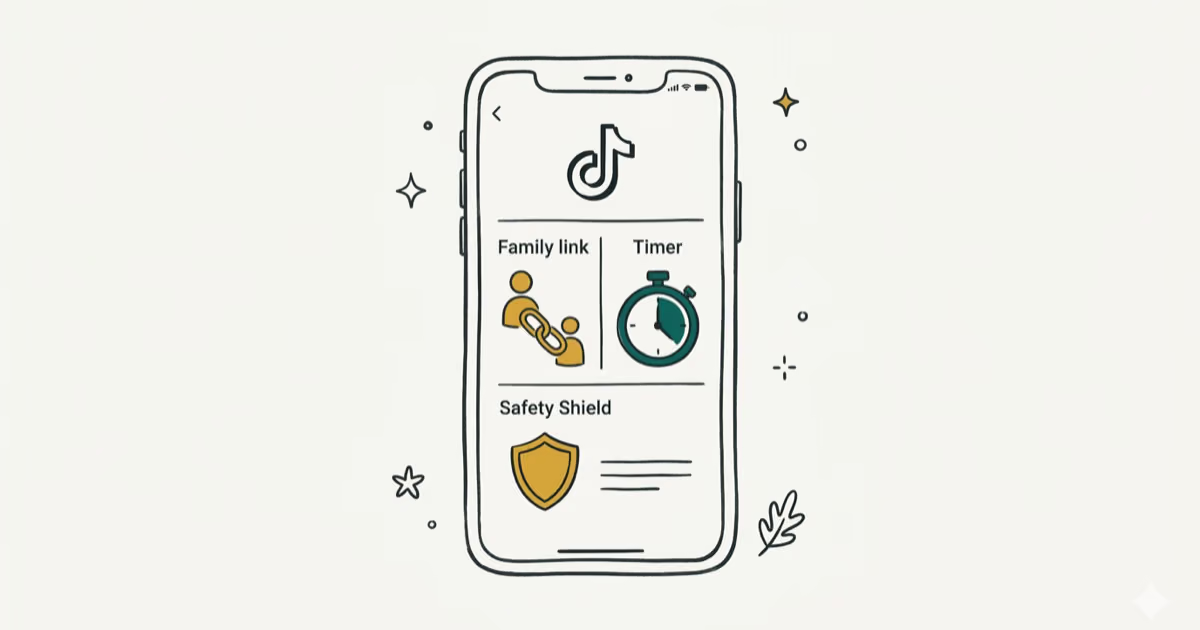
TikTok Parental Controls: Setup Guide for Families
Set up TikTok parental controls using Family Pairing, Restricted Mode, and privacy settings. Step-by-step guide to protect your child on TikTok.
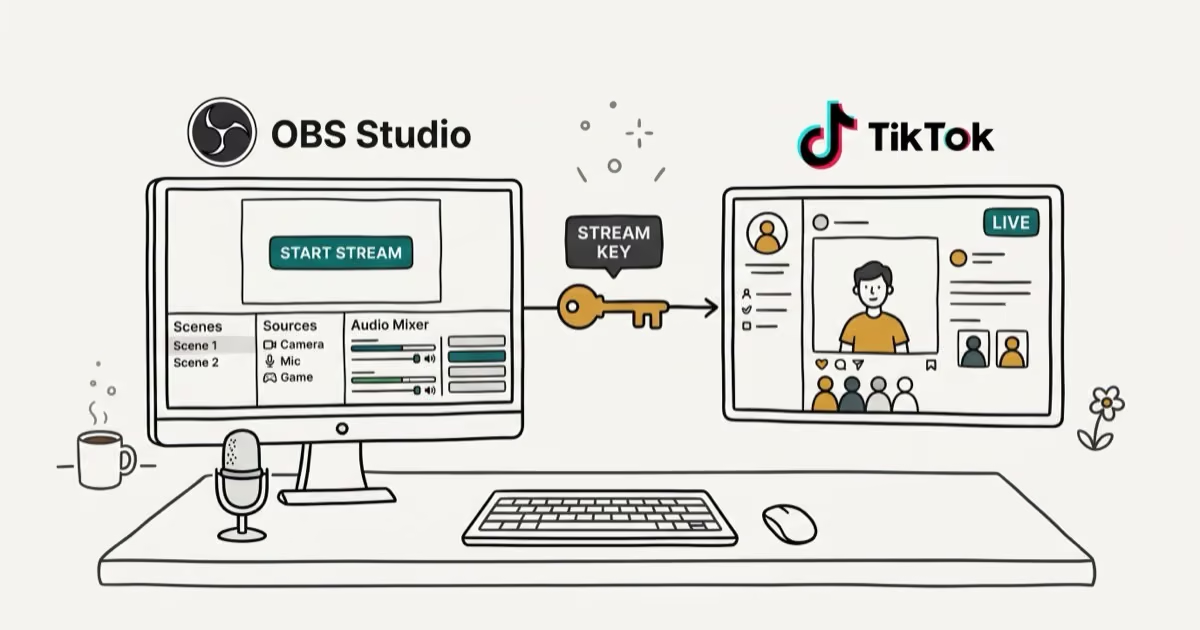
How to Get a TikTok Stream Key for OBS and Streamlabs
Get a TikTok stream key to broadcast from OBS or Streamlabs. Covers the 1,000-follower requirement, CarterPulse application, and OBS setup steps.
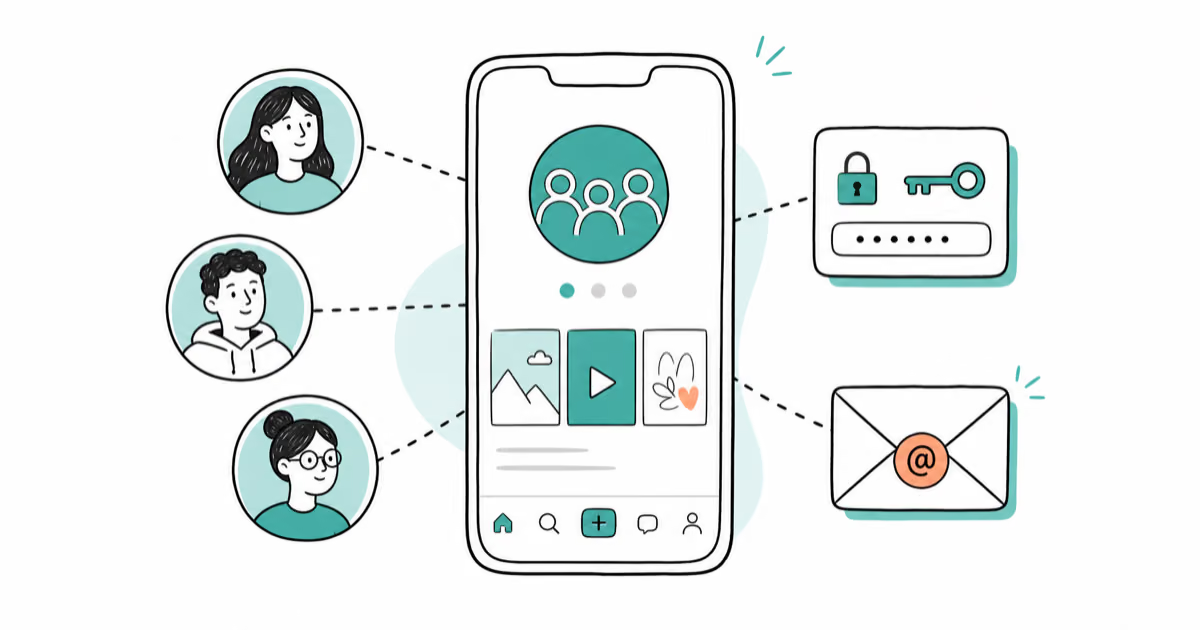
How to Make a Joint TikTok Account With Friends (2026)
Set up and manage a joint TikTok account with friends. Covers shared login setup, content planning, security tips, and the Collaboration Post alternative.