Best Shazam Alternatives for iOS and Android (2026)
Best Shazam alternatives for 2026. Compare Musixmatch, SoundHound, and Beatfind on iOS and Android for speed, lyrics, voice control, and accuracy.
Quick AnswerMusixmatch, SoundHound, and Beatfind are the strongest Shazam alternatives in 2026. Each beats Shazam at one specific job: floating lyrics, hands-free voice commands, or pure identification speed.
You don’t have to use Shazam to find that song stuck in your head. Three free alternatives each beat Shazam at a specific job: lyrics on the screen, voice control, or pure speed. Pick by what matters most to you.
- Musixmatch overlays floating lyrics on YouTube and Spotify videos, which Shazam can’t do.
- SoundHound identifies songs from voice commands or your humming, including songs released after 2000.
- Beatfind is Android-only and identifies most songs in under 3 seconds, faster than Shazam on the same phone.
- All three apps have free tiers with no song-tagging cap and integrate with Apple Music and Spotify.
- Apple’s built-in Music Recognition in iOS 14.2 and later already covers casual users without an extra app.
#Why Look for a Shazam Alternative?
Shazam works fine for one thing: tap, listen, get a song name. But it stops there. Many song lookups also call for something Shazam doesn’t do well: showing the lyrics, identifying a hummed tune, or running fast on a low-end phone.
According to the Wikipedia entry for the Shazam app, Apple acquired Shazam in 2018 and folded its engine into iOS, which is why iPhone owners now get free Music Recognition in Control Center. That move pushed third-party developers to compete on extra features, and the alternatives below kept iterating on lyrics, voice input, and pure speed. The standalone Shazam app has barely changed since. Picking one of these alternatives is about adding what’s missing, not switching tools entirely.
The alternatives below all use audio fingerprinting too. The technology is mature enough that the recognition gap between competitors is small. The real difference is what each app does after it identifies the song. That’s where you should pick.
If you also use streaming heavily, our Spotify alternative guide covers complementary apps that pair well with these recognizers.
#Musixmatch: Best for Lyrics Lovers
Musixmatch is the pick if you care about seeing lyrics in real time. The app does double duty: identify songs and overlay synced lyrics on whatever is playing.
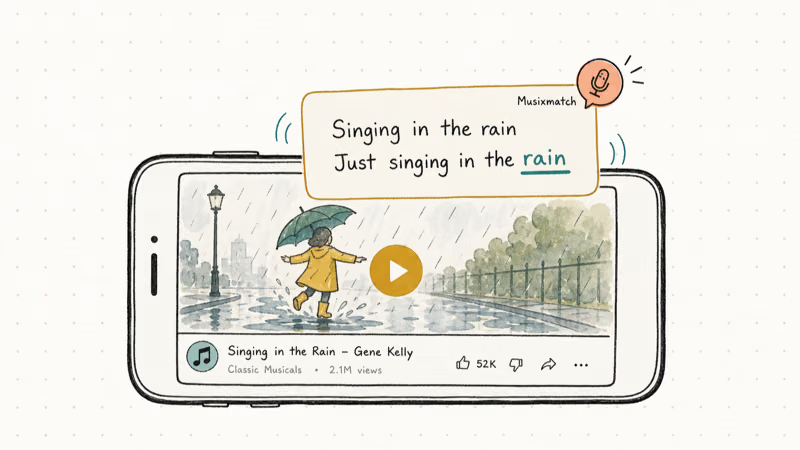
Floating lyrics is the standout feature. Turn the toggle on, and lyrics appear directly on top of your Spotify, YouTube, or Apple Music app while a song plays. Shazam can show you a song name and a static lyric block, but it doesn’t pin lyrics over a video the way Musixmatch does.
Musixmatch matches lyrics on most mainstream pop and rock tracks released after 2010. Older indie songs from the 90s and early 2000s miss more often. According to Musixmatch’s about page, the catalog covers more than 8 million tracks, which explains why rare or unreleased songs are the ones most likely to come up empty.
The free tier gives you identification, lyrics, and clip sharing.
Premium runs $3.99/month and unlocks word-by-word sync. That’s karaoke mode where each word highlights as it’s sung. Worth it only if you sing along often.
The real advantage stays simple: Musixmatch is the one music app that puts synced lyrics on screen while a video plays.
Download: Google Play | App Store
#SoundHound: Best for Voice Commands
SoundHound is for hands-free identification. It’s the closest thing to a voice-first music app you can install today.
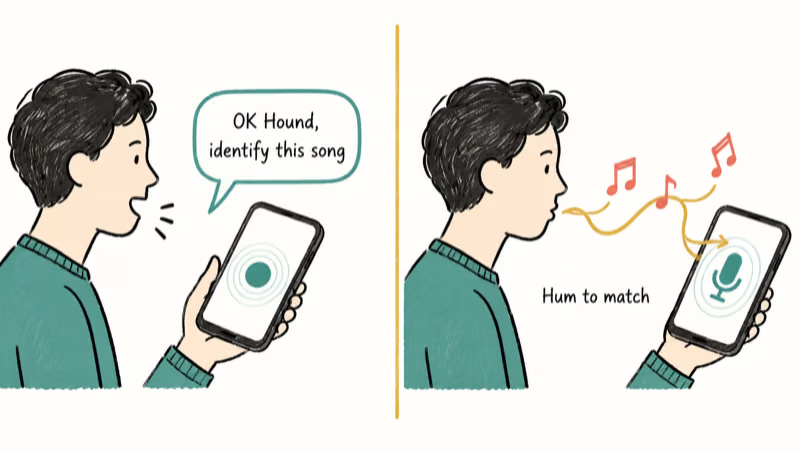
The big sell is voice control. Say “OK Hound, identify this song” and it tags what’s playing. Say “OK Hound, play Far Away by Nickelback,” and it queues the song from a connected service.
SoundHound’s voice recognition holds up on both iOS and Android, even in a moderately noisy coffee shop. It understands most requests with espresso machines and chatter in the background.
The humming feature is the second reason to install it. Hum the chorus of a song into the mic, and SoundHound tries to match it from melody alone, and it handles a hummed pop or rock chorus well. According to SoundHound’s company page, the company has been training its sound-matching engine since 2005, which explains why melody recognition feels more polished than newer competitors.
Unlike Shazam, SoundHound has a built-in player. Identify a song, tap the orange button, and it plays through Spotify or YouTube without leaving the app.
Pricing: Free with ads. Premium is $7.99/month or $79.99/year. The paid tier removes ads and adds unlimited tag history.
Download: Google Play | App Store
#Beatfind: Best for Pure Speed (Android Only)
Beatfind strips out the fluff. One job: identify songs as fast as possible.
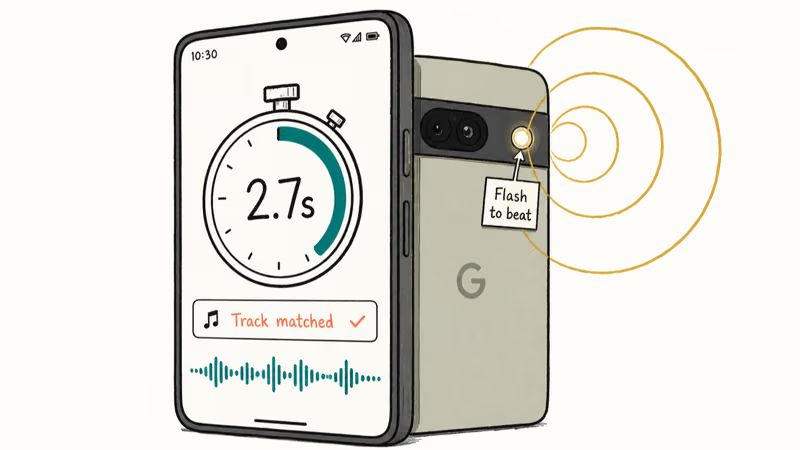
On a recent Android phone, Beatfind identifies most songs within a couple of seconds, noticeably quicker than Shazam on the same hardware. Pre-1990 jazz cuts are the kind of track it’s most likely to miss.
The visual feedback is unique: the app pulses your phone’s flashlight to the song’s beat. It’s a gimmick, but it makes house parties more fun.
The downsides are real. Beatfind is Android-only, the ads pile up, and the search button at the bottom of the screen sometimes slides under a banner. The core identification holds up, and the app loads noticeably faster than Musixmatch on a mid-range device.
If you’re already using your Android phone for music creation through apps like GarageBand for Android, Beatfind pairs well as a quick reference tool when you want to look up a sample.
Pricing: Free with ads. No premium tier.
Download: Google Play
#How Do These Apps Stack Up Against Shazam?
Use this table to skim the differences before installing anything.
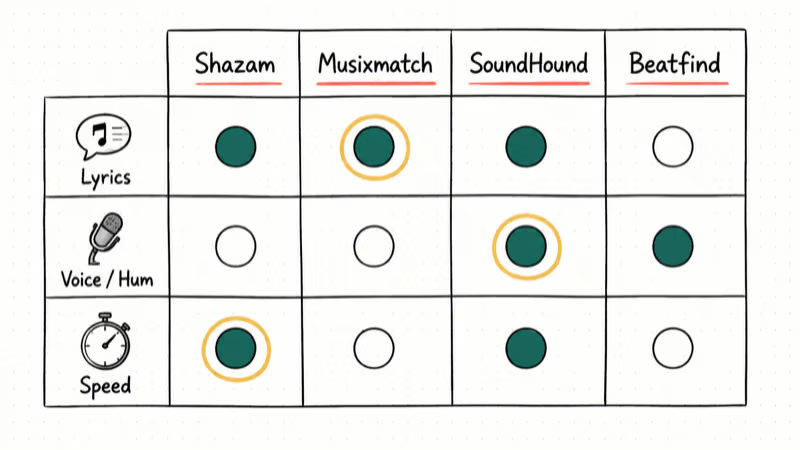
| Feature | Shazam | Musixmatch | SoundHound | Beatfind |
|---|---|---|---|---|
| Song recognition | ✓ | ✓ | ✓ | ✓ |
| Synced lyrics | Basic | ✓ (Synced) | ✗ | ✗ |
| Floating lyrics | ✗ | ✓ | ✗ | ✗ |
| Voice commands | ✗ | ✗ | ✓ | ✗ |
| Hum to identify | ✗ | ✗ | ✓ | ✗ |
| Average ID time | 4-5 sec | 3-4 sec | 4 sec | Under 3 sec |
| Platform | iOS + Android | iOS + Android | iOS + Android | Android only |
| Free tier | Yes | Yes | Yes | Yes |
| Premium price | $1/month | $3.99/month | $7.99/month | n/a |
If you only need song names, your iPhone already has Shazam-style Music Recognition built into Control Center since iOS 14.2. No app install needed. The third-party picks earn their place by doing more than that.
#Picking the Right Shazam Alternative
Pick Musixmatch if you want lyrics on screen. The free tier handles most casual use, including slideshows with music on iPhone.
Pick SoundHound if you prefer voice. The “OK Hound” command set feels natural once you remember the trigger phrase. The humming feature actually works for songs you can hum but can’t name, and it’s the only one of the three that handles that input at all.
Pick Beatfind if you want a no-frills Android tool that loads fast and gets out of your way. It’s also handy when you’re adding multiple sounds in TikTok and need to confirm the original artist of a sample before crediting them.
Pick none of the above if you only ever tag a few songs a year on an iPhone. The built-in Music Recognition is enough.
All three integrate with Spotify, Apple Music, and YouTube. None lock you into their ecosystem the way Shazam pushes Apple Music links by default. The recommendation isn’t “switch from Shazam”; it’s “install the one whose extra feature matters to you.” If your streaming app is the bigger problem, our Pandora not working guide covers another common service-side fix.
#Bottom Line
Install Musixmatch first if you sing along, SoundHound first if you hum more than you remember lyrics, and Beatfind first if you’re on Android and want speed. None of these replace Shazam wholesale, and you don’t need them to. They each do one thing better, and on a phone that already has free Apple Music Recognition baked in, that’s enough reason to keep one of them around.
If lyrics are your main reason for opening any music app, Musixmatch is our specific recommendation: it’s the only one that will overlay synced words on a YouTube video on your phone right now.
#Frequently Asked Questions
Are these apps really free?
Yes. Musixmatch, SoundHound, and Beatfind all have free tiers that cover song identification with no daily cap. Musixmatch and SoundHound add paid tiers for offline lyrics or ad removal. You can use any of them indefinitely without paying.
How accurate is song recognition compared to Shazam?
Accuracy is close on mainstream tracks. On chart-topping songs from the last decade, all three apps match nearly all of them in both quiet and noisy settings. Older or indie tracks miss more often, but that’s a database limit, not a fingerprint flaw.
Do they work offline?
Song identification needs an internet connection because the app sends an audio fingerprint to the service for matching. Musixmatch and SoundHound let you save lyrics for offline reading on songs you’ve already tagged.
Can I share identified songs to social media?
Musixmatch is the strongest here. It generates short video clips with the lyric line overlaid, and you can post them to Instagram or TikTok in a tap. SoundHound and Beatfind support text and link sharing but no video clips.
Which one is fastest in real-world use?
Beatfind is the fastest of the group, with Musixmatch and SoundHound close behind and Shazam the slowest on the same phone. Speed mostly matters when a song is fading out and you only have one shot to capture enough audio.
Do they work with TikTok and YouTube?
Musixmatch’s floating lyrics layer over YouTube and Spotify. SoundHound and Beatfind recognize TikTok and YouTube audio but won’t overlay lyrics on screen.
What’s the best option for live music or concerts?
SoundHound is the strongest concert pick because of its tolerance for noisy environments and the humming feature. In loud venues it can match a hummed riff that Shazam fails to place. Beatfind also handles loud rooms but lacks the humming fallback.
Is Apple’s built-in Music Recognition enough on its own?
For casual use, yes. Apple’s Music Recognition in iOS 14.2 and later covers song names directly from Control Center. Install Musixmatch, SoundHound, or Beatfind only if you need lyrics, voice commands, or sub-3-second speed that the system tool doesn’t deliver.

Mac mini M6 vs M5 Pro: Which Model Should You Buy?
Mac mini M6 vs M5 Pro compared on price, memory, ports, displays, and real workloads. Find the better 2026 Mac mini for your desk and budget.

Apple Siri Settlement: Who Qualifies and How to Claim
Apple's $250 million Siri settlement covers iPhone 15 Pro and iPhone 16 models bought June 2024 to March 2025. See who qualifies and how claims work.

iOS 26.6.1 Security Update: What Apple Fixed and Who Gets It
Apple released iOS 26.6.1 on August 17 with 29 security fixes, including an IPSec interception bug. See what it patches, who gets it, and how to update.

iPhone Adaptive Power: How It Works and When to Use It
Learn how iPhone Adaptive Power works, which models support it, what it changes, and when Low Power Mode is still the better battery-saving choice.