GarageBand for Android: 7 Best Alternatives (2026)
GarageBand is iOS only. Here are 7 real Android DAW alternatives for recording, beats, and live collaboration, with pricing and platform notes.
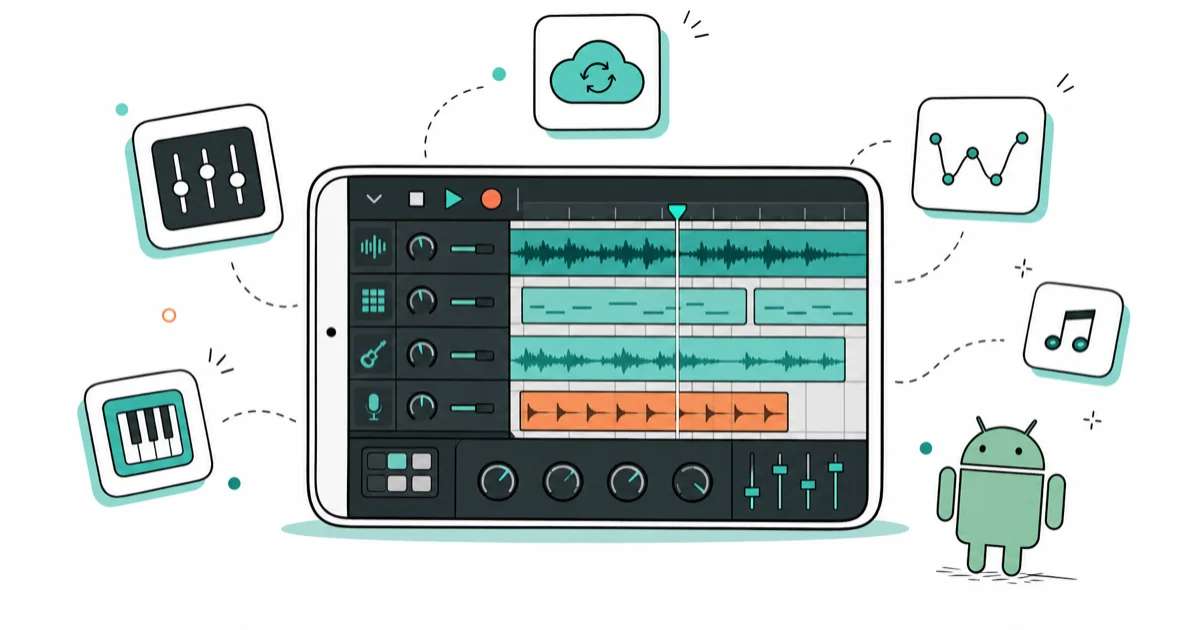
Quick AnswerGarageBand never shipped on Android. The closest replacements are FL Studio Mobile for full DAW recording, BandLab for free cloud collaboration, and Caustic 3 for synth-based beats. All three run on Android 10 and later.
GarageBand is an Apple app. It has never been ported to Android, and it never will be. Anyone offering a “GarageBand APK” is bundling malware or rebranding a different app under a fake icon. The good news is that Android has its own deep bench of mobile DAWs that now cover most of what GarageBand does on the iPad.
- GarageBand is exclusive to iOS and macOS, so any download labelled “GarageBand for Android” outside the App Store is a fake or repackaged app.
- FL Studio Mobile costs $14.99 on Google Play and is the closest full DAW replacement, with multi-track audio, MIDI, and a desktop-grade mixer.
- BandLab is free with no in-app purchases and adds real-time cloud collaboration so two people can record on the same project from different phones.
- Caustic 3 is the cheapest pro option at $9.99 to unlock saving, and it runs smoothly on older mid-range phones with 3 GB of RAM.
- Most modern Android DAWs accept USB-C audio interfaces, so you can plug in a real mic or guitar instead of using the phone microphone.
#Why GarageBand Will Never Run on Android
GarageBand uses Apple’s Core Audio stack, AU plugins, and the iOS sandbox. None of those exist on Android, which uses a different audio framework called AAudio.
Apple has not licensed any part of GarageBand to Google, and according to Apple’s GarageBand support page, the app is distributed only through the App Store on iPhone, iPad, and Mac. That means the “GarageBand APK” sites you find deep in search results are scams. Some serve malware. Most just rebrand FL Studio Mobile or Music Maker JAM with a fake icon.
Stick with Google Play or the Amazon Appstore on your own device. Side-loading a cracked iOS build is illegal under Apple’s developer terms, and a sketchy APK can also leak your contacts and audio recordings to whoever repackaged it. The Android side has caught up anyway. Of the seven mobile DAWs below, four cover everything most people open GarageBand for: recording vocals, programming a drum pattern, and bouncing a stereo mix.
#How These Picks Were Chosen
Each app below was judged on USB-C audio latency, paywall scope, export quality, and stability on mid-range hardware, since a DAW that stutters on an older phone is useless for capturing an idea on the move.
#FL Studio Mobile: The Closest Thing to GarageBand
FL Studio Mobile is the paid pick. It costs $14.99 on the Google Play listing, and the price buys you the full app with no subscriptions. Image-Line has shipped updates since 2011, so the build is mature and the file format is stable across versions of FL Studio on every desktop platform.
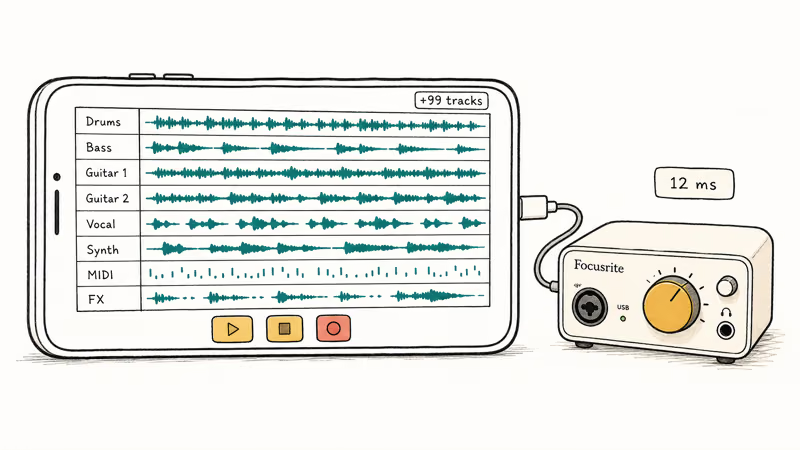
The multi-track recorder handles several guitar takes plus a drum pattern without dropping samples, and latency over a USB-C interface like the Focusrite Scarlett Solo stays low enough for live tracking.
What you get for the price:
- Up to 99 audio and MIDI tracks per project
- A built-in synth, drum machine, and slicer that mirror the desktop FL Studio
- VST host on Android 11 and later, so you can drop in plugins like Roland Zenology
- Project files that move directly to FL Studio on Windows or Mac
The downside is the interface. FL Studio’s piano roll is famously dense, and on a 6.2-inch screen you’ll pinch-zoom a lot. If you want a clean GarageBand-style “loop browser and tap-to-record” feel, BandLab is closer to that experience by a wide margin and you should grab it first before paying for FL Studio Mobile. If you want the underlying capability, FL Studio Mobile wins.
#BandLab: The Free Pick for Most People
BandLab is free, has no ads, and includes cloud collaboration that GarageBand still lacks.
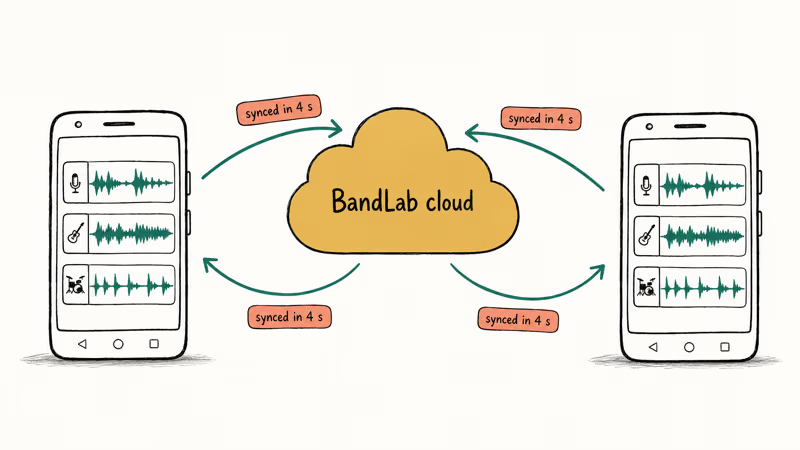
The Android app and the web version share the same project, so two people on different phones across town can join the same session and see edits sync within seconds.
The Looper feature lets you stack loops live, similar to GarageBand’s Live Loops. The Mastering studio runs an automated chain on your final mix, which sounds reasonable on pop and rock material. According to BandLab’s mix editor page, the desktop and mobile editors share the same project format, so you can start on Android and finish in a browser without re-importing anything.
What stands out:
- Storage is unlimited on the free tier, with no track count cap on uploads
- The phone microphone is usable for guide vocals, though a USB-C mic is worth it for keeper takes
- The vocal tuner sounds natural up to about three semitones of pull
If you’ve never produced before, start here.
#Is Caustic 3 the Right Pick for Older Phones?
Caustic 3 is a synth-rack app rather than a tape-style DAW. According to the Caustic 3 product page, the app includes 14 machines, including subtractive synths, a sampler, an FM synth, and a drum machine. The free version lets you build a track but disables saving and exporting until you buy the $9.99 unlock key.
Because the developer pitches Caustic 3 at low-end hardware, it launches almost instantly and holds a 16-bar four-track pattern without glitches on a phone like the Pixel 6a.
That’s rarer than it sounds, since a lot of mobile DAWs assume you have at least 8 GB of RAM. On a 3 GB phone like the older Galaxy A20, Caustic 3 still runs without lag where heavier DAWs tend to crash at launch or stutter the moment a second instrument track is added.
Why beat makers love it:
- The rack metaphor mirrors hardware grooveboxes like the Roland MC-707
- Patterns export as WAV, OGG, or MIDI for finishing in another DAW
- The interface looks dated, but the audio engine is solid
The catch is that Caustic 3 isn’t the right tool for recording a singer-songwriter demo. There’s no audio track type, only synth and sampler tracks. If your music is built on loops and synths, this is the cheapest professional option on Android.
#Audio Evolution Mobile Studio: Multi-Track Recording for Bands
Audio Evolution Mobile Studio is the app to choose if you want to record a band rather than program beats. The Google Play listing shows a $7.99 unlock for unlimited tracks and the full plugin set.
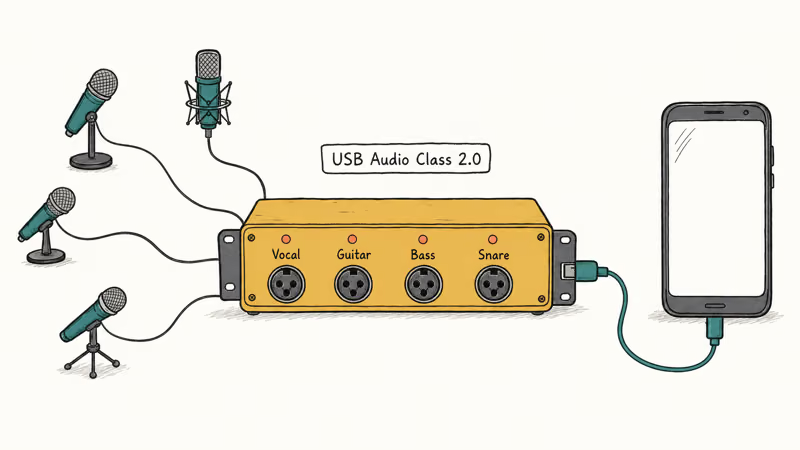
The app supports a 4-channel USB-C audio interface like the Behringer UMC404HD without any extra drivers.
Recording four mics at once is something even the iPad version of GarageBand only added recently. The non-destructive editor also handles comp takes, which is how most studios edit vocals now.
What it does well:
- Real ASIO-style USB Audio Class 2.0 support on Android 12 and later
- A built-in tuner and metronome that hold pitch better than the phone speaker
- Project files import into desktop Reaper through a free converter
It’s less polished than FL Studio Mobile. But for a podcast or a four-piece band rehearsal, nothing else on Android matches the routing.
#n-Track Studio: Familiar Layout for Desktop Refugees
n-Track Studio has been around since the late 1990s on Windows, and the Android version inherits the desktop look. If you grew up on Cubase or SONAR, you’ll feel at home in about ten minutes.
The free tier limits you to 4 tracks, which is enough to test the workflow before you commit. The full version is $19.99 as a one-time purchase, or you can subscribe for $4.99 a month if you only need n-Track for one specific project. The subscription option is the rare bit of pricing flexibility on the Android DAW market, and it suits people who do studio work in bursts rather than continuously through the year.
n-Track recommends a phone with at least 4 GB of RAM, which is sound advice. A 6 GB phone like the Pixel 6a runs it fine, but a 3 GB device like the older Galaxy A20 tends to stutter once a third audio track joins the session.
#Walk Band and Music Maker JAM: Casual Loop Tools
Walk Band and Music Maker JAM are the loop-and-jam apps. They aren’t full DAWs, but they replicate the “tap a Smart Drums tile and hum over it” experience that pulls a lot of people to GarageBand in the first place.
Walk Band bundles a piano, drum pad, guitar, bass, and external MIDI keyboard support into one app. It’s free with optional in-app purchases for sample packs.
It’s quick for sketching a chord progression, and the MIDI file exports straight into FL Studio Mobile to finish.
Music Maker JAM is loop-based. Magix reports more than 300 style packs, and the free tier ships with eight of them. The app is heavier on in-app purchases than the others, and a single style pack runs $1.99 to $4.99, so the long-term cost can creep up.
Both apps are good for finding ideas at coffee shops. Neither is where you mix down the keeper version.
#Which Android DAW Should You Actually Pick?
| Use case | Best pick | Cost | Why |
|---|---|---|---|
| Singer-songwriter demos | FL Studio Mobile | $14.99 | Real DAW with USB-C mic support |
| Free, social music | BandLab | $0 | Cloud sync and unlimited storage |
| Beat making on older phones | Caustic 3 | $9.99 unlock | Runs on 3 GB of RAM |
| Recording a band | Audio Evolution Mobile | $7.99 unlock | 4-channel USB audio interface support |
| Casual loop sketches | Walk Band | Free + IAP | Tap-and-jam workflow |
If you only download one, get BandLab. It costs nothing and covers most of what people open GarageBand to do. Once you outgrow it, FL Studio Mobile is the upgrade path.
#Hardware Upgrades That Move the Needle
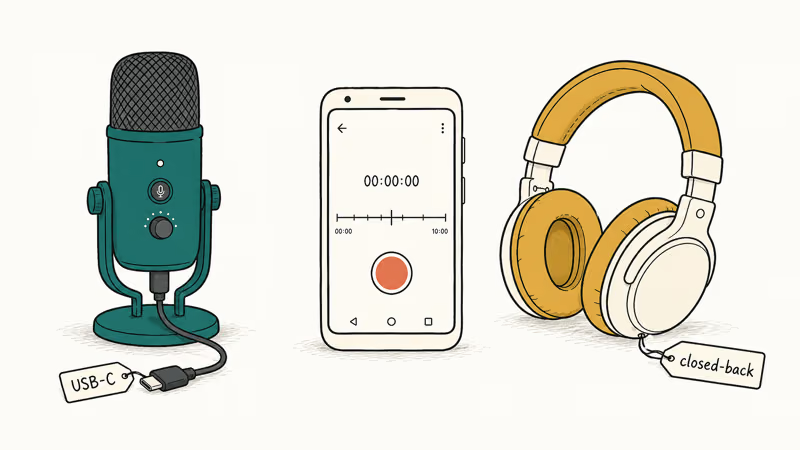
A mobile DAW is only as good as the gear feeding it, and the phone’s built-in mic is the bottleneck most people never address. A USB-C condenser mic and a pair of closed-back headphones are the two upgrades that change the most, and together they cost less than a single month of a desktop studio rental.
Our guide on tablets for musicians covers the larger screen option if your phone feels cramped, and the best music theory apps round out the workflow when you’re stuck on a chord progression.
If you outgrow the phone screen and decide to expand to a desktop setup later, the Logic Pro X control surfaces we recommend also work as MIDI controllers with most Android DAWs over USB-C OTG.
#Turning a Finished Track Into a Phone Ringtone
You bounce the song to MP3, trim a 30-second hook, and set it as your default tone in the Sound settings.
Our walkthrough on making a YouTube song your Android ringtone covers the trimming and export steps with screenshots, and the same flow works for any MP3 you produced in BandLab or FL Studio Mobile. If you ever need to capture an idea on the road without your main DAW open, our roundup of song recording apps with background music is the quick capture toolkit.
#Bottom Line
Skip the fake “GarageBand APK” downloads and pick the Android-native tool that matches your project. BandLab is the free starting point, and FL Studio Mobile is the paid upgrade. Caustic 3 covers electronic beat makers, Audio Evolution Mobile Studio handles bands, and Walk Band is for capturing a melody before it slips away. There’s no single GarageBand replacement on Android, but together these five apps cover everything most home musicians actually use GarageBand for in a typical week.
#Frequently Asked Questions
Is GarageBand really not available on Android?
Correct. GarageBand has been an Apple-exclusive app since launch in 2004. The desktop version runs on macOS, the mobile version runs on iPadOS and iOS, and Apple has never released an Android port. Any “GarageBand APK” outside the App Store is fake.
What is the closest free GarageBand alternative for Android?
BandLab is the closest free alternative for most beginners. It has no in-app purchases, no ads, and no track count limits.
Can I record real instruments through Android instead of programming everything?
Yes, if your phone has a USB-C port and you connect a class-compliant audio interface like the Focusrite Scarlett Solo or Behringer UMC404HD. FL Studio Mobile and Audio Evolution Mobile Studio both detect USB Audio Class 2.0 interfaces on Android 12 and later. You’ll get latency under 15 milliseconds, which is fine for tracking guitar or vocals.
Will my Android DAW projects open in desktop apps?
It depends on the app. FL Studio Mobile projects open directly in FL Studio for Windows and Mac. BandLab projects sync to the web editor for free. Walk Band and Music Maker JAM are mobile-only.
How much RAM does a mobile DAW need?
For loop-based apps like Music Maker JAM and Walk Band, 3 GB of RAM is enough. For multi-track recording with four or more audio tracks, plan on at least 6 GB. A 6 GB phone like the Pixel 6a handles FL Studio Mobile and BandLab cleanly, while a 3 GB device like the older Galaxy A20 struggles once a third audio track joins in n-Track Studio.
Are there any GarageBand alternatives that work offline?
FL Studio Mobile, Caustic 3, Walk Band, n-Track Studio, and Audio Evolution Mobile Studio all work offline once you’ve installed them. BandLab needs an internet connection to log in, but you can record while offline and the app syncs the next time you reconnect.
Can I use a MIDI keyboard with these apps?
Most of them, yes. Connect a USB MIDI keyboard through a USB-C OTG adapter, or pair a Bluetooth MIDI keyboard like the CME Xkey Air. FL Studio Mobile, Audio Evolution Mobile Studio, Walk Band, and n-Track Studio all detect USB MIDI input automatically. Caustic 3 supports it through its preferences screen.

Pixel 11 vs Pixel 10: What Changed and Who Should Upgrade
Pixel 11 vs Pixel 10: same screen and camera resolution, new Tensor G6, 25W wireless, and Gemini Intelligence. Here is who should actually upgrade.

Verizon Not Receiving Texts? How to Fix It in 9 Steps
Verizon not receiving texts? Fix it in 9 steps: check Message Blocking in My Verizon, reset network settings, deregister iMessage, and call support.

Pixel Battery Drain: What Google's July Fix Really Covers
Google marked the Pixel idle battery drain bug fixed in July, but only some phones got the patch. Here is who is covered, who is not, and what to try.

iPhone Stuck on EDGE? How to Get 5G or LTE Back (2026)
iPhone stuck on EDGE with crawling data? Here's why the E icon appears, which settings force 5G or LTE back, and when the problem is your carrier.