How to Diagnose Phone Problems: The 5 Whys Root Cause Method
Diagnose phone problems like a pro. Learn the 5 Whys root cause analysis method to find why your iPhone or Android crashes, freezes, or lags.

Quick AnswerUse the 5 Whys technique to find why your phone is acting up. Ask why the problem happened, then ask why again four more times until you reach the actual cause instead of the visible symptom.
When your phone starts acting up, most people reach for the easiest fix first: restart, clear cache, uninstall an app. Then the same problem comes back a week later. Root cause analysis is the way out of that loop, and the simplest version, the 5 Whys, takes about ten minutes.
- The 5 Whys forces you past the first obvious answer and into the actual cause
- Most recurring phone problems trace to software conflicts, low storage, or stale settings rather than hardware
- Writing the symptom in measurable terms (seconds, percentages, exact triggers) is what makes the rest of the method work
- Five questions is a guideline: stop when the next answer points at a fix you can act on
- Document the root cause in one sentence so the same problem doesn’t surprise you next month
#Why Most Phone Fixes Don’t Stick
The pattern is familiar. Your phone freezes during scrolling, you do a factory reset, things feel snappy for a week, then the freeze returns. The reset cleared the symptom. It never touched whatever caused the freeze in the first place.
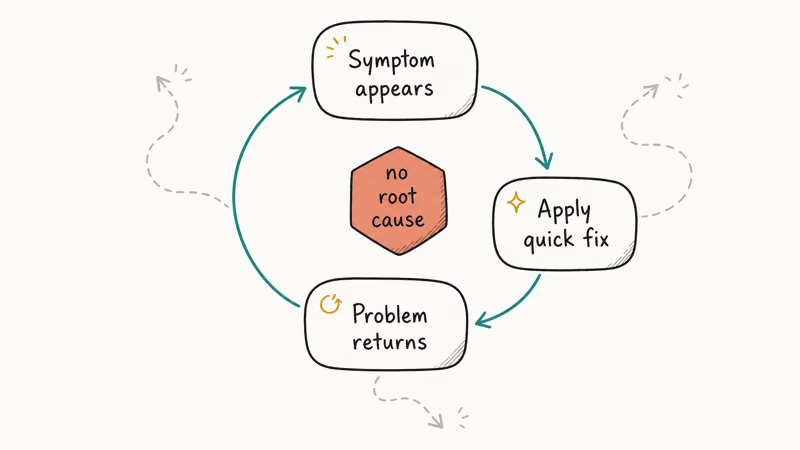
Apple’s iPhone battery and performance guide states that batteries retain up to 80% of original capacity at 500 charge cycles, after which sluggish behaviour and unexpected shutdowns can begin.
The visible symptom (a stutter, a force-quit, a sudden reboot) sits at the end of a chain that started somewhere else.
Common chains on phones:
- App misbehaving because storage is below 1 GB free
- Battery draining fast because Bluetooth keeps searching for a paired device that’s no longer nearby
- Camera app crashing because a system update was interrupted halfway
- WiFi cutting out because the router pushed a firmware change overnight
Low storage can make apps stutter because the phone has less room for caches, media buffers, and temporary files.
Clearing space can remove the stutter without any settings change.
Storage pressure was the cause. The slow scroll was the symptom.
If you’ve already chased the symptoms on your own AirPods, the AirPod mic troubleshooting guide shows the same pattern: the visible mic failure usually has a Bluetooth pairing root cause hiding behind it.
#The 5 Whys Technique Explained
The 5 Whys came out of Toyota’s manufacturing process, credited to founder Sakichi Toyoda. The mechanic is plain. When something goes wrong, ask “why?” Write the answer. Ask “why?” of that answer.
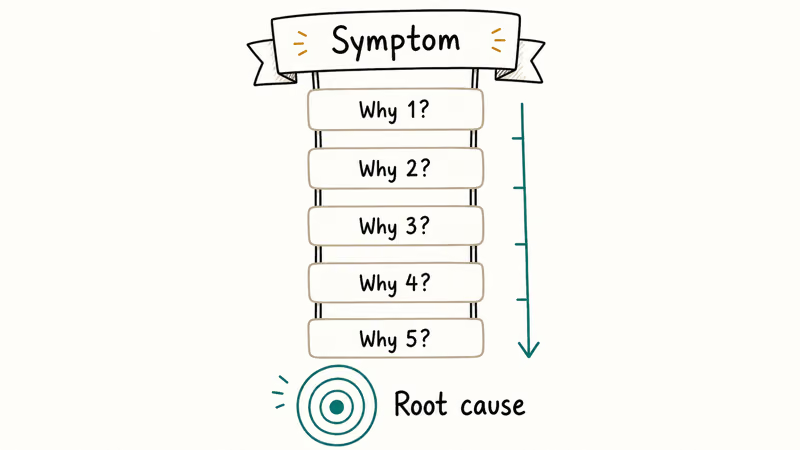
Repeat until you’ve asked five times.
ASQ’s reference on the 5 Whys found that the discipline of asking again is what flips troubleshooting from guesswork into diagnosis, which is why the technique remains a go-to for root-cause practitioners.
#A Worked Example on a Fast-Draining iPhone
Here’s a sample chain for an iPhone with fast battery drain during the day.
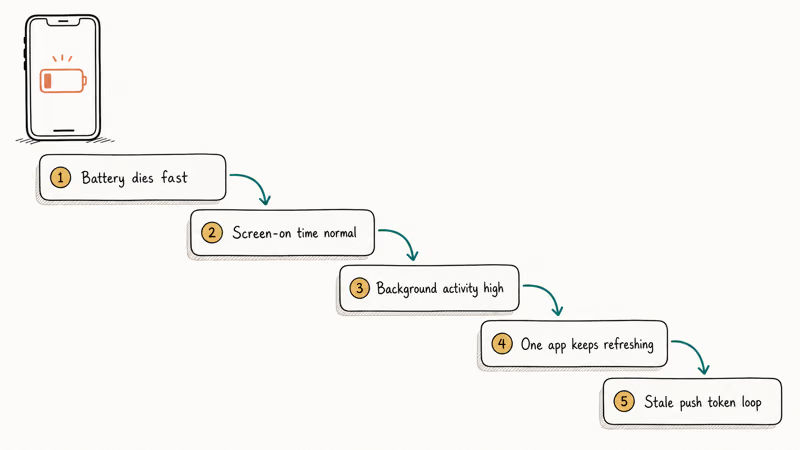
- Why 1: Why is the battery low so early? The screen wakes constantly during the day.
- Why 2: Why does the screen keep waking? Notifications from a delivery app keep firing.
- Why 3: Why does that one app push so many alerts? It defaulted to “all order updates” instead of “delivery only” during install.
- Why 4: Why was that the default? The first-run permission screen used a single “Allow notifications” toggle without granular options.
- Why 5: Why didn’t the user narrow it later? Notification fatigue made every alert blur together, so they never noticed the offender.
Root cause: an app’s overly broad notification setting from day one.
Fix: open Settings, tap Notifications, find the app, switch from “All” to “Time-Sensitive only.” No battery replacement, no factory reset, no service appointment.
#How Do You Run the 5 Whys on a Misbehaving Phone?
The first sentence you write is the most important step. If the problem is fuzzy (“phone is slow”), every “why” that follows will be fuzzy too. Tighten it before you start.
#Step 1: Write the Problem in Measurable Words
Bad statement: “Phone is slow.” Better statement: “Instagram takes 8 seconds to open compared to 1 second on the same model nearby.”
Use seconds, percentages, exact triggers, time of day. The more concrete the symptom, the easier each “why” becomes.
#Step 2: Ask the First Why and Write the Most Obvious Answer
Don’t edit yourself. The first answer is supposed to be obvious. The point of the method is the gap between obvious and actual, so let yourself write the obvious one and move on.
#Step 3: Question the Answer, Not the Phone
For each answer, ask why that condition exists. If the phone heats up during streaming, the next why isn’t “why is it streaming” but “why does this hardware get hot under this specific load?”
Now you’re looking at decoder usage, ambient temperature, case ventilation. Behaviour patterns matter more than feature lists.
The same approach works for sticky issues like an Android camera that refuses to launch, where the first answer is usually “camera broken” but the real chain runs through a recent app permission change.
#Step 4: Push Past the First Real Answer
The fifth why is rarely dramatic. More often it’s mundane: “Bluetooth was left on after old earbuds were sold.” That mundane answer is exactly what you want, because it points at a one-tap fix.
#Step 5: Write the Root Cause in One Sentence
A good root cause sentence has three parts: what is wrong, where it lives, and how it surfaces.
Example: “Bluetooth is enabled and searching for a paired device that no longer exists, draining 5 to 8% per hour even when the screen is off.”
That sentence is your fix list. Pin it in your notes. Next time the same symptom shows up, you’ll know whether to retry the same fix or start a new chain.
#Where the 5 Whys Saves a Trip to the Tech Counter
Most software-rooted problems don’t need a technician. The 5 Whys often points to one setting, one app’s data, or another change you can make before booking repair. Hardware signs such as a swollen battery, cracked digitizer, or debris-filled USB-C port are the point to stop troubleshooting and seek service.
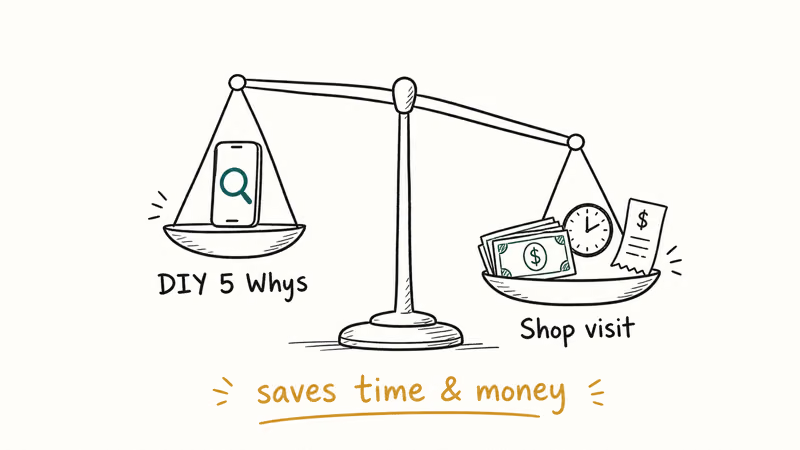
Google recommends checking battery usage and disabling background activity for unused apps before assuming the battery itself is failing on Android. That recommendation lines up with the 5 Whys flow: settings first, hardware second.
Cases where you can save the technician trip entirely:
- AirPods that stopped charging. The most common root cause is debris in the case contacts, not a dead battery. The AirPods case charging guide walks through cleaning before replacement.
- Android-to-Mac file transfer that fails. Almost always a USB cable that doesn’t carry data, or a stale Android File Transfer driver, not a phone or laptop fault. The Android file transfer troubleshooting covers the chain.
A case where the chain often ends at hardware:
- Phone keeps rebooting at random. The iPhone keeps restarting walkthrough shows the software chain to test first. A phone that reboots in Safe Mode and after a clean iOS reinstall is telling you the logic board is the issue.
#When Should You Stop Diagnosing and Book a Repair?
The 5 Whys works for software, settings, and behaviour. It doesn’t work for cracked glass, swollen batteries, water-damaged ports, or motherboard faults. Those problems don’t have a “why” chain you can resolve by tapping toggles.
Stop the method and book a technician when one of these is true:
- The fifth “why” lands on physical damage you can see: bent frame, lifted screen, swollen back, liquid in port
- The phone reboots even in Safe Mode after a factory reset
- The same root cause keeps recurring within hours of fixing it (suggests the underlying component is failing, not the configuration)
- You hit thermal shutdowns during light tasks like reading email
Reaching that decision is itself a successful diagnosis.
The point of root cause analysis isn’t to fix everything yourself; it’s to know with confidence what to fix and where to send the rest. If AirDrop refuses to send and your chain ends at “Bluetooth and WiFi both work for everything else,” the technician trip can wait while you check Receiving settings and Personal Hotspot status first.
#Bottom Line
Run the 5 Whys the next time your phone misbehaves. Write the symptom in measurable language, ask why five times without flinching, and stop when the next answer points at an action you can take.
For most software and settings problems, that’s a ten to fifteen minute exercise that replaces hours of guess-and-restart. The specific recommendation: pair the 5 Whys with one diagnostic mode your phone already ships with (iOS Battery Health for iPhones, Samsung Members or Google’s built-in battery usage for Android). Each “why” is then grounded in a real measurement instead of a hunch.
Legal & Privacy Notice: This guide is for diagnosing problems on your own device. Unauthorized access to someone else’s phone or attempts to monitor their activity without consent are illegal in most jurisdictions. Always obtain explicit written permission before diagnosing or accessing any device you don’t own.
#Frequently Asked Questions
What is the difference between a symptom and a root cause?
A symptom is what you observe. A root cause is the underlying condition that produces it.
Can the 5 Whys method work for hardware problems?
Not really. If the hardware is actually failing, asking “why” five times still ends at “the part is broken.” The method works best for software, settings, and behaviour issues where the cause is something you can change with a tap.
Why do I need to ask exactly five whys?
You don’t. Five is a guideline, not a rule. Sometimes three whys are enough; sometimes you need seven. Stop when the next answer points to a concrete action you can take.
What if I can’t find the root cause after five whys?
That usually means the problem is intermittent or has more than one trigger. Try restarting in Safe Mode (Android) or removing one app at a time (iOS) to see if the symptom changes. If Safe Mode fixes it, an installed app is somewhere in the chain; if not, look at OS-level settings and recent updates next.
Should I try basic fixes before running the 5 Whys?
It depends on what you’ve already tried. If the problem is brand new, start with the 5 Whys.
Can I use the 5 Whys for both iPhone and Android?
Yes, the method is platform-agnostic.
How long should the whole diagnosis take?
Plan on ten to fifteen minutes for a clear symptom, longer if you also have to gather measurements like battery percentage curves or app launch times. The point isn’t speed; it’s to spend that time once and avoid repeated guess-and-restart cycles that add up to hours over a few weeks.
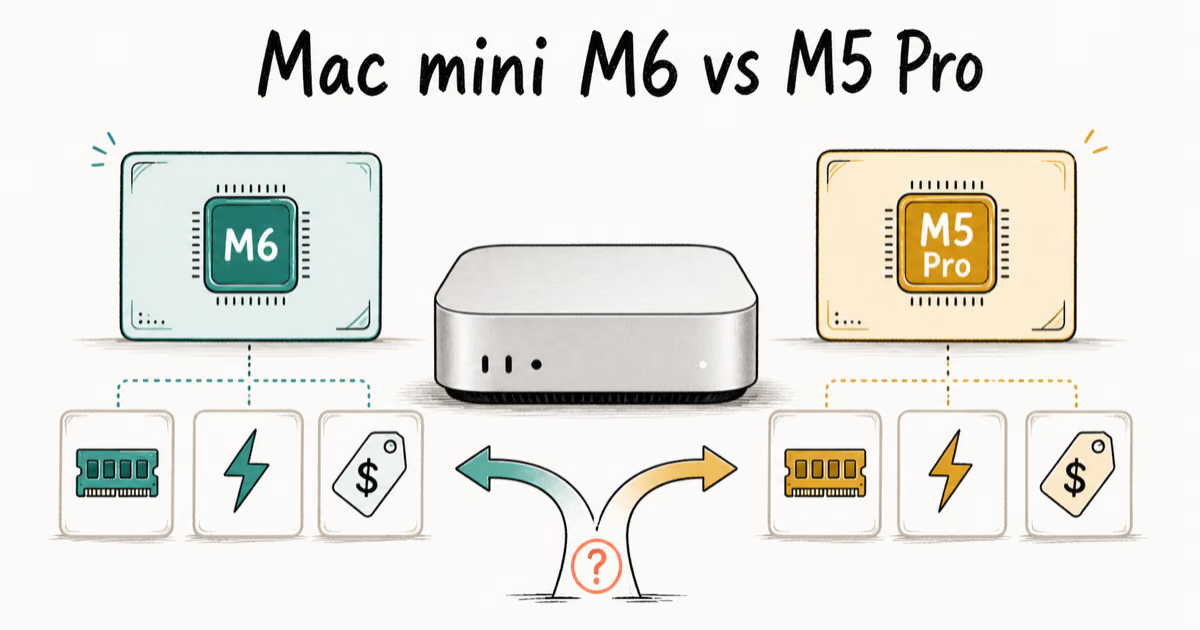
Mac mini M6 vs M5 Pro: Which Model Should You Buy?
Mac mini M6 vs M5 Pro compared on price, memory, ports, displays, and real workloads. Find the better 2026 Mac mini for your desk and budget.
Apple Siri Settlement: Who Qualifies and How to Claim
Apple's $250 million Siri settlement covers iPhone 15 Pro and iPhone 16 models bought June 2024 to March 2025. See who qualifies and how claims work.
iOS 26.6.1 Security Update: What Apple Fixed and Who Gets It
Apple released iOS 26.6.1 on August 17 with 29 security fixes, including an IPSec interception bug. See what it patches, who gets it, and how to update.
iPhone Adaptive Power: How It Works and When to Use It
Learn how iPhone Adaptive Power works, which models support it, what it changes, and when Low Power Mode is still the better battery-saving choice.