Payment Not Completed on App Store: 7 Proven Fixes
Fix the Payment Not Completed error on App Store with practical iOS steps for expired cards, billing mismatches, unpaid balances, and account holds.
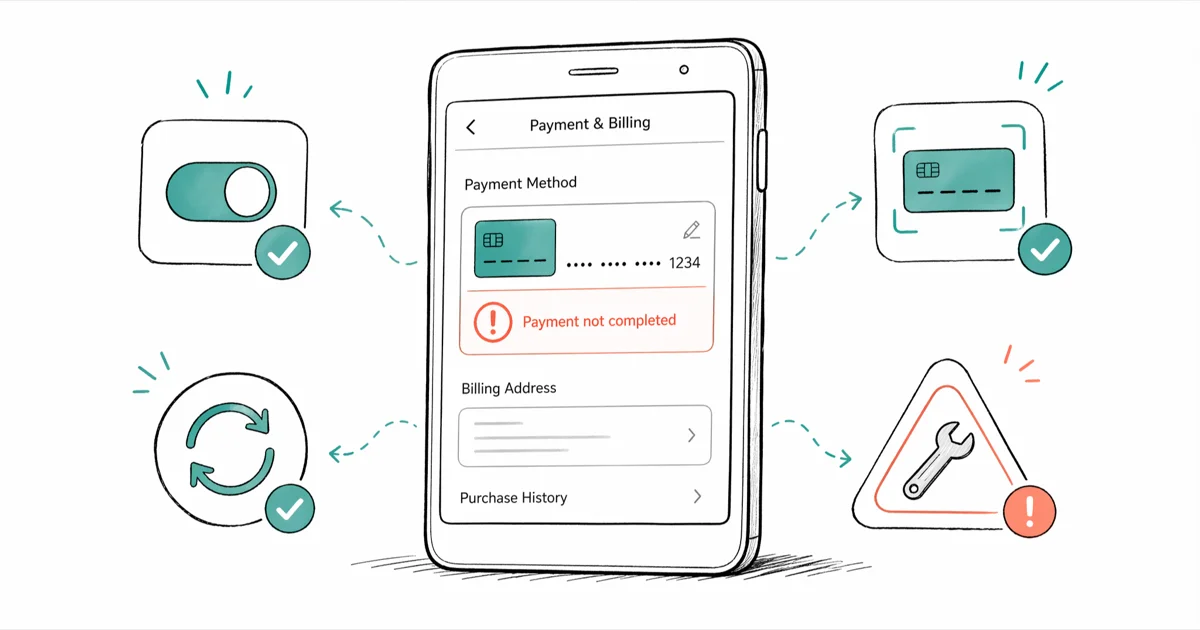
Quick AnswerGo to Settings > [Your Name] > Payment & Shipping and check if your card shows red text or an expired date. Update the card details and retry the purchase.
The “Payment Not Completed” error on the App Store stops you from buying apps, paying for subscriptions, or finishing in-app purchases. Most of the time it traces back to one of three things: an expired card, a billing address mismatch, or an unpaid balance sitting on your Apple ID.
This guide is for fixing your own Apple ID account on a device you own.
- An expired or recently replaced card is one of the most common triggers for this error
- Unpaid balances under $1 still block every new purchase, including free downloads
- A billing address mismatch on a single zip code digit fails the purchase instantly
- Signing out and back into your Apple ID refreshes the payment authentication token
- Apple gift cards bypass card issues entirely and clear at the next purchase attempt
#How Do You Fix Payment Not Completed on the App Store?
Start with the highest-yield fix and only move down the list if it doesn’t clear the error. Each method addresses a different root cause, so skipping ahead wastes time.
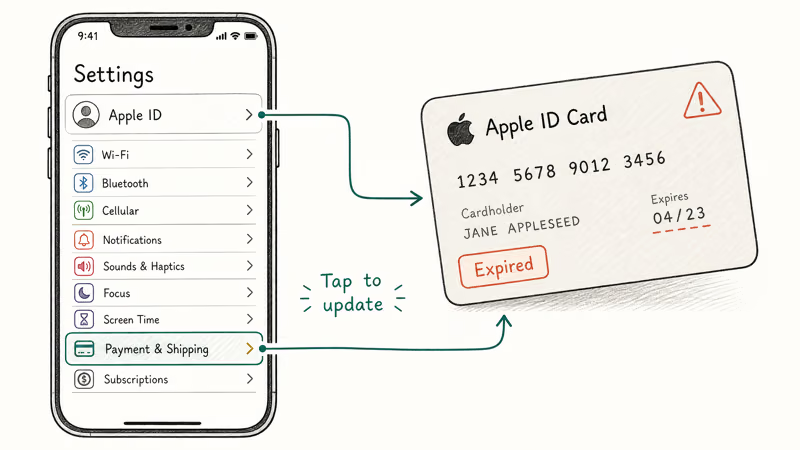
#1. Check Your Payment Method First
Open Settings, tap [Your Name], then tap Payment & Shipping. Look at the card listed at the top. Red text below the card number means Apple has flagged a problem with that method.
Three things to verify on the card:
- Expiration date. Cards expire and Apple doesn’t always send a heads-up. Tap the card and update the month and year.
- Card number. A replacement card from your bank usually has a new 16-digit number, even if the old one looked active.
- CVV. Most banks issue new 3-digit codes when they replace the physical card.
According to Apple’s official guidance, an expired or invalid payment method is the No 1 trigger for App Store declines, ahead of fraud holds and balance issues. The fix is documented on Apple’s payment support page.
#2. Update Your Billing Address
Apple matches the address on your Apple ID to the one your bank has on file. A single digit off in the zip code triggers an instant decline.
Go to Settings > [Your Name] > Payment & Shipping and tap your active payment method. Verify the street number, zip code, and state line up exactly with what’s printed on your most recent bank statement. Save changes and retry the purchase.
A zip code that’s off by one digit can fail the purchase authorization. Correcting that single digit often clears the block on the next try.
#3. Clear Any Unpaid Balance
A failed payment from any prior purchase puts your Apple ID into a hold state. Apple blocks every new transaction on that ID until the old balance settles.
Open Settings > [Your Name] > Media & Purchases, then tap View Account. Look for “Unpaid Balance” or “Payment Due.” Tap Payment Information, confirm the card on file is valid, and Apple will retry the charge. Once it clears, new purchases unlock.
Apple’s billing support page states that the App Store automatically retries failed payments roughly every 24 hours, for up to 30 days. If the original decline was a temporary glitch, the next retry often goes through with no further action.
If you’re also stuck with other payment methods on your iPhone misbehaving, it’s worth swapping primary methods before moving to the deeper fixes below.
#Why Does the App Store Decline Cards That Work Elsewhere?
Plenty of cards that work fine at gas pumps or on Amazon still fail at the App Store. There are three common reasons.
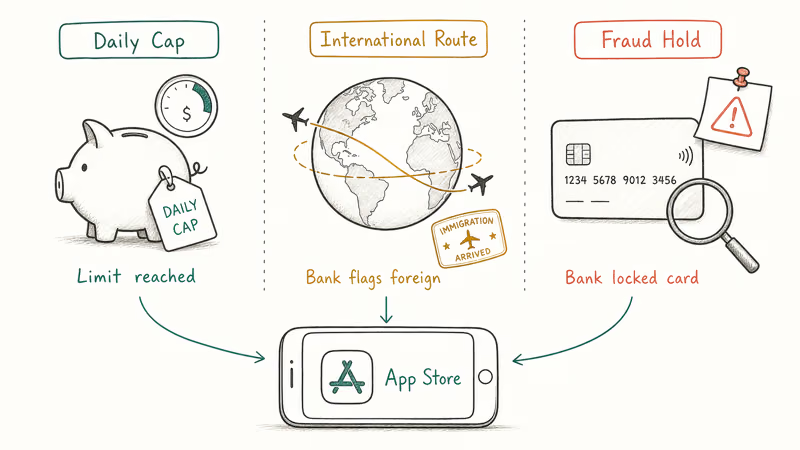
Daily or monthly transaction caps. Many debit cards and most prepaid cards enforce spending limits. If you’ve already hit your daily ceiling, the next App Store purchase blocks no matter how much money sits in the account.
International transaction filters. Apple processes app purchases through entities in multiple countries, depending on where the developer is based. Even an app you bought “domestically” might route through Luxembourg or Ireland. If your bank blocks foreign-looking charges, the App Store fails.
Fraud detection flags. Buying 10 apps inside a few minutes, or one high-value purchase from a brand-new device, can trip your bank’s fraud system. According to Visa’s consumer security documentation, Visa-issued cards typically place fraud holds for up to 24 hours, and the only way to lift one early is to call the number on the back of the card.
The fastest move here is calling your bank and saying: “Please authorize App Store charges from Apple.” Most agents can flag the merchant whitelist in under 5 minutes.
#How to Sign Out and Back Into Your Apple ID
Signing out clears the cached payment authentication token. This handles cases where your account session is corrupted but the card itself is fine.
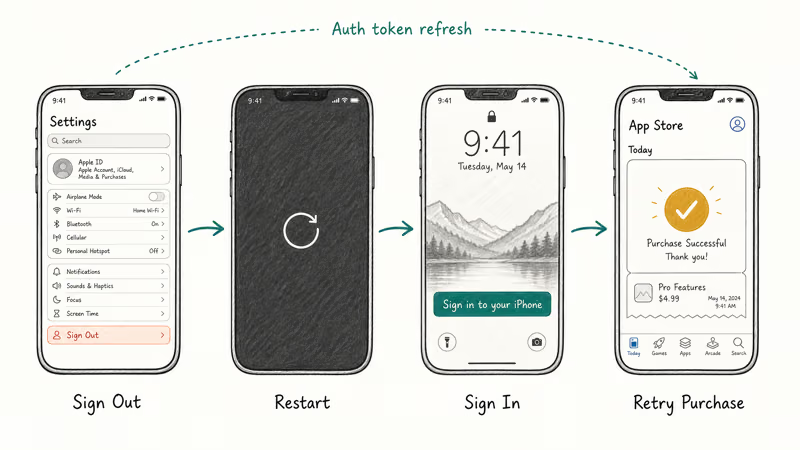
Go to Settings > [Your Name], scroll to the bottom, and tap Sign Out. Enter your Apple ID password when prompted. Choose to keep a copy of your data on the device, then restart the iPhone. Once it’s back up, return to Settings and tap Sign in to your iPhone.
The full sign-out and sign-in cycle usually takes only a few minutes. After you re-authenticate, retry the pending purchase from the App Store.
If you’re having trouble with Apple ID verification during sign-in, fix that step first before retrying the purchase.
#How to Add a Backup Payment Method
Apple lets you stack up to 8 active payment methods on one Apple ID and reorder which one tries first. A backup card or gift card means a failed primary just rolls forward instead of blocking the whole purchase.
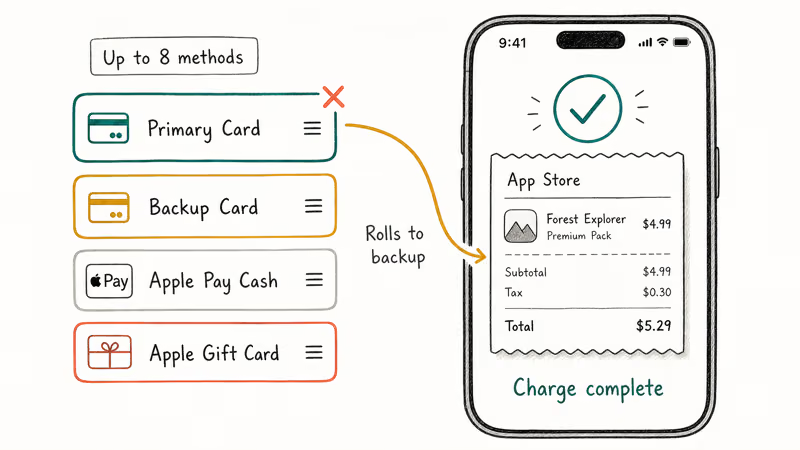
Go to Settings > [Your Name] > Payment & Shipping, then tap Add Payment Method. You can add a credit or debit card, Apple Pay Cash, carrier billing (if your carrier supports it), PayPal, or an Apple Gift Card. Enter the details, tap Done, then drag the new method to the top of the list to make it primary.
Apple Gift Cards are the most reliable fallback. Buy one at a retail store, scan the QR code, and redeem it under Settings > [Your Name] > Media & Purchases > Redeem Gift Card or Code. Once the balance loads, App Store purchases pull from it before touching your card.
If the App Store itself won’t download anything, the issue is upstream of payment. Fix the download problem first.
A side check: if Amazon is also showing payment revision needed on the same card, the problem is almost certainly with the card or the bank, not Apple.
#How to Contact Apple Support for a Payment Hold
If steps 1-5 didn’t clear the error, Apple Support can see flags on your account that aren’t visible to you. Account-level holds, regional restrictions, and chargeback freezes all live behind the scenes.
Open the Apple Support app, or go to support.apple.com in a browser. Pick Apps & Services > App Store > Billing & Subscriptions, then tap Chat or Call. Apple’s published response time goal is 2 minutes for chat and 5 minutes for callbacks during business hours.
Have these ready before the agent picks up: your Apple ID email, the last 4 digits of your card, the device you’re trying to buy on, and the exact error message. Apple Support can review payment holds once the agent confirms your identity.
If your Apple ID has been disabled in the App Store and iTunes, that’s a different recovery flow and the payment fix won’t apply until the account is reinstated.
#How to Prevent Future App Store Payment Failures
A few habits will keep you out of this loop. None of them take more than 30 seconds a month.
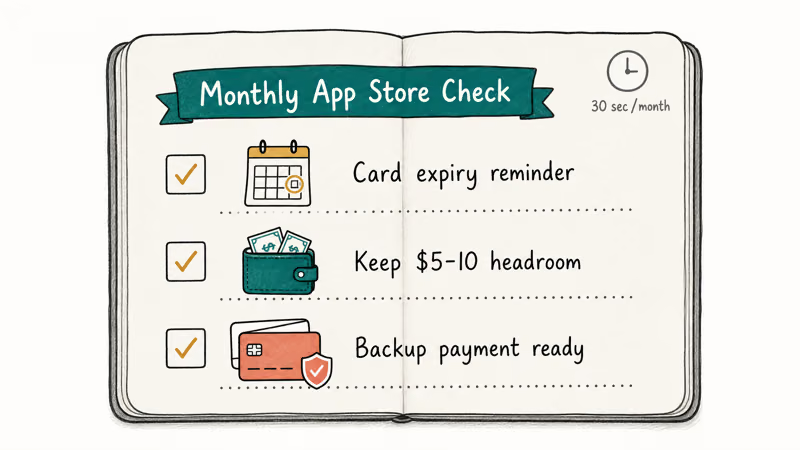
- Set a calendar reminder for the month and year your card expires. Update the card in Apple ID settings the day the new one arrives.
- Keep at least $5-10 of headroom above your typical purchase amount. Pending charges from gas stations and hotels can shrink your available balance for 3-5 business days.
- Add a backup payment method. Apple automatically charges the backup if the primary fails, which converts a hard error into a silent fallback.
Once a month, check Settings > [Your Name] > Media & Purchases > View Account for any pending balance. Even a small unpaid in-app charge can block a larger software purchase until the balance is settled.
#Bottom Line
Open Settings > [Your Name] > Payment & Shipping and check the card first. An expired date, a wrong zip code, or an unpaid $0.99 balance handles most of these errors. If the card looks clean, sign out of your Apple ID and sign back in before retrying. When all else fails, add an Apple Gift Card as a fallback or open chat with Apple Support to look for an account-level hold.
#Frequently Asked Questions
Why does the App Store say payment not completed?
An expired or declined card is the most common reason. Open Settings > [Your Name] > Payment & Shipping and look for red text below the card number. Red text means Apple has already flagged the method, and updating the card almost always clears the error.
Can I still download free apps if my payment method is declined?
It depends on whether you owe Apple money. If a past purchase failed and the balance hasn’t been paid, every download blocks until the balance clears, even free apps. If you don’t owe anything, free apps download normally regardless of the card status, since Apple never charges for them.
How do I fix payment not completed without a credit card?
Use an Apple Gift Card. Buy one in store or online, then redeem the code under Settings > Media & Purchases.
Does contacting my bank help with App Store payment issues?
Often, yes. Banks block App Store charges through fraud detection or international transaction filters. Call the number on the back of your card and ask the agent to authorize charges from “Apple Inc.” or “iTunes.” Most banks can whitelist the merchant in under 5 minutes while you’re on the phone.
Why does my payment fail only on certain apps?
Some apps are sold by developers based outside your country. Your bank may flag the charge as international even though you’re buying through the App Store.
How long does Apple wait before retrying a failed payment?
Apple retries failed App Store payments roughly every 24 hours for up to 30 days. If the underlying card issue gets fixed in that window, the next retry runs in the background with no manual step from you. To force an immediate retry, attempt any new App Store purchase and Apple reprocesses all pending charges at once.
Will restoring my iPhone fix App Store payment issues?
No. Payment data lives on Apple’s servers and is tied to your Apple ID, not the device. Wiping the iPhone won’t clear a payment hold, an unpaid balance, or a fraud flag at your bank. Stick with the Settings fixes and Apple Support chat instead.

Mac mini M6 vs M5 Pro: Which Model Should You Buy?
Mac mini M6 vs M5 Pro compared on price, memory, ports, displays, and real workloads. Find the better 2026 Mac mini for your desk and budget.

Apple Siri Settlement: Who Qualifies and How to Claim
Apple's $250 million Siri settlement covers iPhone 15 Pro and iPhone 16 models bought June 2024 to March 2025. See who qualifies and how claims work.

iOS 26.6.1 Security Update: What Apple Fixed and Who Gets It
Apple released iOS 26.6.1 on August 17 with 29 security fixes, including an IPSec interception bug. See what it patches, who gets it, and how to update.

iPhone Adaptive Power: How It Works and When to Use It
Learn how iPhone Adaptive Power works, which models support it, what it changes, and when Low Power Mode is still the better battery-saving choice.