Instagram Keeps Crashing? 9 Fixes for iPhone & Android
Instagram keeps crashing on launch, Reels, or DMs? Check the server, force close, clear the cache, and turn off your VPN with 9 proven fixes for 2026.
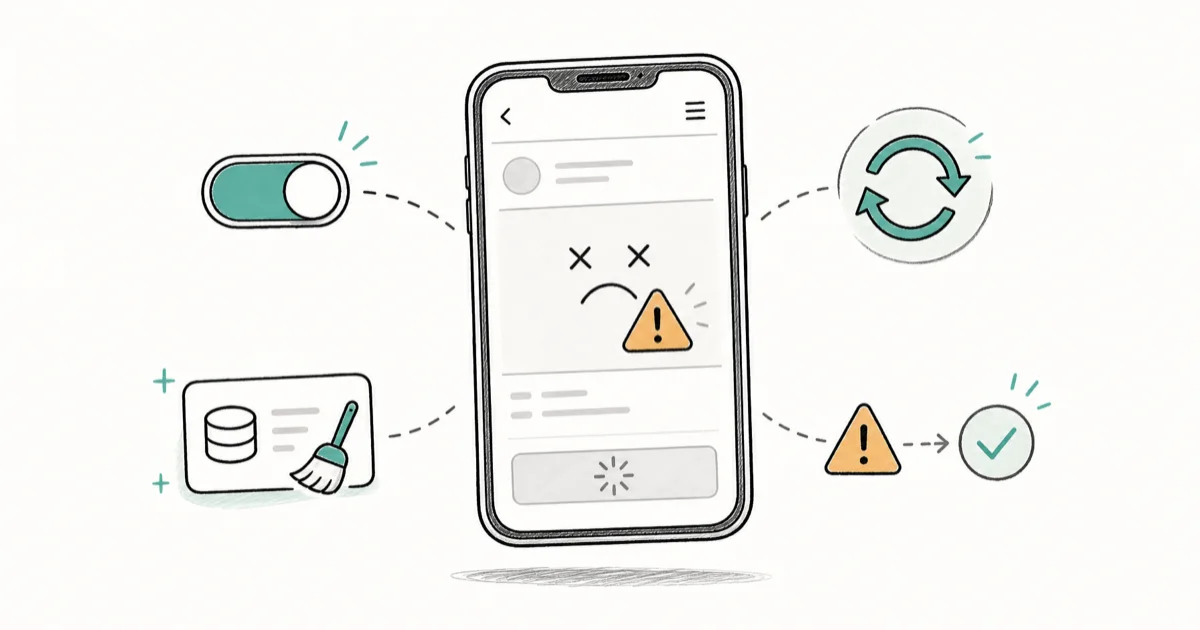
Quick AnswerInstagram keeps crashing usually because of a server outage, a corrupt cache, an outdated app, or low memory on Reels and DMs. Check the server first, then force close and clear the cache.
Instagram keeps crashing for most people because of a server outage, a corrupt cache, an outdated app, or low memory while loading Reels or DMs. The app might close on launch, freeze mid-scroll, or quit the moment you open a video-heavy feed. The fixes below are ordered, so start at the top and move down the list.
- Check whether Instagram is down on Downdetector before touching your phone, since an outage hits everyone and resolves on its own.
- Force close the app and restart your phone first, because that clears the temporary glitches behind most one-off crashes.
- On Android you can clear the Instagram cache in Settings, but iPhone has no cache option, so you reinstall instead.
- A background VPN and Android battery optimization are two overlooked causes that break Reels loading and force the app to quit.
- On an older phone with under 3GB of RAM, Reels and DMs are memory-heavy, so Instagram Lite is the more stable choice.
#Why Does Instagram Keep Crashing?
A crashing Instagram app comes down to a short list of causes: a server outage, a corrupt cache, an outdated app build, low storage or RAM, a background VPN, or aggressive Android battery optimization. The fastest fix is to confirm it’s not a server problem, then work down the list.
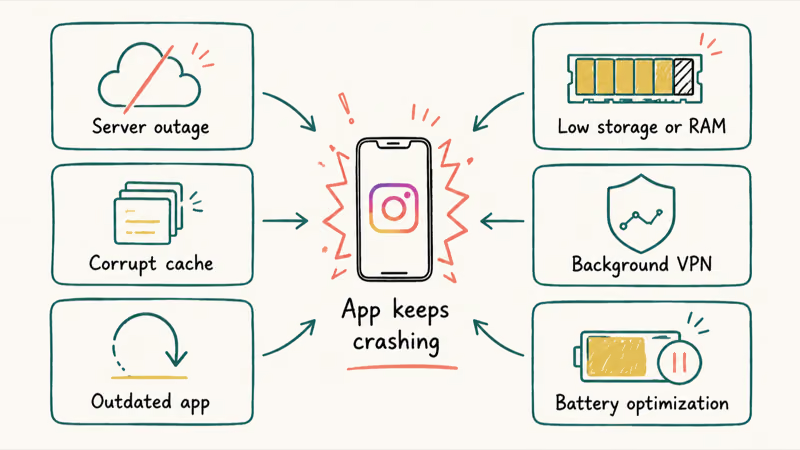
The pattern tells you a lot. If the app crashes the instant you tap the icon, suspect a corrupt cache or bad build. A quit inside Reels or DMs instead points to memory pressure on a media-heavy screen.
For Reels crashes, start with cache and memory: clear Instagram’s cache on Android, close background apps, then reinstall only if crashes continue. That points to memory and cache, not the app itself, as the usual villain.
#Check the Server Status, Then Force Close and Restart
Confirm the problem is even yours before troubleshooting. If Instagram crashes for everyone, it’s a server outage, and nothing on your phone will fix it.
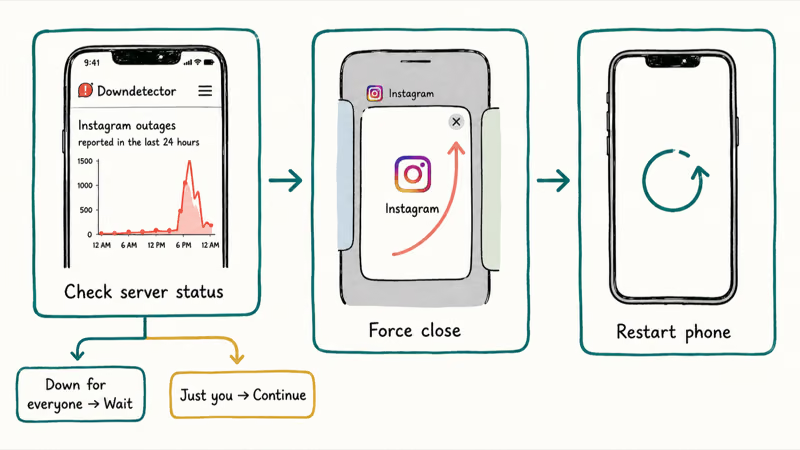
Open Downdetector, search “is Instagram down,” or check the #instagramdown hashtag on another platform. During a confirmed outage the only sensible move is to wait, since service usually returns within an hour.
If it’s just you, force close the app. On iPhone, open the App Switcher and swipe Instagram away. On Android, open recent apps and swipe it off, or use Settings > Apps > Instagram > Force Stop. A force close kills a stuck process that a normal tap-away leaves running in the background.
Then restart your phone. A reboot clears the memory and process states behind most random crashes. According to Instagram’s troubleshooting help, force-closing and reopening the app is the first official step for problems loading or running it.
#Log Out, Clear the Cache, and Update Instagram
Logging out and back in refreshes your session and clears a surprising number of glitches. Open your profile, go to Settings, scroll to the bottom, tap Log Out, then sign back in. It’s a quick reset that costs you nothing but the few seconds it takes to re-enter your login, and it often clears a crash that survives a plain restart.
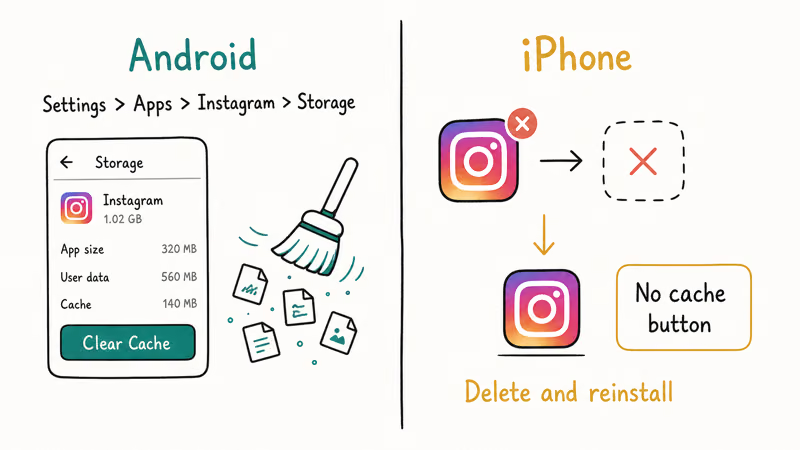
On Android, clear the cache next. Go to Settings > Apps > Instagram > Storage and tap Clear Cache. This removes only temporary files, not your account or saved content, so it’s safe to repeat whenever crashes return. It’s the single highest-value Android fix on this list.
iPhone has no per-app cache button, so you delete and reinstall Instagram instead. A fresh install rebuilds the cache from scratch and replaces any corrupted app files, and you simply log back in afterward.
Finally, update the app. Open the App Store or Play Store, search Instagram, and tap Update if a button appears, since outdated builds trigger the very crashes newer versions patch.
#Why Does Instagram Only Crash on Reels or DMs?
If Instagram runs fine until you open Reels or DMs, the issue is memory, not a broken app. Reels streams continuous high-bitrate video, and a media-heavy DM inbox loads dozens of photos and clips at once, both of which strain phones with under 3GB of RAM.
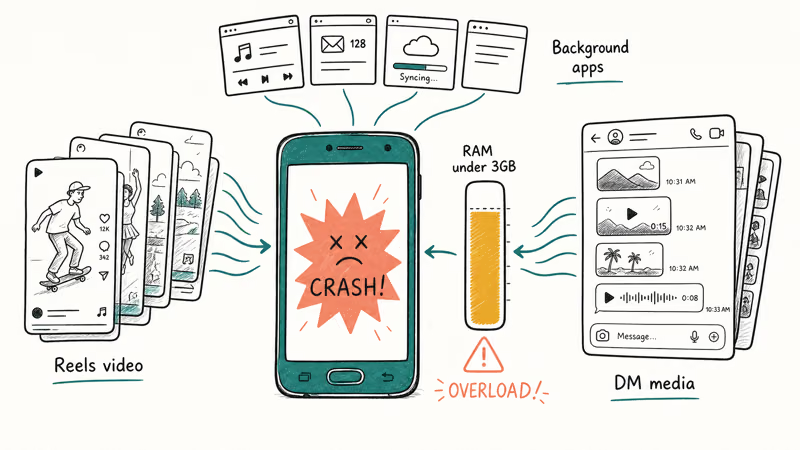
Close your background apps first. Every app you leave open competes for the same memory Instagram needs to render video, so clearing them frees room and often stops the Reels crashes outright.
Switch to Wi-Fi if you can. A weak mobile connection makes Reels buffer and stall, which on a low-memory phone tips a stall into a crash. If the problem is only video playback rather than crashing, Instagram videos not playing covers it, and Instagram Reels not working digs into Reels specifically.
#Turn Off VPN and Disable Battery Optimization
A background VPN is a frequently-missed cause. It reroutes your traffic, and a slow server breaks how Reels and Stories load. Turn the VPN off, relaunch Instagram, and see if it stabilizes.
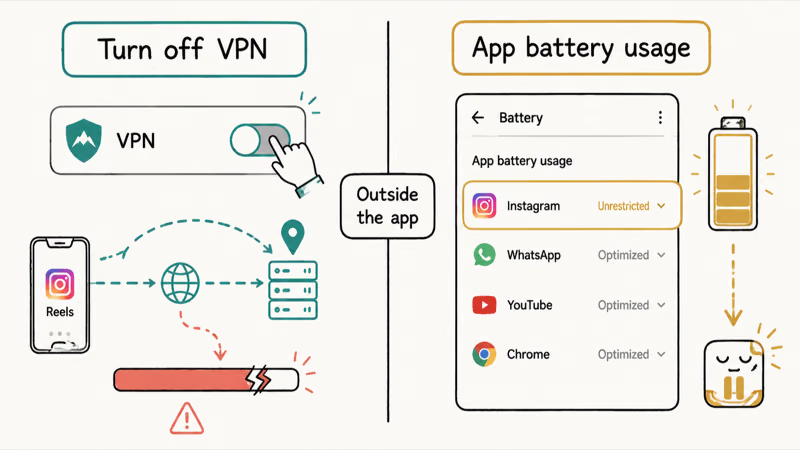
On Android, aggressive battery optimization is the other hidden culprit. The system can throttle or kill Instagram in the background, so when you reopen it the app reloads badly and crashes. Google’s Android battery guide confirms that per-app background usage is managed, and you can set Instagram to unrestricted under Settings > Apps > Instagram > App battery usage.
These two fixes get skipped because neither lives inside Instagram. One is a separate VPN app and the other is an OS-level setting, so you have to know to look outside the app to find them.
#Free Up Storage or Switch to Instagram Lite
Low storage starves Instagram of working room and forces crashes, the same way low RAM does. Check your free space under Settings > General > iPhone Storage or Settings > Storage on Android. Apple’s guide to check and manage iPhone storage recommends offloading unused apps to reclaim space, and you should aim for at least 2 to 3GB free.
On an older Android phone, the cleanest fix is Instagram Lite. It’s a stripped-down version built for low-RAM devices and weaker connections, and it runs the core feed, Reels, and DMs with far less memory pressure than the full app.
Lite won’t replace every feature, but if your phone simply can’t handle the full app, it’s a stable alternative rather than a workaround. If only Stories break instead of the whole app, see Instagram Stories not working for that separate symptom.
For other app crashes that follow the same restart-cache-update playbook, see Snapchat keeps crashing and Instagram DMs not working for the messaging-specific symptoms.
#Bottom Line
Check whether Instagram is actually down before troubleshooting your phone, because a server outage affects everyone and resolves on its own. If it’s just you, force close and restart first. Then clear the cache on Android, or reinstall on iPhone, and make sure the app and your operating system are both fully updated before moving on to the deeper fixes.
If it only crashes in Reels or DMs, the cause is usually RAM and media load, so close background apps and switch to Wi-Fi. Two overlooked fixes are a background VPN and Android battery optimization. On an older low-RAM phone, Instagram Lite is the stable choice.
#Frequently Asked Questions
Is Instagram down or is it just my phone?
Check Downdetector or search “is Instagram down” to see whether others are reporting problems at the same time. If reports are spiking, it’s a server outage, and no fix on your phone will help. During a confirmed outage, the only move is to wait, since service usually returns on its own within an hour, so there’s no point reinstalling or resetting anything while the servers are still down.
Why does Instagram crash only when I open Reels?
Reels streams continuous high-bitrate video, the most memory-heavy thing the app does. Close background apps and switch to Wi-Fi to free up memory.
How do I clear the Instagram cache on Android?
Go to Settings > Apps > Instagram > Storage and tap Clear Cache. This removes only temporary files, not your account, photos, or saved posts, so nothing important is lost. It’s safe to repeat whenever crashes come back, and it’s the single most effective Android fix.
Can a VPN make Instagram crash?
Yes. A VPN reroutes your traffic through a remote server, and a slow one breaks how Reels and Stories load. Turn it off and relaunch.
Will reinstalling Instagram log me out?
Yes, reinstalling logs you out, so make sure you know your username and password (or have your login saved) before you delete the app. Your account, posts, and saved content all live on Instagram’s servers, so nothing is lost. Reinstall, log back in, and everything returns.
Is Instagram Lite a good fix for an older phone?
For a low-RAM Android phone, yes. Instagram Lite is a smaller version built for weaker devices and slower connections, and it runs the feed, Reels, and DMs with much less memory pressure. It doesn’t have every feature of the full app, but it’s far more stable on older hardware.

Is This Bank App Real? Spot a Fake App on Your Home Screen
A bank app can land on your home screen from a web page with no install warning. Learn the checks that tell a real banking app from a phishing web app.

Apps Crashing After iOS 27 Update? Fix Order (2026)
Apps crashing after the iOS 27 update? Update the app in the App Store first, then offload and reinstall to clear stale cache, then restart. The fix order.

Do AI Translation Earbuds Work Offline? What to Know
Do AI translation earbuds work offline? A few do with downloaded language packs, but most need the cloud. Here's what works offline and what you give up.
How to Set Up Translation Earbuds (Pairing and Modes)
How to set up translation earbuds: charge, install the app, pair over Bluetooth, pick two languages, and choose a mode. A step-by-step first-use guide.