iMessage Games on Android: What Actually Works in 2026
iMessage games on Android isn't possible in 2026. Here are the cross-platform alternatives that actually work plus why weMessage and AirMessage are dead.
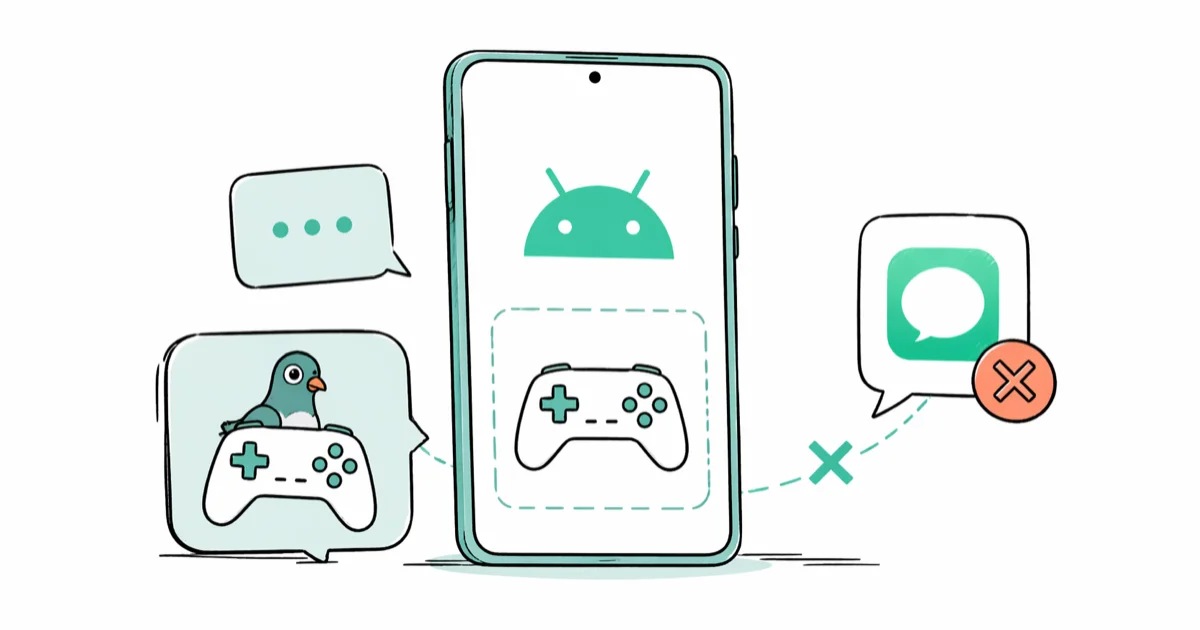
Quick AnsweriMessage games don't run on Android because Apple keeps the iMessage App Store locked to iOS and macOS. The closest alternatives in 2026 are Facebook Messenger Instant Games, Telegram bots, Discord activities, and standalone Google Play games like 8 Ball Pool or Words With Friends 2.
Short answer first: there’s no working bridge for iMessage games on Android in 2026.
Apple keeps the iMessage App Store locked to iOS and macOS, and almost every third-party bridge that tried to fake it on Android has shut down or been blocked. Of the methods people still recommend on Reddit and YouTube, only cross-platform apps actually survive on a Samsung or Pixel paired with an iPhone.
The good news: you can still play GamePigeon-style mini-games with your iPhone friends.
You just can’t do it inside the Messages app. This guide walks through the apps that work, the ones that don’t, and a safe way to keep your group game nights going across platforms.
- Apple restricts iMessage games to iOS and macOS, so no Android phone can run them, including GamePigeon, 8 Ball, Word Hunt, or Anagrams
- weMessage and AirMessage stopped working after macOS Ventura tightened iMessage relay security, and neither project has shipped a fix
- Facebook Messenger Instant Games has 100 plus titles that load inside chat and behave the same on Android and iOS
- Discord voice channel activities cover Poker Night, Chess in the Park, and Putt Party for friends already on Discord
- Standalone Google Play apps like 8 Ball Pool, Words With Friends 2, and Chess.com replicate the most popular GamePigeon games
#Why iMessage Games Refuse to Run on Android
iMessage games live inside the iMessage App Store, which loads as an extension of the Messages app on iPhone, iPad, and Mac. Each game ships as a Messages app extension that talks to the system through Apple’s proprietary MSMessages framework. According to Apple’s developer documentation for iMessage apps, Messages app extensions need iOS 10 or later and the MSMessagesAppViewController class, which Android doesn’t implement.
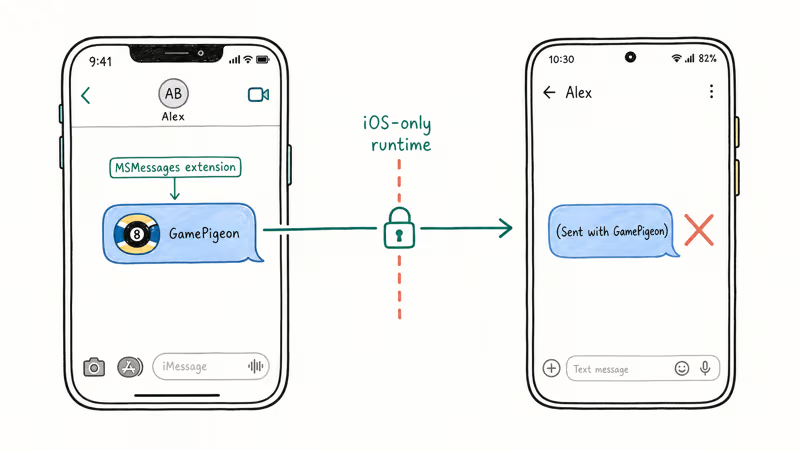
Tap a GamePigeon invite on a Galaxy or Pixel and nothing loads. You see a blue bubble link or “(Sent with GamePigeon)” text instead. The payload is encrypted and addressed to a runtime that doesn’t exist on Android. The result is the same dead end on every Android device, from a recent Pixel on Android 15 to an older Galaxy still running Android 14.
End-to-end encryption is the second wall. Apple’s iMessage security documentation states that messages use a key pair tied to your Apple ID and registered Apple device. No Android phone can hold those keys, so even RCS upgrades can’t decrypt or render the game extension data.
#What Killed weMessage, AirMessage, and the Other Bridges
Older guides love to recommend weMessage. On a current macOS build paired with an Android phone, the relay refuses to register. The project’s GitHub hasn’t been touched since 2021. AirMessage is in the same shape; the last server release was 2022, and the connection times out before it can register.
Apple shut these tools down on purpose. Treat any new Android iMessage bridge as temporary unless Apple explicitly supports it.
Sideloaded bridges still pop up on GitHub every few months. Skip them. They want your Apple ID password or a dedicated always-on Mac.
#Cross-Platform Apps That Replace iMessage Games
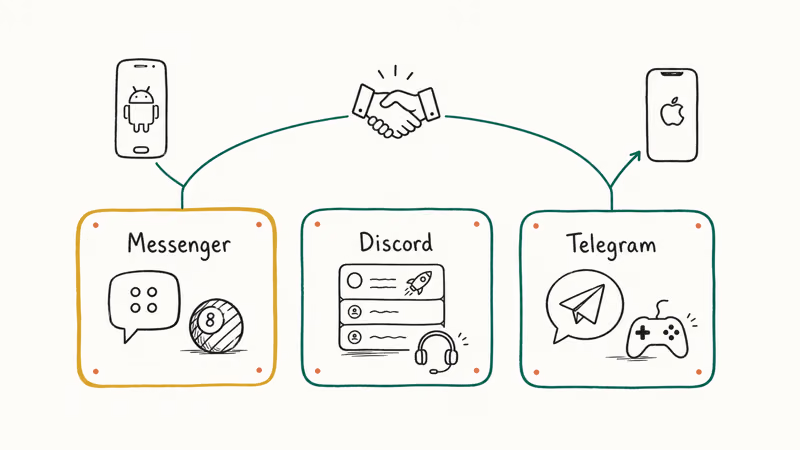
You can stop chasing iMessage and switch the whole group to an app that runs on both platforms. The four options below all support cross-play between Android and iPhone, so a Galaxy or Pixel player and an iPhone player can sit in the same match.
#Facebook Messenger Instant Games
Messenger has the closest match to the iMessage experience. Open any chat, tap the four-dot grid icon, then tap the game controller to browse 100-plus HTML5 titles.
Based on Meta’s Instant Games developer documentation, every Instant Game runs the same WebGL build on iOS, Android, and the web, so scores and turns sync across platforms. An 8 Ball Pool match between a Galaxy and an iPhone starts quickly and stays in sync over a full game.
#Discord Voice Channel Activities
If your group already lives on Discord, hop into a voice channel and tap the rocket icon to launch an Activity. Discord’s official Activities help page lists Poker Night, Chess in the Park, Putt Party, Sketch Heads, and Watch Together among the supported titles. Activities require Discord Nitro for the host on smaller servers; anyone joining the voice channel plays for free.
Putt Party and Sketch Heads run smoothly on Android across mixed Wi-Fi and cellular calls.
#Telegram Game Bots
Telegram has had inline game bots since 2016. Type @gamebot in any chat, pick a title from the list, and tap to launch. The catalog is smaller (mostly arcade and trivia titles) and the games run as web views, but they load fast on cellular. A chess bot launches almost instantly on a typical Android phone.
#WhatsApp and Signal
Neither app has a built-in game store in 2026.
Use them for the chat invite link and play a separate Google Play game on the side. If WhatsApp keeps refusing to send media, fix that first since the cross-platform invite flow depends on it.
#Best Standalone Google Play Replacements
Don’t want to herd everyone into Messenger or Discord? Point them at standalone apps that copy GamePigeon. Each one below is a current Google Play title with cross-play to iPhone.
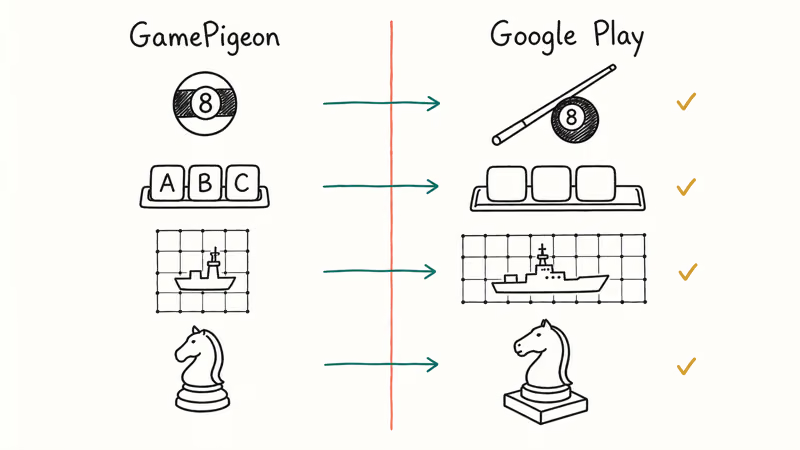
| iMessage / GamePigeon game | Closest Android replacement | Cross-play with iPhone friends? |
|---|---|---|
| 8 Ball | 8 Ball Pool by Miniclip | Yes, via Miniclip account or Facebook login |
| Word Hunt | Words With Friends 2 | Yes, via Zynga account |
| Anagrams | Word Connect by Zentertain | Yes, share-link invites |
| Sea Battle | Fleet Battle by Pavel Glukhikh | Yes, with friend code |
| Cup Pong | Beer Pong: Trickshot | Local pass-and-play only |
| Chess | Chess.com | Yes, with username invites |
Because Chess.com runs on web-based accounts, iOS and Android players are matched against the same global pool, so your iPhone friends can use the share-game link without changing apps. If the Play Store stalls during downloads, clearing the Play Store cache usually unblocks the install in under a minute.
#Will RCS Bring Game Apps to Android Messages?
RCS (Rich Communication Services) is the default texting protocol on Android in 2026, and Apple finally turned it on with iOS 18. It handles read receipts, typing indicators, high-resolution photo and video, and end-to-end encryption between RCS users.
Based on Google’s RCS feature overview, the GSMA Universal Profile that defines RCS doesn’t include a Messages-style app extension store. There’s no slot for third-party games inside Google Messages, Samsung Messages, or any RCS client today. Apple shipping RCS in iOS 18 is great for legible group chats, but it doesn’t give Android phones access to iMessage features like Tapbacks, Memoji effects, or game extensions.
For now, you keep using a separate cross-platform app for games.
#How Do You Set Up a Cross-Platform Game Night?
Getting everyone playing on one shared app takes about five minutes from the first message to the first match. The steps below work for any mixed group of Android and iPhone players, and the same sequence holds whether you land on Messenger, Discord, or Telegram as the shared app for the night.
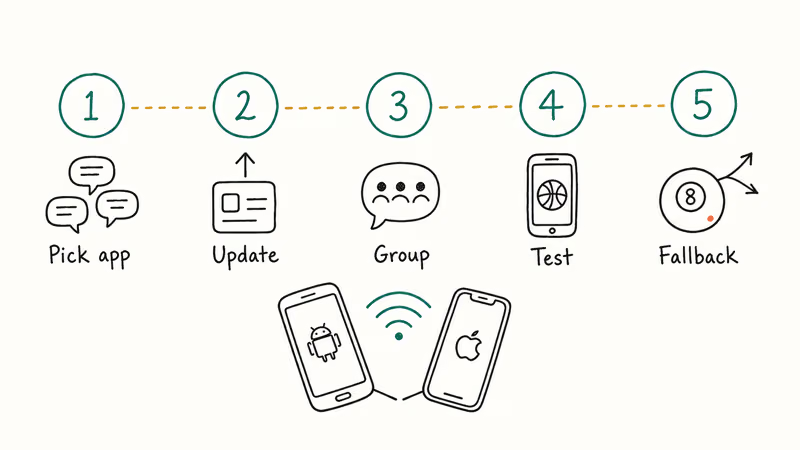
- Pick the shared app first. Facebook Messenger covers the most people without extra signup. Discord works if everyone already has accounts. Telegram is the lightest install for new accounts.
- Confirm everyone has the latest version. Update Messenger or Discord on the App Store and Play Store before the call so you avoid mid-game forced updates.
- Open or create a group chat. In Messenger, the four-dot grid icon shows the game controller. In Discord, hop into a voice channel and tap the rocket.
- Send one practice invite. Pick a one-minute game like Basketball FRVR to verify the whole group can join. A practice round is the fastest way to catch an outdated install before it stalls a real game.
- Set a fallback. If a teammate’s connection drops, switch to a standalone game like 8 Ball Pool with username invites. That keeps the night going without a 10-minute reinstall.
If your iPhone friends struggle with Wi-Fi, have them switch to cellular. Instant Games run fine on LTE or 5G.
#Why iOS Emulators and Cloud Macs Aren’t a Real Option
Old guides still suggest running an iOS emulator on Android or renting a cloud Mac to “trick” iMessage. Both routes remain a dead end in 2026.
Apps in Google Play that promise iOS emulation are reskinned launchers or ad-loaded scams. None of the top results run an actual iOS app, and some push a paid VPN before they even open. The legitimate iOS development emulator (Corellium) starts at hundreds of dollars per month and only runs on macOS, Linux, or in their cloud, not on a phone.
Cloud Macs from MacStadium, AWS EC2 Mac, or Scaleway run 40 to 100 dollars per month. Even when you log in with your Apple ID, network latency between your phone and the cloud Mac makes real-time gaming unplayable, with input lag that can run into seconds. Apple also routinely flags brand-new Apple ID logins from data centers, which can pause your iMessage activation. Skip it.
If your Android phone struggles to register on the carrier network in the first place, fix cellular data issues before you waste a weekend on emulator workarounds.
#Apple’s Position on Opening iMessage to Android
Apple’s public stance hasn’t budged. CEO Tim Cook famously told a Code Conference attendee in 2022 to “buy your mom an iPhone” when asked about cross-platform messaging.
The European Union’s Digital Markets Act forced Apple to allow third-party app stores and sideloading on iPhones in the EU in 2024. According to Reuters’ coverage of the DMA gatekeeper review, regulators decided in February 2024 that iMessage didn’t meet the gatekeeper threshold, so Apple isn’t obligated to open it. That keeps iMessage and its game extensions exclusive for the foreseeable future.
#Bottom Line
For the closest GamePigeon feel, push the whole group to Facebook Messenger Instant Games and play 8 Ball Pool inside the chat. If you would rather keep voice chat going, hop into a Discord voice channel and run a Discord Activity like Putt Party or Chess in the Park. Skip every weMessage or AirMessage tutorial in 2026 and ignore the “iOS emulator” apps on Google Play; they don’t deliver iMessage games and most of them are unsafe.
#Frequently Asked Questions
Can you play GamePigeon on Android?
No. GamePigeon is an iMessage-only extension. Install 8 Ball Pool by Miniclip or Words With Friends 2 from Google Play to get the same gameplay.
Is there an official iMessage app for Android in 2026?
No. Apple has never released an iMessage app for Android, and the third-party bridges that tried to fake it (weMessage, AirMessage, Beeper Mini) have either shut down or had their relay paths blocked by Apple. Fresh installs of weMessage and AirMessage no longer establish a working relay. Anyone recommending these tools in 2026 is sharing outdated advice that won’t get your Android phone any closer to iMessage.
Do iMessage games work over RCS once Apple supports it?
No. iOS 18 added RCS, but RCS doesn’t support Messages app extensions. Game invites sent from an iPhone over RCS still arrive as plain text on Android.
What happened to AirMessage for Android?
AirMessage relied on a Mac sitting on your home network to relay iMessage to your Android phone. The last stable build was 2022, and macOS Ventura and Sonoma security updates broke the relay path. Connection failures are now the default, and the developer hasn’t pushed a fix as of April 2026.
Which messaging app has the best games for Android?
Facebook Messenger. It has 100 plus Instant Games, all playable inside chat, and they run identically on iOS and Android. Telegram is a smaller second choice; Discord is best if your group already lives in voice channels.
Can you get iMessage on Android using a virtual or cloud Mac?
Technically possible, practically pointless. Cloud Mac rentals run 40 to 100 dollars per month, network latency makes real-time games unplayable, and Apple often flags fresh Apple ID logins from data center IP ranges. You’d spend more in three months than the price of a used iPhone SE that supports iMessage natively.
Do Samsung phones have a built-in iMessage-style game system?
No. Samsung’s Game Launcher organizes installed games and records gameplay; it has no in-chat gaming layer like iMessage. For multiplayer games inside chats on a Galaxy, use Facebook Messenger or Discord.
Are iMessage game alternatives free on Google Play?
Yes. 8 Ball Pool, Words With Friends 2, Chess.com, and Sketch Heads inside Discord are all free with optional in-app purchases. They run outside the Messages app, but the gameplay matches the most popular GamePigeon titles.

Mac mini M6 vs M5 Pro: Which Model Should You Buy?
Mac mini M6 vs M5 Pro compared on price, memory, ports, displays, and real workloads. Find the better 2026 Mac mini for your desk and budget.

Apple Siri Settlement: Who Qualifies and How to Claim
Apple's $250 million Siri settlement covers iPhone 15 Pro and iPhone 16 models bought June 2024 to March 2025. See who qualifies and how claims work.

iOS 26.6.1 Security Update: What Apple Fixed and Who Gets It
Apple released iOS 26.6.1 on August 17 with 29 security fixes, including an IPSec interception bug. See what it patches, who gets it, and how to update.

iPhone Adaptive Power: How It Works and When to Use It
Learn how iPhone Adaptive Power works, which models support it, what it changes, and when Low Power Mode is still the better battery-saving choice.