How to Cancel an Offer on Mercari Before the Seller Ships
Cancel a Mercari offer through Order Status or seller messages, with policy limits, seller approval rules, refund timing, and post-shipping options.

Quick AnswerGo to Order Status in the Mercari app, tap the order, and select "Request cancellation." The seller can approve or deny it, but if they don't respond or confirm shipment within 24 hours, Mercari cancels and refunds the order.
Mercari doesn’t have a one-tap “cancel offer” button. The moment a seller accepts your offer, the listing becomes a binding sale and your card sits on a pending hold. You can still request a cancellation before the seller ships, but the seller has to approve it. Here’s the full flow, plus what to do if shipping already started.
- Once a seller accepts your offer, it becomes a binding purchase and your payment is charged
- Request cancellation via Order Status in the Mercari app; if the seller agrees or does not respond within 24 hours, Mercari cancels and refunds the order
- Direct messages can work better than the formal system because they let you explain the mistake directly
- Once tracking shows the item shipped, Mercari limits buyer-requested cancellation to tracking-delay scenarios
- Repeatedly canceling orders or not paying within 3 days can result in account suspension under Mercari’s buyer protection policy
#Understanding Mercari’s Cancellation Policy
Mercari treats every accepted offer as a binding sale. According to Mercari, sellers have 24 hours to accept, decline, or counter an offer; its Offer help page says the buyer is immediately charged once an offer or counteroffer is accepted. Acting fast is the whole game.
According to Wikipedia, Mercari was founded in 2013; its Mercari page describes the service as an e-commerce marketplace.
#How to Request a Cancellation on Mercari
- Open the Mercari app and tap your profile icon
- Go to “Order Status” or “Purchases”
- Find the order you want to cancel
- Tap “Request cancellation”
- Select a reason from the dropdown menu
- Submit the request
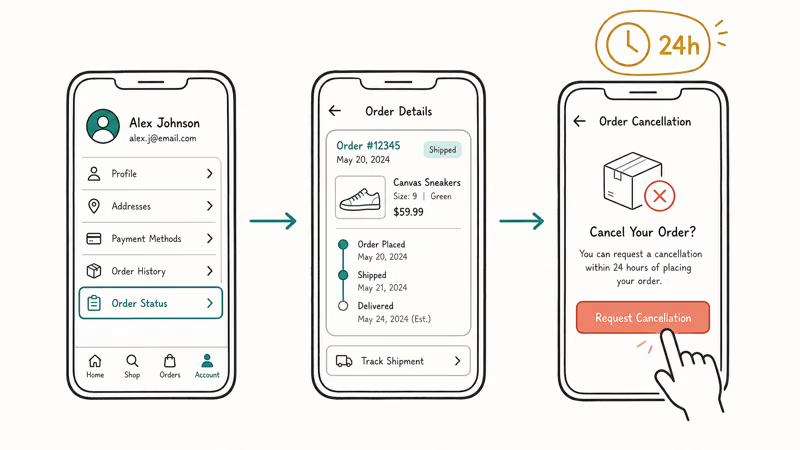
According to Mercari, buyers can ask to cancel before shipment from Order Status in its transaction cancellation guide. If the seller agrees or 24 hours pass with no seller response, the transaction is canceled and refunded to the original payment method.
If the seller approves the request, Mercari cancels the transaction and sends confirmation to the buyer and seller. Any pending card hold then clears according to the payment provider’s normal timing.
#Canceling After the Seller Ships
Without the seller’s agreement, you can’t. Once tracking shows the item shipped, Mercari treats the sale as final. Your options narrow to three:
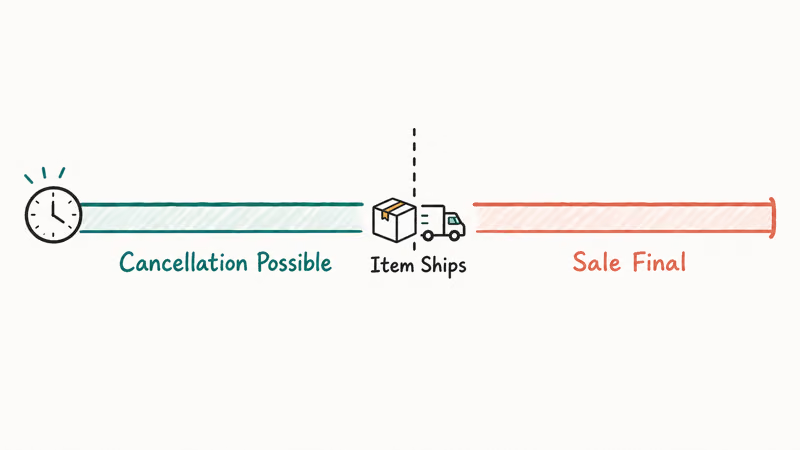
- Message the seller and ask them to cancel (they can still cancel from their end)
- Receive the item and return it (if the seller accepts returns)
- Rate the transaction poorly if the item doesn’t match the description
Mercari states that after the seller confirms drop-off, buyer-requested cancellation is limited to tracking-delay cases in its cancellations policy, such as no possession scan for at least 15 days or at least 30 days since the last tracking event.
#Should You Message the Seller Directly?
Often, yes. Polite direct messages tend to outperform the formal request flow because they let you explain context.
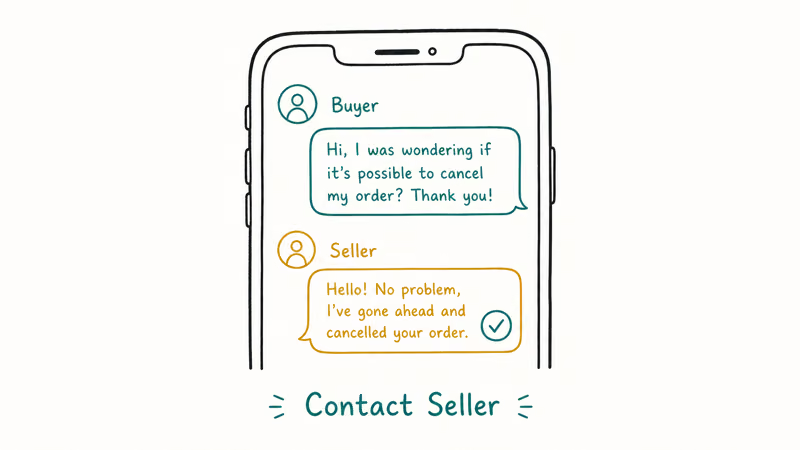
- Go to the order in your Purchases tab
- Tap “Contact seller”
- Send a polite message explaining why you need to cancel
Example message: “Hi, I accidentally submitted an offer on the wrong item. Would you be willing to cancel this order? I’d really appreciate your understanding.”
Many sellers accommodate polite requests, especially when you frame it as an honest mistake and contact them before they print or drop off the label.
#What Happens if the Seller Declines Your Request?
If the seller declines, you have three honest options:
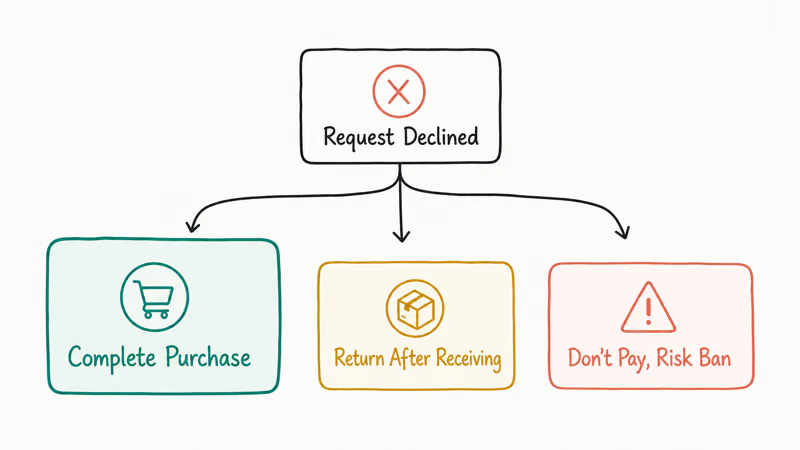
- Complete the purchase. Pay for the item and receive it as agreed.
- Don’t pay and get banned. If you don’t pay within 3 days, Mercari will cancel the transaction and may suspend your account.
- Return the item after receiving it. If the seller accepts returns, you can return it for a refund minus shipping costs.
Mercari says order cancellations are visible on the profile of the user who cancels, and frequent cancellations can make a cancellation rate visible to other users. Treat each offer as a real commitment, not a placeholder bid.
#Common Cancellation Mistakes to Avoid
Don’t block the seller hoping the order disappears. Blocking doesn’t cancel the order or replace the proper request flow.
Some users claim that blocking prevents the seller from shipping, but blocking doesn’t cancel the order or replace Mercari’s cancellation flow. If you’re juggling issues across other resale marketplaces, see our guides on how to cancel a Poshmark order and how to cancel a StockX order.
Food-delivery cancellations follow the same playbook on a tighter clock — our how to cancel a DoorDash order guide covers that window.
#Bottom Line
Request cancellation through Order Status before the seller ships, then back it up with a polite direct message. Once tracking goes live, you’re at the seller’s mercy. For other Mercari issues, see our guide on whether Mercari is legit or how to delete a Poshmark account.
#Frequently Asked Questions
Can I cancel an offer on Mercari before the seller accepts?
Yes, but only if you’re fast. Offers stay live for 24 hours, but sellers often accept within minutes. If the seller hasn’t accepted yet, you can’t manually retract; you have to wait for the offer to expire or hope the seller declines on their end.
Does Mercari charge a cancellation fee?
No. Mercari doesn’t charge buyers for canceling before shipment. Frequent cancellations can still get your account flagged for a terms-of-service review.
What if I already paid and want to cancel?
Request cancellation through Order Status first. If the seller approves, Mercari refunds the payment within 5 to 10 business days, returning to your original method (credit card, debit card, or Mercari balance). Pending holds on bank-issued debit cards sometimes take longer to drop, depending on the issuing bank’s settlement schedule. If the refund hasn’t arrived after 10 business days, contact Mercari support with your transaction ID.
Can the seller cancel after I paid?
Yes. Sellers can cancel any time before shipping. If they cancel, you get an automatic refund. Common reasons sellers cancel include running out of stock or deciding not to sell at the agreed price.
Will canceling hurt my Mercari rating?
Not directly, but frequent cancellations can lead to account suspension. Mercari tracks buyer behavior, and users who routinely cancel orders may lose buying privileges. The safer move is to only make offers you actually intend to honor.
What happens if I just don’t pay?
Mercari auto-cancels the transaction after 3 days. Your account also risks suspension, so request a proper cancellation instead.

Google Messages Error 3100: Why RCS Is Broken on Galaxy
Google Messages RCS error 3100 hits Galaxy owners after phone or carrier switches. Google told 9to5Google a fix is coming. Here's what actually helps.

Is This Bank App Real? Spot a Fake App on Your Home Screen
A bank app can land on your home screen from a web page with no install warning. Learn the checks that tell a real banking app from a phishing web app.

Apps Crashing After iOS 27 Update? Fix Order (2026)
Apps crashing after the iOS 27 update? Update the app in the App Store first, then offload and reinstall to clear stale cache, then restart. The fix order.

Do AI Translation Earbuds Work Offline? What to Know
Do AI translation earbuds work offline? A few do with downloaded language packs, but most need the cloud. Here's what works offline and what you give up.