Find My AirPods Sound Pending: Why It Happens and Fixes
Fix the Find My AirPods sound pending error with 7 practical steps. Covers dead battery, out of range, Bluetooth issues, and re-pairing fixes.
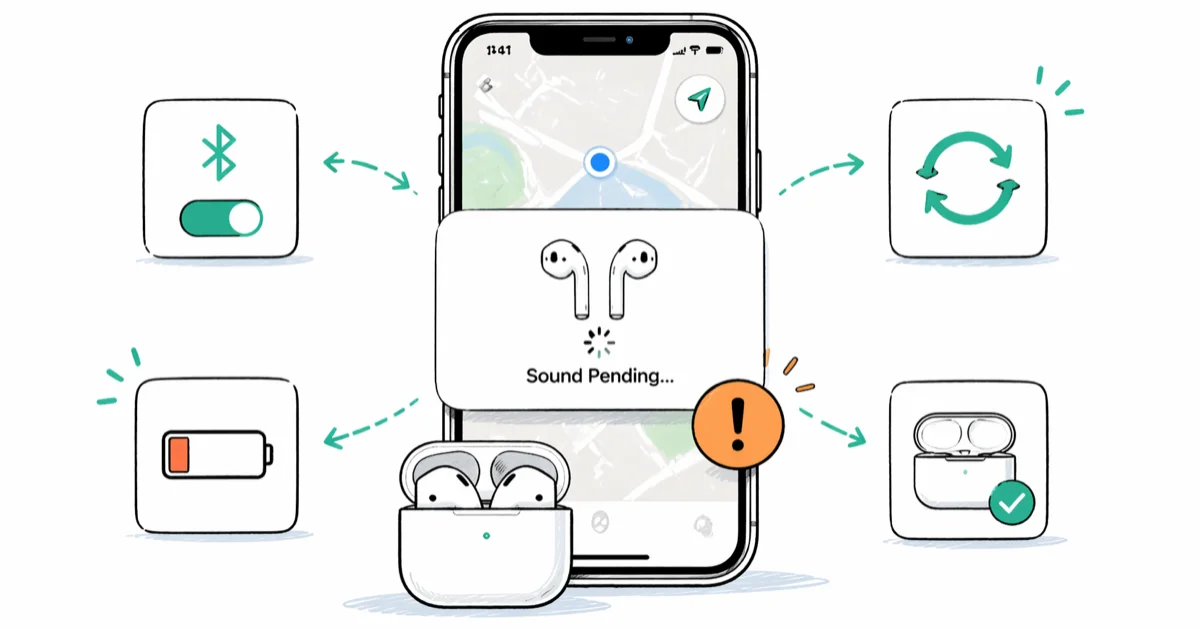
Quick AnswerFind My AirPods shows "sound pending" when your AirPods are offline, out of Bluetooth range, or have a dead battery. The sound plays only when they reconnect to your iPhone.
You tapped “Play Sound” in Find My, and nothing happened. The app just says “Sound Pending.” This means your AirPods aren’t currently connected to any device, so the sound command sits in a queue until they come back online.
The pending sound plays automatically once AirPods reconnect to any paired device.
- “Sound Pending” means your AirPods are offline and can’t receive the command
- The sound triggers automatically once AirPods reconnect to a paired device
- A dead battery can prevent AirPods from receiving the sound command
- Move close to the last known location before retrying Play Sound
- Re-pairing fixes persistent sound pending errors from software glitches
#Why Does Find My AirPods Show Sound Pending?
The “Sound Pending” status appears for one core reason: your AirPods aren’t connected to your iPhone right now. But several things can cause that disconnection.
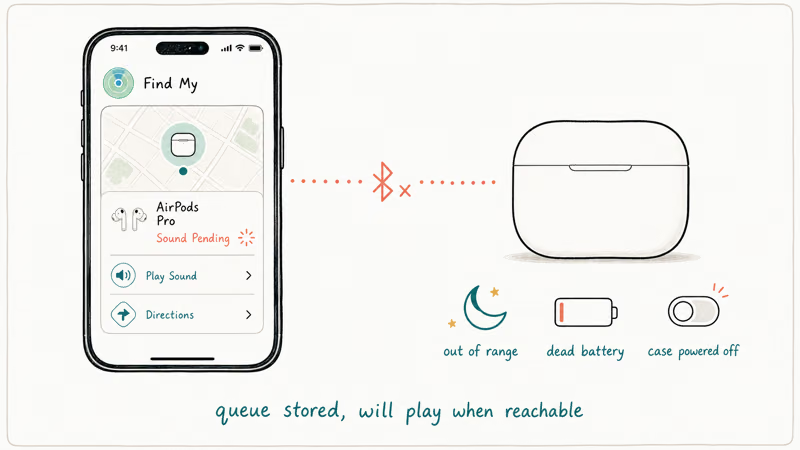
Dead battery. AirPods with no charge can’t respond to commands. If both the case and AirPods are drained, Find My can’t reach them. According to Apple’s charging guide, no status light can mean the AirPods need charging before they can be used again.
Out of Bluetooth range. Find My uses Bluetooth to send the sound command. Walls, distance, and wireless interference can stop the connection. This is different from the Find My network location feature, which uses other Apple devices nearby to report location.
Find My is disabled. If you turned off Find My on your iPhone or removed your AirPods from your Apple ID, the sound feature won’t work at all.
AirPods paired to a different device. If someone else’s iPhone picked up your AirPods, or they’re connected to your Mac instead of your iPhone, the sound pending status may appear on the device that isn’t currently connected.
Bluetooth is off on your phone. Check Control Center to confirm it’s active.
If your AirPods won’t connect to any device at all, check our guide on why AirPods won’t connect for a full walkthrough of Bluetooth pairing problems that go beyond the Find My sound pending issue.
#Quick Fixes to Try First
Work through these three fixes first. They solve most cases.
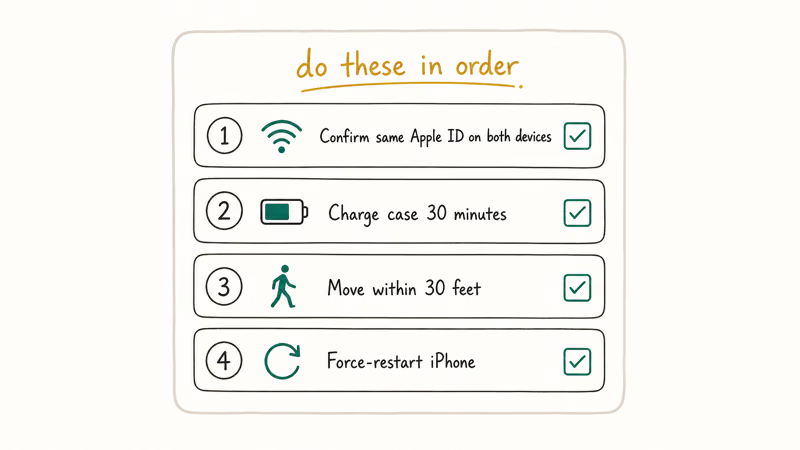
#Fix 1: Charge Your AirPods
Put both AirPods in the charging case and plug it in. Wait until the battery popup shows that the earbuds have enough charge to power on and reconnect.
Open the case near your iPhone and check the battery popup. If the case itself is dead, leave it connected to a Lightning or USB-C cable before trying again.
Once the AirPods have enough charge to power on and reconnect, try Play Sound again.
#Fix 2: Stay Close and Wait
Walk back to where you last used your AirPods. Open Find My and check the map for their last known location. Get close to that spot and wait.
If your AirPods are somewhere in your home, walk slowly from room to room with Find My open. The “Sound Pending” message changes to “Playing Sound” the moment your phone picks up the Bluetooth signal, and you’ll hear a chirping tone that gets louder as you get closer to them.
#Fix 3: Toggle Bluetooth Off and On
This forces your iPhone to restart its Bluetooth scanning. Go to Settings > Bluetooth, turn the toggle off, wait a moment, then turn it back on.
Don’t just tap the Bluetooth icon in Control Center. That only pauses connections without fully resetting the Bluetooth stack. Use the Settings toggle when you need a full Bluetooth restart. If Bluetooth isn’t working at all, check our Bluetooth not working on iPhone troubleshooting guide.
#Deeper Fixes if the Sound Is Still Pending
If the quick fixes didn’t work, these target software and connectivity issues.
#Fix 4: Check That Find My Is Enabled
Go to Settings > [your name] > Find My and make sure Find My iPhone is turned on. Then open the Find My app, tap the Devices tab, and verify your AirPods appear.
If your AirPods aren’t listed, they may have been removed from your Apple ID. Re-pair them by putting AirPods in the case, opening the lid near your iPhone, and holding the setup button until the light flashes white. According to Apple’s Find My setup guide, AirPods must be paired and signed into iCloud for Find My to work.
#Fix 5: Update Your iPhone
Software bugs can break Find My. Update at Settings > General > Software Update and restart after installing.
Running current iOS rules out known software problems that Apple has already fixed.
#Fix 6: Connect to a Stable Internet Connection
Find My needs internet access to talk to Apple’s servers. Try switching from Wi-Fi to cellular or vice versa.
If you’re in an area with weak signal, move to a spot with better coverage or switch between Wi-Fi and cellular data. The AirPods themselves don’t need internet; your iPhone does.
#Fix 7: Unpair and Re-pair Your AirPods
This is the last resort when nothing else works. Go to Settings > Bluetooth, tap the i next to your AirPods, and tap Forget This Device. The reset sequence differs for AirPods Pro 3, so use Apple’s model-specific instructions rather than a one-size-fits-all button sequence.
Follow the on-screen pairing prompts.
After re-pairing, try the Play Sound feature again. If your AirPods have trouble pairing, our guide on AirPods connection failures covers every fix. According to Apple’s AirPods reset instructions, AirPods Pro 3 uses a different sequence from earlier models.
#What if Your AirPods Are Truly Lost?
If you’ve tried everything and the sound is still pending, your AirPods might be out of range permanently or the battery has fully drained.
Use the Find My network. Even when your AirPods are offline, nearby Apple devices can detect them and report their location anonymously. Check the Find My app map for an updated location, keeping in mind that a network-reported location can be approximate.
Mark as Lost. Tap your AirPods in Find My, scroll down, and enable Mark As Lost. You’ll get a notification when they’re found.
Check the last known location. If the map points to a business or rideshare, contact it directly.
If your AirPods are completely dead and you need to find them, our guide on how to find AirPods when dead walks through every option. You can also try finding just the case if you lost the case separately.
#Using Find My With a Single AirPod
Yes, but only for the AirPod that’s outside the case. If one AirPod is in the case and one is lost somewhere in your couch cushions, Find My will only play sound on the exposed one. The case blocks the Bluetooth signal.
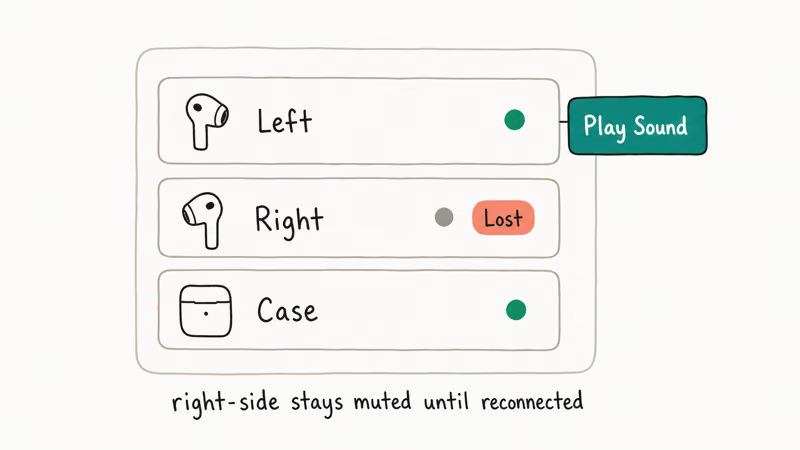
You can target each AirPod separately. In Find My, tap your AirPods and choose Left or Right.
If one AirPod keeps cutting out or has battery issues, that can prevent Find My from reaching it even when the other AirPod responds normally to the Play Sound command.
#Preventing Sound Pending in the Future
Keep your AirPods case charged. A drained case can leave the AirPods unable to reconnect when you need Find My most.
Also turn on Notify When Left Behind in Find My. You’ll get an alert when you walk away from your AirPods.
#Bottom Line
Charge your AirPods first, stay close to their last known location, and toggle Bluetooth off and on. These three steps fix “Sound Pending” for most people. If the problem keeps coming back, unpair and re-pair your AirPods to clear any software glitches.
#Frequently Asked Questions
How long does Find My AirPods sound pending last?
The command stays queued indefinitely until your AirPods reconnect to any device linked to your Apple ID. No timeout. However, a factory reset of the AirPods clears the pending command permanently.
Can you play Find My sound if AirPods are in the case?
No. Closed case means low-power mode and no Bluetooth. Open the case first.
Does Find My AirPods work without Wi-Fi?
Your iPhone needs internet (Wi-Fi or cellular data), but the AirPods connect via Bluetooth, which is a completely separate radio. So you need two things at once: an internet-connected iPhone and Bluetooth proximity to the AirPods themselves. Cellular data works fine as the internet source if Wi-Fi is unavailable, and many people don’t realize this distinction when troubleshooting the sound pending issue at locations without Wi-Fi.
Why does Find My show the wrong location for my AirPods?
It shows where your AirPods were last connected, not where they’re located right now. Used them at a cafe yesterday? The map shows the cafe until they connect again somewhere else.
Can someone else use stolen AirPods to avoid Find My tracking?
Yes. A factory reset (holding the setup button for 15 seconds) removes them from your Apple ID entirely.
Do AirPods Max and AirPods 3rd gen have the same sound pending issue?
Yes, “Sound Pending” works identically across all AirPods models. It happens whenever they’re offline regardless of model. AirPods Pro 2nd gen and AirPods 3rd gen do have better Find My network support through the U1 chip, which gives more precise location tracking when other Apple devices are nearby, but the U1 chip doesn’t prevent the pending status when the AirPods themselves are powered off or out of battery.
Will replacing the AirPods battery fix frequent sound pending issues?
It might. If your AirPods die soon after leaving the case, a degraded battery is a possible cause. Apple’s AirPods service page calculates the current price after you choose your model and issue.
Can you use Find My AirPods from a Mac or iPad?
Yes. Open Find My on any Apple device signed into the same Apple ID. Works from iPhone, iPad, Mac, and iCloud.com in a browser. The sound pending behavior is identical no matter which device triggers it, and the pending command will execute as soon as the AirPods reconnect to any of your devices.
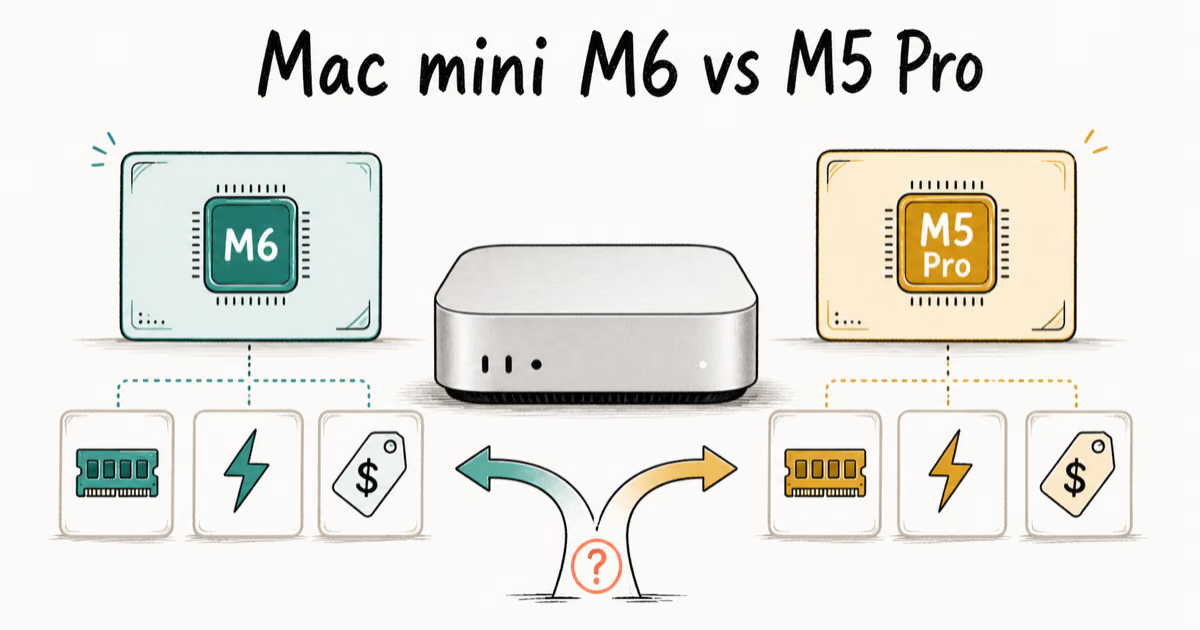
Mac mini M6 vs M5 Pro: Which Model Should You Buy?
Mac mini M6 vs M5 Pro compared on price, memory, ports, displays, and real workloads. Find the better 2026 Mac mini for your desk and budget.
Apple Siri Settlement: Who Qualifies and How to Claim
Apple's $250 million Siri settlement covers iPhone 15 Pro and iPhone 16 models bought June 2024 to March 2025. See who qualifies and how claims work.
iOS 26.6.1 Security Update: What Apple Fixed and Who Gets It
Apple released iOS 26.6.1 on August 17 with 29 security fixes, including an IPSec interception bug. See what it patches, who gets it, and how to update.
iPhone Adaptive Power: How It Works and When to Use It
Learn how iPhone Adaptive Power works, which models support it, what it changes, and when Low Power Mode is still the better battery-saving choice.