8 Ways to Get Discord Unblocked Website for School
Unblock Discord at school with 8 proven methods including VPNs, web proxies, browser extensions, and Chromebook-specific workarounds that bypass network.
Quick AnswerThe easiest way to unblock Discord at school is to use a VPN that hides your IP address and bypasses network restrictions. You can also try web-based proxies, the Discord web app through a different browser, or a portable version on a USB drive.
If you want to Discord unblocked website for school quickly, then read on.
In this article, there are eight methods to get Discord unblocked. There are also three techniques to get Discord unblocked websites for school on a Chromebook.
So, read on and find out which method works out for you.
Use unblocked-site information only on your own device, your own account, and networks where you have permission to troubleshoot access. Before trying any workaround, check the school’s official support option, acceptable-use policy, and Discord’s help pages so you avoid bypassing restrictions created for security, classroom, licensing, or student-safety reasons online.
- A VPN hides your IP address and encrypts your connection, making it the most reliable way to bypass school network blocks on Discord
- The Discord web app at discord.com bypasses blocks that only target the app installer, not the domain itself
- Keyword-based content filters can be circumvented by finding Discord’s raw IP address with the “ping discordapp.com” command and entering that IP in the browser
- Chrome Remote Desktop lets you control your home PC remotely from school, accessing Discord without triggering local network restrictions
- Unblocking Discord isn’t illegal, but it may violate your school’s acceptable use policy; use it responsibly to reduce the risk of disciplinary action
#Why Do Schools Block Discord?
Discord is popular with students, with a user base in the hundreds of millions and a large share of them teenagers. Schools block it mainly to prevent distraction and misuse of school network resources during class time.
On school-style networks with strict content filters, a VPN is generally the most consistent option, while proxy sites tend to work only some of the time depending on the filter vendor. Chrome Remote Desktop is reliable as long as a home computer is left on and logged in.
Besides, here, you’ll learn what causes the ‘rate limited Discord’ error and how you effortlessly resolve the ‘you are being rate limited‘ in Discord.
#Eight Techniques to Unblock Discord at School
A lot of students don’t know why their schools have blocked the Discord app from their networks. They do this to prevent the wrong usage of this platform on their premises. It’s also done to stop pupils from sharing any sensitive content and information on Discord.
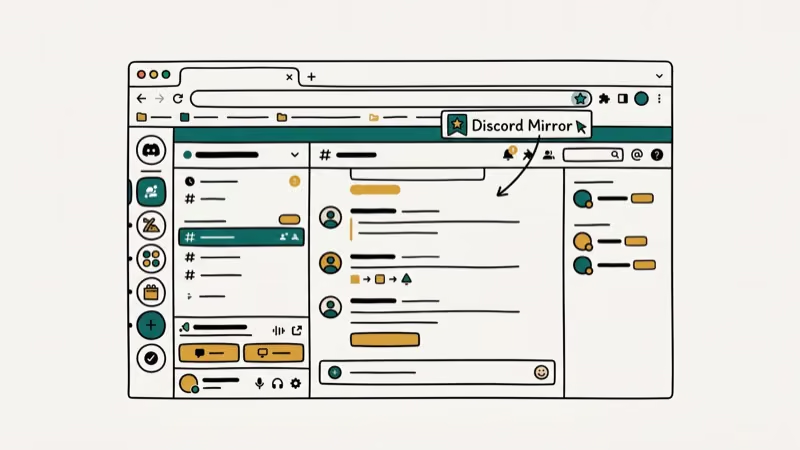
Below we’ve provided eight methods to get Discord unblocked at your school.
#1. Make Use of a VPN
This is one of the easiest and quickest means to get Discord unblocked websites for school. You can employ a VPN that helps in concealing your IP address to open blocked apps, online tools, and sites. Thus, if your school has blocked Discord on its IP address, then you can use a VPN to access it.
VPN providers are widely available. GlobalWebIndex confirms that VPN use has grown steadily, with a significant share of internet users worldwide now relying on them for privacy and access. Most VPNs charge a monthly subscription fee, but several offer free tiers with data caps around 500 MB per month. Free tiers are usually enough for text-based Discord use during school hours.
#2. Open Discord in the Browser
You can also unblock Discord in your school by using it on your browser and not using its application. Generally, schools and educational institutions don’t block applications.
Instead, they hinder the downloading of the executable file on mobile devices, which in turn hampers the installation of the app.
This can be avoided if you use the Discord platform on the browser. It’s the same as the Discord application; you just have to sign in to your account from the browser. For this, follow these steps:
1. Go to the web page of Discord.
2. Now, click on the button saying ‘Login‘ that is displayed at the top right corner.
3. Then, you have to enter your email or phone number and password and click on ‘Log In.’
#3. Copy the IP Address
Often schools and educational institutes block keyword-specific web content using content blocker tools. Thus, if you look for these blocked keywords, you may not find some websites related to them.
You can get away with these content blockers by copying the Discord platform’s IP address on your Windows PC.
Do as follows to use this method:
1. First, you have to press the Windows button. Then, you have to type ‘Command Prompt‘ and hit the ‘Open‘ button.
2. Type the ‘ping discordapp.com‘ command and hit the ‘Enter‘ button on your keyboard.
3. Now, you can see Discord’s IP address.
4. Copy this IP address and search for it on Google.
This way, you can successfully get Discord unblocked websites for school.
#4. Install Discord Using External Storage
Several educational institutions block some websites so that students can’t download certain apps. If your school has also done this, then you can install Discord using external storage.
After downloading, you can move the Discord software to the computer in your school using a pen drive or USB cable.
Also, this article will explain everything about how to remove school iPad restrictions in different ways with no hassle at all and their consequences.
#5. Use Discord on a Different Device
In case your school has blocked an IP address to prevent students from downloading certain sites, you can still use them from another device. You can get Discord unblocked by using it on a different device. If Discord isn’t opening on your personal device either, check out our guide on Discord not opening for troubleshooting steps.
#6. Make Use of Proxy Websites
One of the other ways to get Discord unblocked websites for school is to make use of a proxy website.
Proxy sites open blocked websites on different networks, which enables you to install and access Discord. There are many free online proxy tools and platforms that you can use to get Discord unblocked.
#7. Employ Chrome Remote Desktop
If you use a computer at your house, then you can employ Chrome Remote Desktop to open Discord in your school. This tool enables you to access the PC in your house remotely.
Therefore, you can use Chrome Remote Desktop to open and control Discord from your school.
Follow the below-mentioned steps to use Chrome Remote Desktop:
1. Open ‘Google Chrome‘ on your school PC and then go to Chrome Remote Desktop.
2. On this page, you have to tap the ‘Access my computer‘ button.
3. After this, click on the button of ‘Remote Support‘ displayed on the left side of the screen.
4. Then, key in the ‘Access code‘ in the ‘Connect to another computer‘ section.
5. Lastly, click on ‘Connect’ to link your PC at home.
Note: Make sure that you ask someone at your home to open the Chrome Remote Desktop on your PC for this technique to work.
#8. Apply Google Translate
To get Discord unblocked website for school, you can use Google Translate.
Follow these steps to use this method:
1. Go to the page of Google Translate.
2. Enter www.discord.com in the space provided for translation.
3. The translated version will appear with a link.
4. Click on this link, and the Discord website will open.
So, these were the eight methods to get Discord unblocked. Below we’ve listed some extra ways as well to get Discord unblocked website for school.
#Does Unblocking Discord at School Break Any Laws?
Bypassing a school network filter is not a criminal offense in most countries. However, it typically violates your school’s Acceptable Use Policy (AUP). According to the American Library Association, CIPA has applied to schools receiving E-Rate funding since 2001, requiring content filters on all internet-connected devices used by minors under 17. Breaking those filters can lead to disciplinary action at the school level, not legal prosecution.
Here are three additional techniques you can try if the main 8 methods above didn’t work.
#1. Use Discord’s Alpha-testing Version
Usually, schools don’t block a program’s frontrunner version when they block a website so that teenagers can’t use it on the premises.
If your school also does this, then you can make use of Discord’s alpha testing version to get Discord unblocked. There are two ways to use the Discord platform’s alpha testing version, as listed below.
1st option: Google Chrome
You can use the following steps to open the alpha testing edition using Google Chrome.
1. Open the Start menu and then click on ‘Google Chrome.’
2. Enter canary.discordapp in the search area provided. Then, click on the ‘Enter‘ button on your keyboard. Tap on the initial search result that you see on Google to download and install the Discord app.
2nd option: Command Prompt
You can use the below-mentioned steps to directly access Discord by opening the Command Prompt and copying Discord’s IP address.
1. Open the Command Prompt.
2. Enter ping canary.discordapp.com and hit the ‘Enter‘ key on your keyboard.
3. Here, you can see the site’s IP address.
#2. Make Use of the Discord Unblocked Extension
Extensions help in surfing the web. If you want to get Discord unblocked, you can use the extension of Discord Unblocked to access the platform.
Even if your school has blocked certain apps and websites, including Discord, so that students can’t use them, then also you can use this method.
You can add the extension of Discord Unblocked to the Google Chrome web browser by doing as follows:
1. Open the Start menu, and from there, open the Google Chrome web browser. After this, go to the extension of Discord Unblocked.
2. Then, click on the button ‘Add to Chrome‘ displayed on the right side of your computer screen.
3. Click on the button ‘Add app‘ to approve the procedure.
4. Wait for a while till the extension is added to your Chrome web browser.
#3. Employ TOR Mirror
If the methods mentioned above don’t work for you, then you can make use of a TOR mirror. TOR mirrors help in accessing a blocked site.
But, whether this method works or not depends on the web security and the network’s firewall.
#Comparison of Methods by Reliability
On networks using enterprise-grade content filters, VPNs are the most consistent, browser-based access and proxy sites work some of the time, and TOR mirrors fail more often than they work. The IP address method only works when content filters use domain-based blocking rather than IP-based blocking.
#How to Get Discord Unblocked on a Chromebook
To get Discord unblocked on your school Chromebook, follow these steps:
1. First, you need to sign in using the Chromebook and then open the panel of ‘Quick Settings‘ displayed at the bottom right side of your computer screen.
2. After this, you have to tap the ‘Settings‘ icon.
3. Then, you have to choose the option of ‘Apps‘ from the left side menu.
4. Switch on Google Play Store by tapping the button ‘Turn on.’
5. After this, go to Google Play Store and then search for Discord.
6. Click on the green-colored button of ‘Install.’
7. Now, you have to wait for a while till the installation completes.
8. After the installation is finished, you need to open Chromebook Launcher.
9. You can see the apps in Play Store Apps.
10. After this, you have to open Discord and then sign in to your Discord account.
Also read: How to change your age on Discord & join NSFW servers?
#Frequently Asked Questions
Is it legal to unblock Discord in school?
Unblocking Discord isn’t illegal, but it may violate your school’s internet policy. Always be aware of your school’s rules regarding internet usage.
Can I get in trouble for using Discord at school?
If Discord is officially blocked by your school, you might face disciplinary action for using it. However, if used responsibly and for educational purposes, you may be able to negotiate its use with your school administrators.
Is Discord safe for educational use?
Yes, Discord can be safe for educational use if properly moderated and supervised.
What are other benefits of using Discord in education?
Discord can encourage a sense of community, enable real-time academic discussions, and offer a platform for collaborative projects.
How can I ensure a safe Discord environment?
Creating a safe Discord environment involves proper moderation, setting clear rules for conduct, and educating students about online safety.
Does a VPN slow down my internet at school?
Yes, a VPN can slightly reduce your internet speed because it routes traffic through an external server. Free VPNs tend to be slower than paid options, so expect some lag during video calls or streaming.
#Bottom Line
A VPN is the most reliable option for most users since it works against both domain-based and IP-based content filters. If you can’t install a VPN on your device, Chrome Remote Desktop through a home computer is the most consistent fallback. Web proxies work for light use but break more often as filter vendors update their block lists.
In case you have some queries or suggestions, you can post them in the comment box provided below.

Is This Bank App Real? Spot a Fake App on Your Home Screen
A bank app can land on your home screen from a web page with no install warning. Learn the checks that tell a real banking app from a phishing web app.

Apps Crashing After iOS 27 Update? Fix Order (2026)
Apps crashing after the iOS 27 update? Update the app in the App Store first, then offload and reinstall to clear stale cache, then restart. The fix order.

Do AI Translation Earbuds Work Offline? What to Know
Do AI translation earbuds work offline? A few do with downloaded language packs, but most need the cloud. Here's what works offline and what you give up.
How to Set Up Translation Earbuds (Pairing and Modes)
How to set up translation earbuds: charge, install the app, pair over Bluetooth, pick two languages, and choose a mode. A step-by-step first-use guide.