Best YouTube Proxy Websites for Unblocking Videos (2026)
Find the best YouTube proxy websites to bypass network restrictions and unblock videos at school or work. Includes free proxies and VPN alternatives.
Quick AnswerYouTube proxy websites like ProxySite and UnblockVideos route your traffic through remote servers to bypass network restrictions, letting you access YouTube from schools or workplaces that block it.
YouTube is the second most visited website on the planet, but you can’t always reach it. Schools, offices, and public Wi-Fi networks regularly block YouTube to limit bandwidth usage or enforce policies. This guide covers proxy websites and VPN services that can restore access on restricted networks in 2026.
Use proxy information only on your own device, your own account, or a network where you have permission to troubleshoot access. Before trying any workaround, check YouTube’s official support option, your school or workplace policy, and local rules so you avoid bypassing restrictions that were put in place for security, licensing, or safety. If the block comes from a managed network, ask the administrator for an approved access method and keep personal logins, downloads, and payment details off proxy pages.
- YouTube proxy websites route your traffic through a remote server so restricted networks at schools or workplaces can’t block your access.
- UnblockVideos.com uses 256-bit SSL encryption and does not retain browsing history, making it one of the safer free proxy options available.
- GenMirror can unblock YouTube and other major platforms including Facebook, Twitter, and Instagram without consuming excessive bandwidth, even for HD video.
- Free web-based proxies typically offer slower speeds than software VPNs due to encryption overhead; choosing a proxy optimized for video streaming reduces this impact.
- NordVPN is a software-based alternative that creates a permanent encrypted tunnel with better stability and speed than browser-based proxy sites.
#Are YouTube Proxy Websites Safe to Use?
Not all proxy websites are trustworthy. Some can hijack your data or inject ads into your browsing session. According to CNET’s VPN guide, free proxy services often lack encryption and may log your browsing activity. That’s why picking the right one matters.
This guide focuses on 3 proxies and 1 VPN that deliver solid performance without compromising your privacy. If you’re also having trouble with YouTube not working on Android, that’s a different issue with its own fixes.
#How YouTube Proxy Websites Work
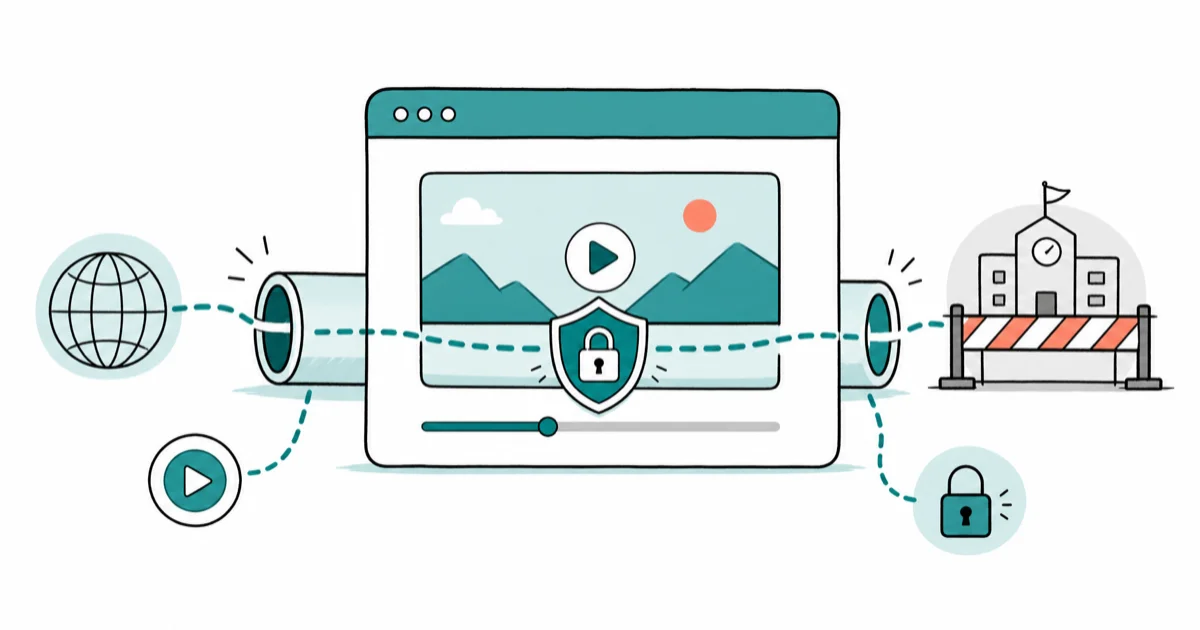
A proxy website works as a middleman between you and YouTube. Instead of your request going directly to YouTube’s servers, it’s routed through the proxy server first. The proxy fetches the content and sends it back to you, bypassing your network’s block.
Instead, your request will first go to the server of the proxy site. Then, the request will be directed to the website (which you need to visit) from the proxy server. The aforesaid website will assume that the request originated from the location of the proxy server.
In general, these servers are located in places where no restrictions are present. The website will then return information to the proxy server. The proxy server will send that information to your computer, breaking the barrier.
Now, let’s apply the above method to YouTube. Assume that the firewall of your office network doesn’t permit you to visit a website like YouTube. You can bypass this shield using one of the present YouTube proxy websites.
When browsing a proxy website, your request doesn’t go directly to the YouTube server. Instead, your request will be sent to the proxy server. Then, the proxy server will send your request to the YouTube website as if the request originated from a proxy.
So, YouTube will respond to that request with information that will be directed to you through the proxy’s tunnel.
Good YouTube proxy websites don’t reveal your identity or personal information to any third party. They don’t retain any traces of your presence. Most people consider using proxies to hide their identities apart from accessing restricted websites.
In other words, YouTube proxy websites are a great way to browse the internet anonymously.
As mentioned before, the purpose of using a proxy website is to bypass a restriction applied to a network. In general, proxy websites utilize a specific encryption method to assure data security. So, proxy websites usually feature relatively slower connection speeds.
However, speed must be a key factor when it comes to YouTube proxy websites. That is why we listed down YouTube proxy websites that are optimized for videos.
For people who need to download free videos, here is the best YouTube video downloader for you**.**
Some links on this page are affiliate links, which means fone.tips may earn a commission at no extra cost to you.
#List of Best YouTube Proxy Websites
Now that you have a brief idea about the functionality of YouTube proxy websites, here’s the list.
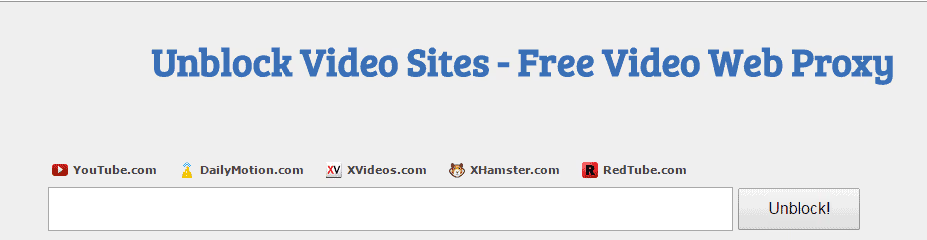
#01. UnblockVideos.com
UnblockVideos is a popular proxy website that comes as a free service. More importantly, it has a user interface with excellent convenience.
Most users highly appreciate this proxy website’s security measures and dependability.
It doesn’t apply any restrictions on usage. You can use this respective tool to access YouTube regardless of your location. This proxy permits you to access YouTube from school or the office.
Also, if your country or region blocks YouTube, UnblockVideos is a superb option to bypass it. This is a very effective tool for watching videos limited to a certain country.
When it comes to security, UnblockVideos uses 256-bit SSL encryption on all requests. PCMag’s VPN guide found that 256-bit encryption is the same standard used by banks and government websites, making it adequate for casual browsing (PCMag).
This website doesn’t retain your information or browsing history to protect your privacy. Since you’ll be using an HTTPS proxy, it’s pretty challenging for authorities to track your activities.
In other words, UnblockVideos offers total anonymity for all users. More importantly, all these facilities are offered by UnblockVideos.com without charging you anything.
#02. Proxysite
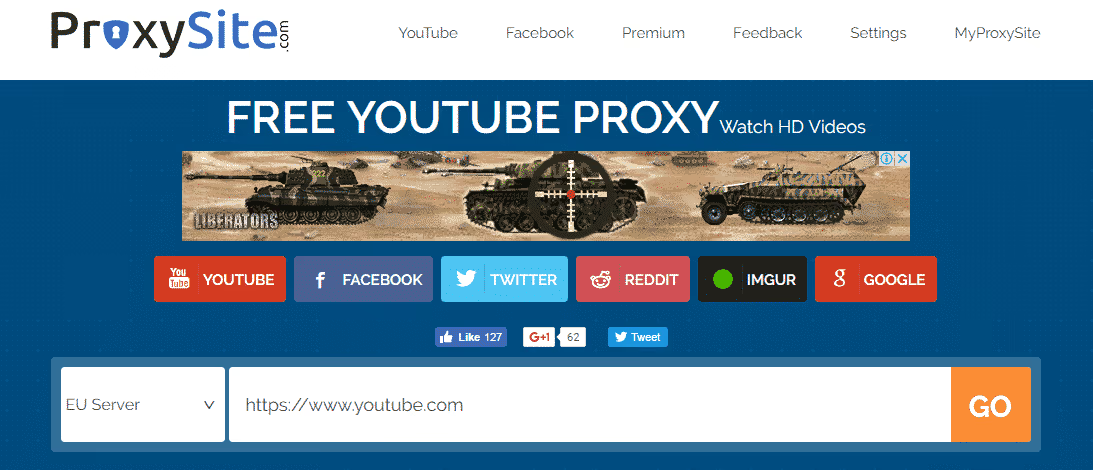
Proxysite is yet another powerful, secure proxy tool that lets you access YouTube without restriction. When accessing a platform like YouTube through a restricted network, Proxysite can be an ideal solution for you.
Like the previous methods, Proxysite also comes as a free proxy service. Although it’s free, they don’t compromise data security and privacy. You can use it easily from the office, school, or anywhere else.
Just open the website on your computer or mobile device, and type in the YouTube URL you should visit! More importantly, this respective proxy allows you to watch HD videos. You no longer have to watch annoying blurry videos as long as you have this impressive proxy site.
#03. GenMirror
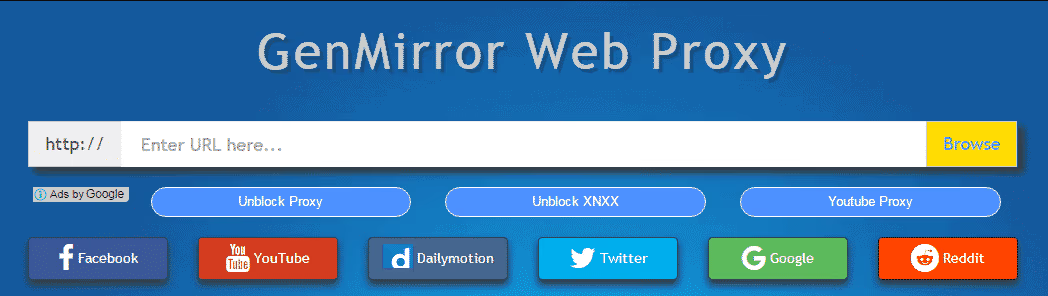
GenMirror is the fifth item on our list. Apart from unlocking YouTube, this respective product can unblock various other websites.
Social media platforms such as Facebook, Twitter, Instagram, etc., are good examples of that. It works perfectly on computers as well as on smartphones. The beauty of this product is that it doesn’t cost you anything. Even though it’s free, this tool has solid features to let you browse the internet at your will.
It keeps you anonymous, which is a massive relief for you. You can achieve various IP addresses located in various geographical locations.
Another advantage associated with GenMirror is that it doesn’t consume excessive bandwidth. While letting you access any blocked website lets you stream videos even in HD format.
That’s our list of YouTube proxy websites. All these websites can let you access YouTube with significant reliability and anonymity.
#Is a VPN Better Than a YouTube Proxy Website?
All the options above are browser-based. For better speed and security, a dedicated VPN app is the stronger choice. Wikipedia’s VPN article states that VPN connections encrypt all traffic at the OS level, not just browser traffic. Because a VPN avoids the page-rendering overhead of a web proxy, a service like NordVPN generally delivers faster streaming speeds than free browser proxies.
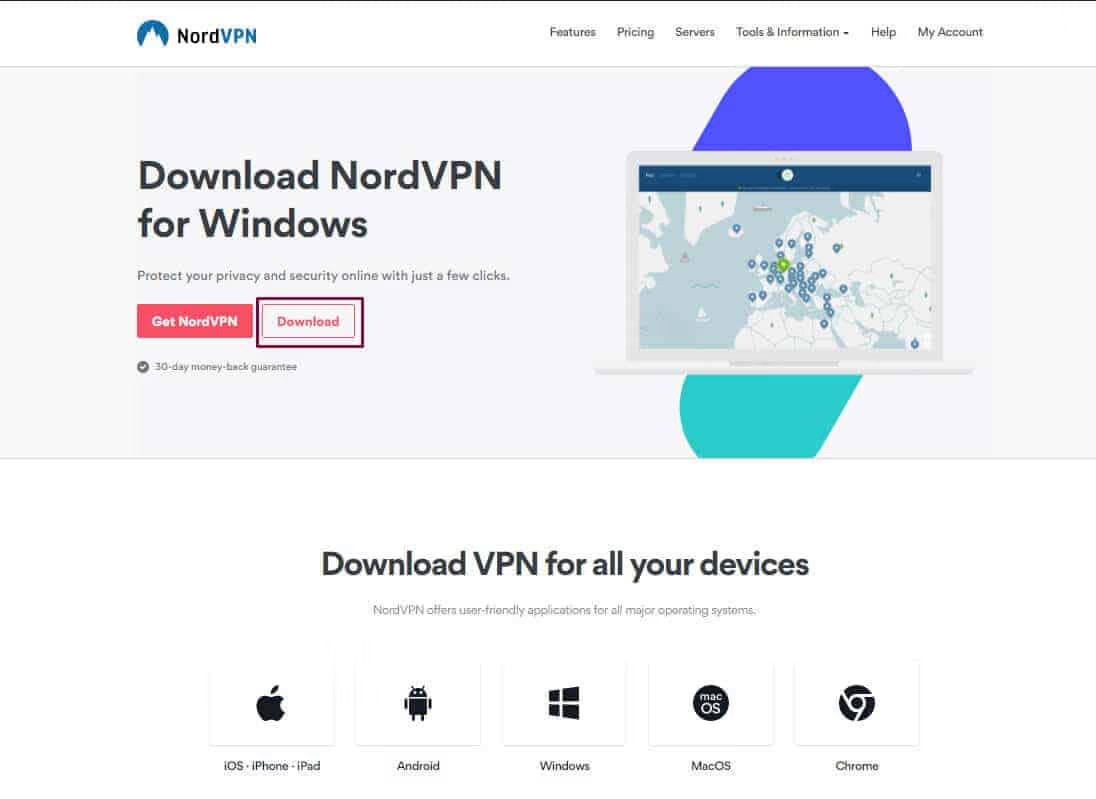
NordVPN is software (as opposed to web-based services) that can create a permanent proxy. Such connection features better stability, speed, and reliability when browsing restricted content.
#Most notable features associated with NordVPN
- NordVPN lets you connect up to 6 devices simultaneously
- It offers better stability and speed since it’s a software-based solution
- NordVPN works perfectly with all operating systems, excluding Windows phones
- It consumes less bandwidth to unblock any video proxy
- Despite its strong encryption, it features impressive speed
- It helps to protect your personal information
- It doesn’t keep any traces of your online activities
#Using NordVPN to Unblock YouTube
- You should download the software and install it on the computer as the first step.
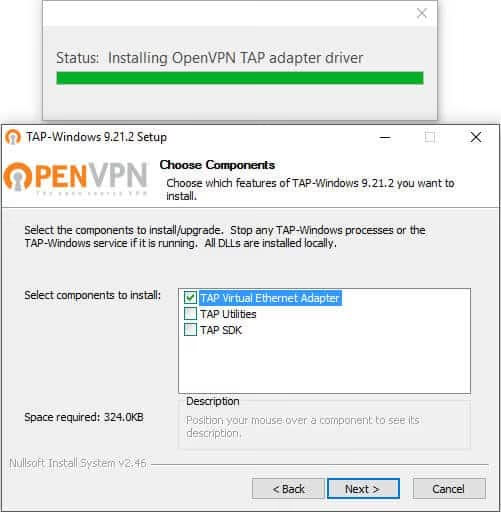
- Select the checkbox called “Tap Virtual Ethernet Adapter” during the installation.
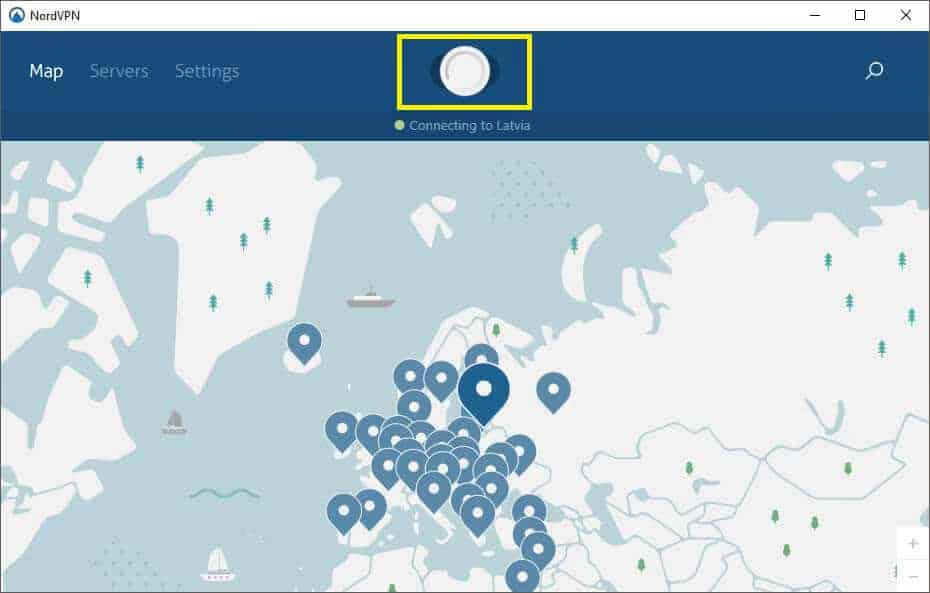
- Log into the NordVPN account and press the “Quick Connect” button to establish a connection.
- The country of the IP you are connected with will then be displayed in green.
That’s it!
#Bottom Line
Start with UnblockVideos if you want a quick, free solution that works on most school networks. For long-term, reliable unblocking, invest in NordVPN since it handles all your traffic, not just YouTube.
If you’re hitting other YouTube issues outside of network blocks (videos won’t load, playback freezes on Android, sign-in loops), that’s a different troubleshooting path. You can also learn about what VPN does on iPhone before paying for a subscription.
#Frequently Asked Questions
Are YouTube proxy websites legal to use?
Yes. Using a proxy to access YouTube isn’t illegal in most countries. However, using proxies to access copyrighted content you don’t have rights to is a separate issue.
Do I need to install software to use a YouTube proxy?
No. Browser-based proxies work directly in your web browser with no downloads required. VPN apps like NordVPN do require installation, but they offer better performance.
Can I use YouTube proxy websites on my phone?
Yes. Most proxy websites work in mobile browsers on both iPhone and Android. The experience is slower than desktop, but functional for standard-definition video.
Are there risks with free proxy websites?
Free proxies can log your data, inject ads, or expose you to malware. Stick to established, well-reviewed options like the ones listed above. For maximum security, a paid VPN is always the safer choice.
Can YouTube proxy websites download videos?
No. Proxy websites are for streaming only. If you need to download YouTube videos, use a dedicated tool like iTubeGo.
How fast are YouTube proxy websites?
Speed varies by proxy and your network. A streaming-optimized proxy like UnblockVideos can usually handle higher-resolution video on a typical home connection, while lighter proxies hold up better at standard definition. VPNs tend to be faster across the board because they skip the proxy page layer.

Google Messages Error 3100: Why RCS Is Broken on Galaxy
Google Messages RCS error 3100 hits Galaxy owners after phone or carrier switches. Google told 9to5Google a fix is coming. Here's what actually helps.

Is This Bank App Real? Spot a Fake App on Your Home Screen
A bank app can land on your home screen from a web page with no install warning. Learn the checks that tell a real banking app from a phishing web app.

Apps Crashing After iOS 27 Update? Fix Order (2026)
Apps crashing after the iOS 27 update? Update the app in the App Store first, then offload and reinstall to clear stale cache, then restart. The fix order.

Do AI Translation Earbuds Work Offline? What to Know
Do AI translation earbuds work offline? A few do with downloaded language packs, but most need the cloud. Here's what works offline and what you give up.