Best Ultrawide Monitor 2026: Top 21:9 and 32:9 Picks
Best ultrawide monitor in 2026. We pick top 21:9 and 32:9 QD-OLED panels for productivity and immersive gaming, with curve, resolution, and GPU advice.
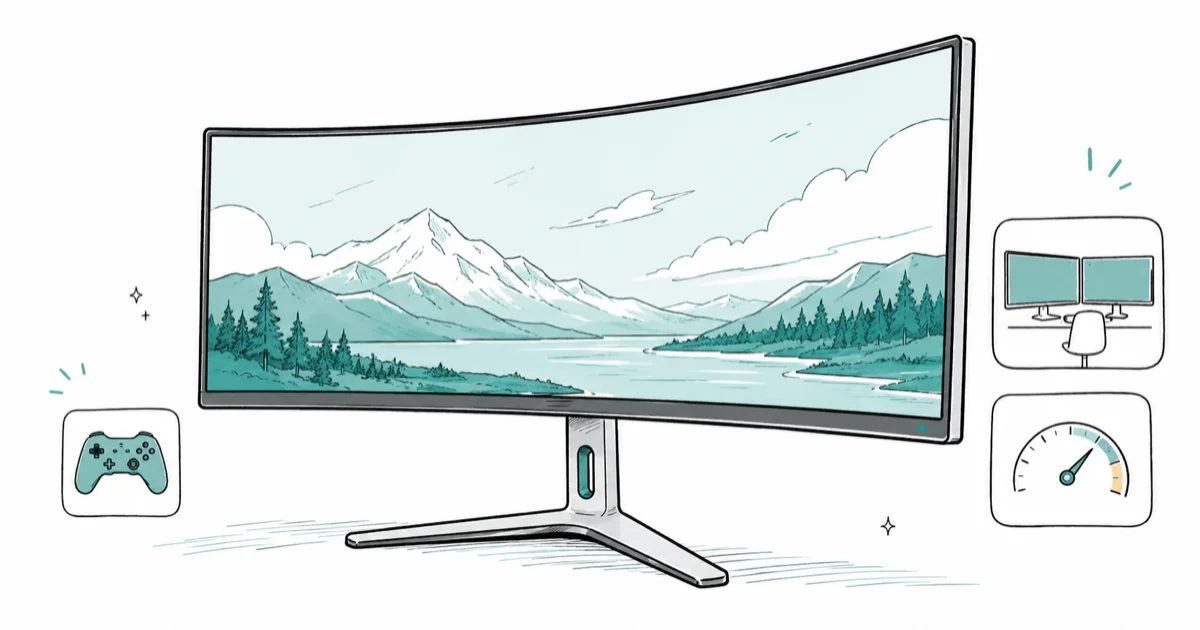
Quick AnswerThe best ultrawide monitor for most people in 2026 is the Alienware AW3425DW, a 34-inch 3440x1440 QD-OLED at 240Hz for around $799. Step up to a 49-inch 32:9 panel only if you want to replace a dual-monitor setup.
The best ultrawide monitor in 2026 is the one that fits your desk and your workload, and for most people that’s a 34-inch 3440x1440 QD-OLED like the Alienware AW3425DW. An ultrawide replaces the bezel gap of a dual-monitor setup with one unbroken panel. Below we sort the current 21
and 32 lineup by job, because a sim racer, a spreadsheet power user, and a competitive shooter each want a different shape of glass.- The Alienware AW3425DW is the best all-round ultrawide: a 34-inch QD-OLED at 240Hz with a 0.03ms response time, around $799.
- A 49-inch 32 panel like the Samsung Odyssey OLED G9 replaces two 27-inch screens with one continuous display.
- An ultrawide beats dual monitors when you want no bezel gap down the middle, but it can’t physically separate two full-screen apps.
- 3440x1440 is the productivity sweet spot. It adds horizontal workspace without the steep GPU cost of a wider 5120x1440 panel.
- A curved panel (1800R is common) wraps the extra width toward you, which keeps the edges readable and immersive at 34 inches and up.
#When Does an Ultrawide Beat Two Monitors?
This is the question worth answering before you spend a cent, because an ultrawide is not strictly better than a dual setup. It’s a different tool.
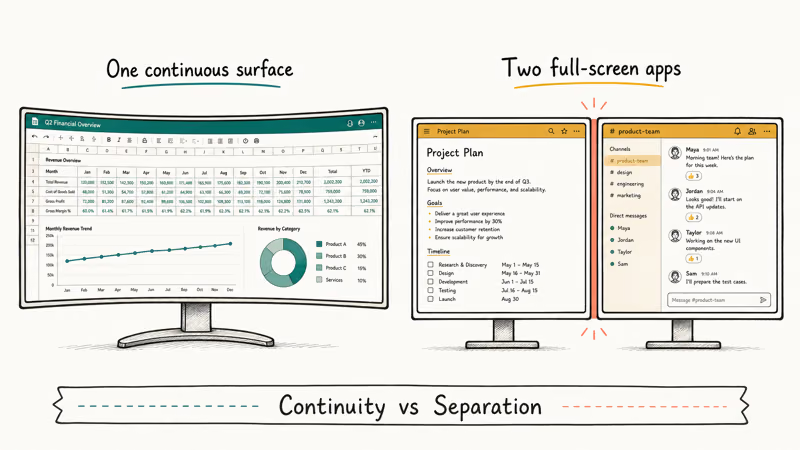
An ultrawide wins on continuity. No bezel runs down the center of your view, so wide spreadsheets, timelines, and panoramic games flow across one unbroken surface.
A dual-monitor setup wins on separation. Two physical panels let you put a full-screen video on one and a full-screen document on the other, which a single ultrawide can’t truly replicate without window-snapping software. If you live in two maximized apps at once, two screens still make sense.
The honest middle ground is workload. Pick an ultrawide for editing, coding, and gaming where one wide view helps. Stick with dual monitors if you constantly run two separate full-screen tasks. For a deeper look at scaling past one panel, our 6-monitor setup guide covers the GPU outputs and mounting involved.
#Best Ultrawide Monitor Overall: Alienware AW3425DW
If you want one ultrawide that nails the price-to-performance balance, this is it. The Alienware AW3425DW is a 34-inch 3440x1440 QD-OLED, and it has become the default ultrawide recommendation.
As an Amazon Associate, fone.tips earns from qualifying purchases.
What earns it the top spot is value. According to Tom’s Guide’s Alienware AW3425DW review, the panel runs a smooth 240Hz refresh with a fast 0.03ms response time, costs around $799, and the reviewer called it just about the perfect gaming monitor. It carries the vivid color and perfect blacks of QD-OLED in a 21
, 1800R curved shape.It isn’t flawless. Tom’s Guide noted the HDR brightness is relatively dim, a common QD-OLED trait. For fast competitive games, cinematic titles, and creative work, the trade-off is easy to accept at this price.
This panel pairs naturally with a current mid-to-upper graphics card. A 3440x1440 panel asks more of your GPU than 1440p but far less than a wider 5120x1440 one, so our best GPU for 1440p gaming guide is the right starting point for matching a card.
#Best Super Ultrawide: Samsung Odyssey OLED G9
Want to replace two monitors with one enormous panel? Go 32
.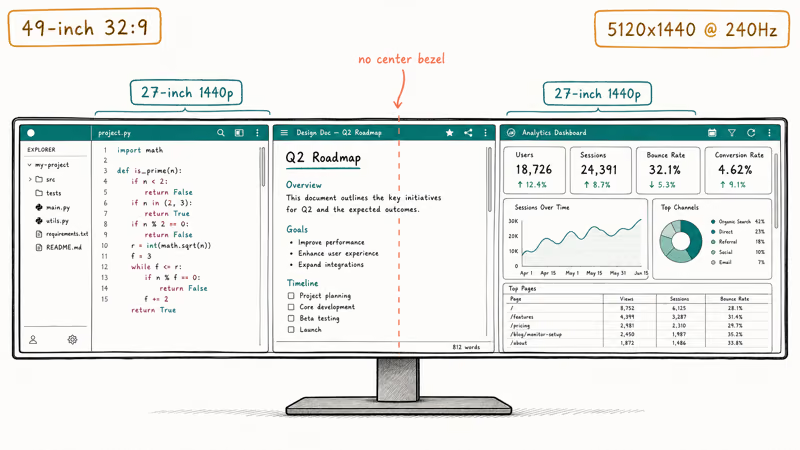
The Samsung Odyssey OLED G9 is the 49-inch super ultrawide to beat. Its 5120x1440 QD-OLED panel runs at 240Hz and is roughly equivalent to two 27-inch 1440p displays stitched together, minus the bezel down the middle.
A Tom’s Guide editor who switched to a super ultrawide states that the 32
format gave a real productivity boost by fitting multiple windows side by side without a center bezel. For sim racing, flight sims, and sprawling spreadsheets, the immersion is unmatched.There are two real catches. First, not every game supports 32
, so some titles render with black bars or a stretched HUD. Second, this resolution is hungry: you need a high-end graphics card to push 5120x1440 at a decent frame rate, far more than the entry cards in our best GPU for 1080p 144Hz guide can manage.A 49-inch 32
panel can cleanly replace a dual-27 setup when your work is wide rather than tall.#Best Productivity Ultrawide: Dell UltraSharp U3425WE
Not every ultrawide is a gaming panel. If your focus is work, the priorities shift to text clarity, build quality, and connectivity over raw refresh rate.
The Dell UltraSharp U3425WE is the pick for desk work. It’s a 34-inch 3440x1440 IPS-class ultrawide with a sharp, color-accurate picture, a sturdy stand, and the kind of dock-grade port selection that turns the monitor into a laptop hub. Crucially, an IPS panel carries no burn-in risk, which matters when the same taskbar sits on screen all day.
It won’t deliver OLED’s perfect blacks or a gamer’s refresh rate, and that’s intentional. For someone who lives in documents and video calls rather than games, the steady image and lack of burn-in worry are worth more than contrast.
For mixed creative work, you may want something tuned for color accuracy instead. Our best monitor for color grading guide covers panels calibrated for editing over speed.
#Does an Ultrawide Need a Curve?
At 34 inches and wider, a curve clearly helps. A flat panel that wide pushes the far corners off-axis and makes your eyes work harder to reach them.
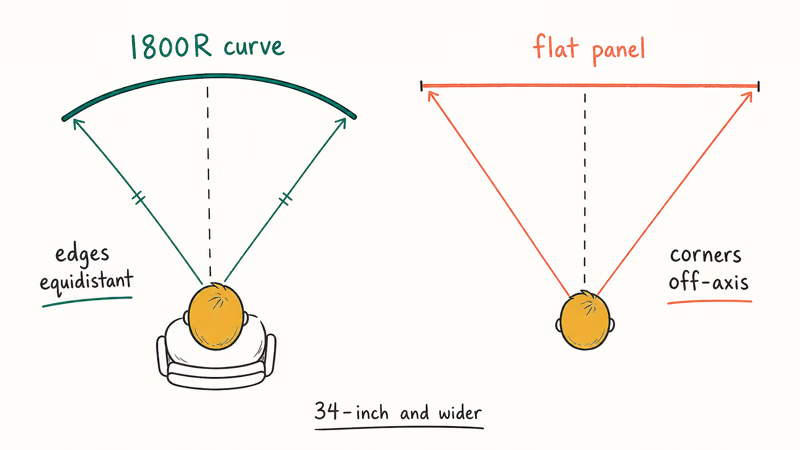
A curve (1800R is the common radius) keeps every part of the screen roughly the same distance from your eyes. That reads as more immersive in games and less fatiguing for long work sessions, since you are no longer leaning or turning your head to take in the far edges of a very wide flat display.
Tom’s Guide’s best curved monitors roundup found that the curve matters more as panels get wider, which is why 49-inch 32
screens use an aggressive bend. At the same desk distance, a curved 34-inch screen keeps the edges easier to read than a flat panel.Flat ultrawides still exist, mostly in productivity models. They’re fine from a distance, but up close at 34 inches most people prefer the curve.
#Best HDMI 2.1 for Ultrawide Console Play
Ultrawides are PC-first. A PS5 or Xbox Series X doesn’t output a native 21
or 32 signal, so an ultrawide shows console games with pillarbox bars on the sides, framing the action in the center while the extra width sits dark and unused, which is the trade-off you accept when you buy a PC-focused panel and occasionally plug a console into it.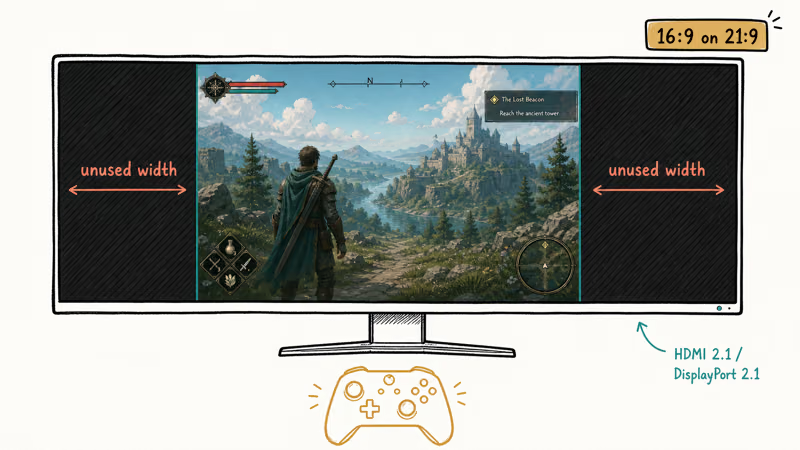
If you do plan to plug a console in, the connection still matters for the games that scale. The right port unlocks 4K up to 120Hz on a panel that supports it, and our best HDMI 2.1 monitor guide covers which displays carry the bandwidth. On PC, DisplayPort 2.1 is the better route for high-refresh ultrawide gaming.
A PS5 on a 34-inch ultrawide normally runs 16
with side bars rather than filling the panel, which is normal. Buy an ultrawide for PC and treat console support as a bonus, not the main reason.#Bottom Line
Buy the Alienware AW3425DW. It’s the 34-inch QD-OLED that hits the value sweet spot at around $799, with the refresh and response a gamer wants and the color a creator can use.
Go wider only with purpose. The Samsung Odyssey OLED G9 is the 49-inch pick when you want to retire a dual-monitor setup and have the GPU to feed it, while the Dell UltraSharp U3425WE is the calm, burn-in-free choice for all-day desk work. Match the width to your workload, and the curve will do the rest.
#Frequently Asked Questions
Is an ultrawide monitor better than two monitors?
It depends on how you work. An ultrawide gives you one continuous surface with no bezel down the middle, ideal for wide spreadsheets and immersive games. Two monitors win when you need two full-screen apps kept fully separate, since a single ultrawide can only fake that split with window-snapping software that never feels as clean as two real panels side by side.
What resolution should an ultrawide monitor be?
For a 34-inch panel, 3440x1440 is the standard sweet spot. Step up to 5120x1440 only on a 49-inch screen, and be ready for a high-end card to drive it.
Do ultrawide monitors work with consoles?
Partly. A PS5 or Xbox Series X doesn’t output a true 21
or 32 signal, so console games show with black bars on the sides. The picture still looks great, but you lose the full-width immersion. Treat console support as a bonus, not the reason to buy.Is a curved ultrawide worth it?
At 34 inches and wider, yes. A curve wraps the extra width toward you so the edges stay readable.
How much desk space does an ultrawide need?
More than a standard monitor, especially at 49 inches. A 34-inch ultrawide is roughly as wide as a 38-inch standard TV, while a 49-inch super ultrawide can span most of a desk. Measure your space first, and account for stand depth as well as screen width, because these panels are deeper than they look once the stand is attached.
Do ultrawide OLED monitors have burn-in?
The risk exists but is small on modern panels. QD-OLED ultrawides include pixel shifting, logo dimming, and automatic refresh cycles, and most ship with multi-year burn-in warranties.
What GPU do I need for an ultrawide monitor?
It scales with resolution. A 3440x1440 panel stays reasonable for a current mid-to-upper card, while a 5120x1440 super ultrawide demands a high-end GPU. Match the card to the panel so you don’t buy a display your hardware can’t drive at a smooth frame rate.

Pixel 11 vs Pixel 10: What Changed and Who Should Upgrade
Pixel 11 vs Pixel 10: same screen and camera resolution, new Tensor G6, 25W wireless, and Gemini Intelligence. Here is who should actually upgrade.

Best Power Bank for iPad in 2026: Pro, Air, and Mini
Best power bank for iPad in 2026. Compare mAh tiers and USB-C PD wattage for iPad Pro, Air, and mini, plus airline Wh math, cables, and travel tips.

Best Power Bank With Built-In Cable: Top 2026 Picks
Best power bank with built-in cable picks for 2026. Compare single USB-C, multi-connector, and retractable laptop banks, plus airline Wh math.
Best Apple Watch Band for Working Out: Proven Picks
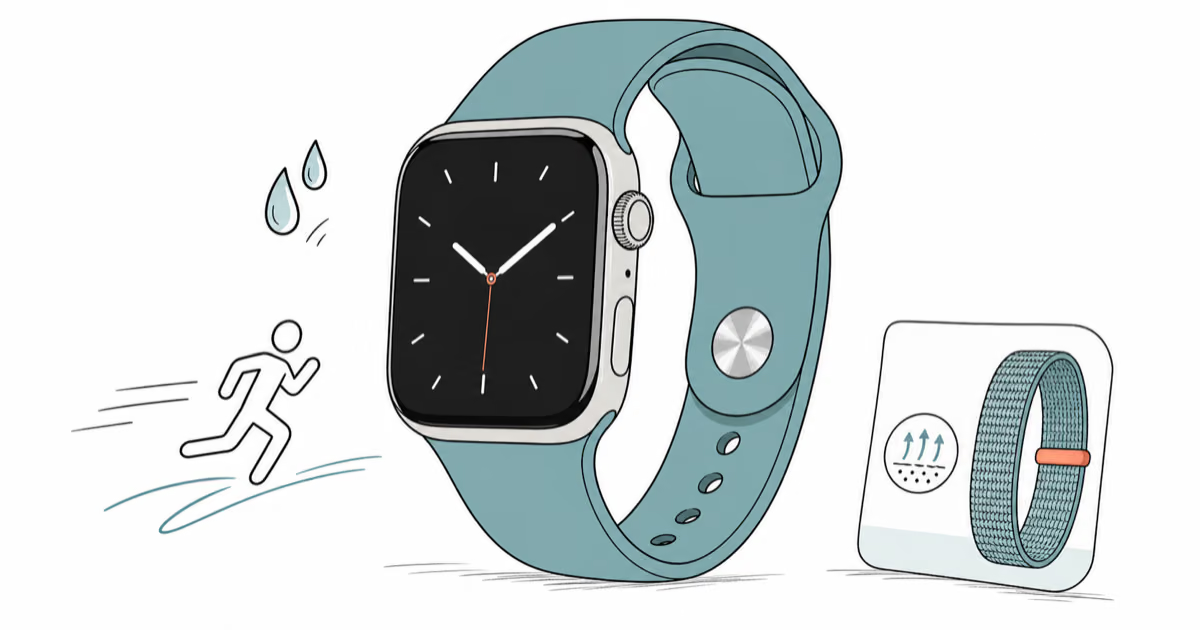
The best Apple Watch band for working out handles sweat and stays put on your wrist. Compare silicone, nylon, and titanium picks for runs and lifts.